Every Friday night, thousands of school athletic departments post game-day graphics to Instagram, display scores and starting lineups on gym screens, and project logos and jersey numbers on recognition touchscreens in the lobby. The challenge: those three outputs rarely look like they came from the same school. Mismatched fonts, off-brand colors, and generic templates erode the school identity that coaches, ADs, and boosters spend years building.
Sports graphics done right tell a single, unified story—from the 6 a.m. “game today” Instagram post to the halftime scoreboard animation to the permanent digital display honoring state champions. This guide shows exactly how athletic departments create that consistency, with a visual standards checklist you can apply across every channel and display type your program uses.
Walk through any well-run athletic program and the visual language is unmistakable. The same team colors, the same typeface hierarchy, and the same logo treatment appear on the welcome screen inside the gym, on the Instagram story announcing tonight’s roster, and on the touchscreen wall of fame in the main hallway. That visual coherence isn’t accidental—it’s the product of deliberate standards applied at every output point.
For schools without a dedicated design staff, achieving that consistency has historically been difficult. Graphics requests pile up across coaches, boosters, student organizations, and social media managers—and each person reaches for whatever template happened to be available. The result is visual drift that undermines the brand students and alumni associate with the program.
Modern tools and platforms have made repeatable, on-brand sports graphics achievable for schools of any size and budget. This guide covers the full pipeline: brand standards, template systems, channel-specific requirements, and how permanent digital displays connect game-day energy to long-term recognition.

A cohesive visual identity ties together hallway displays, social media, and game-day screens into one recognizable brand
Why Consistent Sports Graphics Matter for Schools
Before building a graphics system, it helps to understand what’s actually at stake when visual consistency breaks down—and what schools gain when it holds together.
Brand Recognition Across Every Touchpoint
Students, families, and alumni encounter your athletics brand in dozens of places: social feeds, gym video boards, hallway murals, recognition walls, website landing pages, print banners, and digital scoreboards. Each touchpoint is an impression. When those impressions look coherent, they compound—the brand gets stronger every time someone encounters it. When they look disconnected, they undermine credibility and make it harder for your program to feel established, even when it is.
For recruiting, visual professionalism signals that a program is organized, invested, and serious about its athletes. Prospective students and their families make judgments based on first impressions, and a polished, consistent graphic identity communicates exactly the story coaches want to tell.
Social Media Reach and Engagement
Game-day graphics are among the highest-performing content schools post to Instagram, X (formerly Twitter), and Facebook. A strong game-day post—correct colors, clean typography, athlete photos with accurate jersey numbers—gets shared by families, alumni, and local community members in ways that generic content simply does not.
Platforms like Rocket Graphics provide free social media graphic suites specifically built for school athletics, including templates pre-loaded with school colors and logos. Schools that use dedicated athletic graphics tools report significantly higher engagement rates on game-day posts compared to generic template software—because the content looks authentically tied to the program, not like a last-minute clip-art production.
Longevity: From Game Night to the Record Books
One dynamic that sets school sports graphics apart from professional sports content is longevity. A graphic you design tonight to announce a starting lineup might be repurposed months from now as part of a championship recognition display, a hall of fame profile, or a digital donor wall featuring a booster family’s athlete.
Building graphics with that lifecycle in mind—using high-resolution assets, saving layered source files, documenting the exact brand specifications used—means today’s social post can become tomorrow’s permanent recognition content without requiring a redesign from scratch.
Building Your School’s Athletic Brand Standards
Consistent sports graphics start with documented standards, not one-off templates. A simple brand guide—even a one-page reference sheet—eliminates the guesswork that causes visual drift.
Core Brand Elements to Document
Team Colors with Exact Color Codes Specify colors in three formats so they work in every tool: HEX (for web and digital screens), RGB (for digital display systems), and CMYK (for print). Approximate descriptions like “navy blue” are insufficient—navy blue looks different across every monitor and printer. Your exact HEX code is the only way to ensure that game-day graphics on Instagram match the scoreboard display inside the gym.
Typography Hierarchy Designate a primary typeface for athlete names and headlines, a secondary typeface for stats and supporting information, and specify the weight and sizing rules for each. Many schools use their institutional typeface for headers and a highly legible sans-serif for numeric data (jersey numbers, scoring stats, years). Consistency here matters most on digital displays where text renders at different sizes depending on screen resolution.
Logo Usage Rules Document which logo files to use for which contexts. Typically this means a full-color version for white or light backgrounds, a reversed (white) version for dark or color-fill backgrounds, and a single-color version for situations where full-color reproduction isn’t possible. Specify clear space requirements—the minimum padding around the logo that keeps it from being crowded by other graphic elements.
Imagery Standards If athlete photos are part of your graphics system (and they should be—personalized graphics consistently outperform generic ones), establish standards for photo style: background color or cutout treatment, crop framing, minimum resolution. Game-day graphics that pull from a consistent photo library look cohesive even when individual designers create them independently.
The Visual Standards Checklist
Use this checklist before publishing any sports graphic across any channel:
Brand Compliance
- Team colors match approved HEX/RGB codes
- Logo uses the correct file (color, reversed, or single-color) for the background
- Typography matches the designated typeface hierarchy
- Athlete names and numbers are verified accurate
- Logo clear space rules are respected
Channel Fit
- Image dimensions match the target platform (see channel specs below)
- Text is legible at the smallest expected viewing size
- File format is appropriate (JPG/PNG for static, MP4 for animated)
Content Accuracy
- Opponent name, date, and time are correct
- Sport-specific statistics use approved formatting
- Athlete photos are current-season approved images
- Any sponsor logos or required attributions are included
Accessibility
- Sufficient contrast ratio between text and background
- Text is not embedded in images where screen readers are expected
- Alt text is prepared for website and digital display use
Channel-Specific Graphic Specifications
Different surfaces require different dimensions and file formats. Standardizing output specs for each channel prevents the blurry, cropped, or distorted graphics that happen when one-size-fits-all templates are force-fit into different contexts.
Social Media
- Instagram square post: 1080 × 1080 px
- Instagram Stories / TikTok: 1080 × 1920 px (9:16)
- Instagram Landscape / Facebook / X: 1200 × 628 px
In-Gym and Lobby Digital Displays
- Standard 1080p screen: 1920 × 1080 px (16:9)
- 4K display: 3840 × 2160 px
- Portrait orientation (scoreboard sidekick panels): 1080 × 1920 px
Recognition Touchscreens and Kiosks
- Athlete profile cards: typically 800 × 1000 px (varies by platform)
- Banner headers: 1920 × 400–600 px
- Thumbnail previews: 400 × 400 px minimum
Print Banners and Posters
- Large-format banner: 300 DPI at final print size
- Minimum effective resolution: 150 DPI for viewing distances over 8 feet
Game-Day Social Media Graphics That Drive Engagement
Social media is often the first place community members encounter game-day content. A strong visual system for social graphics pays dividends in shares, reach, and community investment in the program.
Template Architecture for Repeatable Production
The most efficient athletic departments build a template library rather than designing individual graphics from scratch. A well-designed template system for a single sport typically includes:
- Game announcement (date, opponent, location, time)
- Starting lineup (roster with jersey numbers and positions)
- In-game update (score, quarter/period, key play callout)
- Final score (win or loss, game summary stats)
- Athlete spotlight (individual photo, name, stat line)
- Season record tracker (current standing visualization)
Each template shares the same color palette, typography, and logo treatment. The only variables are the game-specific content. This approach means a student social media manager or coach can produce professional-grade game-day graphics in minutes—not hours.
Schools exploring free, school-specific graphics platforms should look at tools designed as free alternatives to Gipper built specifically for school athletics, which often include pre-built template libraries tied to school branding rather than requiring manual configuration.
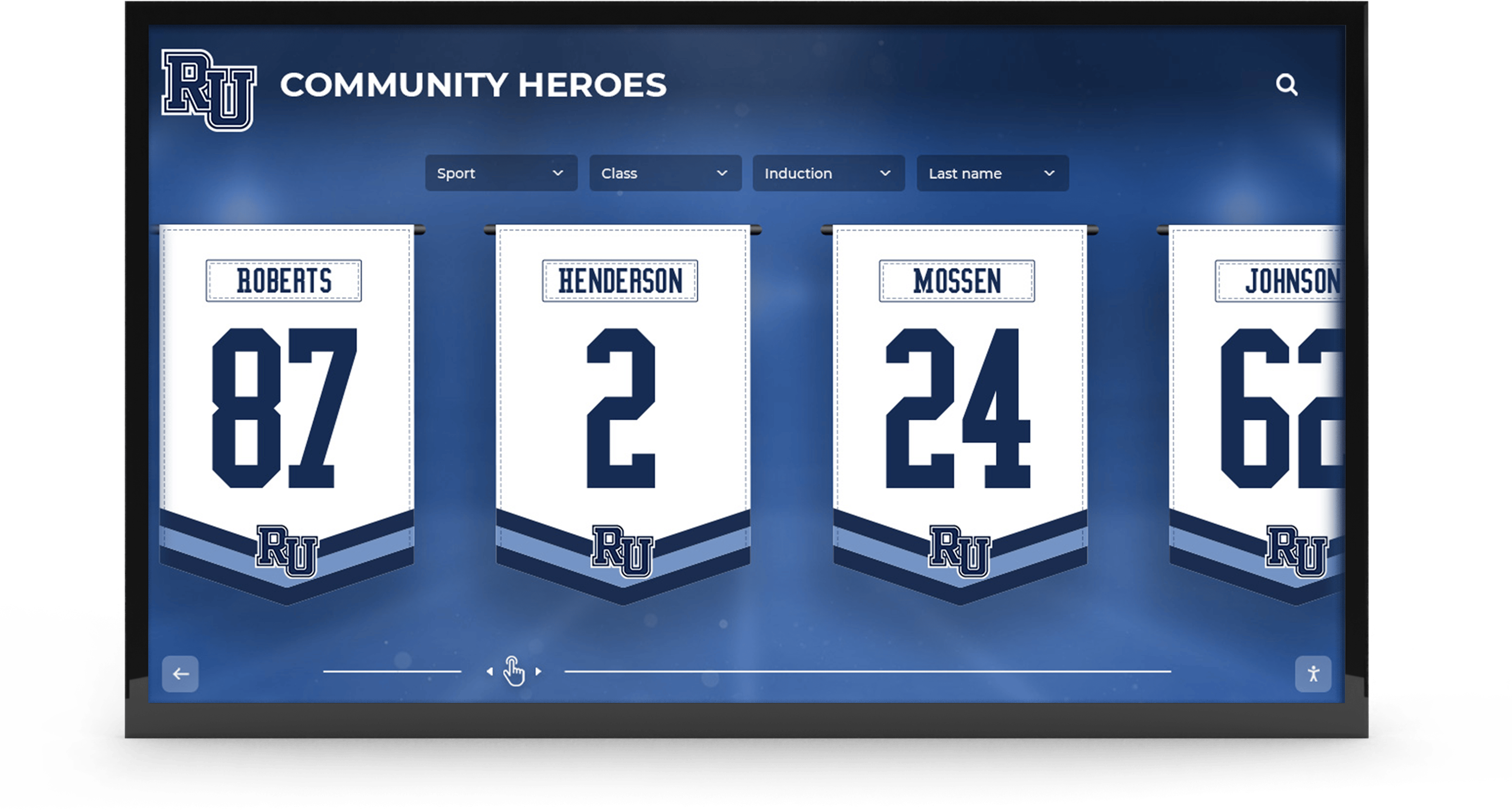
Jersey number and athlete recognition graphics bridging game-day social content and permanent hallway displays
AI-Assisted Graphics for Athletic Departments
A newer development in school sports graphics is AI-powered content generation. Several platforms now offer tools that automatically pull roster data, apply school branding, and generate game-day graphics without requiring design knowledge from the user. For schools with limited staffing, these tools represent a genuine step forward.
Platforms offering free AI-powered social media graphics suites for schools are particularly valuable for smaller programs where one person may be managing communications for multiple sports simultaneously. The ability to generate an accurate, on-brand graphic in under a minute—rather than building one from a blank canvas—dramatically increases publishing frequency and consistency.
Graphics That Convert Followers into Fans
The best game-day graphics don’t just inform—they invite participation. Design choices that drive engagement:
Personalization: Graphics featuring specific athlete names and photos consistently outperform generic “big game tonight” posts. Parents, classmates, and alumni share content when they recognize someone they know.
Countdown and anticipation formats: Posts scheduled the morning of a game—especially those that build toward game time with a series of graphics—maintain community attention across the full day rather than just the moment before tip-off.
Celebration vs. information: Win-announcement graphics should feel celebratory in color, composition, and energy. Score-update graphics during play should be efficient and readable at a glance. Template sets that recognize these different emotional registers produce more authentic content.
In-Gym and Lobby Digital Displays
While social media graphics reach audiences outside the building, in-facility digital displays shape the experience of everyone who walks through the doors—athletes, families, officials, and community members.
Scoreboard and Video Board Content
Modern gym video boards and lobby screens can run dynamic content that mirrors the same visual system used on social media. This creates continuity: the graphic a parent saw on Instagram driving to the game appears in expanded form on the gym screen when they arrive.
For schools investing in video board software, building a content playlist that includes:
- Pregame hype animations using school colors and mascot
- Starting lineup graphic (matching the social media version)
- Opponent information and rivalry context
- Sponsor recognition (if applicable)
- Post-game results graphic
…ensures the in-facility experience feels designed rather than improvised.
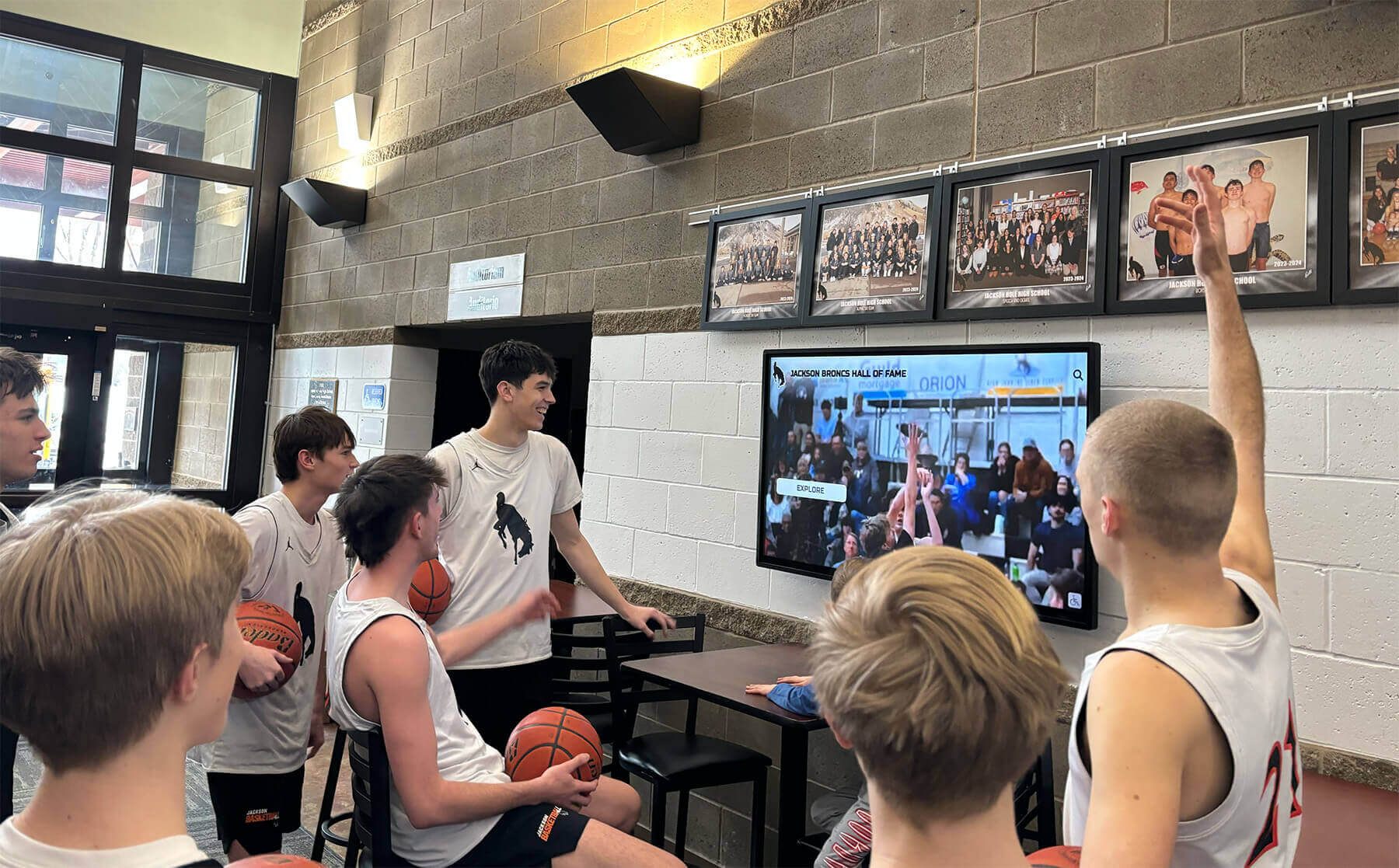
In-facility screens showing game highlights and team graphics create immersive environments for athletes and fans
Hallway and Common Area Recognition Displays
Beyond the game itself, schools benefit from permanent digital displays in hallways, athletic lobbies, and common areas that extend the visual identity year-round. These displays showcase team histories, individual records, state championships, and hall of fame inductees using the same design language as game-day graphics.
The transition from game-day content to permanent recognition content is where a lot of schools lose visual coherence. The scoreboard graphic from last Friday looks nothing like the framed championship banner from 2009 hanging three feet away. Unified digital display systems solve this by applying the same template language to both current-season content and historical recognition.
Schools exploring comprehensive display platforms for both active-season and archival recognition can find guidance on interactive digital trophy case systems designed for school athletics, which bridge the gap between game-night energy and permanent institutional history.
Multi-Display Consistency
Schools with multiple screens—lobby kiosk, gym video board, hallway recognition wall, donor recognition display—face a specific challenge: each screen may run on different hardware and different software. Without a documented brand standard, each display ends up managed independently with predictably inconsistent results.
The solution is a shared asset library and a designated administrator responsible for keeping visual standards synchronized across all screens. Practically, this means:
- One master folder of approved logos, color swatches, and photography assets accessible to anyone managing any display
- A documented schedule for updating each display type (game-day graphics update before each game; recognition displays update at season end or induction events)
- A single person with override authority to flag and correct off-brand content before it goes public
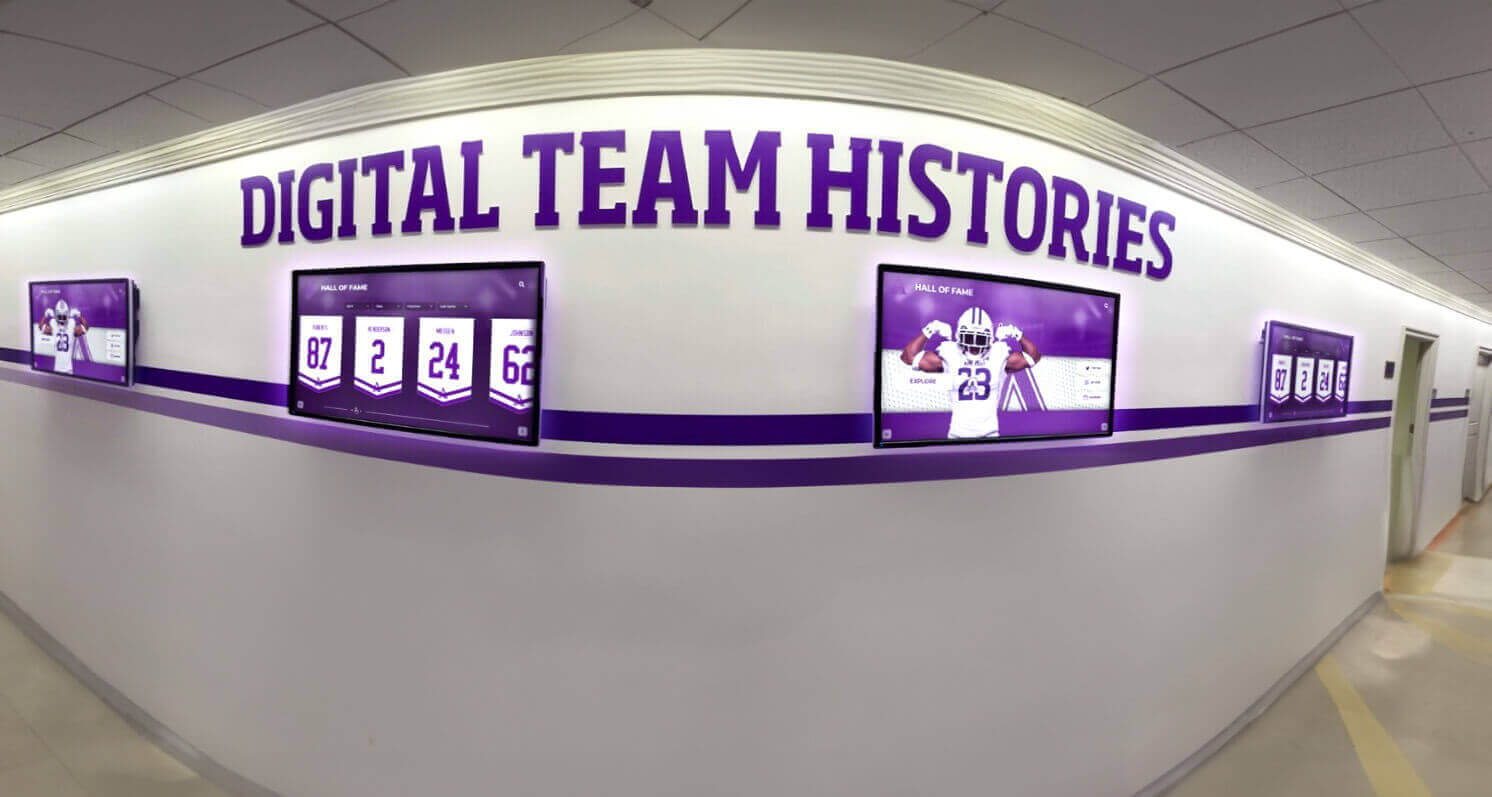
Multi-screen hallway displays tell a continuous story of athletic excellence when managed with consistent visual standards
From Game-Day Graphics to Permanent Recognition
The most sophisticated school athletics programs recognize that game-day visuals and long-term recognition are two phases of the same visual story—not separate systems managed by different people with different tools.
Archiving Season Graphics for Future Recognition
Every game-day graphic your program creates is a potential future asset. A game-announcement graphic featuring an athlete who later breaks a school record is the source file you’ll want when building their hall of fame profile. A season record tracker that ran all the way through a state championship run is a powerful visual piece to integrate into a permanent championship display.
Building archiving into your workflow—naming files consistently, storing source files alongside exported versions, tagging by season and athlete—costs very little time at creation and pays dividends for years. Schools that maintain organized athletic recognition archives and school records policies find it significantly easier to produce compelling recognition content when induction season arrives.
Building the Visual Bridge: Social Media to Touchscreen
The most compelling recognition displays at schools today maintain visual continuity with the social media content students already know. An athlete’s hall of fame touchscreen profile that uses the same photo treatment, color system, and typeface as their game-day spotlight graphics creates an instinctive sense of recognition—this is the same visual identity, just in a more permanent form.
Schools can explore academic recognition program development strategies for building systems that connect real-time achievement content to formal recognition structures.
Platforms offering comprehensive free sports graphics tools for schools often include export formats and asset libraries that integrate directly with touchscreen recognition systems, making this visual bridge achievable without custom design work.
Hall of Fame and Record Board Visual Standards
Permanent recognition surfaces—hall of fame walls, record boards, championship displays—deserve the same intentional visual treatment as game-day graphics. When record boards, championship banners, and hall of fame inductee profiles all share the same typography, color palette, and photo treatment, the result is a cohesive athletic environment that feels designed rather than accumulated.
Schools looking for inspiration on building impactful permanent athletic displays can explore examples from notable sports upsets and championship recognition displays that effectively translate athletic achievement into compelling visual storytelling.
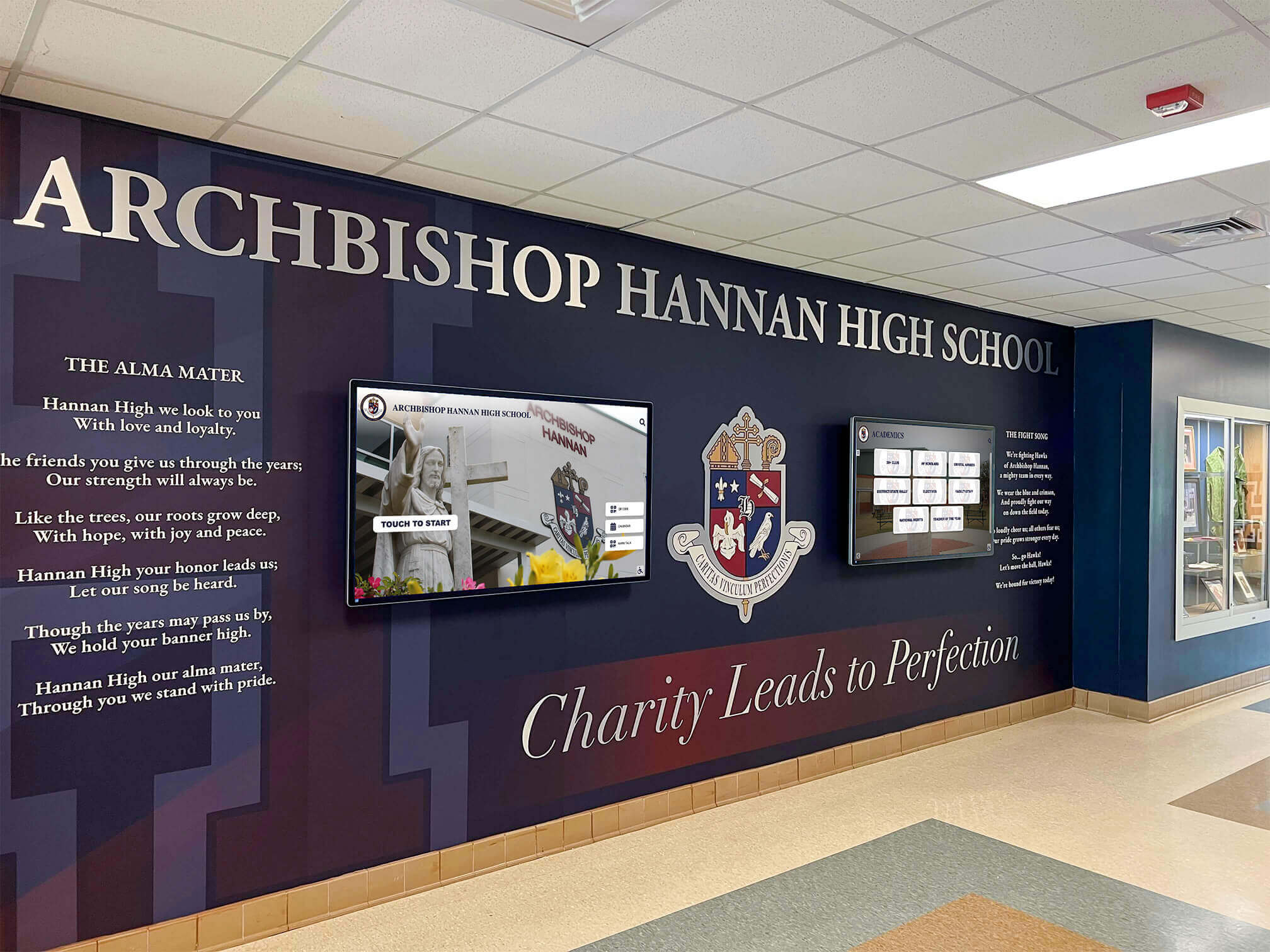
Schools that unify physical murals and digital screens under one visual system create immersive athletic environments that resonate with students and alumni alike
Tools and Platforms for School Sports Graphics
The ecosystem of tools available to school athletic departments has expanded dramatically over the past five years. Understanding what different tools do—and where they fit in the pipeline—helps departments make smart choices without paying for redundant capabilities.
Free Social Media Graphics Platforms for Schools
Several platforms now offer free or deeply discounted sports graphics tools for schools. The best of these include:
- Pre-built template libraries tied to school branding
- Roster import so athlete names and numbers auto-populate
- One-click formatting for different social channels
- Team schedule integration for game announcement automation
Schools evaluating these tools should look at platforms positioned as free AI-powered alternatives to paid graphics services for school athletics. The free-tier offerings from dedicated school sports graphics platforms frequently outperform general-purpose design tools for this specific use case because they’re built around athletic workflows rather than adapted from them.
For schools that have been evaluating paid services, it’s worth noting that free alternatives to popular paid school graphics platforms now provide comparable functionality without subscription costs—which meaningfully changes the budget conversation for programs stretching limited athletic department funds.
Digital Display Management Platforms
For in-facility screens, dedicated digital signage platforms allow athletic departments to schedule content, push updates remotely, and maintain separate playlists for different display contexts (pre-game, in-game, post-game, off-season recognition). Key features to evaluate:
- Cloud-based content management (update from any device, no on-site IT required)
- Template-based publishing that respects brand standards automatically
- Playlist scheduling tied to game calendars
- Multi-screen management from a single dashboard
- Content approval workflows for districts requiring administrator sign-off
Touchscreen Recognition Platforms
At the permanent recognition end of the spectrum, touchscreen wall-of-fame platforms from companies like Rocket Alumni Solutions bring together all the visual content your program produces—season graphics, athlete photos, championship records, hall of fame profiles—into interactive displays that tell the complete story of your athletic program.
These platforms are distinct from scoreboard software or social media tools. They’re designed for the lobby or hallway context where students, alumni, visitors, and prospective families explore program history at their own pace. Properly configured, they function as living archives: game-day graphics and athlete photos from this season feed directly into recognition profiles that will still be displayed decades from now.
Implementing a Visual Standards Program at Your School
Knowing what good sports graphics require is one thing—actually building the system at your school is another. Here’s a practical implementation sequence for athletic departments starting from scratch.
Step 1: Conduct a Visual Audit
Before building anything new, document what currently exists. Collect examples of graphics from the past 60 days across every channel: social media posts, gym display content, hallway display content, print materials. Look for patterns and deviations.
Common findings from visual audits at schools:
- Three or more different versions of the school logo in active use
- Team colors that vary by 10–20% across different graphic sources
- No consistent template for recurring content types (game announcements, stats)
- Game-day social graphics designed by different people with no coordination
This audit creates a clear before-state that helps stakeholders understand why a brand standards effort matters—and provides a baseline to measure improvement against.
Step 2: Establish Official Brand Files
Work with the school or district communications office to obtain official, high-resolution versions of:
- Primary and secondary logos (in SVG or EPS vector format plus high-res PNG)
- Official color codes (HEX, RGB, CMYK, and Pantone if applicable)
- Licensed typefaces or approved free font alternatives
- Official mascot artwork and mark
Store these in a shared drive accessible to every person who creates graphics for any athletics-related output.
Step 3: Build Core Template Sets
With brand files in hand, build or commission the core template library. Prioritize the highest-frequency content types first:
- Game announcement (social)
- Final score (social)
- Athlete spotlight (social)
- Video board pre-game slate (in-facility)
- Hallway recognition display (permanent)
Each template should be locked to brand standards—colors, fonts, and logo placement should not be variables. The only editable fields are content: names, numbers, scores, dates.
Step 4: Document and Distribute Standards
Publish the visual standards as a brief reference document—one to two pages is sufficient for most programs. Include example graphics showing correct and incorrect usage, the approved file names and locations, and the contact information for whoever maintains the standards.
Distribute to every person who creates athletic graphics: coaches, student social media managers, booster club volunteers, IT staff managing displays, and any outside vendors who produce print materials.
Step 5: Build a Review Process
For high-visibility content—state championship graphics, hall of fame induction materials, major recruiting-related posts—establish a one-person approval step before content goes live. This doesn’t need to be bureaucratic; a 60-second review by the athletic director or communications coordinator catches the errors that undermine brand credibility.
For routine game-day content, templates built to brand standards eliminate the need for individual review—the brand compliance is built into the tool.
Connecting Sports Graphics to Long-Term Athletic Recognition
A visual identity built for game-day consistency has a second, longer-term payoff: it makes permanent recognition content dramatically easier to produce and more compelling when it arrives.
When every season’s athlete photos are shot against the same background, edited to the same specifications, and stored in an organized archive, assembling a hall of fame profile becomes a matter of retrieving assets rather than recreating them. When championship graphics are archived with their source files, they can be incorporated into anniversary recognition displays without requiring design work from scratch.
Schools that think about sports graphics as a continuum—from the first Instagram post of the season to a hall of fame induction twenty years later—build recognition programs that honor athletes more completely and require less effort to maintain over time.
Rocket Alumni Solutions’ touchscreen recognition platforms are designed to be the destination for that long-term visual content. Interactive displays in athletic lobbies and hallways showcase program history, individual achievements, and season-by-season records using the same visual language your athletics program has been building through consistent game-day graphics. The result is an environment where the school’s athletic identity feels complete—not fragmented across a dozen disconnected channels.
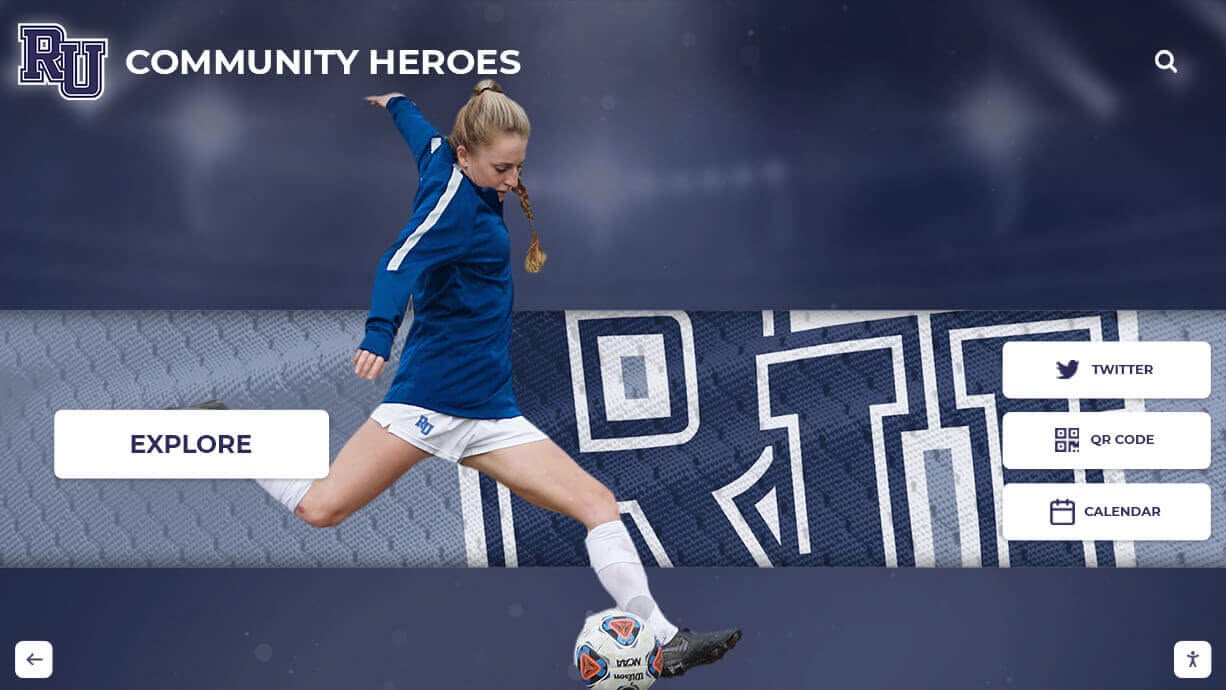
Sports graphics that start on social media can become lasting recognition content on permanent digital displays
Summary: The Visual Standards Checklist for School Sports Graphics
Bringing consistent sports graphics to every channel your athletics program uses comes down to four components working together:
Documented Standards — Official brand files, exact color codes, approved typefaces, and logo usage rules stored in a shared, accessible location.
Template Systems — Pre-built, locked templates for every recurring graphic type that enforce brand compliance without requiring design expertise from the person publishing content.
Channel-Specific Specs — Correct dimensions, file formats, and resolution requirements for each output surface: social media, in-facility digital displays, recognition touchscreens, and print.
Archiving Practices — Organized storage of source files, athlete photos, and season graphics that makes future recognition content easier to produce and more visually connected to the program’s ongoing identity.
Schools that build these four components create athletic environments where every visual touchpoint—from the morning Instagram post to the hall of fame touchscreen a student will walk past for four years—feels like it belongs to the same program.
Ready to connect your game-day sports graphics to a permanent recognition display that celebrates your program’s full history? Rocket Alumni Solutions builds interactive touchscreen recognition walls, digital trophy cases, and athlete hall of fame displays that bring your visual brand to life—year after year, long after the final buzzer.































