As spring athletic seasons wind down and championship runs conclude, athletic directors and coaches face the important task of recognizing months of dedication, improvement, and achievement. A well-executed spring sports awards night celebrates athletes across baseball, softball, track and field, tennis, lacrosse, and golf while honoring the coaches, families, and supporters who made the season possible.
This comprehensive guide provides the frameworks you need to plan, organize, and execute a memorable awards celebration. You’ll find venue selection criteria, award category templates, program flow recommendations, budget planning worksheets, and recognition strategies that extend beyond a single evening.
Planning Timeline: 6-8 Weeks Before Your Event
Spring sports awards nights require coordination across multiple teams, venues, vendors, and volunteers. Use this timeline to ensure nothing falls through the cracks.
Weeks 6-8: Foundation and Initial Decisions
Form a planning committee. Include athletic director, head coaches from each spring sport, booster club representatives, and administrative support staff. Assign specific roles: venue coordinator, awards/recognition lead, program designer, food and beverage manager, and audiovisual coordinator.
Set the date and time. Consider these factors when selecting your event date:
- Allow 1-2 weeks after final spring competitions conclude
- Avoid conflicts with graduation ceremonies, AP exams, and other major school events
- Consider whether evening (5-8pm) or afternoon (2-5pm Sunday) timing works better
- Check availability of preferred venues before committing to a date
- Account for multiple sports with different season end dates
Establish your budget. Create a realistic financial plan based on expected attendance and desired experience level:
| Budget Category | Cost Range Per Person | 100 Attendees | 200 Attendees |
|---|---|---|---|
| Venue rental | $500-$2,000 flat | $5-$20/person | $2.50-$10/person |
| Food and beverage | $15-$35/person | $1,500-$3,500 | $3,000-$7,000 |
| Awards and trophies | $10-$25/athlete | $500-$1,250 | $1,000-$2,500 |
| Printed programs | $2-$5/attendee | $200-$500 | $400-$1,000 |
| Audiovisual needs | $200-$800 flat | — | — |
| Estimated Total | — | $2,900-$8,050 | $4,900-$13,500 |

Weeks 4-5: Venue and Vendor Coordination
Select and secure your venue. The ideal venue accommodates your attendance projections while providing necessary amenities:
School venues (lower cost, convenient):
- Cafeteria or commons area (most economical option)
- Gymnasium (excellent for large crowds but requires significant setup)
- Auditorium or theater (professional atmosphere, built-in AV)
- Library or media center (intimate setting for smaller programs)
External venues (professional atmosphere, full service):
- Banquet halls and event centers
- Restaurant private dining rooms
- Country club facilities
- Community centers
Venue evaluation checklist:
- Capacity accommodates athletes, families, and guests
- Tables and seating included or available to rent
- Sound system and projection capabilities
- Kitchen access or catering allowance
- Parking adequate for expected attendance
- Accessible entrances and restrooms (ADA compliance)
- Setup and teardown time included in rental
Contract with food service. Whether using school cafeteria, hiring caterers, or working with venue food service:
- Confirm per-person pricing and minimum guarantees
- Specify dietary accommodation procedures (vegetarian, allergies, religious restrictions)
- Establish payment schedule and cancellation policies
- Verify service staff coverage for event duration
- Confirm table service vs. buffet style
Order awards and trophies. Lead time for quality awards typically requires 3-4 weeks. Consider a mix of recognition types:
- Major awards: traditional trophies or plaques
- Team awards: specialty trophies reflecting sport identity
- Individual recognition: medals or certificates
- Academic honors: scholar-athlete certificates
- Coach appreciation: framed recognition or specialty items

Weeks 2-3: Content Development and Program Design
Collect award recipient information from coaches. Standardize data collection across all sports:
Required information for each award recipient:
- Full name (verify spelling with student records)
- Grade level and graduation year
- Sport and position
- Specific award or recognition received
- Key statistics or accomplishments
- Photo in uniform (high resolution preferred)
Draft program content. Professional programs enhance the event experience and become keepsakes for families:
Program elements:
- Event welcome and purpose statement
- Schedule of program flow
- Coaching staff recognition for each sport
- Team rosters with senior designations
- Award categories with descriptions
- Past award winner lists (tradition building)
- Sponsor recognition (if applicable)
- Season highlights and statistics
Create presentation content. If your event includes multimedia presentations:
- Season highlight videos (3-5 minutes per sport)
- Photo slideshows of season moments
- Senior recognition presentations with athlete profiles
- Record-breaking achievement announcements
- Championship game or meet footage
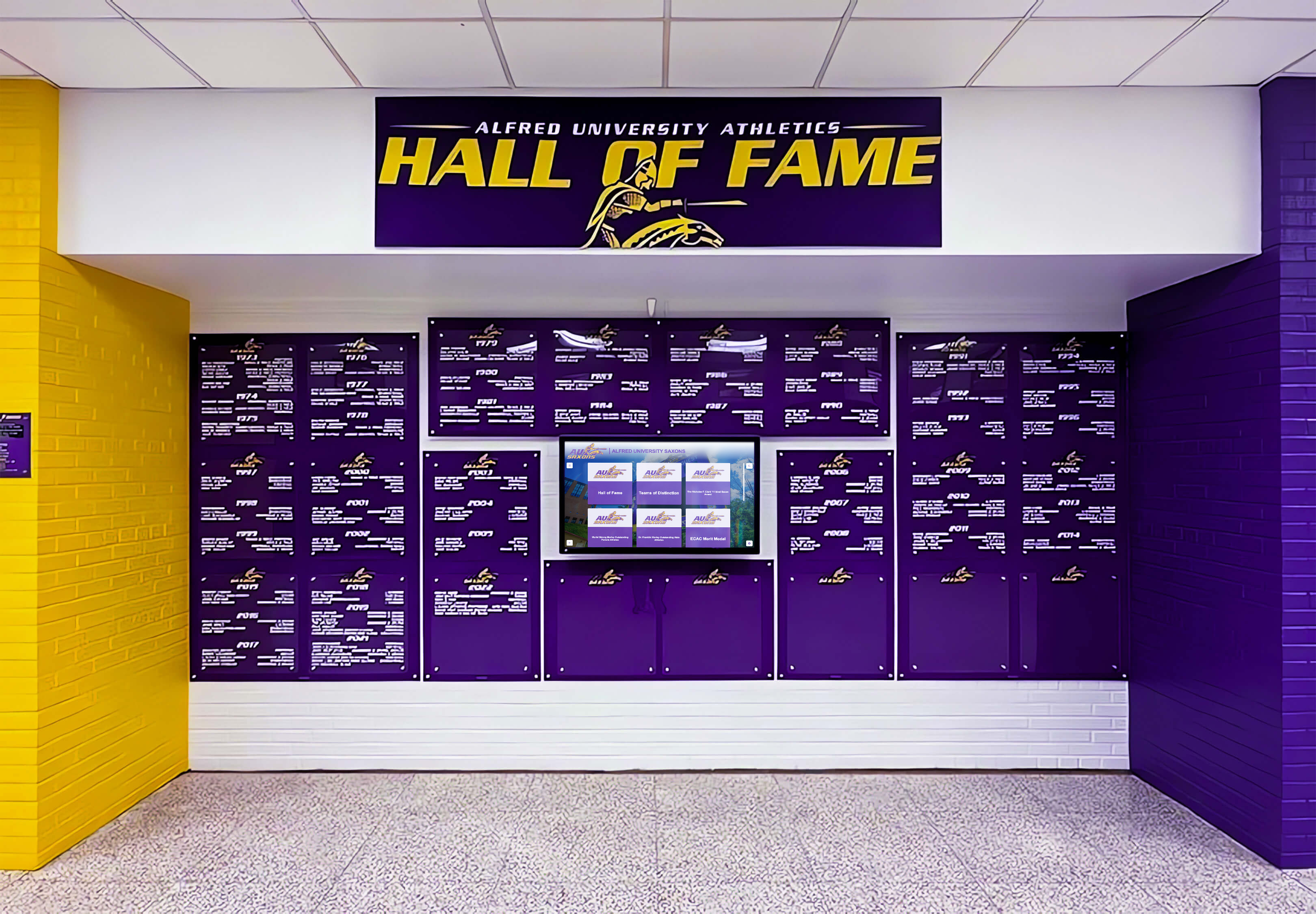
Schools implementing interactive recognition displays can showcase these highlights year-round, extending recognition beyond the awards ceremony.
Week 1: Final Details and Confirmations
Confirm final attendance count. Send RSVP reminder communications to families. Provide final headcount to venue and caterer 5-7 days before the event.
Conduct venue walkthrough. Visit the location with your audiovisual coordinator to verify:
- Table and seating arrangement plan
- Sound system hookup for microphones and presentations
- Projection screen visibility from all seating areas
- Lighting controls for presentation viewing
- Stage or presentation area setup
Prepare presentation materials. Finalize and load all digital content. Print programs. Organize awards by sport and category for efficient distribution during the ceremony.
Brief presenters and speakers. Coach all individuals with speaking roles on timing, award names and pronunciations, and program flow.
Award Categories: Honoring Diverse Achievements
Comprehensive award categories ensure recognition extends beyond top statistical performers to honor character, improvement, and team contributions.
Sport-Specific Performance Awards
Each spring sport generates unique achievements deserving recognition:
Baseball and Softball:
- Most Valuable Player (MVP)
- Outstanding Pitcher
- Best Offensive Player (batting statistics)
- Golden Glove Award (defensive excellence)
- Most Improved Player
- Rookie of the Year (first-year varsity)
Track and Field:
- Outstanding Sprint Athlete
- Outstanding Distance Runner
- Outstanding Field Event Athlete
- Most Improved Track Athlete
- Record Breaker Recognition (any event)
- Outstanding Relay Team Member
Tennis:
- Most Valuable Player (combined singles/doubles)
- Outstanding Singles Player
- Outstanding Doubles Team
- Most Improved Player
- Sportsmanship Award
Lacrosse:
- Most Valuable Player (MVP)
- Outstanding Offensive Player
- Outstanding Defensive Player
- Best Goalie Performance
- Most Improved Player
- Ground Ball Leader
Golf:
- Lowest Average Score
- Most Consistent Performer
- Tournament Champion
- Most Improved Golfer
- Team Leadership Award

Character and Leadership Recognition
Awards honoring attributes beyond athletic performance reinforce program values:
Coach’s Award: Given to an athlete exemplifying dedication, coachability, and team-first attitude as determined by coaching staff.
Heart and Hustle Award: Recognizes maximum effort in every practice and competition, regardless of playing time or statistics.
Leadership Award: Honors athletes who demonstrated positive influence through words and actions, serving as role models for teammates.
Sportsmanship Award: Celebrates exemplary conduct, respect for officials, gracious behavior in victory and defeat, and representation of program values.
Iron Athlete Award: Acknowledges athletes who overcame injuries, adversity, or challenges while maintaining commitment and positive attitude.
Teammate of the Year: Recognizes athletes who provided exceptional support and encouragement to teammates, fostering team unity.
Academic Excellence Recognition
Scholar-athlete recognition demonstrates that academic and athletic achievement are equally valued:
Academic All-Conference: Athletes earning conference scholar-athlete designation (typically 3.5+ GPA)
High Honor Roll Athletes: Recognition for athletes maintaining 3.7+ GPA throughout the athletic season
Academic All-State: State-level academic recognition for student-athletes
Perfect GPA Athletes: Special recognition for athletes maintaining 4.0 GPA during season
Schools often use academic recognition programs that celebrate scholars alongside athletes, demonstrating comprehensive student recognition.
Team Achievement Awards
Collective accomplishments deserve celebration equal to individual honors:
Conference Champions: Recognition for teams winning regular season or tournament conference titles
State Qualifiers/Finishers: Teams or individuals advancing to state-level competition
Record-Setting Teams: Teams establishing new program records for wins, scoring, defensive performance, or other metrics
Undefeated Regular Season: Special recognition for teams completing regular season competition without losses
Rivalry Game Champions: Recognition for success in traditional rivalry competitions

Program Flow: Creating a Memorable Experience
The sequence and pacing of your awards night significantly impacts the experience for athletes and families.
Recommended Program Structure
Pre-event mingling (30 minutes before start): Allow families to arrive, find seating, and socialize. Display season photos or highlight videos on screens throughout the venue.
Formal program beginning:
1. Welcome and opening remarks (5 minutes)
- Athletic director or principal welcome
- Acknowledgment of families, coaches, and supporters
- Overview of program format and expected duration
2. Special recognitions (10 minutes)
- Senior athlete recognition (call each senior to stand/come forward)
- Coaching staff appreciation
- Booster club and volunteer recognition
- Sponsor acknowledgment (if applicable)
3. Sport-by-sport award presentations (60-90 minutes depending on number of sports)
For each sport (12-18 minutes per sport with 5-6 sports):
- Coach introduction and season overview (2-3 minutes)
- Team roster recognition (1-2 minutes)
- Season highlights and statistics (2-3 minutes)
- Individual award presentations (5-8 minutes)
- Senior recognition for that sport (2-3 minutes)
- Team photo opportunity
Presentation sequence considerations:
Option 1: Alphabetical by sport name
- Baseball → Golf → Lacrosse → Softball → Tennis → Track
Option 2: Largest to smallest team size
- Track → Baseball → Softball → Lacrosse → Tennis → Golf
Option 3: Season end date order
- Early-finishing sports first, championship sport last for emphasis
4. Closing remarks (5 minutes)
- Athletic director summary and thank you
- Preview of upcoming athletic events or summer programs
- Invitation for families to view photo displays or visit with coaches
5. Post-ceremony (30-60 minutes)
- Family photos with athletes and coaches
- Reception food and beverage if not served during program
- Viewing of season videos or photo displays
Presentation Best Practices
Keep individual presentations concise. Award presentations should include the award name, brief description, and recipient name. Avoid lengthy speeches for each award—save detailed stories for MVP or special recognition awards.
Maintain energy and pacing. Long awards ceremonies lose audience attention. Use these strategies to maintain engagement:
- Transition quickly between awards
- Have next presenter ready before current speaker finishes
- Use music during transitions and athlete walk-ups
- Vary presenters (different coaches, athletic director, special guests)
- Include video clips to break up spoken presentations
Pronounce names correctly. Nothing undermines a recognition moment more than mispronouncing an athlete’s name. Verify pronunciation with coaches beforehand. Create phonetic spelling notes for presenters.
Manage time appropriately. Set expectations for speaker length. Brief coaches that season summaries should be 2-3 minutes maximum. Time rehearsals to ensure the full program fits projected duration.
Accommodate photography. Pause appropriately for family photos when athletes receive awards. Consider designating a photo area with backdrop for formal award recipient photos.
Budget Planning and Fundraising
Awards night expenses require advance planning and, often, creative funding approaches.
Cost-Saving Strategies
Venue: School facilities eliminate rental costs but require more volunteer setup effort. If using school cafeteria, leverage existing tables and chairs rather than renting.
Food service: Simple receptions cost significantly less than full dinners. Consider:
- Dessert and coffee reception (lowest cost)
- Heavy appetizers and beverages
- Buffet dinner (less expensive than plated service)
- Potluck contributions from families (least expensive but requires coordination)
Awards: Mix trophy types strategically:
- Major awards (MVP, senior recognition): quality trophies or plaques ($25-$50)
- Sport-specific awards: mid-tier trophies ($15-$25)
- Participation recognition: certificates or medals ($3-$8)
- Digital recognition: extends value without per-athlete costs
Programs: In-house printing on quality paper costs less than professional printing. Use design templates from previous years to reduce design time.
Audiovisual: Leverage volunteer technical support from students, teachers, or community members rather than hiring AV companies.
Fundraising and Sponsorship
Booster club support: Many spring sports awards nights receive primary funding from athletic booster organizations. Establish clear expectations about coverage.
Business sponsorships: Local businesses often sponsor awards ceremonies in exchange for:
- Program advertisement placement
- Recognition during ceremony
- Banner display at venue
- Social media acknowledgment
Family contributions: Some schools request optional per-family contributions ($20-$40) to offset costs while keeping event free from mandatory fees.
Community partnerships: Restaurant partners may provide food at reduced cost in exchange for promotion. Printing companies may sponsor programs.

Extending Recognition Beyond Awards Night
The most effective recognition programs extend beyond single ceremonies to create year-round visibility and lasting impact.
Digital Recognition Displays
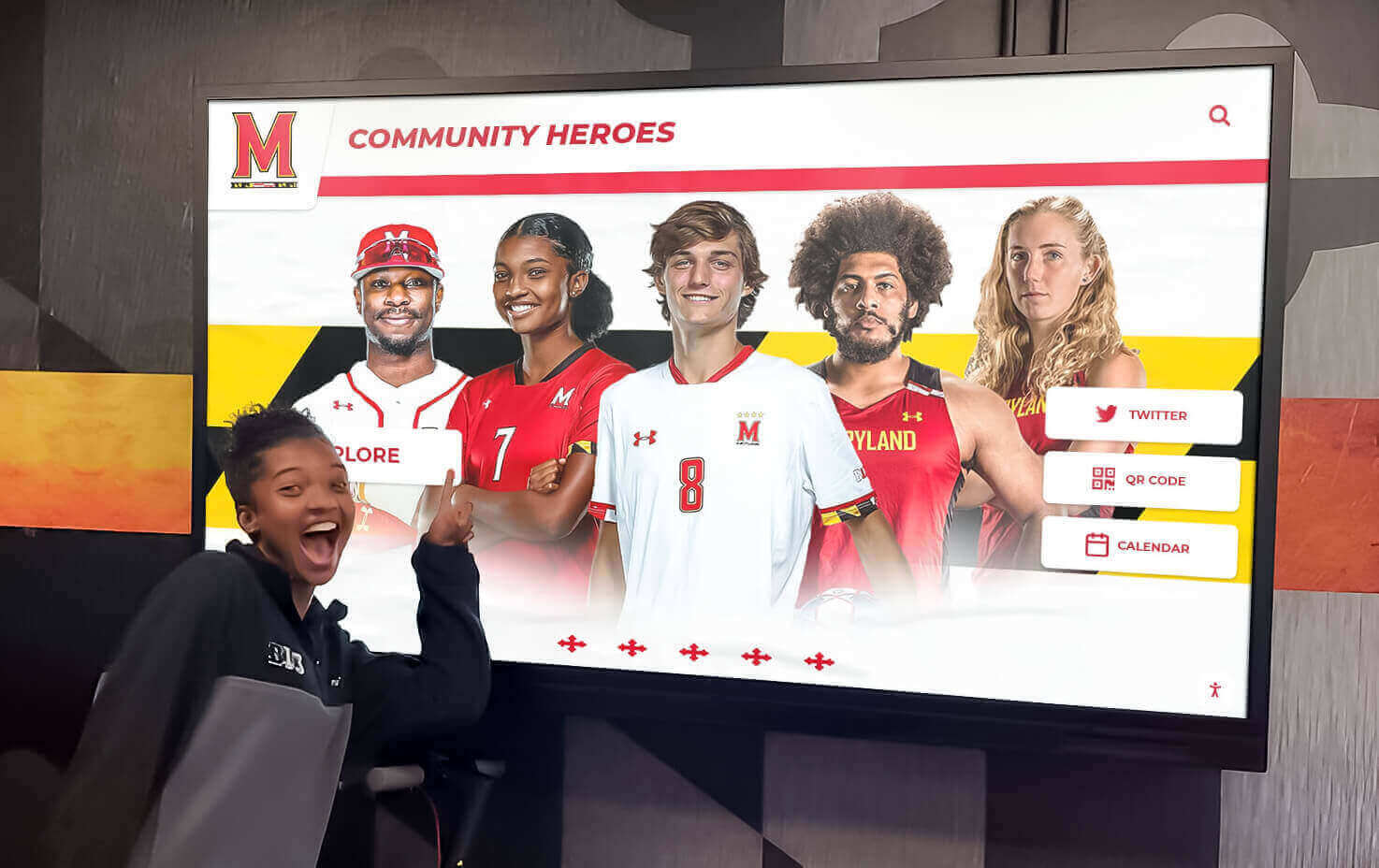
Modern athletic departments increasingly implement digital trophy displays that showcase award winners, season highlights, and athletic achievements continuously.
Advantages of digital recognition systems:
- Unlimited capacity: Add new award recipients each year without physical space constraints
- Rich content: Include photos, videos, statistics, and detailed athlete profiles
- Dynamic updates: Modify content remotely through cloud-based management
- Multi-sport integration: Present all spring sports in a single, searchable system
- Alumni engagement: Former athletes can access their recognition years later
- Recruiting tool: Prospective athletes see the recognition culture they’ll join
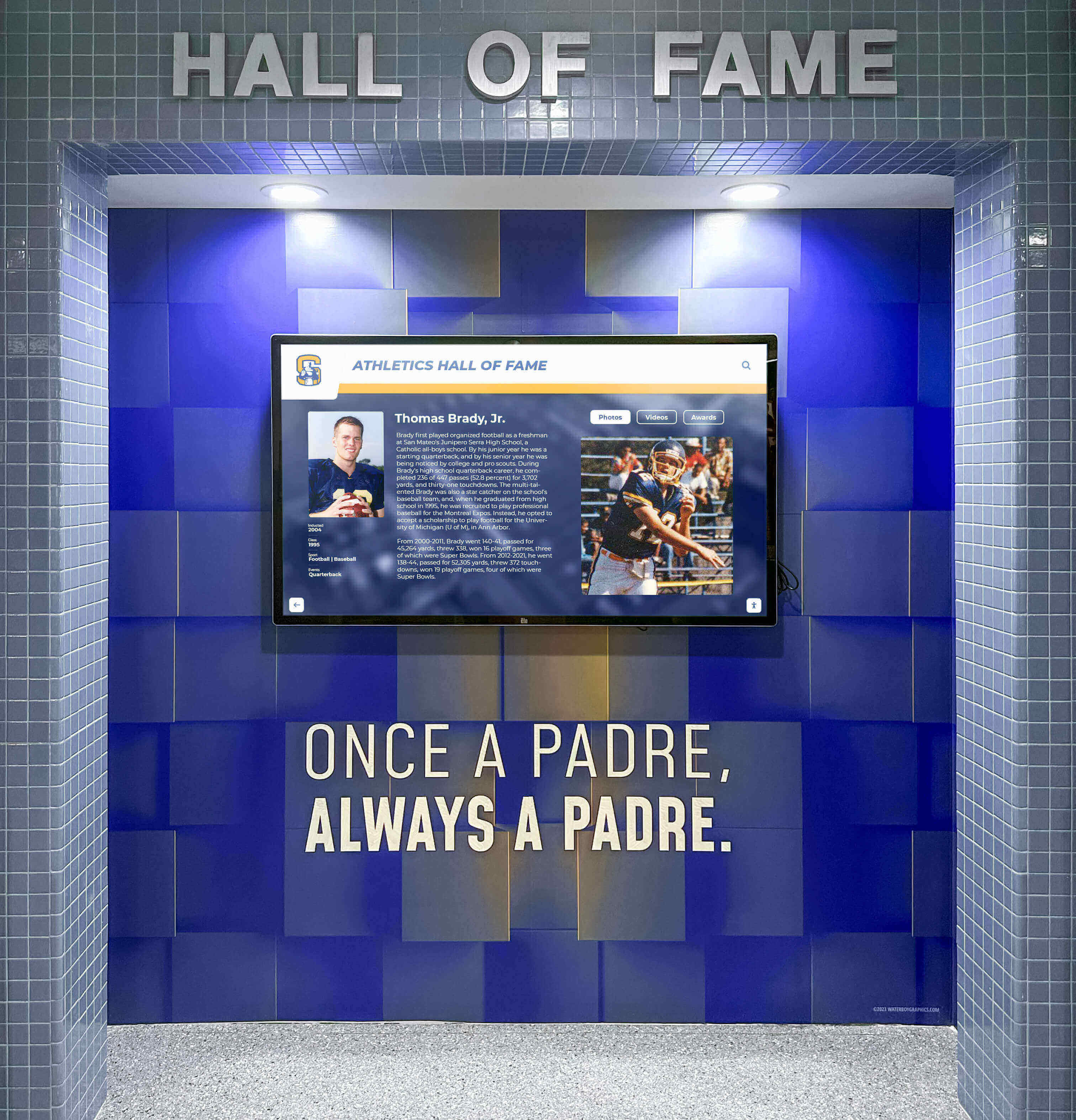
Solutions like Rocket Alumni Solutions provide comprehensive platforms specifically designed for athletic recognition. These systems enable athletic directors to:
- Document award recipients across all sports and seasons
- Showcase individual and team achievements with multimedia content
- Maintain searchable databases of athletic history
- Create engaging displays for school entrances and athletic facilities
- Provide web-based access for remote viewing by alumni and families
Implementation considerations:
Hardware requirements include commercial-grade displays rated for continuous operation, touchscreen capability for interactive browsing, and secure mounting in high-traffic areas. Network connectivity through Ethernet or reliable WiFi enables remote content management.
Content organization should structure award categories by sport and season, include standardized athlete profiles with photos and accomplishments, and feature video highlights when available.
Ongoing maintenance requires annual content updates following awards ceremonies, systematic verification of award recipient information, and photo quality standards for professional presentation.
Social Media Recognition
Maximize recognition reach through strategic social media use:
Pre-event promotion:
- Announcement of awards night date and details
- Senior athlete features in days leading up to ceremony
- “Throwback” posts featuring historical spring sports achievements
- Coach spotlights and season recaps
Event coverage:
- Live posting of major awards during ceremony (with permission)
- Photo highlights of award presentations
- Video clips of athlete reactions and acceptance speeches
- Instagram Stories coverage throughout evening
Post-event content:
- Complete award recipient lists with congratulations
- Photo galleries from the ceremony
- Highlight video recap of the evening
- Individual athlete recognition posts throughout following weeks
Content tagging strategies:
- Tag athletes in recognition posts (increases family engagement)
- Use consistent hashtags (#SpringSportsAwardsNight #[SchoolName]Athletics)
- Encourage athletes and families to share official posts
- Create Instagram Stories highlight reels saved on athletic account
Permanent Athletic Recognition
Awards night represents a single point in comprehensive, multi-year recognition approaches:
Athletic hall of fame: Establish formal hall of fame criteria for exceptional spring sports achievements. Consider categories like all-time record holders, state champions, all-state athletes, and program builders. Learn more about athletic hall of fame planning.
Record boards: Track and display school records across all spring sports. Digital systems allow unlimited record categories without wall space constraints.
Team championship recognition: Dedicate wall space or digital sections to conference and state championship teams with complete rosters and season summaries.
Senior legacy displays: Create annual senior class recognition showing graduating athletes’ contributions across their careers.
Alumni athlete spotlights: Feature former spring sports athletes who achieved college athletic success, professional careers, or notable post-graduation accomplishments.
Special Considerations for Multi-Sport Events
Combining multiple spring sports into a single awards night presents unique challenges and opportunities.
Balancing Multiple Sports Equitably
Equal time allocation: Each sport should receive proportional recognition time. Avoid spending significantly more time on larger or more successful programs at the expense of smaller sports.
Consistent award structures: Apply similar award categories across sports. If baseball has five individual awards, tennis should receive comparable recognition opportunities.
Rotating emphasis: If your spring sports have significantly different season lengths, consider whether all sports should be celebrated at a single event or whether some merit separate recognition.
Managing Program Length
Multi-sport awards nights risk becoming too long, testing audience patience. Strategies to control duration:
Pre-ceremony: Post team rosters, season statistics, and comprehensive award lists in programs. This allows shorter verbal presentations during the ceremony.
Batch presentations: Rather than reading every athlete’s name individually, consider group recognition for some categories (scholar-athletes, all-conference honorees) followed by individual photos.
Strategic video use: Well-edited highlight videos communicate more information in less time than verbal presentations while maintaining engagement.
Intermission option: For very large programs (6+ sports, 200+ athletes), consider a brief intermission allowing families to use restrooms and stretch without missing their athletes’ sports.
Sport-Specific Timing Challenges
Track and field complexity: Track teams typically have the most athletes and the most award categories. Strategies include creating separate distance, sprint, and field event awards rather than single “most valuable” awards, recognizing record breakers as a group rather than individually, and highlighting relay teams rather than reading every relay member’s name.
Small program representation: Tennis and golf may have fewer athletes but deserve equal respect. Avoid rushing through their presentations. Consider highlighting individual achievements in greater detail to balance shorter team roster presentations.
Sample Program Template
Use this template as a starting framework, customizing for your school’s specific needs:
[SCHOOL NAME] SPRING SPORTS AWARDS NIGHT
Date | Time | Venue Name
PROGRAM
Welcome and Opening Remarks [Athletic Director Name], Director of Athletics
Special Recognition Senior Athlete Recognition Coaching Staff Appreciation Booster Club and Volunteer Thank You
SPORT PRESENTATIONS
Baseball Head Coach: [Name] Season Record: [W-L] Conference Standing: [Placement]
Team Roster Recognition [List seniors first, then underclassmen]
Season Highlights
- [Key accomplishment 1]
- [Key accomplishment 2]
- [Conference/State results]
Award Recipients
- Coach’s Award: [Name]
- Most Improved Player: [Name]
- Golden Glove Award: [Name]
- Outstanding Pitcher: [Name]
- Most Valuable Player: [Name]
[Repeat format for each sport: Softball, Track and Field, Tennis, Lacrosse, Golf]
Academic Excellence Academic All-Conference Athletes: [List names] High Honor Roll Athletes: [List names]
Closing Remarks [Principal or Athletic Director]
COACHING STAFF [List all spring sport coaching staffs]
ATHLETIC DEPARTMENT [Athletic Director and administrative staff]
BOOSTER CLUB LEADERSHIP [Names and positions]
SPONSORS (if applicable) [Sponsor recognition]
Thank you for celebrating our spring sports athletes!
Follow [School Name] Athletics: [Social media handles]
Technology Integration for Modern Awards Nights
Athletic departments implementing technology thoughtfully enhance both awards ceremonies and ongoing recognition.
Presentation Technology
Projection and displays: Large screens visible throughout the venue enable all attendees to see athlete photos and season highlights during presentations. Minimum recommended projection size: 100" diagonal for venues with 100+ attendees.
Presentation software: Move beyond static PowerPoint slides. Consider:
- Canva for professionally designed presentation templates
- Video editing software for highlight reels
- Photo slideshows with music for emotional senior tributes
Sound systems: Quality audio matters significantly. Verify that:
- Wireless microphones work reliably throughout venue
- Music and video audio projects clearly
- Volume levels allow comfortable listening without overwhelming
Live streaming: Some families cannot attend in person. Facebook Live or YouTube streaming allows remote viewing. Verify venue WiFi can handle streaming bandwidth (minimum 5 Mbps upload speed recommended).
Post-Event Digital Content
Photo sharing: Create shared folders allowing families to access professional photos from the event. Options include Google Photos albums, school photography platform galleries, or dedicated sports photography services.
Video archives: Post highlight videos and award presentations on YouTube or school athletic websites. This creates permanent records and allows absent family members to view ceremonies.
Digital programs: Supplement printed programs with online versions including links to athlete profiles, season statistics, and historical records. These remain accessible long after printed programs are lost.
Recognition databases: Maintain searchable databases of all award recipients across years. Digital recognition platforms integrate awards night data with broader athletic recognition systems.

Common Challenges and Solutions
Learn from common awards night implementation challenges other athletic directors have faced.
Challenge: Low Family Attendance
Problem: Awards nights scheduled poorly or communicated inadequately result in disappointing attendance that diminishes the event atmosphere.
Solutions:
- Survey families about preferred dates and times before setting schedule
- Send save-the-date communications 4-6 weeks in advance
- Use multiple communication channels (email, text, social media, athlete announcements)
- Consider Sunday afternoon timing for families with work conflicts
- Make attendance expectations clear early in the season
- Highlight awards ceremony importance during season-opening parent meetings
Challenge: Program Running Too Long
Problem: Multi-sport ceremonies exceeding 2.5 hours lose audience attention and energy. Families leave before their athletes receive recognition.
Solutions:
- Establish and enforce strict time limits for coach presentations
- Batch some award categories rather than individual presentations
- Use video highlights strategically to communicate information efficiently
- Consider separating endurance sports (track and field) from other spring sports if combined program exceeds 2.5 hours
- Provide clear program with times so families know when their athletes’ sports will be featured
Challenge: Unclear Award Criteria
Problem: Athletes and families don’t understand what different awards recognize, leading to perceptions of favoritism or inconsistency.
Solutions:
- Document clear, objective criteria for every award category
- Share award descriptions with athletes at season beginning
- Include award criteria descriptions in printed programs
- Apply criteria consistently across sports within the same program
- Use coaching committees rather than single-coach decisions for major awards
Challenge: Budget Limitations
Problem: Insufficient funding results in inadequate food, venue, or awards, diminishing the celebration quality.
Solutions:
- Establish awards night budget as priority in annual athletic budget planning
- Seek booster club financial support specifically designated for awards night
- Solicit business sponsorships 6-8 weeks in advance
- Scale event to available budget rather than attempting unsustainable formats
- Focus resources on quality awards and recognition rather than expensive venues or elaborate meals
Challenge: Senior Recognition Overshadowing Team Culture
Problem: Excessive focus on graduating seniors diminishes recognition for underclassmen who will continue building programs.
Solutions:
- Balance senior tributes with awards recognizing athletes at all grade levels
- Highlight program continuity and returning athletes
- Recognize junior leadership and emerging talent
- Frame senior recognition as passing traditions to next classes
- Include underclassmen in presentation roles

Year-Round Recognition Culture
The most effective awards nights represent one component of comprehensive, year-round recognition cultures that motivate athletes continuously.
In-Season Recognition
Don’t wait until season end to acknowledge achievement:
Weekly recognition: Use team meetings, social media, or school announcements to highlight:
- Athletes who set new personal records
- Outstanding performances in competitions
- Academic achievement milestones
- Improvement and effort examples
Mid-season awards: For long seasons like track and field, consider mid-season recognition ceremonies celebrating achievements to date while maintaining motivation for the remainder of the season.
Game-day recognition: Public address announcements during competitions provide immediate acknowledgment of accomplishments.
Cross-Sport Recognition Integration
Athletes competing in multiple sports throughout the year deserve comprehensive recognition showing their complete athletic contributions:
Multi-sport athlete recognition: Identify and celebrate athletes who excel across fall, winter, and spring sports. Consider special recognition categories for athletes earning varsity letters in 3+ sports.
Athletic excellence tracking: Maintain databases documenting athletes’ achievements across their entire high school careers, not just single-season accomplishments. Digital recognition systems excel at presenting this longitudinal perspective.
All-time recognition: Some achievements deserve permanent preservation. Learn about creating athletic halls of fame that honor exceptional careers spanning multiple seasons and sports.
Alumni Connection
Former spring sports athletes remain valuable program resources and supporters. Recognition systems that maintain historical records enable:
Alumni event integration: When hosting reunions or alumni gatherings, showcase historical spring sports achievements that alumni contributed to.
Mentorship opportunities: Connect current athletes with alumni who competed in the same sports, creating mentorship relationships.
Giving programs: Alumni who feel their contributions were valued become more likely to support current programs financially.
Legacy building: Help current athletes understand they’re contributing to multi-generational athletic traditions.
Moving Forward: Your Awards Night Action Plan
Athletic directors reading this guide now have the frameworks needed to plan exceptional spring sports awards nights. Your immediate next steps:
Form your planning committee and assign specific responsibilities to team members based on the roles outlined in this guide.
Set your date using the criteria provided, verifying venue availability before announcing to athletes and families.
Establish your budget using the cost calculator framework, identifying funding sources and any required sponsorships.
Document award categories across all spring sports, ensuring equitable recognition opportunities for all programs.
Create your implementation timeline working backward from your event date, scheduling all vendor contracts, content development, and coordination tasks.
Consider long-term recognition systems that extend beyond single ceremonies to create year-round visibility for spring sports achievements.
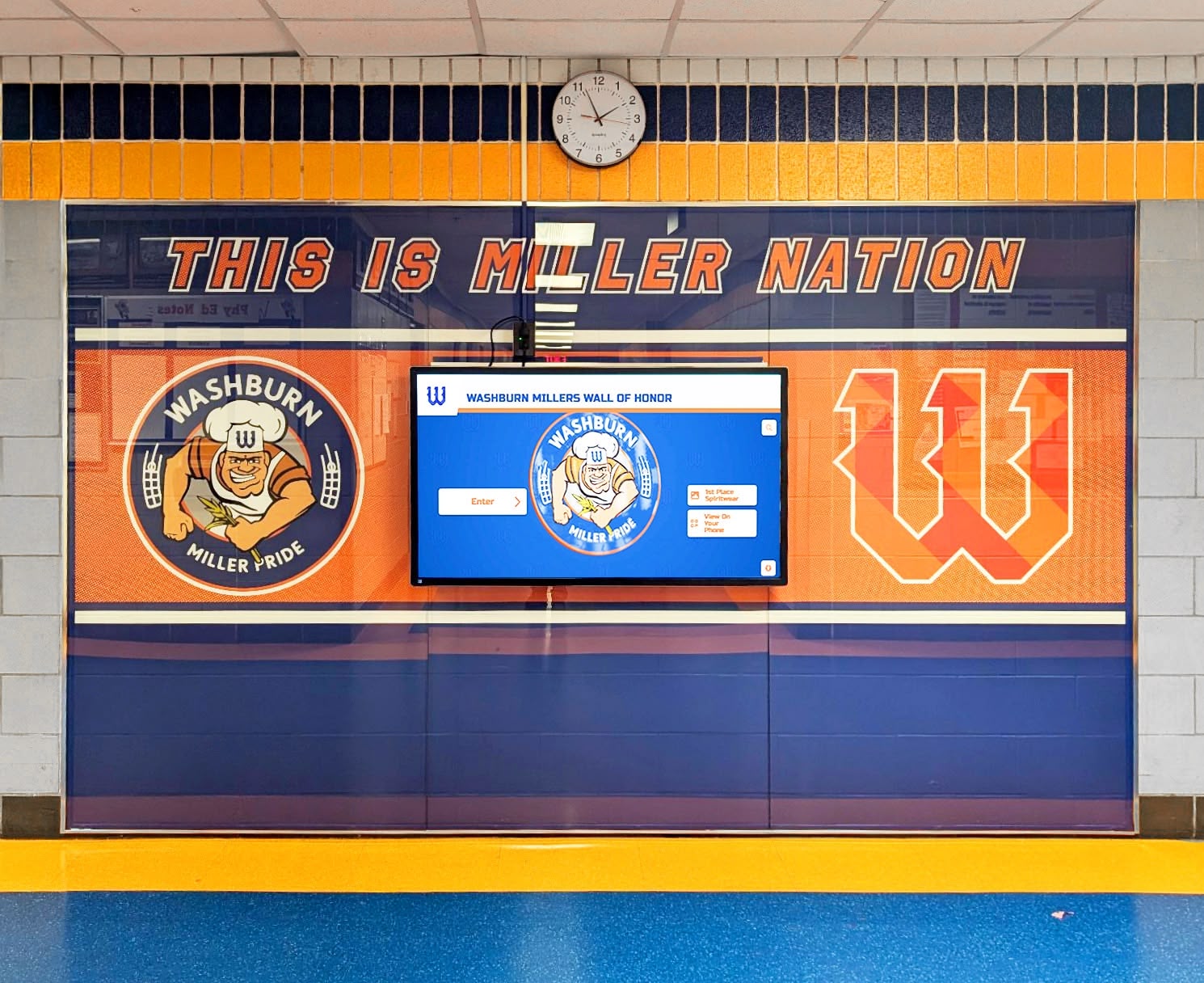
For athletic departments seeking comprehensive recognition solutions that integrate awards night content with ongoing visibility throughout facilities and online, digital recognition displays provide powerful platforms. These systems document award recipients, showcase season highlights, maintain searchable athletic achievement databases, and create engaging presentations for both in-person and remote audiences.
The spring sports awards night you create this season becomes a memory your athletes carry throughout their lives. Make those memories meaningful by celebrating achievements comprehensively, presenting recognition professionally, and honoring every athlete’s contribution to your programs.
Transform Your Spring Sports Recognition Program
Rocket Alumni Solutions provides comprehensive athletic recognition platforms designed specifically for athletic directors who need professional systems honoring all sports equally. Our digital displays integrate awards night content with year-round visibility, creating recognition programs that motivate athletes throughout their careers.
We offer content management systems built for sports recognition, unlimited capacity for growing programs, multimedia integration for photos and videos, searchable databases of athletic achievement, and professional display options for any facility. Whether you're recognizing decades of spring sports tradition or launching new recognition programs, we'll help you implement systems that honor your athletes' achievements while meeting your administrative requirements.































