Every championship banner tells a story of dedication, teamwork, and achievement. But what happens when your gym walls run out of space? For successful athletic programs, this isn't a hypothetical question—it's a pressing reality. Traditional banner displays face an inevitable space crisis that forces schools to make difficult decisions about which achievements deserve visibility. Digital recognition systems offer a transformative solution that honors every championship while celebrating the specific students who earned these accomplishments.
Walk into any successful high school gymnasium and you’ll see championship banners proudly displayed—conference titles, regional victories, state championships spanning decades of athletic excellence. These banners represent countless hours of practice, memorable games, and student-athletes who gave everything for their teams.
But physical wall space is finite. A typical gymnasium might accommodate 30-50 banners before running out of wall space. For programs that win multiple championships each year across various sports, this creates an impossible situation within just 10-15 years.
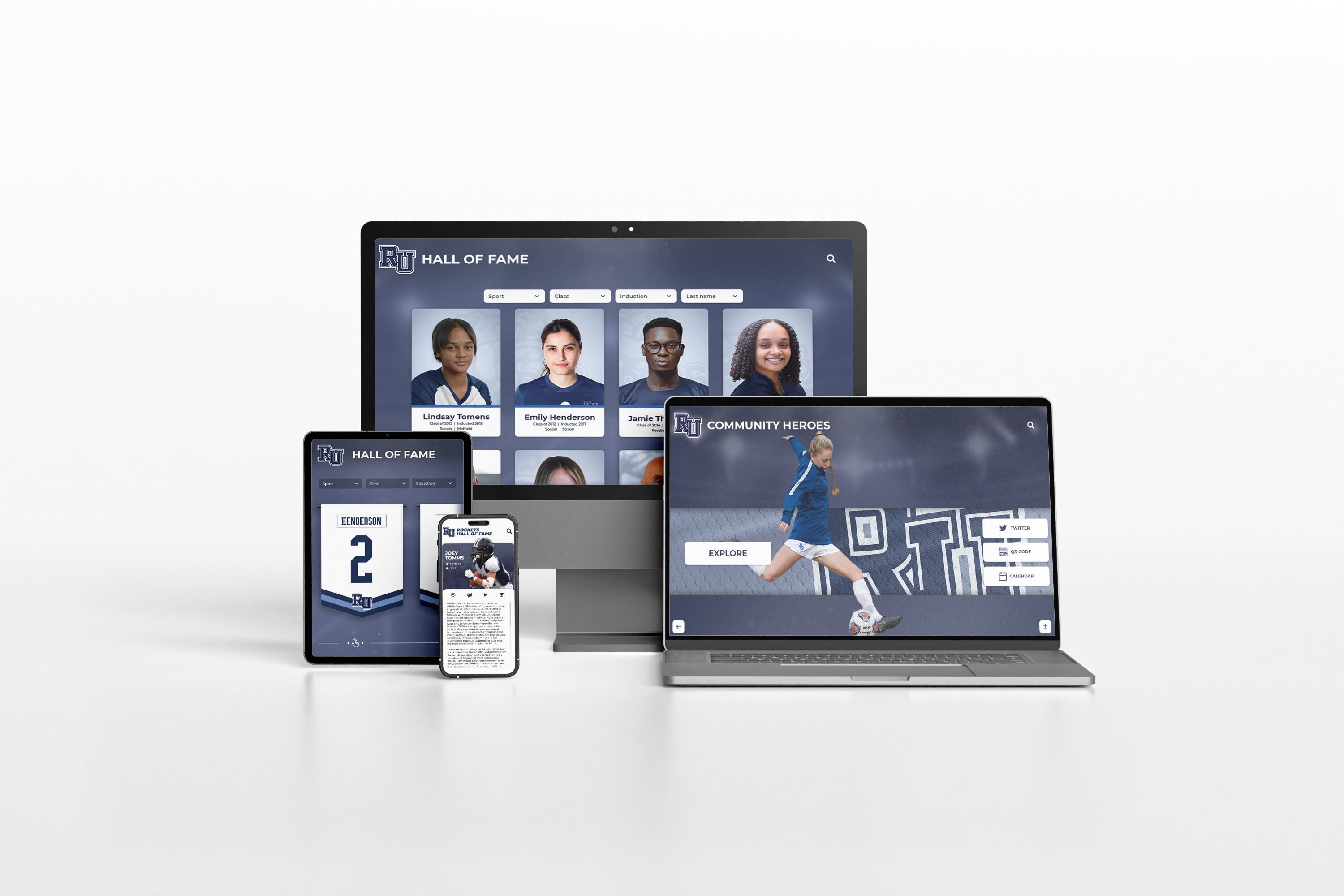
Solutions like Rocket Alumni Solutions provide digital recognition platforms that eliminate space constraints entirely while adding capabilities traditional banners simply cannot match—complete team rosters, athlete profiles, season statistics, video highlights, and comprehensive celebration of individual contributors alongside team achievements.
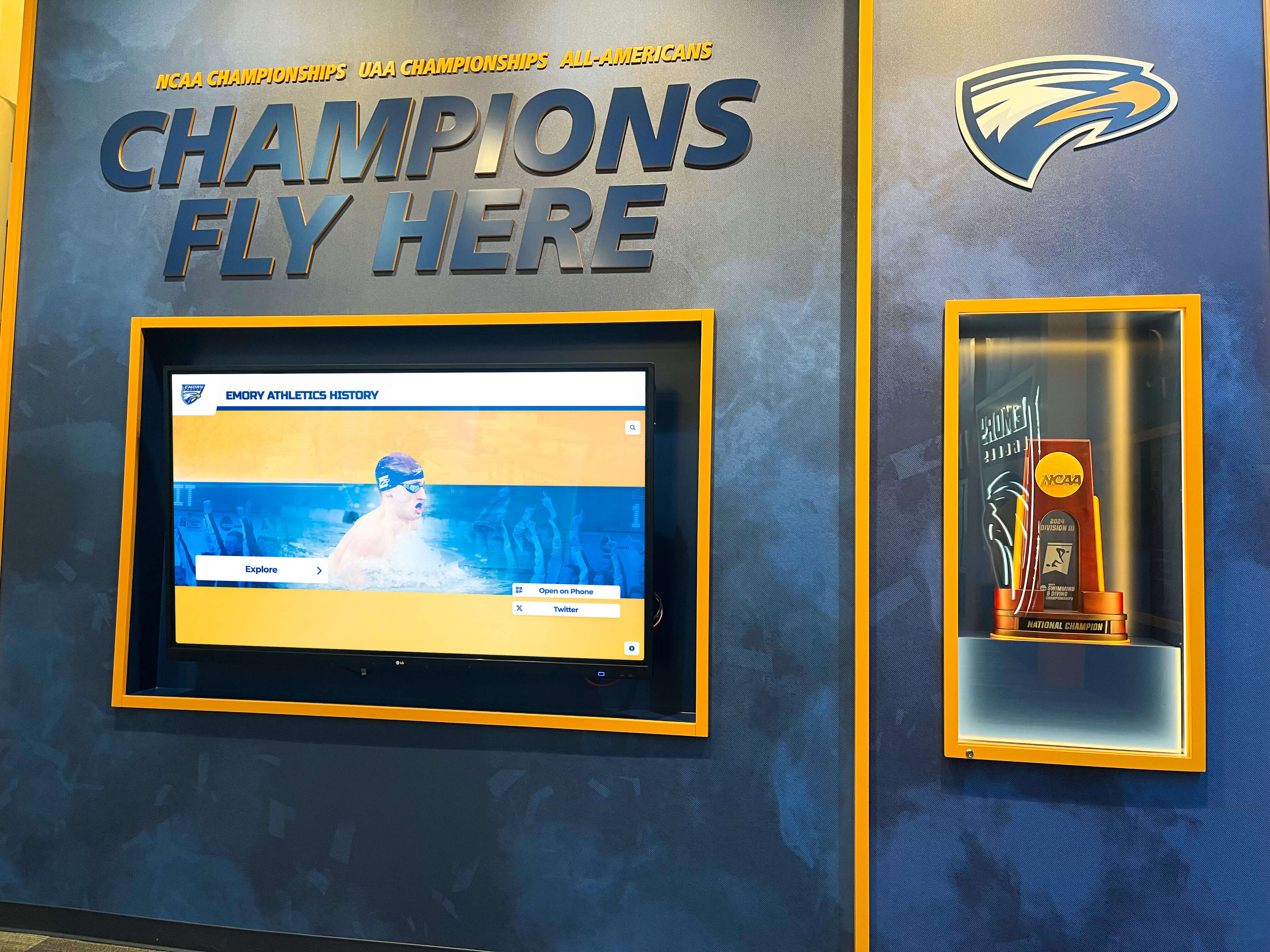
The Championship Banner Space Crisis: Why Successful Programs Face Impossible Decisions
Championship banners celebrate collective achievement, but traditional display methods create escalating challenges for programs with consistent success.
The Mathematics of Limited Wall Space
Consider a typical high school with strong athletic programs across multiple sports:
Annual Championship Production:
- 15-20 varsity sports competing each year
- 3-6 conference, regional, or state championships annually (conservative estimate)
- Additional recognition banners for milestones, tournaments, and special achievements
Over just 10 years, that’s 30-60 major championship banners—potentially filling all available gym wall space. Over 20 years, the accumulation becomes completely unmanageable with traditional display approaches.
Schools face several unsatisfactory options when wall space fills:
Rotating Banners: Some schools take down older banners to make room for new ones, storing previous championships in closets or archives. This approach diminishes the recognition those earlier teams earned and breaks the visual continuity of program history.
Selective Display: Programs might display only state championships while storing conference or regional titles. This hierarchy undervalues significant achievements that didn’t quite reach the highest level.
Compressed Designs: “Add-a-year” banners list multiple victories on single displays, reducing each championship to a small text line rather than prominent celebration. While space-efficient, these compromise visual impact and fail to tell complete stories.
Physical Expansion: Building additional wall space or display structures adds significant costs ($5,000-$15,000+) while only temporarily postponing the inevitable space problem.
None of these solutions truly solves the fundamental issue: physical space limitations inherently conflict with comprehensive recognition of sustained athletic excellence.
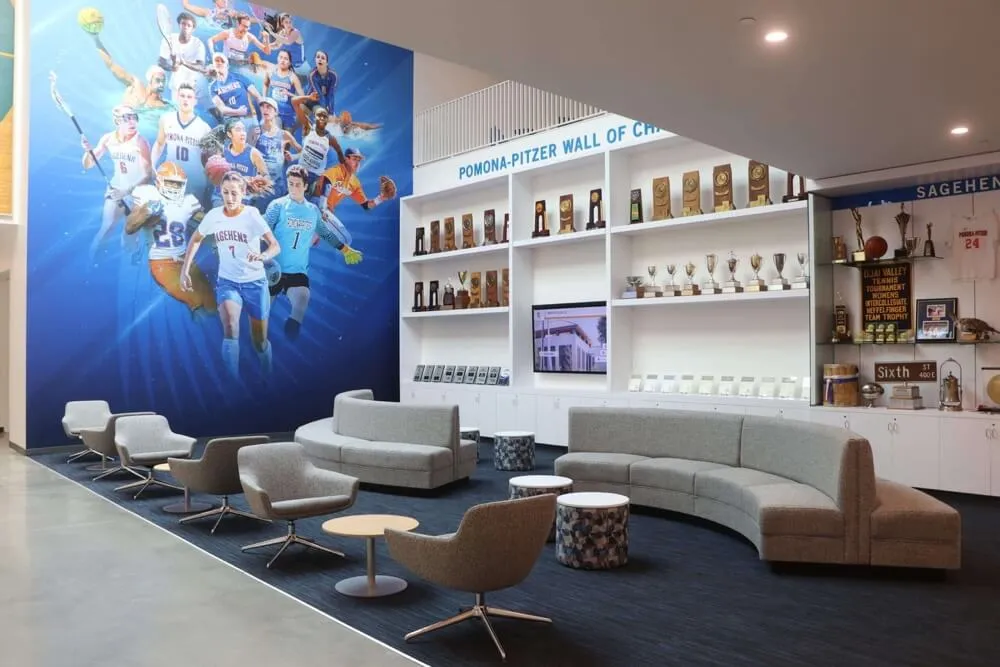
The Student-Athlete Recognition Gap
Traditional championship banners typically include:
- Sport and championship level
- Year achieved
- Final record or score
- Perhaps coach names
What they rarely include:
- Complete team rosters
- Individual athlete profiles
- Season statistics and highlights
- The path to championship (key games, comeback victories)
- Individual recognition for standout performances
- Post-graduation updates about team members
This limitation means the specific students who accomplished these championships often receive minimal individual recognition beyond the initial award ceremony. Years later, alumni return to see “their” championship banner displayed, but their individual contributions and teammates’ names exist nowhere in the public record.
For student-athletes who dedicated years to their sport, this represents a missed opportunity for meaningful, lasting recognition that celebrates not just team success but individual participation and achievement.
How Digital Recognition Transforms Championship Celebration
Digital championship recognition systems fundamentally reimagine how schools celebrate athletic achievement, solving space constraints while dramatically enhancing recognition quality.
Unlimited Championship Capacity
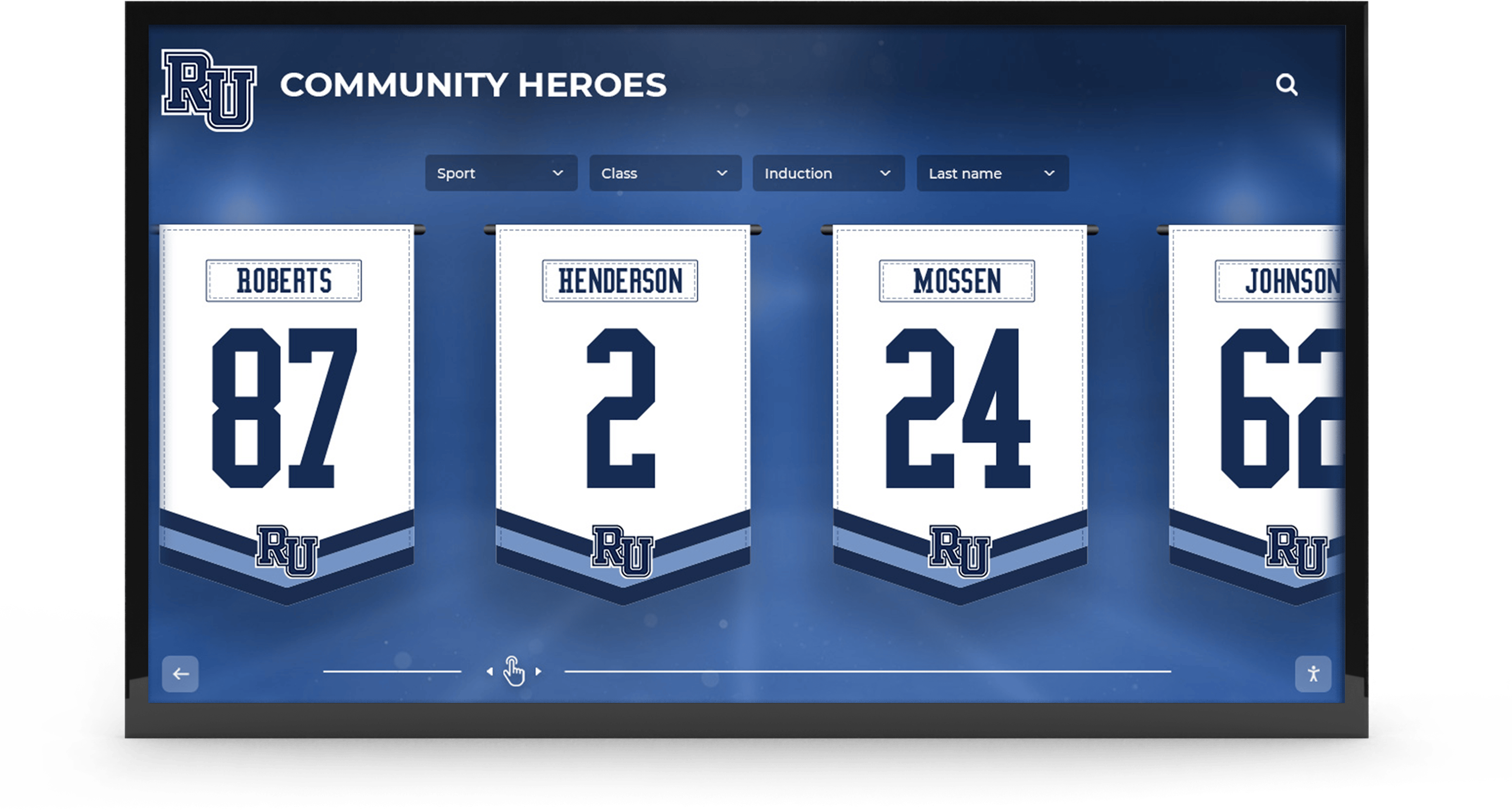
A single digital display can showcase hundreds of championship celebrations with the same visual prominence traditional banners provide for just one achievement. This unlimited capacity transforms recognition strategy from “Which championships fit?” to “How do we best organize and present our complete championship history?”
Comprehensive Sport Coverage:
- Every sport receives equal recognition regardless of facility size
- Multiple championships within single seasons all receive prominence
- Historical championships from every era remain accessible
- Future championships require no physical expansion
Programs implementing digital championship displays report showcasing 5-10 times more championships than previous physical space allowed, ensuring every team and every achievement receives appropriate celebration.
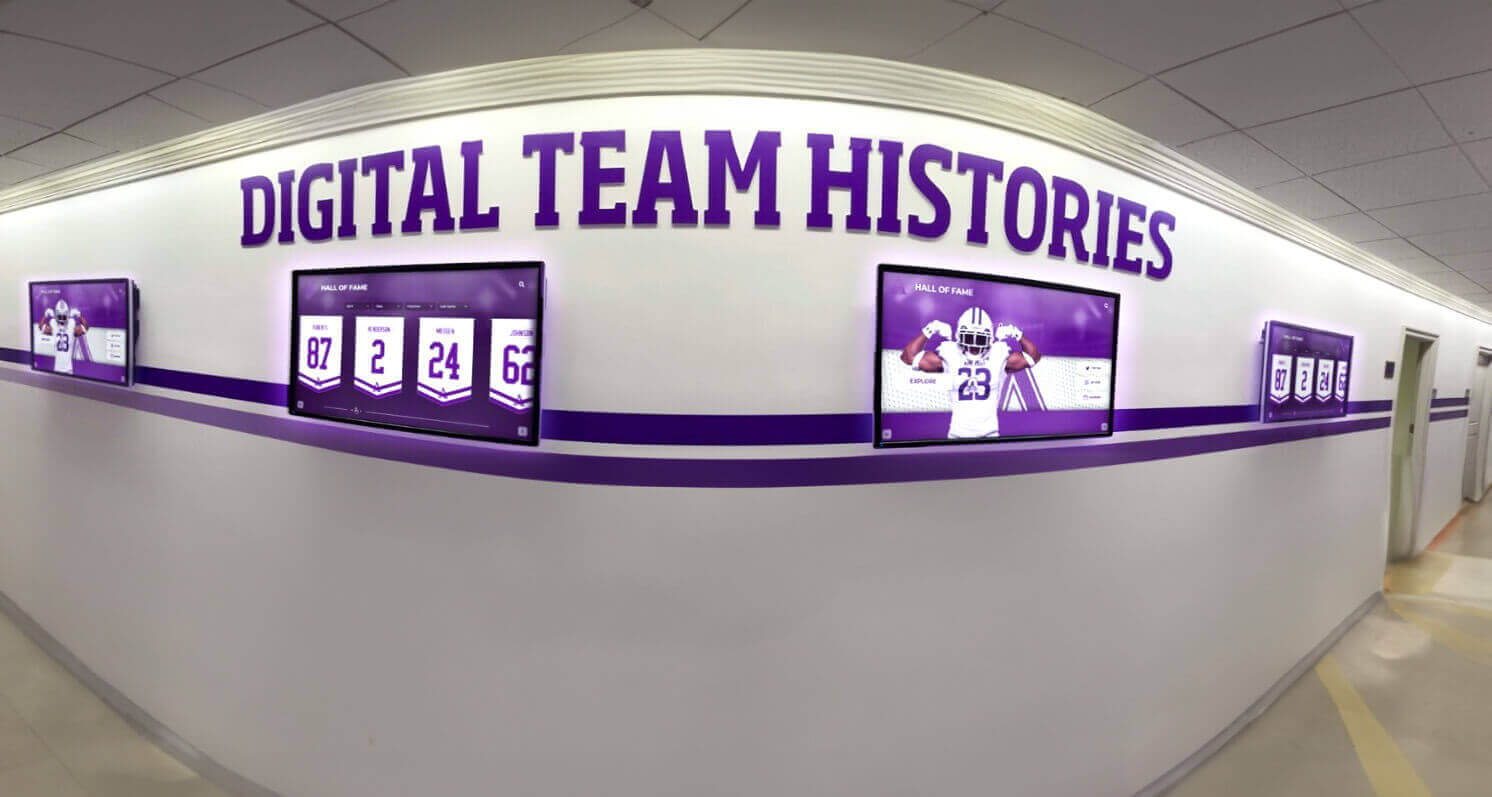
Complete Team Recognition: Honoring Every Student-Athlete
Digital platforms enable comprehensive celebration of the students who earned championships:
Individual Athlete Profiles Include:
- Complete names and graduating classes
- Position and jersey numbers
- Season and career statistics
- Individual honors and achievements
- High-quality action photos
- Post-graduation updates (college athletics, professional careers)
Enhanced Team Context:
- Complete roster listings with photos
- Coaching staff recognition
- Season-long statistics and records
- Game-by-game results showing championship path
- Key moment highlights and memorable performances
- Video clips from championship games
This depth transforms generic team acknowledgment into personal recognition that honors each student-athlete’s specific contribution. Alumni can find themselves and their teammates, see their statistics, and relive the season that defined their high school athletic careers.
Interactive Exploration and Discovery
Static banners communicate one-way: the information displayed is all visitors receive. Digital recognition displays create interactive experiences where visitors actively explore championship history.
Search and Navigation Features:
- Find championships by sport, year, or achievement level
- Search for specific athletes across all championship teams
- Browse chronologically through program history
- Filter by sport or championship type
- Compare championships across different eras
- Explore related achievements and records
This interactivity creates personal connections impossible with static banners. Current students discover older siblings or relatives who competed before them. Alumni visiting campus search for their own championship teams. Community members explore the evolution of athletic programs across decades.
Schools report that visitors engage with digital championship displays for 4-7 minutes on average—dramatically longer than the brief glance traditional banners receive—because the interactive exploration creates compelling experiences rather than passive viewing.

Virtual Trophy Case Integration
Championship banners represent one form of recognition, but successful programs also accumulate trophies, plaques, medals, and other physical awards. Digital trophy case systems consolidate all recognition into unified platforms.
Unified Championship Recognition:
- Championship banners with complete team details
- Trophy and plaque photography with detailed descriptions
- Individual athlete awards and honors
- Media coverage and newspaper clippings
- Video highlights from championship competitions
- Community celebration photos and memories
This integration creates comprehensive championship archives where every aspect of achievement receives documentation and celebration. Rather than scattered recognition across banners, trophy cases, and various displays, digital systems present complete championship stories in accessible, organized formats.
Programs using integrated recognition report that this comprehensive approach better serves multiple audiences—current athletes understanding program tradition, alumni reconnecting with their achievements, families discovering their students’ accomplishments, and community members appreciating local athletic excellence.
Real-World Implementation: What Digital Championship Recognition Looks Like
Understanding how schools successfully implement digital championship recognition helps clarify practical considerations and expected outcomes.
Display Hardware and Placement Strategies
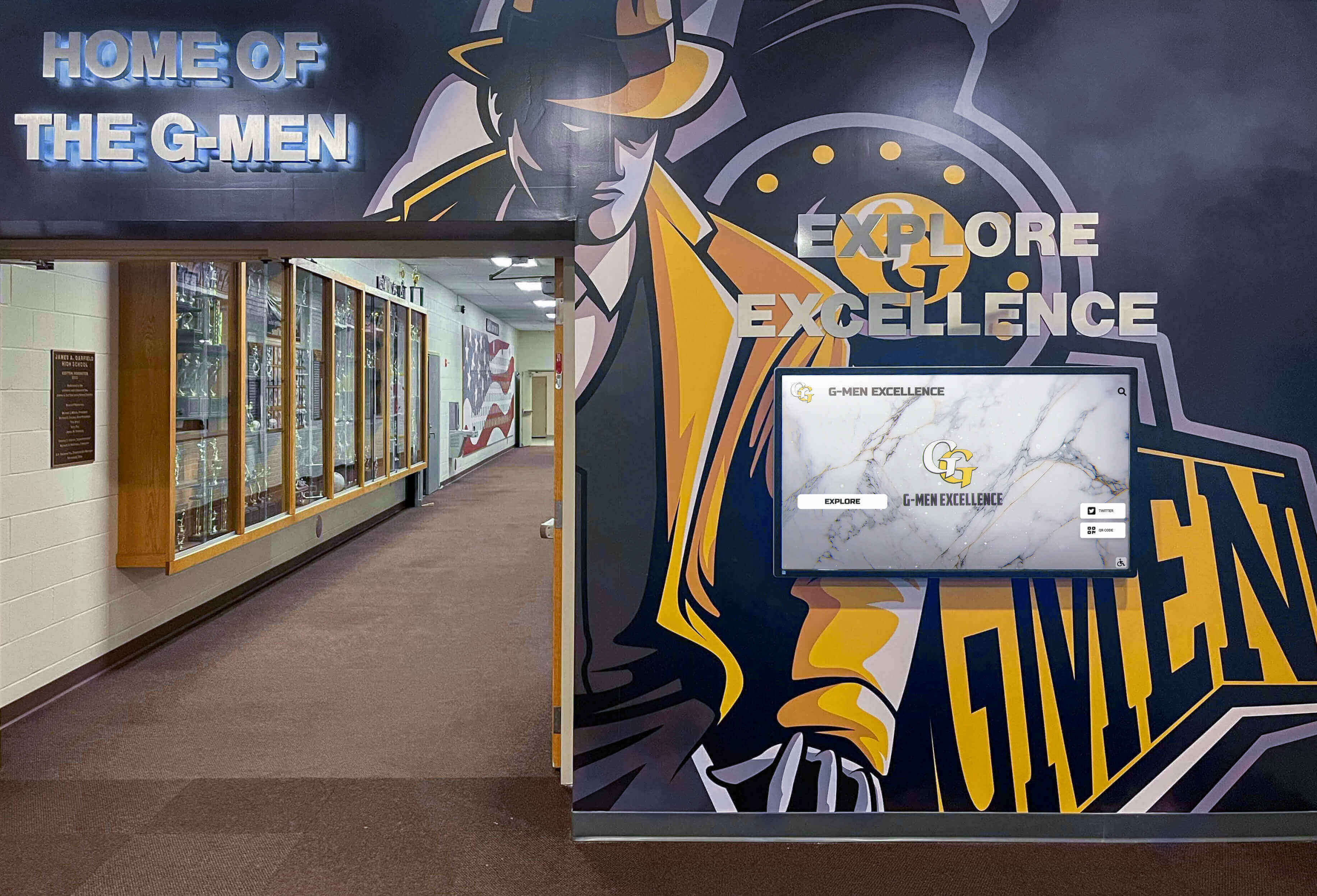
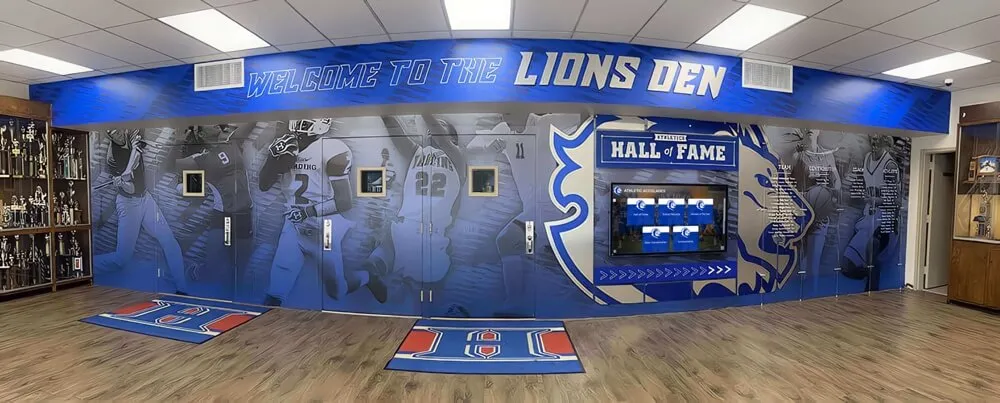
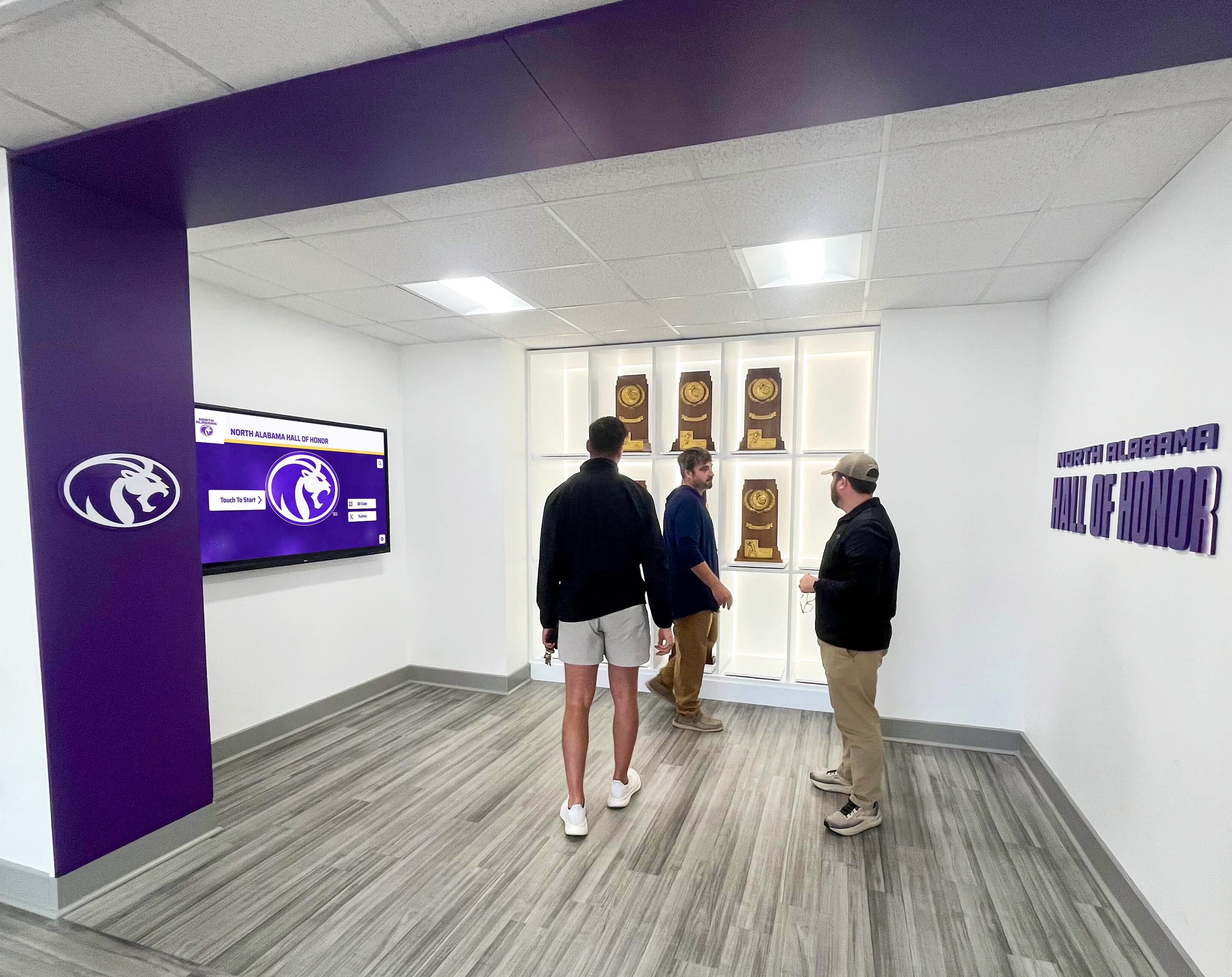
Digital championship displays utilize commercial-grade touchscreen technology designed for continuous public use:
Screen Size Selection:
- 55-65 inch displays: Standard gymnasium installations with 10-15 foot viewing distances
- 70-75 inch displays: Large gyms or multipurpose facilities with greater distances
- Multiple smaller displays: Distributed throughout facilities for sport-specific recognition
Strategic Placement Locations:
- Main gymnasium entrances where all visitors pass
- Lobby areas visible during events and practices
- Athletic hallway connecting various facilities
- Weight room or training facility for daily athlete exposure
- Multiple locations creating championship recognition throughout campus
Commercial displays deliver 50,000-70,000 hour lifespans (approximately 6-8 years of continuous use) with enhanced brightness suitable for well-lit athletic facilities and commercial-grade durability handling public use.
Content Management and Updates
Purpose-built content management platforms enable non-technical staff to manage championship recognition:
Template-Based Content Creation:
- Pre-designed championship banner templates matching traditional aesthetics
- Athlete profile templates ensuring consistent presentation
- Team roster layouts accommodating various team sizes
- Statistical display formats for season and career data
Streamlined Update Process:
- Photograph championship trophy and team
- Log into cloud-based management system
- Select championship template
- Upload photos and enter team details
- Add complete roster with athlete information
- Publish immediately to all connected displays
Adding new championship recognition requires 30-45 minutes compared to weeks or months for ordering, producing, and installing traditional banners. This simplified process ensures recognition happens promptly after championships rather than delayed by complex production and installation logistics.
Athletic directors report that the ease of digital updates encourages more comprehensive recognition. When adding content is straightforward, programs recognize more achievements rather than limiting recognition to only the highest-level championships due to production complexity.
Web Accessibility and Social Sharing
Modern digital recognition extends beyond physical displays through integrated web platforms:
Remote Access Features:
- Championship displays accessible via web browsers from anywhere
- Mobile-optimized interfaces for smartphone viewing
- Searchable databases allowing specific athlete or year searches
- One-click social sharing to Facebook, Instagram, and other platforms
- QR codes enabling instant access from personal devices
This dual presence—physical displays in facilities and web accessibility worldwide—dramatically expands recognition reach. Alumni living across the country can explore their championship teams. Families can share their student-athletes’ achievements with extended family. Recruiting prospects can research program championship tradition before campus visits.
Schools implementing web-accessible championship recognition report that 60-75% of alumni view content within 60 days of launch, and social sharing generates 6-10 times more engagement than standard athletic program posts.
Strategic Benefits: How Digital Championship Recognition Impacts Programs
Beyond solving space limitations, digital championship recognition delivers strategic advantages supporting broader program goals.
Enhanced Athletic Recruiting
Successful recruiting depends on demonstrating program quality, tradition, and commitment to athlete development. Comprehensive championship recognition supports these recruitment objectives.
Recruiting Visit Impact:
During facility tours, prospective athletes and families experience professional championship displays showcasing:
- Extensive championship history demonstrating sustained excellence
- Individual athlete recognition showing the program values each contributor
- Alumni success stories providing development evidence
- Modern technology reflecting program investment and innovation
Athletic directors report that digital championship displays consistently generate positive reactions from recruiting prospects. The comprehensive recognition demonstrates program seriousness and provides tangible evidence of competitive success and athlete appreciation.
Alumni Engagement and Connection
Strong alumni relationships support programs through financial donations, volunteer assistance, event attendance, and advocacy. Championship recognition serves as powerful alumni engagement tool.
Alumni Engagement Features:
Digital recognition systems facilitate meaningful alumni connections:
- Finding themselves and teammates in championship rosters
- Discovering their statistics and achievements
- Seeing how their records compare to subsequent athletes
- Submitting updates about post-graduation achievements
- Sharing their championship recognition on social media
- Reconnecting with former coaches and teammates through shared memories
Programs with digital championship recognition report increased alumni event attendance, higher giving rates, and more volunteer involvement from alumni who feel personally connected through recognition that celebrates their specific contributions rather than generic team acknowledgment.
Team Culture and Motivation
Championship recognition influences current team culture by establishing clear standards, creating motivational goals, and connecting current athletes to program tradition.
Cultural Impact on Current Athletes:
Coaches incorporate championship recognition into team culture:
- Pre-season tours establishing championship goals
- Regular references to program traditions and expectations
- Visual reminders of achievement standards throughout facilities
- Personal connections as athletes discover relatives or mentors in historical championships
- Aspirational examples of athletic and academic excellence
Programs report that comprehensive championship recognition contributes to positive team culture where athletes understand they’re part of something larger than themselves—a continuing tradition they’re responsible for maintaining and extending.

Cost Considerations: Investment and Long-Term Value
Financial considerations naturally influence recognition program decisions. Comprehensive cost analysis examines both initial investments and ongoing expenses.
Initial Implementation Costs
Hardware Investment:
- Commercial touchscreen displays: $2,500-$7,000 (size-dependent)
- Professional mounting or kiosk enclosures: $400-$2,500
- Media player computers: $400-$800
- Professional installation: $500-$2,000
Total hardware investment: $5,000-$15,000 per display location
Software and Content Development:
- Platform licensing (annual): $1,200-$5,000
- Initial championship content development: $2,000-$8,000
- Staff training and onboarding: Often included in licensing
- Custom design integration: $1,000-$3,000 (optional)
First-year total investment: $9,000-$30,000 for comprehensive single-display implementations
Multi-display installations benefit from shared software licensing and content development, reducing per-display costs significantly.
Traditional Banner Comparative Costs
Traditional championship banners cost $150-$500 per banner depending on size, material, and customization. For programs winning 4-6 championships annually:
10-Year Traditional Banner Costs:
- 40-60 championship banners: $6,000-$30,000
- Professional installation: $100-$300 per banner ($4,000-$18,000 total)
- Banner storage and rotation management: Ongoing staff time
- Periodic replacement of faded/damaged banners: $1,000-$3,000
10-year traditional approach: $11,000-$51,000 without solving space limitations or providing enhanced recognition capabilities.
Long-Term Value Proposition
Digital championship recognition provides superior cost-effectiveness over extended timeframes:
Ongoing Annual Costs:
- Software licensing and support: $1,200-$5,000
- Content updates: Minimal staff time (1-2 hours per championship)
- Electricity: $40-$80 per display annually
- Periodic screen cleaning: Minimal
Annual operational costs: $1,500-$6,000 typically
Most programs achieve cost parity with traditional approaches within 3-5 years while gaining:
- Unlimited championship capacity without space constraints
- Comprehensive athlete-level recognition
- Interactive exploration capabilities
- Web accessibility for distant audiences
- Integration with broader recognition programs
- Professional presentation reflecting program quality
Funding Strategies
Schools successfully fund digital championship recognition through various approaches:
Booster Club Fundraising: Athletic booster organizations recognize the value of comprehensive championship celebration and frequently support these investments through dedicated fundraising campaigns.
Alumni Association Support: Alumni groups understand the engagement benefits of improved recognition and often provide financial support.
Corporate Sponsorships: Local businesses support athletic programs through sponsorships that can include recognition on digital displays.
Capital Improvement Budgets: Schools incorporate digital recognition into broader facility improvement projects.
Phased Implementation: Starting with one display and expanding over multiple budget cycles distributes costs.
Beyond Championship Banners: Comprehensive Athletic Recognition
Digital platforms enable recognition beyond team championships, creating complete athletic recognition programs.
Individual Athletic Records and Milestones
Championship teams represent collective achievement, but individual excellence deserves equal celebration:
Record Recognition Categories:
- Career statistical leaders (points, goals, wins, etc.)
- Single-season record holders
- Single-game performance records
- Milestone achievements (1,000 point scorers, etc.)
- All-state and all-conference selections
- Academic all-state honors
- College scholarship recipients
Digital displays showcasing individual records provide comprehensive athlete recognition that traditional championship banners cannot accommodate. Every statistical category across every sport can receive prominent recognition without space limitations.
Multi-Sport Athlete Celebration
Students competing in multiple sports demonstrate remarkable commitment, time management, and athletic versatility. Digital platforms excel at highlighting these well-rounded athletes:
Multi-Sport Recognition Features:
- Athlete profiles spanning multiple sports
- Comprehensive career statistics across athletics
- Seasonal participation tracking showing year-round commitment
- Leadership recognition across various teams
- Academic achievement alongside athletic success
This recognition encourages multi-sport participation that research shows reduces injury risk, improves long-term athletic development, and develops well-rounded students.
Coaching Legacy and Contributor Recognition
While student-athletes rightfully receive primary recognition, successful programs depend on coaches, administrators, and supporters:
Coach Recognition Categories:
- Career milestone achievements
- Championship totals and winning percentages
- Athletes developed who reached higher levels
- Years of service and program impact
- Coaching philosophy and program values
Digital systems accommodate coaching recognition without diminishing athlete focus, ensuring all contributors receive appropriate acknowledgment for building and sustaining excellent programs.
Historical Context and Program Evolution
Digital platforms enable rich historical storytelling showing program development:
Historical Narrative Features:
- Timeline views showing championship eras
- Facility evolution through historical photos
- Uniform and equipment changes across decades
- Community support documentation
- Program milestone celebrations
This historical context helps current athletes appreciate program heritage while educating communities about athletic traditions spanning generations.
Implementation Planning: Creating Your Digital Championship Recognition Program
Successful implementations follow systematic approaches addressing planning, content, technology, and sustainability.
Phase 1: Planning and Assessment
Define Recognition Scope and Objectives:
Begin by clarifying what you want to achieve:
- Solve current space limitations for championship banners
- Provide comprehensive athlete-level recognition
- Create interactive engagement experiences
- Support recruiting through professional displays
- Strengthen alumni connections and engagement
- Document and preserve program history
Clear objectives guide subsequent decisions about content priorities, technology selection, and success measurement.
Inventory Existing Recognition:
Document everything currently displayed or stored:
- Championship banners currently hung
- Additional championships stored due to space constraints
- Trophies and physical awards
- Historical photos and media
- Team records and statistics
- Coaching records and milestones
This inventory reveals content scope and identifies achievements currently lacking recognition.
Establish Recognition Criteria:
Define clear, consistent standards for inclusion:
- Which championship levels warrant recognition (conference, regional, state, national)
- Individual achievement categories (records, all-state, milestones)
- Historical timeframe to include (recent decades vs. complete school history)
- Special recognition categories unique to your program
Documented criteria ensure consistency and transparency, preventing disputes about which achievements receive recognition.
Phase 2: Technology Selection
Display Size and Configuration:
Choose appropriate hardware based on viewing environments:
- View championship displays from what distances?
- How many simultaneous viewers need accommodation?
- Is single large display or multiple smaller displays more appropriate?
- What mounting options suit your facility architecture?
Platform Capabilities:
Select software providing essential features:
- Template-based content management for non-technical staff
- Unlimited content capacity for comprehensive recognition
- Search and filtering for interactive exploration
- Web accessibility extending reach beyond physical displays
- Social sharing capabilities supporting engagement
- Mobile optimization for smartphone viewing
- Ongoing updates and technical support
Purpose-built athletic recognition platforms offer significant advantages over generic digital signage software through specialized features designed specifically for school recognition needs.
Infrastructure Requirements:
Ensure technical infrastructure supports implementation:
- Reliable network connectivity (wired Ethernet preferred)
- Dedicated electrical circuits on surge protection
- Appropriate mounting surfaces supporting display weight
- Environmental protection from weather and extreme temperatures
Phase 3: Content Development
Championship Content Creation:
Develop comprehensive championship entries:
- High-resolution team photos
- Complete roster listings with athlete details
- Season statistics and records
- Championship game results and context
- Coaching staff recognition
- Individual standout performances
Historical Research:
Document program history systematically:
- Review athletic department archives
- Examine yearbooks and school publications
- Search newspaper archives for championship coverage
- Interview long-serving coaches and administrators
- Contact alumni associations for memories and photos
- Verify information across multiple sources
Phased Content Approach:
Most schools implement content incrementally:
- Phase 1: Recent championships (past 10 years) with complete details
- Phase 2: Extended recent history (past 20-30 years)
- Phase 3: Complete historical documentation working backward systematically
Phased approaches allow earlier launches demonstrating value rather than delaying implementations until every historical championship receives documentation.
Phase 4: Launch and Community Engagement
Formal Dedication Event:
Unveil your championship recognition with celebration:
- School and athletic leadership speaking about recognition importance
- Current and past championship team members attending
- Media coverage publicizing the new recognition system
- Opportunities for attendees to explore and interact
- Recognition of donors and supporters enabling the project
Ongoing Communication:
Ensure community understanding:
- Announce recognition criteria and inclusion process
- Communicate update schedules for new championships
- Provide instructions for remote web access
- Encourage alumni to explore and share their championship teams
- Welcome community feedback and suggestions
Maintaining Excellence: Long-Term Management
Digital championship recognition requires ongoing attention ensuring continued effectiveness.
Annual Championship Updates
Establish systematic processes for adding new championships:
Post-Season Recognition Workflow:
- Identify all new championship teams based on criteria
- Photograph teams and collect roster information
- Gather season statistics and achievement details
- Create championship entries using established templates
- Review content for accuracy
- Publish updates to displays and web platforms
- Announce new additions to teams and community
Consistent annual updates ensure current achievements receive prompt recognition while maintaining comprehensive historical documentation.
Content Accuracy and Record Updates
Athletic records get broken. Championship information may need corrections. Maintain accuracy through:
- Regular content reviews verifying information
- Processes for alumni to submit corrections or additions
- Systematic updates when records fall
- Historical context preserving previous achievements when surpassed
Digital platforms excel at maintaining accuracy because updates happen instantly rather than requiring physical modifications.
Technology Maintenance
Commercial displays require minimal ongoing maintenance:
- Periodic screen cleaning (monthly)
- Software updates (typically automatic)
- Monitoring system performance
- Addressing technical issues promptly
Most schools report that digital championship recognition requires less maintenance than traditional banner displays that need periodic replacement, reinstallation after events, and storage management.
Addressing Common Questions and Concerns
“What Happens to Existing Physical Banners?”
Digital recognition doesn’t require eliminating existing championship banners. Most programs implement hybrid approaches:
- Maintain select prestigious banners for iconic championships
- Digital displays provide comprehensive recognition impossible with physical banners alone
- Retired banners can be offered to championship team members as memorabilia
- Digital photography preserves banner designs even when physical banners retire
The key message: digital systems enhance rather than replace, making ALL championships visible rather than selecting only those fitting limited space.
“Will Athletes and Visitors Actually Interact with Digital Displays?”
Experience consistently demonstrates strong engagement with well-designed interactive championship displays:
- Strategic placement in high-traffic areas ensures exposure
- Personal relevance drives usage—people naturally search for themselves, teammates, and familiar names
- Average interaction duration of 4-7 minutes per session
- Daily usage by 30-100+ visitors depending on school size
- Regular observation of students exploring championships together
The interactive nature creates engagement impossible with static banners that receive only brief glances.
“How Much Time Does Content Management Require?”
Initial content development represents the largest time investment—potentially 40-80 hours for comprehensive championship documentation. However:
- This one-time effort creates lasting value
- Work can be distributed across multiple staff or student volunteers
- Ongoing maintenance requires minimal time (1-2 hours per championship addition)
- Much less burdensome than traditional banner ordering, installation, and rotation
Most athletic directors find digital management significantly easier than traditional banner logistics.
“Can We Recognize Specific Students Who Won Championships?”
This is precisely where digital recognition excels beyond traditional banners:
- Complete roster listings for every championship team
- Individual athlete profiles with photos and statistics
- Searchable by athlete name across all championship teams
- Recognition of individual contributions and achievements
- Alumni can find themselves and teammates easily
Traditional banners rarely include complete rosters due to space limitations. Digital platforms make comprehensive athlete recognition practical and prominent.
Conclusion: Honoring Every Championship and Every Champion
Championship banners represent more than decorative gym displays—they symbolize student dedication, team unity, coaching excellence, and competitive achievement worthy of lasting celebration. When wall space limitations force difficult decisions about which championships receive recognition, programs lose opportunities to honor student-athletes comprehensively and preserve institutional athletic tradition.
Digital championship recognition solves the fundamental space constraint while transforming recognition quality. Unlimited capacity ensures every championship receives appropriate celebration. Comprehensive athlete profiles honor individual contributors alongside team success. Interactive exploration creates engaging experiences connecting current students with program tradition. Web accessibility extends recognition reach to distant alumni and broader communities.
Whether facing immediate space crises with banners already covering every wall, planning for future growth knowing current approaches won’t accommodate continued success, or simply seeking better ways to celebrate championships and honor student-athletes, digital recognition provides practical, comprehensive solutions.
The transition from physical limitations to digital possibilities represents more than technology adoption—it represents commitment to recognizing every championship, celebrating every student-athlete’s contribution, and preserving decades of excellence for generations to come.
Ready to Solve Your Championship Banner Space Crisis?
Discover how digital recognition systems honor every championship while celebrating the student-athletes who earned them. Explore comprehensive platforms specifically designed for athletic program recognition needs.
Explore Digital Championship Recognition Solutions






























