State championship victories represent the pinnacle of high school athletic achievement—the culmination of years of dedication, countless practice hours, exceptional coaching, and unwavering team commitment. These championship moments deserve recognition that matches their significance, honoring the athletes who achieved excellence while inspiring future generations to pursue the same competitive greatness.
Yet many schools struggle with how to effectively display state championship achievements. Traditional trophy cases overflow with hardware that receives minimal visibility. Championship banners fade and deteriorate after years hanging in gymnasiums. Physical space constraints force difficult decisions about which achievements warrant prominent display versus storage. Recognition remains static and limited, unable to tell the complete stories behind championship seasons or make historical achievements accessible to contemporary audiences.
This comprehensive guide explores every aspect of creating effective state championship trophy case displays—from traditional physical showcases through modern digital solutions that eliminate space constraints while delivering enhanced storytelling capabilities. Whether you’re an athletic director planning facility renovations, a booster club leader funding recognition projects, or an administrator seeking to strengthen school pride, you’ll discover proven strategies for honoring championship excellence appropriately.
State championships create defining moments in athletic program history that strengthen school identity, motivate current athletes, and unite entire communities in shared celebration. Effective trophy case displays ensure these remarkable achievements receive the lasting recognition they deserve while building the championship cultures where excellence thrives for generations.

Why State Championship Trophy Case Displays Matter
Understanding the strategic importance of championship recognition helps schools make informed decisions about display approaches and investment priorities that serve multiple stakeholder interests effectively.
Building Championship Culture and Program Identity
Championship trophy displays play essential roles in establishing and maintaining winning cultures within athletic programs. When student-athletes enter facilities surrounded by visible reminders of championship excellence, they develop immediate understanding that championships represent realistic, achievable goals rather than distant impossibilities.
Creating Achievement Expectations
Visible championship displays serve as constant environmental cues reinforcing that excellence is both expected and achievable within specific program contexts. Research in sports psychology demonstrates that environmental cues significantly influence athlete goal-setting and self-efficacy beliefs. When freshmen walk into gymnasiums and see decades of state championship trophies prominently displayed, abstract goals become concrete possibilities.
Trophy case displays communicate that “people like me, from this school, competing in this program, have won state championships before.” This tangible evidence makes championship pursuit feel attainable rather than aspirational fantasy, creating powerful motivation during challenging practice sessions and difficult seasons.
Establishing Program Legacy and Tradition
Championship displays create continuous program narratives connecting current athletes with historical excellence. When today’s athletes see championship trophies from previous decades displayed prominently, they understand they participate in programs with championship traditions extending far beyond their personal experience. This connection to legacy creates sense of responsibility to honor tradition while adding new chapters to ongoing stories of excellence.
Coaches regularly reference championship displays when teaching about program standards and competitive identity. Physical displays provide concrete touchpoints for these conversations, transforming abstract discussions about “program culture” into specific examples athletes can see, touch, and aspire to join.
Motivating Current Athletes Through Visible Recognition
Championship trophy displays powerfully motivate current athletes by demonstrating that excellence receives lasting acknowledgment. Athletes recognize that championship achievements will be permanently documented and celebrated—their names, photos, and accomplishments preserved and displayed for future generations.
This promise of enduring recognition creates additional motivation beyond immediate competitive satisfaction. Role players understand their contributions to championship teams receive equal recognition, specialists gain acknowledgment matching statistical leaders, and all team members see that championships require complete team efforts.
Digital recognition solutions like Rocket Alumni Solutions enable schools to document every team member’s contributions comprehensively, ensuring inclusive recognition that honors all participants appropriately regardless of playing time or statistical prominence.

Strengthening School Pride and Community Identity
State championship displays extend far beyond athletic program benefits, contributing to broader school culture and community identity. Athletic championships provide visible, easily understood evidence of institutional quality and student achievement that community members can immediately appreciate.
Demonstrating Educational Excellence
Championship trophies represent clear competitive success that contributes to overall school reputation and community perception of educational excellence. Schools competing for enrollment and community support benefit from visible evidence of student achievement across multiple domains. Trophy displays demonstrate that schools develop talented students capable of competing successfully at highest levels—a message that resonates with prospective families evaluating educational options.
Creating Shared Community Experiences
In many communities, particularly in smaller towns and rural areas, high school athletic success represents central elements of community identity and pride. State championships become shared community experiences remembered and referenced for decades. Trophy case displays honoring these championships validate community investment in and support for school athletic programs while creating focal points for ongoing community celebration of local achievement.
Alumni often maintain strong connections to schools through athletic memories and championship experiences. Championship displays provide touchpoints that strengthen alumni engagement and emotional connection to schools, supporting long-term relationships that benefit institutions through volunteer involvement, financial support, and community advocacy.
Traditional State Championship Trophy Case Options
Understanding conventional physical display approaches provides foundation for evaluating all recognition options while identifying both strengths and inherent limitations of traditional methods.
Wall-Mounted Trophy Cases
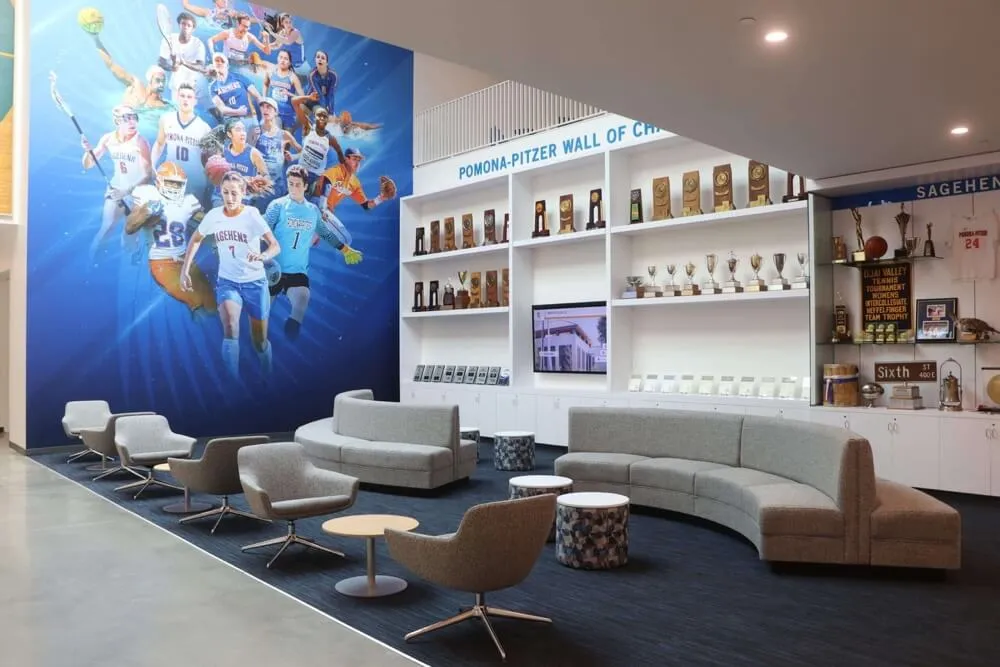
Wall-mounted glass display cases represent the most common traditional recognition format, providing secure, well-lit displays for championship hardware, plaques, and memorabilia.
Design Considerations for Wall-Mounted Cases
Standard wall-mounted trophy cases typically measure 48-96 inches wide, 60-78 inches tall, and 16-20 inches deep. Commercial-grade cases feature tempered glass panels resistant to breakage, secure locking systems preventing unauthorized access, and internal LED lighting ensuring visibility regardless of ambient light conditions.
Quality cases include adjustable shelving enabling optimal space utilization regardless of specific trophy dimensions. Modular shelving accommodates size variety from small individual medals to large championship cups and team trophies, facilitating reorganization as collections grow and display priorities evolve over time.
Capacity Limitations and Space Constraints
Physical trophy cases face inevitable space constraints limiting how many championships can receive simultaneous display. A standard 72-inch wall-mounted case realistically displays 20-30 trophies with professional spacing and attractive arrangement. As programs accumulate achievements over decades, difficult decisions about which trophies merit case space become necessary.
Many schools discover significant trophies end up in storage rather than displayed because physical cases reach capacity. This unfortunate situation means major championships remain unrecognized despite deserving prominent celebration. Programs exploring digital trophy display solutions discover they can showcase comprehensive championship collections without space limitations.
Freestanding Floor Trophy Cases
Freestanding floor cases provide larger capacity and 360-degree visibility, making them ideal for lobby installations and high-traffic areas where displays serve as architectural focal points.
Capacity and Configuration Options
Standard freestanding cases measure 48-120 inches wide, 72-78 inches tall, and 20-24 inches deep with 4-6 adjustable shelves. These larger dimensions enable capacity of 40-80 trophies per case depending on trophy sizes and arrangement strategies. Double-sided access allows viewing from multiple angles, making floor cases particularly effective in open spaces where traffic flows from different directions.
Installation Requirements
Floor cases require appropriate floor space and clearance, typically needing 8-10 feet of surrounding space for comfortable viewing and circulation. Consider electrical access for internal lighting and potential security system integration. Floor cases also require secure anchoring to prevent tipping hazards, particularly in schools with younger students who might climb or pull on cases.
Championship Banner Displays
Championship banners represent iconic state title recognition—vinyl or fabric banners hung from gymnasium ceilings or walls documenting sport, year, and championship classification.
Banner Design and Materials
Quality vinyl banners accept high-quality digital printing for photo-realistic images, detailed text, and vivid colors. Modern printing produces exceptional visual quality approaching photographic standards, enabling detailed logos, action imagery, and complex designs. Fabric materials including polyester and nylon provide premium appearance with natural draping and excellent color retention.
Effective banner designs balance visual impact with readability, featuring sport and year in large fonts visible from significant distances, school branding through colors and logos, and additional context like conference, division, or final records when appropriate. Maintain design consistency across multiple banners creating cohesive visual presentation rather than mismatched collection.
Banner Hanging Systems and Longevity
Pole pocket systems sewn into banner tops and bottoms accommodate rigid poles providing structural support. Suspended banners hang from ceiling mounts using chains, cables, or brackets attached to pole systems, creating impressive visual impact with banners suspended prominently throughout competition venues.
Quality vinyl banners typically last 5-10 years in climate-controlled indoor settings before requiring replacement due to color fading or material degradation. Plan for eventual banner replacement as ongoing program expenses, as even quality banners eventually deteriorate after years of display in gymnasiums exposed to temperature fluctuations and environmental conditions.
Modern Digital Trophy Case Display Solutions
Digital technology dramatically enhances championship recognition capabilities, addressing traditional limitations while introducing possibilities that transform how schools celebrate championship excellence.
Interactive Touchscreen Trophy Displays

Digital touchscreen systems provide comprehensive platforms for state championship recognition, combining commercial-grade hardware with sophisticated software enabling rich content and intuitive interaction.
Unlimited Recognition Capacity
Perhaps the most transformative advantage: unlimited capacity for recognizing championships without space constraints forcing difficult prioritization decisions. A single 55-inch touchscreen can showcase detailed profiles for hundreds of championships—comprehensive content that would require 15-20 traditional glass cases to display physically.
This unlimited capacity means schools can recognize every conference championship, district title, regional victory, and state championship throughout institutional athletic history without forced prioritization based on available wall space. Every championship receives appropriate acknowledgment regardless of sport prominence or when achievements occurred.
Rich Multimedia Storytelling
Digital platforms enable championship recognition far exceeding what physical trophies alone communicate. Incorporate championship game highlights showing winning plays and celebration moments, season statistics and achievement context, complete team photos and roster information, coach interviews and player testimonials, newspaper coverage and media documentation, and photo galleries from championship seasons.
This multimedia richness creates emotional connections that simple trophies cannot generate. Visitors spend significantly more time exploring digital displays featuring video and extended content compared to traditional text-only recognition. Engagement analytics from schools using digital storytelling for athletic programs show average session durations of 5-8 minutes versus 30-second glances at physical cases.
Interactive Exploration Features
Visitors actively explore championship history through intuitive touchscreen interfaces rather than passively viewing static displays. Browse championships chronologically decade-by-decade, filter by specific sports or achievement levels, search for individual athletes or coaches, view detailed achievement information and statistics, and compare championships across different eras and contexts.
This interactivity dramatically increases engagement while making championship history accessible and discoverable in ways physical displays cannot match. Alumni visiting campus decades after graduation can find their own championships, view teammates and season details, and relive championship memories through preserved photos and content.
Cloud-Based Content Management Systems
Modern recognition platforms provide intuitive content management enabling athletic staff to update displays remotely without technical expertise or physical display access.
Easy Content Updates
Cloud-based systems enable athletic directors, coaches, or designated staff to add new championships from any internet-connected device. Upload championship photos and information on Monday following weekend victories and content appears automatically across all displays without requiring physical access to screens or technical knowledge.
This convenience ensures recognition remains current and complete without burdensome manual update processes that often result in outdated, incomplete displays. Schedule content publishing at appropriate times, batch import historical championships efficiently, and make corrections or additions as new information becomes available.
Multi-Location Display Synchronization
Single content updates appear immediately across multiple display locations—physical touchscreen kiosks in gymnasiums, digital displays in hallways, school website championship pages, and mobile apps students access on personal devices. This multi-platform distribution maximizes recognition value by reaching students, families, alumni, and community members wherever they engage with institutions.
Schools report that web-based championship recognition generates 10-15 times more views than physical trophy cases in single locations, significantly amplifying achievement celebration while solving capacity constraints.
Hybrid Recognition Approaches
Most schools discover that hybrid approaches combining respected physical traditions with modern digital capabilities deliver optimal recognition experiences honoring tradition while leveraging contemporary technology advantages.
Strategic Physical Display Selection
Maintain prestigious trophy cases displaying most significant championships—perhaps state titles earned in past decade, historically significant achievements, or particularly impressive hardware deserving physical showcase. Physical displays preserve traditional trophy case importance and visceral impact of viewing actual championship hardware.
Comprehensive Digital Documentation
Supplement physical displays with digital systems providing complete championship documentation including historical achievements beyond recent years, detailed context and multimedia content, and interactive exploration capabilities. Digital documentation solves space limitations preventing comprehensive recognition while enabling rich storytelling impossible through physical displays alone.
Integrated Installation Design
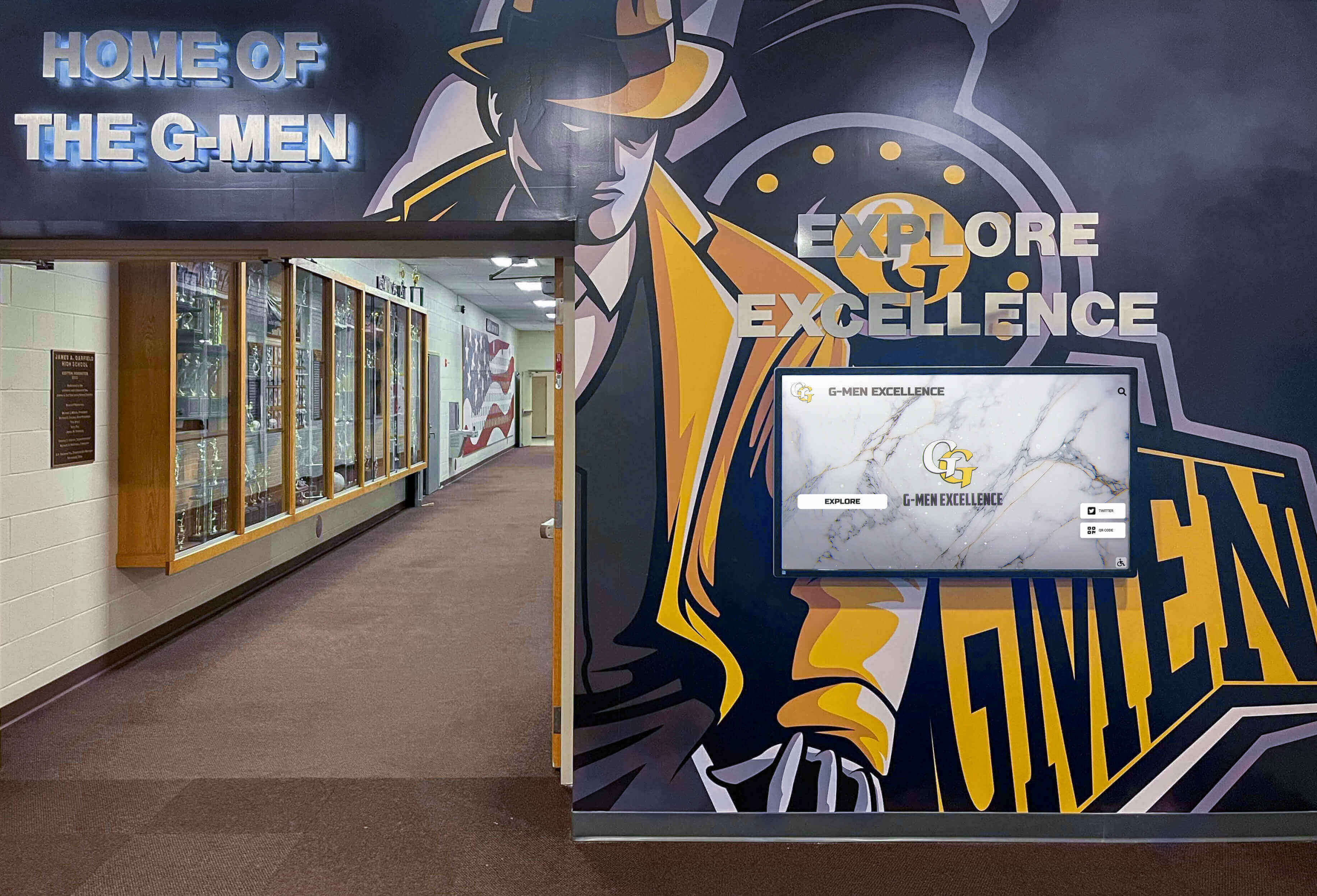
Install digital displays adjacent to or integrated with traditional trophy cases creating cohesive recognition environments. Visitors viewing physical trophies can immediately access detailed digital content providing championship context, watch videos and photos bringing championships to life, and explore related achievements and program history. This integration combines physical and digital strengths creating recognition experiences exceeding either approach alone.
Many schools implement state championship display systems that preserve ceremonial physical trophy presentation while solving long-term capacity and storytelling challenges through complementary digital platforms.
Planning Your State Championship Trophy Display Project
Successful championship recognition requires systematic planning addressing multiple considerations from goal-setting through ongoing operations and maintenance.
Defining Recognition Scope and Objectives
Begin with clear understanding of what championship display should achieve and which accomplishments deserve celebration.
Goal-Setting Questions
Consider what primary purposes recognition should serve—motivation, tradition building, recruitment, community engagement, or legacy preservation. Identify which audiences matter most: current athletes, prospective recruits, alumni, families, or community members. Determine what time period initial recognition should cover: recent decades, complete program history, or specific championship eras.
Decide which achievement levels deserve recognition: only state championships, or also runner-up finishes, semifinal appearances, and conference titles. Evaluate how recognition integrates with other program initiatives like recruiting, fundraising, and alumni relations.
Inventory and Documentation
Conduct comprehensive inventory of existing championships including trophies currently displayed, awards in storage, and achievements lacking physical trophies but deserving recognition. Document championship details including years, sports, classifications, coaches, and key athletes.
Identify existing documentation like yearbooks, media guides, newspaper archives, and photo collections that could enrich championship displays. This inventory reveals both recognition opportunities and documentation gaps requiring research before implementation.
Location Selection and Space Planning
Display location fundamentally determines championship recognition visibility, engagement, and cultural impact. Strategic placement ensures maximum influence on priority audiences.
High-Traffic Athletic Facility Locations
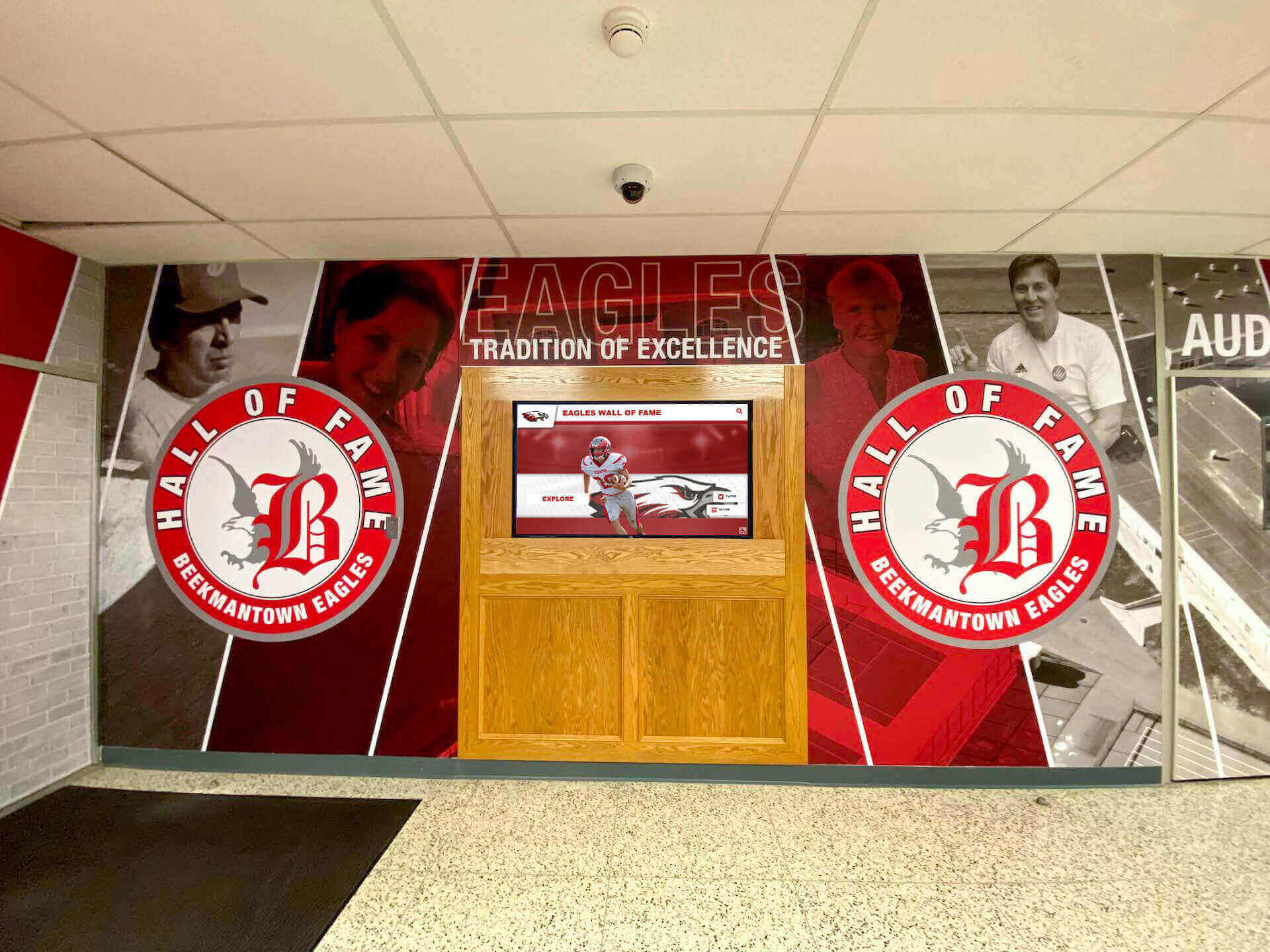
Athletic competition venues represent natural championship display locations where athletes train daily and communities gather for competitions. Consider gymnasium lobbies at main entrances, hallways connecting locker rooms to competition areas, concourse spaces where spectators circulate during events, and training facility areas where athletes spend significant time.
Position displays where foot traffic naturally flows, ensuring maximum visibility from students, families, and community members attending events and activities. Strategic placement makes championship recognition impossible to miss for anyone entering athletic spaces.
Main Building and Administrative Areas
Championship displays in main academic buildings extend athletic recognition beyond athletic facilities, communicating that entire school communities celebrate championship success. Main entrance displays near primary school entries provide immediate championship visibility for all visitors, while administrative corridor locations integrate athletic success into daily school life.
When students, staff, and visitors regularly encounter championship recognition throughout school buildings, athletic excellence becomes normalized as expected rather than exceptional, contributing to overall achievement culture.
Budget Planning and Funding Sources
Championship recognition projects require funding that many schools struggle to allocate from operating budgets. Understanding investment requirements and funding options makes projects financially feasible.
Traditional Trophy Case Investment
Physical trophy case costs include case purchase ($2,500-$8,000 per case depending on size and features), professional installation ($500-$1,500 per case), electrical work for lighting ($400-$2,000), and initial trophy arrangement and organization. Multiple cases required for comprehensive recognition multiply these costs significantly.
Ongoing expenses include periodic cleaning and maintenance, trophy polishing and care, lighting replacement, and eventual case refurbishment or replacement after 15-20 years.
Digital Display System Investment
Digital recognition platforms involve different cost structures including commercial display hardware ($3,000-$6,000), content management platform ($2,000-$5,000 setup or annual subscription), professional installation and configuration ($1,000-$3,000), initial content development and migration ($1,500-$4,000), and staff training and documentation ($500-$1,500).
Annual operating costs include platform licensing or subscription fees ($1,200-$3,000), content management staff time, and technical support. While digital systems involve higher initial investment and ongoing subscription costs, they provide unlimited capacity, comprehensive recognition, interactive engagement, and accessibility impossible with physical cases—delivering substantially greater value despite higher absolute costs.
Funding Strategy Options
Athletic booster clubs represent natural funding sources given direct connection to program support. Present projects emphasizing how recognition celebrates achievements, honors program history, and strengthens current athlete motivation. Many booster clubs enthusiastically support recognition projects viewing them as visible, lasting contributions to program excellence.
Alumni donations from championship team members and successful athletic program graduates often support recognition projects. Capital campaign inclusion for facility improvements or comprehensive school fundraising integrates championship displays with broader development initiatives. Local business sponsorships provide visibility and community goodwill companies value in exchange for appropriate acknowledgment.
Gathering and Organizing Championship Content
Effective displays require comprehensive content development documenting championships thoroughly while telling compelling stories that engage contemporary audiences.
Historical Research and Documentation
Creating complete championship archives requires systematic research gathering information, photos, and context about achievements spanning decades.
Primary Research Sources
Review athletic department records and championship documentation, examine yearbooks and school newspapers throughout program history, search local newspaper archives for championship game coverage and season narratives, interview championship coaches and players for first-hand perspectives, and contact state athletic associations verifying championship records and details.
Compile roster information, statistics, season records, and championship game details for comprehensive documentation. Organize research findings systematically with consistent file naming and metadata standards facilitating content management platform import.
Photo and Video Collection
Locate championship photos from yearbooks, newspaper archives, personal collections, and school photography files. Digitize film photos and historical materials using appropriate scanning equipment and settings. For recent championships, gather digital photos and videos from coaches, parents, media coverage, and school photography.
When historical photos are limited or unavailable, acknowledge information gaps honestly rather than leaving empty sections that appear incomplete. Focus initially on championships with available documentation while building archives incrementally as additional information surfaces over time.
Content Organization and Presentation
How schools organize championship content influences both visual impact and viewer comprehension of championship history and achievement scope.
Organizational Frameworks
Chronological organization arranges championships by date creating clear historical narratives showing program evolution over decades. Sport-specific organization groups championships by sport highlighting particular program excellence and making navigation easier for viewers seeking specific sport information. Achievement level organization separates state championships from conference, regional, and other achievements creating clear hierarchies emphasizing highest competitive accomplishments.
Many effective displays combine organizational approaches—primary navigation by sport, secondary organization chronologically within each sport, and filtering capabilities allowing viewers to focus on specific time periods or achievement levels based on personal interests.
Essential Championship Information
Comprehensive championship recognition includes sport and specific division or classification, championship year and season dates, achievement type and level (state champion, runner-up, semifinalist), final team record and tournament results, head coach and assistant coaching staff, complete team roster with positions and classes, championship game or meet details including opponent, score, and location, season statistical leaders and notable performances, and championship significance within program tradition and history.
This comprehensive documentation transforms championships from simple victory acknowledgments into complete narratives preserving what made seasons special while providing context helping future generations understand achievement significance.
Programs implementing academic recognition systems demonstrate how similar comprehensive content approaches enhance all forms of student achievement celebration beyond athletics alone.
Implementation Best Practices
Successfully showcasing state championships requires systematic approaches addressing planning, technology selection, content development, and ongoing maintenance.
Technology Selection and Vendor Evaluation
Choosing appropriate recognition technology determines long-term satisfaction, usability, and effectiveness in honoring state championships.
Hardware Specifications
Evaluate commercial-grade displays sized appropriately for viewing distances—43-55 inch for intimate spaces, 55-75 inch for standard installations. Ensure touchscreen interactivity enabling hands-on exploration, reliable network connectivity, and environmental protection for semi-outdoor or challenging locations. Commercial specifications rated for continuous operation prove essential despite higher upfront investment compared to consumer televisions.
Software Platform Requirements
Essential software capabilities include intuitive content management accessible to athletic staff without technical expertise, cloud-based access enabling remote updates from any device, comprehensive search and filtering for instant championship lookup, multimedia support for photos, videos, and extended narratives, and analytics tracking engagement patterns and popular content.
Purpose-built platforms like Rocket Alumni Solutions provide specialized features designed specifically for athletic championship recognition, offering superior results compared to generic digital signage adapted for trophy display purposes.
Professional Installation and Launch
Quality implementation ensures systems operate reliably and effectively from day one, creating positive first impressions that drive ongoing engagement and usage.
Pre-Installation Preparation
Verify electrical infrastructure and upgrade if needed, test network connectivity ensuring adequate performance, prepare wall surfaces for professional mounting, organize initial content for immediate launch population, and schedule staff training sessions during installation period.
Addressing infrastructure needs before installation prevents delays and cost overruns from unexpected issues discovered during implementation.
Content Migration and Launch
Develop initial content covering priority championships and recent achievements ensuring compelling displays from day one. Create content templates maintaining consistent visual presentation across all championships. Train multiple staff members on content management preventing single-point dependency on individuals who might leave positions.
Launch with comprehensive content demonstrating value immediately rather than gradually building displays over months while visitors see incomplete systems. Effective communication announcing new recognition through student assemblies, alumni newsletters, social media, and community media maximizes awareness and engagement.

Maintenance and Long-Term Stewardship
Championship displays require ongoing stewardship ensuring recognition remains current, accurate, and professionally presented over decades of use.
Physical Display Maintenance
Traditional trophy cases need regular care preventing deterioration and maintaining professional appearance that honors championship significance.
Routine Cleaning and Care
Establish regular cleaning schedules for glass surfaces, trophy dusting, and general case maintenance. Fingerprints, dust accumulation, and dirt detract from professional presentation. Schedule quarterly deep cleaning and monthly light maintenance ensuring consistent appearance that demonstrates championships receive valued recognition.
Monitor lighting functionality replacing failed LEDs promptly, inspect locks and case hardware ensuring security features function properly, and address any case damage or deterioration immediately preventing minor issues from becoming major problems requiring expensive repairs.
Trophy Organization and Rotation
As new championships accumulate, evaluate trophy arrangement ensuring optimal presentation and avoiding overcrowding that diminishes visual impact. When cases reach capacity, implement systematic rotation policies displaying most recent or significant achievements prominently while archiving or rotating older trophies periodically.
Document rotation policies clearly communicating standards to school communities ensuring decisions appear merit-based rather than arbitrary while managing expectations about this recognition approach.
Digital Display System Management
Digital championship displays require different maintenance emphasizing software updates, content management, and hardware monitoring rather than physical cleaning alone.
Content Management and Updates
Designate specific staff members responsible for digital content updates ensuring new championships receive prompt recognition. Add championship information immediately following victories while excitement remains high. Upload photos, videos, roster details, and season documentation promptly creating current, comprehensive recognition.
Develop content templates and style guides maintaining visual consistency across all championship entries regardless of who creates specific content. Train multiple personnel on content management systems preventing knowledge concentration with single individuals who may leave positions or become unavailable.
System Monitoring and Support
Configure remote monitoring systems ensuring technical problems receive prompt attention before affecting display functionality. Commercial-grade displays typically include monitoring capabilities alerting administrators to hardware issues, display errors, or connectivity problems.
Establish support relationships with display providers or system integrators who can address hardware failures, software problems, or technical issues quickly. Many display systems include service agreements providing remote support, on-site repairs, and replacement hardware when necessary, ensuring minimal downtime and consistent display operation.
Measuring Success and Demonstrating Value
Assessment demonstrates championship recognition value while informing continuous improvement and future investment decisions.
Engagement Analytics and Usage Metrics
Digital recognition systems provide detailed analytics revealing how school communities interact with championship content, including display interaction frequency and session duration, most-viewed championships and content types, search patterns revealing visitor interests, peak usage times and traffic patterns, and website traffic to online championship content.
Growing engagement over time validates recognition investment while declining engagement might indicate content staleness or need for refresh and updates. Analytics help identify popular content informing future content development priorities and enhancement opportunities.
Stakeholder Feedback and Satisfaction
Gather feedback from athletes, coaches, alumni, and community members about recognition impact and effectiveness through surveys, focus groups, or informal conversations. Ask whether current athletes find displays motivating and inspiring, whether coaches reference displays when teaching about program culture, whether alumni feel appropriately honored and recognized, and whether prospective families mention recognition during campus visits.
Systematic feedback collection ensures recognition serves intended audiences effectively while identifying specific enhancement opportunities that increase value and impact.
Cultural and Program Impact Indicators
Monitor broader indicators potentially connected to championship recognition investment including athletic program enrollment and participation trends, athlete retention rates and transfer patterns, prospective family interest and enrollment decisions, community attendance at athletic events, and alumni engagement and giving patterns.
While attribution proves challenging, positive trends in these areas suggest recognition contributes to program culture and community engagement objectives that justify ongoing investment and stewardship.

Conclusion: Honoring Excellence, Inspiring Greatness
State championship trophy case displays represent far more than decoration for athletic facilities or obligatory recognition of past success. When implemented thoughtfully with appropriate investment in quality, content, and ongoing stewardship, championship displays create powerful recognition systems that honor competitive excellence while inspiring continued pursuit of championship traditions.
Effective championship recognition honors achievement appropriately through visible, permanent celebration that demonstrates championships matter to school communities. Complete documentation tells championship stories comprehensively rather than reducing achievements to simple dates and scores. Comprehensive inclusion recognizes all championships regardless of sport prominence or achievement date. Accessible presentation reaches diverse audiences including current athletes, alumni, and community members. Ongoing maintenance preserves professional appearance demonstrating continued value and respect.
Traditional trophy cases and banner displays provide respected recognition honoring physical championship hardware through tangible, ceremonial presentation. These conventional approaches maintain important cultural significance while facing inherent limitations including space constraints forcing difficult prioritization decisions and limited storytelling capabilities that cannot convey championship context comprehensively.
Modern digital recognition systems eliminate traditional limitations while introducing transformative capabilities. Unlimited capacity accommodates comprehensive championship history without space constraints. Rich multimedia including photos, videos, and extended narratives transforms simple listings into compelling stories. Interactive exploration through search, filtering, and discovery features creates engaging experiences. Cloud-based content management enables instant updates from any device. Dual presence through physical displays and web accessibility extends recognition globally.
Most schools discover hybrid approaches combining physical and digital recognition deliver optimal results—maintaining ceremonial physical trophy displays for most significant achievements while leveraging digital platforms for comprehensive documentation, enhanced storytelling, and unlimited capacity ensuring complete program history receives appropriate recognition.
Ready to transform how your athletic program celebrates state championship excellence? Modern recognition solutions specifically designed for schools provide comprehensive platforms honoring championship tradition while inspiring future success. Your state championships represent countless hours of dedication, moments of triumph, and community pride—ensure these achievements receive the lasting recognition they deserve through displays that appropriately celebrate excellence for generations to come.
Whether implementing first comprehensive championship display or modernizing existing approaches, thoughtful planning combined with appropriate technology enables schools to create recognition that genuinely honors athletic achievement while building championship cultures where excellence thrives. Every state championship deserves recognition matching its significance—visible celebration, complete documentation, and permanent preservation ensuring achievements inspire current and future athletes toward similar competitive greatness.































