Student section signs are one of the fastest, most affordable ways to transform an ordinary game night into a memorable experience for athletes, fans, and the entire school community. A well-organized student section waving coordinated signs creates the kind of visual energy that shows up in highlight reels, local newspapers, and social media feeds—and that athletes genuinely feel on the field or court. Whether your school has a 200-student student section or a 2,000-seat gymnasium, the right signs, designs, and display strategy can turn passive spectators into an electric crowd that makes home-field advantage real.
This guide covers everything from choosing materials and creating custom designs to organizing your section for maximum visual impact—plus ideas for making that school spirit permanent well beyond game day.
Student section signs do more than cheer—they signal to visitors, recruits, and community members that your school takes pride in its people. Schools that invest in visible, well-designed fan culture often see ripple effects: stronger athlete morale, higher game attendance, and deeper bonds between students who might otherwise never interact. Student engagement strategies consistently identify visible school pride as one of the strongest predictors of belonging—and few things create visible pride more efficiently than a student section that shows up looking unified.
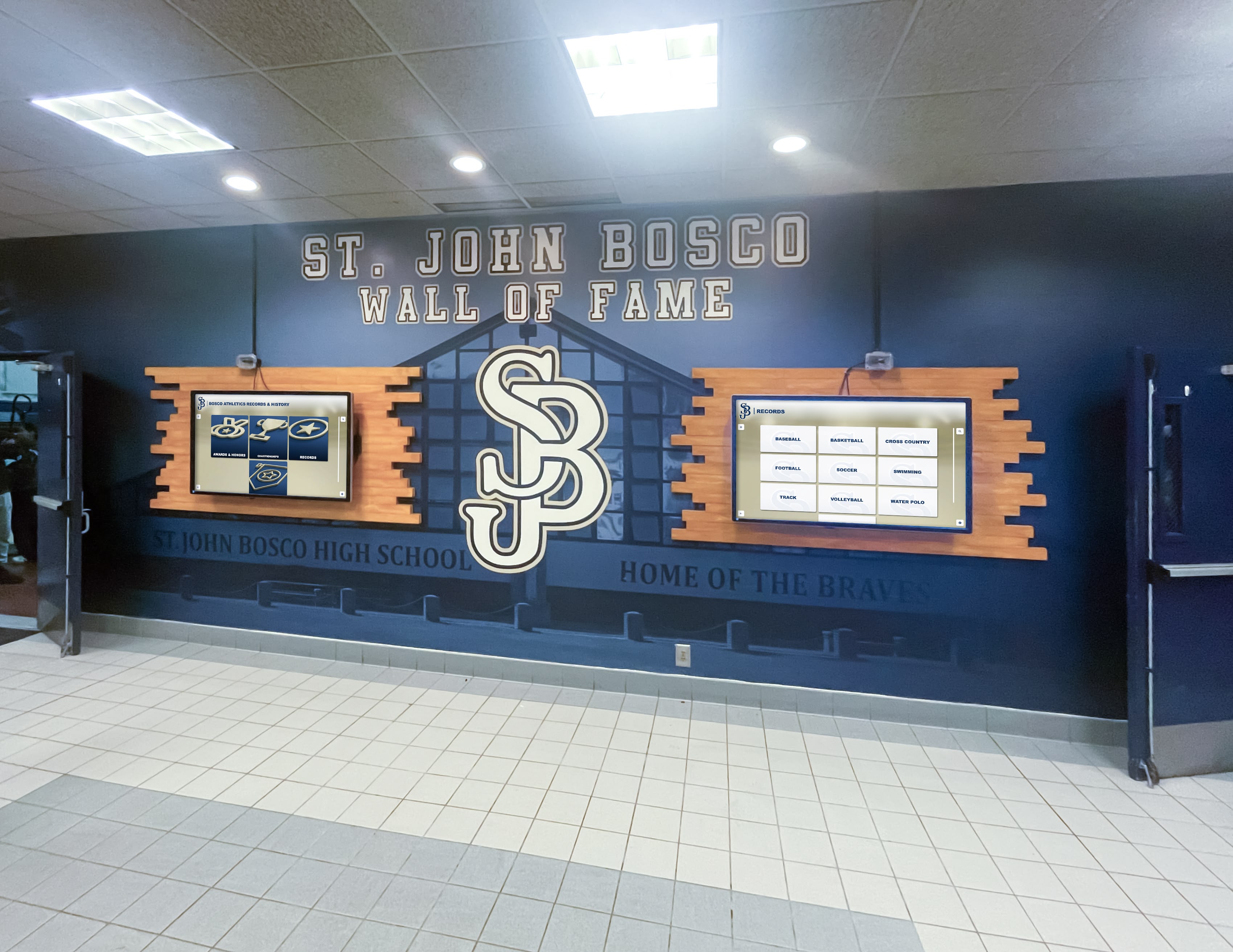
Schools that invest in visible displays of pride—from game-night signs to permanent hallway installations—build lasting culture throughout the entire year
Why Student Section Signs Matter at High School Games
Before diving into design specifics, it helps to understand what student section signs actually accomplish beyond looking fun in photos.
Creating Atmosphere That Athletes Notice
College coaches and athletic recruiters visit high school games. What they observe beyond the athletes includes the environment those athletes perform in. A loud, visually organized student section communicates that this school values its athletic programs and supports its competitors. Athletes themselves consistently report that visible crowd support raises their energy and focus—seeing a wall of coordinated signs with their team’s colors is a tangible morale boost during tight moments in competition.
Unifying the Student Body Around Shared Identity
Sign-making sessions before games create natural community-building moments. Students who might not share classes, friend groups, or interests gather around butcher paper and paint with a shared goal. Pep rally activities and spirit events work best when they extend into game-night participation—and student sections that carry signs into games extend that unity from the gym to the bleachers.
Generating Social Media Content That Recruits Future Students
School social media accounts, local news photographers, and student journalists all gravitate toward visually compelling fan sections. A well-coordinated student section regularly produces shareable content that puts your school’s culture in front of incoming middle schoolers, prospective families, and community members who might otherwise never see what makes your school community special.
Types of Student Section Signs: Materials and Formats
Choosing the right material for your signs depends on your budget, available prep time, and the weather conditions you’ll face. Here’s a breakdown of the most common options.
Poster Board Signs (The Classic)
Standard 22×28-inch poster board remains the most popular choice for student section signs. It’s inexpensive (typically $0.50–$1.50 per sheet at craft stores), easy to paint with acrylic or tempera paint, and sturdy enough to survive an outdoor football game if the weather stays dry. Limitations include susceptibility to rain and wind—on a wet night, poster board signs deteriorate quickly.
Best for: Indoor games (basketball, volleyball, wrestling), outdoor games in stable weather, single-game use, student-created designs.
Foam Board Signs
Foam board (also called foam core) offers a significant upgrade in rigidity and longevity over poster board. Signs hold their shape when waved vigorously, don’t flop or bend, and can be double-sided for versatility. At roughly $2–$5 per sheet, foam board costs more than poster board but produces more professional results that hold up across multiple games when stored properly.
Best for: High-stakes games where signs will be photographed extensively, programs that reuse signs across a season, larger signs that require structural support.
Butcher Paper Banners
Long rolls of butcher paper allow student sections to create multi-student collaborative banners spanning 6–20 feet. These “spirit banners” create dramatic visual impact when held aloft by a row of students and work particularly well for entrance tunnels where athletes run through before games. Cost runs approximately $0.10–$0.25 per linear foot when purchased in bulk rolls.
Best for: Creating visual spectacle from a distance, entrance tunnels, stadium-filling display moments, collaborative group projects for homeroom or advisory periods.
Corrugated Plastic (Coroplast) Signs
The same material used for yard signs and political signage, corrugated plastic creates weather-resistant, highly durable signs that survive rain, wind, and repeated seasons of use. Signs printed on coroplast by a local printer typically cost $8–$25 depending on size and quantity. Schools with athletic booster programs or dedicated spirit budgets often invest in professionally printed coroplast signs featuring school logos, mascots, and consistent branding.
Best for: Programs with printing budgets, multi-season reuse, outdoor games in unpredictable weather, professional-looking sections.
Fabric Banners and Flags
Fabric banners and pennant flags create lasting visual anchors in student sections. While more expensive than paper-based options, fabric withstands weather, folds for storage, and can be repurposed year after year. Schools often create one or two high-quality fabric banners representing their mascot or school name alongside disposable game-specific signs.
Best for: Anchoring a student section with permanent visual identity, high-visibility school pride moments, athletic department investments in long-term culture.
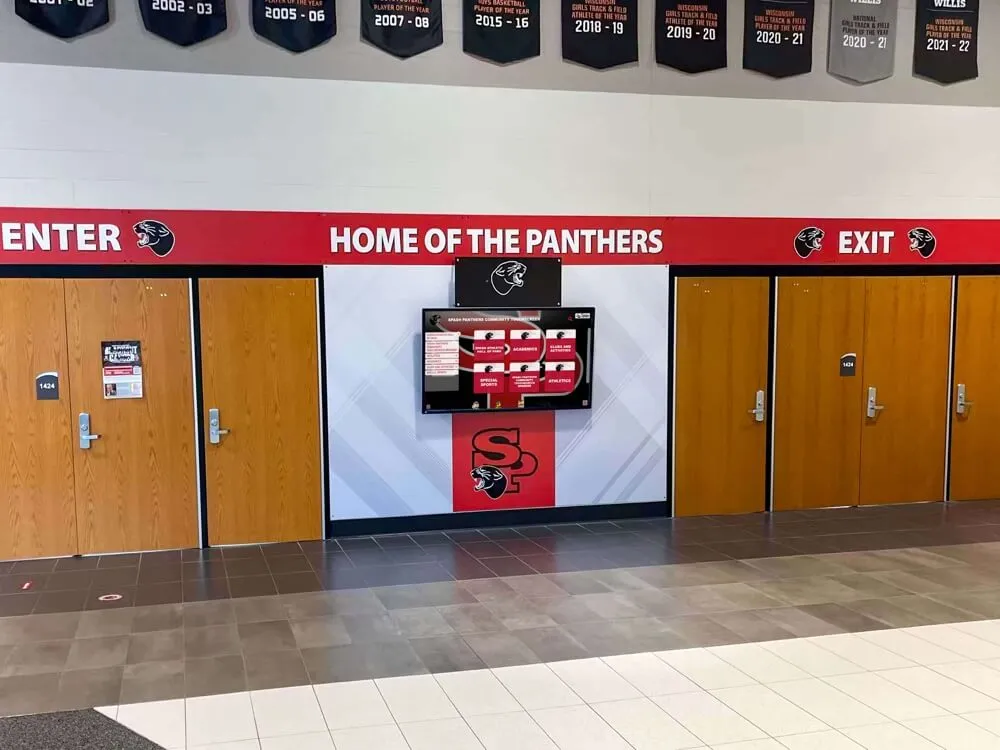
Consistent school spirit identity—from game-night signs to permanent hallway displays—reinforces culture at every point of entry
Student Section Sign Design Ideas and Templates
Great student section signs share a few consistent traits: they’re readable from 50+ feet away, they use school colors consistently, and they communicate a clear message in the shortest possible time. Here are design ideas organized by approach.
Simple Bold Letter Signs
The simplest and most visually impactful student section signs spell out single words or short phrases in large block letters. Each student holds one letter, and the group assembles to spell something together. Classic examples:
- D-E-F-E-N-S-E (six signs, each held by one student)
- [SCHOOL MASCOT] NATION (ten to twelve signs forming a phrase across a row)
- LET’S GO [TEAM NAME] (rotated between chants and displayed as a visual backdrop)
For single-letter signs, keep the letter at least 18 inches tall on a 22×28-inch poster board. Use thick block letters with high-contrast colors—white letters on navy, gold letters on black, red letters on white. Outline letters in contrasting colors to increase readability under stadium lighting.
Player and Athlete Spotlight Signs
Holding signs featuring the name, number, or face of a specific athlete creates moments that athletes remember long after graduation. These work especially well during pregame player introductions, free throws, or kicking moments when the section can direct attention at a specific athlete.
Design approach:
- 36-point or larger player number in school colors
- Athlete’s last name in bold font below
- Mascot or school logo in corner
- Consistent template applied across multiple player signs so the section looks unified
Opponent Challenge Signs
Playful, creative signs directed at opposing teams are a staple of student section culture. The most effective ones stay positive about your own team rather than genuinely negative about opponents—referees, administrators, and visiting fans all share the bleachers. Signs like “YOUR BEST SHOT ISN’T ENOUGH” or “[HOME MASCOT] TERRITORY” create competitive energy without crossing into unsportsmanlike territory that reflects poorly on your school.
Theme Night Coordinated Signs
Assigning your student section a visual theme for a specific game creates dramatic unified looks. Common theme approaches include:
Blackout/Whiteout Nights: Everyone in black (or white) carrying matching signs in the same color palette. Single-color sign nights create spectacular visual uniformity when photographed from above.
Decade Theme: Retro night where signs incorporate design aesthetics from a specific decade—’80s neon, ’70s earth tones, ’50s black and white.
Rivalry Week: Signs specifically designed around the school’s rivalry game, incorporating inside jokes, head-to-head records, or championship references that the student body cares about deeply.
Senior Night: Signs celebrating graduating seniors by name, creating a photo backdrop that seniors and their families will treasure. This connects game-night spirit to lasting recognition—a theme explored more in the final section of this guide.
Simple Template Structure for DIY Signs
If you’re organizing sign-making sessions for your student section, providing students with a consistent template dramatically improves visual cohesion. Here’s a practical layout:
| Sign Zone | Content | Recommended Size |
|---|---|---|
| Top band (15% of sign height) | School abbreviation or mascot icon | 2–3 inches tall |
| Center (60% of sign height) | Main message: word, number, or phrase | 8–14 inches tall |
| Bottom band (15% of sign height) | Hashtag, year, or secondary message | 2–3 inches tall |
| Background | Primary school color | Full sign |
| Text color | Contrasting secondary school color + outline | — |
Color, Readability, and Visual Impact Tips
The most common mistake in student section signs is designing for close-up viewing rather than stadium-distance readability. These principles improve legibility from 50–100 feet.
Contrast Is Everything
High contrast between text and background is the single most important factor in sign readability. The highest-contrast combinations are:
- Black on white / white on black
- Navy on yellow / yellow on navy
- Red on white / white on red
- Black on orange / orange on black
Avoid low-contrast combinations that look good up close but disappear at distance: dark blue on black, yellow on white, red on dark red. When in doubt, add a thick contrasting outline around all text and shapes.
Limit Your Font Choices
Using more than two distinct lettering styles on a single sign creates visual chaos. Pick one blocky display font for the main message and one simpler font for secondary text. In practice, hand-painted block letters are the most effective choice for readability because their thick strokes catch light and hold up in stadium lighting.
Think in Sections, Not Individual Signs
Signs are most powerful when the student section coordinates designs across a block of seats rather than each student making independent choices. Athletic locker room signage experts consistently note that coordinated color and message repetition creates stronger visual impact than individual variation—the same principle applies in the bleachers.
When planning sign distribution:
- Assign a primary sign color to each seating row so rows alternate between school colors
- Designate specific students for letter signs that spell words across rows
- Reserve the most prominent positions (front row, aisle seats) for your largest, most visually impactful signs
Size Matters More Than Detail
A sign with one word in 14-inch letters beats a sign with a detailed illustration that nobody can read from section 12. When in doubt, make it bigger and simpler. For games in large facilities, signs smaller than 22×28 inches are nearly invisible to athletes and opposite-side fans.

Student engagement with school culture extends far beyond game day—connecting recognition at games to recognition in hallways builds lasting school pride
Organizing and Displaying Signs for Maximum Impact
Even the best-designed signs underperform when the section isn’t organized to display them effectively. These logistics make a significant difference.
Pre-Game Sign Distribution
Handing out signs randomly as students enter creates chaos. A more effective approach:
- Assign a Sign Captain for each section block (typically student council members, class officers, or team managers) responsible for distributing pre-made signs to their area
- Use color-coded distribution so each seating zone receives signs in their designated color
- Distribute before gates open so students arrive to find their signs already placed on seats rather than creating entry-point bottlenecks
- Label sign backs with row and seat designations for letter signs that must appear in specific order
Creating Coordinated Sign Waves and Moments
Decide in advance which game moments will trigger specific sign displays:
- Player introductions: Each player’s spotlight sign raised by their designated section
- Before tip-off or kickoff: Full section raises signs simultaneously for a photo moment
- After each score: Celebration signs in school colors raised and waved
- Free throws / field goals: Distraction signs raised toward the opponent’s shooting end (within school’s sportsmanship guidelines)
- End of game (wins): Final celebration display and photo opportunity for the social media feed
Communicate these planned moments via a simple cheat sheet distributed with signs, or via group text chain managed by the Sign Captain.
Managing Sign Logistics Across a Season
For programs that reuse signs, post-game collection and storage becomes important. Designate a collection point near each section exit. Assign collection volunteers for the final two minutes of each game. Store foam board and plastic signs flat in labeled bins—stacking curled or bent poster board ruins signs quickly. Coroplast signs can be racked vertically in a storage closet.
Wall wraps and permanent school signage experts recommend treating even temporary game-night signage as part of a broader identity system—consistent color palette, mascot usage, and typography that links back to the school’s overall visual brand.
Digital Coordination for Modern Student Sections
Many schools now use their Instagram, group chats, or Schoology/Canvas pages to coordinate student sections digitally before games:
- Post sign-making event announcements with design templates students can print and trace
- Share this week’s theme or color assignment for each student section zone
- Create a sign submission form so students can propose custom signs that get vetted for appropriateness before printing
- Post pre-game graphics showing what the coordinated section will look like so students understand the vision
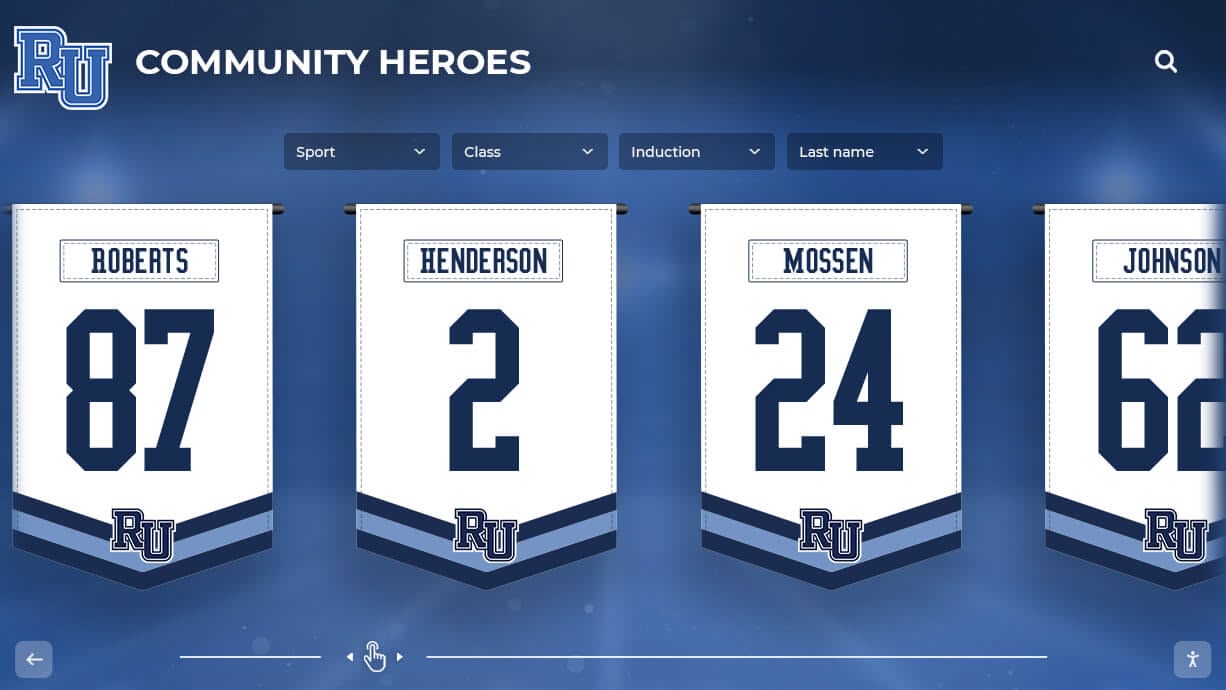
Spirit banners and jersey displays create visual anchors that connect game-night energy to year-round school pride
Spirit Week and Special Game Sign Ideas
Certain games call for elevated sign production. Here are ideas for high-stakes occasions.
Rivalry Game Sign Ideas
Rivalry games justify the extra investment in quality materials and more elaborate designs. Consider:
- Head-to-head record signs: “WE LEAD THE ALL-TIME SERIES” (if accurate) creates psychological edge
- Championship count signs: Number of state titles, conference championships, or bowl appearances in team colors
- Year-specific callback signs: References to memorable rivalry game moments that only students at your school would understand—inside references create cohesion among your section even when opponents don’t get the joke
Middle school spirit week ideas often serve as recruitment pipelines for high school student sections—getting younger students excited about game-night culture early builds the audience you’ll rely on in four years.
Homecoming Game Sign Ideas
Homecoming games benefit from signs that celebrate school history and tradition alongside competitive spirit:
- Signs displaying the school’s founding year and years since establishment
- Signs referencing this year’s homecoming theme tied to the halftime show
- Crowning ceremony spotlight signs with homecoming court candidates’ names
- Alumni recognition signs calling out notable graduates in attendance
Senior Night Sign Ideas
Senior Night student section signs carry emotional weight beyond game-day competition. Pairing the athletic event with visible recognition creates memories that last:
- Individual senior spotlight signs with each senior’s name, number, and a brief note (“4 YEARS OF EXCELLENCE”)
- Class reunion-style banners listing the full senior class name roster
- Senior parent seating area sign honoring the families
- “SEE YOU IN THE RAFTERS” signs for senior athletes destined for varsity letter recognition and hall of fame eligibility
This connection between game-night recognition and permanent recognition matters—the school graphics design process increasingly treats game-day visual identity as part of the same system as permanent school displays.
Playoff and Championship Game Sign Ideas
Playoff and championship games warrant your highest-quality materials and most coordinated effort:
- Matching shirts for the entire student section paired with coordinated signs creates an image that local sports photographers will use for years
- “ROAD TO THE CHAMPIONSHIP” signs documenting the season’s progression
- Signs listing season records, conference championships, and individual award winners
- State championship recognition begins on game night with signs and banners—and continues permanently through trophy cases, display boards, and digital recognition systems that keep those memories alive for decades
Frequently Asked Questions About Student Section Signs
What materials make the best student section signs?
For single-game indoor use, poster board is the most cost-effective choice. For outdoor games or multi-game reuse, foam board offers much better durability. For weatherproof signs that last multiple seasons, professionally printed corrugated plastic (coroplast) is worth the investment. Whatever material you choose, prioritize high-contrast colors and large, simple lettering over detailed artwork.
How do you get students to actually participate in the student section?
Coordination and advance communication are the biggest factors. Students who know about a theme day, receive their sign before they find their seat, and understand what they’re supposed to do with it are far more likely to participate than students who arrive with no context. Pairing sign-making sessions with a social event—pizza, music, games—before major games also dramatically increases participation.
What size should student section signs be?
Standard 22×28-inch poster board is the minimum size that reads at stadium distance. For games in large facilities with 500+ spectators, 24×36-inch or larger signs are more effective. For letter signs that spell words across a row, at least 18-inch letter height is recommended. Bigger is almost always better for crowd visibility.
How should student council or school spirit clubs organize sign production?
Designate a Spirit Coordinator or Sign Captain for each major home game. Use a standardized template distributed digitally so students who want to make their own signs stay on theme. Schedule a group sign-making session 48–72 hours before the game. Use your school’s learning management system or social media to communicate the plan, and assign distribution volunteers for game night itself.
Are student section signs allowed at all high school sporting events?
Most state athletic associations allow student section signs as long as they don’t obstruct other spectators’ views, don’t contain derogatory or inappropriate content, and aren’t mounted on poles or sticks (many safety policies prohibit sticks in the bleachers). Attach cardboard handles to the back of signs, or use stiff handles within the material itself. Always check your school’s and state association’s specific policies before distributing pole-mounted signs.
What’s the best way to coordinate colors across an entire student section?
Assign section zones specific color responsibilities rather than leaving color choice to individuals. For example, designate Rows 1–5 as the “primary color zone” (navy, red, etc.) and Rows 6–10 as the “secondary color zone” (gold, white, etc.). This alternating block approach creates a visually striking look in photos and on video even when not every student participates perfectly.
How do student section signs connect to broader school recognition programs?
Game-night signs capture moments of pride—but they’re gone after the final buzzer. Schools that pair game-night spirit culture with permanent recognition programs create lasting pride that reinforces itself year-round. Digital displays, hall of fame walls, and recognition boards keep the achievements that student section signs celebrate visible every day, not just during games.
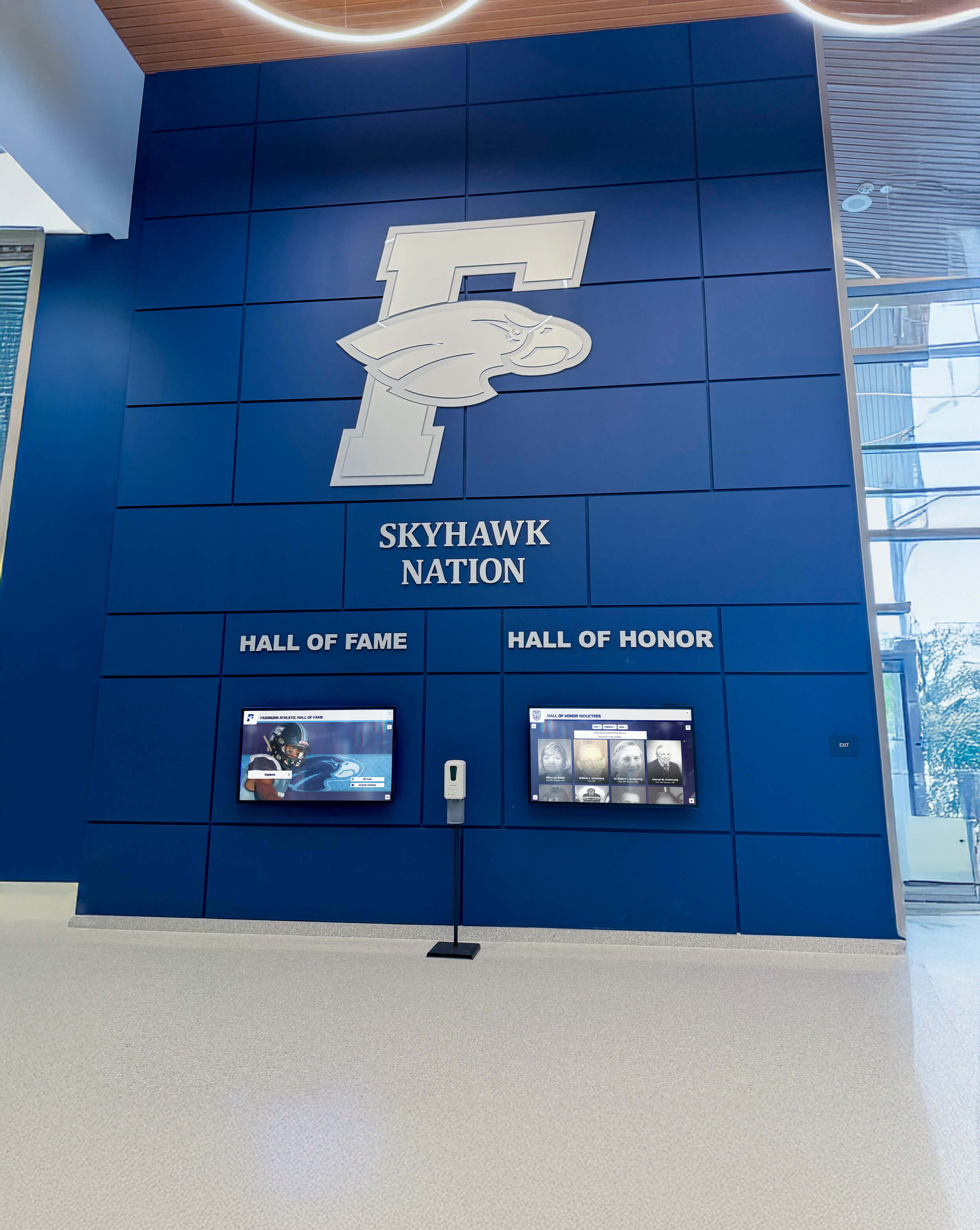
Permanent spirit displays in school lobbies and hallways extend game-night pride into the everyday school experience year-round
Beyond Game Night: Connecting Signs to Permanent School Pride
Student section signs are a game-night tradition—but the school spirit they represent doesn’t have to disappear after the final whistle. Schools that bridge game-night culture with permanent recognition installations create environments where athletes feel honored all year, not just during active seasons.
From Temporary Signs to Permanent Hallway Displays
The athletes your student section cheers for deserve recognition that outlasts a single game. School lobby design experts consistently find that athletic recognition displays in high-traffic hallways and lobbies create daily reminders of excellence that motivate current students and honor past contributors.
When students walk past a display board recognizing state champions, hall of fame inductees, and academic award winners every morning, the connection to the school community deepens in ways that game-night signs alone can’t sustain.
How Athletic Booster Programs Can Fund Both
Athletic booster clubs often fund game-night materials as part of their annual spirit budgets—but the most strategic programs allocate a portion of fundraising toward permanent recognition infrastructure that demonstrates long-term investment in their athletes.
A booster club that funds three seasons of game-night signs might redirect the equivalent of one season’s print costs toward a high-quality digital recognition display that serves the school for a decade. The student section signs energize the crowd; the permanent display honors the culture those crowds are celebrating.
Digital Recognition That Keeps School Spirit Visible Year-Round
Touchscreen recognition walls and digital hall of fame displays take the energy of a well-organized student section and make it permanent and explorable. Rather than a static trophy case, interactive displays allow current students, visiting families, and prospective athletes to browse decades of achievement—the same championships that student section signs celebrated during games.
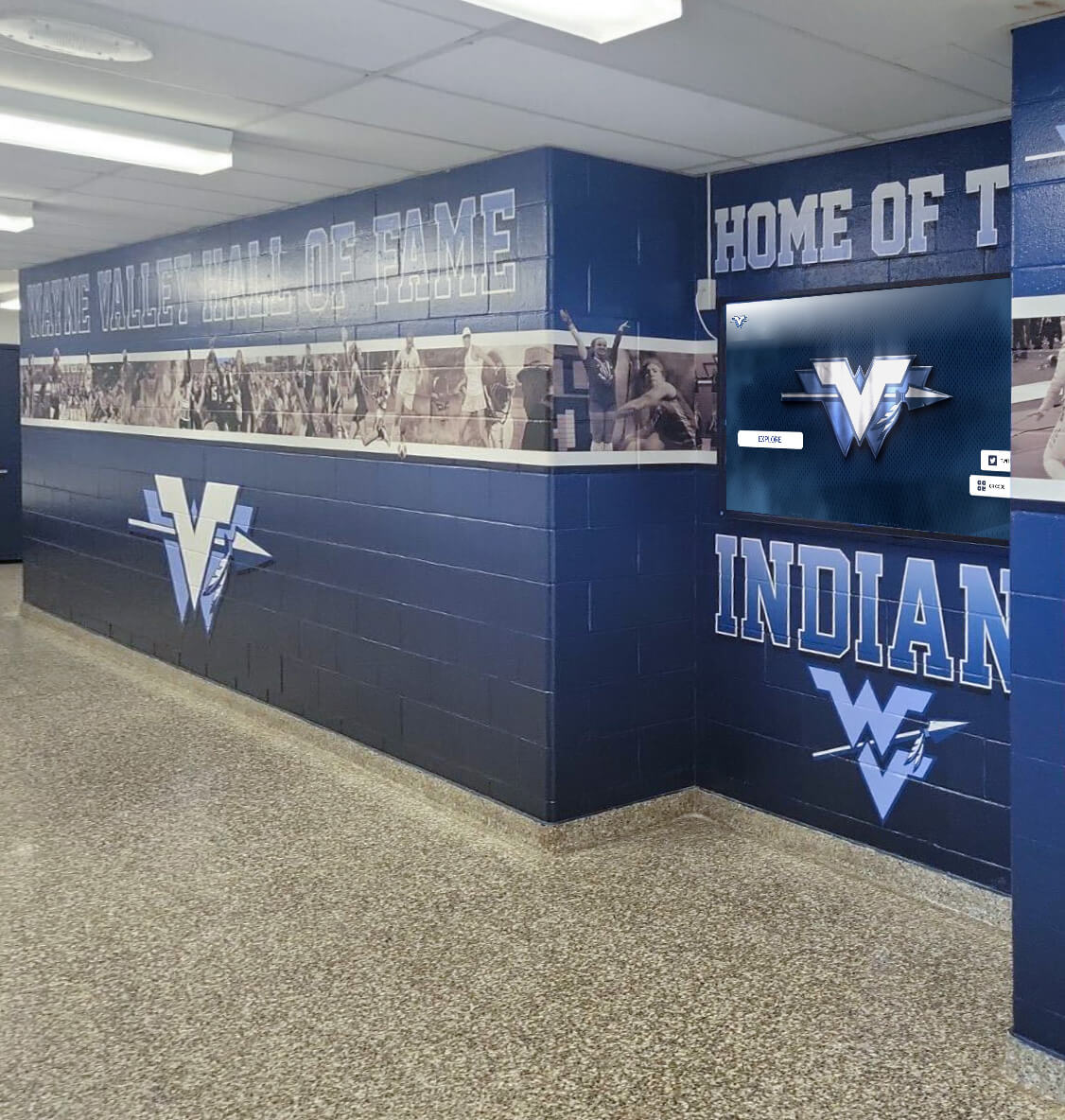
Athletic hallway murals and recognition walls keep the spirit alive that student sections celebrate at games—creating culture that persists long after graduation
Schools working with Rocket Alumni Solutions build on the spirit culture created by student sections by installing touchscreen wall of fame systems that honor athletes, academic achievers, performing arts contributors, and community leaders in permanent, engaging displays. These installations transform the pride your student section signs express into lasting institutional memory—the kind that brings alumni back, motivates current students, and tells every visitor exactly what your school values.
Summary: Building a Student Section Sign Program That Works
Effective student section signs combine smart material choices, high-contrast readable designs, and coordinated distribution logistics. Here’s a quick reference framework:
| Game Type | Recommended Materials | Key Design Principle | Logistics Priority |
|---|---|---|---|
| Regular season indoor | Poster board | High contrast, single message | Pre-game distribution |
| Regular season outdoor | Foam board | Weather-resistant paint, no fine details | Backup rain plan |
| Rivalry / Homecoming | Foam board or coroplast | Coordinated color blocks across rows | Theme communication 72 hrs out |
| Playoffs / Championship | Coroplast or professional print | Unified visual identity, matching attire | Sign Captains per section zone |
| Senior Night | Mixed: custom + standard | Athlete-specific personalization | Individual sign assignments |
The student section sign tradition succeeds when students feel ownership of it, when the logistics make participation easy, and when the designs actually communicate something that matters to your school community. Start simple, iterate each game, and build toward a student section that athletes, alumni, and community members recognize as a genuine expression of what your school stands for.
Ready to take school spirit beyond game night? Rocket Alumni Solutions helps high schools, universities, and athletic programs build permanent recognition displays that honor the athletes, academics, and community members your student section signs celebrate. Learn more about building a TouchWall for your school.































