Student spotlight bulletin boards transform ordinary hallway spaces into powerful recognition platforms that celebrate achievement, build confidence, and strengthen school community. These visual displays do more than decorate walls—they communicate what the school values, provide positive reinforcement for student effort, and create inclusive environments where diverse accomplishments receive public acknowledgment.
The most effective student spotlight bulletin boards balance aesthetic appeal with meaningful content, rotating regularly enough to keep displays fresh while maintaining consistency that establishes recognition traditions students anticipate throughout the year. Whether showcasing academic excellence, athletic achievement, artistic talent, character development, or community service, thoughtfully designed bulletin boards create celebration moments that students remember long after they’ve left the classroom.
This comprehensive guide explores creative student spotlight bulletin board ideas that engage students, involve faculty, and build lasting recognition cultures in schools of all sizes. From traditional cork boards in elementary classrooms to sophisticated hallway displays in high schools, you’ll find inspiration, implementation strategies, and alternatives that extend bulletin board concepts into year-round recognition systems.
Student recognition significantly impacts academic motivation, social-emotional development, and overall school climate. Research consistently shows that students who receive regular positive acknowledgment demonstrate higher engagement, improved attendance, and stronger connections to their school communities. Bulletin boards provide visible, accessible platforms for delivering this recognition in ways that benefit both spotlighted students and their peers who aspire to similar acknowledgment.

Visual displays that spotlight student achievements create inspiration throughout school hallways and common areas
Academic Achievement Spotlight Board Ideas
Academic recognition bulletin boards celebrate intellectual accomplishment across various subjects, grade levels, and learning styles. These displays acknowledge that academic excellence takes many forms beyond traditional test scores.
Student of the Month Displays
The classic “Student of the Month” bulletin board remains popular because it provides predictable recognition opportunities while accommodating diverse selection criteria. Effective implementations include several key elements:
Rotation Structure: Establish clear selection processes that ensure equitable representation across classrooms, grade levels, or demographic groups. Consider rotating selection responsibility among teachers, allowing peer nominations, or using consistent rubrics that evaluate multiple criteria including academic growth, effort, classroom contribution, and character qualities.
Information Components: Include student photos (with appropriate permissions), brief biographical information, specific achievement descriptions, student quotes about goals or interests, and acknowledgment of nominating teachers. The more specific the recognition details, the more meaningful the display becomes for featured students and viewers.
Visual Design: Create cohesive designs using school colors, themed borders, and professional layouts that reflect the significance of the recognition. Avoid cluttered displays that diminish the honor—clean, organized presentations communicate that this recognition matters.
Accessibility Considerations: Position displays at appropriate heights where students of all ages can comfortably view content. Include large, readable fonts and consider digital alternatives for students with visual impairments.
Many schools complement traditional bulletin boards with digital signage displays that rotate student spotlights throughout the day on screens positioned in cafeterias, lobbies, and common areas.
Subject-Specific Recognition Boards
Subject-specific bulletin boards highlight excellence within particular academic disciplines, allowing deeper focus on specialized achievements:
Math Masters Spotlight: Feature students who demonstrate exceptional problem-solving skills, mathematical thinking, or significant improvement. Include examples of challenging problems students solved, math competition results, or explanations of complex concepts students mastered. Consider showcasing different types of mathematical intelligence—computational accuracy, creative problem-solving approaches, real-world application skills, or algebraic reasoning.
Reading Champions Display: Celebrate students who meet reading goals, complete book challenges, or demonstrate exceptional comprehension. Include book recommendations from featured students, reading statistics (books completed, pages read, genres explored), and student reviews that inspire peers to discover new titles. Create interactive elements where other students can add comments about books featured students recommend.
Science Stars Board: Recognize students who excel in scientific inquiry, complete impressive projects, or demonstrate curiosity about natural phenomena. Display photographs from science fair projects, descriptions of experiments students designed, or explanations of scientific concepts students can teach to others. Include quotes from students about what sparked their scientific interest.
Writing Showcase: Feature exemplary student writing across genres—creative stories, persuasive essays, poetry, journalism, or technical writing. Display actual student work (with appropriate permissions) alongside author photos and brief writing process descriptions. This provides double recognition: celebrating the featured writer while offering authentic writing models for peers.
Schools implementing comprehensive recognition strategies often develop creative award categories that extend beyond traditional academic metrics to honor diverse student contributions.

Interactive recognition displays encourage student engagement with spotlighted achievements
Athletic and Activity-Based Spotlight Boards
Athletic and extracurricular spotlights celebrate accomplishments beyond the classroom, acknowledging the dedication students invest in sports, arts, clubs, and community activities.
Athlete of the Week Displays
Athletic recognition boards highlight individual and team accomplishments while building school spirit around sports programs:
Individual Achievement Focus: Feature athletes who demonstrate exceptional performance, significant improvement, outstanding sportsmanship, or exemplary team leadership. Include action photos from games or practices, statistics highlighting specific achievements, coach quotes explaining why this athlete earned recognition, and athlete perspectives on their sport and goals.
Team Celebration Boards: Spotlight entire teams following championship victories, successful seasons, or significant milestones. Display team photos, season records, tournament results, and acknowledgment of coaches and support staff. Include roster lists that give every team member visible recognition, not just star performers.
Multi-Sport Athletes: Create special recognition for students who successfully compete in multiple sports, demonstrating versatility, time management, and exceptional athletic commitment. These displays highlight the intensive training and scheduling demands multi-sport athletes navigate.
For schools looking to expand athletic recognition beyond bulletin boards, student athlete of the week programs provide structured frameworks that rotate recognition throughout seasons and across teams.
Performing Arts Spotlights
Theater, music, dance, and visual arts deserve recognition platforms equal to athletics:
Theater Program Highlights: Spotlight students involved in dramatic productions—lead actors, supporting cast, technical crew, directors, and stage managers. Include production photos, character descriptions, behind-the-scenes images of set construction or costume design, and cast member reflections on memorable performance moments.
Music Department Recognition: Feature individual musicians, ensemble performers, all-state selections, competition participants, and students who demonstrate exceptional musical growth. Include instrument photos, performance recordings (via QR codes linking to digital content), concert programs, and student explanations of what music means to them.
Visual Arts Gallery: Create rotating art exhibitions on bulletin boards that showcase student artwork across mediums—painting, drawing, sculpture, photography, digital art, or mixed media. Include artist statements explaining creative inspiration, techniques used, or messages the artwork conveys. Position displays in high-traffic areas where art receives maximum visibility.
Academic Competition and Club Achievements
Students who excel in academic competitions, debate, robotics, Model UN, mock trial, or other intellectually competitive activities deserve spotlight recognition:
Competition Results Displays: Celebrate students who earn recognition at math competitions, science olympiads, debate tournaments, robotics competitions, or academic bowl events. Include competition details, achievement levels (regional, state, national), team photos, and descriptions of problems solved or positions successfully argued.
Club Spotlight Rotations: Rotate bulletin board space among various school clubs, allowing each organization dedicated time to showcase activities, membership opportunities, and accomplishments. This democratizes recognition space while building awareness of diverse extracurricular options.
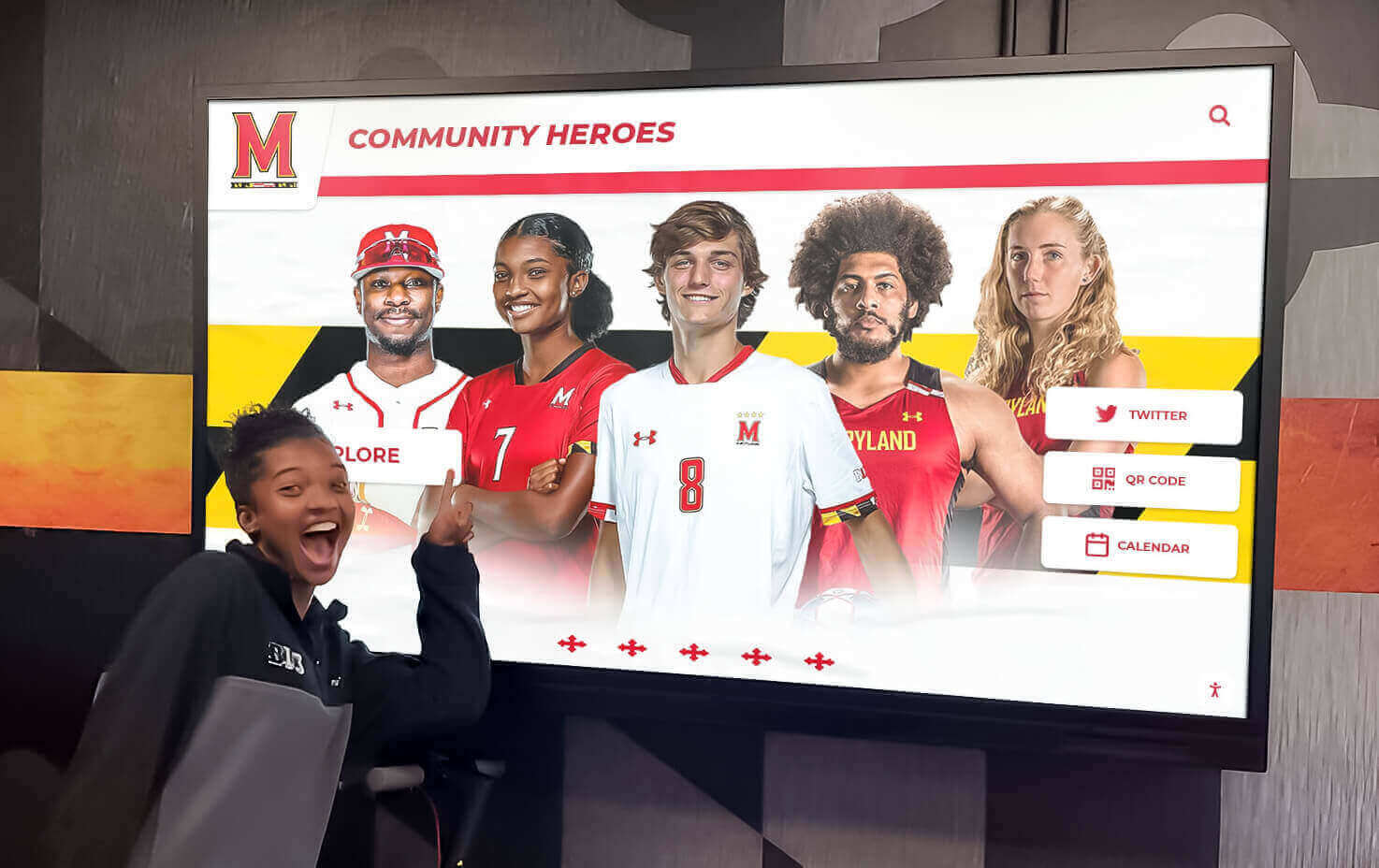
Recognition displays in high-traffic areas ensure student achievements receive widespread visibility
Character and Community-Focused Spotlight Ideas
Some of the most impactful student spotlight boards recognize qualities that traditional awards systems often overlook—kindness, leadership, improvement, perseverance, and community contribution.
Character Trait Recognition Boards
Character-focused displays acknowledge students who embody specific values the school community prioritizes:
Monthly Character Themes: Align bulletin boards with monthly character education themes—September: Respect, October: Responsibility, November: Gratitude, December: Generosity, January: Perseverance, February: Kindness, March: Courage, April: Integrity, May: Leadership. Feature students who demonstrate each month’s highlighted trait through specific observable actions.
Caught Being Good Displays: Create interactive bulletin boards where teachers and students can post “caught being good” notes acknowledging peers who demonstrated kindness, helpfulness, or positive behavior. Include photos when possible, brief descriptions of the positive action, and the name of the student who noticed and reported it. This creates culture where students actively look for positive behavior in peers.
Leadership Spotlight: Recognize students in formal leadership roles (student government, club officers, team captains) and informal student leaders who influence peers positively, mentor younger students, or take initiative solving school challenges. Include leadership philosophy statements where students explain their approach to leading others.
Community Service Recognition
Students who contribute time and energy to community service deserve prominent acknowledgment:
Service Hours Tracking Displays: Create visual representations of cumulative student service hours—individual achievements or grade-level totals. Use creative graphics like thermometers, progress bars, or milestone markers that illustrate collective impact. Include photos from service projects, descriptions of organizations students serve, and testimonials from community partners about student contributions.
Project Spotlights: Feature detailed profiles of specific service projects students organize or participate in—food drives, environmental cleanup, tutoring programs, senior citizen assistance, or fundraising campaigns. Include project descriptions, student leadership roles, outcomes achieved, and reflections from participating students about what they learned.
Partnership Recognition: Acknowledge relationships between school and community organizations, spotlighting students who build bridges between educational and community environments. These displays demonstrate how schools contribute to broader community wellbeing beyond academic instruction.
Many schools now track and celebrate student contributions through senior award programs that recognize cumulative achievements including community service alongside academic and athletic excellence.
Improvement and Growth Recognition
Spotlighting improvement rather than absolute achievement creates inclusive recognition that motivates all students:
Most Improved Displays: Feature students who demonstrate significant academic growth, behavioral improvement, or skill development regardless of absolute performance level. These displays communicate that effort and progress matter as much as outcomes, motivating students who might never achieve traditional “top performer” status.
Overcoming Challenges Spotlights: Recognize students who navigate significant obstacles—learning differences, health challenges, family situations, or other difficulties—while maintaining school engagement and demonstrating resilience. Handle these displays with appropriate sensitivity, sharing only information students and families consent to publicize.
Growth Mindset Celebration: Create bulletin boards that illustrate growth mindset principles through student examples. Feature “before and after” achievement stories, student reflections on how they approached learning challenges, or quotes from students about lessons they learned from mistakes and setbacks.
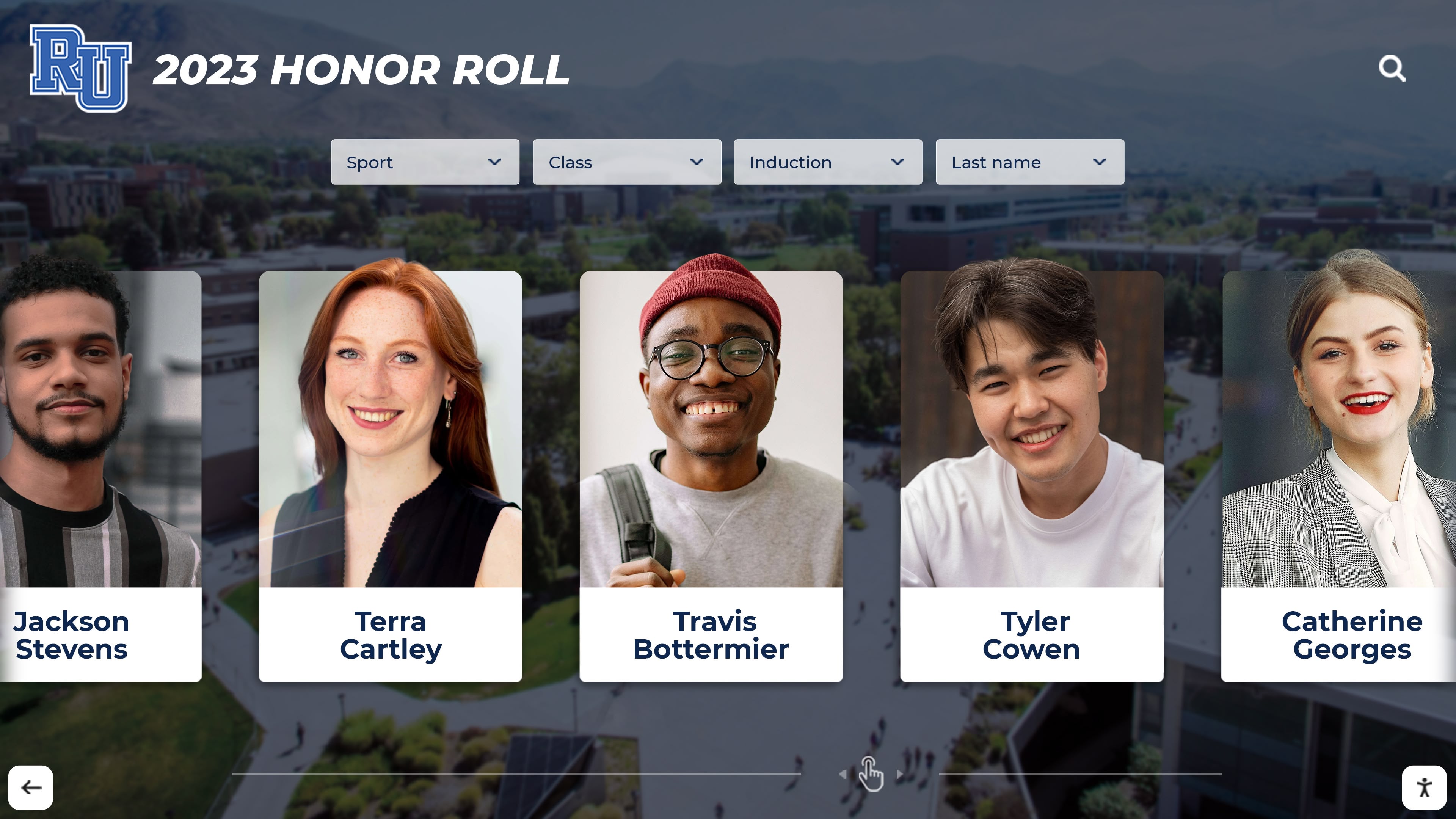
Honor roll displays provide periodic recognition that celebrates academic achievement across student populations
Creative Theme-Based Spotlight Bulletin Boards
Themed bulletin boards add visual interest while organizing recognition around creative concepts that engage students and make displays more memorable.
Seasonal and Holiday Themes
Seasonal themes provide natural rotation schedules while connecting recognition to time-of-year celebrations:
Fall Harvest of Achievement: Create autumn-themed displays featuring student spotlights arranged among pumpkins, leaves, and harvest imagery. Use phrases like “harvesting success” or “growing excellence” to connect seasonal metaphors with academic achievement.
Winter Wonderland of Stars: Feature student spotlights arranged as stars or snowflakes in winter-themed displays. Use phrases like “shining bright” or “stellar students” to reinforce recognition messages through seasonal imagery.
Spring Growth Garden: Design displays that present student spotlights as flowers blooming or seeds sprouting, emphasizing growth and development themes aligned with spring renewal.
Summer Adventure Preparation: Create end-of-year displays that spotlight student achievements while looking forward to summer and next school year. Use travel or adventure themes that frame education as an ongoing journey.
Pop Culture and Contemporary Themes
Contemporary themes leverage student interests to increase bulletin board engagement:
Social Media Profile Spotlights: Design displays that mimic social media profiles (without actual social media accounts). Include “profile pictures,” brief bios formatted like social media “about” sections, “posts” describing achievements, and “hashtags” categorizing student interests or accomplishments. This familiar format engages students who grew up with social media while keeping content school-appropriate and offline.
Streaming Service “Featured Student” Displays: Create bulletin boards designed like streaming service interfaces with “featured student” profiles, “trending now” sections highlighting current achievements, and “recommended for you” suggestions about school programs or opportunities. This contemporary reference point resonates with students who regularly navigate these platforms.
Game-Level Achievement Boards: Design displays using video game metaphors—students “level up” as they achieve milestones, earn “achievement badges” for various accomplishments, or progress through “quests” representing educational goals. This gamification approach particularly engages elementary and middle school students.
Career and Future-Focused Themes
Career-oriented bulletin boards connect current achievements to future aspirations:
Future Leaders Spotlight: Feature students alongside information about career interests, educational goals, and how current school achievements connect to future plans. Include student reflections on mentors, experiences, or classes that influenced their career thinking.
College and Career Readiness Display: Spotlight juniors and seniors taking steps toward post-secondary success—college acceptances, scholarship awards, career program completions, internship participation, or military service commitments. These displays make college and career preparation visible and celebrated rather than private and competitive.
Alumni Connection Boards: Where possible, create displays that connect current student spotlights to alumni who pursued similar paths, studied comparable subjects, or excelled in the same activities. This historical continuity helps students see themselves as part of ongoing school traditions. Schools developing these connections often start by documenting historical timelines that establish institutional memory and recognition traditions.
Cultural Celebration Themes
Culturally responsive bulletin boards celebrate diversity while providing inclusive recognition:
Heritage Month Spotlights: Align bulletin boards with heritage celebrations—Black History Month, Hispanic Heritage Month, Asian American and Pacific Islander Heritage Month, Native American Heritage Month, and others. Feature students from highlighted communities alongside information about cultural traditions, historical figures, and contemporary contributions.
Multilingual Student Recognition: Create displays that spotlight students from multilingual households or students learning additional languages. Include brief content in multiple languages, acknowledge the cognitive benefits of bilingualism, and celebrate linguistic diversity as institutional asset rather than academic challenge.
Global Citizenship Displays: Feature students participating in international exchange programs, language study, Model UN, or other globally-focused activities. Include world maps, flags, cultural information, and student reflections on how global learning shapes their perspectives.

Interactive digital displays allow students to explore recognition content at their own pace with touchscreen navigation
Implementation Strategies for Effective Student Spotlight Boards
Creating visually appealing displays represents only part of successful bulletin board implementation. Sustainable recognition systems require clear processes, consistent maintenance, and inclusive selection practices.
Selection Process Development
Equitable selection determines whether bulletin boards build community or create resentment:
Transparent Criteria: Establish and communicate clear criteria for student selection. Whether emphasizing achievement levels, improvement rates, character qualities, or participation levels, students and families should understand what earns recognition. Publish criteria in student handbooks, on school websites, and in parent communications.
Rotating Opportunities: Ensure recognition rotates systematically through classrooms, grade levels, demographics, and activity categories rather than repeatedly featuring the same high-achieving students. Track recognition distribution to identify and address disparities.
Nomination Processes: Create structured nomination systems where teachers, staff, peers, and self-nominations contribute to selection pools. Multiple input sources reduce bias and identify students who might not otherwise receive consideration.
Faculty Collaboration: Involve multiple teachers in selection decisions rather than relying on single classroom teachers. Collaboration provides more comprehensive student perspectives and distributes recognition responsibility.
Content Creation Workflows
Efficient content development ensures boards remain current:
Student Information Collection: Develop simple forms or digital templates that collect necessary information—photos, achievement descriptions, quotes, and biographical details. Make submission easy for nominating teachers while gathering consistent information for all spotlighted students.
Photo Guidelines: Establish photo standards including appropriate backgrounds, image quality requirements, file formats, and permission protocols. Maintain digital photo libraries organized by school year for future reference or multi-purpose use.
Update Schedules: Set realistic rotation schedules based on available preparation time. Monthly rotations work well for most schools, though some opt for weekly changes in high-traffic areas or quarterly updates for more elaborate displays.
Preparation Responsibilities: Clearly assign bulletin board responsibility to specific staff members with appropriate preparation time allocated. Without designated ownership, bulletin boards quickly become outdated or neglected.
Visual Design Principles
Effective bulletin board design attracts attention while maintaining professional appearance:
Readable Typography: Use large, clear fonts readable from typical viewing distances (usually 6-10 feet for hallway displays). Avoid overly decorative fonts that sacrifice legibility for style. Ensure sufficient contrast between text and backgrounds.
Balanced Layouts: Distribute visual elements evenly across board space. Avoid cluttered designs that overwhelm viewers or sparse layouts that seem unfinished. Use grids or alignment systems that create organized, professional appearances.
Color Strategy: Employ school colors as base palette while adding complementary colors for visual interest. Maintain consistent color schemes across recognition categories—athletics might use one color family, academics another—to help viewers quickly identify display purposes.
Durable Materials: Invest in quality materials that withstand typical wear in school environments. Laminated components, fade-resistant papers, and sturdy mounting methods extend display lifespans and maintain professional appearances throughout rotation periods.
Maintenance and Sustainability
Consistent maintenance separates impactful recognition programs from abandoned bulletin boards:
Scheduled Reviews: Calendar regular maintenance checks—weekly quick inspections to ensure displays remain intact and monthly deep reviews to plan upcoming changes. Address torn papers, faded colors, or loose mounting immediately before displays appear neglected.
Supply Management: Maintain dedicated supplies for bulletin board creation including backing papers, borders, letters, mounting materials, laminating supplies, and themed decorations. Accessible, organized supplies reduce preparation time and enable quick repairs.
Documentation Systems: Photograph completed bulletin boards for future reference, replication, or portfolio building. Maintain lists of previously featured students to prevent redundancy and identify students still awaiting recognition.
Assessment Practices: Periodically evaluate bulletin board effectiveness through student surveys, faculty feedback, or observation data. Ask whether displays generate positive responses, which themes resonate most effectively, and whether recognition distribution remains equitable.
Schools developing comprehensive recognition systems often establish varied team award categories that complement bulletin board spotlights with formal honors at banquets and ceremonies.

Permanent recognition installations provide year-round celebration spaces that complement rotating bulletin board displays
Digital Alternatives and Hybrid Approaches
While traditional bulletin boards remain valuable recognition tools, digital technologies offer expanded capabilities for student spotlights including multimedia content, interactive features, and real-time updates.
Digital Display Screens
Digital signage screens transform static bulletin boards into dynamic recognition platforms:
Rotating Content Loops: Program digital displays to rotate through multiple student spotlights throughout the day, allowing far more students to receive visibility than static boards accommodate. Include photos, videos, achievement descriptions, and even audio interviews with featured students.
Multimedia Integration: Incorporate video clips of student performances, audio recordings of music students, time-lapse sequences of art creation, or action footage of athletic achievements. These multimedia elements provide richer recognition than photos and text alone.
Real-Time Updates: Update digital spotlights immediately when new achievements occur rather than waiting for scheduled bulletin board rotations. Recognize game-winning performances the next school day, spotlight academic competition results immediately after tournaments, or feature community service projects as they happen.
Interactive Elements: Touchscreen displays allow viewers to explore student profiles in depth, access additional photos or information, filter spotlights by category or grade level, or even submit nominations for future recognition.
Hybrid Bulletin Board and Digital Approaches
Combining traditional and digital elements maximizes recognition effectiveness:
QR Code Integration: Add QR codes to physical bulletin boards that link to extended digital content—videos, photo galleries, detailed achievement information, or student interviews. This extends static display limitations while maintaining physical presence in hallways.
Social Media Extensions: (Where appropriate and with proper permissions) extend bulletin board recognition to school social media accounts. Post digital versions of spotlights on Instagram, Facebook, or school apps where families and community members can access content remotely.
Digital Archives: Create searchable online archives of all student spotlights throughout the school year. Families can access these digital recognition records indefinitely, and schools build historical documentation of student achievement across decades.
Mobile Access: Develop school apps or mobile-optimized websites where parents and students can view current student spotlights, receive notifications when students earn recognition, and access historical recognition records.
Schools increasingly blend physical and digital recognition systems to create comprehensive celebration environments that honor achievement through multiple channels and touchpoints throughout facilities.
Common Challenges and Solutions
Even well-planned bulletin board programs encounter predictable challenges. Anticipating these obstacles and developing proactive solutions sustains recognition systems long-term.
Time and Resource Constraints
Limited preparation time and budget constraints commonly threaten bulletin board sustainability:
Student Involvement: Engage students in bulletin board creation as leadership opportunities or service learning. Art classes might design displays, technology students could create digital components, and student government representatives might coordinate recognition selection. This distributes workload while providing authentic learning experiences.
Template Systems: Develop reusable templates for photos, text blocks, and layout designs that speed content creation. Once effective designs exist, future boards simply require updating photos and text rather than starting from scratch each rotation.
Volunteer Assistance: Recruit parent volunteers, retired educators, or community members with graphic design skills to assist with bulletin board preparation. Many families appreciate concrete ways to contribute to school culture beyond traditional volunteering.
Budget Priorities: Allocate modest but consistent budget lines specifically for recognition displays. Even small dedicated funding prevents recognition programs from competing with other budget priorities that inevitably seem more urgent.
Maintaining Freshness and Engagement
Bulletin boards risk becoming “wallpaper” that students pass without noticing:
Location Rotation: Periodically move bulletin board locations to attract renewed attention. Displays positioned in the same hallway spot for years become invisible to regular passersby, but relocating recognition to different areas sparks fresh interest.
Interactive Components: Add elements that require viewer participation—questions students can answer, polls where viewers vote, or “add your voice” sections where others contribute responses. Interaction sustains engagement beyond passive viewing.
Surprise Elements: Occasionally feature unexpected recognition categories—“Most Likely to Brighten Your Day,” “Behind-the-Scenes Heroes,” or “Unsung Contributors.” Novel categories generate curiosity and conversation that standardized displays might not inspire.
Student Voice: Include student-generated content whenever possible. Peer recognition, student-written profiles, or student-designed displays carry authenticity that adult-created content sometimes lacks.
Equity and Inclusion Concerns
Recognition systems inadvertently favor certain student groups without careful attention to inclusive practices:
Achievement Definition Expansion: Broaden achievement concepts beyond traditional academics and athletics. Recognize improvement, effort, kindness, mentoring, creative problem-solving, and persistence alongside performance excellence. This inclusive approach ensures students with varied strengths receive acknowledgment.
Demographic Monitoring: Track recognition distribution across demographics including race, gender, socioeconomic status, special education services, English learner status, and other potentially marginalized identities. Address disparities proactively before they generate resentment.
Private Recognition Options: Some students (or their families) prefer avoiding public spotlight. Maintain alternative private recognition methods for these students while still acknowledging their achievements through personal notes, small ceremonies, or classroom-only celebrations.
Cultural Sensitivity: Recognize that some cultures view public individual recognition as uncomfortable or inappropriate. Provide team recognition options or community contribution spotlights that honor achievement without singling out individuals in ways that conflict with cultural values.
Schools addressing these challenges create recognition cultures that genuinely celebrate all students rather than inadvertently reinforcing existing privilege patterns or achievement hierarchies.

Touchscreen technology enables detailed student profile exploration beyond what static bulletin boards can accommodate
Building School Spirit Through Recognition Displays
Student spotlight bulletin boards contribute significantly to overall school spirit and community identity when implemented thoughtfully as part of comprehensive culture-building strategies.
Connection to School Values
Align recognition categories with explicitly stated school values and mission:
Mission Reinforcement: If school mission statements emphasize scholarship, leadership, service, and character, ensure bulletin boards spotlight students exemplifying each pillar. This visible connection between stated values and actual recognition practices demonstrates institutional integrity.
Motto Integration: Incorporate school mottos, mascots, and traditions into bulletin board designs. Visual connections to broader school identity help students see individual recognition as participation in larger community narrative.
Historical Context: When possible, connect contemporary student achievements to school history. Note when current students break decades-old records, follow paths of distinguished alumni, or contribute to ongoing institutional traditions. This temporal continuity builds pride in school legacy.
Creating Aspiration Without Pressure
Effective bulletin boards inspire rather than intimidate:
Diverse Achievement Models: Feature students with varied paths to success rather than exclusively spotlighting traditionally high-achieving students. This demonstrates that excellence takes many forms and appears within reach for students with different strengths and circumstances.
Process Emphasis: Highlight student effort, strategy, and growth journey rather than only final outcomes. Include student reflections on challenges faced, approaches that worked or didn’t work, and lessons learned. This transparency demystifies achievement and models persistence.
Celebration Tone: Maintain celebration rather than competition tone in display language. Avoid phrases suggesting winners and losers or creating status hierarchies. Frame recognition as acknowledgment of valuable contributions rather than rankings.
Schools building positive recognition cultures often extend bulletin board principles throughout facilities, creating environments where achievement celebration becomes institutional identity rather than isolated displays. Similar approaches shape school spirit initiatives during special events and traditions.
Beyond Bulletin Boards: Comprehensive Student Recognition Systems
While bulletin boards provide valuable recognition platforms, the most effective schools integrate spotlights into comprehensive systems that celebrate students through multiple channels and touchpoints.
Multi-Channel Recognition Approaches
Combining various recognition methods amplifies impact:
Morning Announcements: Feature bulletin board spotlighted students during morning announcements or video broadcasts, extending recognition beyond those who physically pass displays. Include brief achievement descriptions and congratulations from administrators or teachers.
School Newsletters: Include student spotlight profiles in newsletters sent to families and community members. Digital newsletter formats allow linking to extended content, photo galleries, or video interviews.
Award Ceremonies: Incorporate bulletin board recognition into formal ceremonies—monthly awards assemblies, semester honors programs, or end-of-year banquets. Physical certificates, trophies, or other tangible recognition items complement public acknowledgment.
Website Features: Create dedicated website sections for student spotlights that archive recognition throughout school years. These digital records provide lasting documentation families can access indefinitely and share with extended family or college admission offices.
Permanent Recognition Installations
Some achievements warrant permanent documentation rather than temporary spotlight rotations:
Achievement Walls: Install permanent plaques, tiles, or digital displays that recognize significant accomplishments—valedictorians, state champions, national merit scholars, or other exceptional achievements. These installations create institutional memory that honors excellence across decades.
Legacy Displays: Develop recognition walls that accumulate achievement records over time—athletic records, academic competition victories, artistic accomplishments, or service milestones. Annual additions to these displays build traditions students aspire to join.
Interactive Digital Archives: Modern recognition technology allows schools to maintain comprehensive digital databases of student achievements accessible through touchscreen kiosks or mobile apps. Students, families, and alumni can explore achievement records spanning the institution’s entire history.
Explore Interactive Recognition Solutions
These permanent installations complement rotating bulletin boards by honoring the most significant achievements with lasting visibility while temporary displays celebrate broader student body accomplishments throughout the year.
Measuring Bulletin Board Impact
Assessing whether student spotlight bulletin boards achieve intended outcomes helps schools refine recognition practices and justify resource allocation.
Qualitative Assessment Methods
Subjective feedback reveals how students and families experience recognition:
Student Surveys: Periodically survey students about bulletin board awareness, whether they’ve been featured, how recognition felt, and whether displays inspire them. Anonymous feedback often provides more honest responses than identified surveys.
Family Feedback: Gather parent and guardian perspectives through school communication channels. Families can report whether students discussed their recognition at home, seemed proud of acknowledgment, or felt motivated by seeing peers spotlighted.
Faculty Observations: Teachers often observe subtle student responses to recognition—increased engagement, improved attendance, greater effort, or enhanced peer relationships. Structured faculty discussion of these observations provides valuable qualitative data.
Focus Groups: Conduct small focus groups with diverse student representatives to discuss recognition experiences in depth. These conversations reveal nuances that surveys might miss including unintended consequences or suggestions for improvement.
Quantitative Tracking Methods
Measurable data demonstrates recognition program effectiveness:
Recognition Distribution: Track how many students receive spotlight recognition each year and analyze distribution across demographics, grade levels, achievement categories, and activities. Equitable distribution suggests inclusive practices while disparities indicate areas needing attention.
Engagement Metrics: For digital displays, track interaction data—how many students engage with touchscreens, which profiles receive most views, how long viewers spend exploring content. This data reveals which recognition approaches generate greatest interest.
Academic Correlation: While complex to assess, schools might examine whether spotlighted students show improved attendance, grade trends, or engagement measures following recognition. This data must be analyzed carefully to avoid overstating causal relationships.
Participation Increases: Track whether recognition in particular areas correlates with increased student participation. For example, do science competition spotlights lead to more science fair entries? Do service recognition boards increase community service participation?
Conclusion: Creating Recognition-Rich School Cultures
Student spotlight bulletin boards represent far more than wall decorations—they embody institutional values, communicate what schools celebrate, and shape student identity development during formative years. When implemented with intentionality, equity, and creativity, these recognition displays contribute meaningfully to positive school climates where all students see themselves as valued community members with contributions worth acknowledging.
The most effective bulletin board programs share common characteristics: they rotate regularly enough to maintain freshness, distribute recognition equitably across student populations, celebrate diverse achievement types, maintain professional visual standards, and integrate into broader recognition systems rather than functioning as isolated initiatives.
Whether using traditional cork boards, digital displays, or hybrid approaches combining both, schools that prioritize consistent, inclusive student recognition create culture where achievement becomes normalized expectation and celebration becomes shared community experience. In these environments, walking down hallways lined with student spotlights doesn’t just display accomplishments—it tells an ongoing story about who the school community is and what it values.
As recognition technology continues advancing, schools have unprecedented opportunities to expand bulletin board concepts into comprehensive systems that celebrate students through multiple channels, preserve achievement records indefinitely, and make recognition accessible to extended family and community members beyond school walls. Yet regardless of format or technology, the core purpose remains constant: ensuring students know their efforts are noticed, their achievements matter, and their school community takes pride in their growth and accomplishments.































