Your High School Team Photos, Always in Your Pocket
Imagine running into an old teammate decades after graduation and being able to instantly pull up your team photos from high school—right from your phone. No searching through dusty boxes. No trips to the school archives. Just instant access to treasured memories that bring the past back to life. Modern digital team photos archives make this possible, transforming how alumni reconnect with their athletic heritage and share these precious moments with family and friends.
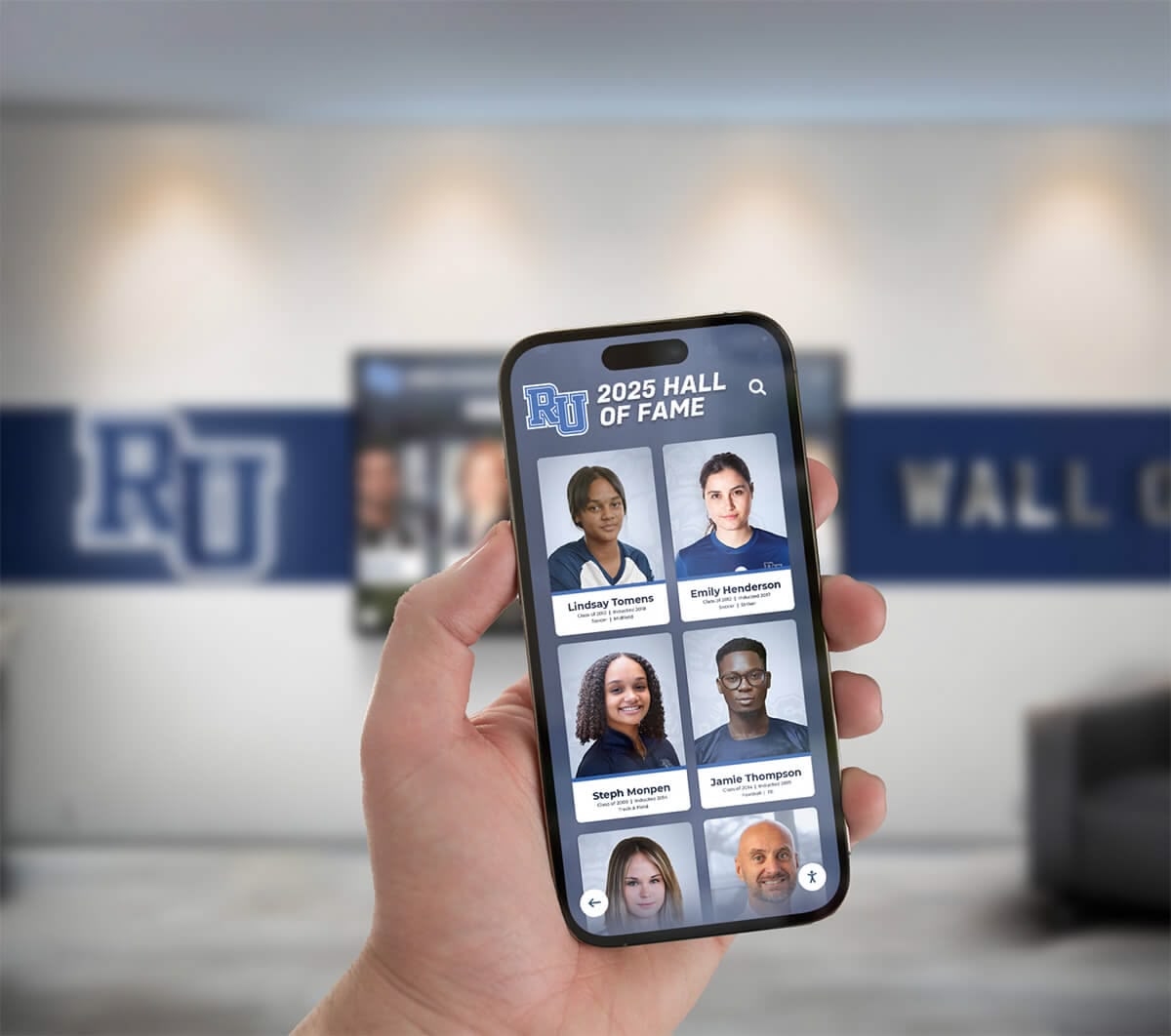
The power of accessible team photos became crystal clear during a chance encounter in Boston. One of our team members at Rocket Alumni Solutions ran into an alum from Noble and Greenough School. Within seconds, they pulled up the school’s digital recognition platform on their phone, searched for the alum’s name, and showed him all his old team photos from his high school sports career in real time.
The alum was genuinely amazed. He immediately asked for the link, and later that day shared the photos with his wife and daughter—reconnecting with memories he hadn’t seen in years. His note to our team captured the emotional impact: these photos meant the world to him and his family, providing a window into his youth that had been inaccessible for decades.
The Problem with Traditional Team Photos Storage
For generations, team photos followed a predictable pattern: taken once a year, printed in limited quantities, displayed briefly in trophy cases, and then stored away in filing cabinets, yearbooks, or personal photo albums. This traditional approach created several significant challenges for schools and alumni alike.
Limited Accessibility
Physical team photos exist in exactly one place at one time. If a school maintains historical team photos in an archive room, alumni must physically visit campus during office hours to view them. If families keep photos in personal albums, they’re accessible only to household members or guests who happen to flip through those albums.
This geographic constraint means most alumni never revisit their team photos after graduation. The memories fade, details become fuzzy, and connections to that formative period weaken over time.
Deterioration and Loss
Physical photographs deteriorate. Color fades, paper yellows, images become scratched or water-damaged. Schools face ongoing preservation challenges as athletic department storage areas rarely provide archival-quality environmental controls. Many institutions have discovered that decades-old team photos stored in basement filing cabinets have suffered irreversible damage from humidity, temperature fluctuations, or water intrusion.
Personal photo collections face similar risks. House fires, floods, moves, and simple misplacement result in countless irreplaceable team photos being lost forever. When these photos disappear, so do tangible connections to athletic programs, team accomplishments, and the people who shared those experiences.
Difficult Discovery and Search
Even when historical team photos remain preserved and accessible, finding specific images presents major challenges. Schools with decades of team photos may maintain hundreds or thousands of images organized by year, sport, and level—but with no searchable metadata about individuals pictured.
An alumnus wanting to find their sophomore year JV basketball team photo might need to sort through boxes of photos, flip through multiple yearbooks, or rely on institutional staff to conduct manual searches. This friction dramatically reduces how often people actually reconnect with these memories.
How Digital Team Photos Archives Transform Alumni Engagement
Modern digital recognition platforms fundamentally reimagine how schools preserve team photos and how alumni access these important memories. By digitizing historical images and creating searchable online archives, institutions provide unprecedented accessibility while ensuring permanent preservation.
Instant Search and Discovery
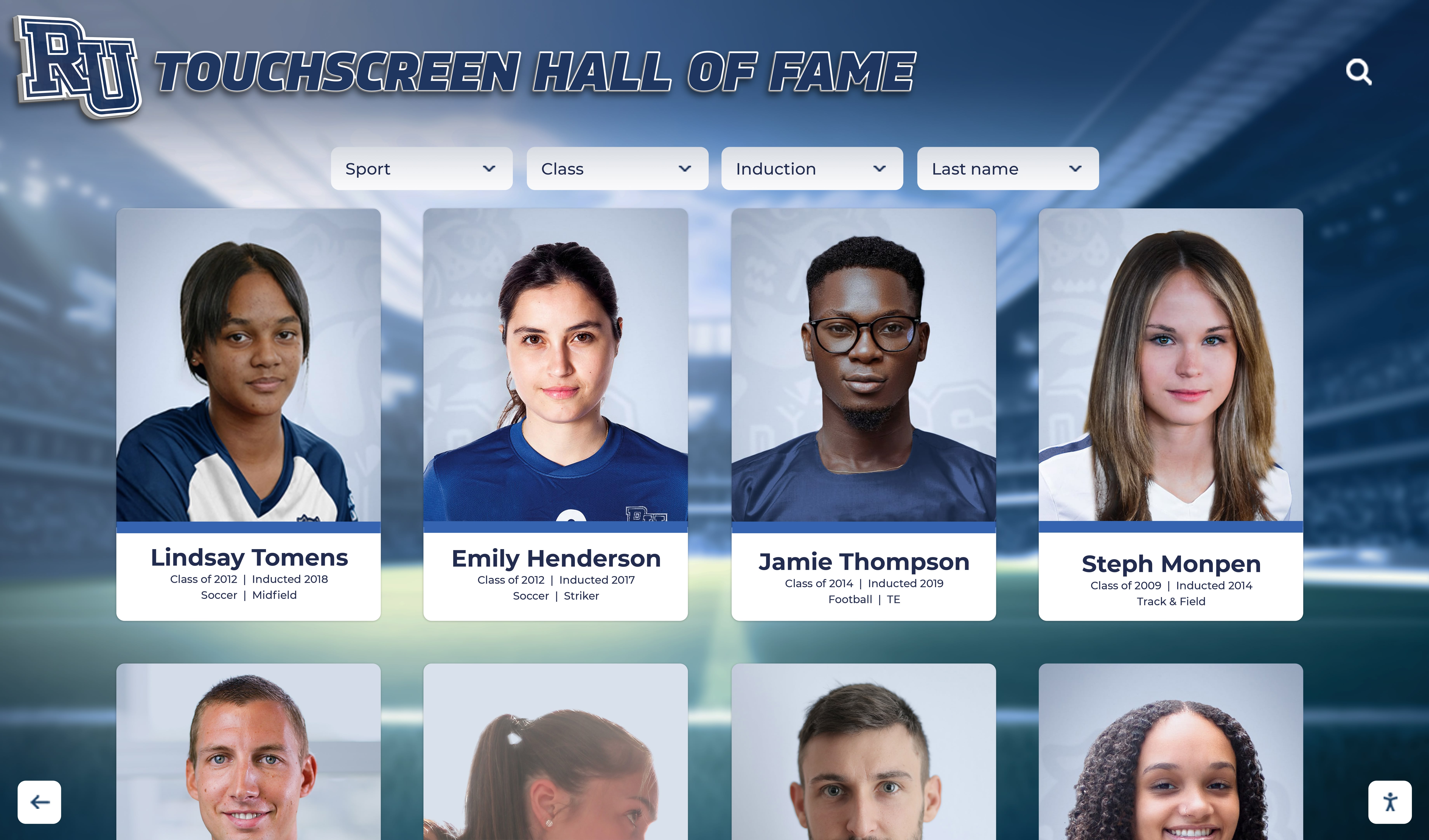
Digital archives make finding specific team photos effortless through powerful search capabilities. Alumni can search by:
- Personal names: Find every team photo featuring a specific individual across all years and sports
- Year and class: Browse all teams from a particular graduating class or school year
- Sport or activity: Explore the complete history of a specific athletic program
- Team level: Filter by varsity, JV, freshman, or other competitive levels
- Championships or achievements: Discover teams that won league titles, tournament victories, or record-breaking seasons
This search functionality transforms team photo archives from static storage into dynamic memory banks that invite exploration and discovery. Alumni don’t just find the one photo they’re looking for—they discover related images and memories they’d forgotten existed.
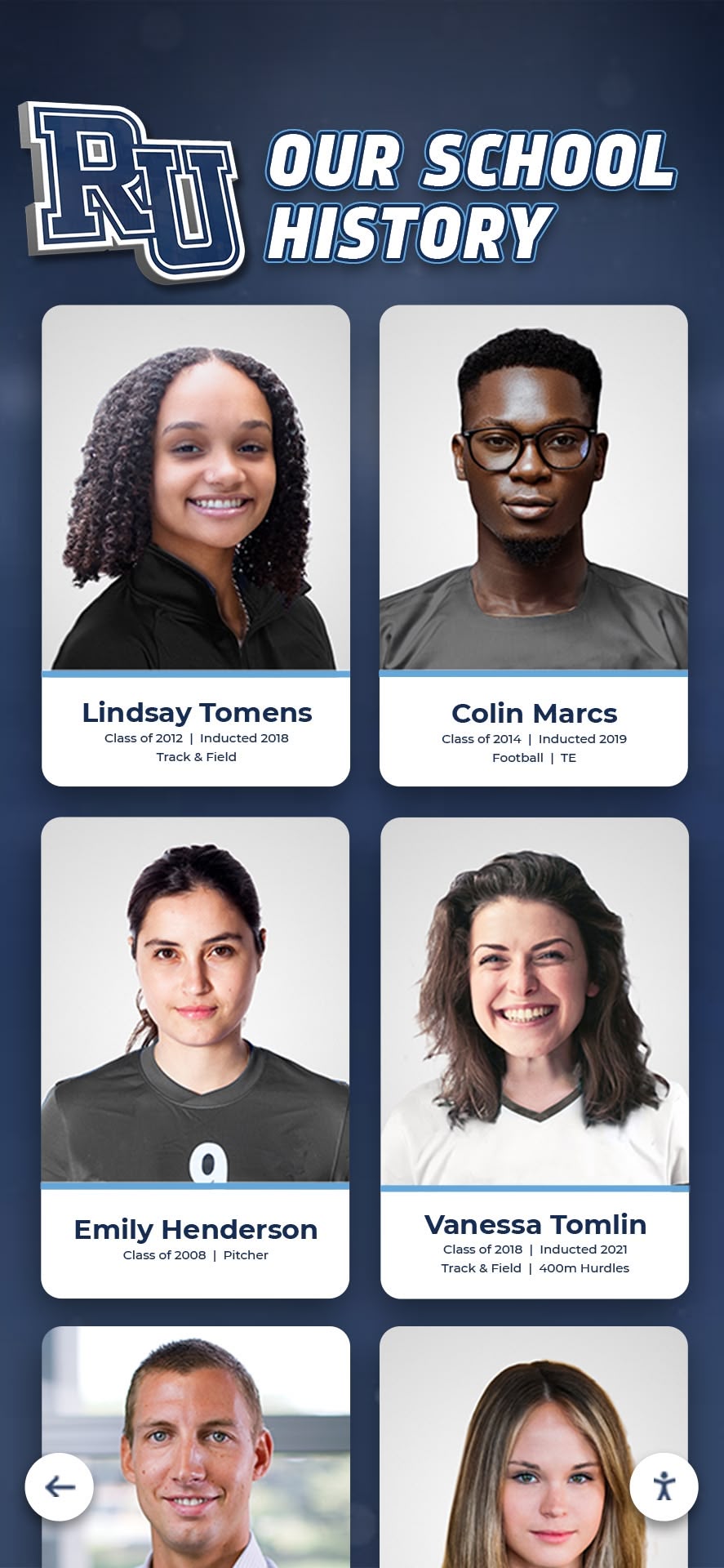
Solutions like digital yearbook walls provide intuitive interfaces designed specifically for browsing historical school photos and memories.
Anywhere, Anytime Access
Perhaps the most transformative aspect of digital team photos archives is universal accessibility. Once photos are digitized and uploaded to cloud-based platforms, they become available to anyone with internet access—whether they’re sitting in a school hallway or halfway around the world.
This accessibility means:
- Alumni traveling for work can show colleagues photos from their athletic career during casual conversations
- Reunion planners can browse decades of team photos while coordinating class gatherings
- Family members can explore a parent’s or grandparent’s high school sports history together
- Coaches and current athletes can study historical team photos for inspiration and tradition
- School administrators can quickly access images for promotional materials, anniversary celebrations, or historical displays
The Boston encounter that opened this article demonstrates this power perfectly. Without mobile access to Noble and Greenough’s digital archive, that spontaneous moment of reconnection couldn’t have happened. The alum wouldn’t have seen those photos that day—and likely wouldn’t have gone to the effort of visiting campus later to view them.
Easy Sharing with Family and Friends
Digital team photos become exponentially more valuable when they’re easy to share. Modern platforms enable alumni to distribute rediscovered memories across their social networks with minimal friction.
Common sharing options include:
- Direct links to specific team photos or personal profiles
- Social media posting to Facebook, Instagram, LinkedIn, or other platforms
- Email sharing with family members or former teammates
- Download capabilities for printing or including in personal collections
- Embed codes for incorporating photos into personal websites or blogs
This sharing functionality extends the value of team photos archives far beyond individual alumni. When an alumnus shares their sophomore year baseball team photo on Facebook, former teammates receive notification through tags. Those teammates then visit the platform to view their own memories, share additional photos, and reconnect with others.
The viral nature of nostalgic content means a single well-shared team photo can drive dozens or hundreds of people to explore a school’s digital archive, strengthening alumni connections at scale.

Real-World Impact: Alumni Reconnecting with Their Sports Heritage
The emotional resonance of rediscovering team photos shouldn’t be underestimated. These images represent formative experiences during critical developmental years—achievements, friendships, and identities that shaped who people became.
Strengthening Alumni Identity and Connection
When alumni can easily access team photos from their high school years, they maintain stronger identification with their alma mater. They’re reminded of the experiences that shaped them, the coaches who mentored them, and the teammates who became lifelong friends.
This strengthened connection manifests in multiple valuable ways:
- Increased reunion attendance as alumni feel more emotionally connected to their school experience
- Higher engagement with alumni association communications and programming
- Greater willingness to volunteer time or expertise to support current students and programs
- Enhanced philanthropic support as emotional connections translate to financial contributions
Schools implementing comprehensive alumni engagement strategies through interactive recognition displays consistently report measurable improvements across all these engagement metrics.
Multi-Generational Storytelling
The Noble and Greenough alum’s reaction highlights another powerful dimension of accessible team photos: they facilitate storytelling across generations. The alum immediately shared the photos with his wife and daughter because they provided tangible evidence of a part of his life they knew primarily through stories.
For children and grandchildren, seeing a parent or grandparent as a young athlete creates meaningful connections. They discover athletic talents they didn’t know ran in the family. They see physical resemblances at similar ages. They understand formative experiences that influenced who their parent or grandparent became.
This multi-generational sharing strengthens family bonds while also introducing younger generations to schools they may not have known their parents attended. Those children may develop affinity for institutions through exploring family athletic heritage—potentially influencing their own educational choices years later.
Supporting Athletic Program Traditions
Digital team photos archives serve current students and programs as powerfully as they serve alumni. Coaches and athletes benefit from easy access to historical team photos in several ways:
Building program pride: Current athletes see decades of teams that wore the same uniform and represented the same school, creating a sense of being part of something larger than themselves.
Identifying mentors: Athletes discover alumni who played their position or achieved similar accomplishments, potentially leading to mentoring relationships.
Celebrating milestones: Programs approaching significant anniversaries can easily compile historical photos for celebration displays.
Maintaining records: Coaches researching team history for record books or hall of fame nominations access documentation efficiently.
Schools with strong athletic traditions particularly benefit from making this heritage accessible. Digital displays featuring high school football season recognition and traditions help current teams connect with programs’ rich histories.

Building a Comprehensive Team Photos Archive
Creating an effective digital team photos archive requires thoughtful planning and systematic execution across several phases.
Phase 1: Inventory and Assessment
Begin by cataloging existing team photos across all locations:
- Athletic department files: Photos stored in coaching offices, equipment rooms, or department archives
- Yearbook collections: Team photos published in annual yearbooks across decades
- Trophy case displays: Current photos displayed in athletic facilities
- Alumni collections: Personal photos community members may be willing to share
- Media archives: Local newspaper photos or coverage of significant games and achievements
This inventory reveals both the scope of available material and gaps in coverage that may need addressing. Schools often discover they have comprehensive coverage for major sports but limited photos from less prominent activities, or strong recent documentation but sparse historical archives.
Phase 2: Digitization and Preparation
Physical photos require professional digitization ensuring quality preservation and reproduction:
Scanning specifications: High-resolution scanning (at least 300-600 DPI) creates digital files suitable for both screen display and potential printing. This resolution preserves detail that may not be visible in deteriorated originals.
Color correction: Faded photographs benefit from digital restoration adjusting color balance, contrast, and sharpness. This improves visual appeal while maintaining historical authenticity.
Metadata creation: Each digitized photo needs descriptive information including:
- Year or season
- Sport or activity
- Team level (varsity, JV, etc.)
- Individuals pictured (if known)
- Championships or achievements
- Photographer or source credit
Comprehensive guides on digitizing yearbooks and historical school materials provide detailed workflows for this process.
Phase 3: Platform Selection and Setup
Choosing the right platform for hosting team photos archives significantly impacts long-term usability and value:
Key platform requirements:
- Intuitive search and filtering capabilities
- Mobile-responsive design for smartphone access
- Secure cloud hosting with reliable uptime
- Flexible organization supporting multiple taxonomy systems
- Social sharing integration
- Analytics revealing popular content and user behavior
- Accessibility features supporting users with disabilities
Purpose-built recognition platforms like those from Rocket Alumni Solutions provide these capabilities out-of-the-box, whereas general photo hosting services often lack critical functionality for institutional use.
Phase 4: Content Organization and Upload
Systematic content organization makes archives useful and sustainable:
Hierarchical structure: Organize photos using consistent logic such as:
- Primary level: Sport or activity
- Secondary level: Year or season
- Tertiary level: Team level (varsity, JV, etc.)
- Individual profiles: Person-based collections showing all teams featuring specific alumni
Consistent naming conventions: Standardized file names and descriptions improve searchability and maintenance. A convention like “Basketball-Varsity-Boys-2015-TeamPhoto.jpg” immediately identifies content without opening files.
Batch processing tools: Upload dozens or hundreds of photos simultaneously using bulk import features rather than one-at-a-time manual uploads.
Phase 5: Launch and Promotion
Archive value depends on alumni awareness and adoption:
Multi-channel promotion:
- Email campaigns to all alumni announcing the new resource
- Social media posts featuring sample photos to generate interest
- Website features with prominent homepage placement
- Reunion incorporation encouraging attendees to explore archives during gatherings
- Athletic event promotion at homecoming games or hall of fame ceremonies
QR code deployment: Place QR codes linking directly to the archive in strategic locations:
- Athletic facility entrances
- Trophy case displays
- Alumni center walls
- Printed materials like alumni magazines or event programs
These codes enable spontaneous access—someone admiring a current trophy case display can immediately scan to explore historical teams.

Best Practices for Team Photos Archive Success
Schools achieving greatest impact from digital team photos archives follow proven practices that maximize engagement and value.
Continuous Content Expansion
Archives gain value as content grows. Implement systematic processes ensuring consistent expansion:
Annual additions: Add current season team photos immediately after each season concludes. This keeps archives current while establishing workflows that become routine.
Historical backfilling: Systematically digitize older photos working backward through decades. This gradual approach makes large historical collections manageable rather than overwhelming.
Community contributions: Enable alumni to submit personal photos not in official school collections. Many alumni have candid practice photos, newspaper clippings, or unofficial team pictures that enrich archives beyond formal team photos.
Supplementary content: Beyond team photos, include:
- Individual athlete profiles and statistics
- Season records and championship documentation
- Coach biographies and career achievements
- Facility evolution photos showing field, court, and arena changes
- Newspaper articles and media coverage
Rich Metadata and Tagging
The difference between barely-used archives and frequently-explored resources often comes down to searchability enabled by comprehensive metadata:
Person tagging: Identify every individual in each team photo. This enables name-based search finding all photos featuring specific alumni. While labor-intensive for large archives, this dramatically increases value.
Achievement notation: Tag photos with associated accomplishments—“Conference Champions,” “State Tournament Qualifiers,” “Undefeated Season”—so users can discover teams with specific achievements.
Contextual information: Add captions describing team dynamics, memorable games, coaching changes, or other context that makes photos more meaningful.
Effective approaches to organizing historical athletic records demonstrate how proper information architecture transforms static archives into dynamic resources.
Integration with Broader Recognition
Team photos archives provide maximum value when integrated with comprehensive recognition programs rather than existing as isolated resources:
Hall of fame connections: Link team photos to individual athletic hall of fame profiles showing honorees’ teams throughout their careers.
Record board integration: Connect record-breaking performances to photos of the athletes and teams that set those standards.
Athletic facility displays: Use digital trophy case displays featuring the same photo archive accessible on mobile devices, creating consistent experiences across channels.
Reunion support: Provide reunion coordinators access to all photos from attendees’ years, enabling customized slideshows and memory displays.
This integration creates cohesive alumni engagement ecosystems where team photos serve multiple purposes simultaneously.
Privacy and Permission Management
Respect for personal privacy builds trust critical for long-term archive success:
Clear policies: Establish and communicate policies governing:
- What photos will be published and how
- How individuals can request removal from group photos
- Whether names will be automatically tagged or only by request
- How submitted photos will be credited
- What rights the school retains versus contributors
Opt-out mechanisms: Enable alumni to request that they not be identified by name in photos, or that specific photos not be published. Honoring these preferences demonstrates respect even when they reduce archive completeness.
Copyright compliance: Ensure proper rights for all published photos, particularly those from professional photographers, yearbook companies, or media sources. Obtain necessary permissions before publication.

Measuring Team Photos Archive Impact
Demonstrate archive value through both quantitative metrics and qualitative feedback.
Engagement Analytics
Digital platforms provide detailed usage data revealing how alumni interact with team photos:
Core metrics:
- Unique visitors and return visit rates
- Total photo views and views per session
- Search patterns showing how users discover content
- Most popular photos, sports, or years
- Average time spent browsing
- Geographic distribution of users
- Device types (desktop, mobile, tablet)
- Social sharing frequency and reach
Behavioral insights: Analytics reveal patterns like:
- Reunion season traffic spikes showing event-driven engagement
- Concentration of views around specific year groups indicating reunion planning
- High mobile access confirming importance of smartphone optimization
- Popular sports revealing where content investment should focus
Alumni Engagement Indicators
Connect archive usage to broader institutional priorities:
Direct correlations:
- Alumni association membership growth following archive launch
- Event registration increases for athletics-focused gatherings
- Website traffic improvements for athletic department pages
- Social media engagement with sports-related content
- Volunteer inquiries from former athletes
Financial impact: While difficult to attribute exclusively to photo archives, schools often observe:
- Increased alumni giving participation rates
- Growth in athletic department-directed gifts
- Enhanced major gift prospect engagement
- Improved reunion gift programs
Schools implementing comprehensive alumni engagement through interactive recognition report average donor retention improvements of 15-25% when recognition programs include accessible historical content.
Qualitative Feedback
Numbers tell only part of the story. Alumni testimonials and stories reveal emotional impact:
Collection methods:
- Follow-up surveys after archive registration or initial use
- Testimonial requests from frequent users
- Social media monitoring for mentions and shares
- Reunion feedback forms including archive-specific questions
- Direct staff observations during alumni events
The most compelling stories—like the Noble and Greenough alum reconnecting with his team photos—often come through informal channels but provide powerful evidence of meaningful impact.
Extending Archives Beyond Team Photos
While team photos form the foundation of athletic recognition archives, schools can expand into related content that increases value:
Individual Athletic Accomplishments
Profile exceptional individual athletes with comprehensive achievement documentation:
- Career statistics and records
- Awards and honors received
- College athletic careers and professional achievements
- Post-graduation contributions to program
- Video highlights from memorable performances
Dedicated profiles for 1000-point scorers in basketball or similar milestone achievers create aspirational targets for current athletes.
Coach Recognition and Legacy
Honor coaches who built programs through decades of dedication:
- Career win-loss records
- Championships and tournament appearances
- Coaching philosophy and approach
- Notable players developed
- Career milestones and retirement recognition
Facility Evolution and History
Document how athletic facilities have changed over decades:
- Original construction and dedication
- Renovations and improvements
- Naming and renaming ceremonies
- Capacity expansions
- Modern upgrades and technology integration
These facility photos provide context for team photos taken across different eras while celebrating infrastructure investments that enabled athletic success.
Game and Competition Documentation
Move beyond formal team photos to include:
- Action shots from memorable games
- Championship celebration photos
- Newspaper clippings and media coverage
- Tournament brackets and advancement
- Rivalry game traditions and ceremonies
This expanded content transforms archives from simple team rosters into rich athletic program histories.

Technology Considerations for Team Photos Archives
Successful digital archives require careful technology selection addressing both immediate needs and long-term scalability.
Platform Architecture
Cloud-based solutions offer significant advantages for team photos archives:
- Accessibility: Users access content from any device without requiring specific software installations
- Reliability: Professional hosting ensures consistent uptime and fast performance
- Scalability: Storage and bandwidth expand automatically as archives grow
- Security: Enterprise-grade data protection exceeds most schools’ on-premises capabilities
- Maintenance: Providers handle updates, patches, and infrastructure management
Self-hosted alternatives may appeal to institutions with strong IT capabilities, but introduce ongoing maintenance burdens and require substantial technical expertise.
Mobile Optimization
Given that spontaneous access—like the Boston encounter—happens primarily via smartphones, mobile optimization isn’t optional:
Responsive design: Interfaces automatically adapt to screen sizes from phones to tablets to desktop displays without requiring separate mobile apps.
Touch-friendly navigation: Button sizes, swipe gestures, and interface spacing accommodate finger-based interaction rather than mouse precision.
Performance optimization: Compressed images and efficient code ensure fast loading even on cellular data connections.
Offline capabilities: Progressive web app features enable basic functionality even without active internet connections.
Comprehensive guides to touchscreen software features and optimization help schools evaluate platform technical capabilities.
Search and Discovery Technology
Sophisticated search functionality differentiates excellent archives from mediocre ones:
Full-text search: Query any text associated with photos—captions, person names, achievement descriptions—not just standardized tags.
Fuzzy matching: Accommodate spelling variations and approximate searches (“Micheal” finding “Michael”).
Faceted filtering: Enable users to combine multiple criteria—“Basketball AND 1990s AND Championship” —progressively narrowing results.
Visual similarity: More advanced systems can suggest visually similar photos, helping users discover related content.
Predictive suggestions: Autocomplete functionality that anticipates searches based on popular queries and existing content.
Integration Capabilities
Archives provide maximum value when integrated with broader school systems:
Alumni database synchronization: Automatically link team photos to existing alumni profiles in advancement databases, enriching donor and engagement records.
Website embedding: Display featured team photos on department websites, sport-specific pages, or news articles without requiring duplicate uploads.
Social media automation: Auto-post throwback photos to Instagram or Facebook on scheduled cycles, driving traffic to full archives.
Event platforms: Integrate archive access into reunion registration systems or virtual event platforms.
Purpose-built solutions like those from Rocket Alumni Solutions provide these integrations natively rather than requiring custom development work.

Overcoming Common Implementation Challenges
Schools implementing team photos archives encounter predictable obstacles. Understanding these challenges and proven solutions increases success probability.
Challenge: Limited Historical Photo Availability
Many schools lack comprehensive photo collections spanning decades, particularly for less prominent sports or earlier eras.
Solutions:
Community crowdsourcing: Launch campaigns asking alumni to submit personal photos from their playing days. Many former athletes saved newspaper clippings, personal snapshots, or unofficial team photos not in school archives.
Media partnerships: Contact local newspapers maintaining photo archives from sports coverage spanning decades. Many publications will provide historical images for educational use.
Yearbook mining: Systematically photograph or scan team photos from complete yearbook collections. While time-intensive, this ensures consistent coverage across years.
Honest gaps: Acknowledge incomplete historical records rather than ignoring missing years. Invite community help filling these gaps while making available content accessible immediately.
Challenge: Person Identification in Historical Photos
Identifying individuals in team photos from decades ago becomes increasingly difficult as institutional knowledge fades.
Solutions:
Reunion identification sessions: Bring yearbooks and photos to reunion events where attendees can identify teammates from their era.
Social media crowdsourcing: Post unidentified photos to alumni Facebook groups where community members collectively identify people.
Program roster research: Cross-reference photos with season rosters, yearbook pages, and newspaper articles to identify athletes by jersey numbers or contextual clues.
Gradual enrichment: Publish photos with partial identification, enabling alumni to submit additional names over time rather than waiting for complete identification before publication.
Challenge: Budget and Resource Constraints
Comprehensive digitization and platform implementation require investment that may challenge schools with limited budgets.
Solutions:
Phased implementation: Begin with recent years or most popular sports, expanding gradually as resources permit. This demonstrates value before major investment.
Student and volunteer labor: Engage technology classes, library assistants, or retired staff in digitization work. While requiring supervision, this dramatically reduces labor costs.
Grant funding: Apply for library science grants, technology innovation funding, or alumni foundation support specifically for historical preservation projects.
Donor sponsorship: Identify alumni who played specific sports and invite them to sponsor digitization of their team photos as a contribution to program legacy.
Many schools implementing best practices for school halls of fame start with modest investments in core functionality before expanding to comprehensive systems.
Challenge: Maintaining Long-Term Engagement
Initial launch excitement may fade if archives become static without regular updates or promotion.
Solutions:
Regular content additions: Consistently add current season photos, historical discoveries, and enhanced profiles maintaining reasons to return.
Scheduled promotions: Designate specific events—homecoming, athletic hall of fame induction, championship anniversaries—for targeted promotion.
Throwback campaigns: Regular “Throwback Thursday” or similar social media posts featuring archive photos with links to full collections.
Integration with communications: Include archive references and links in regular alumni newsletters, fundraising materials, and event invitations.
Ambassador programs: Recruit engaged alumni to promote archives within their class years or sport communities.
Future Trends in Team Photos Archives
Understanding emerging technologies and evolving expectations helps schools implement archives that remain valuable for years.
Artificial Intelligence and Automation
AI technologies will increasingly automate labor-intensive archive tasks:
Facial recognition: Automated identification of individuals across multiple photos, suggesting matches for review and confirmation. This dramatically accelerates person-tagging that currently requires extensive manual work.
Auto-captioning: AI analysis of photo content generating descriptive captions that can be refined by human editors.
Image enhancement: Automated correction of faded colors, damaged areas, or poor-quality scans improving visual appeal of historical photos.
Content recommendations: Machine learning identifying related photos, similar teams, or relevant profiles users might find interesting based on viewing patterns.
Immersive and Interactive Experiences
Beyond simple photo viewing, emerging technologies enable richer engagement:
Augmented reality: Scanning physical trophy cases or facility displays with smartphones to reveal historical team photos and information overlaid on the real world.
360-degree team photos: Immersive photography allowing viewers to explore team photos from multiple angles, zooming into individuals or examining details not visible in traditional photos.
Video integration: Embedding game footage or highlights within team photo displays, connecting static images to dynamic action.
Virtual reunion spaces: Creating digital environments where alumni can gather virtually to explore team photos together while video chatting.
Enhanced Social and Collaborative Features
Archives will increasingly emphasize community building over passive viewing:
Commenting and storytelling: Enable alumni to add memories and stories to team photos, creating collaborative narratives around shared experiences.
Teammate reconnection tools: Automatically suggest reaching out to teammates featured in photos alumni view, facilitating renewed relationships.
Anniversary notifications: Alert alumni to significant anniversaries of photos they appear in—“25 years since your state championship”—encouraging engagement.
Legacy planning tools: Help alumni document their athletic experiences for children and grandchildren through curated personal collections and recorded oral histories.
Bring Your School's Athletic Heritage to Life
Discover how Rocket Alumni Solutions can help you create an accessible team photos archive that strengthens alumni connections, preserves athletic history, and enables powerful moments of reconnection like the Noble and Greenough story.
Request a DemoConclusion: Making Memories Accessible Changes Lives
The Noble and Greenough encounter demonstrates a profound truth: when team photos become instantly accessible from anywhere, they transform from archived artifacts into living memories that strengthen connections across time and distance.
That alum standing on a Boston street hadn’t thought about those team photos in years—probably decades. They existed somewhere in school archives, theoretically accessible but practically forgotten. The moment he saw those photos on his former school’s mobile-accessible platform, decades collapsed. He was transported back to those formative years, reconnected with the athletic experiences that shaped him, and gained something tangible to share with his family.
This is the power of accessible team photos archives. They don’t just preserve history—they make history usable, shareable, and emotionally resonant in contemporary life.
Key Takeaways for Schools:
Accessibility drives value: Team photos stored in filing cabinets serve almost no one. Digital archives accessible from anywhere at any time create spontaneous moments of connection and engagement.
Search functionality matters: Alumni don’t just want photo collections—they want to instantly find specific images, people, or years without sorting through hundreds of unrelated photos.
Mobile optimization is essential: Significant engagement happens via smartphones in casual moments like chance encounters, not during planned desktop browsing sessions.
Sharing amplifies impact: When alumni can easily share rediscovered photos, each image reaches dozens or hundreds of additional people, multiplying archive value.
Integration strengthens ecosystems: Team photos provide maximum benefit when connected to broader alumni engagement, athletic recognition, and fundraising initiatives.
Continuous growth sustains interest: Archives that expand regularly with new content, improved identification, and enhanced features maintain engagement over years and decades.
Schools that embrace digital team photos archives aren’t simply modernizing their photo storage—they’re fundamentally reimagining how athletic programs connect with alumni across generations. They’re ensuring that the memories, friendships, and achievements forged on fields and courts remain accessible and meaningful regardless of how much time passes.
When an alum can pull up their high school team photos during a conversation with their daughter, explaining who they were and what they accomplished during those formative years, that’s not just convenient—it’s emotionally powerful. It strengthens identity, builds family connections, and reinforces the lasting value of their high school experience.
The technology enabling these moments already exists. The question is whether schools will leverage it to preserve their athletic heritage and strengthen their alumni communities—or let irreplaceable memories remain trapped in filing cabinets and storage boxes where they benefit no one.
The choice to make team photos accessible is ultimately a choice about whether athletic programs’ histories will fade into obscurity or remain vibrant, discoverable parts of institutional identity that inspire current students while honoring those who came before.
For schools ready to transform their approach to preserving and sharing team photos, solutions like those from Rocket Alumni Solutions provide comprehensive platforms specifically designed for educational institutions. These systems combine professional digitization services, intuitive content management, mobile-optimized access, and ongoing support—enabling schools to create archives that truly serve their communities rather than just checking boxes.
The alum who rediscovered his Noble and Greenough team photos summed it up perfectly in his message to our team: “This is amazing for me and my family.” That’s the standard digital archives should meet—not just technically functional, but genuinely amazing in how they reconnect people with formative memories and strengthen the bonds between generations.
Your school’s athletic history deserves to be accessible. Your alumni deserve to relive their proudest moments. Their families deserve to see who their loved ones were during those influential years. Digital team photos archives make all this possible—not someday in the future, but right now, from anywhere, on the devices already in everyone’s pockets.


























