Every year, thousands of Texas high school athletes compete for the ultimate prize: a UIL state championship. The University Interscholastic League state championships represent the pinnacle of high school athletic competition in Texas, where programs from 1A to 6A classifications battle across multiple sports for the right to call themselves state champions.
For athletic directors, coaches, and school administrators, understanding the UIL championship structure helps with planning, preparation, and long-term program recognition. This guide covers the competition framework, qualification pathways, venue specifications, and how successful programs preserve championship memories for future generations.
Understanding Texas UIL Classification System
The UIL organizes Texas high school athletics into six conference classifications based on student enrollment. This structure ensures competitive balance by matching schools of similar size.
Conference Classifications and Enrollment Ranges
6A Conference: Schools with 2,220+ students 5A Conference: Schools with 1,300-2,219 students 4A Conference: Schools with 545-1,299 students 3A Conference: Schools with 230-544 students 2A Conference: Schools with 105-229 students 1A Conference: Schools with 104.9 or fewer students
These classifications are reviewed every two years during the UIL realignment period. Schools may move up or down in classification based on enrollment changes, creating dynamic competitive landscapes.
Division Structure Within Classifications
The larger conferences (4A, 5A, and 6A) split into Division I and Division II to create additional competitive balance:
Division I: Larger schools within the classification Division II: Smaller schools within the classification
This structure means Texas crowns multiple state champions in many sports—essentially 11 different state champion teams in sports like football (6A-DI, 6A-DII, 5A-DI, 5A-DII, 4A-DI, 4A-DII, 3A-DI, 3A-DII, 2A-DI, 2A-DII, 1A).
Sport-Specific Championship Structures
Different UIL sports follow distinct championship formats and timelines. Understanding these structures helps athletic directors plan training cycles and budget for potential championship expenses.
Football Championships
Texas high school football represents the crown jewel of UIL athletics. The football championship structure includes:
Regular season: 10 games (typically August through November) Playoff format: Single-elimination bracket starting with bi-district round Rounds: Bi-district, Area, Regional, Quarterfinal, Semifinal, Championship Championship venues: AT&T Stadium (Arlington) for most classifications
The journey from first playoff game to state championship typically requires 6 consecutive victories. Programs that reach the championship game have navigated through regional competition that can span hundreds of miles.
Basketball Championships
UIL basketball championships feature both boys and girls tournaments across all classifications:
Season structure: November through March Playoff format: Single-elimination beginning with bi-district Regional tournament: Round of 16 teams determines state qualifiers State tournament format: Four teams per classification compete at state venue Championship venue: Alamodome (San Antonio) or Frank Erwin Center (Austin)
Unlike football’s single-game championship, basketball programs must win two games at the state tournament—a semifinal and a championship game—to claim the title.
Track and Field Championships
Track and field brings together individual and team competitions:
Qualification structure: Area meets advance athletes to regional meets; top performers advance to state State meet venue: Mike A. Myers Stadium at University of Texas (Austin) Competition format: Individual event champions crowned; team points accumulated for team championship Timeline: Typically held in May
Schools can celebrate both individual state champions in specific events and overall team championships, creating multiple recognition opportunities for athletic achievement displays.

Volleyball Championships
Texas volleyball has grown into one of the state’s premier sports:
Season: August through November Playoff structure: Similar to basketball with regional tournaments State tournament: Four teams per classification Championship venue: Curtis Culwell Center (Garland) or other large volleyball facilities Format: Best-of-five sets in championship matches
Baseball and Softball Championships
Spring sports crown champions through tournament formats:
Season timeline: February through June Playoff format: Best-of-three series until state tournament State tournament: Four-team bracket per classification Championship venues: Dell Diamond (Round Rock) for baseball; Red & Charline McCombs Field (Austin) for softball
Qualification Pathways to State Championships
Understanding how teams qualify for state championships helps programs set realistic goals and celebrate achievements at each level.
District Competition
Every UIL sport begins with district competition. District placement determines playoff seeding:
District champions: Guaranteed playoff berth with favorable seeding Runner-up finishers: Playoff qualification in most sports Third/fourth place: May qualify depending on sport and classification Bi-district pairings: District champion from one district faces runner-up from adjacent district
District championships represent significant achievements worth permanent recognition, as only a fraction of district qualifiers advance past the first playoff rounds.
Regional Competition
Regional rounds significantly narrow the field:
Regional qualifiers: Typically 16-32 teams remaining per classification Regional champions: Earn “Final Four” distinction in team sports Regional recognition value: Many schools prominently feature regional championship achievements
Advancing to regional competition demonstrates sustained excellence over multiple weeks of playoff pressure. Regional achievements merit prominent placement in school athletic recognition displays.
State Tournament Qualification
Reaching the state tournament—regardless of final placement—represents an achievement that defines program history:
State qualifier distinction: “Final Four” status in classification State finalist recognition: Runner-up finish demonstrates championship-caliber program State champion: The ultimate achievement
Many Texas schools maintain separate recognition categories for state qualifiers, finalists, and champions, ensuring all levels of exceptional achievement receive appropriate honor.
Championship Venues and Logistics
UIL state championships take place at premier athletic facilities across Texas. Understanding venue logistics helps schools plan travel, coordinate with families, and maximize the championship experience.
Football Championship Venues
AT&T Stadium in Arlington hosts the majority of UIL football state championships:
Facility capacity: 80,000 (expandable to 100,000) Playing surface: Professional-grade artificial turf Amenities: Video boards, climate control, professional locker rooms Scheduling: Multiple championship games over multiple days
The venue prestige adds significance to championship appearances. Many schools document the stadium experience through photos and video that become permanent recognition content.
Basketball Championship Facilities
UIL rotates basketball championships between major facilities:
Primary venues: Alamodome (San Antonio), Frank Erwin Center (Austin), other university arenas Tournament format: Multiple classifications compete simultaneously Sessions: Morning, afternoon, and evening championship games Capacity: 10,000-60,000 depending on facility configuration
Track and Field Venue
Mike A. Myers Stadium at the University of Texas serves as the UIL track and field championship home:
Facility features: 9-lane track, full field event facilities Capacity: 20,000 Timing system: Fully automated electronic timing Competition schedule: Multiple classifications compete over 2-3 days
Athletes who compete at Myers Stadium join a legacy that includes Olympic athletes and professional competitors who have competed at the same facility.
Historical Championship Legacy
Texas UIL championships span over a century of athletic competition. Understanding historical context helps schools frame current achievements within broader program legacies.
Programs with Multiple Championships
Some Texas athletic programs have established championship dynasties:
Football powerhouses: Aledo, Carthage, Celina, and others with multiple titles Basketball dynasties: Programs that have won championships across different eras Track and field dominance: Schools that consistently produce individual and team champions
Schools with historical championship success often maintain comprehensive digital athletic archives that document achievement patterns across decades.
Single-Championship Significance
Not every school builds a dynasty. For many programs, a single state championship represents a generation-defining achievement:
Program-defining moments: First state championship in school history Drought-breaking titles: Championships after decades without state success Classification milestones: Success after moving up in classification
These singular achievements often receive prominent, permanent recognition that celebrates the uniqueness of the accomplishment.
State Championship Recognition and Preservation
Schools that reach UIL state championships face important decisions about how to preserve and celebrate these achievements for current and future students.
Traditional Recognition Methods
Historical approaches to championship recognition include:
Championship banners: Hung in gymnasiums and field houses Trophy cases: Physical displays of championship trophies Wall plaques: Engraved recognition of championship teams Record boards: Painted or printed boards listing champions
These methods provide tangible, permanent recognition but face limitations. Banners deteriorate over time. Trophy cases fill up. Wall space becomes scarce as programs accumulate achievements.
Digital Recognition Advantages
Modern schools increasingly adopt digital recognition displays for championship celebration:
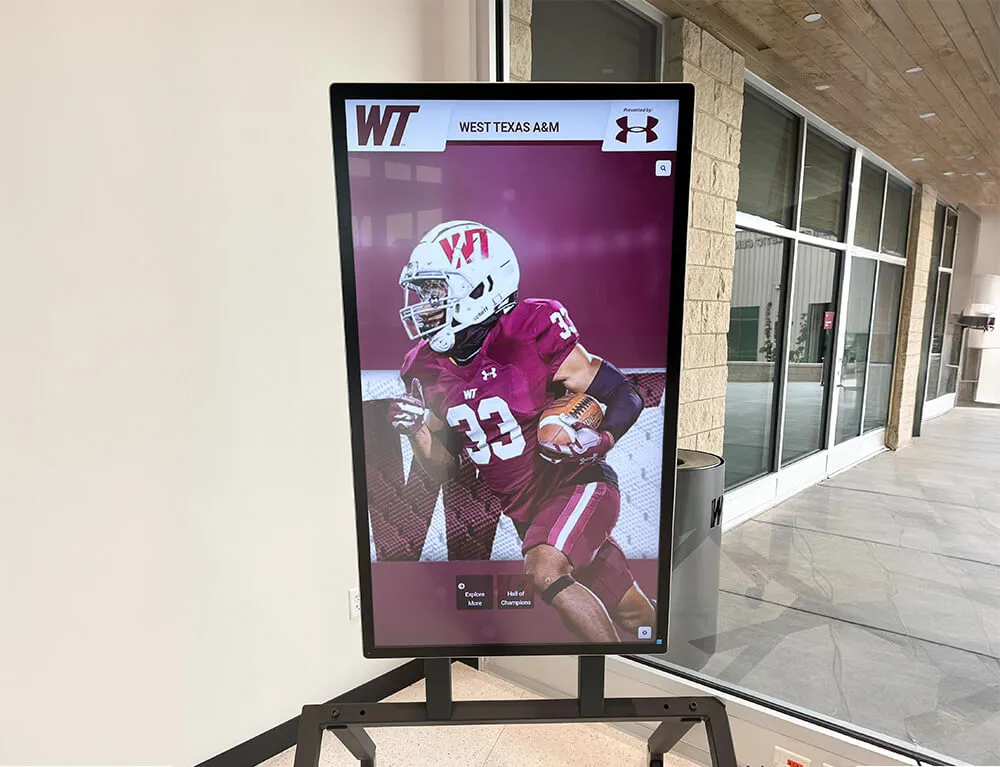
Unlimited capacity: Add new championships without physical space constraints Rich content: Include photos, videos, statistics, and detailed game recaps Remote updates: Coaches and administrators update content from anywhere Interactive exploration: Students and visitors search and filter achievements Duplicate access points: Same content displayed in multiple locations and online
Digital systems allow comprehensive championship documentation that would be impossible with traditional static displays.
Championship Content Worth Preserving
When documenting state championship achievements, comprehensive content creates lasting value:
Team information:
- Complete roster with names, positions, and class years
- Coaching staff including head coach and assistants
- Season record and scoring statistics
- Championship game score and key performers
Visual documentation:
- Team photos in championship setting
- Action photos from championship game/meet
- Celebration photos with trophy/medals
- Video highlights if available
Narrative elements:
- Season journey summary
- Key victories leading to championship
- Memorable performances and moments
- Quotes from coaches and athletes
Historical context:
- Place in program history (first championship, repeat title, etc.)
- Records set during championship season
- Individual awards earned by team members
- Post-season honors and recognition
Schools implementing interactive athletic recognition systems can preserve all of this content in searchable, accessible formats that keep championship memories vivid decades later.

Individual Champion Recognition
UIL state championships aren’t limited to team sports. Individual champions in track and field, wrestling, tennis, golf, swimming, and other sports deserve equal recognition.
Individual State Champion Categories
Texas schools crown individual state champions in multiple sports:
Track and field: Gold medalists in running, jumping, and throwing events Swimming: Individual event winners across multiple strokes and distances Wrestling: State champions in each weight class Tennis: Singles and doubles champions Golf: Individual medalists at state tournament Cross country: Individual state meet winners
Many schools maintain separate recognition categories for individual state champions, acknowledging achievements that required defeating the best athletes in Texas.
Individual Achievement Documentation
Individual state champions generate rich recognition content:
Performance details:
- Championship time, distance, or score
- Margin of victory
- Records set (if applicable)
- Prior personal bests showing improvement
Competition context:
- Size of competitive field
- Notable competitors defeated
- Qualifying journey to state
- Previous state meet performances
Visual content:
- Competition action photos
- Medal/trophy ceremony photos
- Post-competition celebration
- Coach and athlete together

Multiple Sport Champions
Some exceptional athletes win state championships in multiple sports during their high school careers. These rare achievements warrant special recognition:
Multi-sport state champion status: Reserved for athletes who win state titles in two or more sports Comprehensive achievement display: Documenting all championship performances together Legacy recognition: Multi-sport champions often become program legends
Digital recognition systems excel at connecting related achievements, allowing visitors to see an athlete’s complete championship legacy across multiple sports.
Academic All-State Recognition at UIL Championships
UIL emphasizes that state championships represent the intersection of athletic excellence and academic achievement. Many championship programs include significant academic recognition.
UIL Academic State Championships
Beyond athletic competition, UIL conducts academic state championships:
Academic competitions: Calculator, computer science, debate, journalism, mathematics, science, speech, theater arts State qualifiers: Students who advance through district and regional rounds State champions: Individual and team champions in academic events
Schools with strong UIL programs often excel in both athletic and academic state competitions. Comprehensive recognition displays can showcase both categories of achievement.
Scholar-Athlete State Champions
UIL recognizes that many state champion athletes also demonstrate academic excellence:
Academic All-State criteria: Typically require minimum 3.5 GPA combined with athletic achievement Scholar-athlete recognition: Special awards for athletes who excel in classroom and competition Academic achievement alongside athletic titles: Demonstrating well-rounded excellence
Celebrating academic achievement alongside state championships reinforces institutional values that prioritize holistic student development.
Budget Planning for Championship Seasons
Athletic directors and booster clubs managing programs with championship potential must budget for significant additional expenses beyond regular season costs.
Championship Travel and Accommodation Costs
Advancing deep into UIL playoffs generates substantial expenses:
Transportation: Charter buses for team, equipment, and support staff Lodging: Hotel rooms for athletes, coaches, and often support personnel Meals: Per diem or meal costs for extended travel Duration: Multi-day trips for championship games in distant venues
State championship appearances often cost $10,000-$30,000 in travel and accommodation expenses depending on classification, sport, and distance from championship venue.
Championship Celebration and Recognition Costs
Beyond the competition itself, schools invest in celebration and permanent recognition:
Immediate celebration:
- Championship rings or medals for team members
- Commemorative t-shirts or apparel
- Celebration events for team and community
Permanent recognition:
- Championship banners or displays
- Trophy case expansion
- Digital recognition system implementation
- Updated record boards and facility signage
Schools should budget for both immediate and long-term recognition expenses when planning championship campaigns.
UIL Championship Impact on School Culture
State championship success creates lasting impacts that extend far beyond the athletes who competed.
Community Pride and Identity
Texas communities rally around UIL championship teams:
Local media coverage: Championship runs receive extensive newspaper, radio, and television attention Community attendance: Entire towns travel to championship games Economic impact: Local businesses benefit from championship publicity School identity: Championships become defining community moments
Schools in smaller Texas communities often find that state championships become generational reference points that community members discuss decades later.
Student Body Engagement
Championship success impacts the entire student body:
School pride: Students take ownership of team success Attendance increases: Successful programs draw larger student attendance at games Participation growth: Championship success often increases participation in youth programs Academic culture: School-wide recognition can improve overall school culture
Athletic directors often report that championship success in one sport creates momentum that benefits other athletic programs and even academic achievement.
Alumni Connection
State championships strengthen alumni engagement:
Shared legacy: Alumni connect with current success Comparison points: Alumni compare current teams to their era Giving motivation: Championship programs often inspire increased alumni giving Reunion catalyst: Championship anniversaries create reunion opportunities
Schools with comprehensive digital alumni engagement systems can leverage championship achievements to maintain active alumni relationships across generations.

Implementing Comprehensive Championship Recognition
Schools with extensive championship histories or programs anticipating future success should plan comprehensive recognition systems that can grow with achievement.
Recognition System Requirements
Effective championship recognition systems must accommodate:
Capacity for growth: Space for decades of future championships without physical expansion Content richness: Photos, videos, statistics, rosters, and narratives for each championship Multiple sports: Equal recognition opportunities for all sports and activities Individual and team achievements: Recognition for both team championships and individual state champions Accessibility: Available to current students, visiting recruits, and remote alumni
Traditional static displays struggle to meet all these requirements simultaneously. Digital systems designed specifically for athletic recognition provide comprehensive solutions.
Content Management Considerations
Championship recognition requires ongoing content management:
Initial content development: Researching and documenting historical championships Annual updates: Adding new championships as they occur Content accuracy: Verifying rosters, statistics, and achievement details Photo quality: Maintaining high-resolution images that display well Remote access: Allowing coaches and administrators to update content from anywhere
Schools should evaluate whether internal staff can manage content updates or whether they need vendor support services.
Installation Planning
Physical installation of recognition displays requires planning:
Location selection: High-visibility areas where students, visitors, and recruits will see recognition Technical requirements: Power, network connectivity, and mounting specifications ADA compliance: Ensuring displays meet accessibility requirements Protection: Securing displays in high-traffic areas while maintaining accessibility
Athletic directors planning interactive recognition installations should work with facilities managers early in the planning process to address technical requirements.
Texas UIL Championship Records Worth Tracking
Beyond celebrating individual championships, schools should maintain systematic records of championship-related achievements.
Program Championship History
Comprehensive program records include:
Championship count: Total state championships by sport Championship years: Chronological list of each championship season Finals appearances: State championship game appearances including runner-up finishes Final Four history: All state tournament/playoff qualifications Longest championship droughts: Years between championships highlighting breakthrough achievements
These program-level statistics help contextualize current success within historical frameworks.
Individual Achievement Records
Individual records complement team championship recognition:
Multiple championship athletes: Athletes who won state titles in multiple years or sports Individual event records: State meet records set by school athletes All-state selections: Athletes selected to all-state teams during championship seasons Post-season honors: Player of the year awards and similar recognition
Coaching Achievement Records
Championship coaches earn recognition alongside athletes:
Championship coaches: Coaches who led teams to state titles Multiple championships: Coaches with multiple state championship victories Coaching tenure during championships: Years of service including championship seasons Assistant coaches: Recognition for assistant coaches who contributed to championships
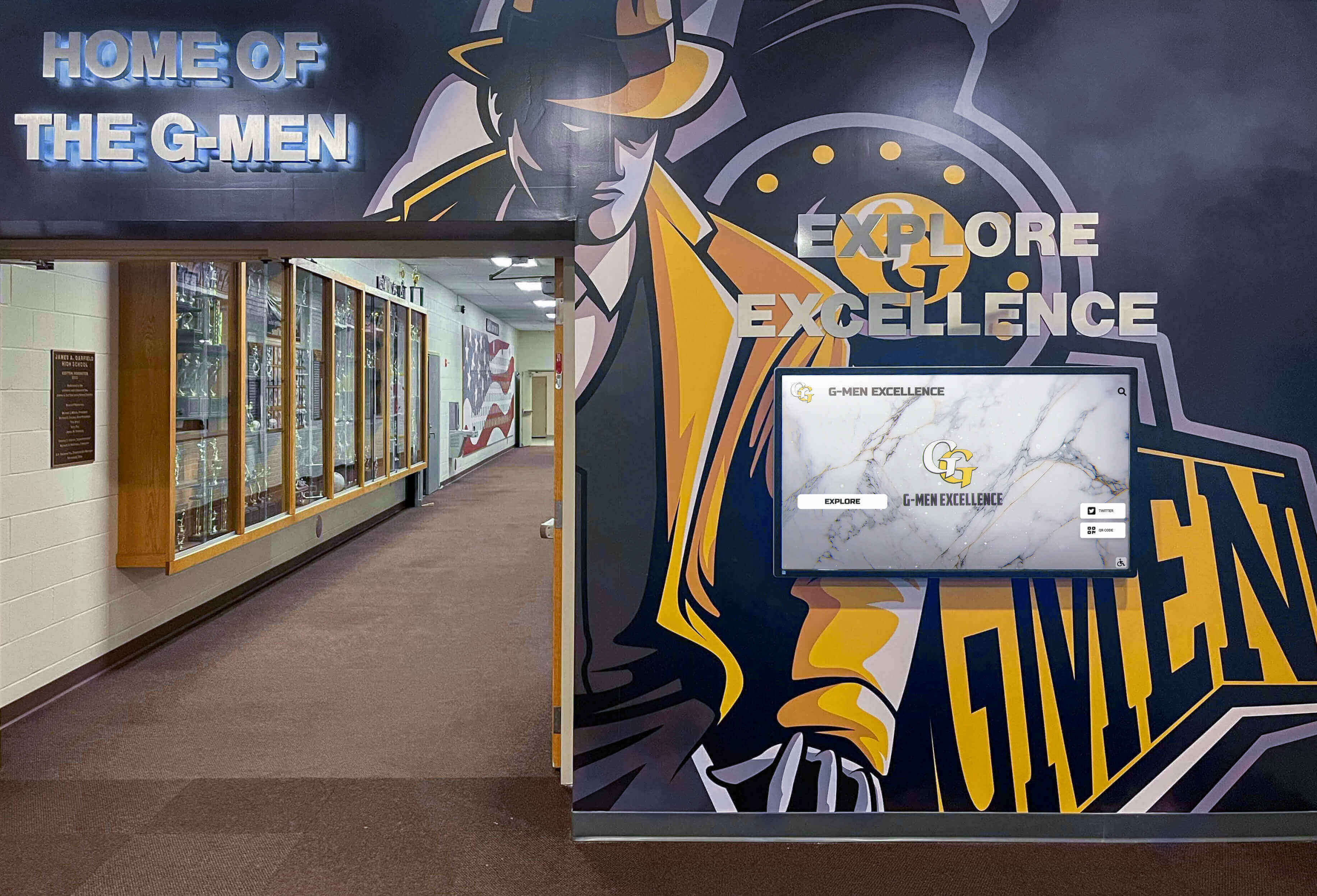
Digital recognition systems allow schools to create searchable databases where visitors can explore championship history by athlete, coach, sport, year, or achievement type.
Championship Recognition Case Study Example
Consider how a comprehensive recognition approach documents a state championship:
Scenario: A Texas 4A-DI high school wins its first football state championship in 30 years.
Traditional Recognition Limitations
With traditional recognition methods:
- Championship banner hung in gymnasium (limited space for future championships)
- Trophy displayed in existing trophy case (physical space constraints)
- Team photo with small plaques showing roster names (minimal detail)
- Total recognition content: approximately 200 words of text and one photo
Comprehensive Digital Recognition
With modern digital recognition systems:
Team championship page includes:
- Complete season statistics (wins, losses, points scored, points allowed)
- Full roster with jersey numbers, positions, and graduation years
- Coaching staff with roles and years of service
- Season schedule showing all game results
- Playoff bracket showing path to championship
- Championship game recap with key plays and performers
- 15-20 photos including season highlights, championship game action, and celebration
- 3-5 video clips of crucial plays and postgame reactions
- Quotes from head coach, team captains, and school administration
Individual player pages link from team page:
- Personal statistics from championship season
- Photos of each player in action
- Individual awards earned (all-district, all-state, etc.)
- College placement information
- Biographical information
Searchable access:
- Students can search by player name to find complete profiles
- Visitors can filter by sport, year, or achievement type
- Alumni can locate their graduating class’s championships
- Recruits exploring the program can review championship history
This comprehensive approach creates a permanent, detailed record of the championship that maintains its richness decades later.
Next Steps: Planning Your Championship Recognition System
Athletic directors and school administrators ready to implement comprehensive championship recognition should follow a structured planning process.
Assessment Phase
Begin by documenting current and historical championships:
Historical research:
- Compile list of all state championships in school history
- Identify state finalists and regional champions
- Document individual state champions across all sports
- Collect existing photos and documentation
Current recognition audit:
- Inventory existing banners, trophies, and displays
- Assess available physical space for expanded recognition
- Identify gaps in current recognition coverage
- Determine what championships lack adequate recognition
Requirements Definition
Establish specific requirements for recognition systems:
Content capacity needs:
- Number of championships to recognize initially
- Expected annual additions
- Individual vs. team achievement balance
- Depth of information for each championship
Technical requirements:
- Installation locations being considered
- Available power and network connectivity
- Display size and visibility requirements
- Budget range for implementation
Stakeholder input:
- Athletic director priorities
- Booster club expectations and potential funding
- Facilities management constraints
- IT department technical requirements
Vendor Evaluation
Research and evaluate recognition solution providers:
Demonstration requests:
- Schedule demonstrations of actual installed systems
- Review content management interfaces
- Test search and navigation functionality
- Evaluate visual design and presentation quality
Reference checks:
- Contact existing clients at comparable schools
- Ask about content update process
- Inquire about technical support responsiveness
- Verify vendor stability and longevity
For schools seeking a comprehensive solution that addresses championship recognition, historical achievement documentation, and ongoing content management, Rocket Alumni Solutions provides purpose-built systems designed specifically for Texas schools celebrating UIL championship success.
Celebrate Your Championship Legacy
Texas schools with UIL championship traditions deserve recognition systems that honor every achievement—from first-round playoff victories to state championship glory. Rocket Alumni Solutions builds interactive displays that preserve championship memories for current students and future generations.
Our platform handles unlimited championships across all sports, combines team and individual recognition, includes photos and videos, provides remote content management, and makes championship history searchable and accessible. Whether you're celebrating your first state championship or your fiftieth, we'll help you build a recognition system worthy of Texas athletic excellence.
Frequently Asked Questions
How does a school qualify for UIL state championships?
Schools must advance through district playoffs and regional competition to reach state championships. The specific path varies by sport, but generally involves winning or placing high in district competition, then advancing through bi-district, area, and regional rounds. In team sports like football and basketball, reaching the “Final Four” in your classification means you’ve qualified for the state tournament. Individual sports like track and field use qualifying standards and placement at regional meets to determine state meet participants.
What’s the difference between UIL divisions within the same classification?
Classifications 4A, 5A, and 6A split into Division I and Division II based on enrollment within that classification. Division I includes the larger schools in the classification, while Division II includes smaller schools. This creates more competitive balance by preventing the largest 4A schools from having to compete directly against the smallest 4A schools. Each division crowns its own state champion, effectively doubling the number of state championships awarded in larger classifications.
How often does UIL realignment happen and how does it affect championship competition?
UIL conducts realignment every two years, redistributing schools among classifications based on current enrollment figures. Schools may move up or down in classification, and district alignments change to reflect enrollment shifts and geographic considerations. This means a school competing for a 5A championship one year might find itself competing in 4A or 6A after realignment. Realignment creates dynamic competitive landscapes where championship difficulty can shift significantly based on which schools end up in your classification and district.
Do schools receive official recognition from UIL for state championships?
UIL awards championship trophies or medals to state champion teams and individuals. Schools receive official UIL recognition that validates the championship achievement. However, UIL does not provide permanent recognition displays—that responsibility falls to individual schools. Most Texas schools invest in championship recognition through banners, trophy cases, record boards, or modern digital recognition systems to ensure championship achievements remain visible to current and future students.
How do schools typically fund championship celebration and recognition?
Championship expenses and recognition typically come from multiple sources. Athletic budgets may cover basic travel and accommodation costs for state championship appearances. Booster clubs often fundraise specifically for championship trips, championship rings or medals, and permanent recognition displays. Some schools launch specific recognition fundraising campaigns when championship success creates the need for expanded display capacity. Many Texas schools find that championship success generates enthusiasm that makes fundraising for recognition more successful than during non-championship years.
Can digital recognition systems include championships from before they were installed?
Yes, comprehensive digital recognition systems can document complete championship history, not just recent achievements. During implementation, schools research and digitize historical championships, often going back decades or even to a school’s founding. This creates a complete championship archive that gives equal prominence to historic achievements and recent success. Many schools discover that documenting historical championships creates valuable opportunities to reconnect with alumni who competed in earlier eras.
Additional Resources
Athletic directors and administrators planning championship recognition systems may find these related guides valuable:
- High School Baseball Playoffs and State Tournament Structure - Comparable playoff frameworks in other states
- Football Trophies and Awards Recognition Guide - Championship celebration planning
- Digital Trophy Case Implementation - Modern recognition display options
- Athletic Director Career Guide - Professional development for athletic administrators
- Booster Club Fundraising for Athletic Programs - Funding championship recognition and celebration
These resources provide complementary frameworks for managing championship programs, celebrating athletic achievement, and implementing recognition systems that honor Texas UIL state championship excellence.































