High school theatre programs create transformative experiences that shape students’ confidence, creativity, and collaboration skills. From powerful dramatic performances to elaborate musical productions, these theatrical achievements represent countless hours of rehearsal, dedication, and artistic growth. Yet many schools struggle to adequately recognize and preserve the accomplishments of their drama students beyond fleeting performances and forgotten programs.
Theatre interactive display boards provide modern solutions for celebrating and preserving theatrical excellence. These digital recognition systems showcase productions, honor cast and crew achievements, and create lasting archives of dramatic traditions that inspire future generations of performers while engaging the broader school community.
This comprehensive guide explores how high schools can implement interactive theatre display boards that celebrate drama program achievements, preserve theatrical history, and create engaging recognition experiences that honor all aspects of theatrical production.
Theatre programs have always been about more than the final performance. They develop essential life skills including public speaking, teamwork, problem-solving, and creative expression. Despite these significant contributions to student development, drama achievements often receive less recognition than athletic or traditional academic accomplishments. Physical space limitations restrict which productions can be documented, and temporary lobby displays disappear shortly after closing night.
Interactive display boards eliminate these constraints while creating new opportunities for recognition that traditional playbills and static photo walls cannot match.
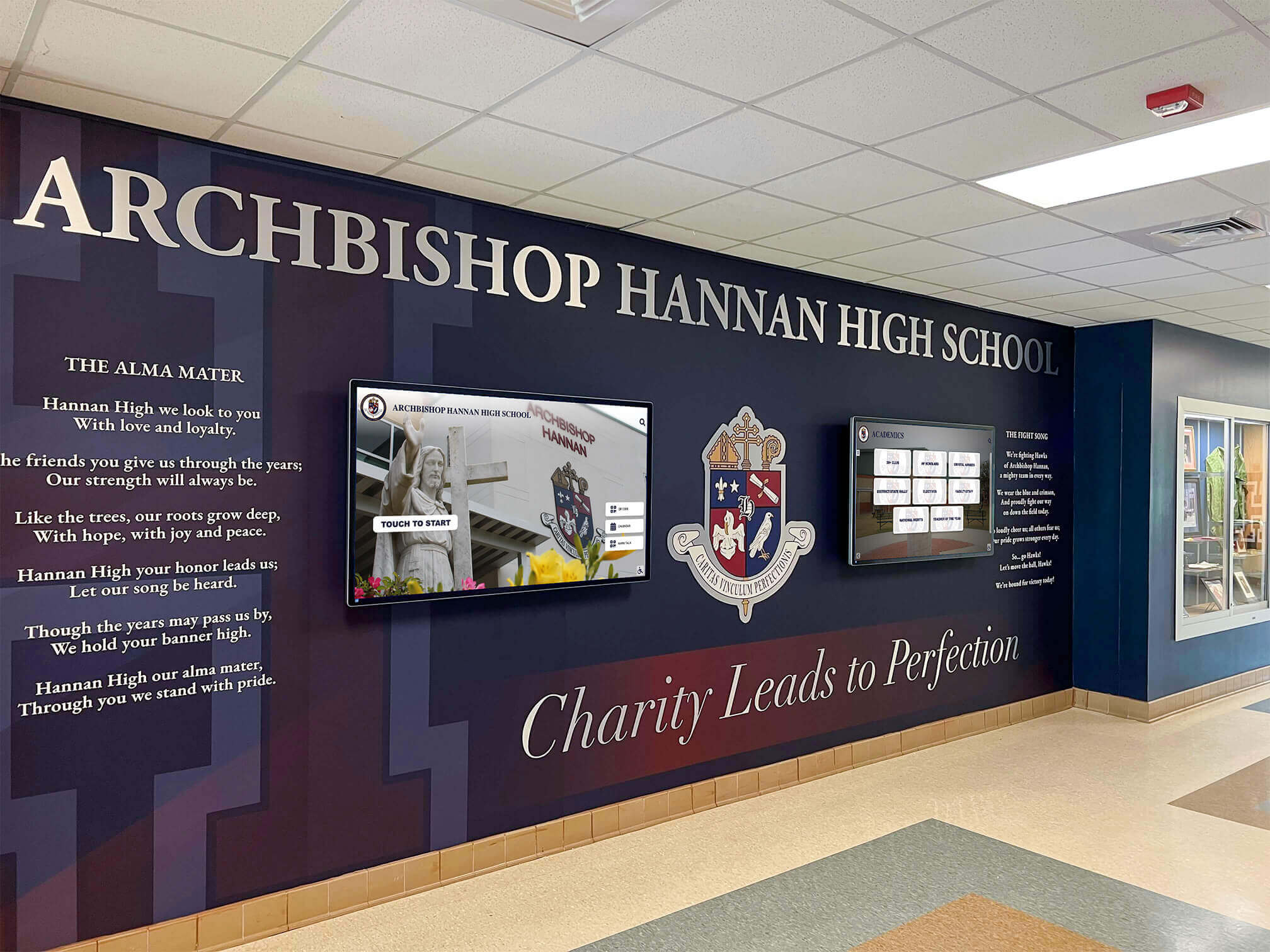
Interactive theatre displays transform school lobbies into engaging showcases of dramatic achievement and program tradition
Why High School Theatre Programs Need Digital Recognition
Traditional approaches to theatre recognition face significant limitations that digital solutions effectively address.
The Recognition Gap in Theatre Programs
High school drama programs commonly experience several recognition challenges:
Limited Visibility
- Theatre achievements confined to drama department bulletin boards
- Productions remembered only by those who attended performances
- Technical theatre and backstage contributions often go unrecognized
- Drama students receive less visibility than athletes in school culture
- Theatrical traditions and program history gradually forgotten
Physical Space Constraints
- Lobby display space accommodates only current production information
- Historical production documentation stored away in boxes
- Cast photos compete for limited wall space with other school displays
- No systematic archive of past performances and achievements
- Previous productions quickly replaced to promote upcoming shows
Temporary Recognition
- Programs and playbills discarded shortly after performances
- Cast and crew acknowledgment limited to curtain call
- Technical achievements appreciated only during production run
- No permanent record honoring student theatrical contributions
- Alumni lose connection to their theatrical experiences
Solutions like digital arts and music showcases demonstrate how interactive displays overcome these traditional limitations across performing arts programs.

Interactive displays engage students in exploring theatrical achievements and program history
Benefits of Interactive Theatre Display Boards
Digital recognition systems deliver multiple advantages for drama programs:
Comprehensive Recognition
- Showcase every production across all seasons and years
- Honor cast members, crew, directors, and technical theatre students
- Recognize individual performances and ensemble achievements
- Celebrate awards, competition successes, and program milestones
- Document complete theatrical history preserving program legacy
Enhanced Engagement
- Interactive exploration invites students to discover productions
- Multimedia content brings performances to life through video and photos
- Search capabilities enable easy discovery of specific shows or individuals
- Social sharing extends recognition beyond campus community
- Web accessibility allows remote exploration by families and alumni
Program Promotion
- Impressive displays attract students to participate in theatre
- Professional presentation demonstrates program quality and commitment
- Historical documentation shows program tradition and excellence
- Visual recognition validates importance of dramatic arts
- Engaging content supports recruitment during campus tours
Simplified Management
- Cloud-based systems enable remote content updates
- Add new productions immediately after closing night
- No physical materials to print, frame, or mount
- Unlimited storage capacity for photos, videos, and documents
- Multiple administrators can manage content collaboratively
Explore similar benefits in student achievement recognition displays across educational settings.
Essential Content for Theatre Interactive Displays
Effective theatre recognition boards showcase diverse achievements across all aspects of theatrical production.
Production Archives
Complete production documentation forms the foundation of theatre recognition:
Show Information
- Production titles and performance dates
- Director, musical director, and choreographer credits
- Production team and technical crew leadership
- Number of performances and audience attendance
- Special recognition or competition participation
Cast and Crew Recognition
- Complete cast lists with character assignments
- Principal role performers and understudies
- Ensemble members and chorus participants
- Student directors and assistant directors
- Stage management team recognition
Technical Theatre Achievements
- Set design and construction teams
- Lighting design and operation crew
- Sound design and technical operation
- Costume design, construction, and wardrobe
- Props, makeup, and special effects contributions
Visual Documentation
- Production photos capturing key scenes and moments
- Cast and crew group photos
- Behind-the-scenes rehearsal documentation
- Technical theatre work-in-progress images
- Opening night and closing performance photos
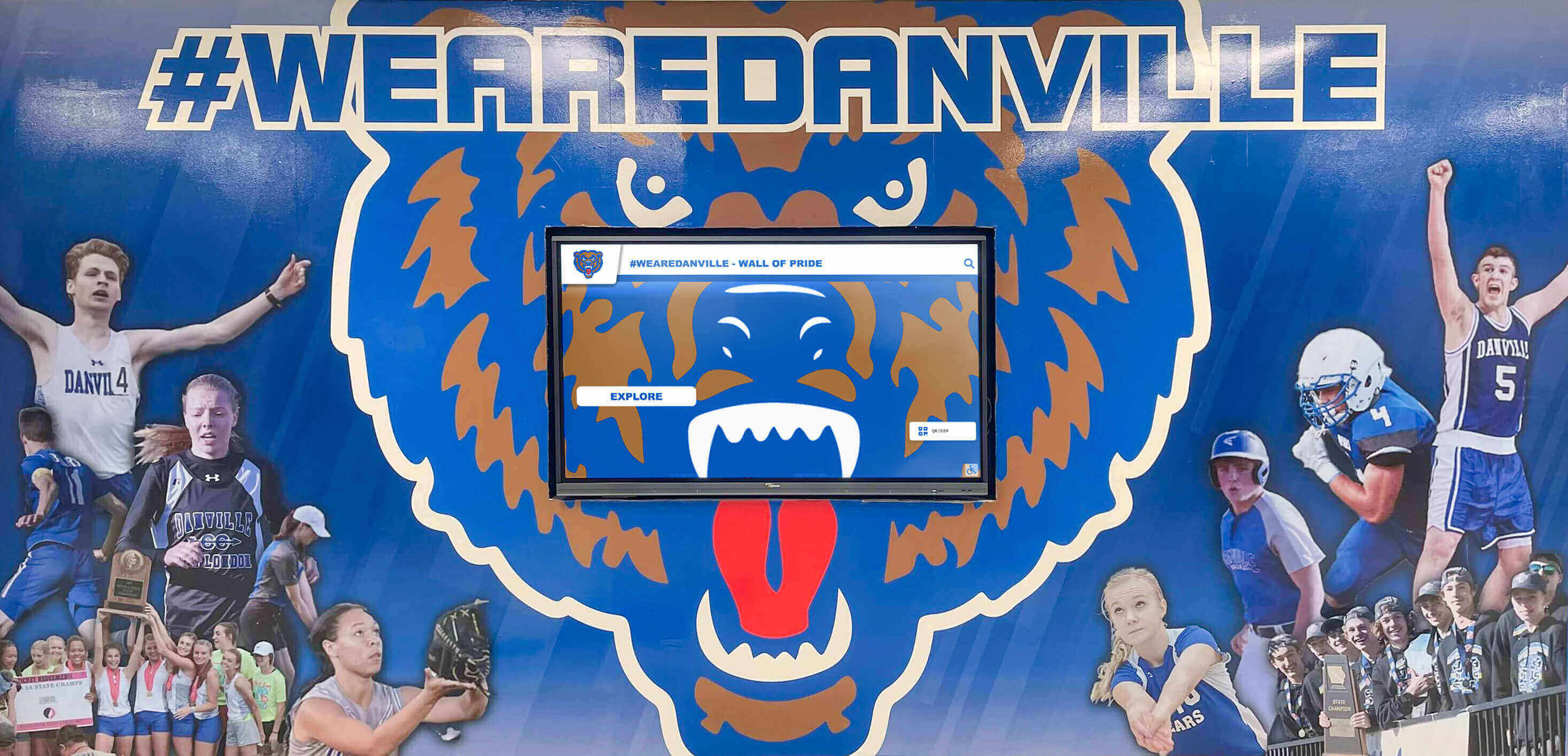
Theatre displays integrate seamlessly with school branding and existing architectural features
Student Achievement Profiles
Individual recognition honors specific contributions and growth:
Performer Profiles
- Student biographies and theatrical journey
- Complete production history and roles performed
- Performance highlights and memorable moments
- Awards, honors, and special recognition received
- Post-graduation theatrical pursuits and college programs
Technical Theatre Recognition
- Students’ technical specializations and skills developed
- Productions contributed to as crew members
- Technical leadership positions held
- Portfolio documentation of design work
- Career and technical education certifications earned
Student Growth Documentation
- Progression from ensemble to principal roles
- Development of technical skills across productions
- Leadership roles and mentorship contributions
- Academic achievement alongside theatrical participation
- Character development and personal growth stories
Similar comprehensive recognition approaches appear in academic recognition programs that celebrate student excellence across multiple dimensions.
Awards and Achievements
Systematic recognition of excellence motivates continued participation:
Production Awards
- Best production recognitions from competitions
- Festival participation and adjudication results
- Community theatre awards and acknowledgments
- School-level production excellence honors
- Audience choice and popular vote awards
Individual Performance Recognition
- Best actor/actress awards by production
- Outstanding supporting performer recognition
- Technical theatre excellence awards
- Student director achievement honors
- Special recognition for breakthrough performances
Program Milestones
- Number of productions staged annually
- Total student participation across years
- Alumni who pursued professional theatre careers
- Program anniversary celebrations
- Significant facility improvements and acquisitions
External Recognition
- State thespian honor society inductees
- International Thespian Society recognition
- Regional and state competition achievements
- Scholarship recipients for theatrical studies
- Community service through theatre participation
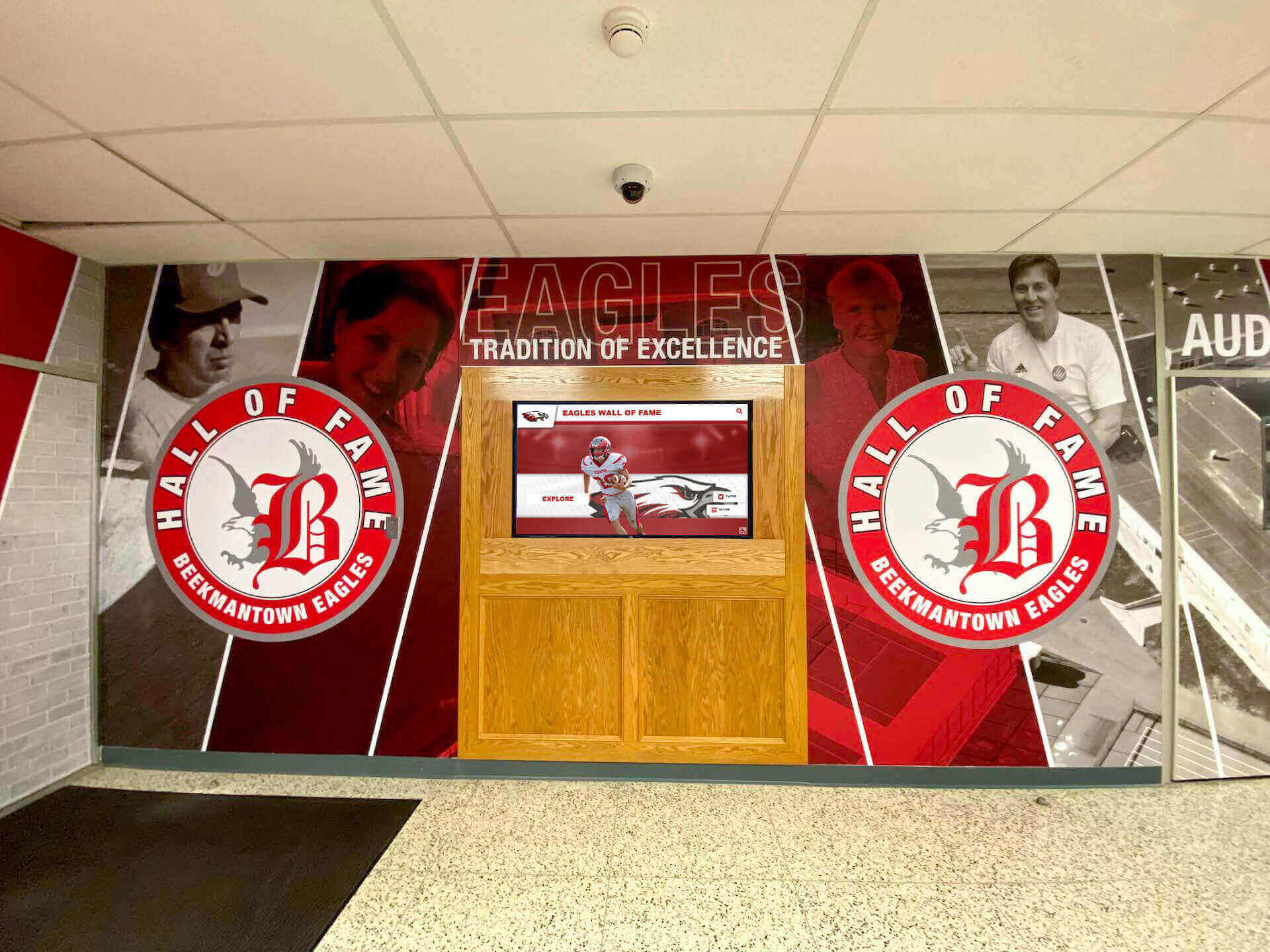
Integrated displays combine digital recognition with traditional mural elements creating comprehensive celebration spaces
Implementing Theatre Interactive Display Boards
Successful implementation requires strategic planning aligned with program goals and resources.
Planning and Preparation
Thorough preparation establishes foundation for effective recognition:
Needs Assessment
- Evaluate current theatre recognition methods and gaps
- Identify what theatrical content already exists
- Survey students, parents, and staff about priorities
- Define success metrics for recognition program
- Assess available budget and timeline constraints
Location Selection Consider optimal placement for maximum impact:
- Theatre lobby or auditorium entrance for primary visibility
- Main school entrance engaging broader community
- Performing arts hallway creating dedicated recognition space
- Multiple locations for comprehensive coverage
- High-traffic areas ensuring consistent engagement
Technology Platform Selection
Choose appropriate solutions for your needs:
- Interactive touchscreen displays for physical installations
- Web platforms extending access beyond campus
- Content management systems matching staff capabilities
- Cloud storage ensuring reliable backup and access
- Integration capabilities with existing school systems
Solutions like Rocket Alumni Solutions provide comprehensive platforms combining touchscreen displays with web accessibility specifically designed for educational recognition.
Budget Development
Account for all implementation phases:
- Hardware costs for displays and mounting systems
- Software licensing and support agreements
- Installation services and network infrastructure
- Initial content development and historical digitization
- Ongoing maintenance and content update resources
Many schools find phased implementation allows spreading costs across multiple budget years while building momentum through early success.

Freestanding kiosk installations provide flexible placement options in various school locations
Content Collection and Digitization
Building comprehensive content library requires systematic approach:
Historical Content Gathering
Collect existing theatrical documentation:
- Programs and playbills from past productions
- Yearbook photos documenting productions
- Newspaper reviews and media coverage
- Award certificates and competition results
- Video recordings of performances (if available)
Photo and Video Collection
Establish ongoing documentation processes:
- Professional photography at all productions
- Behind-the-scenes rehearsal documentation
- Technical theatre work-in-progress photos
- Video highlights from key performances
- Student testimonials and reflection videos
Written Content Development
Create engaging narrative content:
- Production summaries describing shows
- Director’s notes and artistic vision statements
- Cast and crew member profiles
- Technical challenge descriptions and solutions
- Program history and tradition documentation
Archival Organization
Systematic organization ensures content accessibility:
- Categorize by production, year, and type
- Tag content for searchability (names, roles, departments)
- Establish consistent file naming conventions
- Create metadata supporting filtering and discovery
- Verify accuracy of all information before publication
Approaches used in digitizing school history provide useful frameworks for theatre content organization.
Display Configuration and Design
Transform collected content into engaging recognition experience:
Visual Design Development
Create aesthetically appealing interface:
- Design reflecting school and drama program branding
- Color schemes complementing theatrical themes
- Typography ensuring readability at all screen sizes
- Layout showcasing content without visual clutter
- Consistent design language across all screens
Navigation Structure
Implement intuitive organization:
- Browse by production chronologically or alphabetically
- Search by student name, show title, or year
- Filter by production type (drama, musical, comedy)
- Separate sections for awards and special recognition
- Related content suggestions encouraging exploration
Interactive Features
Enable engaging exploration:
- Touch-based navigation for display installations
- Video playback with appropriate controls
- Photo galleries with zoom capabilities
- Social sharing options for web platforms
- Bookmarking favorite productions or performers
Accessibility Considerations
Ensure inclusive access:
- Screen reader compatibility for web content
- High-contrast viewing modes for visual accessibility
- Captions and transcripts for video content
- Keyboard navigation alternatives to touch
- Mobile-optimized responsive design
Learn more about digital wall of fame accessibility requirements and best practices.

Intuitive interfaces make theatre history exploration accessible to visitors of all technical skill levels
Launch and Promotion
Strategic launch maximizes adoption and ongoing engagement:
Soft Launch and Testing
- Internal testing with drama students and staff
- Gather feedback on usability and content
- Identify and resolve technical issues
- Refine content based on initial impressions
- Train staff on management and updating procedures
Public Launch Event
Create memorable unveiling:
- Time launch with significant production or drama event
- Ceremonial unveiling with current and former students
- Live demonstrations showcasing features
- Recognition of contributors and supporters
- Media coverage announcing availability
Ongoing Promotion
Maintain visibility and engagement:
- Regular announcements of new content additions
- Featured production rotation highlighting different shows
- Social media posts sharing theatrical achievements
- Integration with production marketing materials
- Newsletter features encouraging exploration
Community Engagement
Build sustained interest:
- Encourage alumni to explore their theatrical history
- Invite families to view student achievements
- Welcome prospective students during campus tours
- Connect with community theatre organizations
- Integrate with broader alumni engagement strategies
Best Practices for Theatre Display Management
Learn from successful implementations to maximize impact:
Regular Content Updates
Maintain relevance through consistent additions:
Post-Production Updates
- Add new production within week of closing night
- Upload photos and cast information promptly
- Include awards and recognition received
- Capture student reflections while experiences are fresh
- Feature upcoming productions to build anticipation
Seasonal Content Rotation
- Highlight current production prominently
- Feature historical productions from same season
- Showcase anniversary productions (5, 10, 25 years)
- Rotate featured students and achievements
- Update homepage with timely content
Historical Content Addition
- Systematically add older productions over time
- Accept imperfect historical coverage initially
- Engage alumni in providing historical materials
- Student projects can support digitization efforts
- Continuous improvement rather than perfection required

Cloud-based management systems enable easy content updates from any location
Balanced Recognition Across Roles
Honor all theatrical contributions:
Cast Recognition
- Principal performers with detailed profiles
- Supporting roles acknowledged appropriately
- Ensemble members included completely
- Understudies and alternates recognized
- Multi-show performers highlighted
Crew Recognition
- Technical directors and designers featured
- Construction and paint crews acknowledged
- Run crew and stage managers honored
- Light and sound board operators included
- Costume and makeup teams celebrated
Behind-the-Scenes Contributors
- Student directors and assistant directors
- Choreographers and vocal coaches
- Pit orchestra members (for musicals)
- House management and ushers
- Publicity and program designers
Faculty and Staff Recognition
- Directors and their artistic vision
- Technical directors and design guidance
- Faculty advisors supporting programs
- Administrative staff enabling productions
- Community volunteers and parent support
This comprehensive approach ensures all contributors receive appropriate recognition while celebrating collective theatrical achievement. Similar balanced recognition appears in team achievement displays across school programs.
Storytelling and Context
Make achievements meaningful through complete narratives:
Production Context
- Why this show was selected for production
- Historical or cultural significance of work
- Unique interpretation or creative choices
- Challenges overcome during production
- Special community connections or themes
Student Perspectives
- Personal growth through theatrical participation
- Favorite moments and memorable experiences
- Skills developed and lessons learned
- Relationships formed through collaboration
- Future aspirations influenced by theatre
Process Documentation
- Audition and casting process insights
- Rehearsal progression and development
- Technical theatre design evolution
- Problem-solving during production
- Opening night transformation
These complete stories create deeper appreciation and emotional connection beyond basic production information.
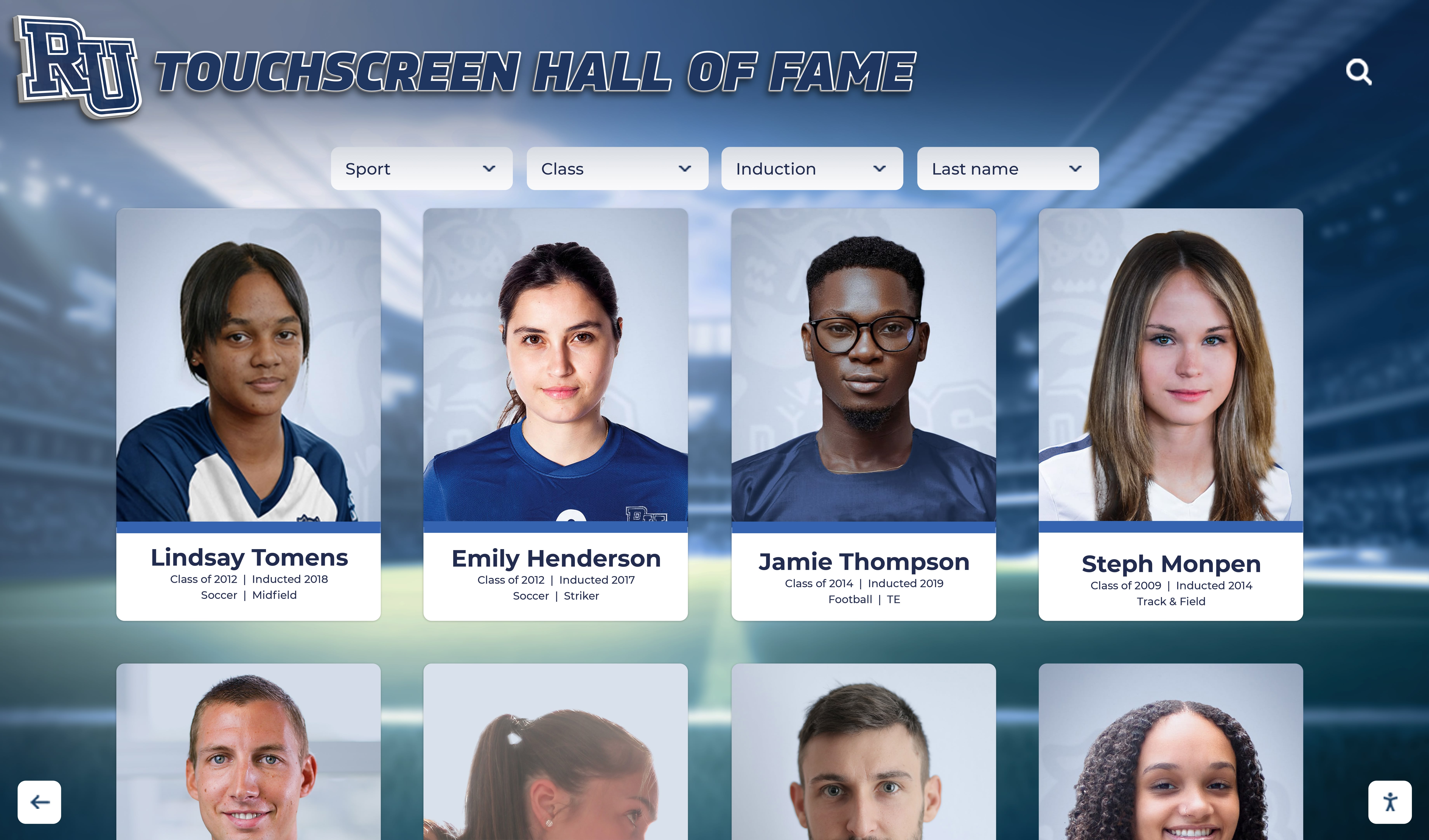
Detailed student profiles tell complete theatrical journeys from first ensemble role to starring performances
Integration with Broader Recognition
Connect theatre to comprehensive student achievement:
Cross-Disciplinary Recognition
- Students excelling in theatre and academics
- Multi-talented students in music and drama
- Athletes who participate in theatre programs
- Student of the month programs including theatre students
- Character and leadership in theatrical contexts
School-Wide Recognition Systems
- Theatre content integrated with digital halls of fame
- Unified platforms across recognition categories
- Consistent design and user experience
- Cross-linking between related achievements
- Comprehensive student achievement recognition
Alumni Connections
- Current productions connected to historical shows
- Alumni theatrical careers highlighted
- Professional theatre connections documented
- Mentorship opportunities created
- Legacy and tradition preservation
This integration demonstrates that theatrical excellence deserves equal status with other achievement domains.
Maximizing Impact Beyond Recognition
Strategic use extends display value across multiple purposes:
Recruitment and Program Growth
Attract and retain theatre participants:
Prospective Student Tours
- Impressive displays demonstrate program quality
- Historical documentation shows tradition
- Professional presentation reflects commitment
- Student achievement visibility attracts talent
- Competitive advantage in recruitment
Current Student Engagement
- Recognition motivates continued participation
- Historical content inspires excellence
- Diverse role visibility encourages trying new areas
- Alumni success models future possibilities
- Celebration of effort alongside achievement
Parent and Family Engagement
- Professional recognition validates program value
- Easy content access supports family conversations
- Visible achievements build family support
- Recognition events create positive school connections
- Social sharing extends family engagement
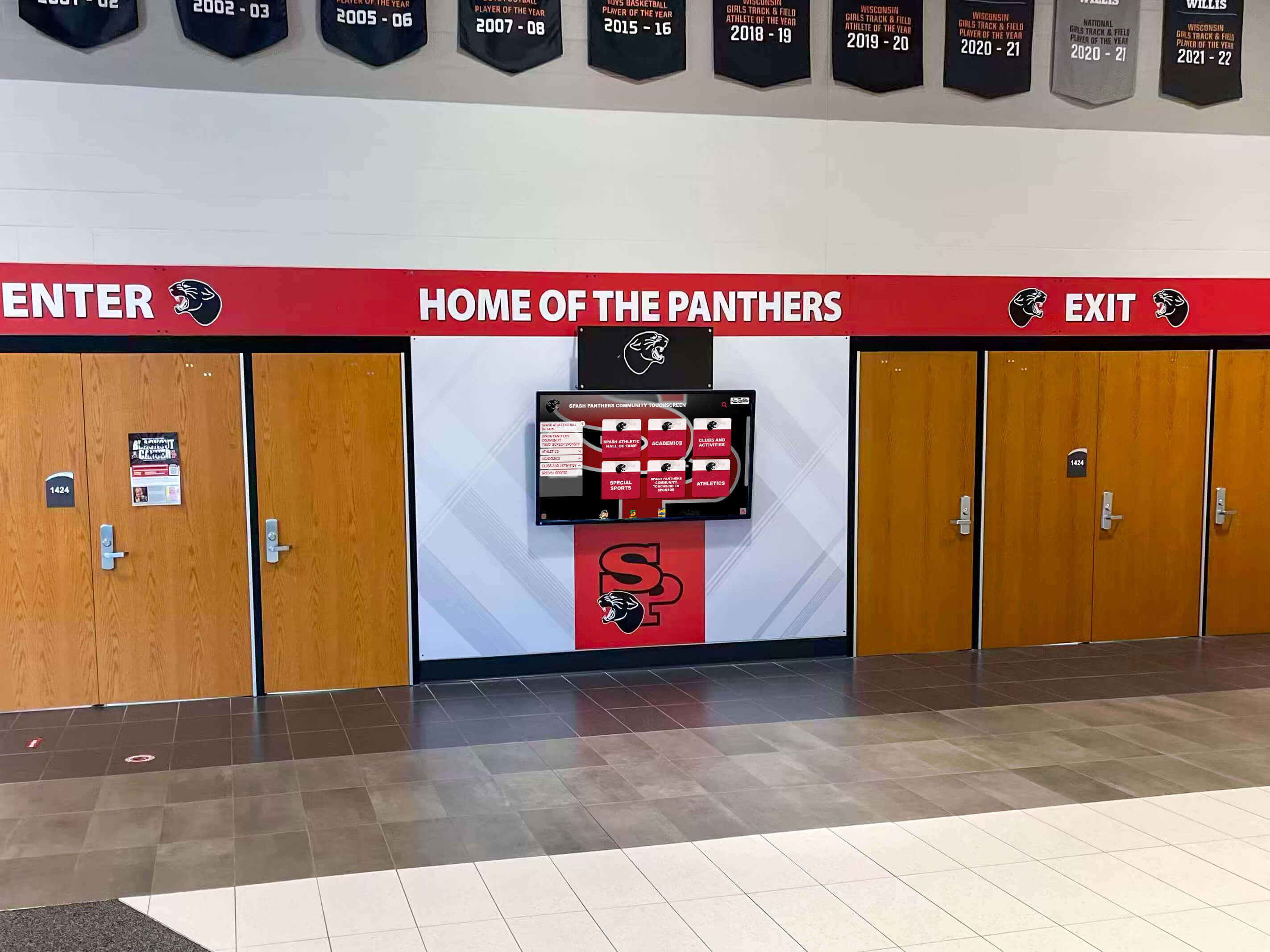
Strategic placement at school entrances showcases theatre program excellence to entire school community
Fundraising and Development
Support program sustainability:
Donor Recognition
- Acknowledge contributors supporting theatre program
- Digital donor walls honoring financial support
- Named scholarship recognition for theatre students
- Sponsor acknowledgment for productions
- Capital campaign impact demonstration
Impact Demonstration
- Show program outcomes and student development
- Document student success stories
- Illustrate facilities and equipment needs
- Connect donations to specific improvements
- Report on program growth and achievements
Community Partnerships
- Showcase business sponsor relationships
- Recognize community theatre collaborations
- Highlight mentor and professional connections
- Document service and outreach programs
- Build cultural organization partnerships
Educational Applications
Support learning and curriculum:
Theatre Education
- Historical context for dramatic literature studies
- Production technique documentation
- Performance analysis and comparison
- Technical theatre education resources
- Career exploration in theatrical arts
Student Portfolio Development
- Comprehensive production history documentation
- Performance highlights for college applications
- Technical work samples and design portfolios
- Collaborative project documentation
- Leadership and growth demonstration
Assessment and Program Improvement
- Production participation tracking
- Student growth documentation
- Program trend analysis
- Curriculum effectiveness evaluation
- Strategic planning support
Learn about content management for educational displays supporting multiple institutional purposes.
Technology Solutions for Theatre Displays
Choose appropriate platforms for your program needs:
Interactive Display Hardware
Physical installation options:
Touchscreen Displays
- Commercial-grade displays for continuous operation
- Size selection based on viewing distance (43" to 75"+)
- Wall-mounted or freestanding kiosk configurations
- High-brightness screens for well-lit lobbies
- Durable touch technology for public use
Installation Considerations
- Power and network infrastructure requirements
- ADA-compliant mounting heights and clearances
- Protective enclosures for high-traffic areas
- Audio capabilities for video content
- Integration with existing facility design
Explore best touchscreen options for schools comparing features and capabilities.
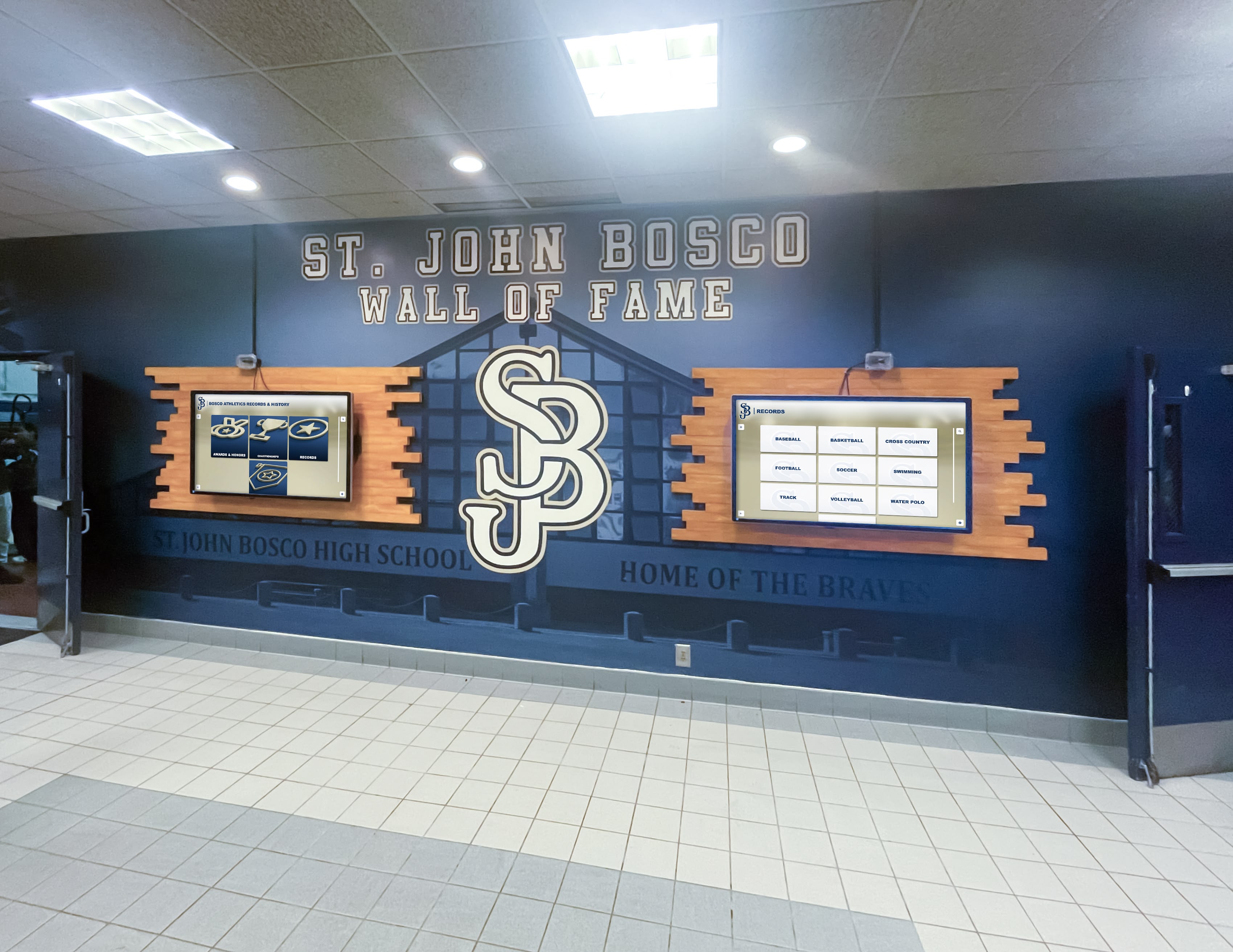
Multiple coordinated displays provide comprehensive coverage across different program areas and achievement types
Web-Based Platforms
Online access extending reach:
Platform Capabilities
- Responsive design for all device types
- Media hosting supporting photos and videos
- Social sharing integration
- Search and filtering functionality
- Analytics tracking engagement
Content Management Systems
- Intuitive interfaces for non-technical users
- Role-based permissions for multiple administrators
- Media library organization
- Scheduled publishing capabilities
- Revision history and backup systems
Hosting and Infrastructure
- Reliable hosting ensuring consistent availability
- Sufficient bandwidth for media streaming
- Security protecting student information
- Regular automated backups
- Technical support and maintenance
Integrated Solutions
Comprehensive platforms combining capabilities:
Solutions like Rocket Alumni Solutions provide unified systems featuring:
- Touchscreen display hardware and software
- Web-accessible content simultaneously
- Single content management for all platforms
- Cloud hosting and automatic backups
- Professional implementation support
- Ongoing maintenance and feature updates
This integration ensures consistent experience across viewing methods while simplifying content management.
Compare options in virtual hall of fame platform guides evaluating features and suitability.
Measuring Success and Demonstrating Value
Regular assessment ensures programs meet goals:
Quantitative Metrics
Track measurable indicators:
Engagement Data
- Display interaction time and frequency
- Web platform visits and page views
- Video play counts and completion rates
- Social media shares and reach
- Search queries revealing interest patterns
Content Coverage
- Number of productions documented
- Percentage of students with recognition
- Historical depth of archived content
- Balance across cast, crew, and technical roles
- Update frequency and consistency
Program Impact
- Theatre program enrollment trends
- Production participation rates
- New student recruitment attributed to displays
- Alumni engagement levels
- Fundraising effectiveness
Qualitative Assessment
Gather stakeholder feedback:
Student Perceptions
- Surveys about recognition program awareness
- Focus groups on display effectiveness
- Testimonials about motivational impact
- Suggestions for improvements
- Satisfaction with recognition received
Faculty and Parent Feedback
- Staff assessment of program value
- Parent engagement and appreciation
- Community perception changes
- Professional presentation quality
- Ease of content management
Cultural Indicators
- Changes in theatre program status
- Student pride in drama participation
- Community awareness of theatrical excellence
- School-wide respect for theatre students
- Alumni connection strengthening
Regular measurement enables continuous improvement ensuring displays deliver maximum value to drama programs.

High engagement levels demonstrate display effectiveness in capturing attention and encouraging exploration
Common Implementation Challenges and Solutions
Learn from others’ experiences:
Challenge: Limited Historical Documentation
The Problem
- Older productions poorly documented
- Missing photos, programs, or cast information
- Gaps in institutional memory about past shows
- No systematic historical archives
Solutions
- Start with recent, well-documented productions
- Alumni outreach requesting historical materials
- Yearbook research filling documentation gaps
- Newspaper archive searches for reviews and photos
- Accepting imperfect historical coverage initially
- Systematic addition over time
Challenge: Ongoing Content Creation
The Problem
- Production documentation requires consistent effort
- Quality standards challenging to maintain
- Staff turnover affecting documentation continuity
- Competing priorities during busy production seasons
Solutions
- Systematic documentation procedures and checklists
- Student technical theatre programs contributing content
- Parent volunteers photographing productions
- Professional photography for key productions
- Multiple contributors sharing responsibilities
- Technology simplifying capture and upload
Challenge: Balancing Recognition Across Roles
The Problem
- Star performers receiving disproportionate attention
- Technical theatre contributions less visible
- Crew recognition overlooked
- Ensemble members feeling underappreciated
Solutions
- Deliberate rotation ensuring balanced coverage
- Featured content calendars maintaining equity
- Multiple recognition categories and frameworks
- Explicit commitment to comprehensive inclusion
- Regular audits of representation distribution
- Technical achievement spotlights alongside performance
Challenge: Budget Constraints
The Problem
- Limited funding for recognition technology
- Competing priorities for drama program budget
- Initial investment concerns
- Ongoing costs uncertain
Solutions
- Phased implementation spreading costs
- Starting with web platform before physical display
- Booster club or parent organization support
- Grant applications and fundraising campaigns
- Donor naming opportunities for displays
- Budget justification through multiple uses
Explore affordable recognition solutions addressing budget limitations.
Conclusion: Transforming Theatre Recognition Through Interactive Displays
Theatre interactive display boards represent fundamental advancement in how high schools celebrate and preserve dramatic excellence. By eliminating physical limitations of traditional recognition and creating engaging digital experiences, these systems ensure every theatrical achievement receives appropriate acknowledgment while building program legacy that inspires future generations.
Effective theatre displays combine thoughtful content strategy, appropriate technology platforms, and systematic implementation to create recognition experiences that honor all aspects of theatrical production—from starring performers to backstage crews, from current productions to historical traditions. From interactive displays enabling campus exploration to web platforms connecting global audiences, digital recognition transforms fleeting performances into lasting legacies.
Ready to Transform Your Theatre Recognition?
Discover how Rocket Alumni Solutions can help you create a comprehensive interactive display board celebrating your drama program's achievements and preserving your theatrical legacy for generations.
Explore Theatre Recognition SolutionsThe most successful theatre recognition systems share common characteristics: they celebrate diverse contributions across all theatrical roles, they preserve complete program histories while remaining current, they engage multiple audiences through both physical and digital access, and they integrate seamlessly with broader school recognition efforts.
Whether beginning with simple production archives or implementing comprehensive multimedia platforms, interactive display boards ensure your drama students’ theatrical achievements receive recognition equal to their dedication and artistry. Start where you are, build systematically, and create the lasting celebration of theatrical excellence your program and students deserve.
Your theatre students create extraordinary performances and develop invaluable skills through dramatic arts participation. Interactive display boards ensure these achievements receive the visibility, preservation, and celebration they merit while building stronger connections between current students, alumni, and the broader community that supports your drama program.
Ready to begin? Explore interactive student achievement display solutions or learn more about comprehensive school recognition programs that celebrate excellence across all domains including performing arts.































