Communities thrive when achievements are celebrated, stories are shared, and members feel valued for their contributions. Whether you’re a school administrator looking to honor alumni, a civic organization recognizing volunteers, a sports program celebrating athletic excellence, or a business showcasing employee accomplishments—the right tools to build community showcase platforms can transform how you engage, inspire, and connect with your audience.
In 2025, the landscape of community recognition has evolved dramatically. Traditional trophy cases and static plaques are giving way to dynamic, interactive digital platforms that offer unlimited capacity, rich multimedia content, and global accessibility. These modern solutions don’t just display names and dates—they tell compelling stories, create emotional connections, and build lasting community pride.
This comprehensive guide explores the essential tools, platforms, and strategies for building effective community showcases that celebrate achievements while fostering deeper engagement. From hardware selection to software platforms, content management systems to design considerations—we’ll cover everything you need to create recognition experiences that truly resonate with your community.

Understanding Community Showcases: More Than Recognition
A community showcase serves as a living archive of excellence, a source of inspiration, and a bridge connecting past achievements with future aspirations. These platforms fulfill multiple essential functions that extend far beyond simple acknowledgment.
Building Collective Identity
Community showcases communicate shared values and create common heritage. When members see diverse achievements celebrated—from academic excellence to volunteer service, athletic prowess to creative contributions—they understand what the community values and aspires to become. This shared narrative strengthens bonds and creates a sense of belonging that transcends individual experiences.
Inspiring Future Excellence
Recognition platforms serve as powerful motivators. Current students who see alumni success stories understand the pathways available to them. Young athletes viewing record-breaking performances set ambitious goals. Volunteers witnessing recognition of community service feel inspired to contribute their time and talents. Showcases demonstrate that excellence is noticed, valued, and permanently honored.
Preserving Institutional Memory
Communities evolve, leadership changes, and time passes—but achievements documented in comprehensive showcases remain accessible for future generations. Digital platforms like those from Rocket Alumni Solutions ensure that decades of accomplishments are preserved, searchable, and available to anyone wanting to explore community history.
Strengthening Engagement and Participation
According to research from the Stanford Social Innovation Review, communities with robust recognition programs experience significantly higher participation rates and deeper member engagement. When people feel valued and see their contributions acknowledged, they invest more time, energy, and resources in community success.
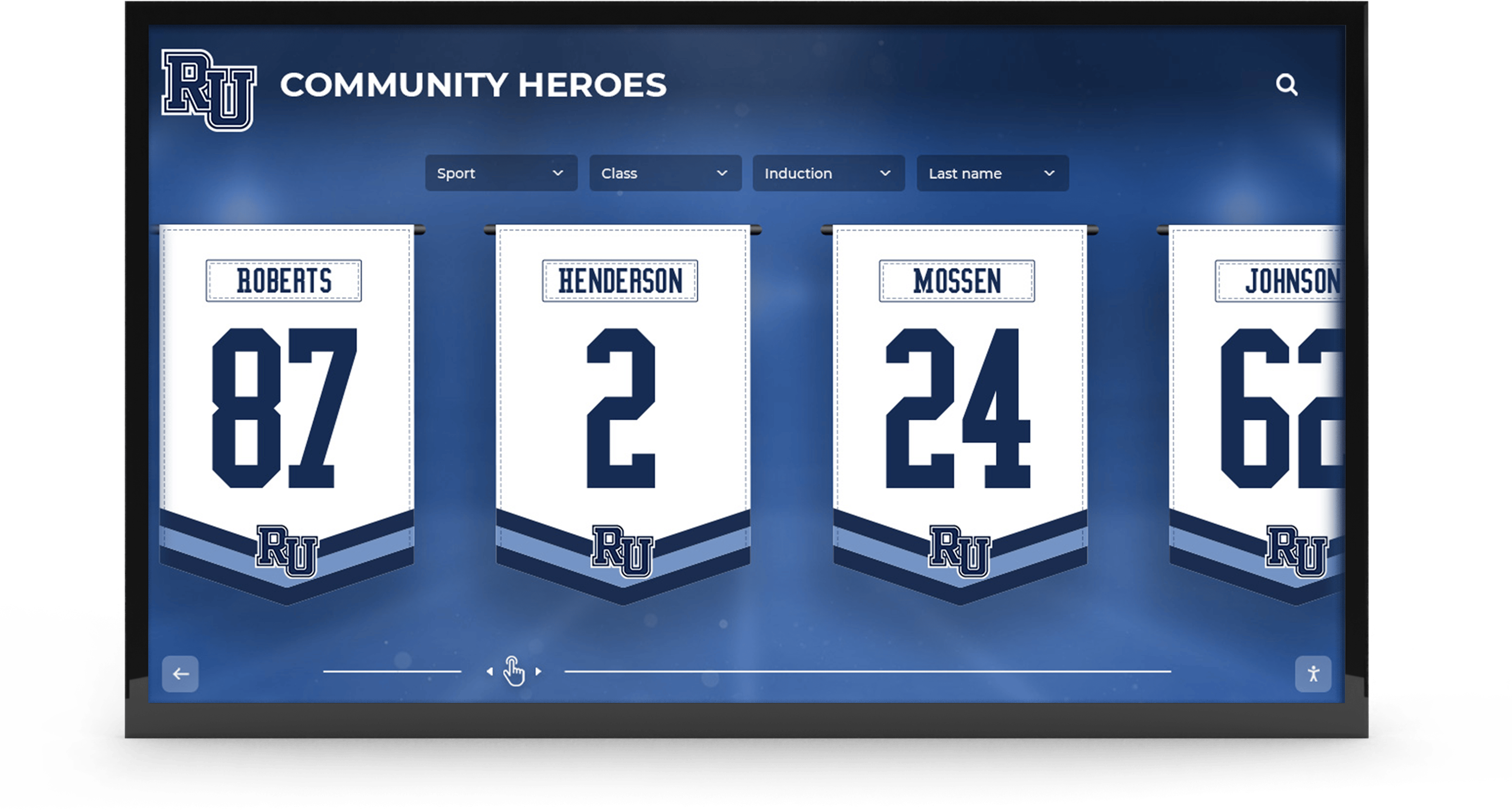
Essential Categories of Tools for Building Community Showcases
Creating an effective community showcase requires multiple types of tools working together seamlessly. Understanding these categories helps you make informed decisions about which solutions best fit your needs and budget.
Hardware: The Physical Foundation
The hardware component provides the physical interface where community members interact with your showcase content.
Commercial-Grade Touchscreen Displays
Professional touchscreens designed for continuous public operation form the backbone of interactive showcases. Unlike consumer televisions, commercial displays offer:
- Enhanced durability for 24/7 operation
- Higher brightness levels (350-700+ nits) for various lighting conditions
- Professional-grade touch technology supporting multi-user interaction
- Extended warranties and commercial support
- Sizes ranging from 43" for intimate spaces to 86" for large venues
Leading manufacturers include Samsung, LG, NEC, and Sharp, with screens specifically designed for signage and public kiosk applications.
Kiosk Enclosures and Mounting Solutions
How you house and present your touchscreen significantly impacts user experience and installation flexibility:
- Wall-mounted installations save floor space while providing sleek, integrated appearances
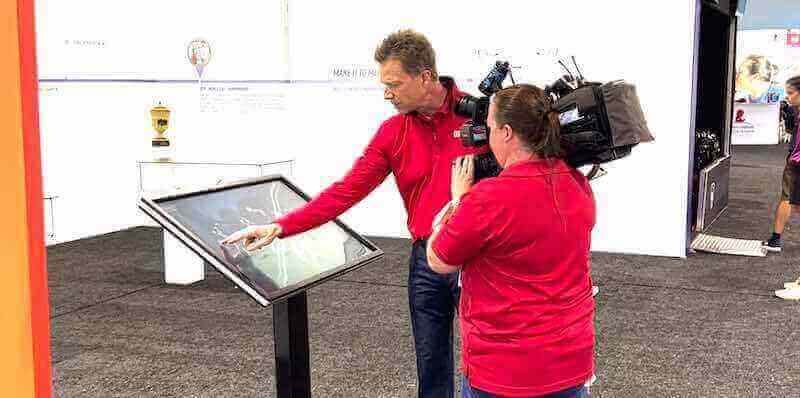
- Freestanding kiosks offer placement flexibility and prominent visibility
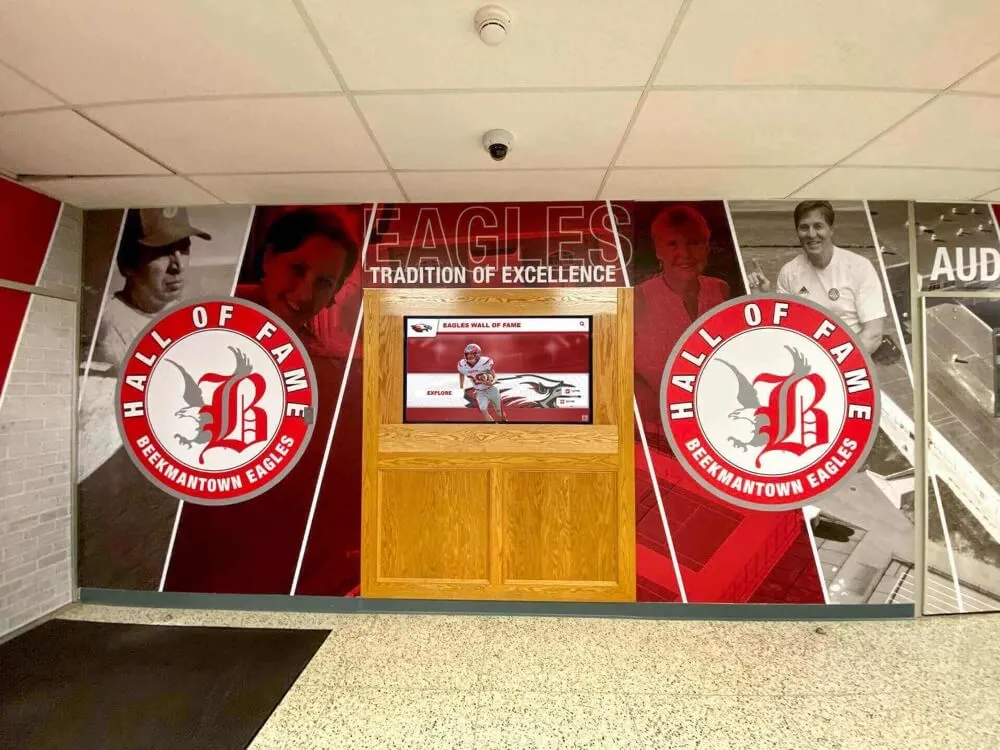
- Custom millwork integration embeds technology seamlessly into architectural environments
- Outdoor-rated enclosures enable recognition displays in exterior locations
Solutions should accommodate power management, network connectivity, and security considerations while maintaining aesthetic appeal that reflects your community’s character.

Computer Modules and Media Players
The computing hardware driving your display processes content and manages user interactions:
- Dedicated media players (Intel NUC, Raspberry Pi, commercial digital signage players)
- All-in-one touchscreen computers with integrated computing and display
- Cloud-based rendering minimizing local hardware requirements
- Backup systems ensuring continuous operation
Selection depends on content complexity, software requirements, and budget considerations.
Software Platforms: The Intelligence Layer
Software transforms hardware into engaging, manageable recognition experiences. The right platform makes the difference between a static digital poster and a dynamic community showcase.
Cloud-Based Content Management Systems
Modern recognition platforms operate through cloud-based systems providing:
- Remote administration enabling updates from any internet-connected device
- Multi-user access with role-based permissions for different administrators
- Automatic backups protecting valuable content
- Scheduled publishing automating content rotation and updates
- Version control tracking changes and enabling rollback if needed
- Template libraries ensuring consistent, professional presentation
Leading solutions like Rocket Alumni Solutions specialize in recognition-focused platforms with interfaces designed specifically for honoring achievements rather than generic digital signage.
Interactive User Interfaces
The public-facing interface determines how community members experience your showcase:
- Intuitive navigation enabling users of all ages and technical abilities to explore content
- Search and filtering helping visitors find specific individuals or achievement categories
- Responsive design adapting seamlessly to different screen sizes and orientations
- Accessibility features serving visitors with visual, motor, or cognitive disabilities
- Engagement analytics tracking which content resonates most with audiences
Best-in-class interfaces feel natural to use, require no instructions, and invite exploration through clear visual hierarchies and familiar interaction patterns.

Multimedia Content Support
Compelling showcases incorporate diverse content types:
- High-resolution photography presenting honorees professionally
- Video integration including interviews, highlights, and historical footage
- Document display showcasing awards, certificates, and historical records
- Audio content with speeches, musical performances, or oral histories
- Interactive timelines visualizing achievements across decades
- Social media feeds displaying current community engagement
Platforms should handle various media formats smoothly while optimizing file sizes for responsive performance.
Content Creation and Management Tools
Building and maintaining showcase content requires specialized tools for different tasks.
Photo and Video Editing Software
Professional presentation demands quality visual content:
- Adobe Creative Suite (Photoshop, Premiere Pro) for professional-grade editing
- Canva offering accessible design tools for non-designers
- DaVinci Resolve providing free professional video editing
- Mobile apps like Snapseed and InShot for quick edits
Investment in quality imagery and video pays dividends in engagement and perceived value of recognition.
Digital Asset Management Systems
As showcase content grows, organization becomes critical:
- Centralized storage preventing file duplication and version confusion
- Metadata tagging enabling quick content location
- Permission management controlling access to sensitive materials
- Automated workflows streamlining content approval processes
Solutions range from simple cloud storage (Google Drive, Dropbox) to specialized DAM platforms for larger organizations. Schools can benefit from digital asset management systems designed for educational institutions.
Data Collection and Integration Tools
Efficient showcase management often requires pulling information from existing systems:
- Form builders (Google Forms, Typeform) collecting honoree information
- API integrations connecting with alumni databases, student information systems, or CRM platforms
- Spreadsheet tools organizing and formatting bulk data imports
- QR code generators linking physical materials to digital content
Seamless data flow prevents redundant entry and keeps information consistent across platforms.
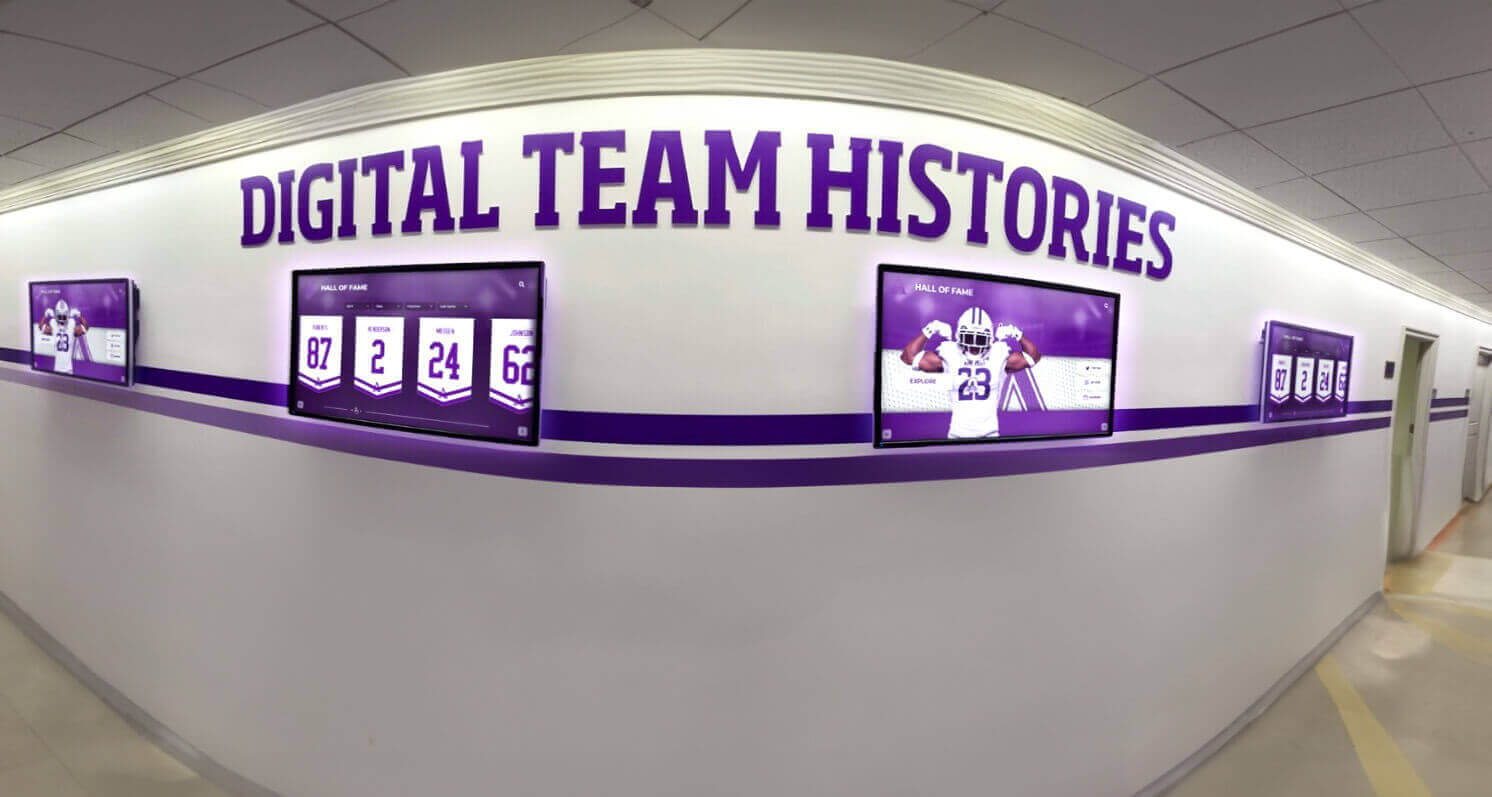
Top Platform Solutions for Community Showcases in 2025
The market offers various solutions for building community showcases, each with distinct strengths and ideal use cases.
Rocket Alumni Solutions: Purpose-Built Recognition Platform
Rocket Alumni Solutions represents a specialized approach to community recognition, offering comprehensive systems designed specifically for honoring achievements across educational institutions, sports organizations, and community groups.
Core Strengths:
- Recognition-focused design with templates and workflows built for honoring achievements
- Unlimited capacity accommodating comprehensive recognition without space constraints
- White-glove implementation including content development, hardware selection, and installation coordination
- Ongoing support ensuring long-term program success
- Web and mobile accessibility extending recognition beyond physical displays
- Proven track record with 1,000+ installations across schools, universities, and organizations
Ideal For: Organizations seeking turnkey solutions with professional support, educational institutions needing alumni and athletic recognition, communities wanting comprehensive platforms without requiring internal technical expertise.
Investment Range: Starting around $12,000 for basic installations up to $75,000+ for comprehensive multi-display systems with extensive content development.
General-Purpose Community Platforms
Several platforms designed primarily for online community building also offer showcase capabilities:
Mighty Networks
Originally focused on online community building, Mighty Networks provides tools for highlighting member achievements, sharing stories, and creating engagement.
- Member profiles with customizable achievement badges
- Content galleries for photos and videos
- Discussion forums and social features
- Mobile apps for on-the-go access
Hivebrite
Popular with alumni associations and professional networks, Hivebrite offers directory features suitable for community showcases.
- Searchable member databases
- Event integration
- Fundraising and donor management
- Analytics and reporting
These platforms excel at online engagement but typically lack the physical touchscreen display components that create on-site interactive experiences.
Digital Signage Platforms Adapted for Recognition
Generic digital signage solutions can be configured for recognition purposes, though they require more customization:
BrightSign, ScreenCloud, and Rise Vision offer content management for screens but need custom design work to function effectively as recognition platforms. They provide flexibility for organizations with in-house design capabilities but require more ongoing management than purpose-built recognition solutions.
Comprehensive Implementation Framework
Building an effective community showcase requires systematic planning and execution across multiple phases.
Phase 1: Strategic Planning and Goal Setting
Define Clear Objectives
Successful showcases begin with clear purpose statements:
- What specific achievements will you recognize?
- Who is your primary audience?
- What outcomes define success (engagement, participation, fundraising)?
- How will the showcase support broader organizational goals?
Identify Stakeholder Requirements
Different groups have varying needs and expectations:
- Leadership may prioritize donor recognition and institutional advancement
- Alumni want easy profile updates and social sharing capabilities
- Current members seek inspiration and role models
- Administrators need manageable systems requiring minimal ongoing effort
Balancing these perspectives ensures the final solution serves the entire community.
Establish Budget Parameters
Comprehensive budgets account for:
- Initial hardware, software, and installation costs ($12,000-$75,000+ depending on scope)
- Content development for historical achievements ($4,000-$15,000)
- Annual software licensing and support ($2,000-$6,000)
- Ongoing content updates and management ($2,000-$8,000 annually)
- Marketing and promotion ($1,000-$3,000)
Organizations should also plan for technology refresh cycles every 5-7 years.
Phase 2: Platform Selection and Procurement
Evaluate Solution Options
Compare platforms across critical dimensions:
- Ease of use for both administrators and public users
- Customization flexibility matching your brand and needs
- Scalability accommodating growth in content and users
- Support quality ensuring you get help when needed
- Total cost of ownership including hidden fees and future expenses
- Track record with organizations similar to yours
Request demonstrations, speak with existing customers, and evaluate multiple options before committing.
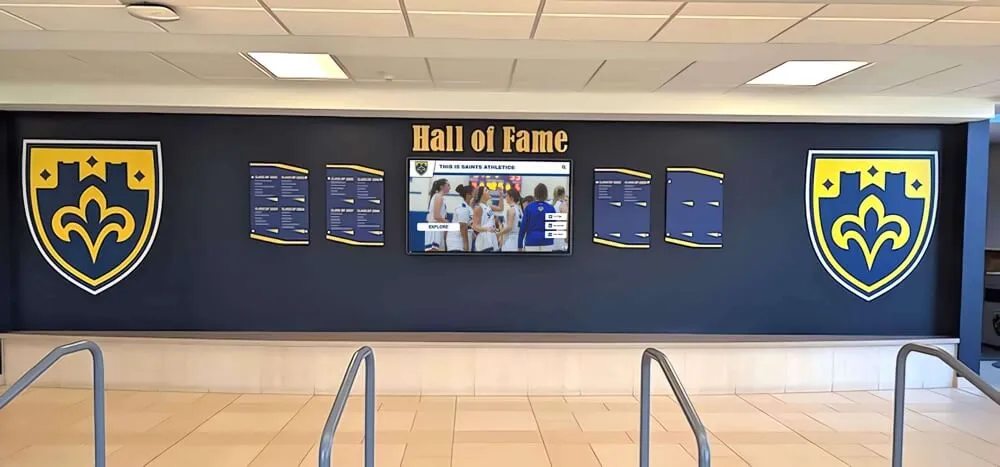
Hardware Specifications
When selecting display hardware, consider:
- Screen size appropriate for viewing distances in your space (43-55" for close viewing, 65-75" for medium distances, 75-86" for large venues)
- Resolution with 4K (3840x2160) becoming standard for quality presentation
- Brightness matching ambient lighting conditions
- Touch technology with PCAP (Projected Capacitive) offering the best user experience
- Mounting options fitting your architectural environment
Professional installers or experienced vendors can guide hardware selection based on your specific space.
Phase 3: Content Development and Organization
Establish Content Standards
Consistent presentation quality requires clear guidelines:
- Photo specifications including resolution, aspect ratio, and quality standards
- Biographical templates ensuring uniform information structure
- Video formats with technical specifications and length guidelines
- Writing style maintaining appropriate tone and voice
- Metadata requirements enabling effective search and organization
Document these standards for current and future content creators.
Historical Content Digitization
Most showcases include historical recognition requiring digitization:
- Physical photo scanning at high resolution (minimum 300dpi, preferably 600dpi)
- Trophy and plaque photography documenting physical recognition items
- Yearbook digitization providing source material for biographical information
- Oral history recording capturing memories from longtime community members
- Archival research filling gaps in achievement records
Organizations can handle digitization internally or work with vendors specializing in content development. Learn more about digitizing historical recognition materials.
Content Organization Systems
Logical organization enables effective navigation:
- Category hierarchies grouping similar achievements
- Chronological organization browsing by year or era
- Metadata tagging supporting advanced search
- Relationship mapping showing connections between honorees
- Featured content highlighting current priorities
Well-organized content dramatically improves user experience and engagement.
Phase 4: Installation and Technical Implementation
Physical Installation
Professional installation ensures safety and optimal performance:
- Structural assessment confirming walls can support display weight
- Electrical infrastructure providing adequate power with clean circuits
- Network connectivity ensuring sufficient bandwidth for content delivery
- Cable management creating clean, professional appearance
- Accessibility compliance meeting ADA requirements for mounting heights and approach space
Most comprehensive platform providers include installation coordination or can recommend experienced installers familiar with recognition displays.
Software Configuration
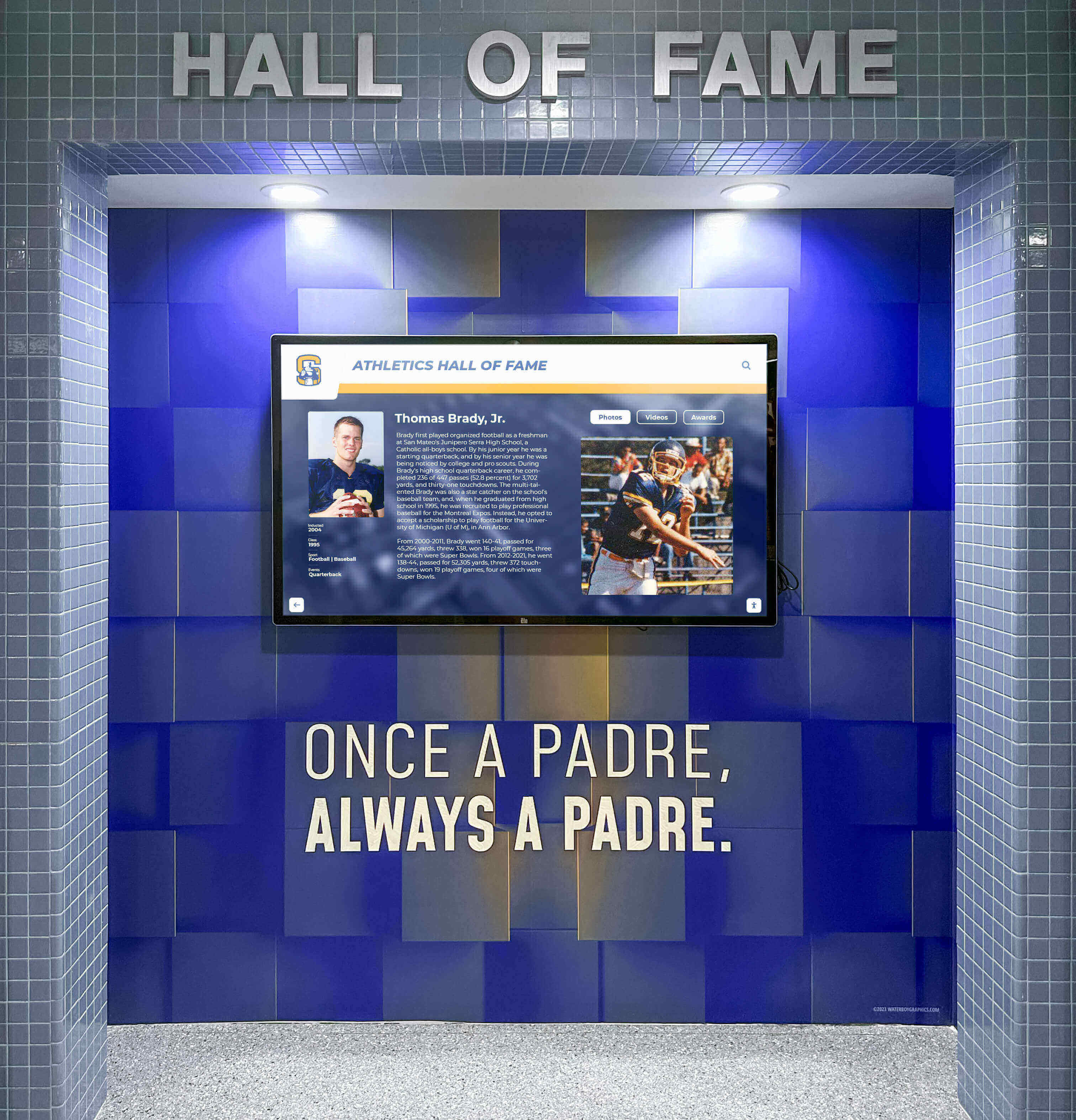
Technical setup involves:
- Administrator account creation with appropriate access levels
- Template customization matching organizational branding
- Content upload populating initial recognition profiles
- Navigation structure defining menu organization and pathways
- Display settings configuring timeout periods, attractors, and defaults
- Analytics setup enabling usage tracking
Quality platforms provide implementation support during this critical phase.
Phase 5: Launch and Promotion
Ceremonial Launch Events
Creating awareness requires strategic promotion:
- Ribbon cutting ceremonies with community leaders and inaugural honorees
- Media coverage through press releases and journalist invitations
- Social media campaigns building anticipation before and excitement after launch
- Direct outreach to honored individuals and their networks
- Website integration embedding showcase content on organizational sites
- Email announcements informing community members about new resource
Successful launches generate momentum that carries forward into sustained engagement.
Training and Onboarding
Ensure key stakeholders can use the platform effectively:
- Administrator training covering content updates and system management
- User demonstrations showing community members how to explore content
- Documentation providing written references for common tasks
- Ongoing support establishing channels for questions and assistance
Most users find modern platforms intuitive, but dedicated training accelerates adoption and confidence.
Best Practices for Engaging Community Showcases
Experience across hundreds of implementations reveals patterns that distinguish exceptional showcases from merely adequate ones.
Content Quality Standards
Professional Photography
Visual presentation dramatically impacts perceived value:
- Consistent lighting and backgrounds for formal portraits
- High resolution enabling large displays without pixelation
- Action shots capturing subjects engaged in their achievements
- Historical image restoration improving quality of older photographs
- Diversity of imagery showing subjects at different life stages
Investment in photography—either through professional services or quality equipment and training—pays dividends in showcase impact.
Compelling Storytelling
Recognition becomes meaningful through context and narrative:
- Achievement descriptions explaining significance beyond bare facts
- Personal quotes adding subjects’ voices and perspectives
- Impact statements describing lasting influence of contributions
- Historical context positioning achievements within their era
- Connection stories showing relationships between honorees
Move beyond resume-style listings to create emotional resonance with readers. Explore content strategies for digital recognition for more detailed guidance.

Inclusive Recognition Practices
Diverse Achievement Categories
Comprehensive showcases honor various excellence types:
- Academic accomplishments beyond valedictorians and scholars
- Athletic achievements across all sports and participation levels
- Creative contributions in arts, music, theater, and media
- Community service recognizing volunteers and civic leaders
- Professional success celebrating career accomplishments
- Character recognition honoring integrity, kindness, and values
Expanding recognition categories ensures more community members see themselves reflected and valued.
Equitable Selection Processes
Avoid inadvertent bias through:
- Transparent criteria clearly defining recognition standards
- Diverse selection committees representing various community segments
- Proactive outreach seeking nominations from underrepresented groups
- Multiple nomination pathways including peer, self, and organizational nominations
- Regular review of historical patterns identifying gaps
Communities committed to inclusive recognition regularly assess whether honored individuals reflect full community diversity.
Technical Performance Optimization
Responsive Design
Content should adapt seamlessly across devices:
- Touchscreen interactions optimized for various screen sizes
- Mobile optimization enabling smartphone and tablet access
- Load time optimization ensuring responsive performance on slower connections
- Touch target sizing meeting accessibility standards for tap accuracy
- Orientation flexibility working in both portrait and landscape modes
Test your showcase across multiple devices and connection speeds during development.
Accessibility Features
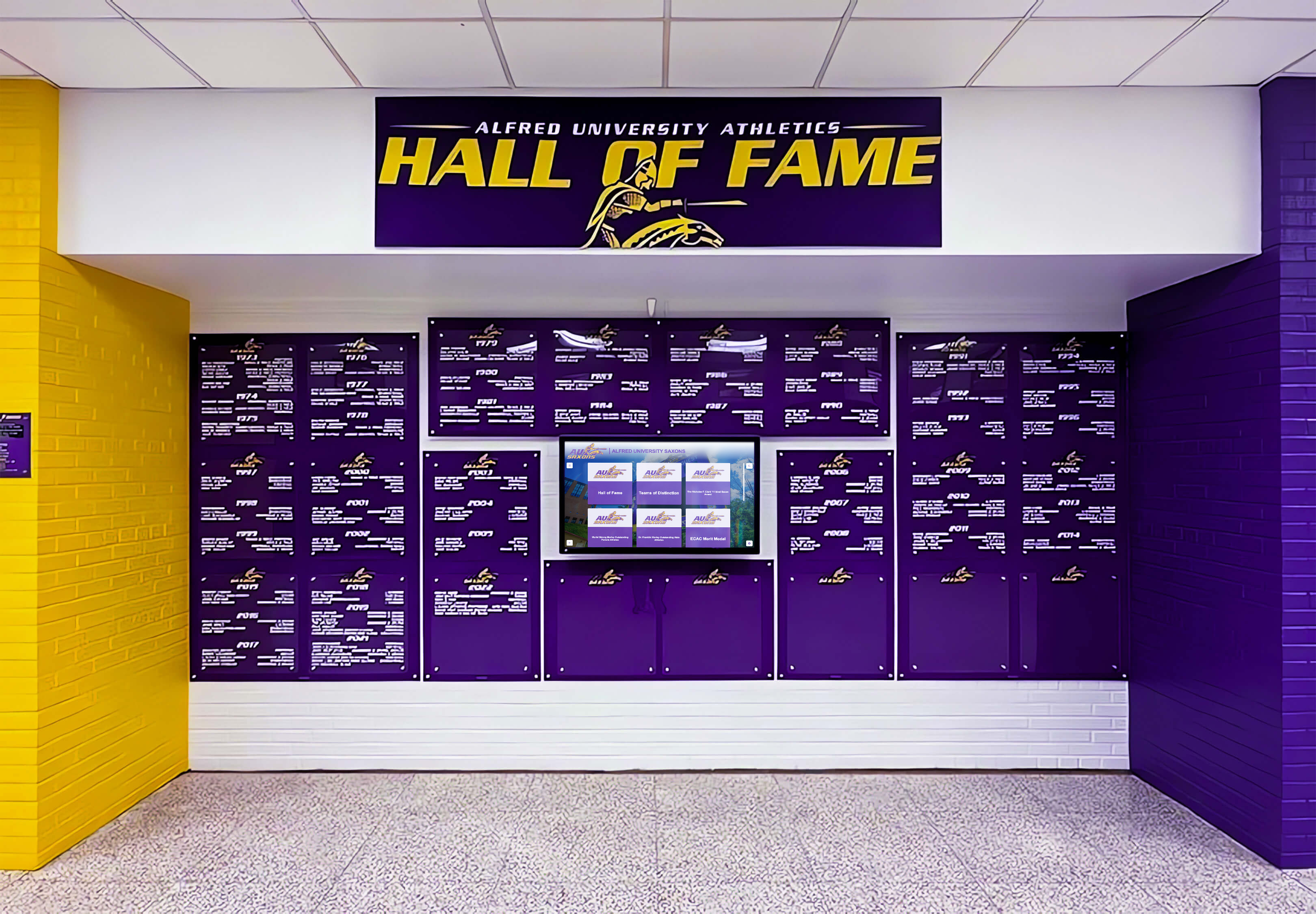
Ensure all community members can engage with content:
- Screen reader compatibility for visually impaired users
- High contrast modes improving visibility for low vision users
- Adjustable text sizes accommodating varying visual acuity
- Captioned video content serving deaf and hard-of-hearing visitors
- Simplified navigation options for users with cognitive disabilities
Comprehensive accessibility in digital recognition benefits everyone while demonstrating organizational commitment to inclusion.
Measuring Success and ROI
Effective community showcases deliver measurable value across multiple dimensions.
Quantitative Metrics
Usage Analytics
Track showcase engagement through:
- Unique visitors and total sessions
- Average session duration indicating engagement depth
- Most-viewed content revealing what resonates with audiences
- Search queries showing what people seek
- Geographic distribution of web visitors
- Return visitor rates measuring sustained interest
Quality platforms include built-in analytics providing these insights.
Participation Indicators
Showcase impact extends beyond direct usage:
- Volunteer participation rates before and after launch
- Nomination submission volumes for new recognitions
- Event attendance at recognition ceremonies
- Donation participation from engaged community members
- Social media engagement with shared content
Research from the Corporation for National and Community Service shows that recognition programs typically correlate with 30-40% increases in volunteer participation.
Qualitative Assessment
Stakeholder Feedback
Gather perspectives through:
- Honoree satisfaction surveys assessing recognition experience
- Administrator interviews evaluating system usability
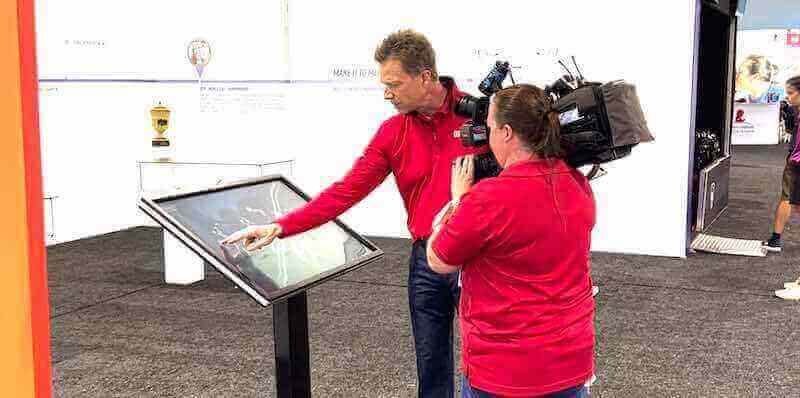
- User observation watching community members interact with displays
- Testimonial collection documenting meaningful impact stories
- Focus groups exploring deeper perceptions and suggestions
Qualitative insights often reveal opportunities for improvement that metrics alone miss.
Community Impact Observations
Look for broader effects:
- Strengthened organizational reputation attracting new members and supporters
- Enhanced pride evident in conversations and communications
- Improved recruitment as quality candidates seek out recognized organizations
- Stronger alumni/member connections evidenced through engagement increases
- Economic benefits for recognized businesses and communities
While harder to quantify, these qualitative impacts often justify showcase investments more compellingly than usage metrics alone.
Overcoming Common Implementation Challenges
Even well-planned showcase projects encounter obstacles. Anticipating common challenges enables proactive solutions.
Limited Budget Constraints
Challenge: Recognition goals exceed available resources.
Solutions:
- Phased implementation starting with core functionality and expanding over time
- Sponsorship programs where businesses or individuals sponsor specific recognition categories
- Grant applications to foundations supporting community engagement or education
- Volunteer content development leveraging community skills to reduce costs
- Leasing options spreading costs over multi-year terms
- Starting with web-only versions before adding physical touchscreen displays
Many organizations begin modestly and expand as they demonstrate value and build support.
Content Development Capacity
Challenge: Creating hundreds or thousands of quality profiles feels overwhelming.
Solutions:
- Prioritized rollout launching with recent honorees and gradually adding historical content
- User-contributed content enabling community members to submit their information
- Student/intern projects engaging students in historical research and profile creation
- Professional content services investing in vendor support for initial population
- Template efficiency using consistent formats accelerating profile creation
- Batch processing tools streamlining repetitive tasks
Remember that showcases are living platforms—they don’t need 100% completion before launching.
Technical Expertise Gaps
Challenge: Limited in-house technical capabilities to manage showcase systems.
Solutions:
- Managed service options where vendors handle technical administration
- User-friendly platforms requiring minimal technical knowledge for routine updates
- Comprehensive training programs building internal capability
- External consultant relationships providing on-call support as needed
- Detailed documentation enabling staff to handle common tasks independently
- Community forums connecting administrators across organizations for peer support
Purpose-built recognition platforms like Rocket Alumni Solutions design interfaces specifically for non-technical users, making showcase management accessible to typical school or organization staff.
Sustaining Long-Term Momentum
Challenge: Initial enthusiasm fades, leading to stale content and declining engagement.
Solutions:
- Annual recognition cycles creating regular content refresh schedules
- Administrative ownership assigning clear responsibility preventing neglect
- Integration with existing programs tying showcase updates to recurring events
- Automated content rotation keeping displays fresh even without constant management
- Anniversary campaigns celebrating milestone anniversaries of past honorees
- Success metrics tracking impact to maintain stakeholder support and investment
Build showcase maintenance into regular organizational rhythms rather than treating it as a separate initiative.
Future Trends in Community Showcase Technology
Understanding emerging trends helps organizations implement showcases that remain relevant and effective.
Artificial Intelligence Integration
Automated Content Enhancement
AI tools increasingly support showcase management:
- Photo enhancement automatically improving historical image quality
- Content generation drafting initial profile text from structured data
- Intelligent search using natural language understanding for queries
- Personalization engines recommending content based on visitor interests
- Translation services making content accessible in multiple languages
- Accessibility optimization automatically generating alt text and captions
While human judgment remains essential, AI assistance reduces administrative burden and enhances capability.
Predictive Analytics
Machine learning helps optimize showcase performance:
- Content performance prediction suggesting which profiles might generate high engagement
- Optimal update timing identifying when content refreshes drive maximum impact
- Nomination pattern analysis revealing systematic gaps in recognition
- Engagement forecasting projecting future usage patterns
- Maintenance predictions identifying potential technical issues before failures
These capabilities help administrators work smarter, not just harder.
Extended Reality Experiences
Augmented Reality Enhancements
AR technology adds digital layers to physical environments:
- Mobile AR experiences overlaying additional content when smartphones point at displays
- Historical environment recreation showing past contexts for achievements
- Interactive 3D models of trophies, facilities, or historical artifacts
- Way-finding integration guiding visitors to related physical locations
- Gamification elements encouraging exploration through AR scavenger hunts
Early adopters experiment with AR, though mainstream adoption awaits more accessible development tools and broader smartphone AR capability.
Virtual Reality Access
VR enables remote community members to experience showcases:
- Virtual facility tours showcasing recognition displays in context
- Immersive induction ceremonies allowing global participation in recognition events
- Historical environment experiences transporting users to past eras
- Interactive social spaces where distant community members gather virtually
While VR represents future potential more than current mainstream practice, decreasing hardware costs and improving technology gradually expand accessibility.
Enhanced Social Integration
Seamless Social Sharing
Future showcases deeply integrate with social platforms:
- One-click social sharing of personal recognitions and discoveries
- Automated anniversary posts celebrating milestone years for honorees
- User-generated content aggregation collecting community stories and memories
- Social authentication enabling personalized experiences for logged-in users
- Engagement gamification rewarding active participation and sharing
Social integration amplifies showcase reach far beyond physical and website visitors.

Conclusion: Building Showcases That Strengthen Communities
The tools to build community showcase platforms in 2025 offer unprecedented opportunities to honor achievements, inspire excellence, and strengthen the bonds that transform groups of individuals into cohesive communities. From purpose-built recognition platforms like Rocket Alumni Solutions to adaptable hardware and software components, organizations of all sizes and budgets can create meaningful recognition experiences.
Keys to Community Showcase Success:
- Start with clear purpose defining what you want to accomplish and how success will be measured
- Prioritize user experience ensuring both administrators and community members find the system intuitive
- Invest in quality content recognizing that compelling stories and professional presentation drive engagement
- Plan for sustainability building processes and support structures ensuring long-term success
- Embrace inclusive practices ensuring diverse achievements and contributors receive recognition
- Measure and iterate continuously improving based on usage data and stakeholder feedback
The most successful community showcases view technology as an enabler of human connection rather than a replacement for authentic relationships. Digital platforms extend reach, reduce barriers, and enhance engagement—but the fundamental purpose remains honoring real people for genuine accomplishments that strengthen communities.
Whether you’re just beginning to explore showcase options or looking to modernize existing recognition programs, the comprehensive toolset available in 2025 provides solutions for every need and budget. The question isn’t whether your community can build an effective showcase, but rather which combination of tools and approaches best serves your unique circumstances and goals.
Ready to Build Your Community Showcase?
Discover how Rocket Alumni Solutions can help you create a comprehensive recognition platform that celebrates achievements, strengthens engagement, and builds lasting community pride.
Explore Recognition SolutionsYour community’s achievements deserve celebration in formats that do them justice. Modern showcase tools provide the capacity, flexibility, and engagement capabilities that traditional methods cannot match. By selecting appropriate platforms, developing quality content, implementing with care, and managing for long-term success, you create recognition experiences that inspire current members while preserving legacies for future generations.
For additional guidance on specific aspects of community recognition, explore resources on creating halls of fame, community honors displays, interactive recognition solutions, and best platforms for building virtual recognition programs. Each offers detailed insights helping you make informed decisions about the tools and approaches that will serve your community best.
The journey from concept to launched showcase requires planning, investment, and commitment—but the result transforms how your community connects with its heritage, celebrates its achievements, and inspires its future. Start exploring your options today, and take the first step toward recognition that truly matters.































