Schools across the country face a teacher retention crisis. More than 300,000 teaching positions remain vacant nationwide, and research shows that 20% of teachers leave the profession within their first three years. The cost of replacing a single teacher approaches $20,000 when factoring in recruitment, hiring, and training expenses. Meanwhile, 44% of educators report feeling burned out always or very often, according to recent workforce surveys.
Touch boards for teacher appreciation represent a powerful response to this crisis. These interactive digital recognition systems transform how schools celebrate educators, creating permanent, searchable, and continuously engaging displays that demonstrate institutional commitment to faculty appreciation. Unlike static plaques that quickly become invisible or bulletin boards limited by physical space, touch board systems provide dynamic platforms where students, parents, alumni, and community members actively explore teacher profiles, achievements, and contributions to the school community.
This comprehensive guide walks through everything schools need to know about implementing touch board recognition systems—from technical requirements and content strategies to measuring impact and sustaining long-term engagement.
The question facing school administrators is not whether teachers deserve recognition—the value of appreciation is clear. The challenge lies in creating recognition systems substantial enough to influence retention decisions, visible enough to shape school culture, and sustainable enough to remain effective year after year. Touch board technology addresses these requirements in ways traditional methods cannot.

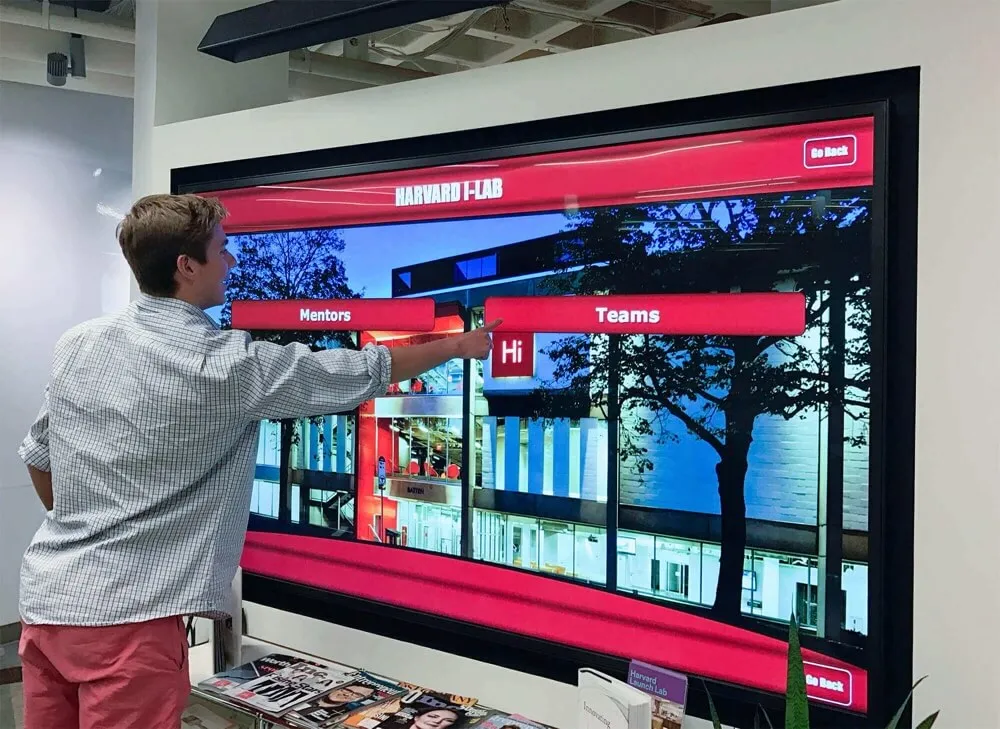
Touch boards transform teacher appreciation from static displays into interactive exploration experiences
Why Digital Recognition Matters for Teacher Retention
Teacher appreciation extends far beyond making educators feel valued—strategic recognition directly influences retention, recruitment, and institutional culture.
Research-Based Benefits of Teacher Recognition
Educational workforce research demonstrates the connection between recognition and retention:
Retention Impact
According to data from the National Center for Education Statistics, teachers who report feeling valued by their administration show 40% higher retention rates than those who feel underappreciated. Recognition programs create visible evidence of institutional values, signaling to current teachers that their work matters beyond annual performance reviews.
Recognition becomes particularly critical during the first three years when teachers decide whether to remain in education long-term. New teachers navigating classroom management challenges, curriculum development, and professional relationship building need concrete signs that their efforts are noticed and appreciated.
Recruitment Advantages
Schools implementing comprehensive teacher recognition gain competitive advantages in tight labor markets. Prospective teachers evaluating multiple offers consider workplace culture alongside salary and benefits. Visible recognition systems demonstrate institutional commitment to faculty appreciation in ways that verbal assurances during interviews cannot match.
During campus tours, recognition displays create talking points that differentiate schools from competitors. Candidates see evidence that the institution invests in celebrating teachers, not just managing them.
School Culture Development
Recognition programs shape broader organizational culture:
Student Impact
When schools publicly celebrate teacher excellence, students learn to appreciate educators. Touch boards create opportunities for students to discover teacher backgrounds, credentials, achievements, and contributions beyond what they observe in individual classrooms.
Students exploring recognition displays develop deeper understanding of teaching as a profession and begin recognizing the expertise required for effective instruction. This cultural shift reduces classroom behavior issues and increases student engagement.

Interactive displays create natural opportunities for students to explore teacher achievements
Community Perception
Recognition displays communicate institutional priorities to parents, alumni, and community members. When visitors encounter professional, comprehensive teacher recognition systems, they form positive impressions about school quality and culture.
This perception influences enrollment decisions for prospective families, alumni giving patterns, and community support for school initiatives and funding requests.
Learn more about comprehensive teacher appreciation hall of fame approaches that create lasting cultural impact.
Traditional Recognition Methods vs. Touch Board Systems
Understanding limitations of conventional approaches clarifies the value proposition of digital recognition technology.
Conventional Teacher Recognition Approaches
Traditional recognition typically includes:
Physical Plaques and Trophy Cases
Schools have long recognized teachers through engraved plaques mounted in hallways or displayed in trophy cases:
- Initial installation costs: $75-300 per plaque
- Space constraints forcing removal of older recognition to accommodate new honorees
- Static nature preventing updates when teachers earn new achievements
- Limited information capacity restricting recognition to names and years
- Maintenance challenges as plaques deteriorate or become dated
- Zero interactivity—passive viewing only
- No search functionality for visitors seeking specific teachers
Teacher of the Month Bulletin Boards
Many schools maintain bulletin boards featuring monthly teacher recognition:
- Manual updates requiring staff time each month
- Limited visibility restricted to board location
- Ephemeral nature—recognition disappears when new teacher is featured
- Space constraints limiting information depth
- No permanent archive of past recognition
- Difficult for community members who visit infrequently to engage
Annual Recognition Events
Ceremony-based recognition creates meaningful moments but faces limitations:
- One-time events providing temporary appreciation
- Limited audience—only attendees benefit from recognition
- No ongoing visibility after event concludes
- Expensive to plan, coordinate, and execute
- Scheduling challenges preventing many stakeholders from attending

Touch boards provide permanent, searchable, and continuously accessible teacher recognition
Touch Board Advantages
Digital recognition systems address traditional limitations comprehensively:
Unlimited Recognition Capacity
Touch boards eliminate space constraints:
- Single display accommodates unlimited teacher profiles
- No need to remove historical recognition to add current honorees
- Comprehensive archives preserve institutional memory permanently
- Equal space allocation regardless of tenure or role
- Ability to recognize entire faculty rather than selecting limited honorees
Rich Multimedia Content
Digital platforms support content types impossible with physical recognition:
- High-resolution photographs showing teachers in action
- Video profiles capturing personality and teaching philosophy
- Student testimonial videos demonstrating impact
- Achievement timelines documenting career progression
- Subject-specific accomplishments and credentials
- Professional development milestones and certifications
- Personal background information humanizing educators
Schools report that multimedia profiles create emotional connections impossible with names and dates alone.
Interactive Exploration Features
Touch boards transform passive viewing into active engagement:
- Search functionality enabling visitors to find specific teachers instantly
- Filtering by subject area, grade level, years of service, or other criteria
- Related content recommendations connecting colleagues and departments
- Social sharing capabilities extending recognition beyond campus
- Analytics tracking which profiles generate most interest
- Accessibility features including text size adjustment and audio descriptions
Interactivity increases average viewing time from seconds (typical for static displays) to multiple minutes as visitors explore connected content.
Simple Content Management
Cloud-based management eliminates physical maintenance:
- Remote updates from any internet-connected device
- No engraving, printing, or physical installation costs for updates
- Immediate publishing without vendor timelines
- Form-based entry requiring no technical skills
- Scheduled publishing automating recognition timing
- Batch processing accelerating historical content addition
- Automatic backups preventing content loss
Administrators report 80-90% reduction in time spent maintaining recognition displays after transitioning to digital systems.
Explore comprehensive digital teacher recognition approaches that maximize appreciation impact.
Technical Requirements for Touch Board Installation
Successful implementation begins with understanding infrastructure needs and technical specifications.
Hardware Specifications
Touch board systems require specific equipment:
Commercial-Grade Touchscreen Displays
Educational environments demand durable equipment:
- Screen sizes: 43-86 inches (most schools install 55-65 inch displays)
- Resolution: Minimum 1920x1080 (Full HD), ideally 4K for larger screens
- Touch technology: Capacitive touchscreens supporting multi-touch gestures
- Operating hours: Displays rated for 16-24 hours daily operation
- Brightness: 350-500 nits for typical indoor environments
- Viewing angle: 178 degrees horizontal and vertical
- Response time: Under 8ms to prevent lag during interaction
- Tempered glass protection preventing screen damage from contact
Commercial displays designed for 24/7 operation cost $2,000-8,000 depending on size and features. Consumer televisions lack durability for constant institutional use and fail quickly in high-traffic environments.
Mounting and Installation Hardware
Proper installation ensures security and accessibility:
- Fixed wall mounts or freestanding kiosks depending on location
- ADA-compliant height positioning (center screen at 48-54 inches)
- Cable management concealing power and network connections
- Security hardware preventing theft or tampering
- Protective enclosures for high-traffic areas where accidental contact occurs
- Adjustable angle brackets optimizing viewing from typical approach vectors
Installation typically costs $500-2,000 per display depending on mounting complexity, electrical requirements, and location accessibility.

Proper mounting creates accessible, secure, and professional recognition displays
Network and Power Infrastructure
Touch boards require reliable connectivity:
Network Requirements
- Ethernet connection (strongly preferred) or WiFi with enterprise-grade access points
- Minimum bandwidth: 10 Mbps dedicated or 50 Mbps shared
- Static IP address assignment for enterprise management
- Network ports accessible at display location
- Firewall configuration allowing content management system access
- VLAN segmentation if required by IT security policies
Schools with inadequate network infrastructure at ideal display locations may need networking upgrades costing $500-3,000 per location.
Electrical Requirements
- Dedicated 120V outlet within 6 feet of display location
- Surge protection preventing damage from power fluctuations
- Adequate circuit capacity for continuous operation
- GFCI protection if required by local electrical codes
- Emergency power coordination if displays remain active during power events
Most locations have adequate power infrastructure, but some installations require electrical work costing $200-1,500 depending on complexity.
Software and Content Management Systems
Backend platforms determine administrator experience and capabilities:
Essential Software Features
Quality touch board software provides:
- Web-based administration accessible from any device
- Intuitive content editor requiring no coding or technical expertise
- Media library management for photos, videos, and documents
- Template systems maintaining consistent visual design
- User role management controlling edit and publish permissions
- Scheduled publishing automating content updates
- Search engine optimization ensuring web accessibility
- Analytics dashboards tracking engagement metrics
- Mobile responsiveness displaying content across devices
- Accessibility compliance meeting ADA requirements
Solutions like Rocket Alumni Solutions specialize in educational recognition, providing platforms designed specifically for how schools organize and present teacher appreciation.
Integration Capabilities
Advanced systems connect with existing school technology:
- Student information systems (PowerSchool, Infinite Campus, Skyward)
- Human resource management systems for staff data
- Single sign-on integration simplifying administrator access
- Calendar systems coordinating recognition with school events
- Email platforms automating appreciation notifications
- Social media tools extending recognition reach
- Website content management systems embedding recognition displays
Integration eliminates duplicate data entry while ensuring accurate, current information appears in recognition displays.
Learn about comprehensive touchscreen software solutions designed for educational environments.
Strategic Display Placement and Installation Planning
Location decisions significantly impact recognition effectiveness and community engagement.
High-Traffic Location Selection
Touch boards generate maximum impact in strategic positions:
Main Entrance and Lobby Areas
Primary entrances create universal visibility:
- Every visitor encounters recognition immediately upon arrival
- Parents attending conferences, performances, and meetings engage naturally
- Students pass displays multiple times daily during transitions
- Prospective families touring campus experience teacher appreciation firsthand
- Alumni and community members visiting for events discover current faculty
- Centralized locations accommodate larger displays with comprehensive content
Main entrance installations typically receive 500-2,000 daily views depending on school size and traffic patterns.
Faculty Lounges and Workrooms
Teacher areas create peer recognition opportunities:
- Educators discover colleague achievements during breaks
- Recognition builds faculty community and mutual appreciation
- New teachers learn about department expertise and credentials
- Displays demonstrate institutional commitment in teachers-only spaces
- Professional development conversations emerge from profile exploration
While fewer total viewers than public locations, faculty-specific installations create important internal culture development.
Location selection determines how frequently stakeholders engage with teacher recognition
Administrative Offices
Office areas reach parent and community visitors:
- Parents registering students or attending meetings encounter recognition
- District administrators visiting campus observe faculty appreciation
- Job candidates interviewing for positions see institutional values
- Limited student traffic reduces accidental damage risk
- Professional environment suits comprehensive career profile exploration
Administrative installations typically receive 50-300 weekly views but reach particularly important audiences.
Multi-Location Deployment Strategies
Large schools benefit from coordinated multi-display systems:
Phased Rollout Approaches
Strategic implementation manages budgets and complexity:
Phase 1: Single high-visibility installation (main entrance or lobby) demonstrating value and building momentum
Phase 2: Subject-specific displays in departmental areas (science wing, arts building, athletic facilities) creating specialized recognition
Phase 3: Comprehensive campus coverage with displays in every major building and facility
Phased approaches spread investment across multiple budget cycles while maintaining continuous progress. Schools report that successful initial installations build stakeholder support for expanded deployment.
Content Synchronization
Multiple displays require coordinated content:
- Centralized management updating all displays simultaneously
- Location-specific filtering showing relevant faculty subsets
- Consistent branding and design across all installations
- Department-specific highlight rotations on area displays
- Network architecture supporting multiple concurrent displays
Quality recognition platforms manage unlimited displays from single content databases, ensuring consistency while enabling location-specific customization.
Developing Comprehensive Teacher Profile Content
Recognition effectiveness depends on profile depth and quality.
Essential Profile Components
Complete teacher profiles include multiple information categories:
Professional Background
Foundation information establishing credentials:
- Full name and preferred name/nickname
- Current teaching assignments and subject areas
- Education credentials (degrees, institutions, graduation years)
- Teaching certifications and licensure
- Years of service at current school and total teaching experience
- Previous teaching positions and career progression
- Professional association memberships and leadership roles
Comprehensive credentials demonstrate teacher expertise, helping students, parents, and community members appreciate the qualifications educators bring to their roles.
Teaching Philosophy and Approach
Personal statements humanizing educators:
- Brief teaching philosophy explaining educational values
- Preferred instructional methods and classroom approaches
- Student learning goals and expectations
- What inspires passion for teaching and subject matter
- Advice for students or parents
- Career motivations and defining teaching moments
Philosophy content transforms teachers from names to individuals with distinct perspectives, values, and personalities.

Rich content creates emotional connections impossible with basic biographical data
Achievements and Recognition
Documenting professional accomplishments:
- Awards and honors received throughout career
- Published research, articles, or curriculum materials
- Conference presentations and professional leadership
- New teaching methods or program development
- Student achievement records and success stories
- Academic recognition program involvement
- Community engagement and volunteer leadership
- Continuing education and professional development
- Grant awards and special projects
Achievement documentation demonstrates ongoing growth, expertise development, and contributions extending beyond classroom teaching.
Personal Interests and Background
Humanizing information building connections:
- Hobbies and interests outside teaching
- Family information teachers wish to share
- Hometown and educational background
- Favorite books, quotes, or teaching resources
- Fun facts or surprising information
- Connections to school community (alumni status, family relationships)
Personal content helps students discover shared interests with teachers, building relationships that improve classroom engagement and student connection.
Multimedia Integration Strategies
Visual and audio content creates engagement beyond text:
Professional Photography
High-quality images establish recognition impact:
- Formal portraits in consistent style across faculty
- Action shots showing teachers engaged with students
- Classroom environment photos demonstrating teaching in context
- Department or team photos highlighting collaboration
- Event photos capturing special moments and celebrations
- Historical photos showing career progression over time
Schools typically schedule professional photography sessions capturing entire faculty with consistent lighting, backgrounds, and composition. Investment in quality photography signals that recognition matters and teachers deserve professional presentation.
Video Content
Video profiles create deeper engagement:
- 60-90 second introduction videos where teachers introduce themselves
- Teaching philosophy explanations in educators’ own voices
- Classroom footage demonstrating instructional approaches
- Student testimonial compilations showing teacher impact
- Alumni reflections years after graduation
- Retirement tribute videos honoring career contributions
Video production requires more investment than photography but generates significantly higher engagement. Visitors spend 3-5x longer viewing video profiles compared to text-only content.
Student Testimonials
Student voice adds authenticity to recognition:
- Written testimonials describing specific teacher impact
- Video testimonials capturing emotional appreciation
- Class project displays showing learning outcomes
- Alumni updates crediting teachers with career influence
- Artwork, writing, or projects inspired by teacher instruction
Student testimonials provide evidence of teaching effectiveness beyond awards or credentials, demonstrating real-world impact on individual learners.
Explore comprehensive staff recognition display strategies that maximize appreciation impact.
Interactive Features That Engage School Communities
Touch board technology enables participation beyond passive viewing.
Search and Discovery Functions
Intuitive navigation encourages exploration:
Keyword Search Capabilities
Visitors find specific teachers through:
- Name search with auto-complete suggestions
- Subject area filtering (mathematics, science, arts, languages)
- Grade level or department organization
- Years of service ranges
- Award or recognition category
- Credential or certification type
- Fuzzy matching accommodating spelling variations
Search functionality becomes essential as faculty numbers grow. Schools with 50+ teachers require robust search preventing frustration when visitors seek specific individuals.
Browse and Filter Options
Alternative exploration pathways:
- Alphabetical directory browsing
- Department or subject area grouping
- Tenure-based organization (newest to longest-serving)
- Featured teacher rotations highlighting monthly spotlights
- “On this day” historical recognition showing teachers hired or honored on current date
- Random discovery encouraging serendipitous exploration
- Related teacher suggestions connecting colleagues who collaborate
Multiple navigation options accommodate different user preferences and exploration goals.

Search and filtering capabilities transform recognition into discovery experiences
Social Sharing and Community Engagement
Digital recognition extends beyond physical displays:
Social Media Integration
Recognition reaches broader audiences through:
- Share buttons enabling parents to post teacher profiles
- Automated institutional social media posts featuring monthly spotlights
- Hashtag campaigns encouraging community appreciation posts
- QR codes on display linking to shareable web profiles
- Email sharing sending recognition profiles to family and friends
- Embedding capabilities placing recognition widgets on school websites
Social sharing multiplies recognition impact exponentially. Each teacher profile shared reaches 100-500 additional community members through personal networks.
Community Contribution Features
Advanced systems enable stakeholder participation:
- Alumni submission forms requesting teacher impact stories
- Parent appreciation message boards attached to teacher profiles
- Student testimonial upload portals accepting videos and text
- Moderated comment systems allowing community appreciation
- Vote or nomination functions for teacher of the month selection
- Crowdsourced photo galleries accepting community-submitted images
Community contributions distribute content development workload while increasing stakeholder investment in recognition programs.
Analytics and Engagement Tracking
Data informs continuous improvement:
- Total interaction counts tracking daily, weekly, and monthly usage
- Most-viewed teacher profiles identifying community interests
- Average session duration indicating engagement depth
- Search query analysis revealing what visitors seek
- Peak usage times informing content publishing schedules
- Geographic data showing where web viewers access recognition
- Referral sources identifying how visitors discover displays
Analytics demonstrate recognition program value through concrete engagement metrics, supporting continued investment and expansion.
Learn about digital hall of fame approaches that maximize community engagement.
Implementation Timeline and Launch Strategy
Successful deployment requires systematic planning and phased execution.
Pre-Implementation Planning Phase (Weeks 1-4)
Foundation work sets up successful installation:
Stakeholder Engagement
Building support before technical work begins:
- Administrative team alignment on recognition goals and scope
- Faculty input sessions gathering teacher preferences and concerns
- IT department coordination ensuring network and security requirements
- Facilities management involvement for installation planning
- Budget approval and funding source identification
- Student government or leadership class involvement for content development
- Parent organization notification and involvement opportunities
Early stakeholder engagement prevents implementation obstacles and builds ownership across school community.
Technical Assessment
Infrastructure evaluation identifies requirements:
- Site surveys determining optimal display locations
- Network capacity testing ensuring adequate bandwidth
- Power availability verification at proposed locations
- Mounting surface evaluation (wall construction, load capacity)
- Accessibility compliance review for ADA requirements
- Security considerations preventing theft or vandalism
- Budget refinement based on actual site conditions
Thorough technical assessment prevents surprises during installation that delay timelines or increase costs.
Content Planning
Preparation for profile development:
- Faculty information collection form design and distribution
- Photography session scheduling for professional portraits
- Video production planning if creating video profiles
- Student testimonial collection process development
- Historical content identification (awards, milestones, photos)
- Writing team assignment for profile narratives
- Content approval workflow establishment
Content planning ensures profile development proceeds efficiently once systems are operational.
Installation and Configuration Phase (Weeks 5-8)
Technical deployment brings systems online:
Hardware Installation
Physical setup including:
- Display delivery and unpacking
- Mounting hardware installation
- Screen mounting and secure attachment
- Network cable installation or WiFi configuration
- Power connection and surge protection
- Cable management and finishing work
- Protective enclosure installation if needed
- System testing and quality assurance
Professional installation typically requires 1-2 days per location depending on complexity. Schools attempting DIY installation often encounter problems with mounting security, network configuration, or finishing quality.
Software Configuration
Backend system setup:
- Content management system account creation
- Template customization matching school branding
- User account creation for administrators and editors
- Permission structure configuration
- Training for content administrators
- Initial content migration from existing systems
- Search and navigation configuration
- Analytics integration and dashboard setup
Configuration requires 2-4 days for comprehensive systems, longer if complex integrations with existing school systems are required.
Content Development Phase (Weeks 9-16)
Profile creation preparing for launch:
Initial Content Development
Building foundation profiles:
- Current faculty profiles (complete before launch)
- Featured teacher spotlights for launch promotion
- Department overview pages providing context
- School history and recognition program introduction
- Award and recognition category explanations
- How-to guides for visitors using displays

Thorough profile development ensures engaging content at launch
Most schools develop 60-80% of planned content before launch, continuing profile enrichment after systems go live. Attempting 100% completion delays launches indefinitely as content perfectionism prevents deployment.
Quality Assurance Testing
Pre-launch verification:
- Content accuracy review by featured teachers
- Display functionality testing across all features
- Search and navigation verification
- Mobile and web access testing
- Load testing ensuring performance with multiple simultaneous users
- Accessibility testing with screen readers and assistive technology
- Stakeholder preview sessions gathering feedback
Comprehensive testing prevents embarrassing errors or technical problems at launch events.
Launch and Promotion Phase (Weeks 17-20)
Public unveiling maximizes initial engagement:
Launch Event Planning
Celebration creating visibility:
- Ribbon cutting or unveiling ceremony
- Administrator and teacher speakers
- Student performance or presentation
- Media coverage invitation and coordination
- Family and community invitation
- Display demonstration and guided tours
- Refreshments and celebration
Launch events signal institutional commitment while creating promotional content for ongoing marketing.
Promotion and Communication
Multi-channel awareness building:
- Press releases to local media outlets
- Social media campaigns featuring the displays
- Email announcements to families and community
- Website homepage features and banner placement
- Student and staff newsletter articles
- Classroom announcements and promotion
- Signage directing visitors to displays
Sustained promotion ensures stakeholders discover and engage with recognition systems beyond those attending launch events.
Measuring Success and Demonstrating ROI
Recognition programs require assessment demonstrating value and informing improvement.
Quantitative Engagement Metrics
Concrete data showing utilization:
Display Interaction Analytics
Physical touchscreen usage including:
- Total interactions per day, week, and month
- Unique visitors versus return users
- Average session duration (target: 2-4 minutes)
- Profile views per session
- Most-viewed teacher profiles
- Search queries revealing visitor interests
- Peak usage times and patterns
- Bounce rates identifying content problems
Quality recognition platforms provide comprehensive analytics dashboards tracking these metrics automatically.
Web Platform Analytics
Online recognition portal engagement:
- Page views and unique visitors
- Session duration and pages per visit
- Traffic sources (direct, search, social, referral)
- Geographic distribution of viewers
- Device usage (mobile, desktop, tablet percentages)
- Social sharing volume and reach
- Return visitor rates
- Search engine ranking for teacher names
Web analytics demonstrate reach extending far beyond campus, engaging alumni and community members worldwide.
Community Participation Metrics
Stakeholder involvement indicators:
- Number of student testimonials submitted
- Alumni story contributions
- Parent appreciation messages
- Photo and video submissions
- Social media mentions and engagement
- Email sharing volume
- QR code scans from print materials
Participation metrics reveal whether recognition creates two-way engagement or remains one-way broadcasting.
Qualitative Impact Assessment
Perception and culture indicators:
Teacher Satisfaction Surveys
Direct faculty feedback:
- Awareness of recognition program
- Perception of recognition adequacy and fairness
- Appreciation for specific recognition elements
- Suggestions for program improvement
- Influence on job satisfaction and retention intentions
- Comparison to recognition at previous schools
Survey data validates recognition program value from the primary audience perspective.
Administrative Observations
Leadership team assessment:
- Recruitment candidate reactions during campus tours
- Parent comments during conferences and events
- Community feedback from visitors and stakeholders
- Faculty room conversation about recognition
- Student awareness of teacher credentials and achievements
- Media coverage and public relations impact
Qualitative observations reveal cultural shifts that numbers alone cannot capture.
Retention and Recruitment Data
Personnel outcome correlations:
- Teacher retention rates before and after implementation
- Exit interview analysis for departing teachers
- Time-to-fill for open positions
- Applicant pool size and quality changes
- Candidate acceptance rates
- Transfer requests and internal mobility
While recognition programs represent one variable among many influencing these outcomes, positive trends support continued investment in appreciation initiatives.
Explore student recognition measurement approaches applicable to faculty recognition assessment.
Sustaining Long-Term Recognition Program Success
Initial launch excitement fades without strategies for continued engagement.
Content Freshness and Update Schedules
Regular updates maintain interest:
Monthly Update Calendar
Systematic content refreshment:
- Monthly featured teacher spotlights rotating through faculty
- Quarterly achievement updates adding new awards and accomplishments
- Semester profile audits ensuring current information
- Annual photography sessions capturing updated portraits
- New teacher profile development immediately upon hiring
- Departing teacher archive process preserving historical recognition
- Event photo additions from school celebrations and milestones
Scheduled updates prevent displays from becoming static and stale, maintaining the engagement advantage over traditional recognition methods.
Seasonal Recognition Campaigns
Event-aligned appreciation:
- Back-to-school teacher spotlight series in August/September
- Teacher Appreciation Week dedicated content in May
- Holiday season teacher thank-you campaigns
- End-of-year celebration features
- Homecoming alumni teacher reunion content
- Retirement tribute development for departing faculty
- Milestone anniversary recognition (5, 10, 20, 30 years)
Seasonal campaigns create natural content development cycles while connecting recognition to school calendar events.
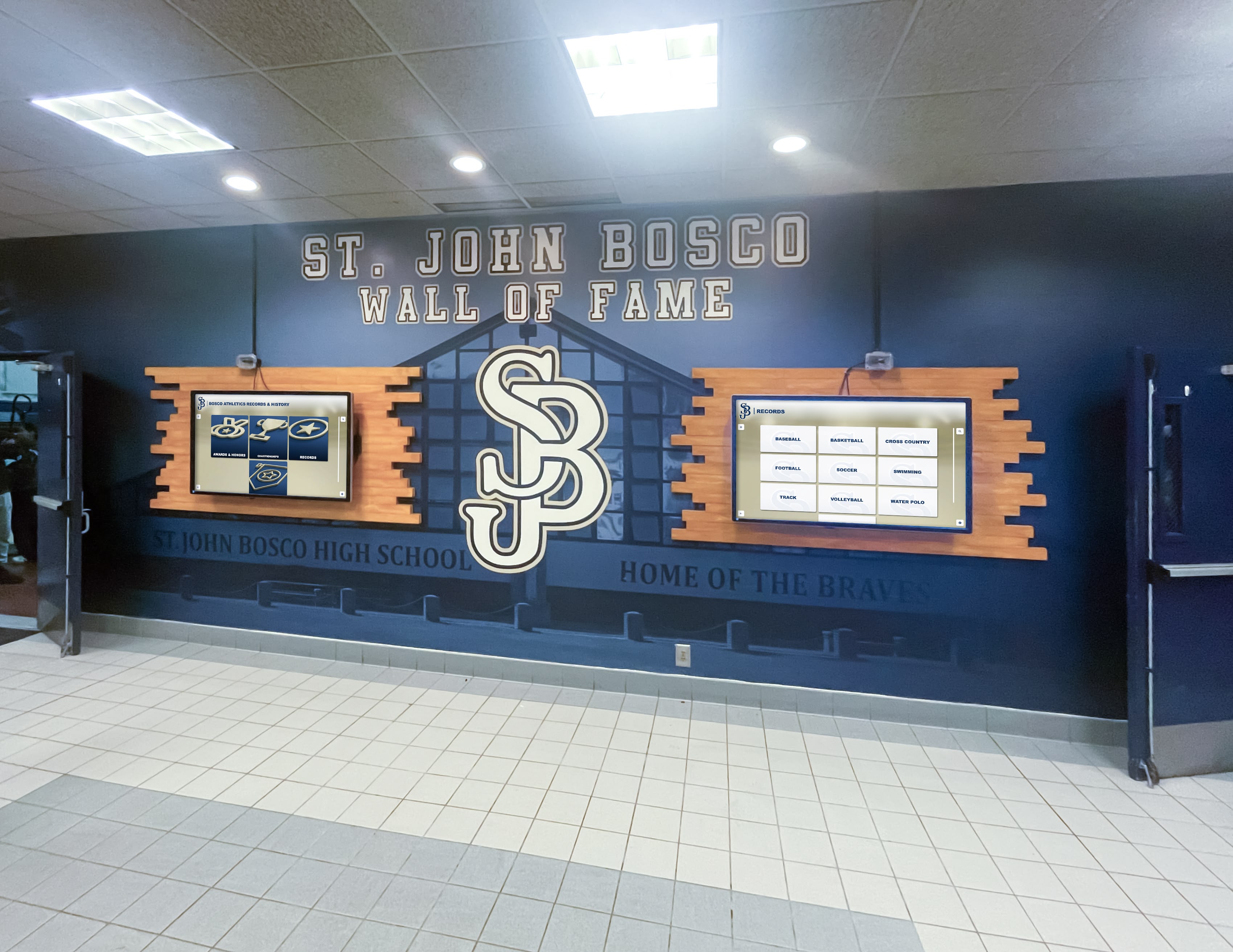
Ongoing content development keeps recognition displays fresh and engaging year after year
Program Evolution and Enhancement
Continuous improvement based on experience:
Feature Expansion
Capability growth over time:
- Additional display installations in new locations
- Expanded multimedia integration (360 video, virtual tours)
- Advanced filtering and personalization features
- Integration with additional school systems
- Mobile app development for on-the-go access
- Augmented reality features for campus tours
- Voice search and accessibility enhancements
Phased feature addition spreads investment while maintaining program momentum and stakeholder interest.
Community Contribution Systems
Expanded participation opportunities:
- Alumni testimonial submission portals
- Student recognition nomination processes
- Parent appreciation message systems
- Peer recognition features for teacher-to-teacher appreciation
- Community voting for teacher of the month selection
- Crowdsourced historical content from former students
- Partnership with local businesses for teacher appreciation sponsorships
Increased community involvement distributes content development workload while deepening stakeholder investment in recognition programs.
Budget Sustainability
Long-term financial planning:
- Annual software subscription budgeting
- Hardware replacement reserve funds (5-7 year lifecycle)
- Content development resource allocation
- Professional photography budget
- Training budget for new administrators
- Expansion capital for additional displays
- Sponsorship or donor cultivation offsetting costs
Recognition programs fail when initial enthusiasm is not matched by sustained resource allocation. Successful schools treat recognition as core budget items, not discretionary expenses cut during tight fiscal years.
Conclusion: Transforming Teacher Appreciation Through Technology
Teacher retention represents one of the most significant challenges facing American education. The crisis extends beyond inconvenience—constant turnover disrupts student learning, strains remaining faculty, wastes financial resources on recruitment and training, and signals to communities that teaching careers lack stability and professional respect. Meanwhile, teachers themselves report that meaningful recognition remains surprisingly rare despite rhetoric about educator importance.
Touch board recognition systems address this disconnect between stated values and experienced reality. These platforms transform appreciation from periodic gestures into permanent, visible, continuously accessible celebration woven throughout school culture. When teachers see professional recognition displays featuring their credentials, achievements, and student impact, they receive concrete evidence that their work matters to the institution and broader community.
The technology itself is not the solution—recognition programs succeed or fail based on content quality, implementation commitment, and sustained engagement. Touch boards simply provide platforms that overcome traditional limitations of space constraints, update complexity, and passive viewing that prevent conventional recognition from influencing retention decisions or shaping culture.
Ready to Transform Teacher Appreciation at Your School?
Discover how touch board recognition systems can help you celebrate educators, improve retention, and build a culture where teachers feel genuinely valued for their contributions.
Book a DemoSchools implementing comprehensive digital recognition consistently report that initial skepticism from faculty (“this feels unnecessary” or “I don’t need public recognition”) transforms into appreciation once systems launch. Teachers discover that recognition influences how students, parents, and community members perceive them and their profession. The recognition becomes less about individual ego and more about collective professional respect that elevates teaching above the transactional “you teach, we pay” relationship that characterizes many employment situations.
Your teachers invest years developing expertise, countless hours preparing engaging instruction, and emotional energy supporting students through academic and personal challenges. That investment deserves recognition systems as sophisticated, permanent, and engaging as the athletic achievement displays that many schools maintain without question. Touch board technology makes comprehensive faculty appreciation achievable within realistic budgets while creating recognition that influences culture, retention, and recruitment in ways that annual luncheons or printed certificates cannot match.
Ready to begin planning your teacher recognition system? Explore interactive display options, learn about staff recognition best practices, or discover how digital recognition displays create lasting cultural impact across educational institutions nationwide.































