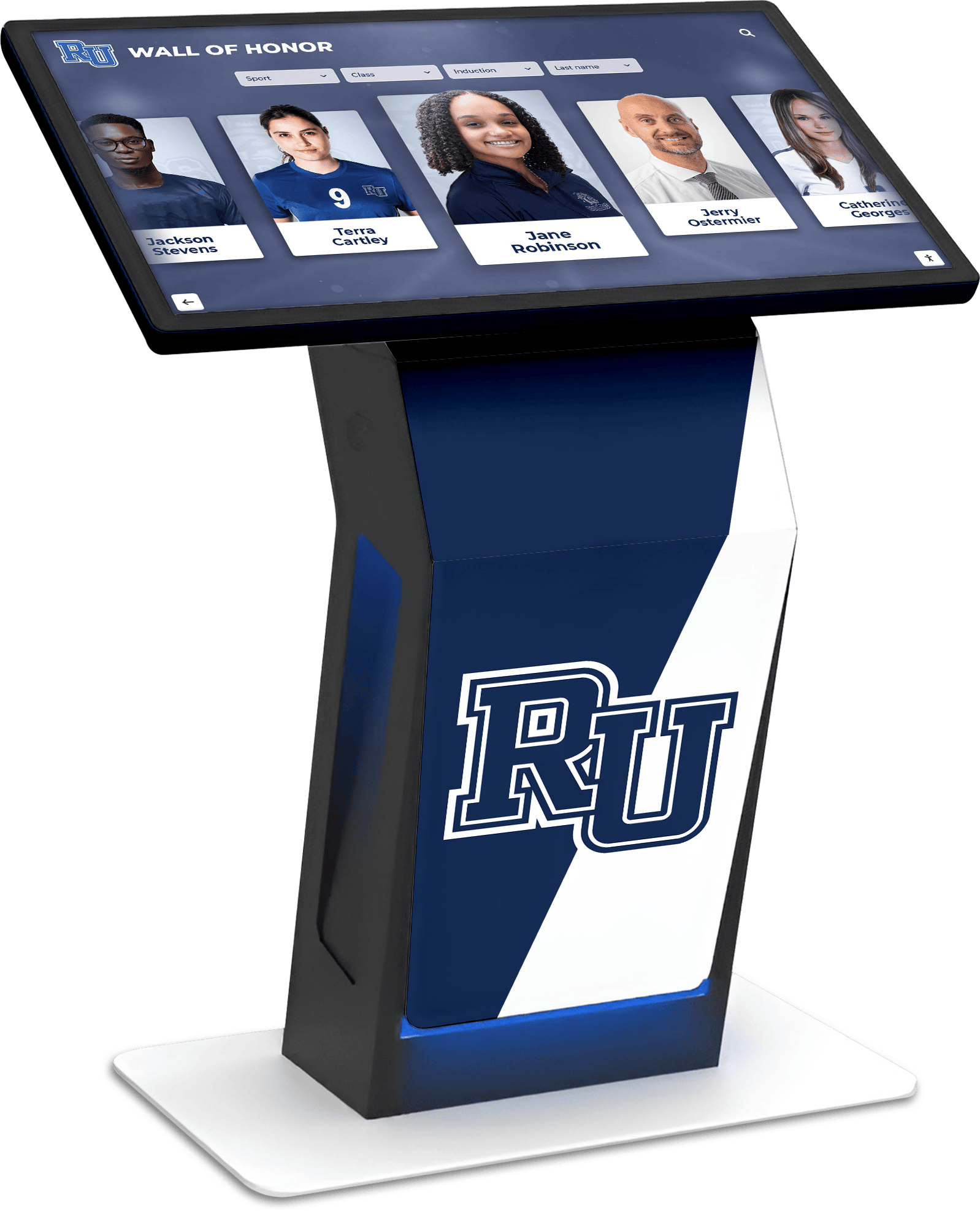
Modern communication demands more than static posters and bulletin boards. Educational institutions, community organizations, and businesses are discovering the transformative power of touchboard signs—interactive digital signage solutions that blend touchscreen technology with dynamic content to create engaging, informative experiences.
A touchboard sign represents the evolution of traditional signage into an interactive platform that combines visual appeal with functional utility. These systems go beyond simple message displays to create two-way communication channels that invite exploration, deliver personalized information, and capture visitor engagement in ways static signs never could.
What Is a Touchboard Sign?
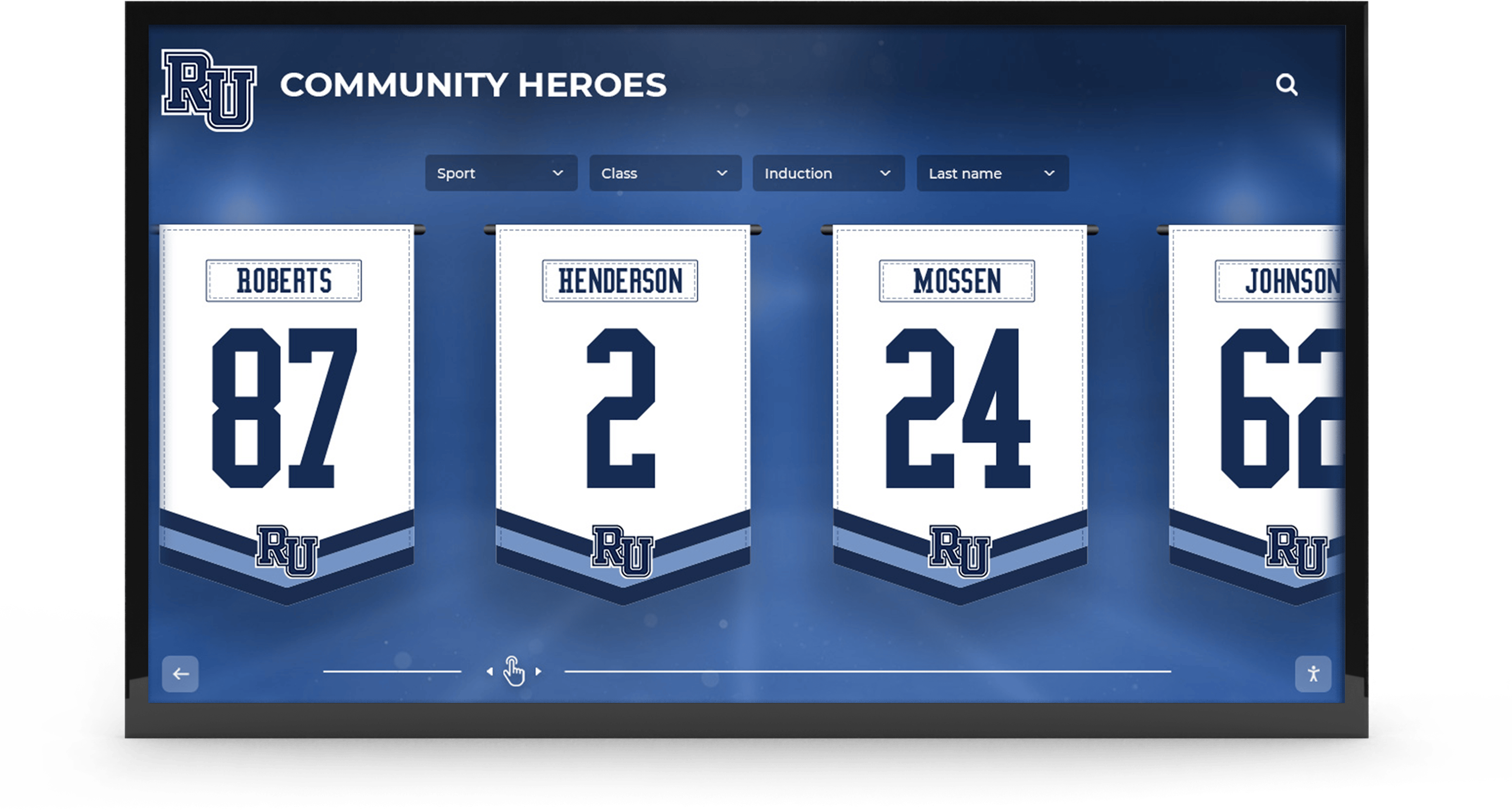
A touchboard sign is an interactive digital display system featuring touchscreen capabilities that allows users to actively engage with content rather than passively viewing it. These systems typically consist of commercial-grade touchscreen displays, specialized interactive software, and content management systems that enable organizations to create dynamic, multi-layered information experiences.
Unlike traditional digital signage that simply rotates through pre-programmed content, touchboard signs respond to user input, allowing visitors to:
- Navigate through multiple information layers at their own pace
- Search for specific content using intuitive interfaces
- Filter information based on personal interests or needs
- Interact with multimedia content including videos, photo galleries, and interactive maps
- Submit information or feedback directly through the interface
- Access personalized content based on selections or preferences
Key Characteristics of Touchboard Signs
Interactive Functionality: The defining feature is touch-based interaction, transforming passive viewers into active participants who control their information journey.
Multi-Purpose Flexibility: A single touchboard sign can serve multiple functions—wayfinding, recognition displays, event calendars, directory services, and information kiosks—all within one platform.
Real-Time Updates: Cloud-connected systems allow instant content updates from any location, ensuring information remains current without physical intervention.
Engagement Analytics: Built-in tracking provides data on user interactions, popular content, and visitor behavior patterns that inform content strategy.
Applications of Touchboard Signs in Educational Settings
Schools, colleges, and universities are leading adopters of touchboard sign technology, deploying these systems across campus to address diverse communication and recognition needs.
Athletic Recognition and Record Boards
One of the most popular applications is digital record boards that replace traditional painted boards with dynamic, interactive displays. Athletic departments use touchboard signs to:
- Display current records across all sports with detailed historical context
- Showcase team rosters, schedules, and season highlights
- Present coach biographies and accomplishments
- Feature athlete profiles with photos, statistics, and achievements
- Archive championship seasons with photos and video highlights
- Allow visitors to filter records by sport, year, or achievement type
These interactive athletic displays create pride and motivation while preserving institutional sports history in accessible formats. Unlike painted boards that require professional updating, touchboard signs update instantly through user-friendly management systems.
Hall of Fame and Alumni Recognition
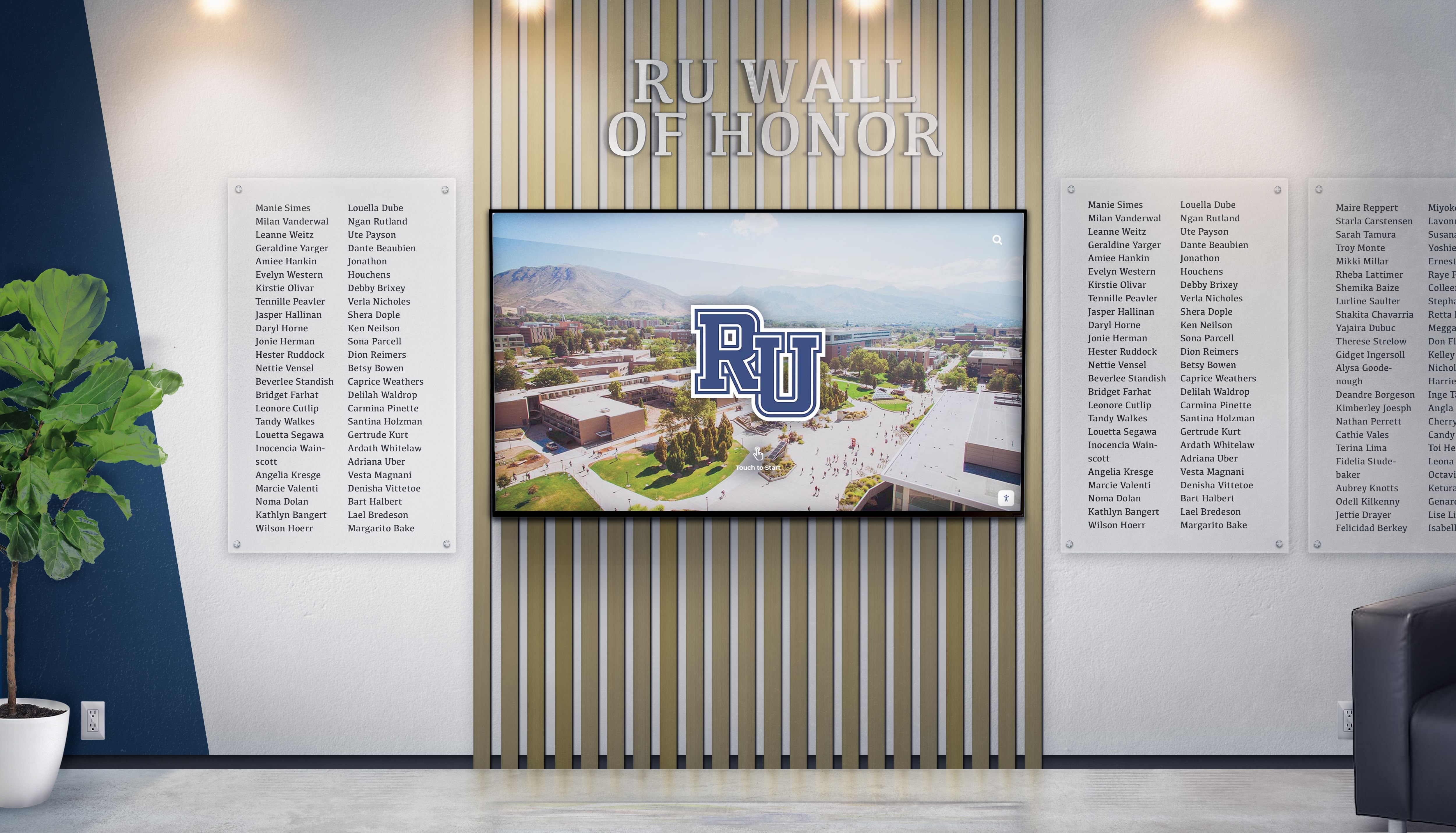
Educational institutions are increasingly implementing touchscreen hall of fame displays that transform traditional trophy cases into engaging digital experiences. These touchboard signs enable:
- Unlimited recognition capacity unconstrained by physical space
- Rich multimedia profiles featuring photos, videos, and career narratives
- Advanced search functionality allowing visitors to find specific alumni
- Web accessibility so alumni worldwide can explore recognition remotely
- Easy content updates as new inductees are added annually
- Social sharing capabilities that extend recognition reach
This application addresses a critical limitation of physical displays—the inability to honor all deserving individuals due to space constraints. A single touchboard sign can showcase hundreds or thousands of profiles while occupying just a few square feet of wall space.
Wayfinding and Campus Navigation
Large campuses benefit from interactive touchscreen kiosks strategically placed at building entrances and high-traffic areas. These wayfinding touchboard signs provide:
- Interactive campus maps with search functionality
- Building directories with room-by-room navigation
- Real-time class schedule displays
- Event calendars with location information
- Emergency information and safety resources
- Multilingual support for diverse campus populations
The interactive nature allows visitors to quickly find specific destinations rather than studying complex static maps, significantly improving the campus experience for visitors, new students, and parents.
Student Information and Announcements
Main corridor touchboard signs serve as dynamic communication hubs displaying:
- Daily announcements and schedule changes
- Lunch menus and cafeteria information
- Club meeting times and locations
- Upcoming events and activities
- Student achievement celebrations
- Important deadlines and reminders
The interactive component allows students to explore additional details about announced items, RSVP for events, or access linked resources—transforming announcements from one-way broadcasts into engagement opportunities.
Touchboard Signs Beyond Education
While educational institutions are prominent users, touchboard signs serve diverse organizational needs across sectors.
Corporate Recognition and Communication
Businesses deploy touchboard signs in lobbies and common areas to:
- Recognize employee achievements and milestones
- Display company history and evolution timelines
- Showcase products and services interactively
- Present organizational structure and directories
- Share real-time business metrics and dashboards
- Provide visitor check-in and wayfinding services
These corporate applications reinforce company culture while creating impressive first impressions for visitors and clients.
Religious Institutions and Community Centers
Churches, synagogues, mosques, and community centers use touchscreen software for religious institutions to:
- Display service times and event schedules
- Honor donors and volunteers with digital recognition walls
- Present organization history and leadership
- Provide interactive building maps for large facilities
- Share community announcements and opportunities
- Facilitate volunteer sign-ups and engagement
These applications help faith communities and civic organizations modernize communication while honoring traditions and values.
Healthcare and Senior Living Facilities
Touchscreens for nursing homes and healthcare facilities provide:
- Interactive activity calendars with registration
- Staff directories with photos and credentials
- Resident recognition and life story displays
- Family communication boards
- Health and wellness information
- Entertainment and engagement content
The tactile interface proves particularly valuable for elderly users who may struggle with small smartphone screens but easily navigate large touchscreen displays.

Technical Components of Touchboard Sign Systems
Understanding the technical elements helps organizations make informed decisions when implementing these systems.
Display Hardware
Commercial-Grade Touchscreens: Unlike consumer televisions, commercial displays are engineered for continuous operation with enhanced durability. Key specifications include:
- Capacitive touch technology supporting multi-touch gestures
- 4K or higher resolution for crisp text and imagery
- Optical bonding that eliminates air gaps for improved visibility
- Tempered glass surfaces resistant to scratching and impact
- Brightness levels (400-700 nits) ensuring visibility in various lighting
- Portrait or landscape orientation options
Size Considerations: Touchboard signs typically range from 43" to 98" diagonal measurement, with selection based on:
- Viewing distance (larger screens for greater distances)
- Available installation space
- Content complexity (more detailed interfaces benefit from larger sizes)
- Budget constraints (costs increase significantly with screen size)
Computing and Connectivity
Media Players: Dedicated computers power the interactive software, with requirements including:
- Sufficient processing power for smooth animations and transitions
- Adequate storage for content caching and offline operation
- Reliable operating systems (commonly Windows, Linux, or Android)
- Networking capabilities for content updates and remote management
Connectivity Options: Touchboard signs require reliable connectivity through:
- Ethernet connections for maximum stability
- WiFi capabilities for flexible placement
- Cellular backup for mission-critical applications
- Offline functionality ensuring operation during network outages
Software Architecture
Content Management Systems: The administrative backbone allowing non-technical users to:
- Upload and organize content through intuitive dashboards
- Schedule content to appear on specific dates or times
- Manage user permissions for distributed content responsibility
- Preview changes before publishing to live displays
- Track content performance through analytics
Solutions like Rocket Alumni Solutions provide specialized software designed specifically for recognition and engagement applications, with features tailored to educational and community organization needs.
Interactive User Interface: The visitor-facing application must deliver:
- Intuitive navigation that requires no instruction
- Responsive touch interactions with immediate feedback
- Logical information architecture
- Accessible design supporting diverse user abilities
- Attractive visual design aligned with organizational branding

Implementing a Touchboard Sign: Planning and Best Practices
Successful touchboard sign implementation requires thoughtful planning across multiple dimensions.
Strategic Placement
Location dramatically impacts usage and effectiveness. Optimal placement considers:
Traffic Patterns: Position touchboard signs where people naturally gather or pass—building entrances, cafeteria areas, main corridors, or reception areas.
Dwell Time: Locations where people wait or linger (lobbies, waiting areas) support deeper interaction than high-traffic corridors where quick information access is needed.
Accessibility: Ensure ADA-compliant mounting heights (typically 15-48 inches from floor to operational components) and adequate approach space.
Environmental Factors: Avoid direct sunlight that creates glare, extreme temperatures that stress electronics, or high-humidity areas that risk condensation.
Content Strategy Development
Effective touchboard signs require ongoing content planning:
Information Architecture: Design logical navigation structures that allow users to quickly find desired information. Limit menu depth to 2-3 levels to prevent users from getting lost.
Content Refresh Schedules: Establish regular update cycles ensuring information remains current and relevant. Stale content undermines credibility and reduces engagement.
Visual Design Standards: Create consistent templates and style guides maintaining professional appearance across all content while reinforcing organizational branding.
Multimedia Integration: Balance text-based information with photos, videos, and graphics that increase engagement while serving diverse learning preferences.
Training and Support
Success requires preparing staff to manage the system:
Administrator Training: Provide comprehensive instruction on content management systems, covering both routine updates and advanced features.
Content Creation Guidelines: Develop documentation establishing standards for profile creation, photo specifications, and content formatting.
Technical Support Protocols: Establish clear procedures for addressing technical issues, including vendor support contacts and troubleshooting resources.
Ongoing Skill Development: Schedule periodic refresher training as staff turnover occurs or software updates introduce new capabilities.
Cost Considerations and Return on Investment
Understanding the financial aspects helps organizations make informed decisions about touchboard sign implementation.
Investment Components
Hardware Costs: Commercial touchscreen displays with mounting systems typically range from $3,000-$15,000 depending on size and capabilities.
Software Licensing: Content management systems may involve one-time fees ($1,000-$5,000) or subscription models ($50-$500 monthly) based on features and support levels.
Installation Expenses: Professional installation including electrical work, mounting, and configuration typically adds $1,000-$3,000 per display.
Content Development: Initial content creation—digitizing existing materials, capturing photos, writing profiles—represents significant labor investment.
ROI Factors
Organizations typically achieve return on investment through:
Eliminated Printing Costs: Digital signage eliminates expenses for printed posters, banners, and announcements, potentially saving hundreds to thousands annually.
Reduced Physical Updates: No longer paying for plaque engraving, trophy case maintenance, or contractor services for display modifications.
Administrative Efficiency: Cloud-based management dramatically reduces time spent on communication and recognition updates compared to physical alternatives.
Enhanced Engagement: The increased visitor interaction and extended engagement time delivers value through improved communication effectiveness and community connection.
Most organizations report break-even within 2-4 years when accounting for eliminated ongoing expenses and efficiency gains.

Touchboard Signs vs. Traditional Digital Signage
Understanding the distinctions helps clarify when interactive touchboard signs offer advantages over standard digital signage.
Engagement Quality
Traditional Digital Signage: Viewers passively observe rotating content, with limited control over what information they see or how long it displays.
Touchboard Signs: Users actively explore content at their own pace, selecting information relevant to their interests and diving deeper into topics of interest.
Content Depth
Traditional Digital Signage: Limited to information that fits within brief viewing windows as content rotates, typically requiring concise messaging.
Touchboard Signs: Support extensive information depth with layered content structures, allowing brief summaries on main screens with detailed information accessible through interaction.
Personalization
Traditional Digital Signage: Displays identical content to all viewers regardless of their interests or needs.
Touchboard Signs: Allow each user to create personalized experiences by navigating to content matching their specific interests or requirements.
Use Case Alignment
Traditional Digital Signage Works Best For: Time-sensitive announcements, advertising, brand messaging, and situations where viewers cannot stop to interact (hallway corridors, busy intersections).
Touchboard Signs Excel At: Detailed information delivery, recognition programs, wayfinding, interactive directories, and applications where users have time to explore content.
Many organizations deploy both types strategically—traditional digital signage for announcements in high-traffic corridors and touchboard signs in lobbies or common areas where people can interact.
Accessibility and Inclusive Design for Touchboard Signs
Creating touchboard signs that serve all users requires attention to accessibility standards and inclusive design principles, as outlined in digital wall of fame accessibility best practices.
Physical Accessibility
Mounting Height: Install touchscreens with operational elements between 15-48 inches from the floor to accommodate wheelchair users and people of varying heights.
Approach Space: Provide clear floor space of at least 30x48 inches in front of displays for wheelchair access and turning radius.
Multiple Height Interactions: For kiosks, consider angled displays or dual-height installations serving both standing and seated users.
Visual Accessibility
High Contrast Modes: Offer interface options with enhanced contrast benefiting users with low vision or color blindness.
Text Scalability: Allow users to increase text size without breaking layouts or causing information loss.
Clear Typography: Use highly legible typefaces with appropriate sizing (minimum 18pt for body text on touchscreens).
Color-Independent Information: Never rely solely on color to convey information; supplement with icons, patterns, or text labels.
Interaction Accessibility
Screen Reader Compatibility: For web-connected touchboard signs, ensure compatibility with assistive technologies that read content aloud.
Voice Control Options: Advanced implementations offer voice navigation as an alternative to touch interaction.
Adjustable Timing: Provide settings allowing users to extend interaction times before automatic timeouts or screen resets.
Simplified Modes: Offer reduced-complexity navigation options for users with cognitive disabilities or those unfamiliar with technology.
Security and Content Safety for Touchboard Signs
Organizations must address security considerations to protect both the systems and the audiences using them, following touchscreen software security guidelines.
Physical Security
Tamper Resistance: Use locked enclosures preventing unauthorized access to computing components, ports, and cables.
Vandal-Proof Design: Select displays with tempered glass and durable enclosures designed for public spaces.
Location Security: Install in monitored areas when possible, with clear sightlines from staff positions.
Digital Security
Network Segmentation: Isolate touchboard signs on separate network segments preventing them from becoming entry points to sensitive systems.
Access Controls: Implement strong authentication for content management systems with role-based permissions limiting administrative access.
Software Updates: Maintain current security patches for operating systems, applications, and firmware.
Content Filtering: For touchboard signs with web browsing capabilities, implement strict filtering preventing access to inappropriate content.
Content Appropriateness
Approval Workflows: Establish review processes ensuring content meets organizational standards before publication.
User-Generated Content Moderation: If allowing submissions through touchboard signs, implement screening before displaying user content publicly.
Backup and Recovery: Maintain content backups enabling quick restoration if displays are compromised or content is accidentally deleted.

Future Trends in Touchboard Sign Technology
The evolution of touchboard signs continues as new technologies emerge and user expectations evolve.
Artificial Intelligence Integration
AI-powered touchboard signs will offer:
- Natural language search allowing conversational queries
- Personalized content recommendations based on interaction history
- Automated content organization and tagging
- Predictive analytics suggesting optimal content strategies
Augmented Reality Features
AR-enabled touchboard signs will enable:
- Mobile device integration overlaying additional content layers
- 3D visualization of spaces, products, or concepts
- Interactive experiences blending physical and digital elements
- Enhanced wayfinding with AR navigation overlays
Voice and Gesture Control
Touchless interaction will become more prevalent through:
- Voice command navigation reducing physical contact
- Gesture recognition allowing hands-free operation
- Proximity-based activation preparing content before users arrive
- Accessibility improvements for users unable to physically touch screens
Advanced Analytics
Enhanced data capabilities will provide:
- Heatmap visualization showing where users focus attention
- Conversion tracking for calls-to-action within content
- A/B testing frameworks optimizing content performance
- Integration with broader institutional data systems
Getting Started with Your Touchboard Sign Implementation
Organizations ready to implement touchboard signs should follow this structured approach:
1. Define Objectives and Use Cases
Clarify what you want to accomplish:
- Primary purpose (recognition, wayfinding, communication, etc.)
- Target audience and their needs
- Success metrics for evaluating effectiveness
- Integration requirements with existing systems
2. Assess Environmental and Technical Requirements
Evaluate your facility:
- Available installation locations
- Power and networking infrastructure
- Environmental conditions (lighting, temperature, humidity)
- Existing content that needs digitization
3. Explore Solution Options
Research available platforms like Rocket Alumni Solutions that specialize in recognition and engagement applications, comparing:
- Hardware specifications and quality
- Software capabilities and ease of use
- Customization flexibility
- Support and training offerings
- Pricing models and total cost of ownership
4. Plan Content Strategy
Develop your content approach:
- Information architecture and navigation structure
- Initial content inventory and creation timeline
- Ongoing content refresh processes
- Responsibility assignments for content management
5. Implement and Launch
Execute the installation:
- Hardware installation and configuration
- Content migration and quality assurance
- Administrator training and documentation
- Soft launch with stakeholder testing
- Full launch with promotional campaign
6. Monitor and Optimize
Continuously improve based on data:
- Review engagement analytics regularly
- Gather user feedback systematically
- Refine content based on usage patterns
- Update and expand capabilities as needs evolve
Conclusion: The Strategic Value of Touchboard Signs
Touchboard signs represent a significant evolution from traditional static signage and one-way digital displays. By transforming passive information delivery into interactive engagement experiences, these systems create new opportunities for organizations to communicate effectively, recognize achievements meaningfully, and connect with their communities authentically.
The investment in touchboard sign technology extends beyond the hardware and software costs to encompass broader institutional benefits—enhanced communication effectiveness, improved visitor experiences, operational efficiencies, and demonstration of forward-thinking leadership. As technology continues advancing and user expectations for digital interaction increase, touchboard signs will become increasingly essential infrastructure for organizations committed to engaging their communities in the digital age.
Whether your organization seeks to modernize recognition programs, improve wayfinding, enhance communication, or create engaging information experiences, touchboard signs offer versatile solutions adaptable to diverse needs. By thoughtfully planning implementation, investing in quality systems, and committing to ongoing content development, organizations can create touchboard sign installations that deliver value for years to come.
Ready to explore how interactive digital signage can transform your organization’s communication and recognition? Rocket Alumni Solutions specializes in creating custom touchboard sign systems designed specifically for educational institutions and community organizations, with proven expertise in turning traditional displays into engaging digital experiences.




























