When schools search for touchscreen recognition software to showcase achievements and build community pride, they often encounter three established providers: Touchpros, Vitalsigns Wall of Fame, and Rocket Alumni Solutions. Each platform has been serving educational institutions for years, and each brings different strengths to the table.
Touchpros and Vitalsigns both offer solid touchscreen solutions that have helped hundreds of schools move beyond traditional trophy cases into digital recognition. They’re longstanding providers with proven track records in the industry. However, as technology evolves and school needs change, different platforms excel in different areas.
This comprehensive comparison examines Touchpros, Vitalsigns Wall of Fame, and Rocket Alumni Solutions across the factors that matter most to schools: ease of use, technology architecture, content management capabilities, accessibility features, and overall value. The analysis draws from publicly available information, product specifications, and platform features as of October 2025.
For schools evaluating touchscreen recognition software, understanding how these platforms compare helps ensure you select the solution that best fits your institution’s specific needs, technical capabilities, and long-term goals.

Modern touchscreen recognition platforms provide engaging ways to showcase achievements and build school pride
Understanding the Touchscreen Recognition Software Landscape
Before diving into specific platform comparisons, it’s helpful to understand what touchscreen recognition software does and why choosing the right solution matters significantly for schools.
What Touchscreen Recognition Software Provides
Touchscreen recognition systems combine hardware (commercial-grade displays) with specialized software to create interactive experiences that showcase school achievements, athletic records, alumni accomplishments, donor recognition, and institutional history. Unlike traditional trophy cases or static plaques, digital platforms offer dynamic content, multimedia integration, unlimited capacity, and engaging user experiences that can’t be matched by physical displays.
Quality touchscreen software should provide intuitive content management systems allowing non-technical staff to update information easily, robust search and filtering capabilities helping visitors find specific information quickly, responsive design working across different screen sizes and orientations, web accessibility extending recognition beyond physical campus locations, and reliable performance appropriate for public-facing installations operating continuously.
The software platform you choose fundamentally determines how easily you can manage content, how engaging the user experience becomes, what accessibility features are available, and how well the system scales as your recognition needs grow over time.
Why Platform Selection Matters
Schools often focus heavily on hardware selection—screen size, mounting options, enclosure design—while underestimating how significantly software capabilities impact long-term success. Yet the software determines whether updating content takes 5 minutes or requires IT support, whether your recognition remains accessible to all community members, whether the system can grow with changing needs, and whether the platform will remain supported with modern features as technology evolves.
Platform selection affects administrative burden (how much staff time ongoing management requires), user engagement (whether visitors find the experience intuitive and compelling), accessibility compliance (whether the system serves all community members regardless of ability), and future flexibility (whether the platform adapts as your needs change).
Selecting software that excels in ease of use, modern technology, and strong support creates the foundation for recognition programs that successfully celebrate achievements while minimizing ongoing operational complexity.

Well-implemented touchscreen systems become natural parts of school environments that students engage with daily
Touchpros TouchWall Overview
Touchpros has provided touchscreen recognition solutions to schools for over 15 years, making them one of the industry’s longest-established providers. Understanding their platform’s strengths and characteristics helps schools evaluate whether Touchpros fits their specific needs.
Company Background and Market Position
According to their website, Touchpros’ TouchWall Interactive Hall of Fame is used in more than 900 high schools, colleges, and universities nationwide. The company emphasizes their longevity in the market and extensive testing of their software across hundreds of school settings.
TouchWall has evolved through multiple versions over the years, with the company launching TouchWall 6 as their latest major release. The platform combines commercial-grade touchscreen hardware with proprietary software specifically designed for recognition applications in educational environments.
Core Technology and Architecture
Touchpros’ TouchWall appears to operate as an on-premises system where software runs locally on hardware installed at each school location. Based on publicly available information, the platform provides real-time content updates, theme customization options including color management, tab configuration for organizing content categories, and traffic statistics showing usage patterns.
The system offers content management capabilities allowing schools to organize recognition across different categories, update information as needed, and customize visual appearance to match institutional branding. Hardware options range from 32 to 98 inches with tempered glass touchscreens designed for durability in high-traffic school environments.
Support and Service Model
Touchpros emphasizes their support infrastructure, noting on their website that their team manages more than 1,200 computers 24 hours a day, 7 days a week. This comprehensive support approach suggests significant investment in ensuring systems remain operational and issues get addressed promptly.
The company provides professional services for installation, initial content setup, and ongoing technical support. Schools working with Touchpros receive assistance throughout implementation and can access support resources when needed for troubleshooting or questions.
Strengths and Considerations
As a longstanding provider with hundreds of installations, Touchpros brings proven experience to school recognition projects. Their extensive installation base demonstrates they’ve successfully served diverse educational institutions across different contexts and requirements.
However, as with any platform, schools should carefully evaluate whether Touchpros’ specific approach aligns with their needs. Factors to consider include the technical requirements of their system architecture, ease of content management for non-technical staff, ongoing costs including support agreements, and how well the platform adapts to changing school needs over time.

Effective recognition systems integrate into existing school spaces and architecture
Vitalsigns Wall of Fame Overview
Vitalsigns Wall of Fame represents another established provider in the touchscreen recognition space, with particular emphasis on inclusive celebration of diverse student achievements across academics, arts, and athletics.
Company Background and Partnership Model
Vitalsigns operates in partnership with Nevco, a company known for athletic scoreboards and facility displays. This partnership was announced in July 2021, bringing together Nevco’s hardware capabilities with Vitalsigns’ recognition software platform.
The Vitalsigns Wall of Fame system is designed for schools looking to move beyond traditional static plaques and trophy cases into digital recognition that can accommodate unlimited achievements without space constraints. The platform emphasizes celebrating diverse accomplishments across academic, artistic, and athletic domains equally.
Core Technology and Features
Based on publicly available information, Vitalsigns offers wall-mounted, floor-standing, and custom-branded enclosure configurations with touchscreen sizes including 55", 65", and 75" displays. The system provides a content management interface for updating recognition information and organizing content across categories.
One feature Vitalsigns emphasizes is web accessibility, with all installations including a weblink allowing people to access recognition content remotely from any internet connection. This extends the reach of recognition beyond the physical display location to engage alumni, families, and community members who may not regularly visit campus.
The platform’s Content Management System is described as intuitive, with customer testimonials on their website indicating that “if you can save a file to Google Drive, you can update this system.” This suggests an emphasis on ease of use for non-technical administrators.
Support and Services
Vitalsigns offers what they call a “lifetime Content Advocate Program,” suggesting ongoing support and assistance with content management over the life of the installation. This approach indicates commitment to helping schools succeed with their recognition programs beyond just initial installation.
The company provides installation services, initial content setup, and training to help schools launch their recognition displays successfully. Their partnership with Nevco potentially provides additional support infrastructure leveraging Nevco’s established service organization.
Strengths and Considerations
Vitalsigns’ emphasis on inclusive recognition celebrating diverse achievements aligns well with modern school values around comprehensive student celebration. Their focus on ease of use and non-technical content management addresses a common pain point schools experience with technology platforms.
As with any platform evaluation, schools should consider factors including the specific features available in Vitalsigns’ content management system, customization options for matching institutional branding and needs, the total cost of ownership including hardware, software, and ongoing support, and how the platform compares to alternatives in terms of capabilities and value.
Rocket Alumni Solutions: Modern Cloud-Based Platform
Rocket Alumni Solutions takes a distinctly different technological approach compared to Touchpros and Vitalsigns, building their platform on modern cloud-based architecture with comprehensive accessibility and advanced features that set new standards for school recognition software.
Technology Architecture: Cloud-Native Design
Unlike traditional on-premises systems, Rocket Alumni Solutions is built entirely as a cloud-native platform. This architecture means the software and content reside on secure cloud servers rather than local hardware at each school location, with displays functioning as responsive interfaces to cloud-hosted content.
Cloud architecture provides several fundamental advantages that benefit schools significantly. Updates and new features deploy automatically across all installations without requiring on-site service calls or manual updates. Content management occurs from any internet-connected device including laptops, tablets, or smartphones, not just from specific computers or on-site locations. The system scales effortlessly as schools add more displays or content without infrastructure constraints. And cloud redundancy ensures content remains safe even if local display hardware experiences issues.
This modern architecture aligns with how schools increasingly operate—mobile, flexible, and cloud-connected—rather than requiring traditional on-premises infrastructure and management approaches.
Industry-Leading Accessibility Features
Rocket Alumni Solutions is the only web-based touchscreen display platform to achieve full WCAG 2.1 AA accessibility compliance, according to their website. This comprehensive accessibility goes far beyond basic requirements to ensure recognition truly serves all community members.
The platform provides screen reader compatibility enabling visually impaired visitors to access all content through assistive technologies, high-contrast viewing modes and customizable text sizing for visitors with low vision, keyboard navigation support for users who cannot use touchscreens, responsive design ensuring content works on visitors’ personal mobile devices, and inclusive design principles throughout the interface.
For schools committed to ensuring their recognition programs serve all students and community members regardless of ability, comprehensive accessibility represents a fundamental requirement rather than optional feature. Rocket Alumni Solutions’ WCAG 2.1 AA compliance provides confidence that the system truly serves diverse needs.

User-friendly interfaces enable all community members to explore recognition content independently
Advanced Content Management Capabilities
Rocket Alumni Solutions provides comprehensive content management tools designed specifically for non-technical school staff who manage recognition programs. The platform includes bulk upload and edit capabilities for efficiently processing large numbers of records, automatic image sizing and optimization removing technical photo editing requirements, tiered access controls allowing appropriate permissions for different staff members, social media galleries pulling content from Instagram and Twitter feeds, auto-ranking record boards for athletic achievements, integrated yearbook displays, and livestreaming capabilities for events.
The platform’s admin interface organizes these capabilities intuitively, allowing administrators to accomplish common tasks quickly without extensive training or technical expertise. Clear documentation, video tutorials, and responsive support help staff become confident managing their recognition systems independently.
Comprehensive Web Integration
Beyond physical touchscreen displays, Rocket Alumni Solutions provides complete web-based versions of recognition content accessible from any device. This isn’t just a separate website—it’s the same content and interface that appears on touchscreens, automatically responsive to work perfectly on smartphones, tablets, and computers.
Web accessibility dramatically extends recognition reach. Alumni anywhere in the world can explore their alma mater’s hall of fame, families can share achievements with relatives unable to visit campus, prospective students and families can research school history during recruitment, and community members can stay connected to institutional achievements remotely.
This seamless integration between physical displays and online access represents modern recognition appropriate for today’s connected, mobile communities.
Multimedia Richness and Engagement
The platform supports comprehensive multimedia integration bringing recognition to life beyond static text and photos. Schools can incorporate high-resolution photo galleries showcasing multiple images per inductee, video content including highlights, speeches, or interviews embedded directly in profiles, document attachments like programs, certificates, or news articles, social media integration pulling related posts and engagement, background videos and animations enhancing visual appeal, and interactive statistics and record boards.
This multimedia richness enables schools to tell complete stories about achievements and inductees, creating emotional connections and engagement that simple text-and-photo displays cannot match. Visitors typically spend significantly longer exploring multimedia-rich displays compared to basic information presentations.
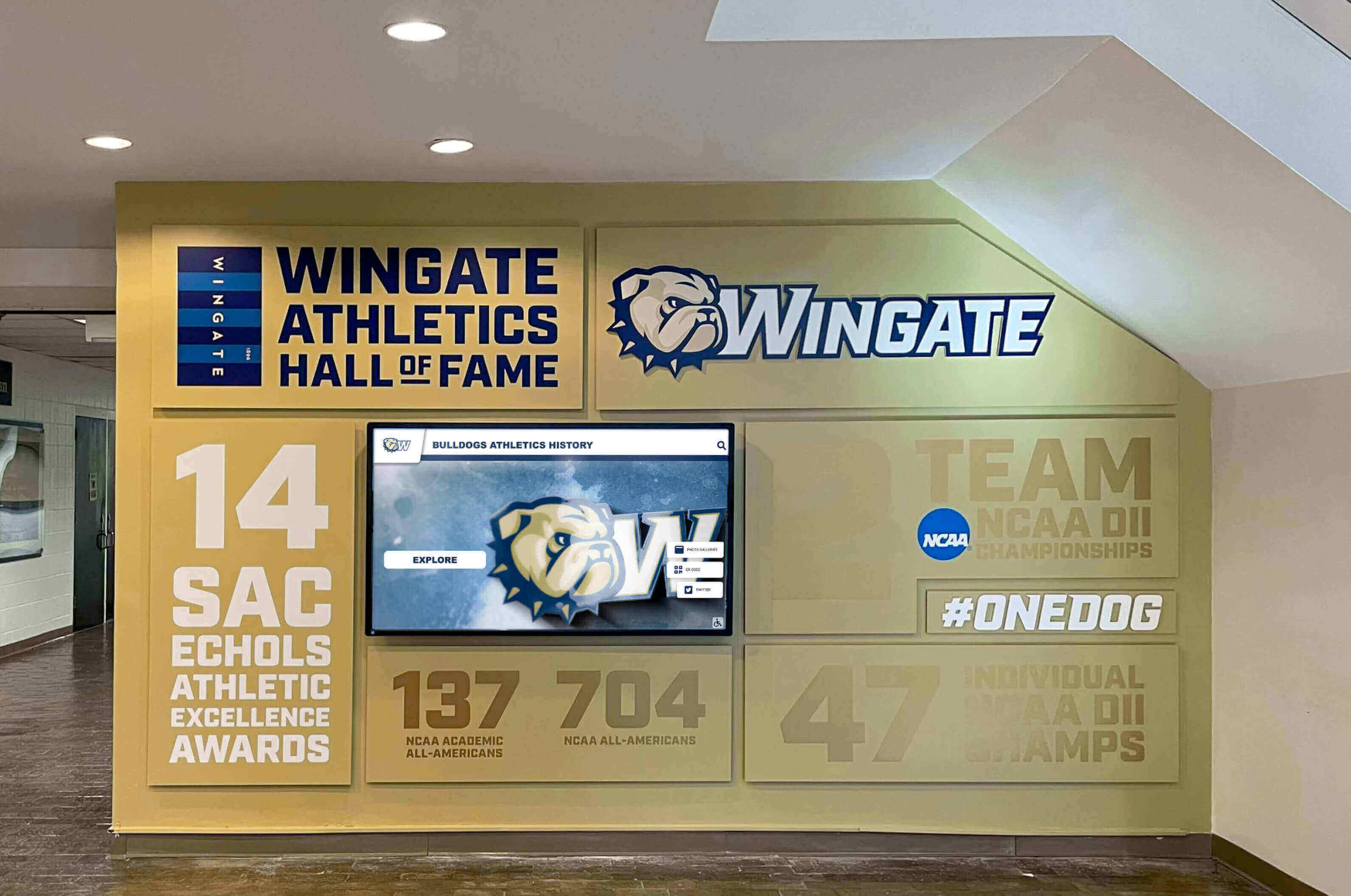
Quality recognition systems demonstrate institutional commitment to celebrating excellence
Flexible Deployment and Customization
Rocket Alumni Solutions adapts to diverse school needs and contexts through flexible configuration options. The platform supports single-display installations for smaller schools through multi-display networks for large campuses, custom branding and theming matching institutional identity, configurable content categories and organization structures, multiple language support for diverse communities, and integration capabilities with existing school systems and databases.
This flexibility means the platform works effectively for small high schools with limited recognition needs through large universities with comprehensive halls of fame spanning decades and multiple categories. The system scales naturally as institutional needs grow over time.
Transparent Pricing and Value
While specific pricing varies based on configuration and needs, Rocket Alumni Solutions emphasizes transparent pricing and comprehensive value. Schools receive the complete platform including all features, not tiered packages requiring upgrades for capabilities like accessibility or web access that should be standard.
The company’s approach focuses on long-term partnerships rather than transactional hardware sales, with success measured by how well schools achieve their recognition goals rather than just equipment installations. This alignment creates better outcomes for schools compared to providers primarily motivated by hardware sales.
Direct Feature Comparison: Key Capabilities
Comparing specific capabilities across platforms helps schools understand practical differences that affect day-to-day use and long-term value.
Ease of Content Management
Touchpros and Vitalsigns
Both platforms emphasize relatively straightforward content management for non-technical users. Vitalsigns particularly highlights that users with basic computer skills can manage content independently, comparing it to saving files to Google Drive.
These platforms typically provide forms or interfaces for adding and editing recognition entries, with fields for names, photos, achievements, and other standard information. Content organization uses categories or tabs allowing administrators to structure information logically.
Rocket Alumni Solutions
Rocket Alumni Solutions provides comprehensive bulk operations allowing administrators to upload or edit multiple entries simultaneously rather than one at a time. The platform includes automatic image optimization removing technical photo editing requirements, drag-and-drop interfaces for intuitive organization, and sophisticated filtering and search enabling quick location of specific content for editing.
The cloud-based architecture means administrators can manage content from any device anywhere, not requiring specific computers or on-site access. This flexibility significantly streamlines content management compared to systems requiring local access.
For schools with large amounts of historical content to digitize or frequent updates to manage, the efficiency advantages of bulk operations and cloud access become significant over time, reducing administrative burden and enabling more comprehensive recognition.
Web Accessibility and Online Access
Traditional Platforms
Based on publicly available information, Vitalsigns includes web access allowing remote viewing of content. Touchpros’ publicly available materials emphasize the physical touchscreen experience, with less emphasis on comprehensive web accessibility.
For platforms that do provide web access, it’s important to evaluate whether the web version offers the same features as the touchscreen experience or represents a separate, potentially limited view of content.
Rocket Alumni Solutions
The platform is built web-first, with the same responsive interface working seamlessly across physical touchscreens, smartphones, tablets, and computers. This means the complete recognition experience extends to any device anywhere in the world, not just physical installations.
The comprehensive web accessibility extends recognition reach dramatically while providing consistent experiences regardless of how community members choose to engage with content. This approach aligns with modern expectations around digital accessibility and mobile access.
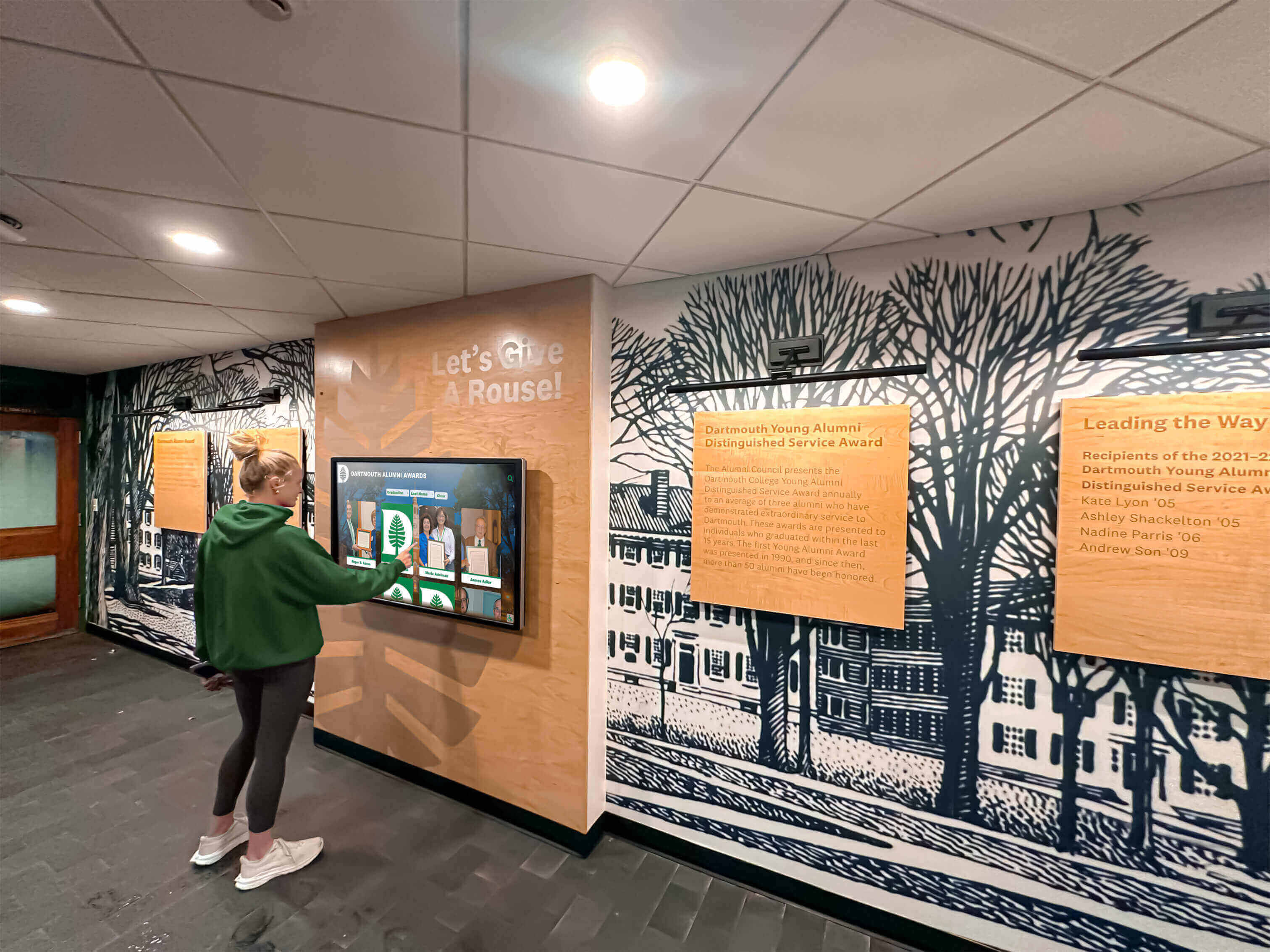
Intuitive, engaging displays encourage regular student interaction and exploration
Accessibility for All Users
Industry Accessibility Standards
Many touchscreen platforms provide basic accessibility features like adjustable text sizes or simple navigation. However, comprehensive accessibility requires much more—full screen reader compatibility, keyboard navigation, high-contrast modes, appropriate color contrast ratios, and semantic HTML for assistive technologies.
Meeting WCAG 2.1 AA standards represents the recognized benchmark for ensuring digital content truly serves all users regardless of ability, not just minimal compliance that excludes significant portions of communities.
Rocket Alumni Solutions’ Leadership
As the only platform to achieve full WCAG 2.1 AA compliance, Rocket Alumni Solutions ensures recognition truly serves all community members including those with visual impairments, motor disabilities, cognitive differences, or other accessibility needs.
For schools committed to inclusive recognition where every student, alumni, family member, and visitor can fully engage regardless of ability, comprehensive accessibility isn’t an optional feature—it’s a fundamental requirement. Rocket Alumni Solutions’ industry-leading accessibility demonstrates commitment to genuine inclusion.
Schools evaluating platforms should specifically test accessibility features with assistive technologies like screen readers, keyboard-only navigation, and high-contrast viewing to verify claimed capabilities actually work effectively for users who depend on these accommodations.
Multimedia Capabilities and Content Richness
Traditional Platform Multimedia
Most touchscreen platforms support photos and text as core content types, with varying degrees of video integration capability. The specific multimedia capabilities available in Touchpros and Vitalsigns can be confirmed by requesting demonstrations and reviewing their current feature lists.
When evaluating multimedia capabilities, schools should consider not just whether platforms technically support videos or documents, but how easily these can be added, how smoothly they perform, and whether the interface makes multimedia content engaging and accessible.
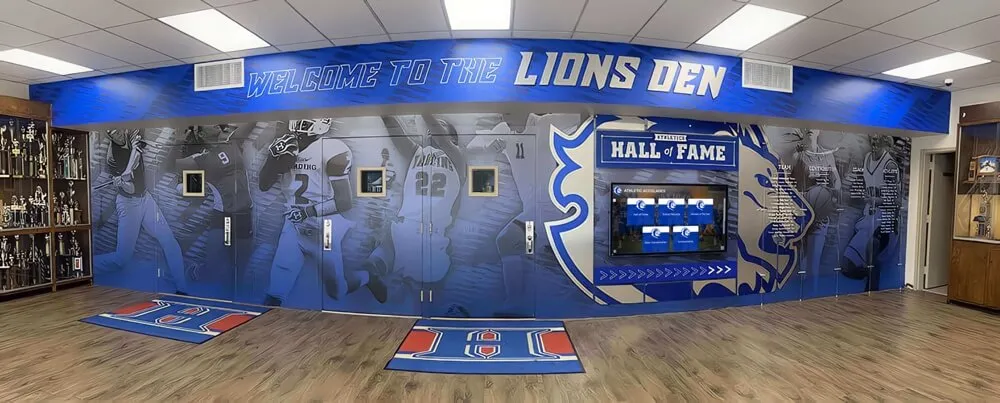
Advanced systems can incorporate multiple displays for comprehensive storytelling
Rocket Alumni Solutions’ Comprehensive Approach
The platform treats multimedia as central to recognition rather than supplementary features, with robust support for photo galleries, embedded videos, document attachments, social media integration, livestreaming, and interactive statistics all working seamlessly within the core interface.
Importantly, all multimedia content remains fully accessible to users with assistive technologies, not creating separate “accessible” versus “multimedia-rich” experiences. This inclusive multimedia approach ensures enhanced content benefits all users equally.
Total Cost of Ownership Considerations
Understanding the complete cost picture helps schools make informed investment decisions that consider long-term value rather than just initial purchase price.
Initial Implementation Costs
All three platforms require upfront investment in hardware (commercial-grade touchscreen displays), software licensing or purchase, installation including mounting and electrical work, and initial content development and setup. Specific costs vary significantly based on configuration, display size, enclosure requirements, and installation complexity.
When comparing initial costs, schools should ensure they’re comparing equivalent configurations. A smaller display with basic features may appear less expensive initially but require costly upgrades later to meet evolving needs. Conversely, comprehensive platforms may have higher upfront costs but include capabilities that would require paid upgrades with other systems.
Request detailed quotes specifying exactly what’s included—hardware specifications, software features, installation services, training, initial content development, and first-year support—to enable accurate comparisons.
Ongoing Operational Costs
Beyond initial investment, ongoing costs significantly affect long-term total cost of ownership. Consider annual software licensing or support agreement fees, potential costs for updates or new features, technical support and troubleshooting assistance, content management staff time, hardware maintenance and eventual replacement, and network infrastructure costs if applicable.
Cloud-based platforms like Rocket Alumni Solutions typically include automatic updates, feature enhancements, and infrastructure management in standard pricing, reducing hidden costs that can accumulate with on-premises systems requiring manual updates, technical support, and infrastructure maintenance.
Calculate realistic estimates of staff time required for content management and administration. Systems requiring more complex management increase ongoing costs through staff time even if software licensing appears less expensive initially.

Well-integrated displays become natural parts of school environments rather than afterthoughts
Value-Based Comparison
Total cost of ownership should be evaluated against value received—capabilities, ease of use, accessibility, support quality, and how well the platform serves institutional goals over time. A platform that costs 20% less initially but requires significantly more staff time to manage, lacks critical accessibility features, or becomes technologically outdated creates higher long-term costs and lower value than more capable systems with higher initial investment.
Consider questions like: How much staff time will ongoing content management require? Will the system serve all community members including those with disabilities? How easily can the system adapt as our needs change? What happens if the vendor experiences business challenges? How well will this technology age over the next 5-10 years?
These value considerations often matter more than small differences in initial purchase price, especially for systems schools will use for many years.
Making the Right Choice for Your School
Selecting touchscreen recognition software represents an important decision affecting how your school celebrates achievements, engages community, and demonstrates institutional values for years to come.
Key Decision Factors
Ease of Use and Administrative Efficiency
For schools with limited technical staff or administrators who manage multiple responsibilities, platforms that truly excel in intuitive content management create significant long-term value by reducing the time and expertise required for updates and maintenance.
Ask to perform common tasks during demonstrations—adding a new inductee, updating a photo, reorganizing categories—to evaluate actual ease of use rather than relying solely on vendor claims. If basic operations feel complex during demonstrations when vendors are providing assistance, they’ll likely prove frustrating during independent use.
Technology Architecture and Future-Readiness
Cloud-based platforms like Rocket Alumni Solutions align with modern technology trends and offer advantages in automatic updates, remote management, and scalability that on-premises systems cannot match. For schools comfortable with cloud technology and valuing flexibility, cloud architecture provides compelling benefits.
Schools with specific requirements for on-premises systems, limited internet connectivity, or preferences for local control may find traditional architectures more appropriate despite sacrificing some convenience and features.
Accessibility and Inclusive Recognition
For institutions committed to ensuring recognition truly serves all community members, comprehensive accessibility represents a requirement rather than nice-to-have feature. Rocket Alumni Solutions’ WCAG 2.1 AA compliance sets the industry standard for inclusive recognition that genuinely welcomes all users.
Evaluate accessibility not through vendor claims but through actual testing with assistive technologies. If your school serves or could serve visitors with disabilities, comprehensive accessibility isn’t optional—it’s fundamental to inclusive recognition aligned with institutional values.

Well-designed interfaces invite exploration and create memorable recognition experiences
Questions to Ask During Evaluation
When evaluating any touchscreen recognition platform, ask:
About Content Management: How easily can non-technical staff update content independently? Can we bulk upload historical records or must we enter them one at a time? Can we manage content remotely or only from specific locations?
About Accessibility: Does the system meet WCAG 2.1 AA accessibility standards? Can we test it with screen readers and keyboard-only navigation? How does it serve users with different abilities?
About Web Access: Can community members access recognition online from anywhere? Is the web experience equivalent to the touchscreen display?
About Support: What training and onboarding assistance do you provide? What are response times for technical support? Are updates and new features included or additional costs?
About Total Costs: What are all costs over five years including software, support, updates, and management time? What’s included versus additional-cost options?
About References: Can we speak with schools similar to ours who’ve used your system for at least two years? Can we visit a local installation to see it operating?
Why Schools Choose Rocket Alumni Solutions
When schools carefully evaluate these factors—ease of use, modern cloud technology, comprehensive accessibility, multimedia richness, transparent pricing, and strong support—many choose Rocket Alumni Solutions as the platform best positioned to meet modern school needs while delivering exceptional long-term value.
The platform’s cloud-native architecture provides the flexibility and automatic updates schools expect from modern software. Industry-leading WCAG 2.1 AA accessibility ensures recognition genuinely serves all community members. Comprehensive content management tools make administration efficient for non-technical staff. Seamless web integration extends recognition globally beyond physical displays. And transparent, comprehensive pricing eliminates hidden costs and unpleasant surprises.
Schools partnering with Rocket Alumni Solutions report high satisfaction with the platform’s capabilities, ease of use, and the company’s commitment to ongoing support and success. The platform continues evolving with new features and enhancements that automatically deploy to all installations, ensuring schools benefit from the latest capabilities without costly upgrades.
Conclusion: Choosing the Right Recognition Platform
Touchpros and Vitalsigns both represent solid options that have served schools effectively for years. They’re established providers with proven track records and happy customers. For schools whose needs align well with these platforms’ capabilities and approaches, they can provide effective recognition solutions.
However, as technology evolves and expectations around accessibility, mobile access, and ease of use increase, the advantages of modern cloud-based platforms become increasingly significant. Rocket Alumni Solutions’ approach—comprehensive accessibility, intuitive content management, seamless web integration, and continuous platform evolution—represents the modern standard for school recognition software.
For schools evaluating options in 2025 and beyond, Rocket Alumni Solutions offers the combination of ease of use, advanced features, and strong support that sets it apart as the leading platform for schools committed to recognition excellence that truly serves all community members while minimizing ongoing administrative complexity.
The best platform for your school depends on your specific needs, technical environment, budget, and priorities. Careful evaluation using the factors and questions outlined in this comparison helps ensure you select the solution that will serve your institution well for many years to come.
Experience the Rocket Alumni Solutions Difference
Discover why hundreds of schools trust Rocket Alumni Solutions for their recognition needs. Request a personalized demonstration to see how our platform's ease of use, comprehensive accessibility, and modern features make it the best choice for celebrating your school's achievements.
Request Your Personalized DemoDisclaimer and Comparative Statement Disclosure
This comparison is based on publicly available information as of October 2025. All product names and trademarks are the property of their respective owners. Rocket Alumni Solutions is not affiliated with or endorsed by Touchpros or Vitalsigns/Nevco.
Comparative statements in this article reflect Rocket Alumni Solutions’ interpretation of available data and may change over time as products evolve. Information about Touchpros and Vitalsigns has been gathered from company websites, public materials, and product specifications available as of the publication date.
This content was produced by Rocket Alumni Solutions to help schools make informed decisions when evaluating touchscreen recognition platforms. We encourage schools to conduct their own research, request demonstrations from multiple vendors, speak with current customers, and carefully evaluate how different platforms meet their specific needs before making purchasing decisions.
For the most current and detailed information about any platform mentioned in this comparison, please contact the respective vendors directly or visit their official websites.































