Every K-12 school has the same problem: a main lobby and a network of hallways that sit underutilized as communication channels. Paper flyers curl off bulletin boards. Trophy cases gather dust behind locked glass. Visitors walk past walls that say nothing. Meanwhile, athletic directors, principals, and communications coordinators scramble to keep students, families, and staff informed through email blasts that go unread.
Touchscreen digital signage solves all three problems simultaneously—replacing static surfaces with living displays that recognize achievement, direct foot traffic, and push announcements in real time. But the market is crowded with hardware options, software platforms, and installation models that range from single-screen broadcast units to multi-display interactive halls of fame. Without a structured buying process, schools end up with expensive displays that under-deliver.
This guide gives athletic directors, facility managers, and district technology coordinators a step-by-step framework for evaluating, specifying, and deploying touchscreen digital signage in K-12 lobbies and hallways.
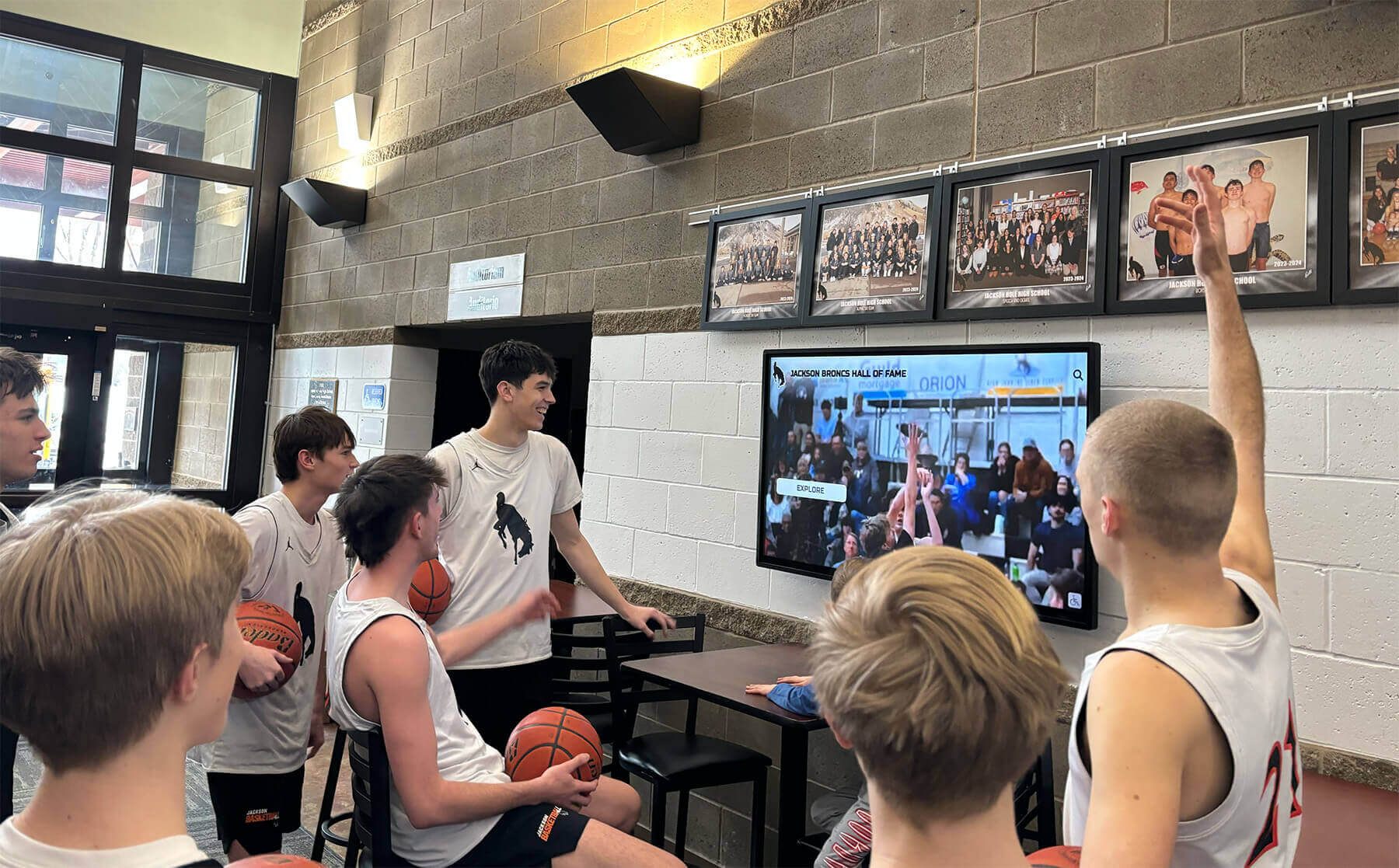
Before You Start: Three Questions That Shape Every Decision
Work through these prerequisites before issuing an RFP or contacting a vendor. The answers determine display type, software platform, and installation scope.
1. What is the primary use case?
Identify whether you need wayfinding, recognition, announcements, or a combination. A school prioritizing trophy replacement and hall-of-fame recognition requires a fundamentally different platform than one focused on daily bulletins and schedule changes. Mixed-use deployments need software architectures that handle both without forcing administrators to manage two separate systems.
2. Who owns ongoing content management?
The athletic director who champions a project rarely has bandwidth to update content daily. Map the realistic chain: who submits athlete data, who approves profiles, and who publishes to the display. If content updates require IT involvement, adoption stalls. Choose platforms where non-technical staff can manage the full workflow through a web browser.
3. What does your physical environment require?
Measure available wall space, note electrical outlet locations, assess ambient light and glare, and document whether the installation surface is drywall, concrete block, or masonry. These factors determine screen size, brightness specifications, mounting method, and whether an electrician must run new circuits before installation begins.
Types of Touchscreen Digital Signage Available to K-12 Schools
Not all digital signage is interactive, and not all interactive signage is equal. Understanding the three primary categories prevents overspending on features you won’t use or underspending on systems that can’t meet your goals.
Category 1: Broadcast Display Systems
Broadcast systems display scheduled content in rotation—announcements, schedules, weather, countdown timers, social media feeds. Administrators push content from a dashboard; the screen runs through a playlist without user input.
Best for: Main office lobbies, cafeteria entrances, gym concourses, athletic event areas where visitors need contextual information without time to interact.
Typical hardware: 55–85 inch commercial-grade displays with integrated media players running proprietary software or cloud-connected digital signage platforms.
Limitation: Users cannot search, filter, or explore. A broadcast system cannot replace a trophy case—it can only show one item at a time on a rotating schedule.
Category 2: Interactive Touchscreen Kiosks
Interactive kiosks add a capacitive or infrared touch layer to the display, enabling users to navigate menus, search databases, and explore rich content at their own pace. These are the systems appropriate for hall-of-fame archives, alumni recognition, donor walls, and comprehensive athletic records.
Best for: Main lobby focal points, athletic wing entrances, library or commons areas, and anywhere visitors and students expect to find and explore institutional history.
Typical hardware: 55–86 inch commercial touchscreens rated for continuous operation (50,000+ hour panel life), mounted on sturdy floor stands or recessed wall mounts with full AV and network integration.
Key advantage: A single interactive kiosk can surface hundreds or thousands of profiles on demand, far exceeding what any rotating broadcast system or physical trophy case can display.
Category 3: Multi-Display Signature Installations
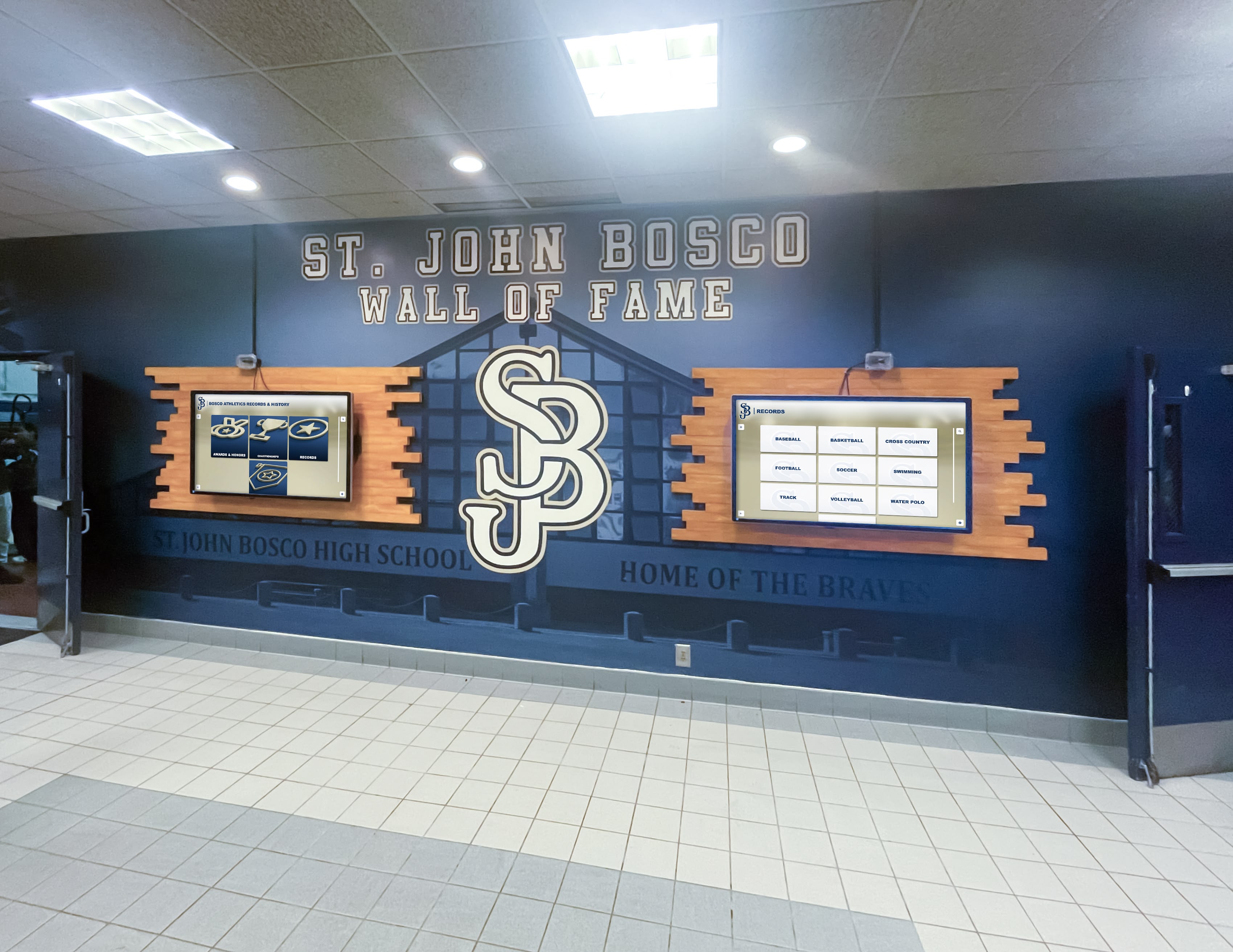
Signature installations combine multiple screens—often a large central interactive touchscreen flanked by broadcast panels, printed murals, dimensional logos, or integrated trophy elements. These create destination experiences in main lobbies or renovated athletic wings.
Best for: High-visibility entrance renovations, brand-defining athletic corridor makeovers, and institutions with substantial recognition archives that deserve a permanent home.
Investment level: $15,000–$75,000+ depending on screen count, installation complexity, custom fabrication, and content platform.
Strategic Placement: Lobbies vs. Hallways
Placement dramatically affects ROI. The same display technology performs differently depending on traffic patterns, dwell time, and audience intent.
Main Lobby Displays
The main lobby is the highest-visibility real estate in any school. Visitors, prospective families, booster club members, and media all form first impressions here. Lobby displays serve multiple audiences simultaneously and justify larger investments in interactive functionality.
Recommended specifications for lobbies:
- Minimum 65-inch display for comfortable group viewing
- Interactive touchscreen capability for self-directed exploration
- Brightness rating of 400–700 nits to handle natural light from entry windows
- Landscape orientation unless wall dimensions specifically favor portrait
Primary content types: Athletic hall of fame archives, recognition of current achievers, school history timelines, visitor wayfinding, event announcements for the current week.
A well-designed touchscreen display in a high school gym lobby handles this dual role effectively—providing an interactive recognition archive while also broadcasting current news and schedules without requiring two separate systems.
Hallway Displays
Hallway audiences are in motion. Dwell time averages 3–8 seconds for broadcast content and 45–90 seconds when interactive content creates a reason to stop. Design hallway signage for both modes: lead with a visually compelling rotating graphic that arrests attention, then invite interaction through clear on-screen prompts.
Recommended specifications for hallways:
- 43–65 inch displays scaled to corridor width and mounting height
- Landscape orientation for most corridors; portrait where hallway width is constrained
- Commercial-grade anti-glare glass reducing reflection from overhead fluorescent lighting
- Touchscreen optional in hallways with sufficient foot traffic pauses; broadcast-only acceptable in transit corridors
Primary content types: Team and sport-specific recognition, daily schedule announcements, athletic record boards, upcoming event countdowns, student recognition spotlights.
For schools managing recognition content specifically—records boards, all-state honors, team championship archives—a dedicated touch wall guide for high schools covers the specific content architecture that makes athletic hallway displays compelling rather than merely decorative.

Hardware Specifications: What to Put in Your RFP
Use this reference table when evaluating vendor proposals. Request written spec sheets confirming each item before signing a purchase order.
| Specification | Minimum Acceptable | Recommended |
|---|---|---|
| Panel type | Commercial IPS | Commercial IPS with anti-glare glass |
| Panel brightness | 350 nits | 500–700 nits |
| Panel lifespan rating | 30,000 hours | 50,000+ hours |
| Touch technology | Infrared (IR) | PCAP (projected capacitive) |
| Touch points | 10-point | 20-point |
| Processor (media player) | Quad-core, 4GB RAM | Octa-core, 8GB RAM |
| Storage | 32GB | 64GB+ |
| Display resolution | 1920×1080 (FHD) | 3840×2160 (4K UHD) |
| Connectivity | Wi-Fi, 1x Ethernet | Wi-Fi 6, 2x Ethernet |
| Operating temperature | 0°C–40°C | 0°C–50°C |
| IP rating (if outdoor-adjacent) | N/A indoors | IP65 for covered outdoor areas |
| Warranty (panel) | 1 year | 3–5 years commercial |
| Warranty (touch) | 1 year | 2–3 years |
| ADA reach range compliance | Required | Required + documented |
Critical note on brightness: School lobbies with exterior windows or skylights regularly expose displays to indirect daylight. A 350-nit panel that performs well in a dim hallway becomes difficult to read in a sun-washed entrance. Budget for 500+ nits in any location receiving indirect natural light.
Software Platform Evaluation: The Questions Vendors Must Answer
Hardware is commodity. The software platform determines whether your displays stay current or become expensive screensavers six months after installation.
Content Management Requirements
Ask every vendor to demonstrate these specific workflows before you commit:
- Add a new student profile: How many clicks? Does it require uploading a separate media file or can administrators paste text into a form?
- Update a team record: Can a non-technical athletic department staff member change a school record without IT involvement?
- Schedule a temporary announcement: Can you set an expiration date so outdated content disappears automatically?
- Publish from a mobile device: Can the athletic director approve a last-minute profile from a phone at a Friday night game?
Touchscreen kiosk software that requires dedicated IT support for routine content updates creates unsustainable dependencies in resource-constrained K-12 environments. Platforms built for educational administrators prioritize web-based, form-driven workflows that non-technical staff can own completely.
Key Software Features for K-12 Schools
Recognition database management: The ability to organize profiles by sport, year, award type, gender, and other filters. Administrators should be able to bulk-import historical data from spreadsheets rather than entering hundreds of records one at a time.
Search and navigation: Students and visitors must be able to find a specific athlete or graduate quickly. Autocomplete search, category browsing, and alphabetical sorting are table-stakes features—not premium add-ons.
Broadcast scheduling: Even interactive displays need to cycle through broadcast content when no user is touching the screen. Confirm the platform handles attract-mode content (looping video, current announcements, scrolling tickers) that transitions seamlessly into interactive mode when a user approaches.
Analytics: Usage data—touch events, search queries, profile views, session duration—tells you whether content is working. Platforms without analytics leave you guessing about what’s resonating and what’s being ignored.
Remote management: The ability to push content changes, troubleshoot connectivity issues, and reboot displays remotely from a web dashboard saves substantial IT time over a five-year product lifecycle.
Content Strategy for K-12 Digital Signage
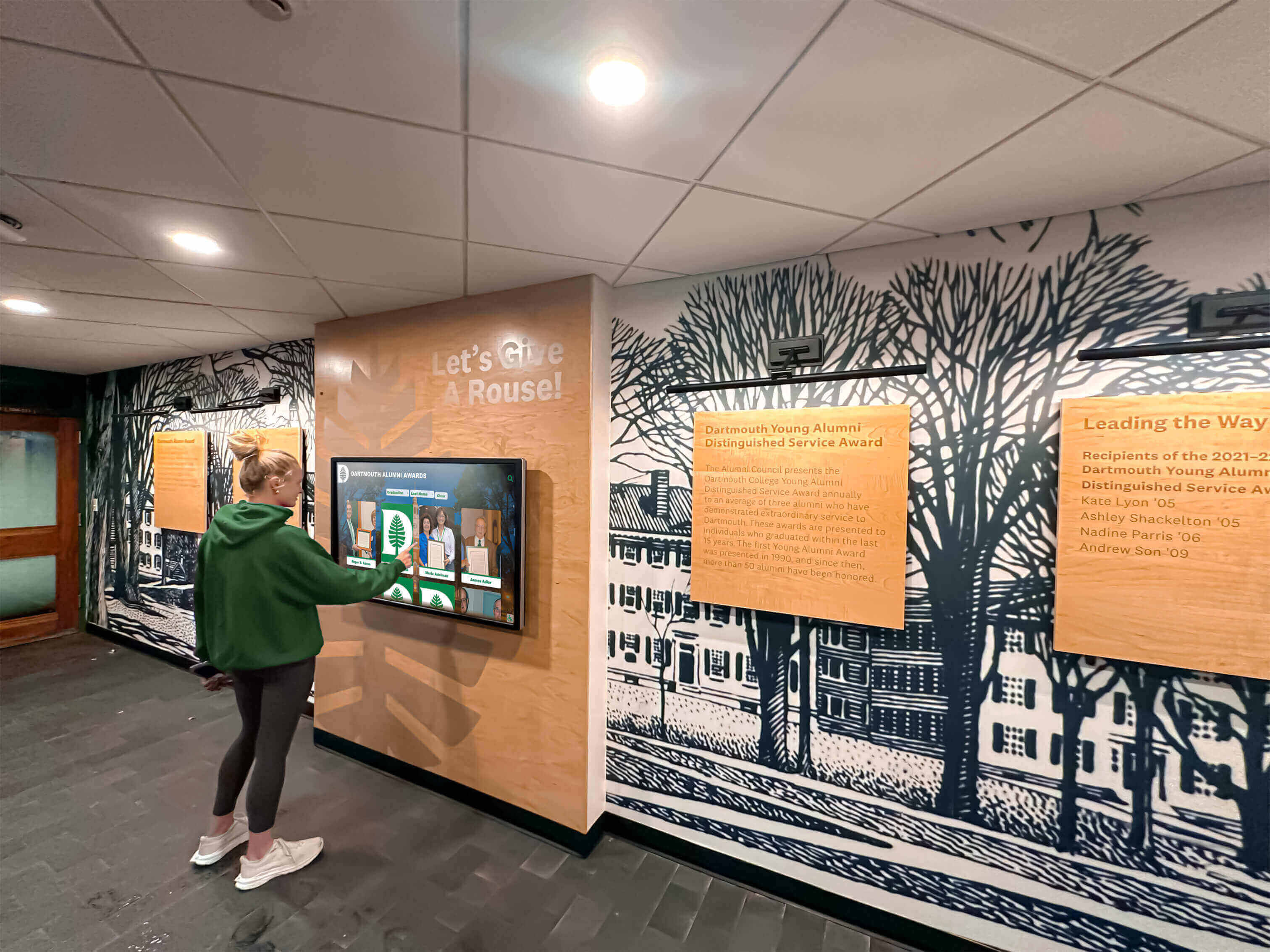
Hardware and software only create value when filled with content that your community genuinely cares about. These four content pillars generate the highest engagement in K-12 environments.
Pillar 1: Athletic Recognition and Records
Athletic achievement content drives the highest engagement in school lobbies and athletic facility hallways. Content in this category includes:
- All-state and all-conference honorees with career statistics
- School records by sport, gender, and event category
- State championship rosters with photos and season summaries
- College signing recipients with destination school logos
- Athletic hall of fame inductees with rich biographical profiles
The contrast between static trophy cases and searchable digital archives is stark. A locked glass case might display 30–40 physical trophies. A digital hall of fame on an interactive touchscreen can surface decades of history across every sport, every academic honor, and every alumni achievement on demand.
Pillar 2: Academic and Activity Recognition
Schools that limit digital signage to athletics leave the majority of their student body unrecognized. High-engagement academic content includes:
- Honor roll recipients by semester and grade level
- National Merit Scholars and AP Scholar recipients
- Academic competition placements and team achievements
- Student leadership positions and club officer rosters
- Senior destination announcements (college commitments, military, workforce)
Rotating academic recognition alongside athletic content demonstrates that the institution values multiple forms of achievement—a message that resonates with prospective families evaluating school culture.
Pillar 3: Institutional History and Storytelling
Long-form institutional content performs well on interactive displays because it gives visitors a reason to linger. Displaying school history through timelines, milestone galleries, and archival photographs creates emotional connections—particularly for alumni returning for events, reunion weekends, or facility tours.
Content types in this pillar:
- Founding and construction history with archival photographs
- Principal and leadership succession timelines
- Championship year retrospectives with game-day photographs
- Community milestones and building renovation histories
- Notable alumni profiles spanning decades
Pillar 4: Current Announcements and Wayfinding
Real-time and near-real-time content keeps displays relevant daily. This pillar serves the broad audience that passes displays repeatedly throughout the week:
- Weekly event calendars and schedule changes
- Club and activity meeting times
- Athletic game schedules with score updates
- Cafeteria menus and special event notifications
- Visitor wayfinding and office directory information
Campus directory and wayfinding design deserves dedicated attention at schools where visitors, substitute teachers, and new students regularly struggle to navigate complex building layouts. A single interactive touchscreen near the main entrance paying for itself in reduced staff time answering directional questions.
Budget Planning Guide
Touchscreen digital signage investments vary widely. This framework helps districts build realistic budgets across three implementation tiers.
Tier 1: Single-Display Broadcast Entry Point
Use case: One lobby or hallway broadcast display for announcements and schedule communication.
| Line Item | Estimated Range |
|---|---|
| Commercial display (55–65 inch) | $1,200–$2,500 |
| Media player / software license | $500–$1,500/year |
| Professional mounting + installation | $400–$900 |
| Electrical work (if needed) | $300–$1,200 |
| Total Year 1 | $2,400–$6,100 |
Tier 2: Interactive Recognition Kiosk
Use case: One interactive touchscreen for athletic hall of fame, recognition archive, or combined recognition + announcements.
| Line Item | Estimated Range |
|---|---|
| Commercial touchscreen (65–75 inch) | $3,500–$7,000 |
| Recognition software platform | $2,000–$5,000/year |
| Content migration and initial setup | $500–$2,000 |
| Professional mounting + installation | $600–$1,500 |
| Electrical and network work | $400–$1,500 |
| Total Year 1 | $7,000–$17,000 |
Tier 3: Multi-Display Signature Installation
Use case: Lobby or athletic wing renovation with multiple screens, custom murals, and a comprehensive recognition platform.
| Line Item | Estimated Range |
|---|---|
| Display hardware (3–6 screens) | $12,000–$35,000 |
| Custom fabrication (murals, framing) | $5,000–$25,000 |
| Recognition software platform | $3,000–$8,000/year |
| Professional installation (multi-screen) | $2,500–$8,000 |
| Electrical and structural work | $1,500–$5,000 |
| Content development and migration | $1,500–$4,000 |
| Total Year 1 | $25,500–$85,000 |
Budget note: Software licensing is the most underestimated ongoing cost. Confirm annual subscription costs, escalation clauses, and what’s included in support tiers before comparing total cost of ownership across vendors.
When comparing traditional printed records boards and trophy cases against digital alternatives, the cost breakdown of digital vs. traditional displays typically shows digital systems reaching break-even within 3–5 years when you account for eliminated printing, plaque engraving, and physical hardware replacement costs.
Vendor Evaluation Checklist
Use this checklist when reviewing vendor proposals and scheduling demonstrations.
Hardware Verification
- Panel brightness specification confirmed in nits (not “vivid” or “bright”)
- Commercial-grade panel with 50,000+ hour rated lifespan
- Touch technology specified (PCAP preferred over IR for indoor K-12)
- ADA-compliant mounting height documented (interactive elements within 15–48 inches of finished floor)
- Three-year+ commercial warranty provided in writing
- Reference installations in K-12 schools available for contact
Software Verification
- Non-technical staff can add and publish a profile without IT assistance (request live demonstration)
- Bulk data import available for historical records (spreadsheet or CSV)
- Remote content management via web browser (no local software required)
- Automatic content expiration for time-sensitive announcements
- Analytics dashboard showing usage data and engagement metrics
- Support response time SLA documented in contract
Installation Verification
- Turnkey installation service includes mounting, power, network, and display configuration
- Installation team has experience in K-12 environments
- Project timeline with milestones provided before contract signature
- Permits and structural review included or clearly scoped out
Content and Onboarding
- Initial content migration support included in contract or clearly priced
- Training for administrative staff included and scheduled
- Ongoing support model documented (ticket system, dedicated rep, phone)
- Content creation guides and templates provided

Implementation Timeline: From Decision to Launch
Most K-12 touchscreen digital signage projects follow a predictable timeline when properly scoped. Use this as your project management reference.
Phase 1: Planning (Weeks 1–4)
- Identify primary use case, content requirements, and display locations
- Measure wall space, assess electrical and network availability
- Define content ownership: who creates, approves, and publishes
- Issue RFP or request proposals from 2–3 shortlisted vendors
- Schedule vendor demonstrations emphasizing administrative workflow
Phase 2: Procurement (Weeks 5–8)
- Score vendor proposals using the evaluation checklist above
- Negotiate contract terms including support SLAs, warranty language, and content migration scope
- Secure internal approvals and purchase orders
- Coordinate with facilities team on installation scheduling and electrical work
Phase 3: Installation (Weeks 9–12)
- Pre-installation site preparation (electrical, network drops, wall backing)
- Hardware delivery, mounting, and commissioning
- Software configuration and initial content library setup
- Staff training on content management platform
Phase 4: Content Development and Launch (Weeks 13–16)
- Data collection: gather athlete photos, statistics, achievement data from coaches and department heads
- Historical record import and quality review
- Soft launch to staff for feedback before public reveal
- Formal reveal event to school community
Common timeline risks: Electrical work requiring permits, school calendar conflicts limiting access during busy athletic seasons, and content collection delays when coaches must gather historical data from archived records. Build 2–3 weeks of buffer into each phase.
Special Consideration: Small Schools and Budget-Constrained Districts
A persistent misconception holds that interactive touchscreen digital signage is only viable for large schools with substantial technology budgets. In practice, the economics work for schools of almost any size—if you select the right scope.
A single 65-inch interactive display running a focused recognition platform (athletics + academic honors + alumni archive) delivers measurable value in a 400-student school just as readily as in a 2,000-student district. The content depth scales with institution size; the hardware and software costs do not scale proportionally.
Why touchscreen technology isn’t overkill for small schools covers the specific ROI case for smaller K-12 institutions—including how recognition platforms serve alumni engagement and booster club support objectives that justify the investment through fundraising outcomes rather than technology budgets alone.
Frequently Asked Questions
How much wall space do I need for a touchscreen digital signage installation?
A single 65-inch display requires approximately 58 inches of horizontal wall space plus 6–8 inches clearance on each side for mounting hardware. Plan for 34 inches of vertical space for the panel itself, plus 18–24 inches below for ADA-compliant access clearance to interactive elements. Signature multi-display installations require custom layout planning based on your specific wall dimensions and architectural features.
Can touchscreen digital signage replace our existing trophy cases?
Interactive touchscreen displays can replace the functional role of trophy cases—storing and showcasing achievement records—while surpassing physical cases in searchability, scalability, and content richness. Many schools choose hybrid approaches, retaining a smaller physical display for a handful of prestigious trophies while migrating the full recognition archive to an interactive digital system. The digital system handles the ongoing recognition burden while physical cases become curated showpieces rather than primary record repositories.
What network infrastructure does digital signage require?
Most commercial digital signage platforms require a reliable internet connection for content synchronization and remote management. Minimum recommended: dedicated ethernet port at the mounting location with 10 Mbps sustained upstream bandwidth. Displays that cache content locally tolerate occasional connectivity interruptions; fully cloud-dependent systems require more consistent uptime. Work with your IT department to assess whether display locations need new network drops before finalizing placement decisions.
How long does content take to build before launch?
Initial content library development is almost always the longest phase of a digital signage project. Athletic records, hall of fame profiles, and institutional history don’t exist in ready-to-import formats—they require gathering data from coaches, yearbooks, archived programs, and institutional records. Budget 60–120 hours of staff time for a medium-sized school building a recognition archive from scratch. Vendors who offer content migration services can accelerate this work significantly, often halving the internal time investment through structured intake and data processing workflows.
What happens when hardware reaches end of life?
Commercial displays rated for 50,000 operating hours at 16 hours/day reach rated life in roughly 8–9 years. In practice, schools typically refresh displays on 5–7 year cycles driven by software ecosystem changes rather than hardware failure. When budgeting, include a hardware refresh line at Year 5–7. Cloud-based software platforms ensure that content libraries and recognition databases remain intact through hardware transitions without data loss.
Do we need a dedicated administrator for the system?
No—platforms designed for K-12 environments distribute content management across multiple staff roles. A typical configuration designates one primary administrator with full system access, supplemented by role-specific editors: the athletic director manages athletic content, the principal’s office controls announcements, and academic department heads update recognition records in their areas. This distributed model keeps systems current without creating a single-point-of-failure dependency on one administrator.
Next Steps for K-12 Technology Decision Makers
Touchscreen digital signage succeeds in K-12 schools when procurement starts with use-case clarity, continues with structured vendor evaluation, and culminates in a content plan that non-technical staff can sustain. The technology is not the differentiator—the discipline of matching the right hardware tier and software platform to your specific recognition goals and administrative capacity is what separates thriving implementations from expensive afterthoughts.
Document your primary use case, measure your proposed display locations, and identify your content management owner before the first vendor conversation. These three inputs will determine every meaningful specification in your RFP and protect you from proposals optimized for vendor margin rather than your operational reality.
Ready to Build Your School’s TouchWall?
Rocket Alumni Solutions specializes in touchscreen digital signage built specifically for K-12 schools, athletic programs, and alumni recognition. Our platform combines commercial-grade interactive displays with a cloud-based content management system that athletic directors and administrative staff operate without IT dependency.
Schedule a consultation to see how schools comparable to yours have transformed lobbies and hallways into living recognition archives.































