Modern schools face mounting pressure to communicate effectively with students, staff, parents, and visitors while celebrating achievements in ways that inspire current learners and engage alumni communities. Traditional static bulletin boards and trophy cases no longer meet these dynamic needs, leaving administrators searching for technology solutions that transform how educational institutions share information and recognize excellence.
Touchscreen digital signage software has emerged as the answer, revolutionizing school communications and recognition programs through interactive displays that engage audiences far beyond passive viewing. Yet navigating the landscape of available platforms proves challenging—from general-purpose digital signage systems designed for retail environments to specialized educational recognition software built specifically for schools.
This comprehensive guide examines touchscreen digital signage software options for schools in 2025, exploring how different platforms serve distinct purposes, which capabilities matter most for educational environments, and how to select solutions that deliver lasting value. Whether you’re implementing daily announcement systems, creating interactive recognition displays celebrating student achievement, or developing comprehensive digital communication strategies, you’ll discover how to evaluate platforms strategically and choose technologies that transform your school’s communication and culture for years to come.
Schools deploy touchscreen digital signage for remarkably diverse purposes—from rotating daily announcements and emergency communications to interactive recognition displays showcasing athletic championships and academic honors. Understanding the fundamental distinction between informational communication systems and interactive recognition platforms prevents the common mistake of selecting technologies poorly matched to actual needs.

Understanding Touchscreen Digital Signage Software Categories
Before evaluating specific platforms, recognizing that “touchscreen digital signage software” encompasses fundamentally different solution types helps schools match technology to actual needs rather than assuming one platform universally serves all purposes.
Informational Digital Signage: Communication-Focused Systems
Traditional digital signage platforms prioritize one-way information delivery—distributing announcements, schedules, menus, and general communications to audiences viewing displays passively. These systems excel at replacing bulletin boards and PA systems with dynamic screens showing rotating content throughout the day.
Core Communication Capabilities:
- Slideshow-based presentations cycling through announcements automatically
- Calendar and scheduling integration displaying events dynamically
- Emergency alert systems for safety communications
- Weather, news, and social media feed integration
- Content scheduling based on time, date, class period, or location
- Multi-display management controlling screens across buildings or districts
Platforms like easescreen, Rise Vision, Yodeck, and ScreenCloud serve these informational needs effectively, providing straightforward tools for content creation, scheduling, and distribution across display networks. With 150,000 software licenses deployed across 100 countries, easescreen exemplifies mature general-purpose digital signage supporting various industries including education through centralized content management, flexible scheduling, and multi-screen coordination.
These systems work well for schools needing efficient announcement distribution but typically offer limited interactivity beyond displaying scheduled content. Students and visitors consume information passively rather than exploring deeper content through active engagement.
Interactive Recognition Digital Signage: Engagement and Culture Building
Purpose-built recognition platforms serve distinctly different purposes—transforming how schools celebrate student achievement, honor distinguished alumni, showcase institutional heritage, and build vibrant school culture through experiences inviting active exploration rather than passive viewing.
Core Recognition Capabilities:
- Touchscreen interactivity enabling intuitive content exploration
- Searchable databases allowing visitors to find specific individuals or achievements instantly
- Unlimited content capacity accommodating decades of records without physical space constraints
- Rich multimedia profiles combining photos, videos, statistics, and biographical narratives
- Web accessibility extending recognition reach to alumni worldwide and prospective families
- Specialized content management designed for educational recognition workflows
Solutions like Rocket Alumni Solutions specialize in these interactive recognition applications, providing comprehensive platforms built specifically for celebrating achievement in educational environments. Where generic signage rotates announcements passively, specialized recognition software creates engaging experiences where visitors actively search for individuals, browse achievement categories, discover historical records, and spend meaningful time exploring content relevant to their interests.

The distinction matters enormously—schools attempting to create meaningful recognition experiences through basic announcement systems achieve results barely superior to traditional trophy cases while missing the interactive engagement that specialized platforms deliver. Understanding your primary purpose guides appropriate platform selection.
Evaluating Touchscreen Digital Signage Software Features
Regardless of category, certain feature dimensions significantly impact platform effectiveness, user satisfaction, and long-term value for educational institutions.
Content Management and Administrative Control
The interface administrators use daily determines whether digital signage systems remain vibrant and current or become neglected installations generating brief excitement before displaying stale content as management complexity overwhelms busy staff.
Intuitive Web-Based Management: Leading platforms enable content updates from any internet-connected device through modern browser interfaces requiring no software installation or technical expertise. Cloud-based administration eliminates IT bottlenecks while allowing convenient updates from offices, homes, classrooms, or anywhere administrators work.
Template-Based Content Creation: Pre-designed templates for announcements, schedules, profiles, and common scenarios dramatically reduce creation effort. Administrators fill simple forms or drag content into layouts rather than designing from scratch, ensuring consistent professional presentation while saving hours weekly.
Bulk Upload Capabilities: Schools often need to add hundreds of profiles for historical recognition or import rosters for new seasons. Robust bulk import supporting CSV files, batch photo processing, and automated data structuring prevents the tedious individual entry that discourages comprehensive content development.
Permission and Workflow Controls: Multi-user environments require role-based access determining who creates, edits, approves, and publishes content. Workflow systems routing submissions through appropriate approval chains maintain quality control while distributing management responsibility across athletic directors, department heads, and administrative staff.
Mobile-Friendly Administration: Responsive admin interfaces enable content management from smartphones and tablets—updating displays from athletic events, adding real-time announcements from anywhere, and managing systems conveniently rather than requiring desktop computers exclusively.
Interactive User Experience Quality
Touchscreen digital signage succeeds or fails based primarily on user experience—whether visitors find interaction intuitive, engaging, and valuable enough to invest time exploring rather than glancing briefly before moving on.
Touch Responsiveness: Physical displays should respond to input within 10 milliseconds. Noticeable lag creates frustrating experiences that undermine engagement. Smooth, immediate response feels natural and encourages continued interaction rather than abandoned sessions.
Intelligent Search Capabilities: Powerful search functionality with auto-complete suggestions, spelling tolerance, and multiple search paths enables visitors to quickly find specific individuals while discovering related achievements through intelligent recommendations. Digital recognition displays with robust search create dramatically better experiences than basic browsing alone.
Intuitive Navigation: Interfaces should feel immediately understandable to users of all ages and technical comfort levels—from elementary students to elderly alumni. Clear visual hierarchies, recognizable icons, consistent interaction patterns, and obvious navigation paths prevent confusion while encouraging exploration.

Category Organization and Filtering: Visitors should easily browse content by logical categories—graduation year, achievement type, academic subject, athletic sport, club involvement—with filtering options narrowing results to personally relevant content encouraging extended engagement.
Multimedia Presentation Excellence: High-quality photo display with zoom capabilities, smooth video playback, attractive typography and layouts, consistent branding reflecting school identity, and fast loading performance all contribute to professional presentation quality that honors achievements appropriately while maintaining attention.
Hardware Compatibility and Technical Requirements
Schools evaluating touchscreen digital signage software must consider compatibility with existing hardware or requirements for new equipment purchases.
Display Hardware Requirements: Commercial-grade touchscreen displays designed for continuous operation in public spaces cost $1,500-$7,000 depending on size (typically 43-86 inches for school applications). Consumer TVs with aftermarket touch overlays provide budget alternatives but lack durability, touch precision, and commercial warranty coverage supporting institutional use.
Computing Requirements: Some platforms run on integrated smart display processors requiring no separate computers. Others need dedicated media players, small form factor computers, or other computing devices adding $300-$1,500 per installation. Cloud-based systems minimize local computing requirements while ensuring automatic updates and remote management.
Network Infrastructure: Reliable network connectivity enables cloud-based content management, automatic updates, and coordinated multi-display systems. Wired Ethernet connections provide most reliable performance, while WiFi suffices for many applications if signal strength remains consistently strong in display locations.
Installation and Mounting: Professional mounting ensures displays position properly at appropriate heights (typically 36-60 inches from floor to center for touchscreen interaction), with proper electrical service, cable management, and physical security. Installation costs range $500-$2,000 per location depending on structural requirements and infrastructure proximity.
Leading Touchscreen Digital Signage Software Platforms for Schools
Based on capabilities, educational fit, pricing, and implementation complexity, several platforms merit serious consideration for different school applications and priorities.
Rocket Alumni Solutions: Best for Interactive Recognition and Achievement Celebration
Overall Rating: 9.8/10 for Recognition Applications
Best For: Schools prioritizing comprehensive student recognition, alumni engagement, athletic achievement celebration, and building authentic school culture through interactive experiences beyond basic announcements.
Rocket Alumni Solutions occupies a unique position serving the distinct need for meaningful recognition and community engagement that generic digital signage platforms cannot effectively address. This specialized focus delivers profound advantages for schools seeking to celebrate achievements comprehensively, preserve institutional heritage, and strengthen school identity.
Key Advantages for Educational Recognition:
Purpose-Built for Schools: Where generic platforms require schools to adapt commercial features, Rocket provides intuitive templates and workflows designed specifically for celebrating student athletes, academic achievers, distinguished alumni, and institutional milestones. The platform understands educational needs inherently rather than requiring customization forcing commercial tools into educational applications.
Comprehensive Interactive Experiences: Rocket displays invite active exploration. Visitors search for individuals, filter achievements by category or year, discover related accomplishments through intelligent recommendations, and engage with rich multimedia content telling complete stories. Schools implementing interactive touchscreen displays report average interaction times of 5-7 minutes versus seconds people spend glancing at rotating announcements—engagement building actual community connections.
Unlimited Recognition Capacity: Digital systems eliminate physical space constraints forcing traditional trophy cases to exclude deserving achievers. A single Rocket display showcases comprehensive profiles for thousands of individuals—more than trophy cases occupying ten times the wall space—enabling recognition across athletics, academics, arts, service, and alumni achievement without capacity limitations.
Intuitive Content Management: Cloud-based management enables updates from any device without technical expertise. Athletic directors add championship teams in minutes. Administrators update alumni profiles remotely. Student workers maintain historical archives through simple interfaces requiring no IT support. Content that would require hours of physical trophy case updating happens in minutes through streamlined workflows.
Dual-Platform Approach: Rocket’s integrated strategy combines physical touchscreen installations with mobile-optimized web portals accessible globally. Alumni worldwide explore their school’s recognition content, current students discover role models, and prospective families research institutional excellence—all through seamlessly integrated experiences managed through single content platforms.

Core Features:
- 16+ pre-designed templates optimized for educational recognition across diverse achievement categories
- Searchable databases with powerful filtering enabling instant individual discovery
- Rich multimedia integration combining photos, videos, statistics, and detailed biographical content
- Web and mobile accessibility extending reach globally to distant alumni and families
- Analytics revealing engagement patterns, popular content, and community interaction trends
- Integration capabilities connecting with student information systems and alumni databases
- Social sharing features enabling achievement celebration across digital platforms
- Turnkey implementation including custom design support, installation guidance, comprehensive training, and responsive ongoing assistance
Pricing and Value:
Rocket represents premium investment reflecting comprehensive capabilities, specialized educational focus, and turnkey implementation support. Schools seeking meaningful recognition rather than just information display discover superior long-term value. Attempting equivalent recognition through generic platforms often costs similarly when accounting for required customization, design services, and ongoing technical support—while still achieving inferior results lacking Rocket’s specialized recognition features.
Ideal For: Schools where student recognition, alumni engagement, athletic program celebration, and building authentic school pride represent strategic priorities alongside standard communication needs. Institutions seeking turnkey recognition solutions requiring minimal technical resources particularly benefit from comprehensive support and purpose-built educational design.
Learn More: Rocket Alumni Solutions or call +1-857-465-3603
easescreen: Versatile General-Purpose Digital Signage
Overall Rating: 7.5/10 for School Communication
Best For: Schools needing flexible general-purpose digital signage supporting diverse content types across retail, corporate, and educational applications with centralized management for distributed display networks.
easescreen represents mature commercial digital signage technology serving 10,000 active networks across 100 countries with 150,000 software licenses. The platform provides robust capabilities for creating, managing, and distributing content across varied display installations.
Key Strengths:
Flexible Content Support: easescreen handles all common digital media formats including PowerPoint presentations (without requiring Microsoft Office licenses), images, videos, Flash files, and web pages. Additionally, the platform supports common TV formats (DVB-T, DVB-S, various IP-TV systems) displayable anywhere on screen—useful for schools showing news channels or streaming content alongside custom messages.
Customizable Screen Layouts: The platform enables individual design of screen layouts divided into multiple “partial screens” each displaying different content simultaneously. Schools can show announcements in one zone, lunch menus in another, event calendars in a third, and live video feeds in a fourth—all on single displays.
Scalability: easescreen’s architecture efficiently supports networks ranging from small installations with 5 screens to large deployments with 10,000+ screens worldwide. Schools starting with pilot programs can expand confidently knowing the platform scales appropriately.
Centralized Management: Multi-user access with customized permissions, automated playlist creation and management, time and date-based scheduling for precise content rollout, and immediate updates across all screens enable efficient administration for distributed display networks.
Considerations:
easescreen excels at informational display but lacks specialized features for educational recognition and interactive achievement celebration. Schools wanting comprehensive student recognition beyond rotating slides find general-purpose platforms limiting compared to purpose-built solutions. The platform displays information effectively but doesn’t create the engaging searchable databases, interactive exploration, and community connection that specialized recognition platforms deliver.
General Commercial Focus: Despite serving educational clients, easescreen remains a general-purpose platform designed for diverse industries. Schools must adapt generic tools for educational needs rather than using purpose-designed capabilities optimized specifically for academic environments.
Limited Interactive Recognition: While easescreen supports touchscreen hardware technically, the platform focuses on scheduled content rotation rather than database-driven interactive exploration. It displays content to passive audiences effectively but doesn’t enable the active discovery and engagement that specialized platforms provide.
Pricing: Contact easescreen for custom pricing based on display quantity and requirements
Best For: Schools needing flexible general-purpose digital signage for announcements, communications, and informational displays across multiple locations with centralized management and diverse content type support.
Rise Vision: Education-Focused Communication Platform
Overall Rating: 7.3/10 for Educational Announcements
Best For: Schools primarily needing straightforward announcement displays with educational templates and reasonable pricing for multi-display networks operating in Google Workspace environments.
Rise Vision has served educational institutions for years, providing announcement-focused digital signage built specifically for school communication rather than adapted from corporate applications.
Key Strengths:
Educational Template Library: Rise offers 400+ templates designed for schools—daily announcements, lunch menus, event calendars, safety messages, and student birthday recognition. This extensive library reduces content creation time compared to building layouts from scratch.
Google Workspace Integration: Strong integration with Google Calendar, Google Slides, and other Google tools common in education creates workflow efficiency. Content created in familiar Google applications displays directly without format conversion.
Emergency Alert Integration: Built-in capabilities for emergency notifications enable rapid communication during crises—a critical consideration for safety-focused implementations.
Considerations:
Rise Vision serves informational display purposes adequately but lacks interactive recognition capabilities that purpose-built platforms provide. Schools wanting comprehensive achievement celebration beyond rotating slides find Rise’s passive presentation model limiting.
Per-Display Pricing: Rise charges per display monthly ($10.50-$11.50), which accumulates quickly for schools deploying multiple screens. A 20-display deployment costs $2,520-$2,760 annually just for software licensing before hardware expenses.
Limited Touchscreen Interactivity: While Rise supports touchscreen hardware technically, the platform focuses on scheduled content rotation rather than interactive exploration. It displays content effectively but doesn’t enable active discovery creating deeper engagement.
Pricing: $10.50-$11.50 per display per month depending on plan
Best For: Schools needing primarily one-way announcement communication with strong Google Workspace integration and accepting per-display subscription costs for educational template access.

Yodeck: Budget-Friendly Basic Signage
Overall Rating: 7.0/10 for Budget-Conscious Schools
Best For: Budget-conscious schools needing straightforward informational displays with minimal upfront investment, including completely free single-screen option for pilot programs.
Yodeck provides capable basic digital signage at attractive price points making it accessible for schools testing digital signage before larger commitments.
Key Strengths:
Free Single-Screen Plan: Yodeck offers completely free functionality for one display including all templates, apps, remote support, and features—enabling schools to pilot digital signage without financial risk. Additional screens cost just $8 monthly, making multi-display networks affordable.
Simple Management Interface: Intuitive dashboard enables content management without technical expertise. Schools without dedicated IT staff manage Yodeck systems through straightforward controls requiring minimal training.
Strong Security Features: The platform emphasizes security through firewall protection, SSL encryption, password policies, player lockdown capabilities, and data encryption—addressing K-12 security concerns appropriately.
Considerations:
Like other general-purpose platforms, Yodeck serves information display but lacks specialized features for educational recognition and community engagement. The platform performs adequately for announcements but cannot match purpose-built solutions for recognition applications requiring searchability, rich multimedia storytelling, and interactive exploration.
Pricing: Free for one screen, $8 per screen per month for additional displays
Best For: Schools wanting free or very low-cost entry into basic announcement-focused digital signage, particularly institutions piloting technology before committing to comprehensive implementations.
Key Considerations When Selecting Touchscreen Digital Signage Software
Choosing appropriate platforms requires systematic evaluation aligned with your school’s specific situation rather than assuming one solution universally suits all educational institutions.
Clarifying Primary Use Cases and Priorities
Start by honestly assessing what you want touchscreen digital signage to accomplish—different goals suggest different platform priorities requiring distinct evaluation criteria.
Information and Communication Focus:
If your primary needs involve daily announcements, event calendars and schedule displays, cafeteria menus and daily information, emergency alert capabilities, or weather and news feeds, then announcement-focused platforms like easescreen, Rise Vision, or Yodeck serve these needs effectively at reasonable costs. These systems excel at information display requiring frequent updates, scheduled content rotation, and multi-location management.
Recognition and Engagement Focus:
If your priorities emphasize comprehensive student achievement recognition, athletic hall of fame displays, alumni profile showcases and success stories, interactive exploration of school history, or building school pride and community connection, then purpose-built recognition platforms like Rocket Alumni Solutions provide capabilities announcement systems cannot replicate. Trying to achieve meaningful recognition through generic signage produces results barely superior to traditional trophy cases while missing the interactive engagement creating transformational experiences.
Hybrid Implementations:
Many schools ultimately benefit from both approaches—basic announcement displays for daily communication in multiple locations supplemented by specialized recognition displays celebrating achievement and building culture in strategic high-visibility areas. This hybrid approach matches specific technologies to distinct applications rather than forcing single platforms to serve all purposes inadequately.
Budget Considerations and Total Cost of Ownership
Touchscreen digital signage investment extends beyond initial hardware and software purchases—comprehensive cost analysis prevents budget surprises while revealing true value.
Upfront Investment Components:
- Display hardware: $1,500-$7,000 per screen depending on size and commercial-grade specifications
- Media players: $300-$1,200 per display for computing devices if not using built-in smart display capabilities
- Software licensing: Varies dramatically—free to $15+ per display monthly for general signage, or annual fees for specialized platforms
- Installation: $500-$2,000 per display for professional mounting, wiring, and configuration
- Initial content development: Design work, template customization, and content creation time investment
- Staff training: Time investment ensuring administrators can manage systems confidently
Ongoing Annual Expenses:
- Software subscriptions: Recurring licensing or SaaS fees for cloud-based platforms
- Content management: Staff time updating displays with current information
- Technical support: Platform assistance, troubleshooting, and guidance
- Hardware maintenance: Occasional repairs or component replacement
- Content creation: Design services or internal time developing engaging materials
Schools should calculate complete 5-7 year total cost of ownership rather than focusing solely on initial investments, revealing which platforms deliver genuine value versus apparent savings masking hidden costs or inadequate capabilities requiring eventual replacement.
Implementation Complexity and Support Requirements
Technical complexity varies dramatically across platforms—matching system sophistication to available internal expertise prevents implementations failing due to management difficulty or insufficient support.
Schools with Limited IT Resources:
Smaller schools or those without dedicated technology staff benefit from intuitive interfaces requiring minimal technical knowledge, comprehensive training and ongoing support from vendors, cloud-based systems eliminating local server management, turnkey implementations handling complexity through professional services, and responsive customer support addressing questions promptly.
Platforms like Rocket Alumni Solutions specifically design for schools lacking extensive technical resources, providing white-glove support ensuring successful implementation and long-term satisfaction regardless of internal IT capacity.
Schools with Strong Technical Teams:
Districts with experienced IT departments might prioritize advanced customization capabilities enabling unique configurations, API access supporting custom integrations, granular administrative controls for sophisticated management, and multi-site coordination tools serving complex organizational structures.
These schools can successfully implement enterprise platforms requiring more technical sophistication but offering corresponding flexibility and control.
Evaluating Vendor Stability and Long-Term Viability
Touchscreen digital signage represents multi-year investments—vendor stability and long-term viability matter enormously since platform changes or company failures create expensive disruption requiring complete reinstallation.
Indicators of Vendor Stability:
- Years in business: Companies serving education for 5-10+ years demonstrate sustained viability
- Customer base size: Large customer counts suggest successful business models supporting ongoing operations
- Financial backing: Venture funding or profitable operations indicate resources for continued development
- Product roadmap: Active feature development and platform evolution demonstrate ongoing commitment
- Reference customers: Current users in similar situations provide realistic implementation perspectives
Request references from schools comparable to yours—similar size, budget, and use cases—and contact them about satisfaction levels, support quality, and whether they would choose the same platform again. This qualitative feedback often reveals insights specifications and vendor pitches obscure.
Best Practices for Touchscreen Digital Signage Implementation
Selecting appropriate platforms represents only the first step—implementation quality determines whether technology delivers promised benefits or becomes expensive installations generating brief excitement before falling into disuse.
Strategic Display Placement and Installation
Physical display location dramatically impacts value, visibility, and engagement—thoughtful placement maximizes return on investment.
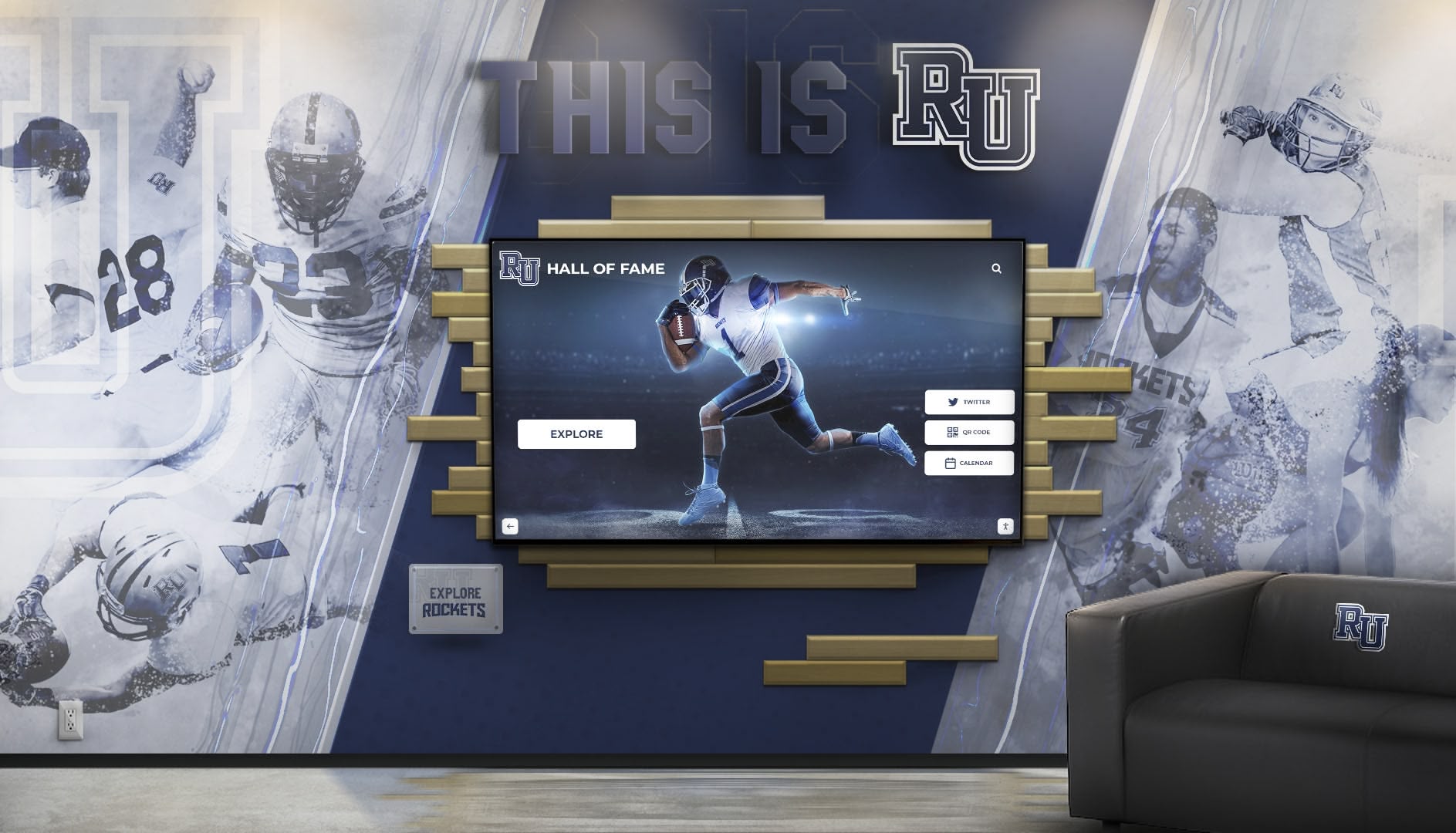
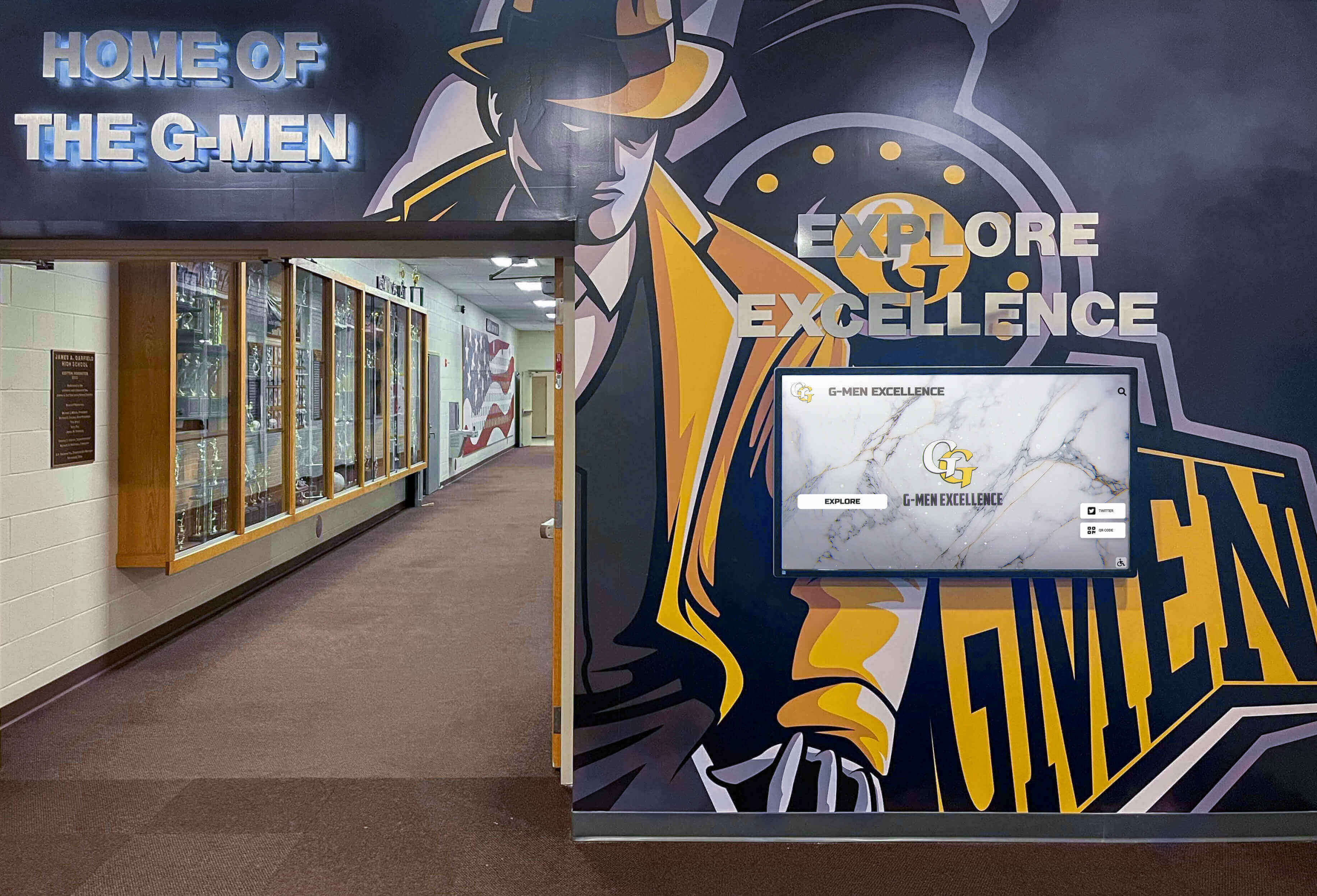
High-Traffic Locations: Prioritize areas where target audiences naturally congregate or pass frequently—main building entrances, cafeterias and commons areas, hallway intersections and gathering spaces, athletic facility lobbies and training rooms, performing arts center entrances, and library or media center locations. Displays in rarely-visited locations generate minimal value regardless of technology quality.
Appropriate Viewing Distances: Position displays where visitors can comfortably interact with touchscreens from natural standing positions. Account for furniture placement, traffic flow patterns, and typical viewing distances ensuring optimal accessibility without blocking hallways or creating safety hazards.
Lighting Conditions: Avoid locations with direct sunlight causing screen glare and washout. Ensure adequate ambient lighting for comfortable viewing without competing with display brightness. Test locations at different times throughout day and year accounting for seasonal lighting changes.
Infrastructure Proximity: Select locations with convenient electrical capacity and network connectivity, minimizing installation costs and complexity. Running new electrical lines or extending networks adds thousands of dollars per location while potentially requiring permits and creating construction disruption.
Content Strategy and Development
Touchscreen digital signage value depends entirely on content quality and comprehensiveness—strategic approaches to content development prevent common pitfalls while establishing foundations for long-term success.
Start with Well-Documented Recent Achievements: Begin with accomplishments from the past 5-10 years where documentation, photos, and information exist readily. This approach delivers quick wins providing immediate value while building confidence before tackling more challenging historical content requiring extensive research.
Establish Consistent Quality Standards: Define requirements for photo resolution and quality, biographical information depth, achievement description completeness, and data accuracy. Consistent standards ensure professional presentation throughout programs rather than haphazard quality varying dramatically across entries.
Engage Multiple Stakeholders: Distribute content collection responsibility across organizations. Alumni contribute career updates and photos, students research historical achievements, athletic staff provide statistics and records, development offices supply donor information, and academic departments submit honor roll data. Collaborative approaches reduce burden on any single person while leveraging institutional knowledge distributed across stakeholders.
Implement Sustainable Update Workflows: Establish clear processes for adding new achievements regularly, reviewing and correcting existing content, and responding to community-submitted updates. Without sustainable workflows, programs inevitably grow stale as initial enthusiasm wanes and competing priorities consume attention.
Training and Change Management
Technology succeeds when users embrace it—comprehensive training and thoughtful change management ensure smooth transitions from traditional to digital approaches.
Administrator Training: Provide thorough instruction on content management interfaces, media uploading and processing, quality control procedures, and troubleshooting common issues. Hands-on practice with actual content builds confidence enabling independent management without ongoing vendor dependence.
Stakeholder Communication: Explain program benefits to various stakeholders—students discovering role models, alumni maintaining connections, donors receiving appropriate recognition, and prospective families evaluating institutions. Understanding value builds support while encouraging engagement.
Launch Event Strategy: Ceremonial unveilings generate excitement and awareness while demonstrating institutional commitment. Coordinate launches with homecoming weekends, alumni reunions, major gift announcements, or other high-visibility occasions maximizing attention and participation.
Ongoing Promotion: Regularly feature content in newsletters, social media posts, website highlights, and school communications maintaining awareness and encouraging exploration. Programs receiving continuous visibility remain relevant rather than being initially noticed then forgotten.
Future Trends in Touchscreen Digital Signage Software
Understanding emerging trends helps schools select platforms positioned for long-term relevance as technology evolves and user expectations advance.
Artificial Intelligence Integration
AI capabilities increasingly enhance platforms through automated content tagging and organization reducing manual effort, natural language search understanding conversational queries, personalized content recommendations adapting to individual interests, image recognition facilitating photo organization and quality control, and intelligent analytics identifying engagement patterns automatically.
Schools implementing AI-powered platforms benefit from continuous improvement through standard updates rather than requiring expensive upgrades or platform migrations as capabilities mature.
Enhanced Mobile Integration
Progressive web applications blur distinctions between websites and native mobile apps, providing app-like experiences through browsers without installation requirements. Offline functionality enables content exploration without continuous connectivity, while location-aware features highlight nearby relevant content creating connections between physical and digital experiences.
Mobile-first platforms recognize that most users access content through smartphones rather than only interacting at physical installations, optimizing experiences for small screens and touch patterns common in everyday device usage.
Deeper System Integrations
Platform connectivity expands through automatic synchronization with student information systems, CRM databases, and institutional data repositories eliminating duplicate entry, single sign-on integration with campus authentication systems streamlining access, API-first architectures enabling custom integrations unique to organizational needs, and real-time data connections displaying dynamic information rather than static snapshots requiring manual updates.
Improved Accessibility and Universal Design
Advancing accessibility features ensure platforms serve all community members effectively through voice interaction and screen reader enhancements, improved visual accommodations for various abilities, sophisticated translation enabling multilingual content serving diverse communities, and universal design principles embedded from initial development rather than retrofitted afterward.
Conclusion: Selecting Your Touchscreen Digital Signage Software
The best touchscreen digital signage software for any school depends fundamentally on specific needs, primary applications, budget realities, technical capabilities, and long-term vision. Clear patterns emerge from evaluating platforms across diverse educational contexts.
For Schools Prioritizing Recognition and Community Engagement:
Rocket Alumni Solutions stands as the definitive choice through purpose-built educational focus, comprehensive interactive recognition capabilities, unlimited achievement capacity, intuitive content management, and turnkey implementation with white-glove support. Schools seeking to celebrate student excellence comprehensively, build authentic school pride, connect with alumni meaningfully, and create engaging experiences beyond passive information display find Rocket’s specialized platform delivers value announcement-focused systems cannot match.
For Schools Needing Straightforward Communication:
General-purpose platforms like easescreen, Rise Vision, and Yodeck provide capable announcement-focused digital signage at various price points. easescreen offers flexible content support and robust scalability for diverse applications. Rise Vision provides extensive educational templates with strong Google integration. Yodeck delivers excellent value for budget-conscious schools through free single-screen capability and affordable multi-display expansion.
Strategic Implementation Recommendations:
Regardless of platform selection, schools maximize touchscreen digital signage value through clear goal definition guiding vendor evaluation, realistic needs assessment distinguishing between communication and recognition requirements, comprehensive cost analysis considering total ownership costs over 5-7 year lifecycles, strategic display placement maximizing visibility and engagement, quality implementation investing in proper installation and training, sustainable content workflows maintaining relevance, and effectiveness measurement tracking engagement enabling continuous improvement.
Many schools ultimately implement hybrid approaches—comparing digital signage options for basic announcements in multiple locations while deploying specialized recognition displays in strategic high-visibility areas. This approach matches specific technologies to distinct applications rather than forcing single platforms to serve all purposes inadequately.
Touchscreen digital signage software represents significant investment transforming school communication and recognition for years ahead. Choose platforms aligned with actual needs, prioritize capabilities over lowest initial costs, and select partners committed to your long-term success rather than simply vendors completing transactions.
Ready to explore how purpose-built touchscreen recognition displays can transform your school’s approach to celebrating achievement while building genuine community pride? Contact Rocket Alumni Solutions at +1-857-465-3603 to discover comprehensive platforms designed specifically for educational recognition creating engaging experiences that generic announcement systems simply cannot match.
For additional guidance, explore resources on implementing best-in-class digital recognition displays and building effective halls of fame that elevate your institution’s recognition excellence.
Disclaimer: This comparison is based on publicly available information as of November 2025. All product names and trademarks belong to their respective owners. All trademarks mentioned herein including easescreen, Rise Vision, Yodeck, ScreenCloud, and others are property of their respective owners. Rocket Alumni Solutions is not affiliated with or endorsed by these organizations. Comparative statements reflect Rocket Alumni Solutions’ interpretation of available data and may change over time. This content was produced by Rocket Alumni Solutions. Schools should conduct independent evaluation of all platforms based on their specific needs and requirements.































