Hospital Stays Shouldn't Mean Leaving Childhood Behind
Every day, children facing medical challenges encounter environments designed primarily for clinical efficiency rather than emotional comfort. The sterile hallways, unfamiliar equipment, and separation from normal routines create anxiety that compounds the stress of illness. Interactive touchscreen games and displays are transforming this experience, turning pediatric hospitals into spaces where healing happens alongside play, engagement, and moments of joy that help young patients maintain their sense of childhood even during the most challenging times.
Children’s hospitals serve some of our most vulnerable populations—young patients dealing with serious illnesses, chronic conditions, injuries, and medical procedures that adults would find challenging. Beyond clinical care, these institutions recognize that emotional well-being, reduced anxiety, and positive distraction significantly impact recovery outcomes and patient compliance. Modern interactive touchscreen technology offers powerful tools to address these needs, creating engaging experiences that reduce stress, encourage movement and interaction, and transform hospital environments from places children fear into spaces where they can still experience wonder and play.
Understanding Interactive Touchscreen Technology in Pediatric Healthcare
Interactive touchscreen games and displays in children’s hospitals encompass a range of digital technologies designed specifically to engage, entertain, educate, and therapeutically support pediatric patients. Unlike passive entertainment like televisions showing cartoons, these systems require active participation through touch interaction, creating immersive experiences that capture attention, encourage physical movement, support cognitive development, and provide meaningful distraction during medical procedures.
Types of Interactive Systems
- Wall-mounted touchscreen gaming displays
- Interactive floor projection systems
- Multi-touch tabletop gaming surfaces
- Bedside entertainment tablets and displays
- Corridor and waiting room interactive walls
- Gesture-based touchless interaction systems
Therapeutic Applications
- Anxiety and stress reduction through distraction
- Physical rehabilitation and movement therapy
- Cognitive development and learning support
- Social interaction in shared play spaces
- Procedural pain management and distraction
- Post-treatment recovery engagement
These interactive systems leverage the same robust touchscreen technology that powers digital recognition displays and interactive kiosks, adapted specifically for pediatric healthcare environments with age-appropriate content, infection control considerations, and therapeutic functionality.

Why Children’s Hospitals Are Investing in Interactive Gaming Technology
Pediatric healthcare facilities face unique challenges in supporting young patients through medical experiences that can be frightening, painful, and emotionally overwhelming. Understanding these challenges reveals why interactive touchscreen games have become essential tools in modern children’s hospitals.
The Impact of Medical Anxiety on Pediatric Patients
Children experiencing medical procedures and hospital stays face distinctive emotional challenges that differ significantly from adult patients. Research in pediatric psychology and child life services indicates that untreated medical anxiety in young patients contributes to several concerning outcomes.
Medical procedures become more difficult when anxious children resist treatment, refuse cooperation, or experience heightened pain perception. Studies have shown that anxiety amplifies pain sensation, making procedures more traumatic than necessary. Children who develop medical trauma may experience long-term healthcare avoidance, creating challenges for ongoing treatment compliance and preventive care throughout their lives.
The emotional toll extends beyond the immediate medical situation. Hospitalized children often experience isolation from friends, separation anxiety from familiar environments, disruption of normal developmental activities, loss of control and autonomy, and fear of the unknown regarding procedures and outcomes.
Interactive gaming technology addresses these challenges by providing engaging distraction that redirects attention from medical stressors, creating positive experiences within hospital environments, offering age-appropriate control and choice, supporting normal play and development during hospitalization, and reducing perception of time during long treatments or recovery periods.
Positive Distraction as Evidence-Based Intervention
Healthcare research increasingly recognizes positive distraction as a clinically valuable intervention, not merely entertainment. Children immersed in engaging interactive experiences demonstrate measurably different responses during medical procedures compared to those without distraction techniques.
Research in pediatric pain management has found that children engaged with interactive technology during procedures frequently report lower pain scores, require reduced medication for procedural anxiety, demonstrate better cooperation with medical staff, complete procedures more quickly with fewer interruptions, and show reduced fear during subsequent procedures.
These outcomes translate to better clinical results alongside improved emotional experiences for young patients and their families. The child life profession—specialists trained in supporting children through medical experiences—has embraced interactive technology as a valuable tool in their therapeutic arsenal.
Interactive displays provide child life specialists with flexible tools for pre-procedure preparation, distraction during treatments, post-procedure decompression, and developmental support during extended hospitalizations. Much like interactive displays support engagement in educational settings, similar technology creates engagement opportunities in healthcare environments.

Supporting Family-Centered Care Models
Modern pediatric healthcare operates on family-centered care principles that recognize families as essential partners in children’s medical experiences. Interactive gaming technology supports these models by creating shared positive experiences between patients and family members, providing activities for siblings visiting hospitalized children, offering parents tools to comfort and distract their children, reducing family stress during waiting periods, and creating normalcy through familiar play activities.
When families observe their hospitalized children laughing, playing, and engaging with interactive games, it provides emotional relief during frightening medical situations. These moments of normalcy and joy support the entire family’s wellbeing, not just the patient’s.
Therapeutic Applications Beyond Entertainment
While entertainment value matters, interactive touchscreen systems in children’s hospitals increasingly serve specific therapeutic purposes guided by rehabilitation specialists and therapists. Physical therapists utilize interactive floor systems to encourage movement and exercise during recovery from injuries or surgeries. Games requiring reaching, stepping, or coordination support rehabilitation goals while feeling like play rather than therapy.
Occupational therapists employ touchscreen activities to develop fine motor skills, hand-eye coordination, and cognitive processing abilities. Children recovering from neurological conditions, developmental delays, or injuries benefit from engaging activities that simultaneously entertain and therapeutically support recovery.
Speech therapists integrate interactive systems into language development activities, particularly for children with communication disorders or those recovering from conditions affecting speech. Games incorporating language, following directions, and communication provide therapeutic value within engaging contexts.
This therapeutic versatility makes interactive touchscreen technology a valuable investment supporting multiple clinical objectives beyond basic patient entertainment.
Clinical Benefits of Interactive Gaming Technology
- Pain Management: Active engagement with games demonstrably reduces pain perception during procedures and recovery
- Treatment Compliance: Children more willing to complete medical procedures when distraction techniques are available
- Reduced Medication Needs: Effective distraction can decrease requirements for procedural sedation and anxiety medications
- Shorter Procedure Times: Cooperative, distracted patients allow clinicians to work more efficiently
- Better Long-Term Outcomes: Positive medical experiences reduce healthcare avoidance and improve ongoing treatment compliance
Types of Interactive Touchscreen Games and Displays for Pediatric Hospitals
Children’s hospitals implement various interactive technologies depending on specific use cases, patient populations, physical spaces, and therapeutic objectives. Understanding these options helps healthcare facilities select appropriate solutions for their environments.
Wall-Mounted Interactive Touchscreen Displays
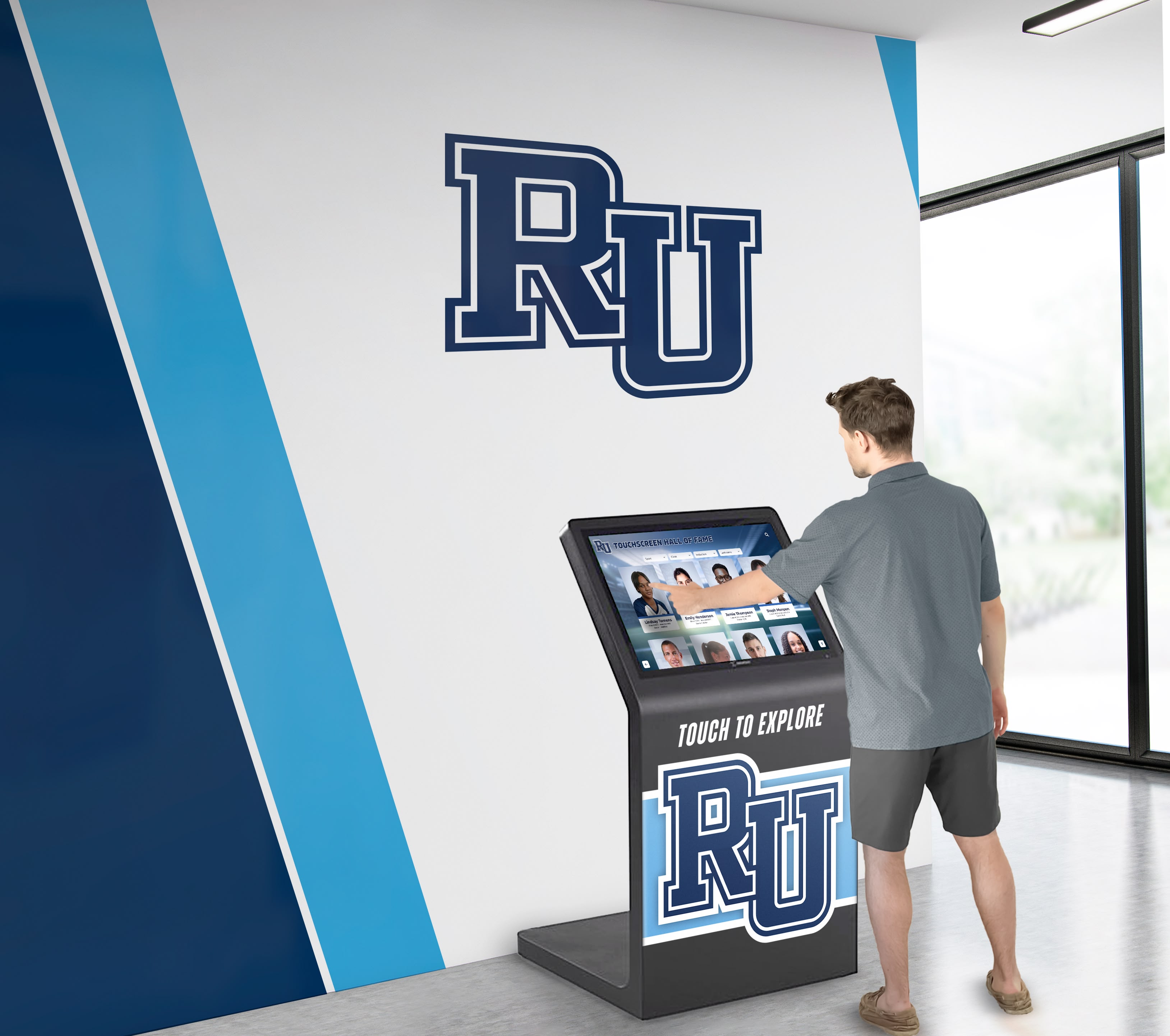
Wall-mounted touchscreen systems offer versatile installations suitable for corridors, playrooms, waiting areas, and patient rooms. These displays typically range from 32 to 75 inches, providing large interactive surfaces accessible to multiple children simultaneously or individual patients.
Modern wall-mounted systems feature bright, colorful interfaces designed for pediatric appeal, durable commercial-grade touchscreens withstanding intensive use, adjustable mounting heights accommodating different age groups, content libraries with age-appropriate games and activities, and antimicrobial screen surfaces supporting infection control.
These systems excel in high-traffic areas where multiple patients share access throughout the day. Similar to how interactive touchscreen technology creates engaging experiences in public spaces, pediatric applications provide captivating content specifically designed for young users.
Interactive Floor Projection Systems
Interactive floors create magical experiences where children’s movements trigger visual responses—stepping on virtual bubbles makes them pop, walking creates colorful trails, or completing patterns unlocks animations. These systems prove particularly valuable in corridors and waiting areas where encouraging movement benefits restless children confined to hospital environments.
Physical therapists utilize interactive floors for rehabilitation activities that motivate children to practice walking, balance, and coordination skills. Games requiring specific movements or patterns provide therapeutic exercise disguised as play, improving compliance with physical therapy goals.
Interactive floor systems also create shared play experiences where multiple children engage simultaneously, supporting social interaction that combats the isolation of hospitalization. Children playing together on interactive floors engage in cooperative games, parallel play activities, and social exchanges that support normal development during medical treatment.
Multi-Touch Interactive Tables
Interactive table systems accommodate multiple users gathered around a shared display surface, making them ideal for playrooms, family waiting areas, and activity spaces. These systems support cooperative games requiring collaboration, educational content with multi-user interaction, creative activities like drawing and designing, and age-appropriate puzzle and problem-solving games.
Tables offer accessibility advantages for children with mobility limitations who can interact while seated in wheelchairs or specialized seating. The horizontal orientation feels natural and welcoming compared to vertical displays, particularly for younger children.
Bedside Entertainment and Gaming Systems
For children unable to leave their rooms due to isolation protocols, severe illness, or medical equipment, bedside interactive systems provide crucial engagement and distraction. These typically include tablet-style devices or displays mounted on articulating arms that position screens for comfortable interaction from beds.
Bedside systems should offer adjustable positioning accommodating various bed configurations and patient mobility levels, age-appropriate content libraries spanning early childhood through adolescence, customizable difficulty levels adapting to patient capabilities, integration with nurse call systems for safety, and easy sanitization between patients.
During lengthy treatments like chemotherapy infusions, bedside interactive systems provide sustained engagement that makes time pass more quickly and reduces anxiety throughout procedures. Research has shown that children using VR and interactive displays during chemotherapy report significantly lower anxiety and better treatment experiences.

Gesture-Based Touchless Interaction Systems
Post-pandemic awareness of infection transmission has increased interest in touchless interaction technologies utilizing gesture recognition and motion sensing. These systems allow children to control games and activities through hand movements, body position, or arm gestures without physically touching surfaces.
Touchless systems offer particular advantages in isolation rooms, immunocompromised patient areas, and settings where frequent surface contact raises infection concerns. The technology creates engaging “magic” experiences where children control digital elements through movement alone, adding an element of wonder to the interaction.
Virtual Reality Systems for Procedural Distraction
While not strictly touchscreen technology, virtual reality headsets represent an advanced category of interactive engagement increasingly utilized in pediatric hospitals. VR systems create fully immersive experiences that completely capture attention during anxiety-inducing procedures.
Children’s hospitals implement VR for pre-procedure anxiety reduction before surgeries or imaging studies, distraction during needle procedures like IV placement or blood draws, pain management during wound care or physical therapy, and rehabilitation activities requiring specific movements or exercises.
Research at major children’s hospitals has demonstrated that VR intervention during procedures can reduce pain perception equivalent to moderate doses of pain medication, making it a valuable non-pharmacological intervention. The technology proves most effective for children approximately 7 years and older who can comfortably wear headsets and understand VR environments.
Key Features of Effective Interactive Gaming Systems for Pediatric Healthcare
Not all interactive touchscreen systems suit pediatric healthcare environments. When evaluating solutions for children’s hospitals, prioritize features specifically designed for young patients and medical settings.
Age-Appropriate Content Libraries
Children’s hospitals serve patients ranging from infants through adolescents, requiring content appropriate across vast developmental spans. Effective systems include content organized by age groups such as toddlers (2-4 years), early childhood (5-7 years), middle childhood (8-10 years), pre-adolescence (11-13 years), and adolescence (14-18 years).
Each age category requires different complexity levels, thematic content, visual styles, interaction types, and engagement durations. Systems should allow easy filtering and selection based on patient age and developmental stage.
Content should avoid themes that might trigger medical anxiety—games featuring needles, hospitals, or medical scenarios may seem logical but often increase rather than reduce stress. Instead, prioritize imaginative themes, nature and animal content, creative activities, sports and physical games, puzzle and logic challenges, and music and art exploration.
Infection Control and Hygiene Features
Healthcare environments demand rigorous infection control, particularly in pediatric settings where immunocompromised patients face heightened vulnerability. Interactive systems for children’s hospitals should incorporate antimicrobial screen coatings reducing pathogen survival on surfaces, sealed construction preventing contamination in crevices or openings, surfaces that withstand frequent disinfection with hospital-grade cleaners, and smooth designs without recesses where contaminants accumulate.
Some systems additionally offer touchless operation modes allowing gesture control when appropriate for specific patient populations. Regular cleaning protocols should be established based on usage intensity and patient populations served. Just as healthcare institutions prioritize hygiene in donor recognition displays, similar standards apply to pediatric interactive gaming systems.
Durable Construction
Commercial-grade components designed for intensive daily use by energetic children in demanding environments.
Safety Features
Rounded edges, secure mounting, shatter-resistant screens, and no small parts that could pose choking hazards.
Accessible Design
Height-adjustable displays, wheelchair-accessible positioning, and interfaces accommodating various abilities and limitations.
Visual Appeal
Bright colors, engaging graphics, and inviting interfaces that attract children and encourage interaction.
Intuitive Controls
Simple, obvious interaction methods requiring no instructions or adult assistance for independent use.
Multilingual Support
Content available in multiple languages serving diverse patient populations and families.
Therapeutic Customization Capabilities
Children’s hospitals should prioritize systems offering customization supporting specific therapeutic applications. Features enabling therapeutic use include adjustable difficulty levels matching patient capabilities, progress tracking for rehabilitation activities, customizable movement or interaction requirements supporting physical therapy goals, cognitive challenge adjustments accommodating different developmental levels, and integration capabilities with electronic health records for therapeutic documentation.
Child life specialists, physical therapists, occupational therapists, and other clinical staff should be able to select or customize activities supporting specific patient needs. Generic gaming systems lack this therapeutic flexibility, limiting their clinical value beyond basic distraction.
Content Management and Updates
Interactive systems should offer ongoing content updates keeping experiences fresh and engaging for repeat patients and staff managing multiple users. Cloud-based content management allows administrators to refresh game libraries, add seasonal or themed content, customize content for specific patient populations, and schedule automatic updates without technical expertise.
Facilities should also have options to add custom content featuring hospital mascots or characters, creating localized experiences that strengthen institutional identity and patient connection. The same content management principles that support digital recognition systems can apply to pediatric interactive displays, ensuring content remains current and engaging.

Safety and Privacy Considerations
Pediatric healthcare environments require heightened attention to safety and privacy. Interactive systems should include no data collection from or about patients, no internet connectivity that might expose children to inappropriate content, no ability for users to communicate externally or share personal information, and automatic session resets between users preventing information carryover.
Content should be carefully curated to exclude advertising, inappropriate themes, violence, or anxiety-inducing material. Systems designed specifically for healthcare environments typically address these concerns through careful content curation and restricted functionality.
Multi-User and Social Play Features
While some children require individual activities, social play opportunities support normal development and combat isolation. Interactive systems should accommodate multiple simultaneous users without confusion, cooperative games requiring collaboration, parallel play allowing independent activities on shared displays, and turn-taking mechanisms teaching patience and social skills.
These social features prove particularly valuable in outpatient waiting areas, infusion centers, and playrooms where multiple children gather and can benefit from shared experiences.
Strategic Placement of Interactive Displays in Children’s Hospitals
Where interactive gaming systems are installed significantly impacts their effectiveness and utilization. Strategic placement considers both clinical applications and patient experience optimization.
High-Priority Locations
Certain locations provide maximum therapeutic value and patient experience enhancement:
Procedural and Treatment Areas
- Imaging Departments: Distraction during preparation for MRI, CT, or X-ray procedures
- Infusion Centers: Sustained engagement during lengthy chemotherapy or medication infusions
- Emergency Departments: Anxiety reduction while awaiting treatment or during procedures
- Pre-Operative Areas: Distraction and anxiety management before surgeries
Patient Living and Activity Spaces
- Playrooms: Central engagement hubs for mobile patients
- Patient Rooms: Bedside entertainment for immobile or isolated patients
- Physical Therapy Gyms: Rehabilitation activities and therapeutic games
- Waiting Areas: Engagement for patients and siblings during appointments
Each location serves different therapeutic and experiential purposes, requiring appropriate content and system configurations for those specific use cases.
Supporting Rehabilitation and Therapy
Interactive systems installed in rehabilitation areas should emphasize activities supporting therapeutic goals. Physical therapy spaces benefit from interactive floors encouraging movement, walking, and balance activities. Games requiring reaching, stepping, or specific motions support therapy objectives while engaging patients who might otherwise resist exercise.
Occupational therapy areas benefit from touchscreen activities developing fine motor skills, hand-eye coordination, and cognitive processing. Adjustable difficulty levels allow therapists to challenge patients appropriately as capabilities improve.
Speech therapy spaces can utilize interactive systems with language-rich content, following-direction activities, and communication-focused games that support therapeutic objectives within engaging contexts.
The same principles that make interactive displays effective for student engagement translate well to pediatric rehabilitation settings, turning therapeutic activities into engaging experiences.
Corridor and Public Spaces
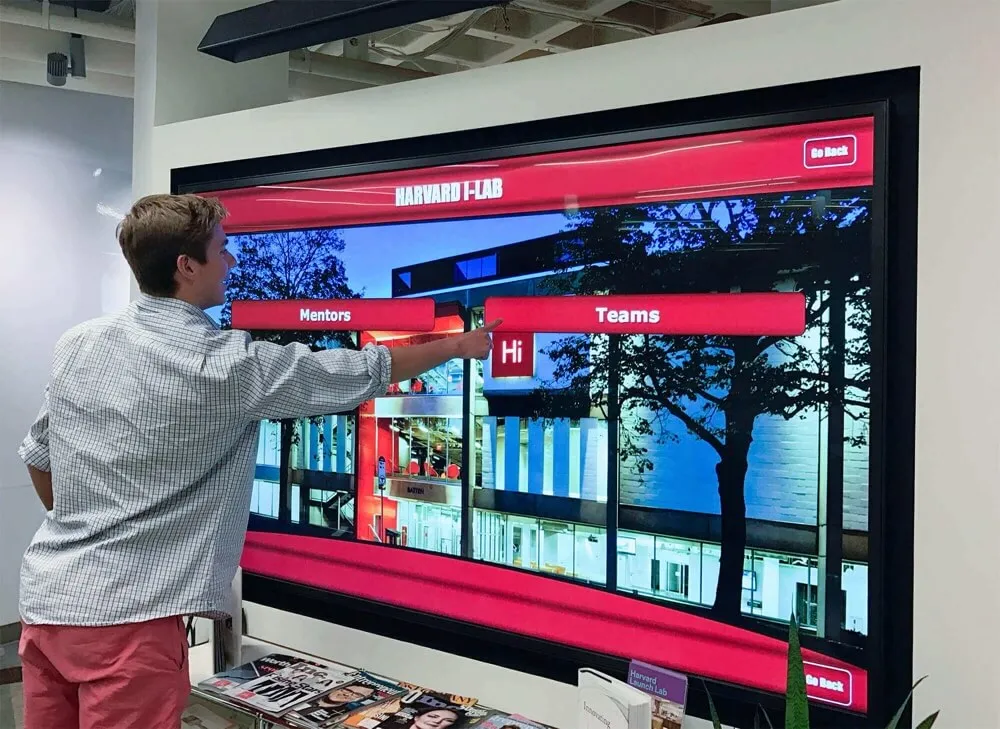
Hallways and corridors represent underutilized spaces in many hospitals. Installing interactive displays in these areas transforms them into engagement opportunities that capture attention during transitions between locations.
Interactive corridor displays can showcase hospital mascots and characters providing wayfinding assistance, educational content about health and wellness, creative activities encouraging expression, and games appropriate for brief interactions during passing.
These installations also benefit siblings who accompany patients to appointments, providing activities during waiting periods when attention might otherwise be difficult to maintain.
Family Lounges and Respite Areas
Families spending extended periods at children’s hospitals need respite spaces offering normalcy and stress relief. Interactive displays in family lounges provide activities parents can share with hospitalized children, entertainment for healthy siblings, welcoming distraction during stressful waiting periods, and positive experiences creating moments of joy during difficult times.
These family-centered placements recognize that supporting families supports patients, as parental stress and anxiety directly impact children’s emotional states and recovery.
Implementation Guide: Bringing Interactive Gaming Technology to Your Pediatric Facility
Successfully deploying interactive touchscreen gaming systems requires thoughtful planning, stakeholder engagement, and careful implementation. Healthcare institutions should anticipate a 3-6 month implementation timeline depending on project scope.
Phase 1: Needs Assessment and Goal Setting (3-4 weeks)
Begin by identifying specific objectives and populations your interactive gaming initiative will serve through stakeholder interviews with child life specialists, nurses, therapists, and family representatives; patient and family feedback about current entertainment and distraction resources; clinical needs assessment from procedural areas identifying anxiety and compliance challenges; budget determination and funding source identification; and physical space evaluation for installation feasibility.
This assessment phase ensures your implementation addresses actual needs rather than implementing technology for its own sake. Clear objectives guide vendor selection and content choices that deliver maximum value for your specific environment.
Phase 2: Vendor Selection and System Design (2-4 weeks)
Evaluate interactive gaming solutions based on pediatric-specific content and interfaces, infection control and safety features, therapeutic customization capabilities, ease of content management and updates, and proven implementations in comparable healthcare settings.
Request demonstrations using pediatric content with children from your facility’s age range if possible. Solutions like Rocket Alumni Solutions, which specialize in intuitive interactive touchscreen technology for community-focused applications, can adapt their user-friendly platforms to pediatric healthcare environments, bringing proven expertise in engaging, accessible interfaces to medical settings.
Prioritize vendors with specific healthcare experience who understand the unique requirements of pediatric clinical environments beyond general entertainment applications.
Phase 3: Stakeholder Engagement and Buy-In (2-3 weeks)
Clinical staff must understand the value and appropriate use of interactive gaming technology. Engage key stakeholders through presentations to nursing leadership, child life departments, and therapy teams; demonstrations allowing staff to experience the systems firsthand; discussion of therapeutic applications and clinical protocols; and training planning for staff who will utilize the systems with patients.
Staff who understand therapeutic rationale and clinical applications become champions who maximize system utilization rather than viewing the technology as simple entertainment.
Phase 4: Installation and Integration (3-4 weeks)
Physical installation includes electrical infrastructure and power supply, network connectivity if required, secure mounting and safety features, system configuration and content loading, and infection control protocol implementation.
Coordinate installation to minimize disruption to patient care areas. Many facilities schedule installation during overnight hours or in phases that maintain continuous operations.

Phase 5: Training and Soft Launch (2-3 weeks)
Before full implementation, thoroughly train staff who will incorporate systems into patient care including child life specialists on using systems for procedural distraction, nursing staff on basic operation and patient safety protocols, therapy staff on therapeutic applications and customization options, and environmental services on proper cleaning and disinfection procedures.
Consider a soft launch period where systems are available but usage is closely monitored, allowing refinement based on real-world feedback before formal promotional launch.
Phase 6: Ongoing Management and Evaluation (Continuous)
After implementation, establish processes for content updates and seasonal refreshes, usage tracking and therapeutic outcome monitoring, staff feedback collection for optimization, maintenance and cleaning protocol compliance, and continuous improvement based on patient and family input.
Interactive gaming systems should evolve based on usage patterns, patient preferences, and clinical feedback, ensuring they continue delivering value over time.
Measuring Success: Impact and Outcomes of Interactive Gaming in Pediatric Hospitals
Healthcare institutions rightfully expect measurable benefits from technology investments. Interactive gaming systems deliver value across clinical, experiential, and operational dimensions.
Patient Experience and Satisfaction Improvements
Patient and family satisfaction significantly impacts children’s hospitals’ reputation, community support, and patient volume. Interactive gaming technology typically generates measurable improvements in patient-reported anxiety levels during procedures and hospitalization, overall satisfaction with hospital experience, willingness to return for ongoing treatment, perception of hospital as child-friendly environment, and sibling satisfaction during visits.
Many children’s hospitals report 10-20 point increases in patient experience scores following interactive gaming implementation, particularly in questions related to environment, emotional support, and overall satisfaction.
Clinical Outcome Benefits
Beyond satisfaction, interactive gaming impacts measurable clinical outcomes. Research and facility reports indicate improvements in procedural compliance and cooperation, reduced requirements for sedation or anxiety medication, shorter procedure completion times, better pain management scores, and reduced medical trauma affecting future healthcare interactions.
A major children’s hospital implementing VR distraction technology reported that children using interactive systems during procedures required 24% less pain medication on average compared to standard care, representing clinically significant improvement with cost savings benefits.
Operational and Financial Benefits
| Metric | Typical Impact | Value to 200-bed Children's Hospital |
|---|---|---|
| Procedural Efficiency | 10-15% reduction in procedure time | $100,000-$200,000 in increased capacity value |
| Sedation Medication Use | 20-30% reduction in procedural sedation | $50,000-$100,000 in medication and monitoring costs |
| Staff Satisfaction | Improved morale and reduced procedure stress | Retention benefits and reduced burnout costs |
| Patient Compliance | Reduced need for procedure rescheduling | $75,000-$150,000 in prevented revenue loss |
These operational benefits accumulate annually while systems typically operate for 7-10 years, providing strong return on investment alongside the primary benefit of improved patient experience and clinical outcomes.
Therapeutic Progress Tracking
For systems utilized in rehabilitation and therapy contexts, tracking patient progress provides valuable outcome data. Features enabling measurement include rehabilitation exercise completion rates, therapeutic game performance improvement over time, engagement duration indicating attention and motivation, goal achievement tracking for therapy objectives, and therapist assessment tools integrated with activities.
This data supports clinical documentation while demonstrating therapeutic value beyond entertainment, justifying investment through measurable clinical contributions.
Overcoming Common Implementation Concerns
Children’s hospitals considering interactive gaming technology often raise legitimate concerns that can be effectively addressed through proper planning and system selection.
“We’re Concerned About Infection Control”
Infection control represents the most frequent concern in pediatric healthcare, particularly for immunocompromised patients. Modern interactive systems specifically designed for healthcare address these concerns through antimicrobial screen coatings and materials, sealed construction preventing pathogen accumulation, surfaces withstanding hospital-grade disinfectants, and optional touchless operation modes for highest-risk areas.
Establish cleaning protocols based on manufacturer recommendations and infection control standards. High-traffic shared displays should undergo cleaning between users or at scheduled intervals. Systems in isolation rooms or immunocompromised units may utilize touchless technology eliminating surface contact.
Proper hygiene protocols make interactive touchscreen systems safe for pediatric healthcare environments just as similar technology safely operates in other medical settings.
“We Don’t Have Budget for Expensive Entertainment Systems”
Initial cost concerns are understandable given healthcare budget constraints. However, interactive gaming systems increasingly prove cost-effective when considering total value including procedural efficiency improvements, reduced sedation medication requirements, decreased need for repeated procedures due to non-compliance, staff time savings in distraction and anxiety management, and patient satisfaction improvements affecting reputation and patient volume.
Many implementations achieve ROI within 3-5 years through operational improvements alone, before considering the primary value of enhanced patient experience and clinical outcomes. Additionally, grant funding, foundation support, donor contributions, and phased implementation approaches can address budget constraints.
Starting with high-impact locations like procedural areas or main playrooms allows demonstration of value before expanding to additional spaces.
“Our Staff Doesn’t Have Time to Manage Complex Systems”
Clinical staff rightfully prioritize direct patient care over technology management. Quality interactive gaming systems designed for healthcare require minimal ongoing staff involvement through cloud-based content management, automatic updates and maintenance, simple operation requiring no technical expertise, and vendor support for troubleshooting and optimization.
Child life specialists and recreation therapists typically become system champions who guide appropriate use, but systems should function reliably without requiring significant staff attention beyond basic operation with patients.
“We Need Solutions Appropriate for Diverse Age Ranges”
Children’s hospitals serve patients from infancy through adolescence, requiring content spanning vastly different developmental stages. Effective systems address this through age-categorized content libraries, quick filtering by patient age, customizable difficulty adjustments, and diverse activity types appealing to different ages.
Systems should offer toddler-appropriate activities with simple cause-and-effect interactions alongside sophisticated games and creative tools engaging teenagers. Content variety ensures appropriate options for your entire patient population. Similar to how recognition displays accommodate diverse audiences, interactive gaming systems can serve multiple age groups through thoughtful content design.
“We’re Unsure About Therapeutic Value vs. Simple Entertainment”
Distinguishing therapeutic applications from entertainment represents a valid concern. Look for systems offering therapeutic customization, progress tracking capabilities, evidence-based distraction protocols, and clinical validation studies.
Work with child life specialists, therapists, and clinical teams to establish protocols for therapeutic use, ensuring systems support clinical objectives beyond entertainment. Vendors with healthcare experience can guide therapeutic implementation based on proven practices in comparable institutions.
Future Trends: Evolving Interactive Gaming in Pediatric Healthcare
Interactive gaming technology for children’s hospitals continues advancing with emerging capabilities that will further enhance therapeutic value and patient experience.
Artificial Intelligence and Adaptive Gaming
AI-enhanced systems will offer increasingly sophisticated personalization such as adaptive difficulty automatically adjusting to patient capabilities, personalized content recommendations based on age, interests, and previous interactions, therapeutic progress monitoring detecting improvement or challenges, and natural language interaction for more intuitive control.
These intelligent features will make systems feel more responsive and personalized to individual patients, increasing engagement and therapeutic effectiveness.
Augmented Reality Experiences
AR technology overlays digital elements onto real-world environments through tablets or specialized glasses, creating blended experiences. Pediatric applications might include virtual pet companions following children through the hospital, wayfinding assistance projecting directional arrows for navigation, educational anatomy overlays supporting patient education, and therapeutic exercises guided by AR visual feedback.
AR offers particularly promising applications in physical rehabilitation where real-world movement combines with virtual guidance and feedback.
Biometric Integration and Therapeutic Monitoring
Future systems may integrate biometric monitoring to track patient engagement and therapeutic response through heart rate monitoring indicating stress or relaxation, movement tracking measuring rehabilitation exercise accuracy, attention tracking assessing cognitive engagement, and pain indicator detection adjusting distraction intensity appropriately.
This data would support clinical documentation while enabling real-time system optimization based on patient response.
Expanded Therapeutic Applications
Research continues identifying new therapeutic applications for interactive technology in pediatric healthcare including chronic pain management protocols, mental health and anxiety disorder treatment, developmental disorder interventions, and medical education preparing children for upcoming procedures.
As evidence grows, interactive gaming systems will increasingly integrate formal therapeutic protocols supported by clinical research rather than serving primarily entertainment purposes.
Ready to Transform Patient Experience at Your Children's Hospital?
Discover how interactive touchscreen gaming technology can reduce pediatric anxiety, support therapeutic goals, and create positive hospital experiences for young patients and their families.
Explore Interactive Healthcare SolutionsConclusion: Play as Healing in Pediatric Healthcare
Implementing interactive touchscreen gaming technology in children’s hospitals represents more than facility amenity—it’s a fundamental recognition that supporting children’s emotional wellbeing, reducing anxiety, and preserving opportunities for play and joy during medical treatment contributes meaningfully to healing and recovery.
Medical environments that prioritize only clinical efficiency without addressing emotional needs create unnecessary trauma that can last long beyond physical healing. Children who experience hospitals as places of fear and anxiety may develop healthcare avoidance affecting their wellbeing throughout life. Conversely, pediatric facilities that successfully integrate moments of joy, engagement, and normalcy into medical experiences support not just physical recovery but emotional resilience.
Interactive gaming technology offers powerful tools to achieve this balance—providing clinically valuable distraction during procedures, supporting therapeutic rehabilitation through engaging activities, combating isolation and boredom during hospitalization, creating positive experiences that reduce medical trauma, and affirming that childhood continues even during medical challenges.
For pediatric healthcare administrators, child life professionals, and clinical leaders evaluating interactive gaming solutions, prioritize systems combining robust therapeutic functionality with genuine pediatric appeal, infection control features with durability for intensive use, age-appropriate content variety with therapeutic customization, and proven healthcare implementation experience with responsive vendor partnership.
The right systems become invisible infrastructure that simply works—capturing young patients’ attention when they need distraction most, supporting therapists in making rehabilitation feel like play, and creating moments where hospitalized children can simply be children despite their medical circumstances.
As pediatric healthcare continues evolving toward truly family-centered, trauma-informed care models, interactive gaming technology that reduces suffering, supports healing, and preserves joy during medical experiences will increasingly become not just a valued amenity but an expected standard of compassionate, modern pediatric healthcare delivery.
Children’s hospitals ready to enhance patient experience, support clinical outcomes, and demonstrate institutional commitment to child-centered care should explore interactive touchscreen gaming solutions designed specifically for pediatric medical environments. The combination of measurable clinical benefits, operational improvements, and meaningful positive impact on young patients’ lives makes this technology one of the most valuable investments pediatric institutions can make in supporting healing that encompasses both body and spirit.































