The touchscreen technology we interact with daily—tapping smartphones, navigating tablets, exploring interactive displays—represents decades of innovation that fundamentally transformed how humans communicate with computers. What began as a solution for air traffic control in 1960s England has evolved into the primary interface through which billions of people access information, connect with others, and engage with digital content.
Understanding the history of touchscreen technology reveals not just technical progress, but a story of visionary engineers who reimagined human-computer interaction. From early capacitive experiments to resistive layers, from arcade games to smartphones, and from consumer devices to specialized applications in education and recognition, touchscreen evolution demonstrates how persistent innovation creates lasting impact.
This comprehensive guide explores the complete timeline of touchscreen development, examining the breakthrough moments, technological approaches, and key applications that shaped modern touch interfaces—including today’s interactive recognition displays transforming how schools and organizations celebrate achievement.
The Birth of Touch Technology: 1960s Foundations
E.A. Johnson’s Pioneering Capacitive Touchscreen (1965)
The story of practical touchscreen technology begins at the Royal Radar Establishment in Malvern, England, where E.A. (Eric Arthur) Johnson developed the first finger-driven touchscreen in 1965. Johnson’s motivation stemmed from a critical need: improving air traffic control systems for the UK National Air Defense.
Air traffic controllers faced increasing workloads managing growing flight volumes, requiring solutions that would accelerate response times, minimize errors, and enable more accurate decision-making. Johnson recognized that eliminating intermediate input devices—keyboards and mice—would create more intuitive, faster interactions.
In October 1965, Johnson published his groundbreaking work in Electronics Letters with the article “Touch Display—A Novel Input/Output Device for Computers.” His capacitive touch technology detected touch by measuring changes in electrical capacitance when a conductive object like a finger approached copper circuits etched into the display surface.
Johnson expanded his initial concepts in a 1967 paper titled “Touch Displays: A Programmed Man-Machine Interface,” exploring broader applications beyond air traffic control. In 1969, the U.S. Patent Office granted Johnson a patent for his invention, officially recognizing his pioneering contribution to touch technology.
Technical Approach: Johnson’s system used copper wires connected to computer circuits that detected when they were touched. Depending on which circuit registered contact, the computer executed different commands—a simple concept that established fundamental principles still used in modern capacitive touchscreens found in smartphones and tablets.

The HP Touch-Sensitive Music Synthesizer (1948)
While Johnson created the first finger-driven touchscreen, earlier touch-sensitive technologies laid groundwork for human-machine interaction. Hugh Le Caine’s Electronic Sackbut, completed in 1948, is widely considered the first musical synthesizer incorporating touch-sensitive controls.
Le Caine, a Canadian physicist and composer, developed this instrument at the National Research Council of Canada. The Electronic Sackbut featured a touch-sensitive keyboard that responded to both key position and pressure, allowing musicians to control pitch, volume, and timbre through touch variations—an early demonstration of how touch could create nuanced, expressive human-computer interaction.
Though not a touchscreen in the modern sense, Le Caine’s work demonstrated that touch-based interfaces could capture subtle human input and translate it into precise machine responses—a concept that would become central to all subsequent touchscreen development.
The 1970s: From Concepts to Commercial Reality
CERN’s Touchscreen Control Systems (1972-1973)
While Johnson demonstrated capacitive touch viability, engineers Frank Beck and Bent Stumpe at CERN (the European Organization for Nuclear Research) developed the first practical implementation of touchscreen technology for complex control applications.
On March 11, 1972, Bent Stumpe presented his solution in a handwritten note: a capacitive touch screen with programmable buttons designed to control CERN’s Super Proton Synchrotron (SPS) accelerator. The particle physics facility required sophisticated control interfaces enabling operators to manage complex equipment through intuitive interaction.
Stumpe built the capacitive touchscreen in 1972 based on Beck’s initial concept. Their screen consisted of capacitors etched into copper film on glass, each designed so that proximity of a flat conductor like a finger would significantly increase capacitance, creating detectable signals.
In 1973, Beck and Stumpe published a CERN technical report outlining their touchscreen prototype and a multi-function computer-configurable control knob. CERN manufactured these touchscreens starting in 1973, making them among the first institutions to deploy touch technology in operational systems.
Implementation Success: When the Super Proton Synchrotron started operation in 1976, its control room was fully equipped with touchscreens—a groundbreaking achievement demonstrating that touch interfaces could reliably manage mission-critical scientific equipment. By 1977, capacitive touchscreens were commercially available and being sold to institutes and companies worldwide, establishing touch technology as a viable commercial product beyond research laboratories.
Samuel Hurst and Resistive Touchscreen Technology (1971-1977)
While capacitive technology advanced at CERN, Dr. G. Samuel Hurst at the University of Kentucky developed an alternative approach: resistive touchscreen technology. In 1971, while conducting nuclear physics research, Hurst faced challenges reading data from analog computer graphics displays, inspiring him to develop a more practical interaction method.
Hurst’s resistive touchscreen utilized two transparent conductive layers separated by microscopic spacer dots. When pressure was applied to the surface, these layers made contact, creating measurable changes in electrical resistance that could be converted into precise coordinate information.
Patent and Commercialization: Hurst filed patent US3911215A for the first resistive touchscreen with a transparent surface, granted in 1975. He founded Elographics Inc. in 1977 to develop and manufacture resistive touchscreen products, becoming the first commercial producer of resistive touchscreens.
The Accutouch, created by Elographics in 1974, was the first transparent touchscreen using 5-wire resistive technology. In 1977, Elographics developed the resistive touchscreen technology still widely used today. (The company later changed its name to Elo Touch Systems on February 24, 1994.)
Key Distinction: Resistive touchscreens worked with any touch input—fingers, styluses, or gloved hands—making them versatile for industrial, medical, and commercial applications where specialized input methods were required. This flexibility made resistive technology dominant in many applications throughout the 1980s-2000s, particularly in point-of-sale systems, industrial controls, and early personal digital assistants.
The 1980s: Multi-Touch Innovation and Early Commercial Applications
Birth of Multi-Touch Technology (1982-1985)
The 1980s marked a fundamental expansion of touchscreen capabilities through multi-touch technology—systems that could detect and process multiple simultaneous touch points rather than single-point input.
In 1982, Nimish Mehta at the University of Toronto developed the first multi-touch device: a touch tablet using a video camera to read multiple contact points that could communicate with computers. This breakthrough demonstrated that touchscreens could support more complex interactions beyond simple button pressing.
Building on Mehta’s work, Bill Buxton and his team at the University of Toronto developed a prototype capacitive multi-touch tablet that was publicly disclosed and demonstrated in 1985. Their research established multi-touch as a viable interaction paradigm for future computer interfaces.
Significance: Multi-touch capability enabled gesture-based interactions—pinch-to-zoom, rotation, multi-finger swipes—that would become standard decades later in smartphones and tablets. While commercial applications remained decades away, this fundamental research proved that touchscreens could support rich, expressive interactions beyond basic point-and-click.
HP-150: The First Commercial Touchscreen Computer (1983)
Hewlett-Packard released the HP-150 in October 1983, making it one of the world’s earliest commercial touchscreen computers available to general consumers and businesses.
The HP-150 used optical touchscreen technology with infrared emitters and receivers arrayed around the screen perimeter. When a finger or stylus interrupted these infrared beams, the system calculated touch position. This approach eliminated the need for special screen coatings, maintaining excellent display clarity without the visual compromises of early resistive or capacitive overlays.
Market Reception: While innovative, the HP-150 found limited commercial success. Users discovered that pointing at vertical screens for extended periods caused arm fatigue (a phenomenon now called “gorilla arm syndrome”), and the infrared system occasionally registered false touches from ambient light or passing objects. However, the HP-150 demonstrated that touchscreen computers could be manufactured and sold commercially, paving the way for future development.
Touchscreens Enter Public Spaces
Throughout the 1980s, touchscreen technology began appearing in public-facing applications:
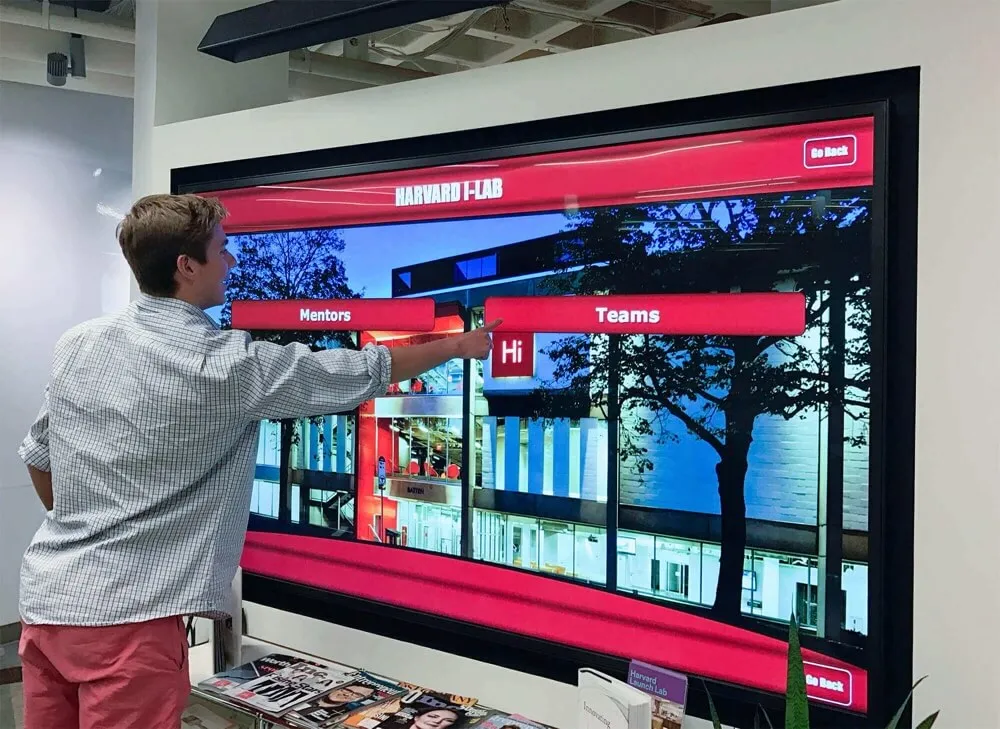
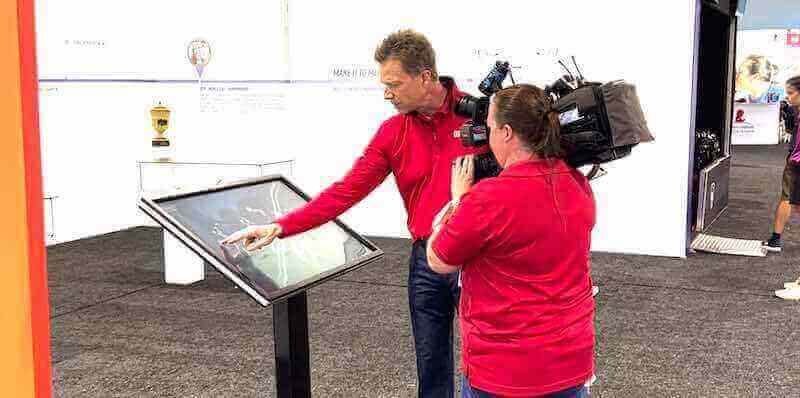
- Information Kiosks: Museums, airports, and tourist centers deployed touchscreen information systems providing visitors with self-service access to maps, directories, and educational content.
- Point-of-Sale Systems: Restaurants and retail establishments adopted resistive touchscreens for order entry and payment processing, appreciating their durability and ease of use compared to physical keyboards.
- Arcade Games: Video game manufacturers incorporated touchscreens into arcade cabinets, creating new gameplay mechanics impossible with traditional joystick and button controls.
These early public deployments established user expectations that touching screens should produce immediate, intuitive responses—a standard that continues to define touchscreen interaction today.
The 1990s: Mobile Computing and Personal Digital Assistants
IBM Simon: The First Touchscreen Smartphone (1992-1994)
The convergence of touchscreen technology and mobile telephony produced one of computing’s most significant innovations: the smartphone. The IBM Simon Personal Communicator, developed by IBMer Frank Canova, represents the first commercially available device combining cellular phone functionality with touchscreen-based computing.
IBM publicly demonstrated the Simon prototype at the COMDEX trade show in Las Vegas on November 23, 1992. The finished product, named “Simon Personal Communicator” by BellSouth executives, made its commercial debut at the Wireless World Conference in November 1993, with public sales beginning on August 16, 1994.
Features and Specifications: The Simon featured a resistive touchscreen operated with a stylus or finger, providing access to 11 built-in programs including email, to-do lists, calendar, calculator, appointment scheduler, electronic sketch pad, world time clock, address book, and handwritten annotations. The device measured 8 inches long by 2.5 inches wide by 1.5 inches thick, weighing just over one pound. It was priced at $1,100, or $900 with a two-year BellSouth contract, eventually dropping to $600.
Market Performance: The Simon spent only six months on the market, with approximately 50,000 units sold before discontinuation. Its weak battery lasted around one hour, and the rise of sleeker flip phones contributed to its commercial failure. However, the IBM Simon established fundamental concepts—combining communication, computing, and multimedia capabilities in touchscreen-operated mobile devices—that would define the smartphone revolution a decade later.
Manufacturing: Mitsubishi Electric manufactured the IBM Simon, integrating features from its own wireless PDA and cellular radio technologies. IBM initially approached Motorola for manufacturing, but Motorola rejected the collaboration.
Palm Pilot and Stylus-Based PDAs
While the IBM Simon combined phone and computing, Palm Computing focused on perfecting mobile computing through personal digital assistants (PDAs) optimized for touchscreen interaction.
The Palm Pilot, launched in 1996, used resistive touchscreen technology exclusively operated with a stylus. Rather than attempting full handwriting recognition—a challenge that defeated earlier PDAs like Apple’s Newton—Palm developed Graffiti, a simplified stroke alphabet designed for reliable character recognition.
Market Success: The Palm Pilot sold over a million units in its first 18 months, proving that touchscreen-based mobile computing could achieve mainstream adoption when optimized for realistic use cases. Palm’s success established stylus-based PDAs as the dominant mobile computing platform throughout the late 1990s and early 2000s, with millions of professionals relying on Palm devices and Windows Mobile PDAs for calendar management, contact databases, and note-taking.
Apple Newton and Early Challenges
Apple entered the PDA market in 1993 with the Newton MessagePad, featuring advanced handwriting recognition intended to accept natural writing styles without specialized input methods. The Newton used resistive touchscreen technology with stylus input, attempting to eliminate physical keyboards entirely.
While technologically ambitious, the Newton’s handwriting recognition proved unreliable, generating frustration and public ridicule that damaged the product’s reputation. Apple continued developing the Newton until 1998, when newly returned CEO Steve Jobs discontinued the product line to focus company resources on other initiatives.
Lasting Impact: Despite commercial failure, the Newton influenced Apple’s future product development. Many Newton concepts—touchscreen interfaces, gesture-based interaction, app ecosystems—would reappear in the iPhone a decade later, implemented with far superior technology.

The 2000s: The Smartphone Revolution
LG Prada and Early Capacitive Phones (2006)
While often overshadowed by the iPhone, the LG KE850 Prada, announced on December 12, 2006, was technically the first mobile phone featuring a capacitive touchscreen. Released in May 2007 (two months before the iPhone), the LG Prada demonstrated that capacitive touch technology could be successfully implemented in consumer mobile devices.
The LG Prada featured a 3-inch capacitive touchscreen, eliminating most physical buttons in favor of touch-based interaction. While innovative, the device ran proprietary software with limited functionality compared to contemporary smartphones, and it never achieved widespread market adoption outside fashion-conscious early adopters.
Technical Achievement: The LG Prada proved that capacitive touchscreens could work reliably in mobile form factors, addressing concerns about power consumption, touch accuracy, and durability that had previously limited capacitive technology to larger applications.
The iPhone and Mass-Market Transformation (2007)
Apple’s iPhone, unveiled by Steve Jobs on January 9, 2007, and released in the United States on June 29, 2007, fundamentally transformed not just mobile phones but society’s relationship with touchscreen technology.
Revolutionary Design Decisions: Jobs insisted that the iPhone would require a “triple-layered capacitive multi-touch touchscreen”—very new and advanced technology at the time. This decision eliminated the stylus requirement that defined previous mobile touchscreen devices, enabling finger-based interaction that felt more natural and intuitive.
The iPhone’s capacitive touchscreen was significantly more responsive and accurate than resistive touchscreens used in earlier mobile devices. Multi-touch gesture support enabled intuitive interactions: swipe to scroll, pinch to zoom, tap to select, and double-tap to expand—gestures that quickly became second nature to users worldwide.
Industry Impact: The iPhone didn’t just introduce better touchscreen technology; it established a new paradigm for mobile computing. Its success demonstrated that consumers would embrace touchscreen-only devices without physical keyboards, that apps could define device functionality, and that mobile devices could serve as primary computers for many users.
By eliminating most physical hardware buttons and relying entirely on touchscreen interaction, the iPhone sparked industry-wide transformation. Within years, virtually every smartphone manufacturer adopted capacitive multi-touch touchscreens as standard, abandoning physical keyboards and stylus-based interaction. The iPhone’s success made Apple one of the world’s most profitable companies and established touch-centric interfaces as the standard for modern consumer electronics.
Android and Platform Proliferation
Following the iPhone’s success, Google accelerated development of Android, its open-source mobile operating system. The first Android phone, the HTC Dream (T-Mobile G1), launched in September 2008 with a capacitive touchscreen and slide-out physical keyboard—a transitional design reflecting uncertainty about consumer acceptance of touchscreen-only devices.
By 2010, Android phones had eliminated physical keyboards, fully embracing touchscreen interaction. Android’s open ecosystem enabled rapid innovation in screen sizes, resolutions, and touch technology implementations, with manufacturers competing on display quality, multi-touch accuracy, and responsive performance.
Market Expansion: Android’s platform proliferation brought touchscreen smartphones to price points far below the iPhone, accelerating global adoption. By the mid-2010s, touchscreen smartphones had become ubiquitous across all market segments worldwide, fundamentally changing how billions of people access information, communicate, and interact with digital services.

Technical Evolution: Touch Technology Comparisons
Understanding touchscreen history requires examining the different technological approaches that competed and evolved throughout this timeline.
Resistive Touchscreens
How They Work: Resistive touchscreens consist of two flexible conductive layers separated by microscopic insulating dots. When pressure is applied to the surface, the layers make contact, creating a measurable change in electrical resistance that reveals touch coordinates.
Advantages:
- Work with any input: fingers, styluses, gloved hands, or any object applying pressure
- Lower manufacturing costs than capacitive alternatives
- Excellent accuracy for stylus-based precision input
- Function in wet or dirty environments
Disadvantages:
- Require pressure application, feeling less responsive than capacitive screens
- Support only single-touch interaction (no multi-touch gestures)
- Lower optical clarity due to multiple screen layers
- More susceptible to surface damage from repeated pressing
Applications: Resistive touchscreens dominated point-of-sale systems, industrial controls, medical devices, and early personal digital assistants from the 1970s through 2000s. While largely replaced by capacitive screens in consumer devices, resistive technology remains relevant in specialized applications where gloved operation or stylus precision is required.
Capacitive Touchscreens
How They Work: Capacitive touchscreens detect touch through changes in electrical capacitance. A uniform electrostatic field covers the screen surface; when a conductive object like a finger touches the screen, it draws current from the field, creating a measurable capacitance change that reveals touch location.
Advantages:
- Highly responsive touch detection without requiring pressure
- Support multi-touch gestures enabling complex interactions
- Superior optical clarity with minimal screen layers
- More durable surface resistant to scratching and wear
- Natural finger-based interaction without stylus requirement
Disadvantages:
- Only work with conductive objects (fingers, specialized styluses)
- Higher manufacturing costs than resistive alternatives
- Initially challenged by power consumption concerns in mobile devices
- Cannot be operated while wearing standard gloves
Evolution: Early capacitive screens from the 1960s-1980s were expensive and power-hungry, limiting applications to specialized installations like CERN’s control systems. Advances in the 2000s reduced power consumption and costs while improving sensitivity, enabling mass-market adoption in smartphones and tablets.
Infrared Touchscreens
How They Work: Infrared touchscreens use LED emitters and photodetectors arrayed around the screen perimeter, creating an invisible infrared light grid covering the display surface. When an object interrupts these light beams, the system calculates touch position based on which beams are blocked.
Advantages:
- No screen overlay required, maintaining perfect display clarity
- Works with any object interrupting the light grid
- Supports multi-touch detection
- Unaffected by surface scratches or contamination
Disadvantages:
- Susceptible to false touches from ambient light or passing objects
- Raised bezel around screen perimeter required for sensors
- Higher cost than resistive technology
- Limited weather resistance in outdoor applications
Applications: Infrared touchscreens appear in large-format interactive displays, digital signage, and public kiosks where durability and display clarity are prioritized over portability.
Surface Acoustic Wave Touchscreens
How They Work: Surface acoustic wave (SAW) touchscreens send ultrasonic waves across the glass surface using transducers mounted along the screen edges. When touched, the wave is absorbed at the contact point, enabling the system to calculate touch coordinates based on wave disruption patterns.
Advantages:
- Excellent optical clarity without screen overlays
- Superior image quality and resolution
- High touch accuracy and sensitivity
- Durable glass surface resistant to scratching
Disadvantages:
- Vulnerable to contamination from liquids, dirt, or grease
- Not suitable for outdoor environments
- Higher cost than resistive alternatives
- Require periodic calibration and cleaning
Applications: SAW touchscreens found use in ATMs, information kiosks, and specialized computer terminals where image quality and touch precision were priorities in controlled indoor environments.

Modern Applications: Beyond Smartphones
While smartphones drove touchscreen technology to mass-market adoption, contemporary applications extend far beyond consumer electronics into education, recognition, healthcare, industrial control, automotive interfaces, and public information systems.
Educational Interactive Displays
Modern classrooms increasingly deploy large-format interactive touchscreens replacing traditional whiteboards and projectors. These touchscreen displays for schools enable collaborative learning, multimedia integration, and dynamic instruction impossible with static teaching tools.
Key Capabilities:
- Multi-user touch supporting simultaneous student interaction
- Integration with educational software and curriculum platforms
- Annotation and screen capture for lesson documentation
- Wireless connectivity enabling content sharing from devices
- High brightness and anti-glare coatings for classroom visibility
Leading manufacturers like Promethean, SMART Technologies, and ViewSonic specifically design interactive flat panels for educational environments with appropriate software ecosystems, durability standards, and support structures.
Market Growth: The global interactive display market for education is experiencing rapid growth as schools recognize that interactive technology enhances engagement, supports diverse learning styles, and prepares students for technology-centric futures.
Interactive Recognition and Engagement Systems
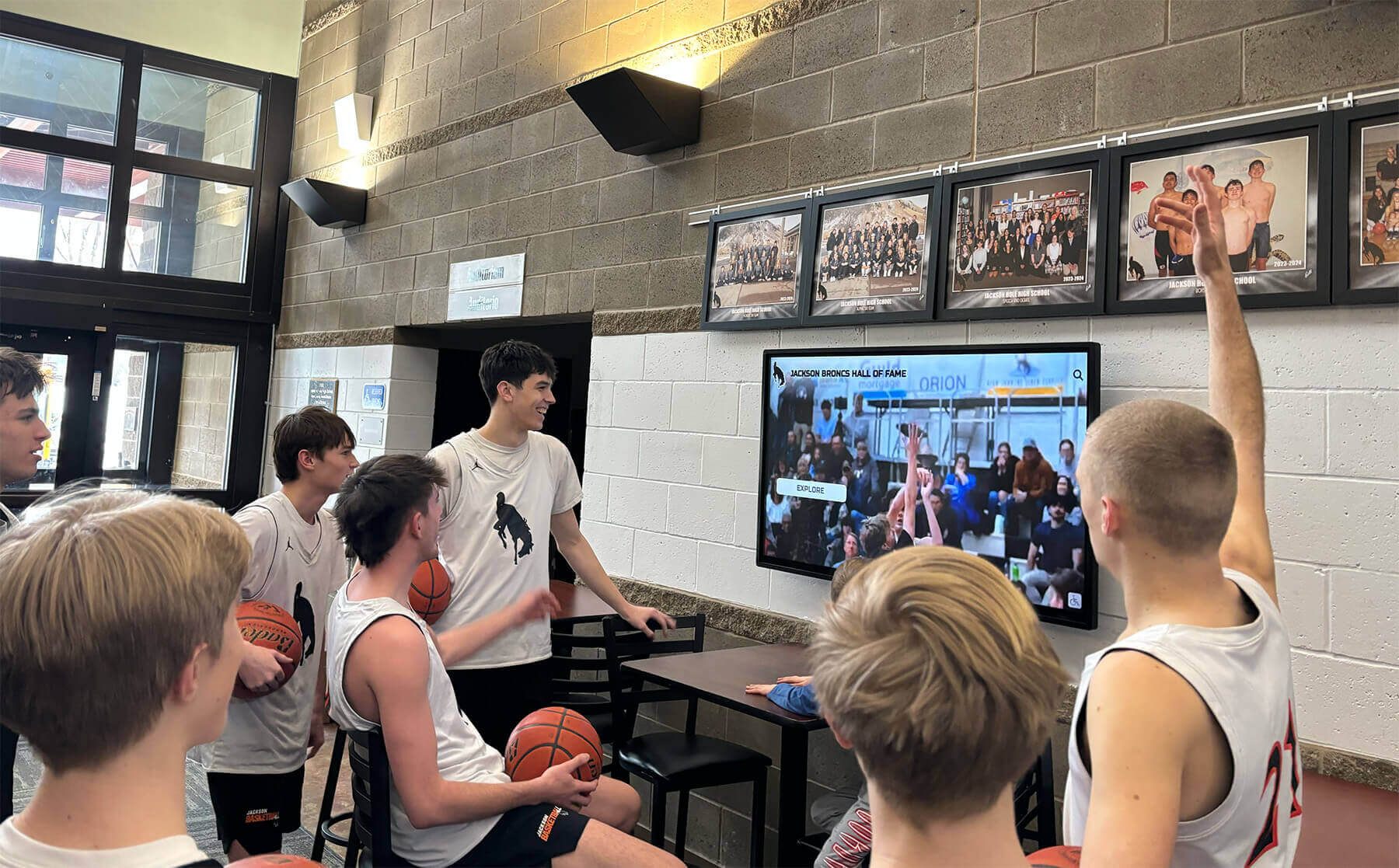
Beyond classroom instruction, schools and organizations deploy touchscreen technology in lobbies, hallways, and common areas for recognition and community engagement purposes. These specialized applications differ fundamentally from classroom displays, optimizing for self-directed exploration, multimedia storytelling, and content management by non-technical staff.
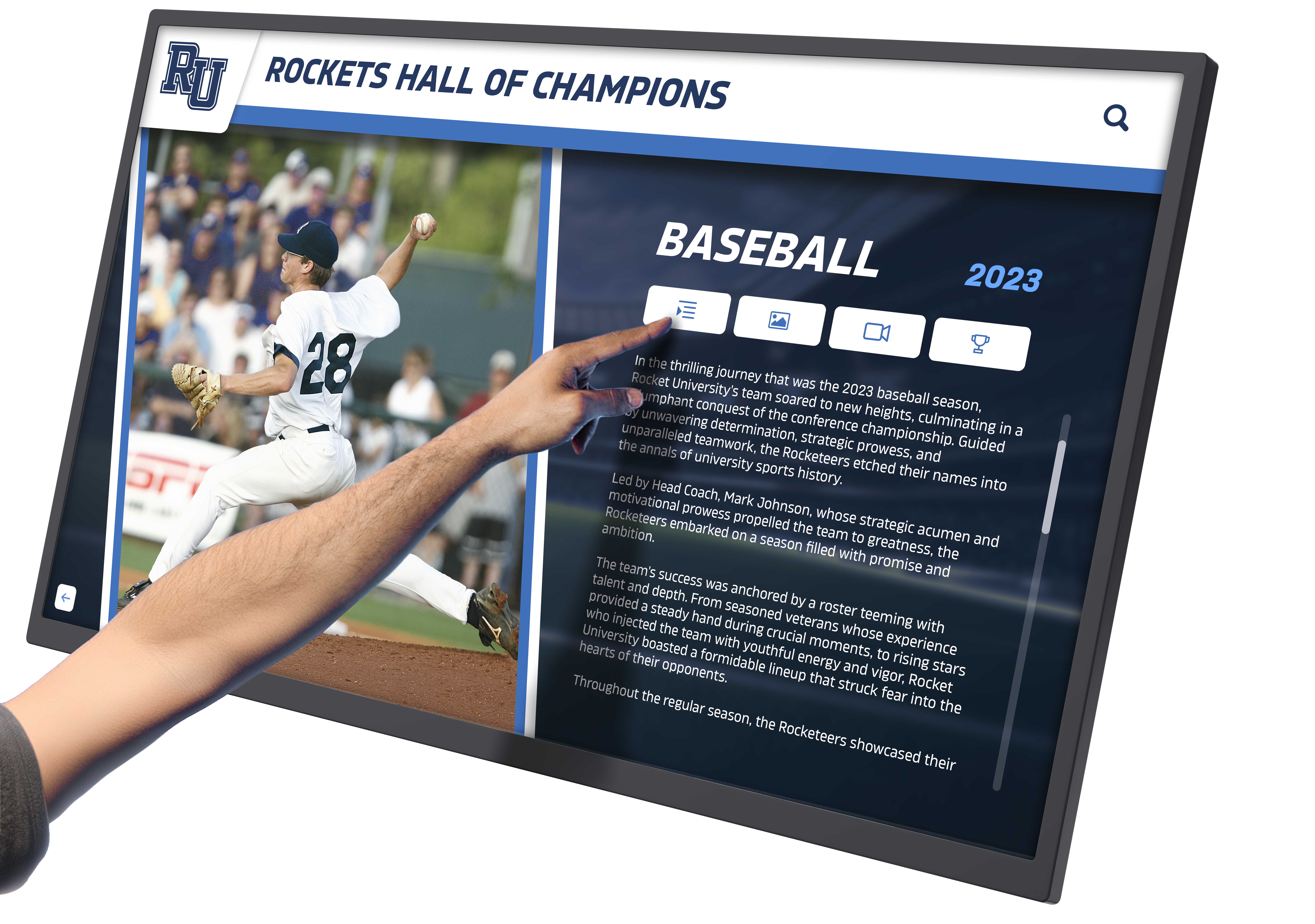
Solutions like Rocket Alumni Solutions provide purpose-built platforms specifically addressing recognition needs through profile-based content organization, intuitive content management, and interactive exploration that celebrates achievement more comprehensively than traditional trophy cases or plaque walls.
Distinct Requirements:
- Intuitive touch navigation requiring no instructions for casual visitors
- Multimedia profile displays showcasing photos, videos, and accomplishments
- Powerful search and filtering enabling discovery of specific individuals or categories
- Cloud-based content management allowing remote updates
- Analytics tracking revealing engagement patterns and popular content
- Online accessibility extending recognition beyond physical installations
These digital recognition displays transform underutilized wall space into dynamic engagement opportunities that strengthen community bonds and celebrate achievements far more effectively than static displays.
Educational Applications: Schools implement interactive recognition displays for athletics halls of fame, academic honor rolls, distinguished alumni networks, donor recognition, historical archives, and cultural celebrations. The unlimited digital capacity eliminates difficult choices about what to display, enabling comprehensive recognition across diverse achievement categories.
Healthcare and Medical Applications
Healthcare facilities utilize touchscreen technology for patient check-in kiosks, medical equipment interfaces, electronic health records systems, and patient education platforms. Medical-grade touchscreens feature antimicrobial coatings, sealed construction for sterilization, and interfaces optimized for users wearing gloves.
Critical Advantages:
- Reduced cross-contamination through easily sanitized surfaces
- Intuitive interfaces requiring minimal patient training
- Integration with existing health information systems
- Accessibility features supporting diverse patient populations
Industrial and Control Applications
Manufacturing facilities, power plants, and industrial installations deploy ruggedized touchscreen interfaces for equipment control, process monitoring, and system management. These applications prioritize reliability, environmental resistance, and integration with industrial automation systems.
Specialized Requirements:
- Operation in extreme temperatures, humidity, and vibration
- Glove-compatible touch detection for safety compliance
- Sealed construction protecting against contaminants
- Integration with programmable logic controllers and SCADA systems
Automotive and Transportation
Modern vehicles increasingly incorporate touchscreen interfaces for infotainment systems, climate control, navigation, and vehicle settings. While controversial among drivers who prefer physical controls for safety-critical functions, touchscreens enable flexible interfaces that can be updated through software rather than requiring hardware redesigns.
Design Challenges:
- Minimizing driver distraction through intuitive interfaces
- Providing haptic feedback substituting for physical button confirmation
- Ensuring operation while wearing gloves in cold climates
- Maintaining visibility in varying light conditions from bright sun to night driving
Public Information and Wayfinding
Airports, museums, shopping centers, and public facilities deploy interactive touchscreen kiosks for wayfinding, information access, and service directories. These installations must accommodate diverse users with varying technical skills and accessibility needs.
Implementation Considerations:
- ADA-compliant mounting heights and approach clearances
- Multi-language support for international visitors
- High-brightness displays for locations with varying ambient light
- Vandal-resistant construction for unsupervised public spaces
The Future of Touchscreen Technology
Touchscreen technology continues evolving beyond the capacitive multi-touch interfaces that became standard following the iPhone’s introduction. Emerging innovations promise new capabilities and applications that will further transform human-computer interaction.
Haptic Feedback and Tactile Surfaces
Modern touchscreens provide minimal physical feedback compared to mechanical buttons, creating challenges for applications requiring precise input confirmation. Advanced haptic feedback systems generate localized vibrations simulating button clicks, texture variations, and physical resistance through ultrasonic actuators, electrostatic forces, or vibration motors.
Ultrasonic Haptics: Surface acoustic wave technology creates focused vibration patterns that users perceive as raised buttons, textures, or edges on otherwise smooth glass surfaces. This enables touchscreens to dynamically reconfigure physical sensations matching displayed content—a keyboard feels different than buttons, sliders, or interactive artwork.
Future Applications: Haptic touchscreens could restore tactile feedback advantages of physical controls while maintaining flexible digital interfaces. Medical training simulations, industrial equipment operation, and accessibility applications for visually impaired users represent promising implementation areas.
Flexible and Foldable Displays
Samsung, Motorola, and other manufacturers have commercialized foldable smartphones with flexible touchscreen displays that bend without damage. These devices enable larger screens that fold into pocket-friendly form factors, creating new usage patterns impossible with rigid displays.
Technical Challenges: Flexible touchscreens require fundamentally different construction than rigid glass displays. Plastic substrates, flexible electrode materials, and protective coatings that tolerate repeated bending without cracking represent significant engineering challenges addressed through specialized materials and manufacturing processes.
Expanding Applications: Beyond smartphones, flexible touchscreens enable wearable devices that conform to body contours, rollable displays that retract into compact housings, and architectural installations that transform building surfaces into interactive interfaces.
Pressure-Sensitive and 3D Touch
Apple’s 3D Touch and Force Touch technologies introduced pressure sensitivity enabling interfaces that respond not just to touch location but applied force. Light taps trigger different responses than firm presses, enabling richer interaction vocabularies without additional screen space.
While Apple discontinued 3D Touch in later iPhone models due to implementation complexity and user confusion, pressure sensitivity remains promising for applications requiring nuanced input control—digital art creation, musical instruments, surgical simulators, and precision measurement tools.
In-Display Fingerprint Sensors
Modern smartphones increasingly embed fingerprint sensors beneath touchscreen displays rather than in separate buttons, enabling full-screen designs without dedicated sensor space. Ultrasonic or optical technologies detect fingerprint patterns through display layers, verifying user identity without interrupting touchscreen surfaces.
Evolution: First-generation in-display sensors required users to position fingers precisely on small sensor areas. Current implementations detect fingerprints across larger regions, improving reliability and user experience. Future development may enable fingerprint recognition anywhere on screen surfaces, eliminating positioning requirements entirely.
Gesture Recognition and Touchless Interfaces
COVID-19 pandemic concerns about touching shared surfaces accelerated development of touchless interaction systems using camera-based gesture recognition, proximity sensors, or voice control. These approaches enable users to interact with digital interfaces without physical contact, reducing disease transmission risks in public installations.
Hybrid Approaches: Rather than completely replacing touchscreens, touchless technologies often complement physical interaction—enabling basic navigation through gestures while retaining touch for precise input requiring accuracy impossible through contactless methods.
Transparent and Projection Touchscreens
Transparent touchscreen displays enable interactive windows, automotive windshields, retail showcases, and architectural installations where maintaining visibility through the display is essential. Transparent LED and OLED technologies create displays that appear clear when inactive but show vibrant content when illuminated.
Projection-based touchscreens transform any surface into interactive displays through camera-based touch detection. These systems project images onto tables, walls, or floors while cameras track hand positions, enabling large-scale interactive installations without expensive large-format touchscreen panels.
Educational Recognition Applications
The evolution of touchscreen technology creates expanding opportunities for educational recognition programs. Schools can implement comprehensive digital storytelling for athletic programs, create interactive historical photo archives, and develop year-round content strategies that keep recognition current and engaging.
Modern platforms enable schools to showcase achievements across athletics, academics, arts, service, and alumni success without space constraints that force difficult display choices. Interactive exploration through intuitive touch navigation creates engagement impossible with static displays, while cloud-based management enables convenient updates maintaining fresh, relevant content.
How Rocket Alumni Solutions Leverages Touchscreen History
The decades of touchscreen innovation—from E.A. Johnson’s capacitive experiments to the iPhone’s multi-touch revolution—created the foundation for specialized applications that transform how schools and organizations recognize achievement and engage communities.
Rocket Alumni Solutions builds on this technological heritage by developing purpose-built interactive recognition platforms specifically optimized for educational environments. Rather than adapting generic touchscreen technology designed for consumer electronics or commercial signage, our approach addresses the distinct needs of recognition and community engagement.
Applying Lessons from Touchscreen Evolution
Capacitive Multi-Touch Interfaces: Following Apple’s iPhone breakthrough demonstrating that finger-based multi-touch creates intuitive interaction, our displays utilize commercial-grade capacitive touchscreens enabling responsive, accurate touch recognition without stylus requirements. Users of any age or technical skill can explore content through familiar gestures learned from smartphone interaction.
User-Centered Design: Just as early touchscreen pioneers like Samuel Hurst focused on practical problems—reading data displays, controlling equipment—our platform addresses real challenges schools face: limited physical display space, outdated trophy cases, disconnected alumni, and recognition programs requiring extensive maintenance.
Commercial-Grade Reliability: CERN’s 1970s implementation of touchscreens in mission-critical control systems demonstrated that touch interfaces must deliver unwavering reliability. Our installations use commercial displays rated for 16-24 hour daily operation with tempered glass surfaces resisting damage from repeated public use.
Cloud-Based Management: Modern touchscreen applications succeed through convenient content management rather than just hardware quality. Our cloud platform enables content updates from any internet-connected device without technical expertise—applying lessons from decades of interface design emphasizing simplicity and accessibility.
Transforming Traditional Recognition
Traditional recognition methods—trophy cases, plaque walls, static displays—face inherent limitations that decades of touchscreen innovation enable us to overcome:
Space Constraints Eliminated: A single 55-inch interactive display showcases more achievements than traditional trophy cases occupying ten times the wall space. Schools recognize diverse accomplishments across athletics, academics, arts, service, and alumni success without choosing between them.
Rich Multimedia Storytelling: Rather than limiting recognition to names and dates, interactive displays incorporate photos, videos, accomplishments, and biographical profiles bringing achievements to life through the same multimedia capabilities that made touchscreen smartphones compelling.
Engaging Interactive Exploration: Following principles established through decades of touchscreen development, our intuitive navigation invites visitors to actively explore content through search, filtering, and browsing. Interactive engagement averaging 5-7 minutes per session far exceeds seconds spent glancing at static displays.
Simple Content Management: Cloud-based platforms enable content updates in minutes rather than hours or days required for physical updates. Staff add new inductees, update information, and schedule features through interfaces requiring no technical training—democratizing recognition management beyond IT specialists.
Extended Digital Reach: While physical displays serve on-site visitors, web accessibility extends recognition globally through online platforms allowing alumni worldwide to explore their school’s hall of fame, submit profile updates, and share achievements on social media.
Implementation Across Educational Sectors
Schools implementing Rocket Alumni Solutions’ interactive recognition displays report measurable impact on school culture, alumni engagement, and community pride. Applications span diverse recognition categories:
- Athletic halls of fame and record boards celebrating sports achievements
- Academic honor rolls recognizing AP scholars, National Honor Society members, and scholarship recipients
- Alumni networks showcasing distinguished alumni achievements and career success
- Donor recognition walls honoring financial supporters and major gifts
- Historical archives preserving school history and traditions
- College signing displays celebrating student-athlete commitments
Each application leverages touchscreen technology’s fundamental advantages—intuitive interaction, multimedia integration, unlimited capacity, convenient management—while addressing the specific recognition needs of educational communities.

Lessons from Six Decades of Touchscreen Innovation
Examining touchscreen history from 1965 to today reveals consistent patterns driving successful technology adoption and lasting impact:
Solving Real Problems
The most successful touchscreen innovations addressed genuine user needs rather than implementing technology for its own sake. E.A. Johnson developed capacitive touch to improve air traffic control efficiency. Samuel Hurst created resistive screens to simplify data reading. The iPhone succeeded by making mobile internet access genuinely practical. Rocket Alumni Solutions applies this principle by solving real recognition challenges schools face.
Prioritizing User Experience
Technical capability matters less than practical usability. Early PDAs like the Palm Pilot succeeded by accepting realistic limitations—simplified input methods, focused functionality—while more ambitious devices like the Apple Newton failed by attempting impractical capabilities. Modern recognition displays succeed by providing intuitive interfaces requiring no training rather than complex systems demanding technical expertise.
Enabling New Behaviors
Transformative technologies enable previously impossible behaviors rather than just improving existing processes. Smartphones didn’t just make phone calls better; they fundamentally changed how people access information, communicate, navigate, and interact with services. Interactive recognition displays don’t just digitize trophy cases; they enable comprehensive celebration of diverse achievements, extended digital engagement, and convenient management impossible with physical displays.
Continuous Evolution
Touchscreen technology improved through decades of incremental advances addressing specific limitations—power consumption, manufacturing costs, touch accuracy, multi-touch support, durability, clarity. No single breakthrough created modern capacitive touchscreens; instead, sustained engineering effort across multiple disciplines gradually overcame technical barriers enabling mass-market adoption.
Finding the Right Applications
Different touchscreen technologies excel in different applications based on their specific characteristics. Resistive screens dominated industrial and medical applications where gloved operation mattered. Capacitive screens conquered consumer electronics through superior responsiveness and multi-touch support. Infrared screens enable large-format displays prioritizing clarity. Specialized recognition platforms optimize for educational engagement rather than general-purpose signage.
Conclusion: From Innovation to Implementation
The six-decade journey from E.A. Johnson’s 1965 capacitive touchscreen experiments to today’s ubiquitous touch interfaces demonstrates how persistent innovation transforms human-computer interaction. What began as specialized technology for air traffic control evolved through military applications, commercial computing, mobile devices, and consumer electronics to become the primary interface through which billions of people interact with digital information daily.
Understanding this history provides context for contemporary applications extending beyond smartphones and tablets into education, recognition, healthcare, industry, and public information. The fundamental innovations that enabled the iPhone—capacitive sensing, multi-touch detection, intuitive gesture recognition, responsive performance—now power specialized systems addressing specific needs across diverse sectors.
For educational institutions seeking to modernize recognition programs, this technological heritage creates unprecedented opportunities. Interactive touchscreen displays leveraging decades of interface innovation enable schools to celebrate achievement more comprehensively, engage communities more effectively, and manage recognition more conveniently than ever before possible.
The story of touchscreen technology reminds us that transformative innovations emerge through sustained effort addressing real problems, prioritizing user experience, and continuously evolving to overcome limitations. As schools implement interactive recognition displays, they participate in this ongoing technological evolution—applying six decades of touchscreen innovation to strengthen educational communities and celebrate the achievements that define institutional excellence.
Whether commemorating athletic championships through digital record boards, recognizing academic excellence, celebrating alumni accomplishments, or preserving institutional history, modern touchscreen technology provides schools with powerful tools transforming recognition from static archives into dynamic engagement platforms that inspire current students while honoring past excellence.































