Organizations deploying touchscreen kiosks face a critical software decision: which kiosk browser or lockdown app delivers secure, reliable, and professional experiences without breaking the budget? While solutions like Fully Kiosk Browser have dominated the Android kiosk market for years, a superior free alternative now offers schools, museums, nonprofits, and businesses everything they need for professional interactive displays—with zero cost for the viewer app and complete cloud-based content management included.
The Rocket Touchscreen app represents a fundamental shift from generic browser lockdown tools to purpose-built recognition display software. Available free on Google Play Store, this Android kiosk application eliminates the complexity, limitations, and ongoing costs associated with traditional kiosk browsers while delivering enterprise-grade features, professional templates, intuitive content management, and 24/7 support that transform how organizations showcase achievements, honor donors, celebrate alumni, and engage visitors.
This comprehensive guide examines why the Rocket Touchscreen app surpasses Fully Kiosk Browser and other paid alternatives for most organizational use cases. Whether planning digital recognition displays, interactive wayfinding systems, donor walls, athletic hall of fame installations, or public information kiosks, understanding this free solution’s capabilities enables informed decisions that maximize impact while minimizing technical complexity and total cost of ownership.
Intent: Define the best kiosk app options, compare free versus paid solutions, and demonstrate how to implement professional touchscreen experiences without expensive browser lockdown tools or custom development.

Professional touchscreen kiosks require software that balances security, usability, and content management capabilities
Understanding Kiosk Browser Software: What You Actually Need
Before comparing specific applications, establishing clear requirements prevents selecting tools that solve the wrong problems or introduce unnecessary complexity.
The Traditional Kiosk Browser Approach
Traditional kiosk browsers like Fully Kiosk Browser focus primarily on device lockdown—preventing users from exiting the designated application, accessing device settings, or performing unauthorized actions. These tools essentially transform tablets or touchscreens into single-purpose devices by restricting Android system functions and creating controlled browsing environments.
Core Kiosk Browser Functions include full-screen mode removing system navigation bars, app pinning preventing exit without authentication, homepage lock forcing automatic return to designated content, and remote device management enabling configuration changes without physical access to hardware.
Fully Kiosk Browser charges $10.60 USD per device for Plus features including screensaver functionality, motion detection for automatic wake, multiple tab support, screen timeout controls, video playback optimization, web automation capabilities, JavaScript interface access, and API functionality for custom integrations.
While these lockdown capabilities prove essential, organizations quickly discover that browser security represents only one component of successful kiosk deployments. Content creation, ongoing management, design quality, accessibility compliance, analytics, and professional support determine whether interactive displays actually achieve engagement objectives or become underutilized expensive hardware collecting dust in hallways.
The Complete Kiosk Solution Approach
Purpose-built kiosk applications like Rocket Touchscreen address the entire deployment lifecycle rather than just device lockdown. This comprehensive approach recognizes that organizations need integrated ecosystems combining secure display hardware, intuitive content management, professional design templates, cloud-based updates, accessibility features, and ongoing support—not just browser restrictions.
Complete Solution Components include the free viewer application running on Android devices, cloud-based content management systems enabling remote updates from any location, professionally designed templates optimized for recognition displays, unlimited media storage for photos and videos, automated content synchronization across distributed installations, built-in accessibility compliance meeting ADA requirements, advanced analytics tracking engagement and popular content, and 24/7 technical support with rapid response times.
Organizations deploying digital hall of fame displays or touchscreen recognition walls discover that starting with comprehensive platforms rather than assembling disparate tools dramatically reduces implementation complexity, accelerates deployment timelines, eliminates technical expertise requirements, and delivers substantially better results at lower total cost despite subscription models versus one-time browser purchases.

Successful kiosk deployments depend on intuitive interfaces that engage users without technical barriers
Rocket Touchscreen App: Free Download and Key Features
The Rocket Touchscreen application provides organizations with professional-grade kiosk capabilities through a completely free Android app paired with cloud-based content management.
Download Information and Availability
Google Play Store: The Rocket Touchscreen app installs free from Google Play Store with no in-app purchases, subscription fees within the app itself, or feature limitations based on payment tiers. Organizations download, install, and deploy without application licensing costs.
Platform Availability currently supports Android devices running Android 8.0 or newer with minimum 2GB RAM and quad-core processors for optimal performance. While no dedicated iOS or Mac App Store applications exist, the Rocket Alumni Solutions platform operates through web browsers on iOS, macOS, Windows, and Linux systems—enabling flexible hardware choices across diverse organizational environments.
Privacy and Security commitments include no data sharing with third parties, no data collection beyond operational requirements, Google Play Families Policy compliance, and privacy-first design principles protecting user information throughout all interactions.
Core Application Features
The Rocket Touchscreen app delivers enterprise capabilities through simple configuration processes accessible to non-technical administrators:
Easy Site Display enables seamless showcase of Rocket Alumni Solutions touchscreen content by entering unique Site IDs during initial setup. This straightforward configuration connects displays to cloud-hosted content libraries without complex networking, server configuration, or technical troubleshooting.
Device Optimization ensures smooth performance across supported Android hardware by automatically adjusting graphics rendering, caching strategies, and resource allocation based on detected device capabilities. Content displays consistently whether deployed on budget tablets or premium commercial-grade touchscreens.
App Pinning Support leverages Android’s native app pinning feature to maintain secure, uninterrupted kiosk experiences preventing unauthorized exit or device manipulation. This security layer operates through standard Android functionality rather than requiring custom lockdown mechanisms or device rooting.
Persistent Configuration remembers Site IDs and automatically navigates to designated touchscreen sites upon launch—eliminating manual navigation requirements during device restarts, power cycling, or unexpected interruptions. Kiosks return immediately to intended content without staff intervention.
Demo Mode includes built-in demonstration content for testing functionality, evaluating interface design, and confirming hardware compatibility before completing Site ID configuration or content creation. Organizations explore capabilities risk-free during evaluation phases.
Interactive Experience ensures smooth touchscreen responsiveness, intuitive gesture recognition, and fluid navigation through optimized code specifically designed for interactive displays rather than adapted from general-purpose browsing applications.
Cloud Platform Integration
The free Android app connects to Rocket Alumni Solutions’ comprehensive cloud platform providing features that generic kiosk browsers cannot deliver independently:
Content Management System enables administrators to update text, photos, videos, PDFs, audio files, and 3D models from any internet-connected device without accessing physical touchscreen hardware. Changes publish instantly across all connected displays—whether managing single installations or distributed networks spanning multiple buildings or campuses.
Professional Templates provide pre-designed layouts optimized for common recognition scenarios including athletic halls of fame, donor recognition walls, alumni spotlights, employee achievement displays, and interactive directories. These templates eliminate months of custom development while delivering polished, professional presentations.
Unlimited Media Storage removes constraints on content libraries, enabling organizations to upload comprehensive photo archives, video collections, historical documents, and multimedia content without storage quotas or additional fees limiting what they can showcase.
Auto-Ranking Record Boards automatically sort and display athletic records, academic achievements, or performance metrics based on defined criteria—keeping recognition current without manual spreadsheet updates or static plaques requiring physical replacement.
Social Media Integration pulls content from Twitter, Instagram, and other platforms to keep displays current with live feeds showcasing real-time achievements, event coverage, or community engagement alongside permanent recognition content.
Background Videos and Scrolling Images create dynamic visual experiences that capture attention in high-traffic areas while maintaining focus on primary recognition content when users interact directly with touchscreens.
Digital Signage Mode enables alternating between interactive kiosk functionality and passive digital signage display—maximizing hardware utilization by showcasing announcements, event schedules, or promotional content during periods without active user engagement.
Livestreaming Capabilities support embedding live video streams for event coverage, ceremonies, or ongoing activities—transforming static recognition displays into dynamic multimedia hubs connecting physical and digital audiences.
Offline Support caches critical content locally, ensuring uninterrupted operation even during internet connectivity issues. Displays continue functioning reliably without network dependencies creating embarrassing downtime during important events or high-visibility moments.
ADA-Compliant Navigation provides accessibility features meeting Americans with Disabilities Act requirements out-of-the-box—eliminating separate accessibility development efforts while ensuring inclusive experiences for all users regardless of abilities.

Purpose-built kiosk software delivers superior user experiences compared to generic browser lockdown tools
Fully Kiosk Browser Comparison: Why Free Alternatives Win
Comparing the Rocket Touchscreen app to Fully Kiosk Browser reveals fundamental differences in approach, capabilities, and value proposition beyond simple feature checklists.
Pricing Model Comparison
Fully Kiosk Browser charges $10.60 USD per device for Plus licensing unlocking essential features like screensavers, motion detection, multiple tabs, and advanced configuration options. While this one-time fee appears modest initially, organizations deploying multiple kiosks across facilities quickly accumulate substantial licensing costs—$106 for ten displays, $212 for twenty installations, or over $1,000 for large-scale institutional deployments.
Hidden Costs beyond licensing fees include development expenses creating custom content (Fully only displays websites, requiring separate development), ongoing web hosting fees for custom content servers, technical support costs troubleshooting configuration issues without vendor assistance, and time investments managing manual updates and maintenance across distributed hardware.
Rocket Touchscreen App remains completely free with zero per-device fees, no feature paywalls, and no licensing costs regardless of deployment scale. The subscription model charges for the cloud platform and content management services rather than individual viewer applications—creating predictable budgets independent of hardware quantities while including professional design, unlimited storage, and comprehensive support within platform fees.
Organizations implementing interactive touchscreen displays for schools or donor recognition systems discover that total cost of ownership heavily favors comprehensive platforms over assembling separate browser lockdown, content development, hosting, and support services—even when individual components appear inexpensive initially.
Feature and Capability Differences
Beyond pricing, fundamental architectural differences determine which solution delivers better results for specific use cases:
Content Management
- Fully Kiosk Browser: Displays web content created and hosted separately, requires technical expertise to build and maintain websites, demands manual updates to content files, offers no integrated CMS or administrative interface
- Rocket Touchscreen: Includes complete cloud-based CMS enabling non-technical staff to update content instantly, provides intuitive drag-and-drop interfaces familiar to anyone using modern web services, eliminates separate hosting or development requirements
Design Quality
- Fully Kiosk Browser: Organizations start from scratch or hire developers/designers creating custom interfaces, resulting in variable quality, lengthy development timelines, and significant upfront investment
- Rocket Touchscreen: Professional templates designed specifically for recognition displays, polished interfaces developed through years of deployment experience, consistently high-quality presentation without design expertise
Updates and Maintenance
- Fully Kiosk Browser: Content changes require updating web files on separate servers, modifications demand technical skills editing HTML/CSS/JavaScript, distributed installations require coordinating updates across multiple locations
- Rocket Touchscreen: Instant cloud-based updates publish simultaneously across all displays, non-technical administrators make changes through simple interfaces, zero coordination complexity regardless of deployment scale
Analytics and Insights
- Fully Kiosk Browser: No integrated analytics tracking user engagement or content performance, requires separate analytics implementation if desired
- Rocket Touchscreen: Built-in analytics track popular profiles, most-viewed content, navigation patterns, and engagement metrics—providing actionable insights for optimizing displays
Accessibility Compliance
- Fully Kiosk Browser: Organizations responsible for ensuring content meets ADA/WCAG requirements through separate development efforts
- Rocket Touchscreen: ADA compliance built into platform architecture, templates designed with accessibility best practices, automatic compliance without additional development
Technical Support
- Fully Kiosk Browser: Community-based support through forums and documentation, limited direct vendor assistance, organizations largely self-sufficient for troubleshooting
- Rocket Touchscreen: 24/7 live chat support averaging 15-second response times, dedicated assistance from recognition display specialists, included design services and implementation guidance
Remote Administration Reliability
Fully Kiosk Browser Limitations: According to verified user reviews and comparison data, Fully Kiosk Browser suffers from “very poor remote admin options, with some options available not working” properly. Organizations deploying kiosks in distributed locations without convenient physical access discover these remote management limitations create significant operational challenges requiring on-site visits for configuration changes or troubleshooting.
File transfer issues with large media files further complicate content updates, particularly for displays showcasing high-resolution photos, videos, or comprehensive multimedia libraries common in recognition applications.
Rocket Touchscreen Advantages: Cloud-based architecture enables reliable remote administration from any location with internet access. Content updates, configuration changes, and display management operate through professional-grade cloud infrastructure rather than relying on direct device connections or peer-to-peer protocols susceptible to network complications.
Organizations managing digital recognition displays across multiple locations require dependable remote management ensuring consistent experiences, timely updates, and rapid issue resolution without dispatching technical staff to physical hardware locations whenever changes become necessary.
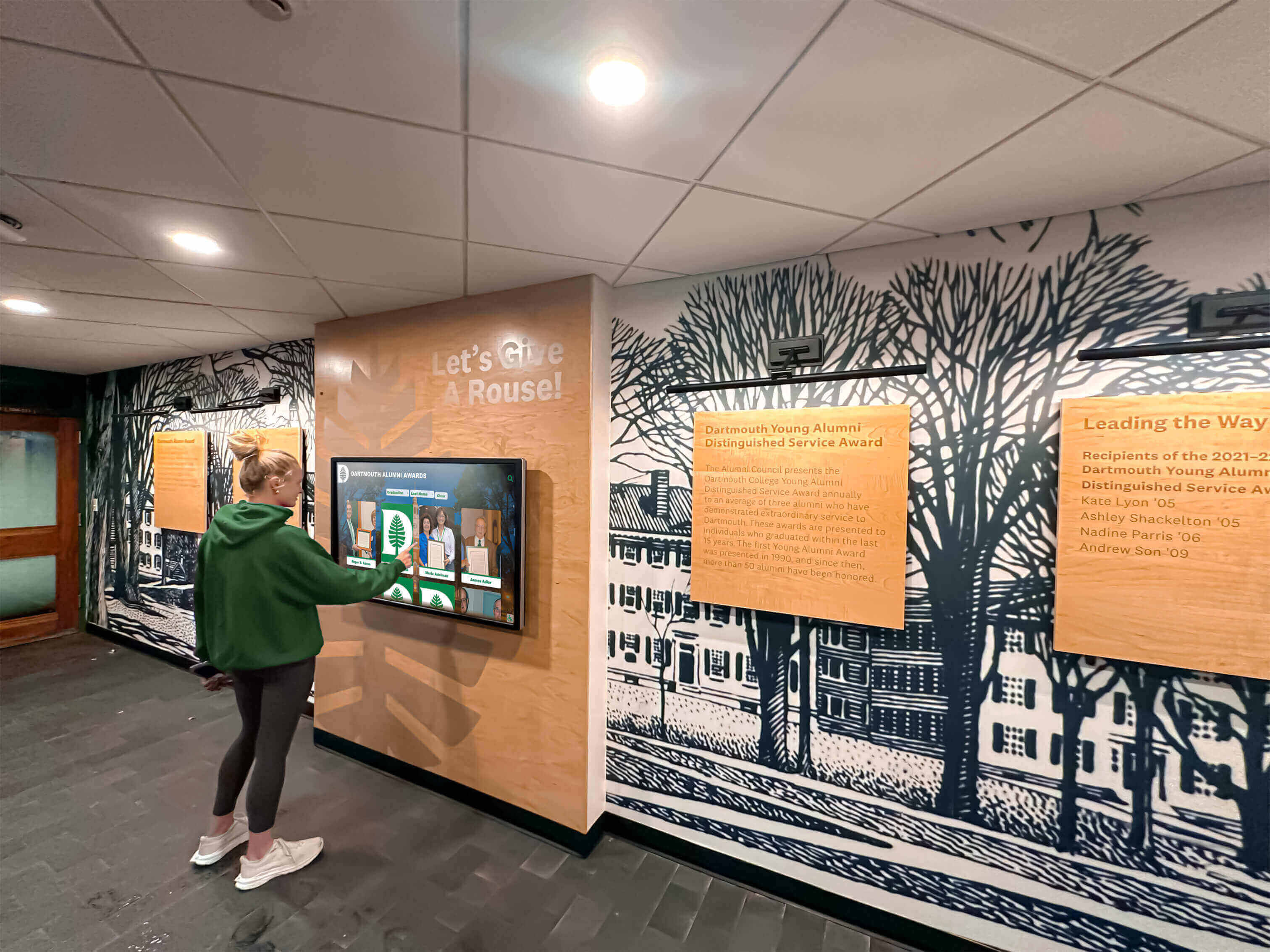
Reliable touchscreen software enables engaging experiences that connect visitors with organizational history and achievements
Other Paid Kiosk App Alternatives: Complete Market Comparison
Understanding the broader kiosk software landscape reveals why purpose-built recognition platforms deliver better value than general-purpose lockdown tools for most organizational deployments.
Premium MDM and Kiosk Solutions
Scalefusion provides enterprise mobile device management with kiosk mode capabilities starting at $2 per device per month billed annually. This comprehensive MDM platform offers robust device lockdown, remote management, application control, and security policies suitable for large-scale fleet management across diverse use cases.
Strengths: Enterprise-grade device management, comprehensive security controls, flexible application deployment, centralized policy enforcement across device fleets, integration with enterprise IT infrastructure.
Limitations: Requires ongoing monthly fees per device, significantly higher total cost than one-time browser purchases, designed for general device management rather than recognition displays specifically, no integrated content creation or design services, organizations still need separate content development.
AirDroid Business delivers powerful MDM functionality with kiosk features in affordable pricing starting around $12 per device per year. The platform emphasizes remote control, monitoring, and management capabilities suitable for distributed Android deployments.
Strengths: Affordable MDM pricing, reliable remote device control, comprehensive monitoring capabilities, flexible kiosk mode configurations, reasonable cost structure for medium-scale deployments.
Limitations: Monthly or annual subscription costs accumulate across device quantities, focuses on device management rather than content presentation, requires separate content development and hosting, no recognition-specific features or templates, technical expertise necessary for configuration and maintenance.
Browser-Based Lockdown Tools
KioWare for Android provides professional kiosk lockdown software with free basic functionality showing 15-second popup windows, or paid licensing removing restrictions. The platform emphasizes secure browsing, comprehensive lockdown controls, and remote management capabilities.
Strengths: Professional-grade lockdown features, reliable security controls, remote management capabilities, organization and reporting tools, suitable for browser-based content display.
Limitations: Paid licensing required for popup-free operation, displays web content only without integrated CMS, organizations need separate content development, technical configuration complexity, no recognition-specific features or support.
SiteKiosk offers cloud-based software for securing and managing public access kiosks, digital signage, and interactive displays primarily on Windows platforms with Android support available.
Strengths: Enterprise features for public kiosk deployment, comprehensive security controls, remote management capabilities, suitable for high-security public environments.
Limitations: Higher pricing tiers for professional features, Windows-focused with limited Android optimization, requires separate content development, technical complexity in configuration, no integrated content management or templates.
Open Source Alternatives
AppTec360 UEM provides free unified endpoint management for up to 25 devices with multi-platform support including Android, iOS, macOS, and Windows systems—attractive for organizations with diverse hardware ecosystems.
Strengths: Free for small deployments, multi-platform support, basic device management capabilities, reasonable starting point for budget-constrained projects.
Limitations: Limited free tier restricts scalability, basic feature sets compared to commercial solutions, self-service support model, requires technical expertise, no content development assistance or recognition-specific functionality.
Why Purpose-Built Platforms Win
Organizations comparing these alternatives to purpose-built recognition platforms like Rocket Alumni Solutions consistently discover that general-purpose kiosk browsers solve only narrow technical problems—device lockdown—while ignoring the broader challenges that determine deployment success or failure.
Total Cost Analysis reveals that $10-20 per device for browser lockdown licenses represents minor expenses compared to thousands or tens of thousands of dollars required for professional content development, custom design, ongoing hosting, technical support, and maintenance—costs embedded in DIY approaches but included within comprehensive platform subscriptions.
Implementation Timeline Comparison shows browser-based approaches requiring months for custom content development, design iteration, testing, and refinement versus hours or days deploying pre-built templates through integrated platforms. Organizations planning touchscreen installations for events, dedications, or season openings cannot afford extended development cycles when timelines demand rapid deployment.
Quality and Polish Differences become obvious when comparing professionally designed, user-tested recognition templates to custom development by organizations without specialized touchscreen interface expertise. Generic lockdown browsers display whatever content organizations create—garbage in, garbage out—while purpose-built platforms embed best practices, accessibility standards, and user experience optimization refined across hundreds of successful installations.
Ongoing Operational Burden proves decisive for organizations without dedicated technical staff. Browser lockdown tools require someone maintaining content, troubleshooting issues, configuring devices, managing updates, and handling technical support—ongoing investments that prove far more expensive than software choices when calculating true total cost including staff time and opportunity costs.

Professional installations require comprehensive software ecosystems rather than simple browser lockdown tools
Implementation Guide: Setting Up Your Free Kiosk App
Deploying the Rocket Touchscreen app requires straightforward configuration accessible to non-technical staff following systematic processes.
Hardware Requirements and Recommendations
Minimum Android Specifications include Android 8.0 or newer operating system versions, 2GB RAM minimum (4GB recommended for optimal performance), quad-core processor for smooth graphics rendering, touchscreen display with multi-touch support, stable Wi-Fi connectivity for content synchronization, and adequate storage for local content caching.
Recommended Hardware Options balance cost, reliability, and performance based on deployment environment:
Budget-Friendly Tablets: Consumer Android tablets from Samsung, Lenovo, or Amazon Fire provide entry-level options starting around $150-300 for basic functionality suitable for low-traffic environments or pilot installations testing concepts before larger investments.
Commercial-Grade Touchscreens: Professional display hardware from manufacturers like ELO, ViewSonic, or Sharp delivers enhanced durability, longer warranty coverage, commercial support, and reliability required for high-traffic public installations. Pricing typically ranges $2,000-10,000+ per complete kiosk including display, mounting, and supporting hardware.
Integrated Kiosk Solutions: Turnkey packages combining touchscreen displays, computing hardware, mounting solutions, and pre-configured software eliminate assembly complexity for organizations preferring complete systems ready for immediate deployment.
Hardware selection should align with deployment environment, expected usage intensity, budget constraints, and aesthetic requirements. Organizations implementing athletic hall of fame touchscreens in prominent locations typically invest in commercial-grade hardware matching facility quality standards, while pilot projects or lower-visibility applications may utilize consumer devices cost-effectively.
Download and Installation Steps
Step 1: Download Application
- Open Google Play Store on your Android device
- Search for “Rocket Touchscreen” or navigate directly to play.google.com/store/apps/details?id=com.kiosk_tauri.app
- Tap “Install” to download and install the free application
- Confirm installation permissions as prompted
Step 2: Initial Configuration
- Launch Rocket Touchscreen app from your app drawer
- Note the Site ID entry screen on first launch
- If testing functionality before content creation, explore demo mode showcasing example content
- Contact Rocket Alumni Solutions support for Site ID once content site is ready
Step 3: Enter Site ID
- Obtain unique Site ID from Rocket Alumni Solutions after content creation
- Enter Site ID in the configuration field
- App saves configuration and automatically navigates to your touchscreen site
- Confirm content displays correctly and navigation functions properly
Step 4: Enable App Pinning
- Navigate to Android Settings → Security (location varies by Android version)
- Enable “Screen Pinning” or “App Pinning” feature
- Return to Rocket Touchscreen app
- Access recent apps overview and tap the app pin icon
- Confirm pinning to lock device to kiosk mode
Step 5: Configure Power and Display Settings
- Adjust screen timeout settings to prevent automatic sleep during user sessions
- Configure power management to prevent device shutdown during operating hours
- Set appropriate brightness levels for viewing environment
- Disable system notifications preventing distractions during kiosk operation
Step 6: Physical Installation
- Mount touchscreen hardware securely in desired location
- Connect power supplies reliably, concealing cables for professional appearance
- Position displays at appropriate heights for comfortable user interaction (typically 40-48 inches from floor to screen center)
- Test all functionality after physical installation confirms proper operation
Organizations without technical staff can leverage Rocket Alumni Solutions’ implementation support, hardware partnerships, and turnkey installation services eliminating configuration complexity while ensuring professional results.
Content Creation and Management
Platform Subscription: While the Android viewer app remains free, accessing the cloud-based content management system requires a Rocket Alumni Solutions platform subscription. Pricing varies based on organizational needs, deployment scale, and feature requirements—contact directly for customized quotes matching specific use cases.
Template Selection: Choose from professionally designed templates optimized for common recognition scenarios including halls of fame, donor walls, athletic achievements, employee recognition, alumni spotlights, or interactive directories. Templates provide starting points requiring only content population rather than ground-up design.
Content Population: Upload photos, videos, biographical information, achievement details, and supporting media through intuitive web-based interfaces. Bulk upload capabilities accelerate initial population for large content libraries, while individual entry options suit ongoing additions and updates.
Customization: Adjust colors, fonts, layouts, and navigation structures matching institutional branding and aesthetic preferences. Customization occurs through user-friendly interfaces rather than requiring coding or technical expertise.
Publishing: Content publishes instantly to connected displays after saving changes—no manual synchronization, app updates, or physical device access required. Updates appear immediately whether managing single installations or distributed networks.
Ongoing Management: Add new achievements, update biographical information, refresh photos, or modify featured content through the cloud CMS accessible from any location. Non-technical staff handle routine updates without involving IT departments or technical specialists.

Intuitive interfaces enable engaging user experiences that showcase organizational achievements effectively
Use Cases: When Free Kiosk Apps Excel (And When to Consider Alternatives)
Understanding ideal applications for different kiosk software approaches prevents mismatches between solutions and actual organizational needs.
Perfect Applications for Rocket Touchscreen
Educational Institutions: Schools, colleges, and universities showcasing student achievements, athletic records, academic honors, faculty recognition, alumni accomplishments, or institutional history find purpose-built recognition platforms deliver superior results compared to generic lockdown browsers requiring custom content development.
Digital hall of fame displays benefit from professional templates, intuitive content management enabling non-technical staff updates, and features specifically designed for recognition scenarios common across educational environments.
Athletic Recognition: Sports organizations, high school athletics departments, collegiate programs, or professional franchises honoring athletes, championships, records, or team history leverage specialized templates and features optimized for sports content. Athletic hall of fame installations showcase player profiles, season records, championship celebrations, and historical achievements through engaging interactive experiences.
Donor Recognition: Nonprofits, hospitals, educational institutions, religious organizations, or cultural venues recognizing supporters, benefactors, and contributors through digital donor walls utilize elegant templates designed specifically for appreciation and stewardship. Integration with fundraising databases enables automated updates as campaigns progress.
Alumni Engagement: Universities, preparatory schools, or membership organizations maintaining connections with former students or members through interactive alumni displays showcase career accomplishments, community contributions, and ongoing institutional relationships. Search and filtering capabilities help current students discover relevant mentors and connections.
Employee Recognition: Corporate offices, manufacturing facilities, healthcare organizations, or government agencies celebrating employee achievements, service milestones, safety records, or performance excellence create positive workplace cultures through visible appreciation. Employee recognition displays demonstrate organizational values while motivating continued excellence.
Museum and Heritage Exhibits: Historical societies, cultural centers, visitor attractions, or corporate heritage installations telling organizational stories through interactive timeline displays benefit from multimedia capabilities, intuitive navigation, and professional presentation quality.
Wayfinding and Directories: Campus navigation systems, corporate office directories, hospital wayfinding, or venue information displays providing location assistance and facility information utilize map integration, search functionality, and information organization optimized for visitor orientation.
Scenarios Better Suited to Alternative Solutions
General Web Browsing: Kiosks providing internet access, research capabilities, or unrestricted web browsing require traditional browser lockdown tools rather than content-specific recognition platforms. Libraries, community centers, or public access terminals operate differently than curated recognition displays.
Single-Page Static Content: Very simple displays showing unchanging single-page information without interactive navigation, database queries, or regular updates may find browser lockdown tools adequate without justifying subscription-based platform costs.
Custom Specialized Applications: Organizations with unique requirements not addressed by standard recognition templates—highly specialized data visualization, complex custom workflows, proprietary system integrations—may need custom development rather than template-based platforms.
Budget-Constrained Pilots: Extremely limited budgets for proof-of-concept installations testing whether touchscreen displays generate sufficient engagement to justify continued investment might start with minimal-cost browser approaches before committing to comprehensive platforms.
Technical Expertise Available: Organizations with dedicated developers, designers, and IT staff capable of building and maintaining custom touchscreen applications may prefer controlling all implementation aspects rather than adopting platform solutions—though most discover that internal development costs far exceed platform subscriptions while delivering inferior results.
Honest assessment of organizational capabilities, content complexity, update frequency, and available resources guides appropriate solution selection. Most schools, nonprofits, and organizations implementing recognition displays discover that comprehensive platforms like Rocket Alumni Solutions deliver superior outcomes at lower total cost than DIY approaches despite platform subscription requirements.
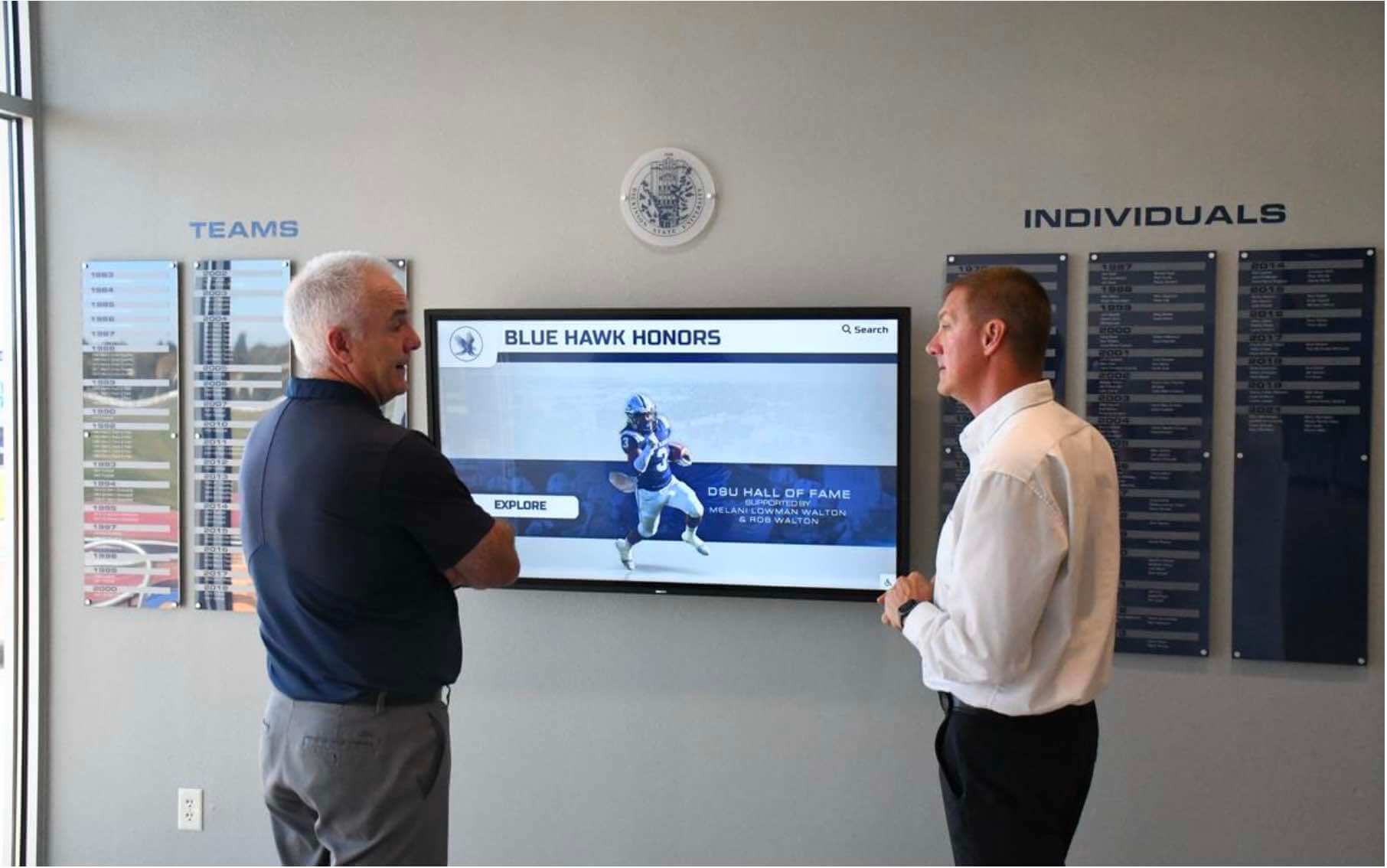
Successful touchscreen deployments engage audiences through professional content presentation and intuitive interfaces
Troubleshooting and Support Resources
Even straightforward implementations occasionally encounter challenges requiring systematic troubleshooting approaches.
Common Setup Issues and Solutions
App Won’t Install from Play Store
- Verify device meets minimum Android 8.0 requirement
- Confirm adequate storage space available for installation
- Check Google Play Services are updated to current versions
- Restart device and retry installation
- Contact Rocket support if issues persist
Content Not Displaying After Site ID Entry
- Verify Site ID entered correctly without typos or extra spaces
- Confirm internet connectivity is active and stable
- Check that content has been published in cloud CMS
- Try closing and relaunching app to refresh connection
- Contact support for Site ID verification
App Pinning Not Preventing Exit
- Confirm app pinning enabled in Android security settings
- Verify proper pinning procedure followed (pin from recent apps screen)
- Consider commercial kiosk hardware with enhanced lockdown capabilities
- Evaluate whether additional mobile device management tools needed
- Consult support for advanced lockdown configuration
Performance Issues or Slow Response
- Verify device meets recommended specifications (4GB RAM, quad-core processor)
- Check available storage space—insufficient storage degrades performance
- Confirm strong Wi-Fi signal strength and bandwidth availability
- Clear app cache if performance degrades over time
- Consider hardware upgrade if device underpowered for content complexity
Offline Content Not Caching
- Ensure sufficient device storage for local content cache
- Verify offline mode enabled in platform configuration
- Allow adequate time for initial content synchronization
- Check that critical content designated for offline priority
- Contact support for cache configuration optimization
Support and Documentation
24/7 Live Chat Support: Rocket Alumni Solutions provides round-the-clock technical assistance through live chat averaging 15-second response times—dramatically superior to community forum support or email-only assistance common with generic kiosk browsers.
Knowledge Base Resources: Comprehensive documentation, setup guides, video tutorials, and troubleshooting articles available at help.rocketalumnisolutions.com address common questions and implementation scenarios.
Phone Support: Direct phone assistance available at +1-857-465-3603 for urgent issues or organizations preferring voice communication over chat interfaces.
Email Support: Technical questions and non-urgent inquiries addressed through support@rocketalumnisolutions.com with typical response times under 24 hours.
Implementation Assistance: Professional services including content creation guidance, template customization, hardware consultation, and deployment planning included within platform subscriptions—eliminating need for separate consulting engagements.
Organizations compare this comprehensive support ecosystem favorably against DIY approaches requiring internal troubleshooting or generic lockdown tools offering minimal vendor assistance beyond basic documentation.
Security and Privacy Considerations
Organizations deploying public-facing touchscreen kiosks must address security and privacy implications protecting both institutional assets and user information.
Application Security Features
No Data Collection: The Rocket Touchscreen app collects no personal information from kiosk users, avoiding privacy concerns and regulatory compliance complexities. Visitor interactions remain anonymous unless content specifically requests input—uncommon in recognition display scenarios.
Secure Communications: All data transmission between the app and cloud platform utilizes encrypted connections protecting content and configuration information during synchronization. Organizations avoid exposing sensitive data through unsecured network communication.
App Pinning Protection: Android’s native app pinning prevents unauthorized users from exiting kiosk mode, accessing device settings, installing applications, or performing actions beyond intended touchscreen interaction.
Automatic Updates: Critical security patches and bug fixes deploy automatically through the cloud platform without requiring manual intervention—ensuring displays maintain current protection against emerging vulnerabilities.
Physical Security Considerations
Hardware Protection: Commercial kiosk enclosures, secure mounting solutions, and tamper-resistant hardware prevent theft, vandalism, or unauthorized physical access to devices. Organizations in public environments should invest in appropriate physical security measures matching location risk levels.
Power Security: Reliable power supplies with battery backup prevent unexpected shutdowns during interactions. Secured power connections prevent accidental or intentional disconnection creating display downtime.
Network Security: Dedicated VLAN separation, firewall rules, and network access controls prevent touchscreen devices from becoming security vulnerabilities within institutional networks. IT departments should implement appropriate network security postures.
Peripheral Disabling: Remove or disable unnecessary ports, connections, and features preventing users from connecting unauthorized devices, copying data, or installing malicious software.
Organizations implementing digital recognition displays in public spaces should consult IT security teams ensuring deployment configurations align with institutional security policies and regulatory requirements.
Making Your Decision: Evaluation Checklist
Systematic evaluation prevents costly mismatches between selected solutions and actual organizational needs.
Budget Assessment
- What is your total budget including hardware, software, content creation, and ongoing support?
- Can you accommodate monthly or annual subscription costs?
- Do you have internal resources for content development, or do you need professional services?
- What is the expected lifespan of the installation for total cost calculation?
Technical Capability Evaluation
- Do you have staff comfortable with HTML/CSS/JavaScript for custom content development?
- Can your team handle ongoing technical troubleshooting and maintenance?
- Do you prefer turnkey solutions or hands-on control over all implementation aspects?
- What level of vendor support do you require?
Content Management Requirements
- How frequently will content require updates?
- Who will manage updates—technical staff or subject matter experts?
- Do you need remote management capabilities across distributed locations?
- What volume of content (photos, videos, profiles) will you showcase?
Use Case Alignment
- Does your application match recognition display scenarios (halls of fame, donors, achievements)?
- Do you need specialized templates or are you starting from scratch?
- Will general web browsing capabilities suffice, or do you need integrated CMS?
- How important is professional design quality versus functional adequacy?
Timeline Pressure
- What is your deployment deadline?
- Can you accommodate months-long custom development, or do you need rapid deployment?
- Are there specific events or milestones driving installation timing?
- How quickly must you begin showcasing content?
Honest answers to these questions reveal whether free comprehensive platforms like Rocket Touchscreen, minimal-cost browser lockdown tools like Fully Kiosk Browser, premium MDM solutions, or custom development approaches align best with organizational reality versus aspirational preferences disconnected from budget constraints and available resources.
Conclusion: Choosing the Right Free Kiosk Solution
The evolution from generic browser lockdown tools to purpose-built recognition platforms fundamentally changes how organizations should evaluate kiosk software decisions in 2025.
While Fully Kiosk Browser and similar applications serve important functions for specific scenarios—general web browsing kiosks, custom-developed content displays, extremely budget-constrained pilots—most schools, nonprofits, and organizations implementing recognition displays discover that comprehensive platforms deliver dramatically superior results at lower total cost despite surface-level pricing differences.
The Rocket Touchscreen app eliminates the false economy of “cheap” browser licenses requiring expensive content development, ongoing maintenance burdens, technical expertise, and quality compromises. By providing free viewer applications paired with professional cloud platforms, organizations access enterprise-grade capabilities, intuitive content management, polished templates, and comprehensive support previously available only through custom development investments far exceeding platform subscription costs.
For educational institutions showcasing student achievements and institutional history, athletic departments honoring team records and championship legacies, nonprofits recognizing donors and supporters, or organizations celebrating employee excellence and service milestones, purpose-built recognition platforms like Rocket Alumni Solutions provide optimal balance between capabilities, ease of use, professional quality, and total cost of ownership.
The decision ultimately depends less on software licensing costs than on honest assessment of organizational capabilities, content complexity, quality expectations, and long-term operational sustainability. Organizations with dedicated technical teams, simple static content, and time for custom development may successfully implement browser-based approaches. Most discover that comprehensive platforms eliminate complexity, accelerate deployment, deliver superior results, and prove substantially more cost-effective when calculating true total investment including staff time, opportunity costs, and quality outcomes.
Solutions like Rocket Alumni Solutions provide touchscreen software specifically designed for recognition displays, athletic facilities, alumni engagement, and institutional celebration—meeting organizations where they actually operate rather than requiring adaptation to generic tools designed for fundamentally different purposes. Combined with hardware partnerships, implementation services, and ongoing support, these platforms transform touchscreen deployments from technical projects into strategic communications initiatives achieving lasting engagement and institutional pride.
Ready to Deploy Professional Touchscreen Recognition Displays?
Discover how Rocket Alumni Solutions provides free Android kiosk apps, comprehensive cloud-based content management, professional templates, and 24/7 support eliminating the complexity and costs associated with generic browser lockdown tools and custom development.
Download Free App & Schedule ConsultationComparison Disclosure
This comparison is based on publicly available information as of November 2025. All product names and trademarks belong to their respective owners. Comparative statements reflect Rocket Alumni Solutions’ interpretation of available data and may change over time. Rocket Alumni Solutions is not affiliated with or endorsed by Fully Kiosk Browser, Scalefusion, AirDroid Business, KioWare, SiteKiosk, or other mentioned competitors.
All trademarks are property of their respective owners. Rocket Alumni Solutions is not affiliated with or endorsed by Fully Kiosk Browser or other mentioned kiosk software providers.
This content was produced by or on behalf of Rocket Alumni Solutions.































