The evolution from static displays to interactive touchscreen technology has fundamentally transformed how organizations communicate, recognize achievement, and engage their communities. Whether walking through a modern school hallway, university campus, corporate headquarters, or museum, interactive touchscreen displays have become ubiquitous features enabling intuitive exploration of information that would be impossible to present through traditional static signage.
Yet the hardware—impressive as modern touchscreen displays may be—represents only half the equation. The software powering these interactive experiences determines whether installations deliver genuine value or become expensive digital paperweights that frustrate users and disappoint administrators who approved their purchase. Sophisticated touchscreen software transforms generic displays into powerful engagement platforms that inform, inspire, recognize, and connect communities in ways that static communication methods simply cannot match.
This comprehensive guide explores the landscape of touchscreen software solutions, examining the capabilities that distinguish exceptional platforms from basic alternatives, the critical factors organizations should evaluate during selection processes, and the implementation strategies that maximize return on investment while avoiding common pitfalls that undermine interactive display effectiveness.
Whether your organization is considering first-time touchscreen implementation, evaluating replacement of outdated systems, or seeking to maximize value from existing installations, understanding the software landscape proves essential for making informed decisions that serve institutional needs effectively while justifying the significant financial and operational commitments that interactive display systems require.

Modern touchscreen software enables intuitive interaction that makes complex information easily explorable and engaging
Understanding Touchscreen Software: Core Capabilities and Categories
Touchscreen software encompasses diverse applications serving various institutional needs. Understanding the fundamental categories helps organizations identify solutions aligned with specific objectives rather than assuming all touchscreen software delivers similar functionality.
Digital Signage and Content Management Systems
The most basic category of touchscreen software functions primarily as digital signage, displaying rotating content on screens throughout facilities. These systems evolved from traditional static signage, offering dynamic content that updates remotely rather than requiring physical replacement of printed materials.
Core Digital Signage Capabilities include centralized content management enabling administrators to update multiple displays from single interfaces, scheduled content rotation showing different information at various times, template-based design maintaining brand consistency across installations, and multi-zone layouts dividing screens into regions displaying different content simultaneously.
While digital signage represents an improvement over static displays, basic systems often lack true interactivity. Touchscreens running simple digital signage merely display rotating content that viewers watch passively rather than explore actively. This limitation significantly reduces engagement potential compared to genuinely interactive software.
Advanced Digital Signage incorporates interactive elements enabling viewers to navigate content actively. Touch interactions might include swiping through image galleries, selecting topics for detailed information, accessing searchable directories, or playing video content on demand. These interactive capabilities transform passive viewing into active exploration that sustains attention and delivers information tailored to individual interests rather than predetermined rotation schedules.
Wayfinding and Directory Systems
Specialized touchscreen software designed for wayfinding helps visitors navigate complex campuses, buildings, or facilities. These systems replace traditional static maps and directories with interactive navigation that adapts to individual needs.
Essential Wayfinding Features include interactive floor plans enabling touch-based exploration, search functionality helping visitors locate specific destinations, turn-by-turn directions from current position to desired location, accessibility options showing wheelchair-accessible routes, and multi-language support serving diverse populations.
Educational institutions frequently deploy wayfinding software in main entrances, visitor centers, and major campus intersections where prospective students, visiting families, or community members benefit from self-service navigation assistance. Corporate campuses, healthcare facilities, and government buildings similarly leverage these systems to improve visitor experience while reducing staff time spent providing directions.
Integration Capabilities enhance wayfinding value. Systems that connect to scheduling platforms can display room availability and event information. Directory integration enables searching by person or department rather than just location names. Real-time occupancy data helps visitors find available parking or open study spaces. These integrated features transform wayfinding from simple map display into comprehensive facility information systems.

Interactive kiosks strategically placed in high-traffic areas provide intuitive access to facility navigation and institutional information
Recognition and Achievement Display Platforms
Purpose-built recognition software celebrates individual and collective achievements through interactive profiles, searchable databases, and multimedia presentations. These specialized platforms serve schools honoring students and alumni, corporations recognizing employees and achievements, nonprofits celebrating donors and volunteers, and sports organizations showcasing athletes and records.
Core Recognition Capabilities include unlimited profile capacity accommodating comprehensive honoree databases, rich multimedia support incorporating photos, videos, and documents, advanced search and filtering enabling visitors to find specific individuals or achievements, category organization grouping recognition by achievement type or time period, and social sharing allowing honorees to celebrate achievements across personal networks.
Recognition platforms like Rocket Alumni Solutions provide sophisticated software specifically designed for institutional recognition needs. Unlike generic digital signage requiring extensive customization, purpose-built platforms include pre-configured templates, intuitive management interfaces, and features addressing common recognition scenarios that schools and organizations encounter regularly.
Engagement Analytics distinguish advanced recognition platforms from basic display systems. Tracking which profiles receive most views, what search terms visitors use, how long users engage with content, and which features generate greatest interest provides valuable insights about community interests and content effectiveness. These analytics inform content development while demonstrating tangible value that justifies ongoing investment in recognition programs.
Interactive Presentation and Collaboration Software
Educational and corporate environments increasingly deploy touchscreen software enabling interactive presentations, brainstorming sessions, and collaborative work. These platforms transform displays from passive information delivery systems into active participation tools.
Collaboration Features include whiteboarding capabilities for brainstorming and ideation, annotation tools enabling markup of displayed content, multi-user support allowing simultaneous interaction, device connectivity letting users share screens wirelessly, and session saving preserving work for future reference or distribution.
Schools leverage collaboration software in classrooms, making lessons more engaging through touch-based interaction. Conference rooms in corporate settings utilize similar capabilities for more dynamic meetings and presentations. Museums and visitor centers create interactive educational experiences where multiple visitors explore content simultaneously while building on each other’s discoveries.
Critical Factors in Touchscreen Software Selection
Selecting touchscreen software requires evaluating numerous technical, functional, and strategic considerations. Organizations that systematically assess these factors make informed decisions supporting long-term success rather than discovering limitations only after significant investment and implementation effort.
Ease of Content Management and Updates
Perhaps the single most important factor determining real-world success involves how easily staff members can update and manage content. Even the most sophisticated features prove worthless if updating content requires technical expertise that organizations lack or processes so cumbersome that content becomes outdated because administrators avoid the frustration of making changes.
Intuitive Administrative Interfaces should require minimal training for non-technical staff. Web-based dashboards accessible through standard browsers eliminate software installation requirements while enabling remote administration from any location. Drag-and-drop functionality for uploading photos and documents removes technical barriers. WYSIWYG editors showing exactly how content appears on displays prevent publication of incorrectly formatted material.
Organizations should request live demonstrations showing actual content update processes rather than accepting marketing materials claiming ease of use. Watching administrators perform common tasks reveals whether systems truly offer intuitive management or require workarounds and specialized knowledge that operational documentation doesn’t adequately capture.
Template-Based Design accelerates content creation while maintaining visual consistency. Pre-built profile templates for various recognition types, event templates for announcements and calendars, and directory templates for organizational information enable rapid content development without starting from blank slates. Customization capabilities within templates provide necessary flexibility without overwhelming administrators with unlimited design options requiring graphic design expertise.
Bulk Operations prove essential when managing large content volumes. Systems should support batch uploading of multiple profiles simultaneously, bulk editing for consistent updates across similar content, scheduling future publication of content created in advance, and archiving obsolete content while preserving accessibility for historical reference.
The most effective platforms balance power and simplicity—offering sophisticated capabilities for complex scenarios while keeping routine operations straightforward enough that busy administrators maintain content regularly rather than letting displays become stale and outdated.

User-friendly software enables visitors to intuitively search, filter, and explore comprehensive information databases
Hardware Compatibility and Technical Requirements
Touchscreen software operates within specific technical parameters regarding compatible hardware, operating systems, network requirements, and performance specifications. Understanding these requirements prevents costly mismatches between software capabilities and available infrastructure.
Operating System Support varies across platforms. Some touchscreen software runs exclusively on Windows, others require Android or Linux, while cloud-based solutions operate through web browsers on any operating system. Organizations with existing hardware investments should verify software compatibility with installed systems. Those purchasing new hardware can optimize by selecting platforms matching software requirements.
Display Resolution and Orientation support ensures content appears correctly across various screen sizes and orientations. Software should adapt layouts dynamically for different resolutions rather than requiring separate content versions for each display size. Portrait and landscape orientation support provides deployment flexibility for different installation contexts and architectural constraints.
Touch Technology Compatibility matters because different touchscreen hardware uses various sensing technologies—capacitive, resistive, infrared, or optical. Software should support standard touch protocols ensuring broad hardware compatibility rather than requiring proprietary displays from specific manufacturers. Multi-touch support enabling gestures like pinch-to-zoom and two-finger scrolling creates more intuitive interfaces matching smartphone and tablet interaction patterns users expect.
Network and Connectivity Requirements determine installation feasibility in various locations. Cloud-based systems require reliable internet connectivity with adequate bandwidth for content streaming and updates. Offline capabilities enabling continued operation during network outages prove important for mission-critical displays. Consider whether software requires wired ethernet connections or supports Wi-Fi deployment for greater installation flexibility.
Performance Specifications regarding processor power, RAM, and storage capacity determine which hardware adequately supports software without frustrating lag or limited content capacity. Organizations should verify minimum and recommended specifications rather than attempting to operate software on underpowered hardware that delivers poor user experience undermining investment value.
Integration Capabilities with Existing Systems
Touchscreen software rarely operates in isolation. Integration with existing institutional systems multiplies value by enabling data synchronization, unified authentication, and coordinated workflows that eliminate redundant data entry while ensuring consistency across platforms.
Student Information System Integration enables schools to automatically populate recognition displays with current student data, synchronize achievement information, update profiles as students progress through grade levels, and maintain accurate alumni records after graduation. These connections transform displays from static snapshots requiring manual updates into dynamic systems reflecting current institutional data automatically.
Alumni Database Connectivity allows advancement departments to leverage existing constituent relationship management systems as recognition data sources. Profiles can display current contact information, career updates, and philanthropic engagement automatically rather than requiring separate data maintenance. This integration also enables recognition programs to inform broader advancement strategies by identifying highly engaged alumni worthy of deeper cultivation.
Calendar and Event Systems integration enables touchscreen displays to show current schedules, upcoming events, and facility availability automatically. Schools can display athletic schedules, performance dates, and school events without manual entry. Corporate environments show conference room bookings, company events, and facility information synchronized with scheduling platforms.
Single Sign-On Integration with institutional authentication systems like Google Workspace, Microsoft 365, or enterprise identity management platforms simplifies administrative access while maintaining security. Rather than managing separate credentials for touchscreen software, administrators use existing institutional accounts reducing password proliferation and security vulnerabilities.
Social Media Connectivity enables automated content flows. Recognition profiles might display honorees’ recent social media posts (with appropriate permissions and filtering). Event displays can show Instagram photos tagged with event hashtags. This integration extends engagement beyond touchscreen interfaces into digital spaces where communities already gather.
Content Management System Links allow touchscreen displays to show information from institutional websites automatically. News items, photo galleries, video content, and organizational information published once appears across multiple platforms without redundant entry. This integration reduces administrative burden while ensuring consistency across all institutional communication channels.
Organizations should prioritize integration capabilities addressing their specific ecosystem rather than seeking universal connectivity. Well-integrated systems within focused contexts deliver more value than poorly integrated platforms claiming universal compatibility but requiring extensive custom development to achieve functional integration.
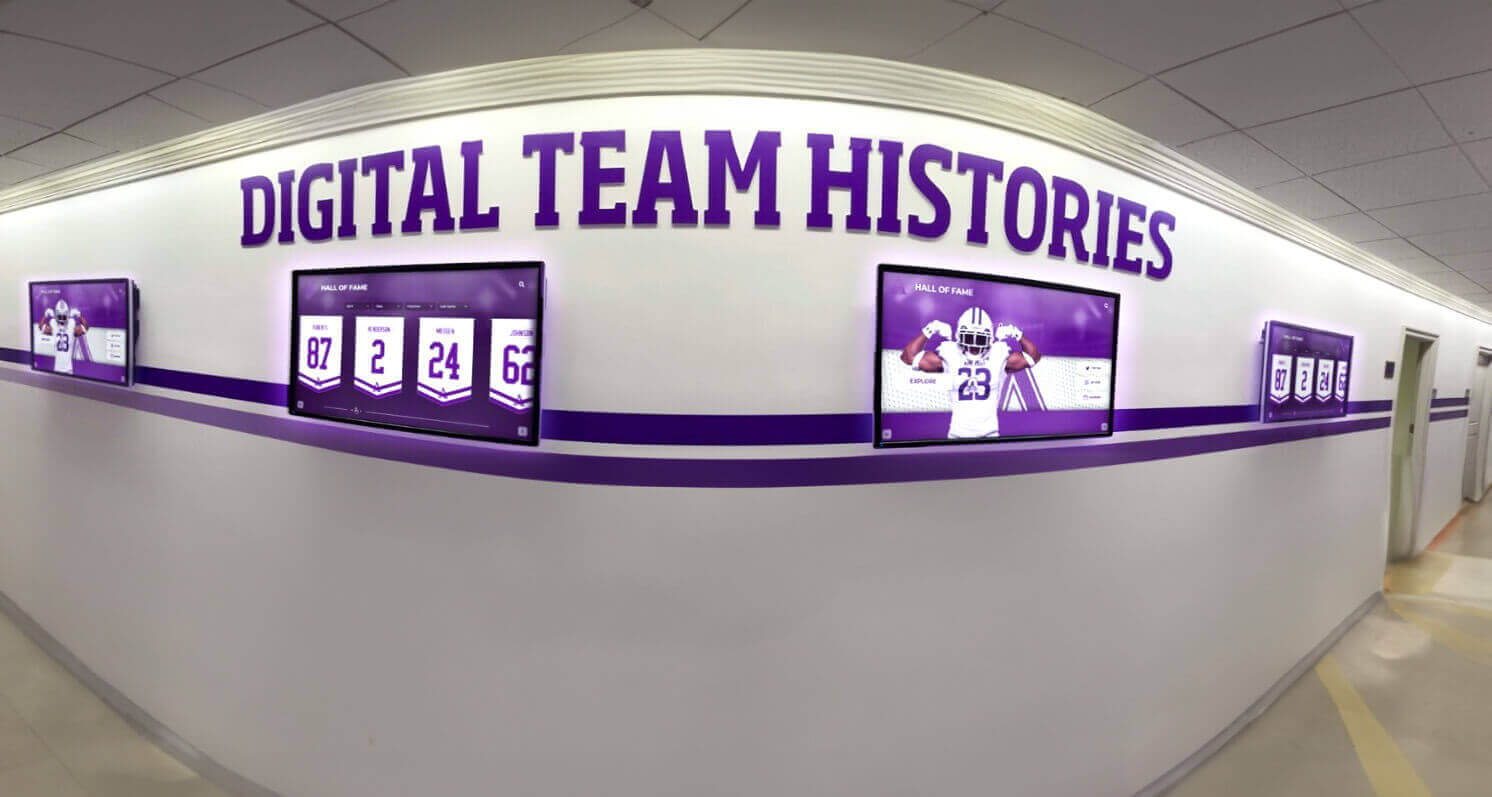
Integrated systems display comprehensive information from multiple data sources through unified, professionally designed interfaces
Security, Privacy, and Compliance Considerations
Interactive displays collecting, storing, and displaying personal information must address security and privacy requirements rigorously. Organizations face legal obligations regarding data protection, particularly in educational contexts governed by regulations like FERPA, or healthcare environments subject to HIPAA compliance.
Data Protection Measures should include encrypted data transmission between displays and management servers, secure storage with appropriate access controls, regular automated backups preventing data loss, and audit logs tracking who accesses or modifies content. These technical safeguards protect sensitive information from unauthorized access or malicious attack.
Privacy Controls enable granular management of what information displays publicly versus requiring authentication to access. Schools might show student achievements on displays while restricting contact information to authenticated alumni. Donor recognition systems might display contribution levels while protecting specific donation amounts to different privacy tiers based on contributor preferences.
Consent Management capabilities track permissions for displaying individual information, photos, or videos. Robust systems maintain consent records, allow easy opt-out processes, and automatically hide content for individuals revoking permission without requiring manual administrator intervention across numerous profiles and displays.
FERPA Compliance for educational institutions requires ensuring that student information displays don’t violate federal privacy regulations. Directory information may display publicly if institutions provide appropriate notice and opt-out mechanisms. Academic performance information requires careful handling. Non-directory information requires explicit consent. Software should facilitate compliance rather than creating privacy vulnerabilities through inadequate controls.
Accessibility Compliance ensures displays meet Americans with Disabilities Act (ADA) and Web Content Accessibility Guidelines (WCAG) standards. Interface design should support screen readers for vision-impaired users, provide adequate color contrast and text sizing, enable keyboard navigation for users unable to interact via touch, and offer alternative formats for critical information. These accommodations demonstrate institutional values while meeting legal obligations.
Organizations should request documentation of security practices, compliance certifications, and privacy policy details during vendor evaluation. Providers unable or unwilling to address these concerns thoroughly raise red flags suggesting inadequate attention to critical requirements that could expose organizations to significant legal and reputational risks.
Scalability and Long-Term Sustainability
Touchscreen deployments frequently expand beyond initial implementations as organizations discover value and identify additional applications. Software selection should consider scalability supporting growth without requiring platform replacement as needs evolve.
Multi-Display Management capabilities prove essential even for organizations initially deploying single screens. Centralized management of multiple displays from unified interfaces, content targeting to specific displays or display groups, synchronized updates across entire installations, and location-specific customization within standardized templates enable efficient administration of growing deployments without proportionally increasing staff burden.
Content Volume Capacity determines how many profiles, pages, or items systems accommodate. Some platforms impose limits requiring upgrade pricing as content grows. Others offer unlimited capacity within subscription tiers. Organizations should project reasonable growth trajectories and verify that anticipated content volumes remain well within platform capabilities or that upgrade paths exist for reasonable cost if initial capacities prove insufficient.
User Load Handling affects performance during high-traffic events. Recognition displays during homecoming celebrations or athletic events may experience simultaneous usage by numerous visitors. Software should maintain responsive performance under load rather than slowing to unusable levels when multiple users interact concurrently.
Platform Longevity and Vendor Stability require consideration because touchscreen deployments represent multi-year commitments. Evaluate vendor track records, financial stability, client base size and loyalty, and product development momentum. Platforms from established vendors with strong user communities and consistent development show lower risk of abandonment than offerings from startups or vendors treating touchscreen software as peripheral to core business focus.
Exit Strategy and Data Portability prove important even when organizations feel confident in selections. Circumstances change—vendors may discontinue products, pricing may become unreasonable, or better alternatives may emerge. Understanding whether data exports cleanly, whether displays can operate with alternative software, and what transitioning to different platforms would entail provides insurance against vendor lock-in leaving organizations captive to problematic relationships.
Implementation Strategies for Touchscreen Software Success
Selecting appropriate software represents only the beginning of successful touchscreen deployment. Implementation quality determines whether installations deliver anticipated value or fall short due to preventable missteps during planning, installation, content development, or launch phases.
Strategic Planning and Needs Assessment
Rushed implementations often result in systems that technically function but fail to serve institutional needs effectively. Disciplined planning processes ensure deployments address genuine requirements rather than implementing technology for its own sake.
Stakeholder Consultation should identify who will use systems and what information they seek. In educational settings, stakeholders include current students seeking inspiration and role models, alumni searching for classmates and reminiscing about their experiences, prospective families evaluating program quality and school culture, faculty and staff checking schedules and announcements, and community members accessing facility information and institutional history.
Different stakeholder groups have divergent needs and preferences. Students gravitate toward visual content, social sharing, and mobile accessibility. Alumni value comprehensive historical information and sophisticated search capabilities. Prospective families seek evidence of program excellence and community culture. Designs addressing all constituencies thoughtfully deliver broader value than narrowly focused implementations serving limited audiences.
Content Strategy Development determines what information displays will feature, how content will organize for intuitive navigation, what categories or filters will enable efficient searching, and how often content will update to maintain currency. Strategic content planning prevents implementations that simply dump existing information onto touchscreens without considering how interactive formats enable enhanced presentation and exploration compared to traditional static approaches.
Schools implementing digital recognition displays should define comprehensive achievement categories beyond traditional athletic recognition. Academic excellence, arts achievement, community service, leadership, and alumni accomplishment all merit celebration. This comprehensive approach demonstrates institutional values honoring diverse forms of excellence rather than narrow athletic focus.
Success Metrics Definition establishes how organizations will measure whether deployments deliver anticipated value. Metrics might include engagement levels measured through usage analytics, content update frequency indicating administrative sustainability, stakeholder satisfaction gathered through surveys, and strategic outcomes like improved alumni engagement or enhanced recruitment effectiveness. Clear success definitions enable objective evaluation rather than subjective assessments lacking concrete evidence.

Strategic placement within high-traffic areas maximizes touchscreen visibility and usage while serving diverse stakeholder needs
Content Development and Digitization
Touchscreen displays require substantial content to deliver value. Organizations must develop efficient processes for creating initial content libraries while establishing sustainable workflows for ongoing maintenance and expansion.
Historical Content Digitization proves time-consuming but essential for comprehensive recognition displays. Schools might digitize decades of yearbooks, athletic records, newspaper clippings, and photographs documenting institutional history and individual achievements. This digitization preserves fragile historical materials while making them accessible to broader audiences through searchable digital formats.
Systematic approaches prevent overwhelming scope from paralyzing progress. Organizations might prioritize recent content requiring less research, focus on high-visibility achievements likely to drive engagement, or tackle specific time periods methodically working backward through history. Phased implementation delivering initial value quickly while expanding comprehensively over time proves more sustainable than attempting complete content development before launch.
Profile Development Standards ensure consistency and completeness across numerous entries. Templates specifying required fields, preferred photo specifications, acceptable file formats, and content guidelines prevent inconsistent entries undermining professional presentation. Balance between standardization ensuring quality and flexibility accommodating unique circumstances prevents rigid templates that poorly serve diverse recognition scenarios.
Student and Community Involvement in content development builds engagement while distributing workload. Student journalism classes might research and write historical profiles as curriculum-integrated projects. Alumni volunteers can contribute information about classmates from their eras. Faculty members provide achievement details and testimonial quotes. This collaborative approach builds community investment while reducing burden on limited administrative staff.
Ongoing Content Workflows prevent displays from becoming stale. Establish processes specifying who updates content, how often reviews occur, how new achievements are identified and documented, and what approval processes ensure accuracy before publication. Recognition programs that celebrate current students and recent alumni alongside historical honorees maintain relevance and sustained engagement rather than appearing as museums celebrating only distant past.
Training and Change Management
Even intuitive software requires training ensuring administrators understand capabilities and feel confident managing content. Change management addresses organizational resistance and establishes new recognition practices within institutional culture.
Administrator Training should combine initial comprehensive orientation covering all system capabilities with ongoing support addressing questions arising during actual use. Training formats might include live sessions for interactive Q&A, recorded tutorials available for future reference, written documentation explaining processes step-by-step, and helpdesk support providing personalized assistance when users encounter difficulties.
Hands-on practice during training proves more effective than passive demonstration. Administrators should perform actual content updates during training sessions, practicing with realistic scenarios they’ll encounter regularly. This active learning builds confidence while revealing areas needing additional explanation before administrators work independently.
Champion Development within organizations accelerates adoption. Identifying enthusiastic early adopters who receive advanced training, understand system comprehensively, and can assist colleagues informally creates distributed support networks reducing dependence on external vendors or single internal experts. These champions also provide valuable user feedback informing system optimization and feature requests based on real operational experience.
Cultural Integration embeds touchscreen usage within institutional practices. Promoting displays during orientations, featuring them in facility tours, highlighting them during special events, and referencing them in communications creates awareness and establishes expectations that community members will engage with systems regularly. Athletic recognition displays prominently featured during games and team events become natural gathering points where athletes, families, and fans celebrate achievement together.
Resistance Management addresses skeptics questioning value or fearing change. Demonstrating concrete benefits through pilot implementations, gathering testimonials from satisfied early users, sharing engagement analytics proving actual usage, and acknowledging concerns while explaining mitigation strategies builds confidence and reduces resistance rooted in uncertainty or previous negative technology experiences.
Launch Strategy and Ongoing Promotion
Successful launches create awareness and excitement generating initial engagement that demonstrates value while establishing usage patterns that persist beyond novelty periods.
Soft Launch Testing before full public announcement identifies technical issues, content gaps, or usability problems requiring correction. Limited release to friendly audiences like staff members, student leaders, or booster organization members generates feedback while demonstrating responsiveness to user input before broader visibility when first impressions significantly influence perception and adoption.
High-Profile Launch Events create visibility and excitement. Coordinating unveiling with major occasions like homecoming weekends, athletic championships, or school anniversaries maximizes audience and media attention. Ribbon-cutting ceremonies with administrators, donors, or community leaders demonstrate institutional commitment. Student performances, alumni speeches, or recognition ceremonies during launch events create positive associations and memorable introductions.
Sustained Promotion Campaigns maintain awareness beyond initial launch excitement. Regular social media features highlighting specific profiles or interesting discoveries, newsletter segments celebrating newly added content, campus signage directing traffic to display locations, and integration into facility tours for prospective families ensure touchscreens remain visible and relevant rather than fading into background as initial novelty wears off.
Engagement Incentives can accelerate adoption. Contests encouraging students to find specific information create fun motivation to explore content. Alumni challenges to locate classmates or share memories foster participation. Recognition for classes or groups demonstrating highest engagement rates adds friendly competition. These initiatives transform passive viewing into active exploration revealing system depth and value.
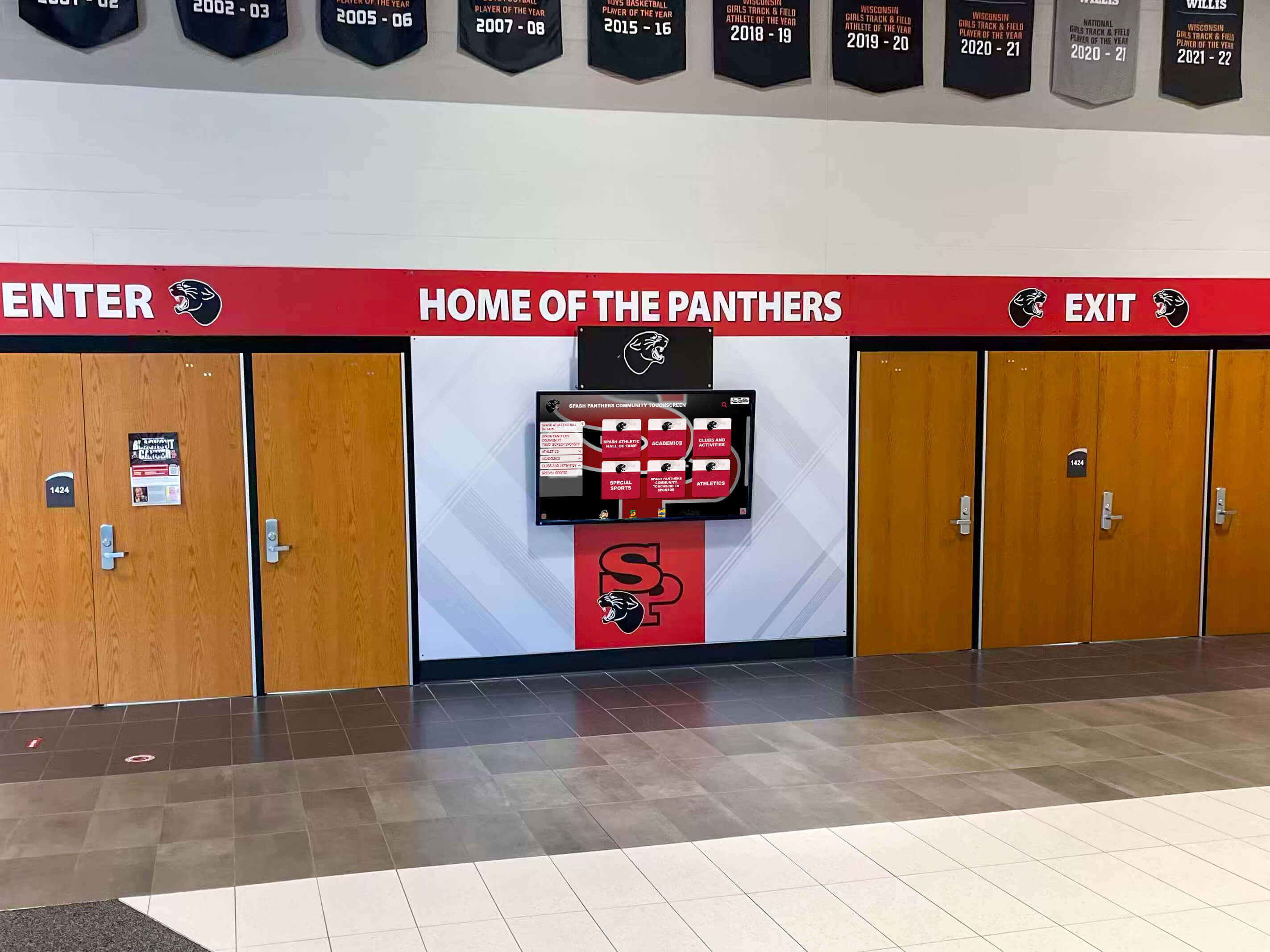
Prominent placement at facility entrances ensures touchscreen displays become familiar landmarks creating lasting institutional pride
Advanced Touchscreen Software Capabilities
Basic touchscreen functionality serves many organizational needs adequately, but advanced capabilities enable sophisticated applications that deliver exceptional value justifying premium platform investments.
Artificial Intelligence and Personalization
Emerging AI integration creates dynamic experiences adapting to individual users based on interaction patterns, preferences, and context rather than presenting identical experiences to all visitors.
Intelligent Content Recommendations analyze what users view and suggest related content likely to interest them. Visitors exploring athletic achievements might receive suggestions about sports record boards or championship celebrations. Those browsing academic honorees could discover related scholar recognition programs or educational achievement highlights. These personalized suggestions encourage deeper exploration beyond initial search intent.
Facial Recognition Integration (where permitted and appropriately disclosed) enables touchscreens to recognize approaching individuals and automatically display their profiles or information relevant to them. Alumni approaching displays might see customized welcome messages and their own profile. Students could view personalized schedules, announcements, or achievement updates. While privacy concerns require careful implementation, controlled facial recognition creates remarkable personalized experiences.
Natural Language Processing enables voice interaction or text-based questioning using conversational language rather than keyword searches. Users might ask “Show me alumni who became doctors” or “What records were set in 2019?” and receive appropriate results without navigating hierarchical menus or constructing precise search queries. This intuitive interaction makes systems more accessible to users uncomfortable with traditional digital interfaces.
Predictive Analytics based on usage patterns inform content strategy. Identifying which profiles attract disproportionate interest, what search terms appear frequently, when engagement peaks, and which features go unused provides insights guiding content development and feature enhancement. These data-driven decisions optimize systems for actual usage patterns rather than assumptions about how administrators hope audiences will interact.
Advanced Multimedia and Interactive Features
Rich multimedia presentation transforms touchscreens from digital bulletin boards into immersive experiences that captivate visitors and create lasting impressions.
Video Integration brings achievements to life through footage of performances, game highlights, interviews, or documentary-style profiles. Schools showcase winter concert performances, championship games, theatrical productions, and student interviews celebrating accomplishments. Video content creates emotional connections and authentic storytelling that static photos and text cannot match.
Interactive Timelines enable chronological exploration of institutional history. Users scroll through decades viewing how campuses evolved, programs developed, and communities grew. Detailed timeline entries link to related profiles, documents, and photos providing comprehensive context. These temporal navigation tools prove particularly compelling for alumni gathering areas where graduates explore how institutions changed since their graduation while introducing current students to historical foundations.
Gamification Elements make exploration more engaging through achievement systems, point accumulation, or competitive challenges. Visitors might earn badges for exploring specific content types, unlock special features through sustained interaction, or compete on leaderboards showing most engaged users. These game mechanics leverage psychological principles increasing motivation and time spent with systems.
Social Sharing Integration extends recognition beyond physical touchscreen locations. Users can share profiles, achievements, or content to personal social media accounts directly from displays. This viral distribution amplifies recognition reach while promoting institutional pride across networks of families, alumni, and community supporters. Shareable content should include appropriate branding and links enabling social media viewers to explore full content on institutional websites or web-accessible recognition platforms.
Augmented Reality Overlays using mobile devices pointed at displays or physical spaces create immersive blended experiences. AR might overlay historical photos showing how facilities appeared decades ago, display three-dimensional achievement visualizations, or create interactive games within physical spaces. While still emerging, AR integration represents compelling future direction for touchscreen experiences extending beyond screen boundaries into surrounding environments.
Multi-Device and Cross-Platform Experiences
Modern touchscreen software should operate across device ecosystems rather than limiting access to physical kiosk locations. Comprehensive platforms provide cohesive experiences whether users interact via public touchscreens, personal smartphones, tablets, or desktop computers.
Web-Based Access ensures content remains accessible from any internet-connected device. Alumni exploring recognition programs from across the country access identical information through web browsers as visitors at physical touchscreen installations. This universal accessibility multiplies engagement opportunities beyond the limited audiences who visit facilities in person.
Mobile Applications optimized for smartphones and tablets provide convenient access fitting contemporary usage patterns. Mobile-specific features might include location-based notifications when users approach displays, mobile-optimized interfaces adapted for smaller screens, offline access downloading content for viewing without connectivity, and push notifications alerting users to new content relevant to their interests.
Responsive Design ensures content adapts automatically to various screen sizes, orientations, and resolutions without requiring separate versions for each device type. Single content management enables updates appearing consistently across all platforms simultaneously rather than maintaining redundant content stores requiring separate administration for each delivery channel.
Cross-Device Progress Synchronization creates seamless experiences spanning multiple interactions. Users might begin exploring content on public touchscreens, save items to personal accounts, and continue browsing on mobile devices later. Bookmarking, favorites, and personalized collections follow users across devices creating continuity rather than isolated interactions without memory across sessions or platforms.

Professional touchscreen installations create engaging experiences suitable for high-visibility settings and special events
Measuring Success and Optimizing Touchscreen Investments
Deploying touchscreen software and hardware represents significant investment requiring objective assessment demonstrating value delivery while identifying optimization opportunities maximizing return on investment.
Analytics and Engagement Metrics
Robust analytics capabilities built into touchscreen software provide quantitative evidence about actual usage patterns, popular content, and user behaviors informing strategic decisions.
Usage Statistics reveal fundamental engagement levels including total interactions over time periods, unique users versus repeat visitors, session duration indicating depth of engagement, and peak usage times informing content updating schedules and staffing decisions.
Content Performance Analysis identifies what information attracts greatest interest. Most viewed profiles reveal which achievements or individuals resonate strongest with audiences. Search query analysis shows what information users seek. Navigation paths demonstrate how visitors explore content and where they encounter friction requiring interface improvements. These insights guide content development priorities ensuring effort focuses on material delivering highest engagement value.
Feature Utilization Tracking shows which capabilities audiences use actively versus features going ignored despite development investment. High video playback rates justify continued multimedia content creation. Low social sharing usage might indicate poorly positioned features requiring interface redesign or that target audiences don’t value sharing capabilities as anticipated. Feature analytics prevent assumptions about desirable capabilities from driving development rather than actual usage evidence.
Demographic Segmentation when available reveals how different audience types interact differently. Alumni might spend longer sessions exploring historical content while students quickly search specific information. Prospective families may focus on achievement categories and program quality evidence. Understanding segment-specific behaviors enables targeted content development and interface optimization serving diverse constituencies effectively.
Conversion Tracking links touchscreen engagement to strategic outcomes. For schools, conversions might include tour registrations from prospective families, alumni profile updates, donation page visits, or event registrations. Corporate environments might track job applications, facility booking requests, or contact form submissions. Connecting touchscreen interactions to downstream actions demonstrates strategic value beyond passive engagement metrics.
Continuous Improvement Processes
Systems should evolve continuously based on usage evidence, stakeholder feedback, and changing institutional needs rather than remaining static after initial implementation.
User Feedback Collection through surveys, suggestion forms, or direct observation provides qualitative insights complementing quantitative analytics. What do visitors find confusing? What information do they wish was available? What features would enhance their experience? Direct stakeholder input reveals needs and opportunities that usage data alone misses.
Regular Content Audits ensure information remains current, accurate, and comprehensive. Outdated photos, obsolete information, broken links, and incomplete profiles undermine credibility and professional presentation. Systematic review processes catch quality issues before they damage user experience. Many organizations establish quarterly audit schedules reviewing content systematically to maintain quality standards.
A/B Testing of interface variations, content presentations, or feature implementations enables evidence-based optimization. Deploying different approaches to comparable audiences and measuring engagement differences reveals what resonates most effectively. Testing might compare photo-heavy versus text-heavy profiles, different navigation structures, alternative color schemes, or varied content organization strategies. Systematic testing prevents relying on subjective preferences or untested assumptions about optimal design.
Benchmark Comparisons against industry standards, peer institutions, or historical performance trends contextualize metrics. Is 3-minute average session duration strong performance or opportunity for improvement? Are current engagement levels higher or lower than last year’s? How does usage compare to similar organizations with comparable deployments? External context prevents misinterpreting metrics without appropriate reference points.
Vendor Partnerships with software providers supporting continuous improvement yield better long-term outcomes than transactional relationships ending after implementation. Providers sharing best practices learned across client bases, offering training on new features, providing optimization consulting based on usage data, and incorporating client feedback into product development deliver ongoing value justifying premium pricing over basic platforms offering minimal post-sale support.
Common Touchscreen Software Pitfalls and How to Avoid Them
Organizations new to touchscreen technology frequently encounter preventable mistakes that undermine deployments. Learning from common pitfalls enables more successful implementations while avoiding frustration, wasted investment, and disappointing outcomes.
Underestimating Content Requirements
Perhaps the most common failure involves deploying impressive hardware and sophisticated software without adequate content providing substance behind polished interfaces. Empty or sparse displays deliver disappointing experiences regardless of technical capabilities.
Solution Approach: Develop minimum viable content libraries before public launch. Better to delay public unveiling until systems offer compelling depth than launch prematurely with inadequate content creating poor first impressions. Establish realistic timelines accounting for content development effort, particularly when digitizing historical materials or creating comprehensive profile databases.
Many successful implementations follow 80/20 rules—develop core 80% of anticipated content before launch, then expand remaining 20% post-launch based on usage patterns and stakeholder priorities revealed through actual engagement rather than pre-launch assumptions.
Neglecting Mobile and Web Extensions
Treating touchscreen software as solely serving physical kiosk installations misses tremendous engagement opportunities through web and mobile access extending reach beyond limited audiences visiting facilities in person.
Solution Approach: Prioritize platforms offering cohesive multi-device experiences from initial selection. Unified content management supporting physical touchscreens, web browsers, and mobile applications delivers vastly greater value than kiosk-only systems. Alumni anywhere globally can explore school recognition programs rather than only when visiting campuses. Prospective families research programs remotely before campus visits. Extended access multiplies engagement opportunities justifying software investments.
Insufficient Administrator Training
Even intuitive platforms require comprehensive training ensuring administrators understand full capabilities and feel confident managing content independently. Inadequate training results in underutilized features, outdated content, or excessive dependence on vendor support for routine operations.
Solution Approach: Negotiate comprehensive training as part of implementation contracts. Initial training should involve multiple administrators preventing single-point-of-failure dependencies. Recorded tutorial libraries enable future reference and new administrator onboarding. Regular refresher training introduces new features while reinforcing foundational knowledge. Budget for ongoing training as regular operational expense rather than one-time implementation cost.
Ignoring Accessibility Requirements
Touchscreen implementations failing to accommodate users with disabilities create legal vulnerabilities while excluding community members from accessing information and recognition they deserve.
Solution Approach: Evaluate accessibility compliance during software selection rather than discovering limitations after deployment. Verify screen reader compatibility, keyboard navigation support, adequate color contrast and text sizing, and alternative content formats for critical information. Consult with institutional accessibility coordinators or disability service offices ensuring deployments meet legal requirements while demonstrating inclusive values.
Poor Maintenance and Content Updating
Initial enthusiasm often yields to benign neglect as daily operational pressures crowd out touchscreen maintenance. Stale content, outdated information, and system neglect quickly transform impressive installations into embarrassing reminders of abandoned initiatives.
Solution Approach: Establish formal maintenance schedules and accountability structures preventing drift. Assign specific individuals or departments responsibility for content updating. Create recurring calendar reminders for review cycles. Include touchscreen content management in position descriptions and performance evaluations. Consider whether initial administrator selection reflects available time and commitment rather than nominal assignment to already-overburdened staff unlikely to prioritize maintenance consistently.
Some organizations successfully delegate content responsibility to students through journalism programs, technology clubs, or community service opportunities. Student involvement builds engagement while creating sustainable maintenance models not solely dependent on limited administrative staff time.

Well-maintained touchscreen installations become valued institutional features demonstrating ongoing commitment to recognition and communication excellence
The Future of Touchscreen Software: Emerging Trends and Innovations
Touchscreen technology continues evolving rapidly as hardware capabilities advance, software becomes more sophisticated, and user expectations increase based on experiences with personal devices and commercial applications. Understanding trajectory helps organizations make forward-looking selections avoiding premature obsolescence.
Voice and Gesture Control Integration
While touch interaction will remain primary input method, supplementary voice and gesture controls create more natural, accessible interfaces accommodating diverse user preferences and abilities.
Voice activation enables hands-free operation beneficial for accessibility while allowing simultaneous content viewing and interaction. Gesture recognition using depth sensors or cameras detects hand movements and body position enabling interaction without touching potentially contaminated surfaces—consideration gaining prominence in post-pandemic environments prioritizing hygiene and contactless operation.
Artificial Intelligence Content Generation
AI capabilities expanding rapidly will increasingly assist content creation and management. Automated profile generation from structured data sources, intelligent photo selection and cropping, natural language description writing, and automated translation enabling multilingual content from single original language versions will dramatically reduce administrative burden while improving content quality and comprehensiveness.
Organizations should evaluate whether platforms are incorporating AI capabilities or risk being left with manually intensive processes while competitors leverage automation dramatically improving efficiency and content quality with comparable or lower staff investment.
Advanced Data Visualization and Infographics
Static text and photos will increasingly give way to dynamic data visualization making complex information more accessible and engaging. Interactive charts showing trends over time, geographic mapping of alumni distributions, network diagrams revealing relationships and connections, and comparative visualizations highlighting achievements in broader context create richer understanding than traditional presentation formats.
Schools might display athletic record progressions showing how performances improved across decades, scholarship award trends demonstrating program growth, or geographic dispersion of alumni illustrating institutional reach. These visual approaches engage audiences while conveying information more effectively than text descriptions alone.
Blockchain and Decentralized Identity
Emerging blockchain applications may transform credential verification and achievement authentication. Rather than institutions solely controlling recognition information, individuals might maintain verifiable digital credentials that touchscreen systems query to display validated achievements. This decentralized approach increases portability and security while enabling individuals greater control over their recognition information and how it displays across various contexts.
Sustainable and Energy-Efficient Operation
Environmental considerations will increasingly influence touchscreen deployments. Energy-efficient displays with automatic brightness adjustment, sleep modes during low-traffic periods, and optimized content delivery reducing bandwidth consumption will become standard expectations. Carbon-neutral hosting for cloud-based systems and hardware recycling programs addressing electronic waste will differentiate socially responsible vendors from competitors ignoring sustainability considerations.
Conclusion: Selecting and Implementing Touchscreen Software That Delivers Lasting Value
Touchscreen software represents the intelligence powering interactive displays that increasingly define how institutions communicate, recognize achievement, and engage communities. While impressive hardware creates initial impact, software quality and capabilities ultimately determine whether deployments deliver sustained value justifying significant investment or become digital decorations generating more frustration than benefit.
Organizations selecting touchscreen software should evaluate platforms systematically across multiple dimensions—content management ease determining administrative sustainability, hardware compatibility ensuring technical feasibility, integration capabilities multiplying value through data synchronization, security and privacy protections meeting legal obligations, and scalability supporting long-term growth without premature platform replacement.
Implementation quality matters as much as software selection. Strategic planning identifying genuine institutional needs rather than pursuing technology for its own sake, comprehensive content development creating depth before launch, thorough administrator training building confidence and capability, and sustained maintenance preventing stale content all prove essential for successful deployments that deliver anticipated benefits.
Purpose-built solutions like Rocket Alumni Solutions provide comprehensive platforms specifically designed for institutional recognition needs, offering sophisticated capabilities addressing common scenarios schools and organizations encounter regularly. Unlike generic digital signage requiring extensive customization, specialized platforms accelerate implementation while delivering proven functionality supporting diverse recognition applications from athletic achievement displays to comprehensive alumni engagement programs.
As touchscreen technology continues evolving, forward-looking organizations will embrace innovations improving user experience, reducing administrative burden, and creating more engaging recognition programs celebrating achievement appropriately. Whether implementing first systems or upgrading outdated platforms, understanding the software landscape enables informed decisions supporting institutional goals effectively while avoiding common pitfalls undermining less thoughtful deployments.
The touchscreen software powering your displays should inspire pride, engage communities meaningfully, and deliver measurable value justifying ongoing investment. With careful selection, thoughtful implementation, and sustained commitment to content excellence, interactive touchscreen systems become transformational institutional assets strengthening culture, honoring achievement, and building lasting connections with stakeholders who shape organizational success far into the future.
Ready to Transform Your Recognition Program with Professional Touchscreen Software?
Discover how Rocket Alumni Solutions provides purpose-built touchscreen software specifically designed for schools and organizations seeking to celebrate achievement through engaging interactive displays that deliver lasting value.
Schedule Your Free Consultation






























