Schools across America participate in Toys for Tots campaigns each holiday season, collecting thousands of toys for children who might otherwise go without gifts. Yet many schools struggle to maintain momentum throughout multi-week drives, watch participation decline after initial enthusiasm, and miss opportunities to maximize charitable impact through engaging competition and real-time progress tracking.
Traditional Toys for Tots campaigns rely on manual tracking—teachers counting donations, administrators compiling totals, and hand-updated poster boards displaying progress that’s already outdated by the time students see it. This administrative burden combined with delayed recognition means classrooms lose the immediate feedback and competitive excitement that drives sustained participation and generous giving.
Virtual leaderboards transform school Toys for Tots campaigns by providing real-time donation tracking, transparent competition between classrooms or grade levels, and engaging visual displays that keep charitable giving top-of-mind throughout campaign duration. When students see their classroom’s ranking update immediately after each donation, experience the thrill of moving up the leaderboard, and feel genuine pride in contributing to community service, participation rates soar while total donations reach levels that traditional tracking methods rarely achieve.
This comprehensive guide explores everything schools need to know about implementing virtual leaderboards for Toys for Tots campaigns, from technical setup and tracking methodologies to competition structures that maximize both participation and charitable impact. Whether your school is launching its first coordinated drive or seeking to enhance an existing program, digital leaderboard technology provides the engagement tools necessary to turn charitable giving into memorable learning experiences that inspire generosity while strengthening school community connections.

Interactive displays capture student attention and drive engagement with charitable giving campaigns
Understanding Toys for Tots and School Participation
Before implementing virtual leaderboards, schools must understand Toys for Tots program fundamentals, participation requirements, and how coordinated school campaigns align with the organization’s mission while providing valuable educational opportunities for students.
The Toys for Tots Mission and National Program
The Marine Toys for Tots Program, founded in 1947, represents one of America’s most recognizable charitable initiatives, collecting and distributing toys to less fortunate children throughout the United States. According to the organization, millions of toys are distributed annually through local campaigns coordinated by Marine Corps Reserve units and community volunteers.
Schools participating in Toys for Tots campaigns contribute significantly to total collections while providing students hands-on experience with charitable giving, community service, and understanding socioeconomic challenges facing peers in their communities. Educational benefits extend beyond simple toy collection, creating teaching opportunities around empathy, civic responsibility, gratitude, and the collective impact of individual contributions working toward shared goals.
School Campaign Benefits:
- Tangible service learning experiences connecting classroom lessons to real-world impact
- Character education opportunities teaching compassion, generosity, and community engagement
- School-family connection activities bringing together students and parents in shared service
- Visible contribution to local community needs addressing challenges students can comprehend
- Leadership development opportunities for student ambassadors coordinating campaigns

High-traffic school locations provide ideal visibility for campaign tracking and recognition
Traditional School Campaign Challenges
Most schools conduct Toys for Tots campaigns using methods that, while well-intentioned, create practical obstacles limiting participation and total impact:
Manual Tracking Burden: Teachers manually count donations during already-busy instruction time, compile totals, and submit numbers to coordinators who aggregate results. This administrative load discourages some staff from enthusiastic campaign participation while introducing delays between donations and recognition.
Delayed Recognition and Feedback: By the time donation totals reach central coordinators, get compiled, and appear on hallway displays, days have passed since students made contributions. This delayed feedback weakens the connection between giving and recognition, reducing the reinforcement power that immediate acknowledgment provides.
Limited Visibility and Awareness: Static poster boards in single locations reach only students passing specific hallways, leaving many unaware of campaign progress, their classroom’s status, or how their contributions influence overall results. Limited visibility means campaigns fail to maintain daily awareness necessary for sustained participation.
Tracking Inaccuracy: Manual counting introduces errors—toys miscounted, donations attributed to wrong classrooms, or totals calculated incorrectly. These mistakes undermine competition fairness while creating administrative headaches correcting records.
Motivation Decline: Without transparent real-time standings creating sustained excitement, participation typically spikes during campaign launch, then gradually decreases as initial enthusiasm fades. Schools miss opportunities for participation resurgence that visible progress and competition provide throughout campaign duration.
The Power of Virtual Leaderboards for Charitable Campaigns
Digital leaderboard technology addresses every limitation of traditional tracking while creating engagement advantages impossible through manual methods, fundamentally transforming how schools conduct charitable giving campaigns.
Real-Time Tracking and Immediate Recognition
Virtual leaderboards update instantly as donations are recorded, providing immediate feedback that reinforces giving behavior and maintains campaign excitement throughout duration.
Immediate Gratification and Behavior Reinforcement: When students donate toys during morning drop-off and see their classroom’s count increase and ranking improve on lobby displays by lunchtime, they experience immediate recognition that reinforces charitable behavior far more effectively than delayed acknowledgment days or weeks later. According to educational psychology research, immediate feedback strengthens behavior adoption significantly more than delayed recognition.
Sustained Campaign Awareness: Real-time displays in high-traffic locations ensure students encounter campaign information multiple times daily rather than only when deliberately visiting static bulletin boards. Consistent exposure maintains giving awareness throughout multi-week campaigns when traditional methods would see engagement decline.
Dynamic Competition Excitement: Leaderboard rankings change throughout campaigns as classrooms exchange positions, creating ongoing drama and excitement that static totals cannot match. Students check standings regularly to see if their classroom has moved up, creating consistent engagement with campaign progress.

Interactive displays enable students to explore detailed donation statistics and classroom contributions
Creating Healthy Competition and School Community
Leaderboard competition, when structured appropriately, motivates generous giving while strengthening classroom bonds and school-wide community connections around shared charitable purpose.
Classroom Team Building: Coordinated campaigns where classrooms compete as teams create collective identity and shared purpose around charitable goals. Students strategize together about reaching targets, celebrate classmates’ contributions, and experience being part of something larger than individual participation.
Grade-Level Rivalry: Friendly competition between grade levels—sixth graders versus seventh graders, freshmen versus sophomores—harnesses natural school rivalries toward productive charitable ends. Grade-based competition proves particularly effective in middle and high schools where class identity matters significantly to students.
School-Wide Achievement Celebration: When cumulative school donations appear alongside classroom breakdowns, students understand their individual contributions within broader collective impact. This dual perspective reinforces both personal responsibility and community membership simultaneously.
Equity and Inclusion Considerations: Effective leaderboards balance competition with inclusion, ensuring all classrooms receive recognition regardless of ranking while celebrating participation alongside totals. Multiple recognition categories—most toys donated, highest participation percentage, most improved, or most creative campaign promotion—create diverse success pathways ensuring varied classrooms experience achievement recognition.
Understanding how student recognition programs strengthen school culture provides frameworks applicable to charitable campaign leadership applicable beyond single drives.
Implementing Virtual Leaderboards for Toys for Tots Campaigns
Successful leaderboard implementation requires systematic planning addressing technology selection, tracking methodology, display placement, and competition structure ensuring campaigns achieve maximum participation and charitable impact.
Selecting Digital Leaderboard Platforms and Technology
Schools implementing virtual leaderboards must evaluate technology options ranging from simple to sophisticated, ensuring selected solutions match technical capabilities, budget constraints, and campaign complexity.
Technology Options Spectrum:
Basic Digital Signage Solutions: Entry-level approaches use existing digital signage systems, television displays, or projectors showing leaderboard content created through spreadsheets or presentation software. Basic solutions require manual updates but provide visual improvement over paper displays at minimal additional cost. These approaches suit schools with limited budgets wanting simple tracking visibility.
Web-Based Leaderboard Tools: Specialized platforms like MakeTheBoard, KeepTheScore, or Leaderboarded provide dedicated free or low-cost leaderboard creation requiring no technical expertise. These tools offer automatic ranking, visual customization, and web accessibility enabling updates from any device. Many platforms provide embedding capabilities allowing leaderboards to appear on school websites alongside hallway display screens.
Comprehensive Digital Recognition Systems: Purpose-built platforms like Rocket Alumni Solutions provide sophisticated recognition systems that can accommodate charitable campaign tracking alongside broader student achievement, school history, and community recognition. Comprehensive systems offer professional presentation quality, intuitive management interfaces, and interactive features that basic solutions cannot match.
Platform Selection Criteria:
Consider several factors when evaluating leaderboard technology:
- Ease of Updates: How quickly and easily can staff record new donations and update totals? Solutions requiring complex procedures discourage consistent updates necessary for real-time tracking.
- Visual Appeal: Does presentation quality match your school’s standards and create engaging displays students will notice? Poor visual design undermines leaderboard effectiveness regardless of functionality.
- Display Flexibility: Can leaderboards appear on multiple screens throughout buildings, on school websites, and on mobile devices? Multi-location visibility maximizes awareness and engagement.
- Cost and Sustainability: What are upfront costs and ongoing expenses? Schools must ensure solutions remain budget-appropriate beyond initial enthusiasm.
- Technical Support Requirements: What technical expertise is needed for setup, maintenance, and troubleshooting? Solutions requiring extensive IT support may prove impractical for schools with limited technical resources.
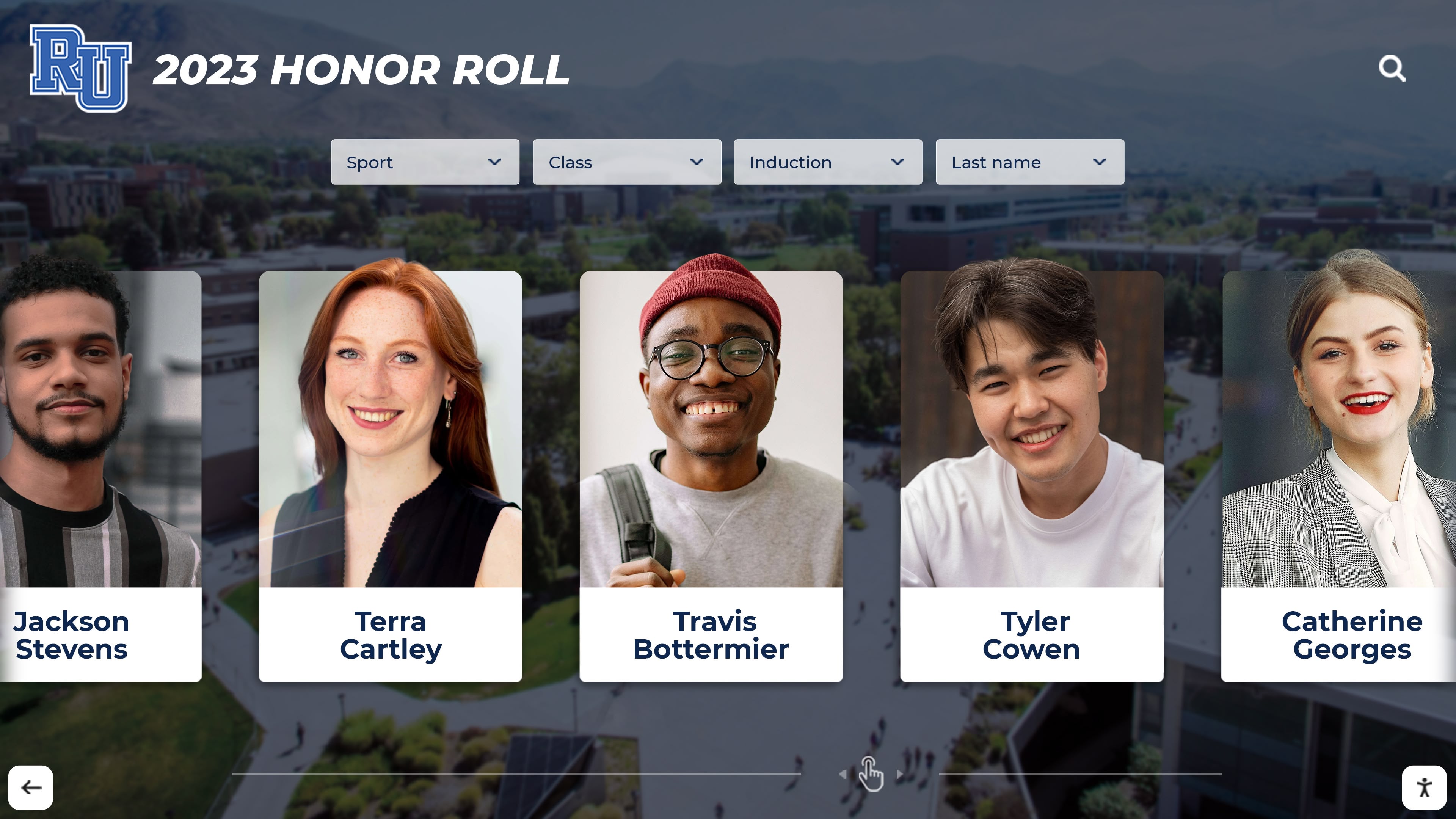
Professional digital displays create polished presentations that reflect positively on school campaigns
Establishing Tracking Methodologies and Data Collection
Effective leaderboards require systematic tracking approaches ensuring accurate donation counting, appropriate attribution, and efficient data recording that doesn’t overwhelm busy staff.
Donation Counting and Recording Systems:
Central Collection and Recording: Designate specific collection locations—school lobbies, main offices, or campaign headquarters—where trained volunteers or staff members receive donations, count toys, record quantities with classroom attribution, and update leaderboards immediately. Central collection ensures accuracy while reducing teacher burden during instructional time.
Classroom Collection with Batch Recording: Allow classrooms to collect donations internally, then require daily or periodic submission to central coordinators who count, verify, and record totals. This approach reduces individual teacher workload while maintaining classroom ownership of campaigns.
Digital Tracking Integration: For schools with student information systems or digital forms capabilities, consider online donation recording where teachers or parent volunteers enter counts through web forms that automatically update leaderboard displays. Digital integration eliminates manual data entry while creating audit trails ensuring accuracy.
Photo Documentation: Consider requiring photos of donations before recording, providing visual verification that reduces counting errors and prevents potential gaming of systems. Photo requirements add minor complexity but significantly enhance data integrity.
Tracking Considerations:
- Attribution Clarity: Establish clear policies addressing donations from siblings in different grades, family contributions benefiting multiple classrooms, or general donations without specific classroom attribution.
- Verification Procedures: Implement spot checks or verification sampling ensuring reported totals match actual toys collected, maintaining campaign integrity while deterring potential inaccuracies.
- Update Frequency: Define how often leaderboards receive updates—continuously throughout the day, at specific times (morning and afternoon), or daily. More frequent updates increase engagement but require greater staff time commitment.
- Privacy and Recognition: Balance individual donor recognition with appropriate privacy, particularly for students whose families may be Toys for Tots recipients themselves. Campaign structures should celebrate classroom collective achievement rather than highlighting specific student contributions.
Strategic Display Placement and Visibility
Leaderboard effectiveness depends significantly on strategic placement ensuring maximum student, staff, and family exposure throughout campaign duration.
Optimal Display Locations:
Main Entrances and Lobbies: Primary building entrances provide premium visibility where students, staff, families, and visitors naturally congregate and pass multiple times daily. Entry positioning ensures consistent campaign awareness while creating positive impression for families witnessing school’s charitable engagement.
Cafeteria and Common Areas: Student gathering spaces where children spend extended time provide natural viewing opportunities during meals, before and after school, or during transitions. Extended exposure in relaxed settings enables genuine engagement rather than brief glances during rushed hallway passing.
Classroom Building Hallways: Strategic placement in academic buildings ensures students encounter displays between classes, reinforcing campaign awareness throughout school days. Multiple distributed displays work better than single central locations in larger campuses.
Athletic and Activities Spaces: Recognition in gymnasiums, auditoriums, or activity buildings extends visibility to after-school programs, athletic events, and evening activities when families attend school functions. Evening visibility particularly helps parent awareness, potentially inspiring additional family donations.
Exploring how digital displays strengthen community engagement provides insights into maximizing recognition visibility beyond single-purpose applications.
Digital Extension and Web Accessibility:
Complement physical displays with web-accessible leaderboards appearing on school websites, parent portals, social media, and email communications. Digital extension enables families to check standings from home, share campaign progress on social networks, and maintain awareness beyond school building visits.
Mobile Responsiveness: Ensure web-based leaderboards function properly on smartphones and tablets, reflecting how families primarily access school information. Mobile optimization particularly matters for parent engagement with campaign progress.
Designing Effective Competition Structures
How schools structure Toys for Tots leaderboard competition significantly influences both participation rates and total donations, requiring careful design balancing motivation with appropriate charitable values.
Competition Framework Options
Schools can structure campaigns around various competition models, each creating different participation incentives and community dynamics.
Classroom vs. Classroom Competition: Traditional approach where individual classrooms or homerooms compete against each other regardless of size or grade level. This structure works well for smaller schools with relatively equal-sized classrooms, creating straightforward rankings students easily understand.
Grade-Level Competition: Aggregate donations by grade rather than individual classrooms, creating larger team identities particularly meaningful in middle and high schools. Grade-level competition reduces potential frustration from classroom size disparities while harnessing existing grade identity and friendly inter-grade rivalries.
Per-Student Average Competition: Calculate donations per student rather than raw totals, equalizing competition for classrooms with different sizes. Per-student metrics prevent large classrooms from dominating through numbers alone while encouraging maximum participation rather than just quantity from highly engaged families.
Multiple Category Recognition: Create several leaderboard categories simultaneously—total toys donated, participation percentage, toys per student, or most improved from previous years—ensuring diverse classrooms can achieve recognition regardless of specific circumstances. Multiple categories particularly help schools serving economically diverse populations where some classrooms have limited donation capacity.
School-Wide Goal Achievement: Focus on collective school targets rather than competitive rankings, displaying progress toward ambitious school-wide goals. Collaborative rather than competitive frameworks suit schools prioritizing community values over individual recognition, though they may generate less intense engagement than competitive structures.
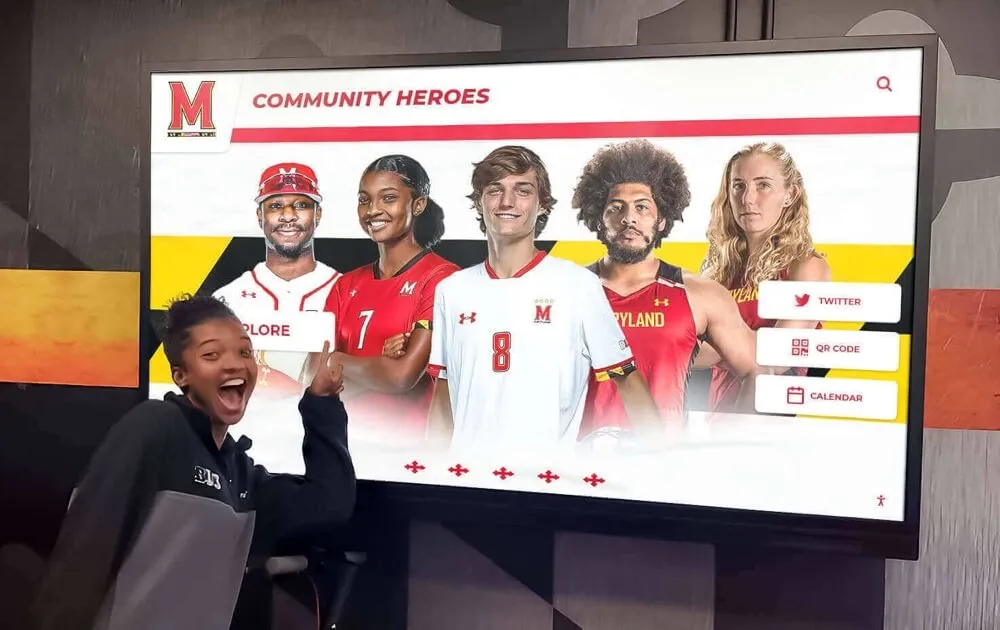
Visual progress tracking motivates continued participation throughout campaign duration
Setting Appropriate Goals and Incentives
Effective campaigns establish clear targets and meaningful incentives that inspire generous giving without creating inappropriate pressure or undermining charitable values.
Goal-Setting Principles:
Ambitious Yet Achievable: Establish school-wide and classroom goals that require genuine effort while remaining realistic based on school size, community capacity, and previous campaign results. Goals significantly exceeding capabilities discourage participation, while easily attained targets fail to motivate maximum effort.
Tiered Objectives: Create multiple achievement levels—bronze, silver, gold, or similar designations—recognizing various accomplishment degrees. Tiered structures ensure struggling classrooms still achieve recognition while top performers pursue excellence.
Historical Benchmarks: Reference previous campaign results when establishing current goals, positioning campaigns as opportunities to exceed past achievements. Historical comparison creates concrete targets while demonstrating campaign growth over years.
Incentive Considerations:
Schools implementing leaderboard campaigns often offer incentives recognizing top performers or achievement benchmarks. Appropriate incentives should complement intrinsic charitable motivations without overwhelming them:
Celebration and Recognition: Top-performing classrooms might receive special recognition assemblies, certificates, or display features celebrating charitable achievement. Recognition-based incentives align perfectly with charitable campaign values while creating meaningful acknowledgment students value.
Experience Rewards: Consider offering special experiences—pizza parties, extra recess, dress-down privileges, or fun activities—that create memorable rewards without requiring substantial financial investment. Experience incentives prove particularly effective with elementary and middle school students.
Minimal Material Rewards: If offering tangible rewards, keep them modest—small trophies, ribbons, or symbolic prizes—preventing incentives from overshadowing charitable purposes. Expensive prizes risk creating perception that campaigns benefit participants more than intended recipients.
School-Wide Celebrations: Structure incentives around collective achievement thresholds where entire schools benefit when overall targets are reached. Collective rewards reinforce community values while ensuring all students celebrate success regardless of individual classroom rankings.
Avoiding Inappropriate Pressure: Design campaigns carefully preventing excessive pressure on students whose families face economic challenges, ensuring no child feels inadequate for inability to contribute. Consider alternative participation options beyond toy donations—creating cards for recipients, decorating donation boxes, promoting campaigns—enabling universal involvement regardless of financial capacity.
Exploring how academic recognition programs balance motivation with equity provides frameworks applicable to charitable campaign structures.
Managing Campaign Implementation and Operations
Successful virtual leaderboard campaigns require systematic planning, clear role assignments, and consistent execution throughout multi-week campaigns that compete with numerous other school priorities.
Pre-Campaign Planning and Preparation
Thorough preparation before campaign launch significantly improves implementation smoothness and ultimate success.
Planning Timeline Development:
8-10 Weeks Before Launch:
- Identify campaign coordinators and student leadership team
- Select leaderboard technology platform and arrange implementation
- Determine competition structure and establish goals
- Secure necessary administrative approvals and coordinate with local Toys for Tots organization
4-6 Weeks Before Launch:
- Train staff on tracking procedures and leaderboard updates
- Prepare promotional materials including flyers, announcements, and digital communications
- Install display technology and test leaderboard functionality
- Develop student assembly presentations launching campaign
2-3 Weeks Before Launch:
- Finalize collection locations and volunteer schedules
- Begin promotional campaign building awareness and anticipation
- Conduct staff meetings ensuring everyone understands procedures
- Prepare initial leaderboard displays showing classrooms at zero
1 Week Before Launch:
- Intensify promotional communication to students and families
- Send detailed participation information to families
- Conduct final technology tests ensuring systems function properly
- Prepare launch event and kickoff activities
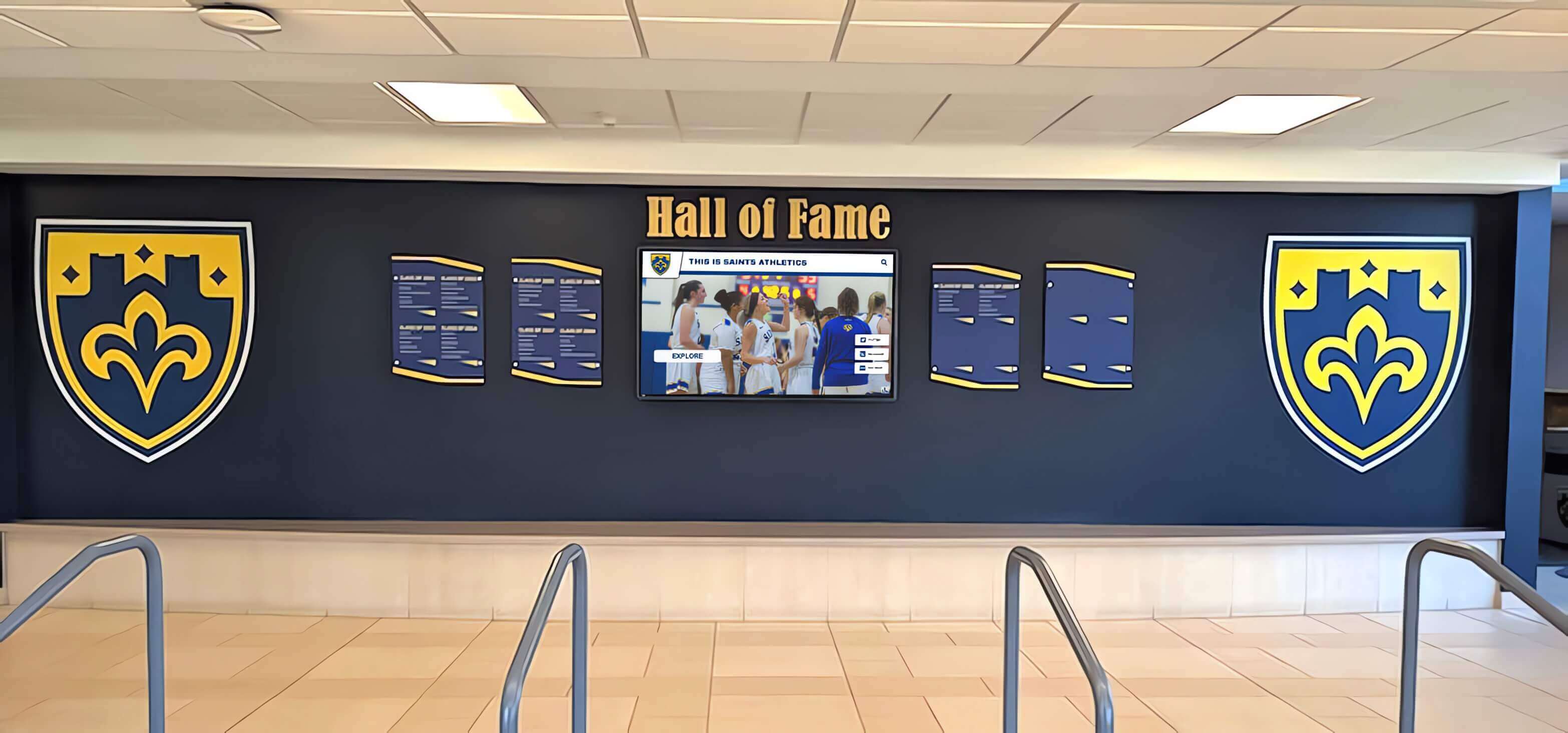
Professional installations create lasting recognition infrastructure supporting multiple campaign purposes
Daily Operations and Campaign Management
Consistent daily operations maintain momentum and ensure leaderboards remain current, accurate, and engaging throughout campaigns.
Daily Operational Tasks:
Morning Procedures:
- Process donations from morning drop-off
- Update leaderboard totals and rankings
- Share daily standings in morning announcements
- Post social media updates celebrating progress
Mid-Day Updates:
- Process additional donations from throughout the day
- Update leaderboards with current standings
- Address any questions or concerns from classrooms
- Monitor for any tracking issues or discrepancies
Afternoon/Evening:
- Final daily update compilation
- Email or post standings to school community
- Prepare next day’s promotional messaging
- Review overall progress toward campaign goals
Problem-Solving and Troubleshooting:
Anticipate common challenges and establish solutions:
Technology Issues: Maintain backup manual tracking systems ensuring campaigns continue if digital platforms experience problems. Technology should enhance rather than become single point of failure for campaign operations.
Attribution Disputes: Establish clear escalation procedures for resolving disagreements about donation attribution, duplicate counting, or other tracking concerns. Transparent resolution processes maintain campaign integrity and fairness perceptions.
Momentum Maintenance: Plan mid-campaign excitement boosters—surprise challenges, themed donation days, or special recognition—preventing energy decline during lengthy campaigns. Multi-week drives particularly benefit from structured variety maintaining engagement.
Participation Equity: Monitor participation patterns identifying classrooms lagging significantly behind, then provide targeted encouragement or assistance ensuring broad campaign engagement. Proactive support prevents complete disengagement from struggling participants.
Campaign Conclusion and Recognition
How campaigns conclude significantly influences long-term impact on students, determining whether they remember charitable experiences positively and participate enthusiastically in future drives.
Campaign Wrap-Up Activities:
Final Count and Verification: Conduct thorough final counts ensuring accuracy, photograph complete collections providing visual documentation, and prepare final reports for Toys for Tots coordinators detailing school contributions.
Recognition Celebrations: Host closing assemblies celebrating achievement, recognizing top performers across various categories, and emphasizing collective impact over competitive rankings. Celebration events should honor participation broadly while acknowledging outstanding efforts appropriately.
Impact Communication: Share information about how donated toys benefit local families, connect students to campaign outcomes when possible, and help children understand concrete difference their contributions made in community members’ lives.
Thank You and Appreciation: Systematically thank all participants including students, families, staff volunteers, and community partners who supported campaigns. Comprehensive appreciation builds goodwill supporting future charitable initiatives.
Documentation and Reflection: Create photo galleries, video compilations, or digital archives preserving campaign memories. Documentation provides reflection opportunities while creating historical records useful for promoting future drives.
Comprehensive approaches to digital volunteer recognition provide frameworks applicable to celebrating charitable campaign participation beyond immediate leaderboard competition.
Educational Benefits and Curriculum Integration
Beyond immediate charitable impact, Toys for Tots campaigns with engaging leaderboards create valuable educational opportunities across multiple curriculum areas and developmental domains.
Character Education and Service Learning
Structured charitable campaigns provide authentic contexts for character development and service learning experiences meeting educational standards while fostering student growth.
Empathy and Perspective-Taking: Discussions about Toys for Tots recipients help students understand that peers in their communities face significant economic challenges, developing empathy for diverse life circumstances. Campaigns create natural teaching moments about socioeconomic diversity, gratitude for personal circumstances, and responsibility to support community members facing hardship.
Civic Engagement and Community Responsibility: Participating in organized charitable campaigns teaches students that individuals can make meaningful differences through collective action. These lessons in civic participation establish foundation for lifelong community engagement and social responsibility.
Leadership Development: Campaign coordination provides authentic leadership opportunities for student ambassadors who promote participation, organize collection activities, and manage peer engagement. Leadership roles develop skills transferable well beyond single charitable drives.
Teamwork and Collaboration: Classroom-based campaigns require students to work collectively toward shared goals, practicing cooperation, compromise, and collaborative problem-solving in contexts where outcomes directly impact real community needs.
Mathematics and Data Literacy
Leaderboard campaigns create engaging contexts for authentic mathematics instruction across multiple grade levels and skill areas.
Elementary Mathematics Applications:
- Counting and number sense through tracking donations
- Addition and subtraction calculating daily changes
- Comparison operations determining rankings
- Basic graphing displaying progress visually
Middle School Mathematical Thinking:
- Percentages calculating participation rates and per-student averages
- Ratios and proportions comparing classroom performance
- Statistics analyzing campaign data and distributions
- Rate of change examining donation trends over time
High School Mathematical Analysis:
- Data visualization creating sophisticated graphical representations
- Statistical analysis examining correlation between various factors and donation success
- Predictive modeling forecasting final totals based on current trends
- Optimization exploring strategies maximizing total collections
Technology and Digital Literacy
Campaign technology integration provides hands-on digital literacy experiences meaningful to students across developmental levels.
Digital Tool Usage: Students gain experience with spreadsheets, data visualization software, web platforms, and presentation tools through creating leaderboard displays, analyzing campaign data, or preparing promotional materials.
Information Design: Leaderboard creation requires thinking carefully about how information is presented, what data is most important, and how visual design influences viewer understanding—valuable skills in information-saturated digital environments.
Technology Problem-Solving: Troubleshooting display issues, updating web content, or managing digital platforms builds general technology competence transferable to numerous academic and professional contexts.

Integrated display systems support diverse recognition purposes throughout school years
Conclusion: Transforming Charitable Giving Through Engaging Digital Competition
Toys for Tots campaigns represent remarkable opportunities for schools to serve communities while providing students authentic service learning experiences teaching empathy, civic responsibility, and collective action’s power. Yet traditional campaign approaches often fail to generate sustained participation and maximum charitable impact due to delayed feedback, limited visibility, and manual tracking burdens overwhelming busy educators.
Virtual leaderboards transform school charitable campaigns by providing real-time donation tracking creating immediate recognition reinforcing generous behavior, transparent competition generating sustained excitement throughout multi-week drives, engaging visual displays maintaining daily awareness in high-traffic school locations, and efficient digital management reducing administrative burden enabling broader staff participation. When students see their classroom ranking improve immediately after contributing, experience genuine pride in collective achievement, and understand their donations’ community impact, charitable giving becomes memorable experience rather than forgettable obligation.
The most successful implementations demonstrate several key characteristics: appropriate technology matching school capabilities and budgets, systematic tracking ensuring accuracy while minimizing staff burden, strategic placement maximizing visibility across student and family audiences, thoughtful competition structures balancing motivation with charitable values, and comprehensive educational integration connecting campaigns to meaningful learning across curriculum areas. These elements combine transforming simple toy collection into engaging community service experiences strengthening school culture while serving genuine community needs.
Modern digital recognition platforms make sophisticated leaderboard implementation practical for schools of any size or technical sophistication. Solutions like Rocket Alumni Solutions provide comprehensive systems specifically designed for educational recognition and engagement, combining intuitive management interfaces with professional presentation quality that properly showcases school charitable initiatives while delivering the real-time tracking capabilities necessary for effective campaign execution.
Transform Your School's Charitable Campaigns
Discover how modern digital recognition solutions can help your school maximize participation, track donations in real-time, and create engaging charitable giving experiences that inspire generosity while strengthening school community.
Explore Recognition SolutionsEvery toy donated through school campaigns brings joy to children who might otherwise wake Christmas morning to disappointment. These contributions matter tremendously to recipient families while teaching donors valuable lessons about generosity, community responsibility, and collective impact. Virtual leaderboards ensure these important charitable experiences receive the engagement, recognition, and celebration necessary to maximize both immediate donations and long-term charitable values development.
Ready to transform your school’s Toys for Tots campaign? Implement digital leaderboard technology that turns charitable giving into engaging competition while maintaining focus on genuine service to community members in need. Your students’ generous contributions deserve recognition systems that inspire continued giving while building school cultures where community service represents core institutional values rather than occasional obligations.































