Trophy cases serve as powerful visual statements of achievement, excellence, and institutional pride. Whether you’re an athletic director managing decades of championship hardware, a facilities manager planning a lobby renovation, or a school administrator seeking to inspire current students through past accomplishments, the right trophy display approach transforms static collections into engaging stories that connect generations.
Traditional glass trophy cases have anchored school lobbies and athletic facilities for decades, but today’s institutions face challenges these legacy solutions weren’t designed to address: limited space for growing collections, maintenance complexity, accessibility requirements, and the need to tell richer achievement stories beyond what physical trophies alone can convey.
This guide provides practical trophy case ideas that address real implementation challenges. You’ll find solutions ranging from budget-conscious traditional approaches to innovative digital systems, with concrete specifications, installation considerations, and selection criteria to help you choose the approach that aligns with your space, budget, and recognition goals.
Understanding Trophy Display Objectives
Before evaluating specific trophy case ideas, establish clear objectives that will guide your selection toward solutions meeting your institutional needs.
Define Your Recognition Scope
What achievements will you showcase? Athletic championships represent the most common trophy case content, but many institutions also display academic competitions, performing arts awards, robotics trophies, and community service recognition. The breadth of achievements you plan to showcase affects case sizing and organizational structure.
How much growth capacity do you need? Calculate your annual trophy acquisition rate. A school winning 3-5 championships per year needs different capacity than one adding 15-20 awards annually. Insufficient capacity planning leads to overcrowded displays or expensive retrofits within a few years.
Who is your primary audience? Trophy cases viewed mainly by students during school days have different requirements than those in lobbies seen by prospective families, donors, and community members. Audience priorities influence placement, lighting, interpretive information, and overall presentation quality.
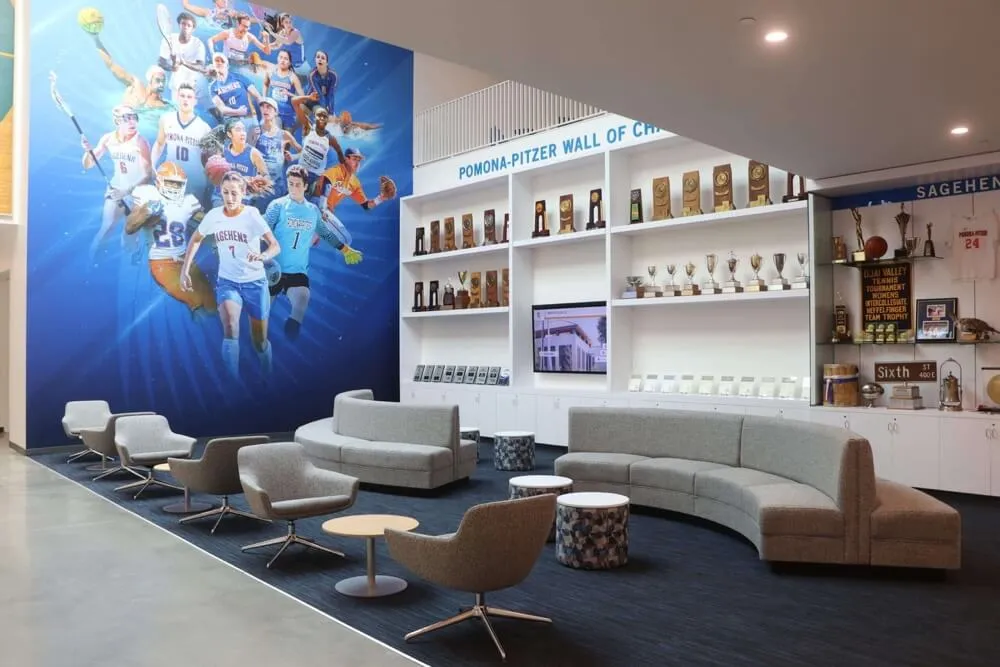
Space and Location Assessment
Available wall space: Measure linear wall footage available for trophy displays. Account for obstructions—light switches, thermostats, fire equipment, exit signs, doorways. Wall-mounted cases typically require 12-18 inches of depth projection into the room.
Floor space options: Freestanding trophy cases offer flexibility but consume valuable floor space. Calculate actual footprint including required clearance for ADA compliance. Interactive displays need 5-foot diameter clear floor space for wheelchair turning radius.
Ceiling height: Standard trophy cases are 72-84 inches tall. Higher ceilings enable vertical expansion through stacked cases or custom installations, but consider visibility and lighting for upper sections.
Traffic patterns: Trophy displays placed in high-traffic corridors need protective features preventing accidental contact. Locations in lobby alcoves or dedicated recognition rooms allow for more elaborate presentations without obstruction concerns.
Traditional Trophy Case Ideas
Traditional approaches remain viable for many institutions, particularly those prioritizing physical artifact preservation, working within modest budgets, or maintaining architectural continuity with existing facilities.
Wall-Mounted Glass Display Cases
Standard wall-mounted trophy cases provide protected display space for physical awards while maintaining sightlines and floor space.
Key Specifications:
- Dimensions: Common sizes include 48"W × 72"H × 16"D and 72"W × 84"H × 18"D
- Construction: Aluminum frames with tempered glass panels
- Lighting: Integrated fluorescent or LED illumination
- Security: Keyed locks for controlled access
- Backing: Fabric-covered panels in school colors or mirrored panels for depth
Installation Requirements:
- Mounting into wall studs or masonry using heavy-duty fasteners
- Electrical connection for lighting (coordinate with electrician)
- Wall reinforcement may be needed for heavy trophy loads
- Professional installation typically costs $200-$500 per case
Budget Considerations:
- Entry-level cases: $800-$1,500
- Mid-range with enhanced lighting and finishes: $1,500-$3,000
- Premium custom cases: $3,000-$6,000
Advantages: Physical permanence, no technology requirements, straightforward installation, familiar aesthetic that aligns with traditional school environments.
Limitations: Fixed capacity necessitates difficult decisions about removal when full, limited interpretive information beyond trophy engravings, no ability to showcase video highlights or athlete profiles, requires ongoing dusting and glass cleaning maintenance.
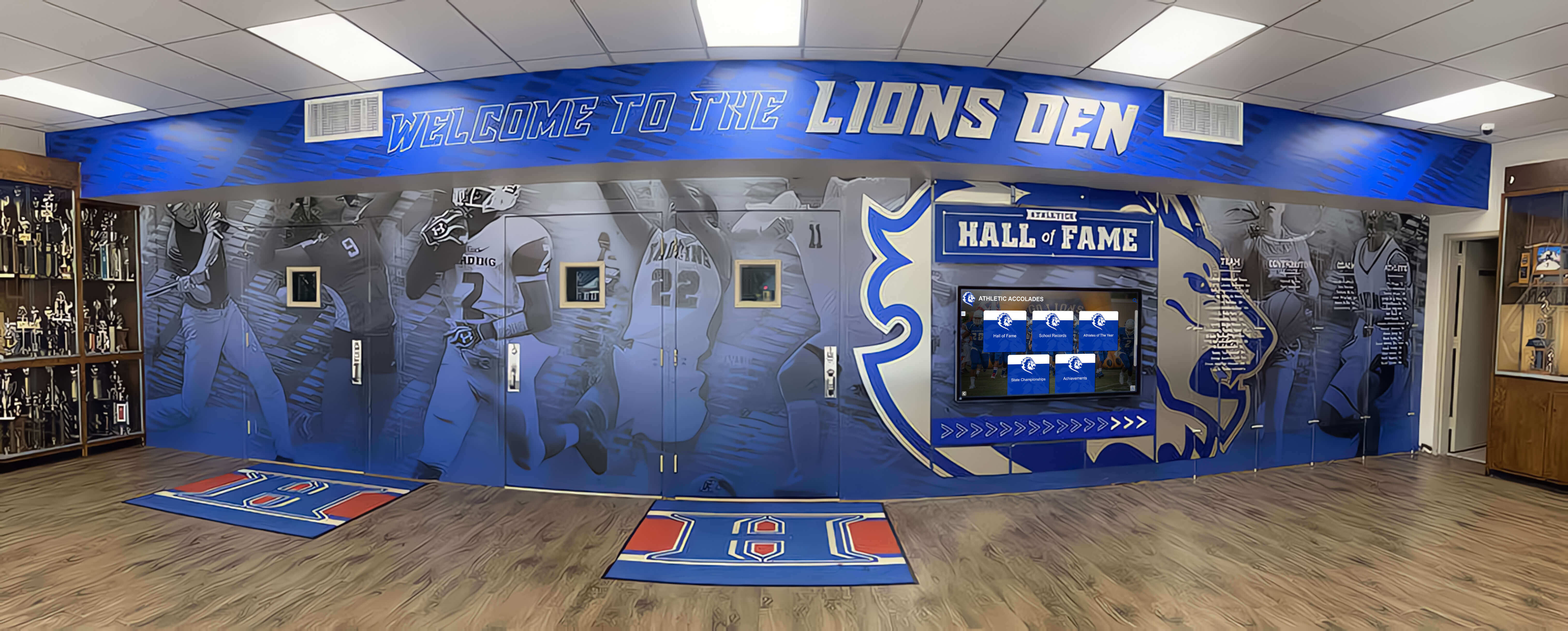
Freestanding Tower Display Cases
Freestanding trophy towers create impressive centerpiece displays in open lobby areas or dedicated recognition rooms.
Design Features:
- Four-sided visibility showcasing trophies from multiple angles
- Rotating shelves available in premium models
- Internal lighting from top and bottom
- Locking access doors on one or more sides
- Heights ranging from 60" to 96"
Space Planning:
- Requires 4-6 feet of floor space diameter including ADA clearance
- Consider sight lines from multiple approach angles
- Ensure adequate overhead lighting or invest in well-lit models
- Position away from high-traffic corridors where accidental contact is likely
Best Applications: Schools with open lobby layouts, institutions wanting dramatic centerpiece displays, facilities with floor space but limited wall availability, organizations showcasing particularly large or prestigious trophy collections.
Combination Trophy and Digital Recognition Displays
Hybrid approaches integrate traditional trophy cases with adjacent digital screens, capturing benefits of both physical artifact display and expanded digital storytelling.
Configuration Options:
- Flanking arrangement: Trophy cases on both sides of central digital display
- Stacked approach: Trophy case below, digital screen above
- Adjacent placement: Trophy case and digital screen side-by-side
Advantages of Hybrid Systems:
- Physical trophies provide tangible authenticity and prestige
- Digital screens showcase championship videos, athlete profiles, and expanded achievement stories
- QR codes on trophy labels link to detailed digital content
- Maintains tradition while enabling modern engagement
- Addresses capacity limitations by moving older achievements to digital archive
Implementation Considerations:
- Coordinate electrical requirements for both display case lighting and digital screen
- Ensure visual cohesion between traditional and digital elements
- Plan content strategy linking physical trophies to digital stories
- Budget for both traditional case costs and digital platform licensing

Creative Modern Trophy Display Ideas
Contemporary approaches reimagine trophy presentation through innovative design, expanded storytelling capabilities, and enhanced visitor engagement.
Trophy Walls with Integrated Shelving
Custom-built trophy walls transform entire sections of hallways or rooms into comprehensive achievement showcases through purpose-designed shelving systems.
Design Elements:
- Open shelving in varying heights accommodating different trophy sizes
- LED strip lighting highlighting individual trophies or shelf sections
- Backing panels in school colors with achievement graphics or timeline markers
- Tempered glass or acrylic protective panels for high-traffic locations
- Organizational schemes by sport, year, championship type, or chronological order
Customization Opportunities:
- Incorporate school logos, mascots, or achievement graphics into backing design
- Use different shelf depths for varied trophy sizes
- Add wall wraps with inspirational messaging or historical photos
- Include interpretive plaques explaining championship significance
- Create visual timelines showing achievement progression
Budget Range: Custom trophy walls typically cost $5,000-$25,000 depending on linear footage, materials, lighting complexity, and graphic integration.
Interactive Digital Trophy Showcases
Interactive touchscreen displays transform trophy recognition by enabling unlimited achievement showcase capacity with rich multimedia storytelling.
Core Capabilities:
- Unlimited digital trophy capacity eliminates physical space constraints
- Display high-resolution trophy photos from multiple angles
- Showcase championship game highlights and celebration videos
- Feature athlete and coach profiles with career statistics and accomplishments
- Enable filtering by sport, year, championship type, or individual names
- Provide search functionality for finding specific achievements
- Update content remotely via cloud-based content management system
Technical Specifications:
- Commercial-grade touchscreens rated for 16-24 hour daily operation
- Screen sizes typically 43" to 75" depending on viewing distance and space
- Network connectivity via Ethernet (preferred) or WiFi
- ADA-compliant installation height: 15-48 inches to center of interactive area
- Powered by cloud CMS requiring minimal bandwidth (1-5 Mbps)
Installation Requirements:
- Dedicated electrical circuit (verify amperage capacity)
- Network connectivity with outbound HTTPS access
- Wall mounting into studs or masonry, or freestanding kiosk enclosure
- Professional installation: $500-$2,000 depending on complexity

Advantages Over Traditional Cases:
- Unlimited capacity scales with growing achievement collections
- Rich multimedia tells more engaging achievement stories than static displays
- Remote updates eliminate manual case access and rearrangement
- Accessible to visitors worldwide via web and mobile platforms
- Integration with digital yearbook recognition programs for comprehensive achievement tracking
- Showcases not just trophies but the stories behind championships
Investment Considerations:
- Hardware and software: $6,000-$15,000 initial investment
- Annual software licensing and hosting: $500-$2,000
- Content development time or services for initial setup
- Significantly lower per-achievement costs compared to physical case expansion
Trophy Recognition Rooms
Dedicating entire rooms to championship celebration creates immersive environments where visitors experience institutional excellence through comprehensive displays.
Room Design Elements:
- Central trophy display wall or cases as focal point
- Surrounding wall wraps featuring championship photos and achievements
- Interactive digital displays for detailed achievement exploration
- Seating areas encouraging extended visits and reflection
- Timeline displays showing achievement progression across decades
- Championship banners suspended from ceiling
- Memorabilia displays—game balls, jerseys, championship rings, equipment
Functional Considerations:
- Controlled access prevents unauthorized removal or damage
- Climate control protects vintage trophies and memorabilia
- Adequate lighting highlighting key displays without causing heat buildup or fading
- ADA-compliant pathways through display areas
- Possibility for donor recognition opportunities helping fund construction
Best Applications: Institutions with available dedicated space, comprehensive achievement collections warranting extensive showcase capacity, schools seeking unique recruitment and alumni engagement assets, facilities with donor funding specifically for recognition initiatives.
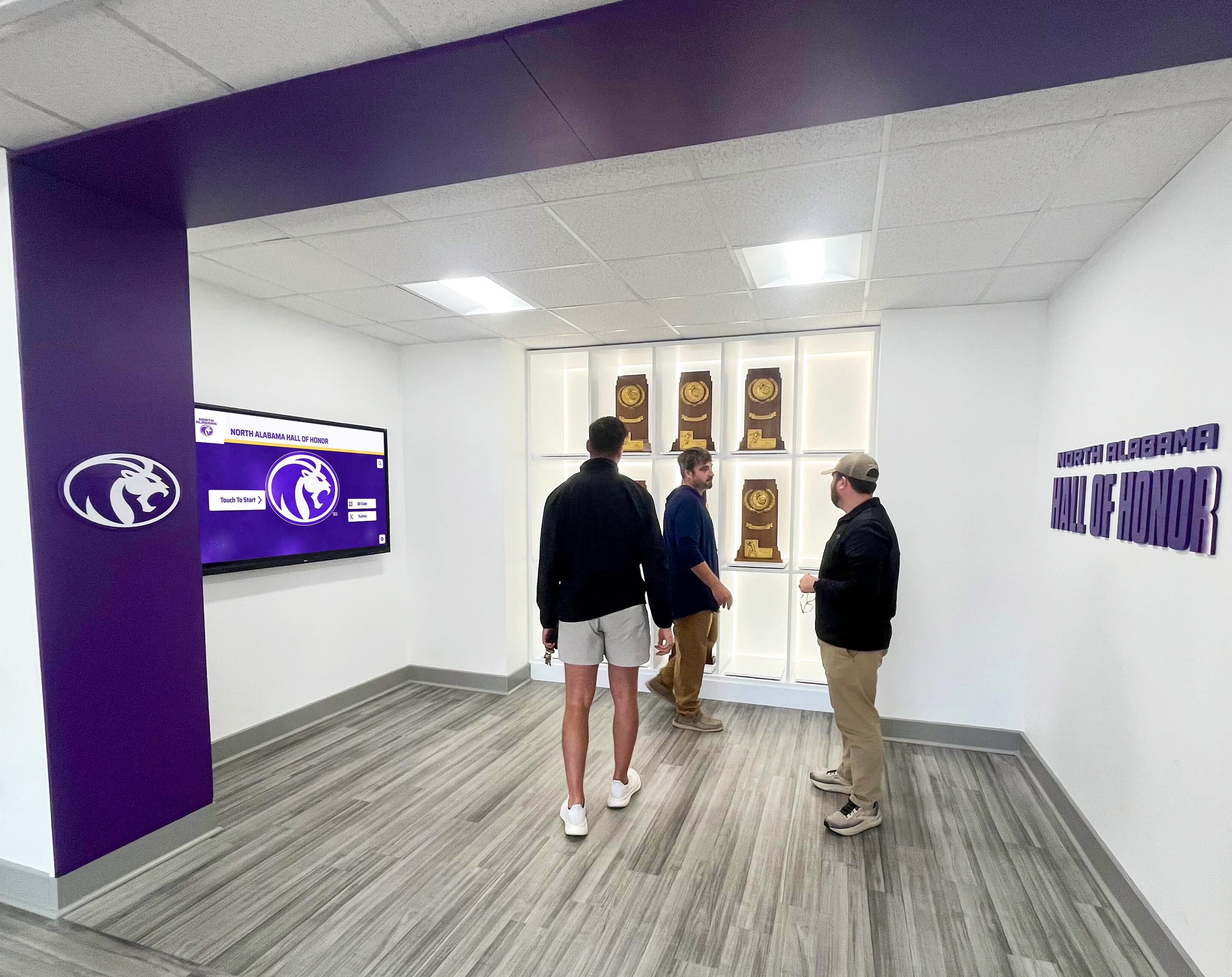
Sport-Specific Trophy Display Concepts
Organizing trophy displays by sport creates focused recognition areas that resonate particularly strongly with athletes and sport-specific communities.
Athletic Corridor Recognition Zones
Designating specific hallway sections to individual sports creates natural gathering spaces for team communities.
Implementation Approach:
- Assign linear wall sections to each varsity sport program
- Standardize display format while allowing sport-specific customization
- Include sport-identifying graphics, colors, or mascots
- Display trophies, championship banners, record boards, and athlete recognition
- Update annually as teams earn new achievements
Organizational Benefits:
- Teams take ownership over their specific recognition areas
- Natural rotation system as sports succeed in different years
- Facilitates comparison showing which programs have strongest trophy collections
- Creates destination points where sport communities naturally congregate
- Supports hockey and other sport-specific recognition needs
Championship Timeline Displays
Organizing trophies chronologically rather than by sport creates historical narratives showing institutional achievement evolution.
Design Concepts:
- Decade-based sections showing achievement concentration in different eras
- Year-by-year progression along corridor or room perimeter
- Interpretive graphics explaining contextual factors in successful years
- Identification of coaching tenures, facility improvements, or program investments correlating with championship success
- Photographs from championship eras providing historical context
Educational Value: Timeline approaches transform trophy displays into institutional history lessons, helping current students understand program evolution and inspiring pride in long-term excellence traditions.
Maintenance and Long-Term Management
Trophy display systems require ongoing maintenance to remain attractive and functional. Plan for these recurring needs when selecting approaches.
Physical Trophy Case Maintenance
Cleaning Requirements:
- Glass cleaning: Weekly for high-traffic locations, monthly for less visible cases
- Interior dusting: Monthly or quarterly depending on air quality
- Trophy polishing: Annual cleaning of tarnished brass or silver
- Fabric backing: Vacuum quarterly, replace every 5-10 years as needed
Security and Access:
- Document key holders and establish checkout procedures
- Schedule annual lock mechanism inspection and lubrication
- Repair or replace damaged glass panels promptly to prevent further damage
- Check mounting hardware annually for any loosening from building settlement
Digital Display Maintenance
Software Updates:
- Content updates as new achievements occur (frequency varies by institution)
- Software platform updates applied automatically via cloud systems
- Annual content audit removing outdated information
- Regular testing of interactive functionality and responsiveness
Hardware Maintenance:
- Screen cleaning: Weekly for touchscreens, monthly for non-interactive displays
- Ventilation check: Quarterly inspection ensuring adequate airflow preventing overheating
- Connection verification: Monthly check of network connectivity and power
- Professional servicing: Annual inspection by qualified technician
Content Management:
- Designate specific staff members with content update responsibilities
- Establish approval workflows for new achievement additions
- Create style guides ensuring visual consistency across content
- Train backup administrators preventing knowledge loss from staff turnover
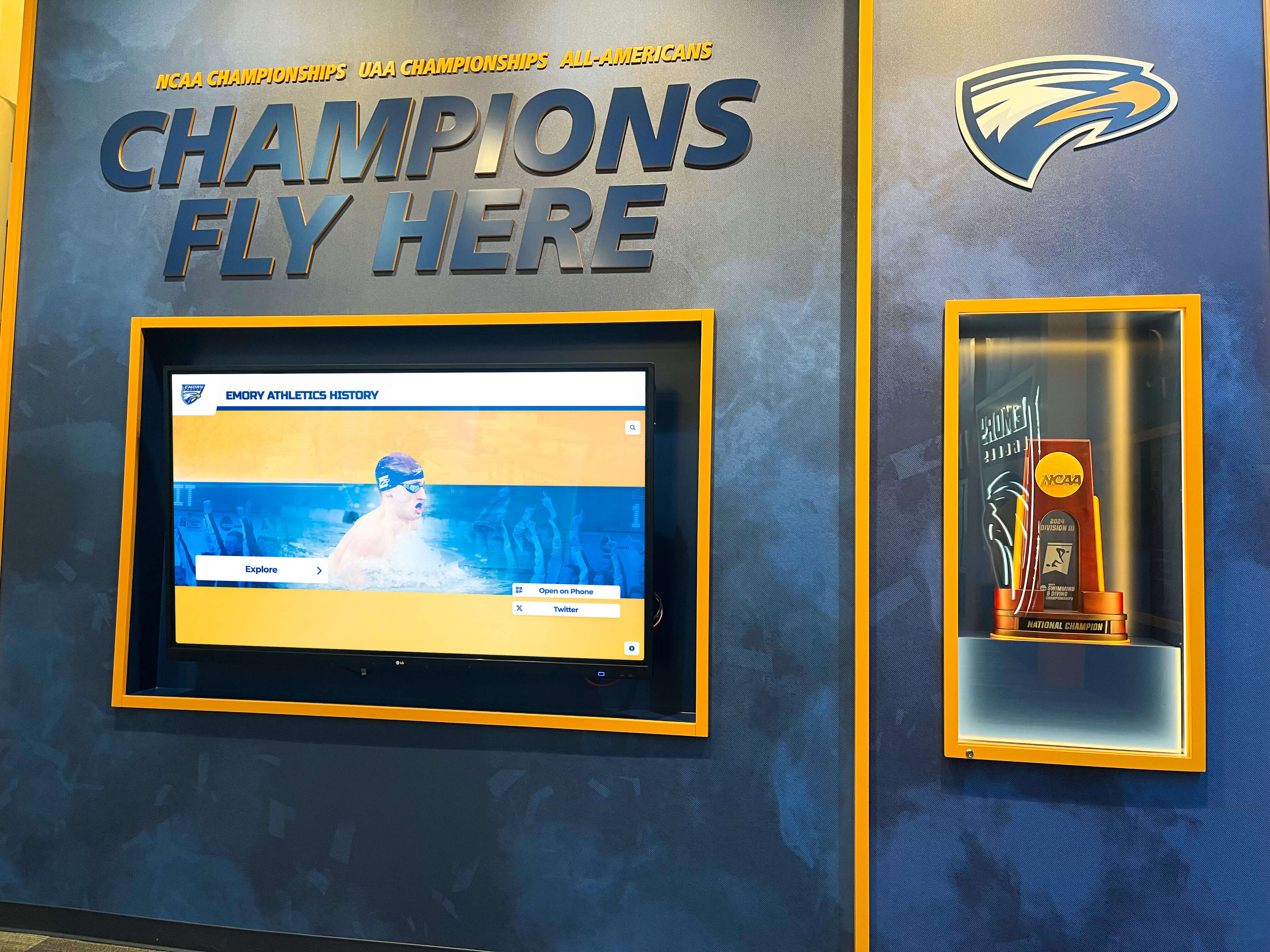
Budget-Conscious Trophy Case Ideas
Institutions with limited budgets can still create compelling trophy displays through strategic approaches maximizing impact within financial constraints.
Refurbished Trophy Cases
Used trophy cases from school facility auctions, surplus sales, or renovation projects offer significant cost savings compared to new purchases.
Sourcing Options:
- Education surplus auctions and warehouse sales
- School district liquidation sales during renovation projects
- Online marketplaces specializing in institutional furnishings
- Regional facilities managers who may know of available cases
Refurbishment Needs:
- Glass replacement if existing panels are scratched or damaged
- New lighting systems replacing outdated fluorescent fixtures with LEDs
- Fresh backing fabric in current school colors
- Lock replacement for improved security
- Professional refinishing of frames showing wear
Potential Savings: Quality used trophy cases often cost 40-60% less than comparable new units, with refurbishment adding 20-30% to the used price, yielding total savings of 30-40%.
DIY Trophy Shelving Systems
Schools with capable facilities staff or active parent volunteers can construct custom trophy shelving at fraction of commercial case costs.
Materials and Construction:
- Hardwood or plywood shelving with painted or stained finishes
- Tempered glass or acrylic protective front panels
- LED strip lighting for professional illumination
- French cleat mounting systems for secure wall attachment
- Backing panels featuring school graphics or achievement timelines
Safety Considerations:
- Ensure adequate structural support for trophy weight (typically 50-100 pounds per linear foot)
- Use tempered glass preventing injury if panels break
- Verify electrical work meets code requirements (consider hiring licensed electrician)
- Test thoroughly before loading with valuable trophies
Budget Impact: Material costs for DIY trophy shelving typically run $30-$60 per linear foot compared to $150-$300 per linear foot for commercial cases, representing 75-85% cost savings when labor is volunteer-contributed.
Phased Implementation Approach
Rather than attempting comprehensive trophy display renovation in a single project, consider phased approaches spreading costs across multiple budget cycles.
Phase 1: Foundation (Year 1)
- Address highest-visibility location with limited but quality display
- Establish visual standards and organizational approach
- Generate stakeholder enthusiasm demonstrating potential
- Identify funding sources and donor prospects for subsequent phases
Phase 2: Expansion (Year 2-3)
- Extend displays to additional locations using established standards
- Add digital components if phase 1 was traditional, or vice versa
- Incorporate donor recognition opportunities funding expansion
- Transfer less prominent trophies from phase 1 location to new displays
Phase 3: Enhancement (Year 4-5)
- Add interactive elements, interpretive graphics, or multimedia components
- Refresh phase 1 displays showing wear from initial installation
- Complete coverage of all planned trophy display locations
- Implement comprehensive maintenance programs ensuring long-term quality
Selecting the Right Trophy Case Approach
With numerous trophy case ideas available, systematic evaluation helps identify the approach best serving your institutional needs.
Decision-Making Framework
Priority 1: Capacity Requirements
- Calculate current trophy inventory and projected 10-year growth
- Determine whether fixed physical capacity is acceptable or unlimited digital capacity is needed
- Consider whether you plan to deaccession older trophies or display everything
Priority 2: Budget Reality
- Establish total available budget including installation, initial content, and first-year maintenance
- Determine annual budget available for ongoing maintenance, content updates, and software licensing
- Identify potential donor funding opportunities for premium solutions
Priority 3: Storytelling Needs
- Assess whether physical trophy display alone is sufficient or expanded achievement storytelling is desired
- Determine importance of video highlights, athlete profiles, and championship narratives
- Consider value of mobile and web accessibility for alumni and broader audiences
Priority 4: Maintenance Capacity
- Evaluate staff availability for ongoing physical case cleaning and trophy rearrangement
- Assess technical capabilities for managing digital content management systems
- Consider whether volunteer support is available for maintenance tasks
Priority 5: Stakeholder Preferences
- Understand tradition-oriented stakeholders who value physical trophy preservation
- Identify innovation advocates who prioritize modern engagement capabilities
- Assess whether hybrid approaches can satisfy both constituencies
Vendor Evaluation Criteria
When comparing trophy case providers, use these criteria for objective assessment:
Product Quality Indicators:
- Commercial-grade construction with documented lifespan expectations
- Warranty coverage and duration (standard is 1-3 years; extended options provide longer protection)
- Actual installation examples at comparable institutions (request site visit opportunities)
- Material quality in frames, glass, lighting, and hardware components
Service and Support:
- Installation services included or available at transparent pricing
- Response time commitments for repair or replacement needs
- Availability of replacement parts for long-term maintenance
- Training provided for digital content management systems
Total Cost of Ownership:
- Upfront purchase price including all components and installation
- Annual licensing fees for digital platforms
- Estimated annual maintenance costs
- Expected replacement timeline and future upgrade options
Advanced Recognition Integration
The most sophisticated trophy display approaches integrate with broader recognition ecosystems creating comprehensive institutional achievement showcases.
Connecting Physical and Digital Recognition
Modern recognition strategies unite physical trophy displays with digital recognition platforms creating seamless experiences across multiple touchpoints.
Integration Points:
- QR codes on physical trophy labels linking to detailed digital championship stories
- Mobile apps enabling visitors to access expanded content about displayed trophies
- Digital touchscreens adjacent to trophy cases providing searchable achievement databases
- Web portals making trophy collections accessible to global alumni audiences
- Social media integration enabling achievement content sharing and engagement
Benefit Amplification: Integrated approaches maximize value of trophy collections by making achievements discoverable and shareable far beyond those who physically visit campus, extending recognition impact while strengthening alumni connections.
Comprehensive Achievement Storytelling
Rather than displaying only trophies, expanded recognition approaches showcase the complete achievement stories including the athletes, coaches, memorable moments, and championship journeys.
Storytelling Components:
- Championship game videos and highlight reels showing memorable plays
- Team roster information with links to individual athlete profiles and accomplishments
- Coach profiles highlighting leadership and program-building contributions
- Behind-the-scenes photos from championship seasons showing preparation and celebration
- Alumni career updates tracking post-graduation success of championship team members
- Contextual information explaining championship significance and competition level
Engagement Impact: Rich storytelling transforms trophy cases from artifact repositories into inspiring narratives that engage current students, strengthen alumni pride, and communicate institutional excellence to prospective families and community members.
Making Your Trophy Case Decision
Trophy display decisions represent significant investments that will serve your institution for many years. Apply this structured approach to select the solution that best serves your needs.
Step 1: Conduct comprehensive needs assessment documenting your current trophy inventory, growth projections, available space, budget reality, stakeholder preferences, and recognition objectives.
Step 2: Research available options reviewing traditional cases, modern display systems, digital platforms, and hybrid approaches that align with your identified needs and constraints.
Step 3: Request proposals and demonstrations from qualified vendors, specifically requesting site visits to existing installations serving similar institutions facing comparable challenges.
Step 4: Calculate total cost of ownership across 10-year timeframe including purchase, installation, maintenance, content development, and eventual replacement or upgrade costs.
Step 5: Secure stakeholder alignment presenting recommended approach to administration, athletic department leadership, facilities teams, and other key constituencies before finalizing purchase decisions.
Step 6: Plan for sustainable long-term management establishing clear responsibilities for maintenance, content updates, and ongoing care ensuring your investment continues delivering value indefinitely.
Trophy cases represent more than storage for athletic hardware—they serve as tangible expressions of institutional excellence, inspiration for current students, and pride points for entire school communities. The right trophy display approach honors past achievements while creating lasting engagement that strengthens your institution for years to come.
Ready to transform how your institution showcases championships and achievements? Rocket Alumni Solutions provides comprehensive digital recognition solutions that solve trophy display capacity limitations while enabling rich multimedia storytelling. Our cloud-based platform gives you unlimited achievement showcase capacity, remote content management, and integration across physical displays, mobile apps, and web platforms. Schedule a consultation to discover how we can help you create trophy recognition experiences that inspire your community and celebrate excellence.































