Schools with tight hallways and crowded lobbies face a real estate problem that no amount of goodwill solves on its own: every inch of wall space is spoken for, yet championship hardware keeps arriving and student accomplishments keep multiplying. When your facilities team finally clears a 12-foot stretch of corridor wall, the question that follows is surprisingly contentious — do you fill it with a trophy display case wall mounted in glass and aluminum, or with a touchscreen recognition wall that lives flush against that same surface?
Both options occupy the same footprint. Both can be centered at eye level. But they serve the recognition mission in fundamentally different ways, carry different infrastructure requirements, and age very differently over the life of a school building. This guide works through the decision methodically — specs, space math, cost comparisons, and a room-by-room planning checklist — so your facilities team, athletic director, and administration can align on the right answer before the first anchor goes into the wall.
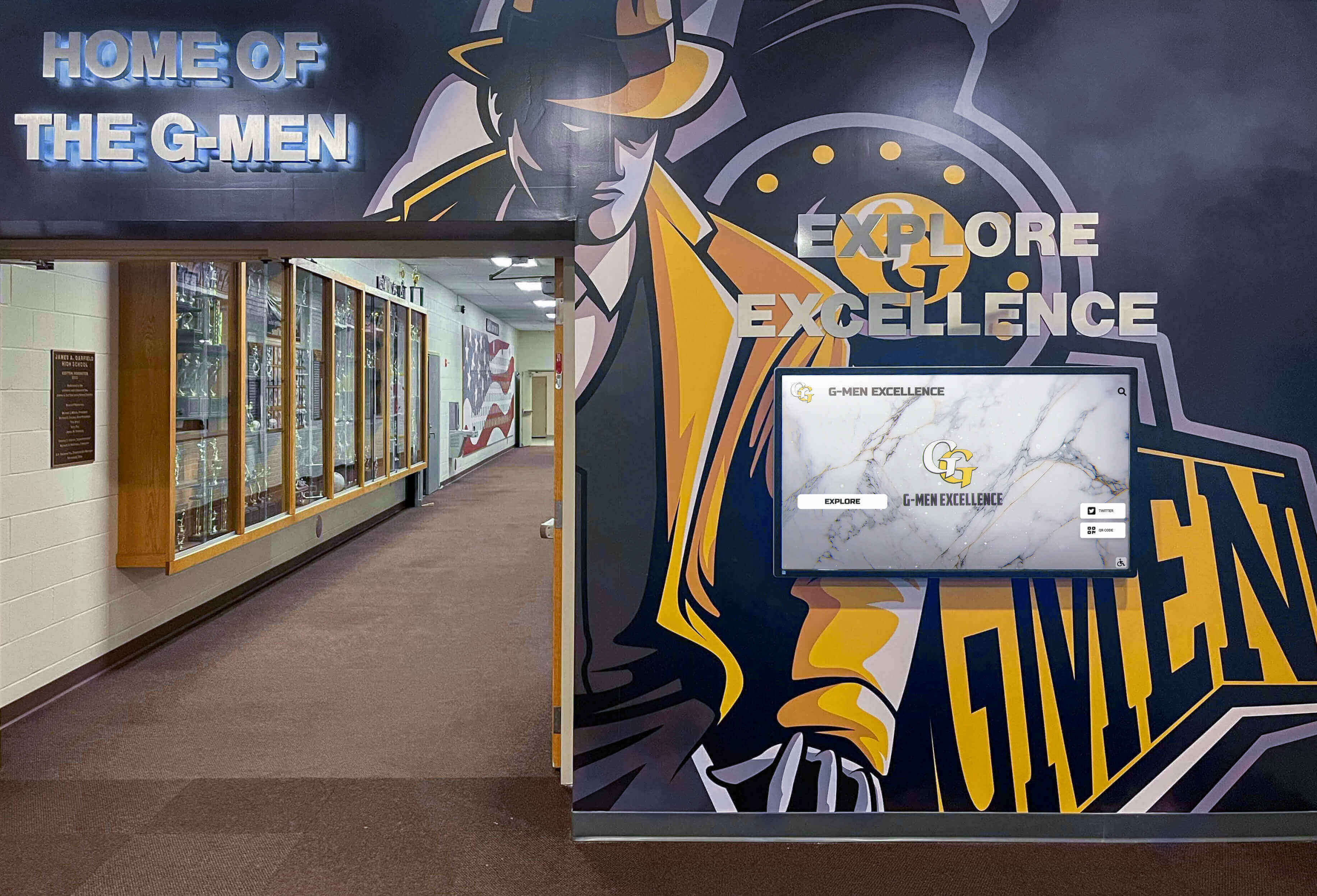
Many schools run both formats in the same hallway — understanding the tradeoffs helps you plan the right mix for your specific space.
Why Wall Mounting Changes the Comparison
When most people imagine trophy cases, they picture freestanding floor cabinets parked against a gymnasium wall. But floor-standing cases and wall-mounted trophy cases are very different installations — and when wall space is your constraint, they compete directly with touchscreen recognition walls for the same real estate.
A trophy display case wall mounted on a hallway wall:
- Protrudes 12–18 inches from the wall surface into hallway traffic lanes
- Requires structural backing capable of supporting 80–250 pounds depending on case size
- Occupies continuous wall width of 48–96 inches per unit
- Has a fixed, finite physical capacity measured in cubic feet
A touchscreen recognition wall mounted on that same hallway wall:
- Protrudes 3–4 inches (screen depth plus mount hardware)
- Requires a structural backing rated for 80–150 pounds for commercial displays
- Occupies the same continuous wall width but can display unlimited records
- Expands content capacity digitally without consuming additional physical space
That 9–14 inch depth difference matters enormously in corridors where ADA requires a minimum 36-inch clear path and where custodians need to navigate carts and equipment. It also matters in lobbies where visitor circulation, seating, and wayfinding all compete for the same floor plane.
For schools evaluating their broader recognition ecosystem — including hall of fame platforms, donor walls, and athletic record boards — the 10 best hall of fame tools guide at TouchHallOfFame.us offers a thorough comparison of both physical and digital approaches across program types.
Trophy Display Case Wall Mounted: Full Specification Breakdown
Physical Specifications
Standard wall-mounted glass trophy display cases for schools follow relatively consistent dimensions across manufacturers:
| Specification | Typical Range |
|---|---|
| Width | 48–96 inches |
| Height | 36–60 inches |
| Depth (wall projection) | 12–18 inches |
| Weight (empty) | 80–200 lbs depending on frame material |
| Glass type | Tempered safety glass, 1/4-inch minimum |
| Locking mechanism | Keyed cylinder; key control tracked separately |
| Internal lighting | LED strips or puck lights |
| Capacity (typical) | 30–60 items depending on size mix |
Wall backing requirements are non-negotiable. Drywall alone cannot safely support a glass trophy case. Most installations require:
- Stud-to-stud backing board installed between wall studs before drywall is finished
- Masonry anchors rated for 3× the case weight if mounting to concrete or CMU block
- Through-bolt hardware with wall plates on cases exceeding 150 pounds
Installation typically takes 2–4 hours for a single unit with proper wall prep completed in advance. Schools mounting multiple cases in a row should factor a full day for a two-person crew.
What Wall-Mounted Trophy Cases Do Well
Tactile permanence. Physical trophies under glass communicate permanence and weight in a way that no screen replicates. For championship hardware, retired jerseys, and game balls, a traditional case grounds the object in school history.
Zero technology dependency. No software updates, no media player reboots, no network outages. A properly installed case requires nothing beyond a functioning light fixture and an occasional key to open for additions.
Universal legibility. Visitors of every age read glass-and-trophy displays immediately. There is no learning curve.
Lower initial cost for small collections. A quality 48-inch wall-mounted trophy case runs $400–$1,200 installed. For schools with fewer than 100 recognition items and modest annual addition rates, the economics are straightforward.
Where Wall-Mounted Trophy Cases Fall Short
Capacity exhaustion. Schools add 20–50 new recognition items annually across athletics, academics, and arts. A 48-inch case holds roughly 30–50 items. At that rate, cases reach capacity in 2–3 years, forcing storage decisions about older trophies that may have equal historical significance.
Hallway depth impact. A 15-inch case projecting from a 7-foot-wide hallway reduces the usable corridor to 5.5 feet — enough for two people, but tight for wheelchair and equipment traffic during peak periods.
Static recognition only. Every student, athlete, and donor featured in a trophy case requires a physical artifact or plaque. Schools cannot display photographs of award recipients, video highlights of championship moments, or searchable rosters without adding entirely separate display systems.
Maintenance and security. Glass panels crack. Locks jam or lose keys. Lighting fails. Over a 10-year period, a school running six wall-mounted cases should budget $200–$500 annually for glass replacement, hardware maintenance, and relighting.
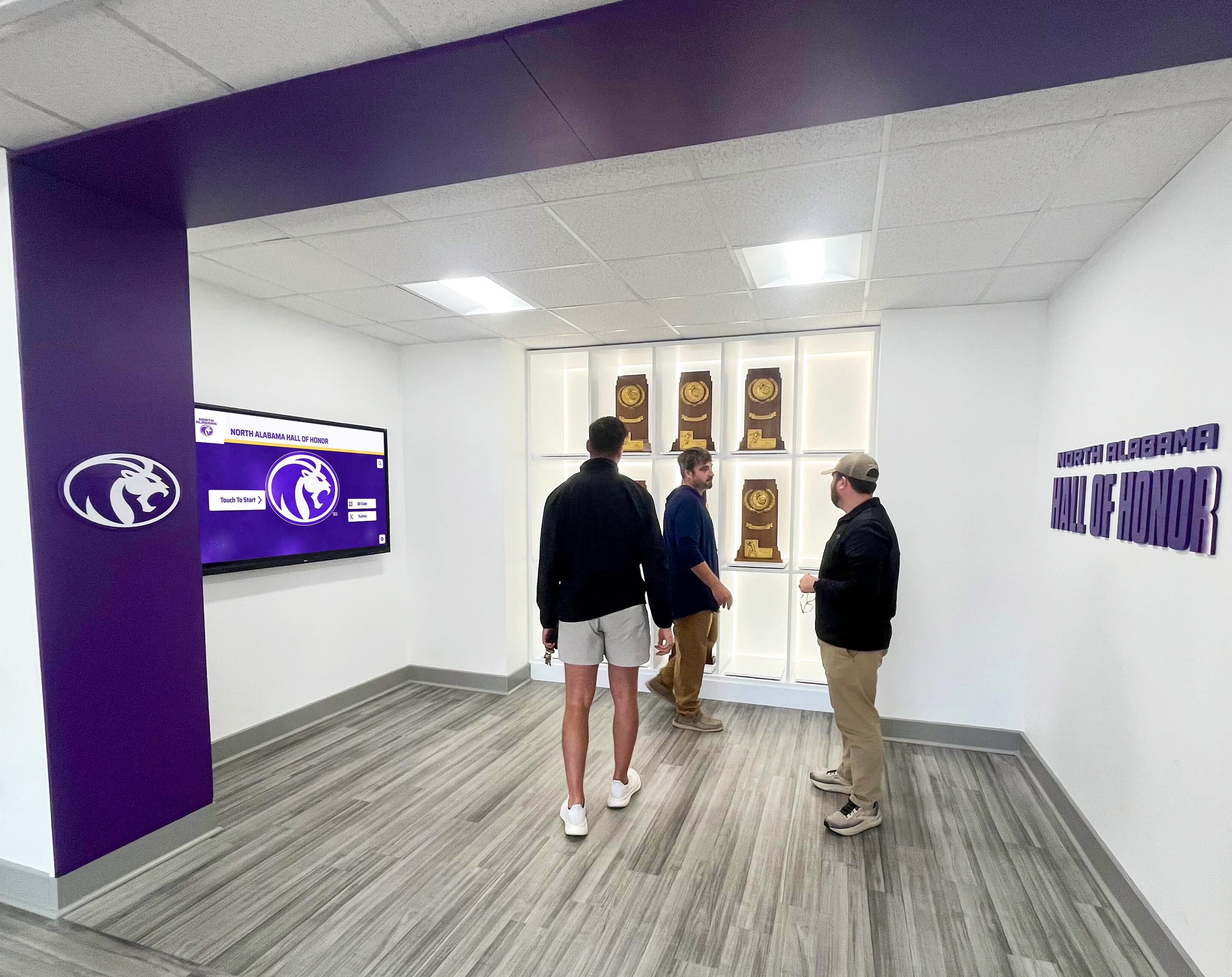
Traditional trophy cases create an impressive visual environment when properly curated — but physical space limits how many programs and honorees can receive permanent recognition.
Touchscreen Recognition Wall: Full Specification Breakdown
A touchscreen recognition wall is a commercial-grade display panel — or multi-panel array — mounted flush to a wall and connected to a cloud-based content management system. Schools use them for hall of fame profiles, athletic record boards, donor recognition, academic honor rolls, and school history timelines — often all within the same installation.
Physical Specifications
| Specification | Typical Range |
|---|---|
| Screen size | 55–86 inches (single panel); arrays up to 180+ inches |
| Wall projection | 3–4 inches (screen + mount) |
| Weight | 60–120 lbs for commercial single panel |
| Power | Dedicated 20A circuit recommended; single outlet minimum |
| Connectivity | In-wall Cat6 or Wi-Fi; media player in wall box or adjacent closet |
| Touch technology | Infrared or PCAP multi-touch, 10–40 touch points |
| Brightness | 400–700 nits for hallway/lobby ambient light |
| Operating life | 50,000+ hours (approximately 17 years at 8 hrs/day) |
What Touchscreen Recognition Walls Do Well
Unlimited recognition capacity. A single 65-inch touchscreen can store and display records for every student, athlete, and donor your school has ever recognized — with no physical capacity ceiling. Adding a new honoree takes minutes in the CMS rather than a trip to the trophy case with a key and a screwdriver.
Minimal hallway footprint. At 3–4 inches of wall projection, a touchscreen recognition wall preserves hallway width that a traditional trophy case would consume. In a 7-foot-wide corridor, the difference between 4 inches and 15 inches of projection is 11 inches of clearance across the full hallway length.
Rich media per honoree. Each record can include a profile photograph, career statistics, video highlights, news articles, and biographical notes. The recognition depth available for each individual exceeds what any physical case could achieve.
Searchability. Visitors can search by name, sport, year, or award type. Parents visiting the school for the first time can find their student in seconds rather than scanning dozens of plaques across multiple cases.
Ambient display mode. When no one is actively touching the screen, the display can cycle through rotating recognition content — recent honorees, upcoming events, school milestones — functioning as dynamic digital signage rather than a static object.
For schools thinking about the broader range of recognition content these walls can support, the 100 youth sports awards ideas guide at DigitalRecordBoard.com provides a comprehensive inventory of athletic accomplishments worth honoring — many of which exceed the physical capacity of traditional wall-mounted cases.
Where Touchscreen Recognition Walls Require More Planning
Upfront infrastructure investment. In-wall electrical and data runs typically add $500–$2,000 to installation cost depending on how far the wall location is from the nearest panel and network closet. Budget this in advance or plan to surface-mount raceway conduit, which is visible but less expensive.
Ongoing software and connectivity dependency. The display requires network connectivity for CMS updates and a functioning media player. Schools should establish a basic IT maintenance protocol and ensure the display is on a monitored network segment.
Content population time. A new touchscreen recognition wall arrives with empty content fields. Populating historical records — retroactively photographing old trophies, entering past honoree data — requires an upfront time investment proportional to the depth of your school’s history.
Hardware replacement cycle. Commercial displays have long operational lives, but schools should plan for a hardware refresh cycle of 8–12 years. This is comparable to the glass-and-hardware maintenance cycle for traditional cases over the same period.
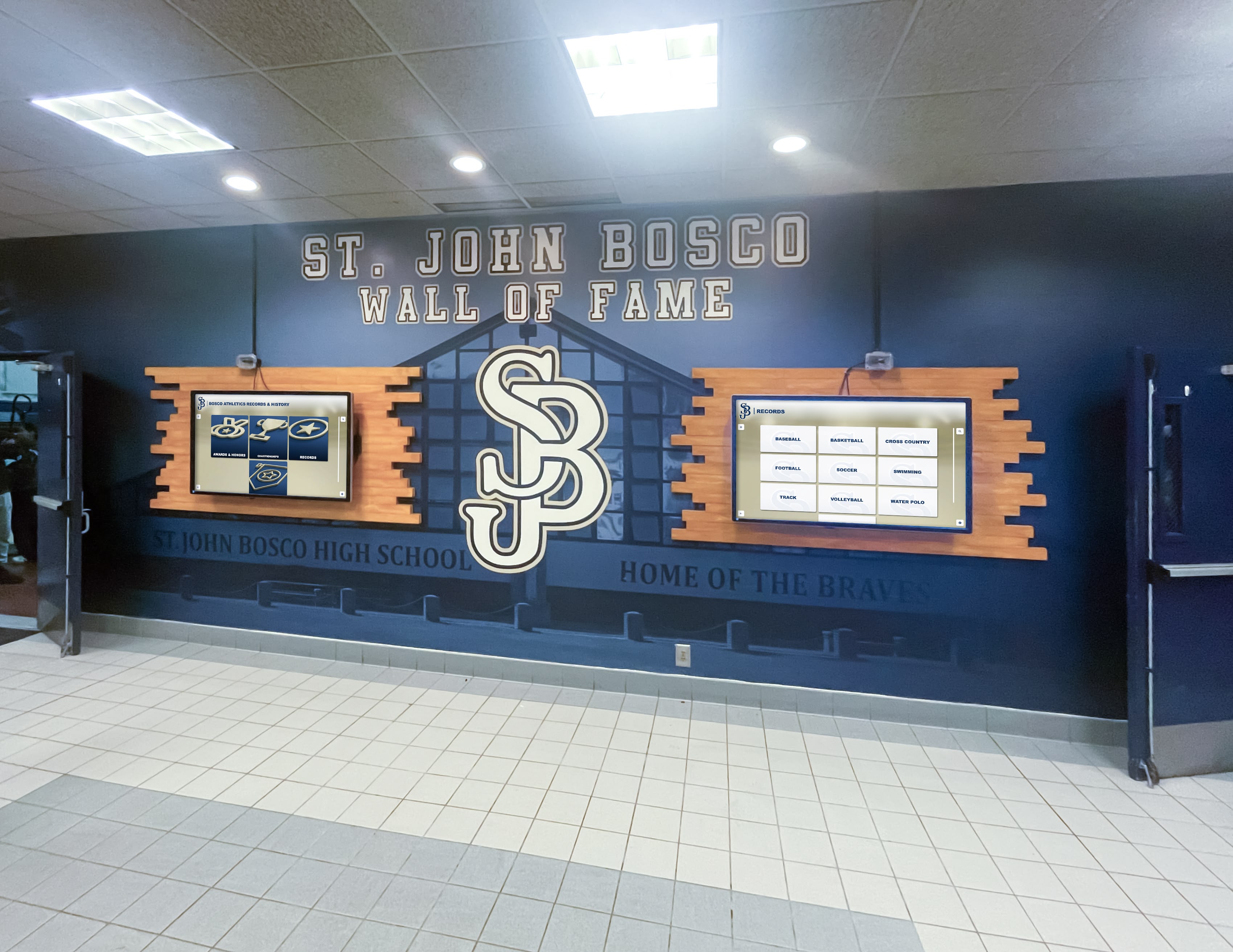
A two-panel touchscreen recognition wall at St. John Bosco — both screens combined project only 3–4 inches from the wall surface, preserving the full hallway traffic lane.
Direct Comparison: Wall-Mounted Trophy Case vs. Touchscreen Recognition Wall
| Factor | Trophy Display Case (Wall Mounted) | Touchscreen Recognition Wall |
|---|---|---|
| Wall projection depth | 12–18 inches | 3–4 inches |
| Recognition capacity | 30–60 items per case | Unlimited |
| Annual addition cost | $50–$200/item (plaque/engraving) | $0 (CMS entry) |
| Physical artifacts | Yes — trophies, plaques, memorabilia | No (photos only) |
| Search functionality | None | Full-text search by name/year/sport |
| Video and media | No | Yes — highlight reels, news, portraits |
| Initial cost (installed) | $400–$1,200 per case | $8,000–$25,000 per wall installation |
| 10-year maintenance cost | $200–$500/year (glass, hardware) | $1,200–$3,600/year (software, hardware) |
| Technology dependency | None | Network, power, media player |
| ADA clearance impact | Significant (12–18 in. into corridor) | Minimal (3–4 in.) |
| Useful recognition life | Finite (capacity reached) | Indefinite (expandable digitally) |
| Visitor engagement | Passive visual inspection | Active touch exploration |
Planning a wall-mounted recognition display?
Rocket Alumni Solutions designs touchscreen recognition walls for schools across every budget range — from single-panel installations to full multi-screen hall of fame environments. Their team starts with your wall dimensions and works backward to the right solution.
Get a space assessment from Rocket Alumni SolutionsSpace-Planning Checklist: Which Option Fits Your Wall?
Use this checklist before committing to either format. Work through it with your facilities manager and athletic director together.
Step 1: Measure the Available Wall
- Record total wall length available (in inches)
- Record ceiling height at the proposed location
- Note any obstructions: doors, windows, lockers, fire equipment, sprinkler heads
- Measure hallway width at the narrowest point near the proposed location
- Calculate available clearance after case/display projection:
hallway width - projection depth = remaining clearance - Confirm clearance meets 36-inch ADA minimum (44 inches preferred for two-way traffic)
- Note wall construction type: drywall/stud, concrete, CMU block, brick, tile
Step 2: Assess Electrical and Network Infrastructure
- Locate nearest electrical outlet to proposed location (distance in feet)
- Confirm outlet amperage: 15A vs. 20A circuit
- Identify nearest network switch or wireless access point
- Determine conduit routing path from outlet/network to display location
- Estimate electrical/data rough-in cost with your facilities team or AV installer
- If cost exceeds $2,000, consider whether display location can move closer to infrastructure
Step 3: Inventory Your Current Recognition Volume
- Count trophies and plaques currently displayed (across all cases)
- Count items in storage due to display space constraints
- Estimate new items added per academic year (all programs combined)
- Identify programs that have no current physical representation (due to space limits)
- Project total recognition items in 10 years at current addition rate
Decision signal: If projected 10-year total exceeds your wall-mounted case capacity (30–50 items per case), a touchscreen recognition wall becomes the more durable long-term investment.
Step 4: Evaluate Your Physical Artifact Requirement
- Does your school have physical championship trophies that must remain publicly visible?
- Are there retired jerseys, game balls, or historical artifacts requiring secure display?
- Could physical artifacts move to a dedicated display case in the gym or trophy room while the hallway recognition shifts to digital?
Decision signal: Schools with significant physical artifact collections often run a hybrid — a smaller trophy case for championship hardware plus a touchscreen wall for the full recognition archive.
Step 5: Assess Budget and Timeline
- What is the total available capital budget for this installation?
- Is there a recurring operational budget for maintenance and software?
- What is the target installation date? (Data and electrical rough-in typically need 2–4 weeks lead time)
- Is a phased approach possible — start with one format, add the other in a future renovation?
Room-by-Room Recommendations
Different school spaces have different recognition priorities. Here’s how the format decision typically plays out by location.
Main Lobby or Entrance Corridor
Recommendation: Touchscreen recognition wall (or hybrid)
The main lobby is your highest-visibility space. Visitors, prospective families, and community members all pass through here. A touchscreen recognition wall provides a landmark destination — something guests can actively explore rather than passively scan. If championship hardware is important, a single narrow trophy case flanking the touchscreen display preserves physical artifacts without dominating the space.
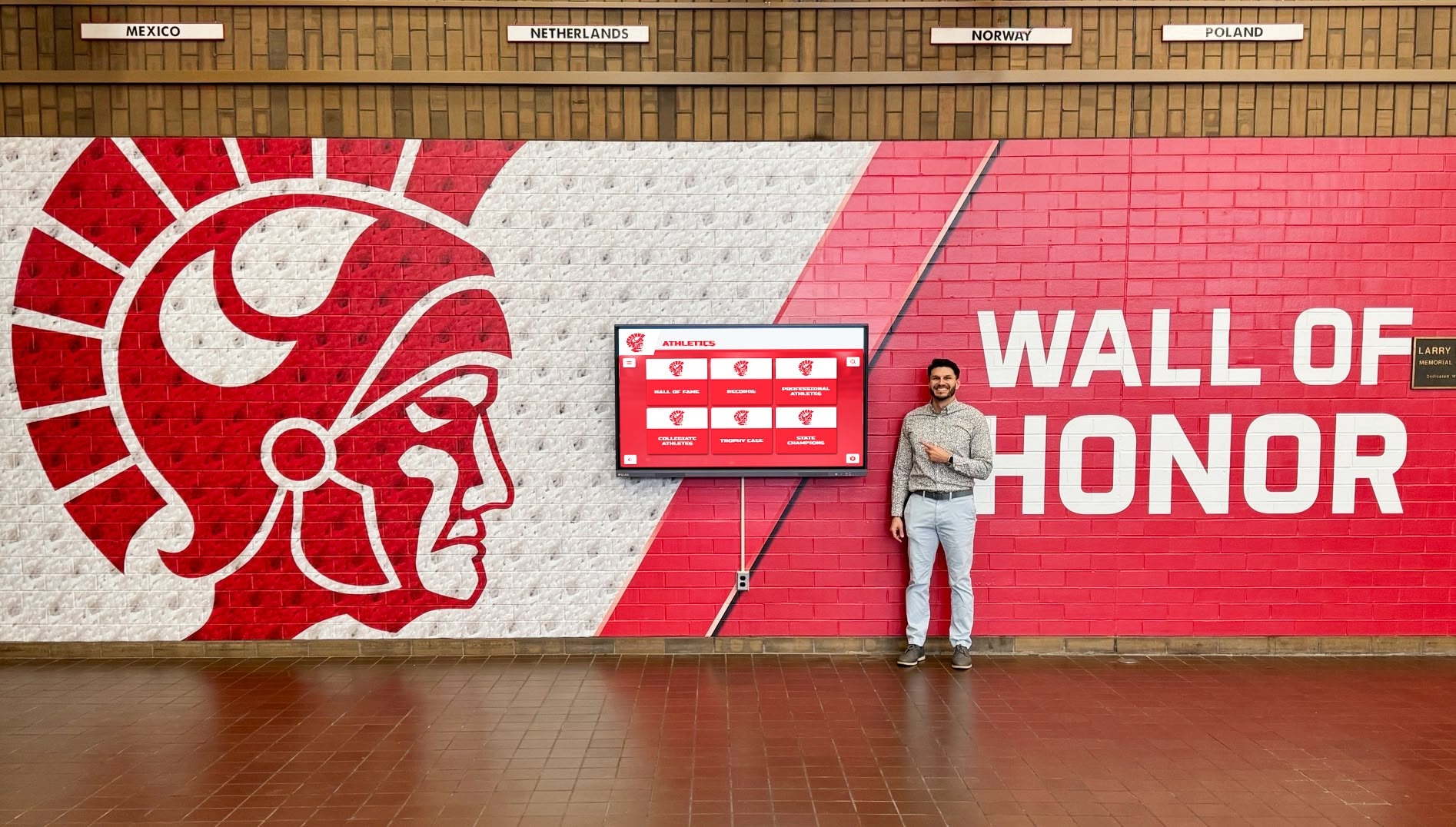
A touchscreen Wall of Honor in a main lobby entrance gives visitors an interactive landmark — and occupies a fraction of the wall depth of a traditional trophy case.
Athletic Corridor or Gymnasium Hallway
Recommendation: Context-dependent — consider hybrid
Athletic corridors are the natural home for physical championship hardware. If your school has state titles, national championships, or retired numbers, this is where trophies belong under glass. A wall-mounted trophy display case works well here, especially near the gym entrance where traffic moves more slowly.
That said, if 20 years of sports records are competing for 40 feet of hallway wall, a touchscreen recognition wall can carry the full archive while physical cases hold only the marquee hardware. The 10 best hall of fame tools guide at DonorsWall.com covers how schools balance physical and digital recognition in athletic spaces specifically.
Academic Building or Science/Arts Wing
Recommendation: Touchscreen recognition wall
Academic hallways rarely have the trophy volume of athletic corridors, but they often have the richest recognition history — decades of academic all-Americans, scholarship recipients, AP scholars, and performing arts award winners whose names appear nowhere in the building. A touchscreen recognition wall with a searchable academic archive serves these hallways better than physical cases, which require individual plaques for every honoree.
For recognition programs specifically focused on academic honor rolls, the 100 youth sports and academic awards ideas guide at HallOfFame-Online.com helps programs identify which categories of achievement warrant permanent display recognition.
Cafeteria or Student Common Area
Recommendation: Touchscreen recognition wall
Student-facing environments benefit most from the interactive and ambient display capabilities of touchscreen walls. Students passing through during lunch interact with recognition content in ways they never would with a locked glass case. Ambient cycling through recent honorees, highlight video clips, and upcoming events keeps the display active even when no one is touching it.

Schools increasingly integrate touchscreen displays within or adjacent to existing trophy case installations — the digital layer expands recognition capacity without replacing the physical artifacts.
Trophy Room or Athletic Office Hallway
Recommendation: Wall-mounted trophy display case
Dedicated trophy rooms and the hallways immediately adjacent to coaches’ offices are where championship hardware belongs. Traffic in these spaces tends to be more purposeful — coaches, athletes, prospective recruits, and alumni who specifically want to see the physical artifacts. A traditional wall-mounted trophy display case works well here, where there is no competing need for the hallway width and the audience values physical permanence over searchability.
Rocket Alumni Solutions: A Touchscreen Recognition Wall Platform Built for Schools
For schools choosing the touchscreen recognition wall path, platform selection matters as much as hardware. The display is the physical layer; the content management system is what makes it work over time.
Rocket Alumni Solutions specializes in recognition wall platforms for schools, athletic departments, and alumni organizations. Their system is designed around the actual workflow of school recognition programs — adding new honorees doesn’t require a technician, content is managed through a web-based CMS accessible to athletic directors and administrators, and the same database can power both the touchscreen wall and a companion website simultaneously.
Key platform features relevant to the wall-mounted comparison:
- Cloud-based CMS: update content from any browser; no local software required
- Multi-program support: athletics, academics, donors, alumni, and arts all in one system
- Searchable archive: visitors find any honoree by name, sport, year, or award type
- Ambient display mode: the wall runs auto-cycling content when no one is interacting
- Hardware-agnostic: works on commercial displays from any major manufacturer
- Scalable architecture: start with one screen; expand to multi-panel arrays in future phases
For schools comparing recognition platforms before making hardware decisions, the 10 best hall of fame tools guide at HallOfFameWall.com evaluates both physical and digital recognition tools across athletics, donor programs, arts, and academic categories.
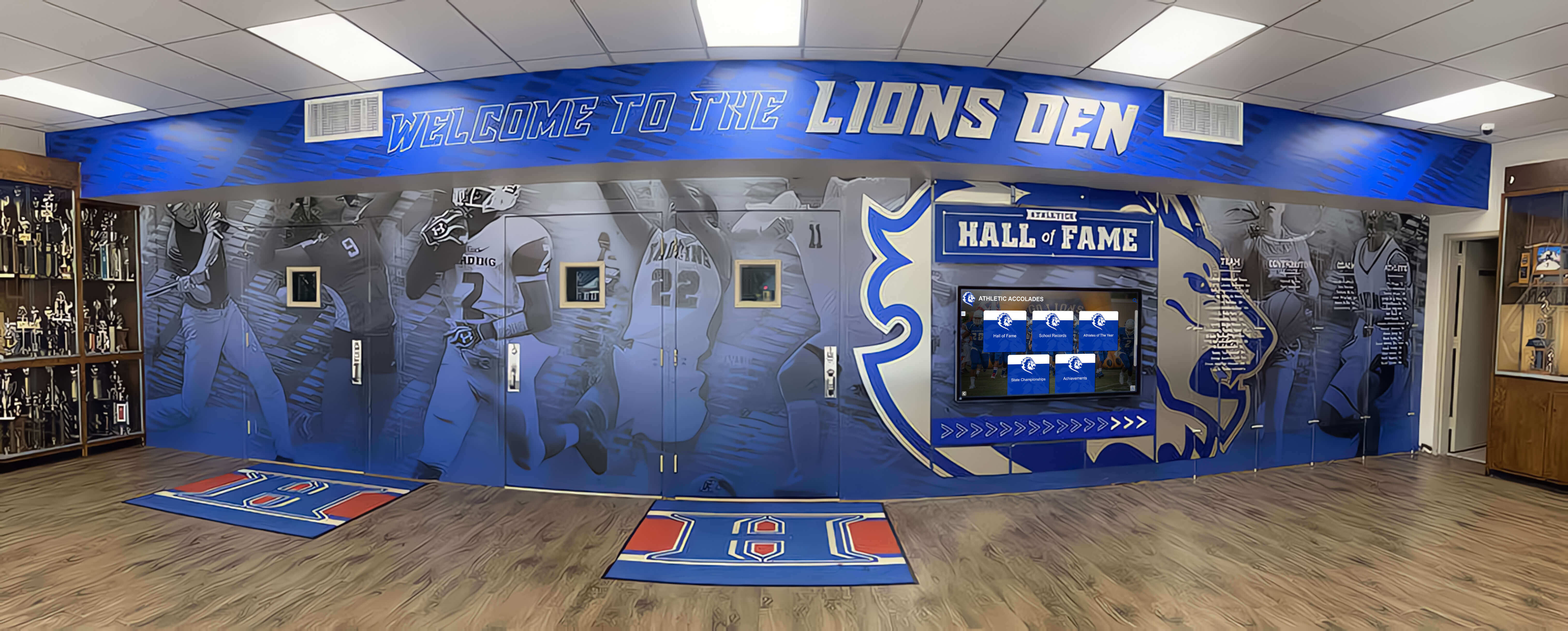
Schools that blend branded murals, physical trophy cases, and digital recognition walls create the most visually complete recognition environments — each format contributing what it does best.
Total Cost Comparison Over 10 Years
Budget conversations often start with the wrong number. The hardware cost of a touchscreen recognition wall looks large next to the cost of a single wall-mounted trophy case. But the correct comparison is the total 10-year cost of each approach at equivalent recognition capacity.
Scenario: A school adding 40 new recognition items per year across all programs
Wall-Mounted Trophy Case Approach:
- Year 1: 2 trophy cases installed — $2,400 (cases) + $800 (installation) = $3,200
- Years 2–3: Cases reach capacity; 2 additional cases required — $3,200
- Ongoing plaque/engraving cost: 40 items × $75 average = $3,000/year
- Years 4–6: 2 more cases for overflow — $3,200
- Annual maintenance (glass, hardware, lighting): $400/year
- 10-year estimated total: $40,000–$55,000 (hardware + plaques + maintenance)
Touchscreen Recognition Wall Approach:
- Year 1: Single 65-inch installation with CMS — $14,000–$18,000 installed
- Annual CMS/software subscription: $1,500–$3,000/year
- Annual hardware maintenance: ~$200/year
- Content additions: $0/item (staff CMS entry)
- No hardware expansion needed for additional honorees
- 10-year estimated total: $30,000–$45,000 (hardware + software + maintenance)
Note: actual costs vary significantly by vendor, region, and installation complexity. These estimates are illustrative frameworks, not quotes. Always obtain site-specific bids.
The long-term economics often favor touchscreen recognition walls when schools factor in per-item plaque costs, capacity expansion hardware, and the staff time required to maintain a growing physical collection.
For a youth sports program perspective on recognition program economics and award strategy at scale, the 100 youth sports awards ideas guide at TouchScreenWebsite.com offers a useful framework for thinking about which types of recognition warrant physical artifacts vs. digital-only records.
When Each Format Wins
Choose a wall-mounted trophy display case when:
- You have high-value physical artifacts (championship trophies, retired jerseys, game balls) that require secure, visible, lit display
- Your hallway has sufficient width to accommodate 12–18 inches of case projection without ADA clearance concerns
- Your annual recognition volume is low enough (under 25 new items/year) that case capacity won’t be exhausted within 5 years
- Your budget is strongly constrained upfront and the school is comfortable with higher per-item plaque costs long-term
- Technology infrastructure (electrical, network) is not available at the proposed wall location
Choose a touchscreen recognition wall when:
- Your recognition archive has outgrown or will outgrow physical case capacity within 5 years
- Hallway width is a genuine constraint and you cannot afford to lose 12–18 inches of corridor depth
- Your programs include students, athletes, and donors whose recognition would benefit from photographs, career stats, and searchability
- You want the display to function as ambient digital signage between active touch interactions
- You are building or renovating a facility and can run electrical and data infrastructure during construction at marginal additional cost
- You want a single platform that serves athletics, academics, arts, and donors without separate physical cases for each program
Consider a hybrid approach when:
- Championship hardware must remain physically visible but the full recognition archive exceeds case capacity
- Your hallway has a natural architectural break that allows a trophy case flanking a touchscreen display
- Different segments of your community (coaches vs. students vs. visitors) have genuinely different interaction preferences
Conclusion
The comparison between a trophy display case wall mounted on a school hallway and a touchscreen recognition wall ultimately comes down to four variables: the depth of wall projection your corridor can absorb, the volume of recognition your school needs to display now and over the next decade, the presence of physical artifacts that require secure glass display, and the infrastructure your building can support at the proposed wall location.
For schools where hallway width is the binding constraint, where recognition volume is growing faster than physical case capacity, and where the investment in electrical infrastructure is feasible, touchscreen recognition walls deliver more recognition per inch of wall than any glass case can match. For schools with deep physical artifact collections and limited technology infrastructure, wall-mounted trophy cases remain a practical, durable option — particularly in dedicated trophy rooms and gym corridors where the depth projection matters less.
Most schools end up building toward a hybrid: physical cases for championship hardware, digital walls for the full searchable archive. Working with a platform like Rocket Alumni Solutions makes that hybrid work — the same database populating both the touchscreen wall and an alumni-facing website, updated by a single staff member without specialist technical knowledge.
Ready to Plan Your Wall-Mounted Recognition Display?
Whether your school needs a space-efficient touchscreen recognition wall, a hybrid installation alongside existing trophy cases, or a completely new recognition environment, Rocket Alumni Solutions works with athletic directors, facilities teams, and administrators to design the right solution for your specific wall, budget, and program needs.
Explore Rocket Alumni Solutions






























