Digital signage screens form the foundation of modern visual communication, yet selecting the right display technology remains one of the most critical and complex decisions organizations face when implementing signage solutions. From vibrant indoor retail displays to weather-resistant outdoor billboards, from ultra-thin OLED panels in luxury boutiques to massive LED video walls in stadiums, the variety of available screen technologies has expanded dramatically alongside their specialized applications.
Understanding the fundamental differences between LCD, LED, OLED, projection systems, e-paper, and emerging display technologies determines whether your digital signage investment delivers the visibility, durability, and visual impact your application demands—or becomes an expensive disappointment that fails to meet environmental challenges or audience expectations.
This comprehensive guide examines every major screen technology used in digital signage today, comparing brightness capabilities, viewing angles, durability characteristics, cost considerations, and ideal use cases. Whether you’re implementing wayfinding displays in educational institutions, recognition systems in corporate lobbies, menu boards in restaurants, or outdoor advertising networks, understanding screen technology fundamentals ensures you select displays that perform flawlessly in your specific environment.
The digital signage display landscape in 2025 offers unprecedented choices, with each technology delivering distinct advantages for specific applications. From budget-conscious LCD installations to premium OLED experiences and innovative transparent LED screens transforming retail spaces, selecting appropriate display technology requires matching technical specifications to environmental conditions and organizational objectives.

Educational institutions increasingly deploy interactive digital signage for recognition, wayfinding, and information distribution
Understanding Digital Signage Display Technology Fundamentals
Before examining specific screen types, understanding core display technology principles helps decision-makers evaluate specifications and match technologies to applications effectively.
How Display Technologies Create Images
All digital signage screens generate images through light manipulation, but fundamental differences in light generation and control distinguish major technology categories:
Self-Emissive vs. Backlit Technologies
Display technologies fall into two primary categories based on light generation:
Self-Emissive Displays
- Individual pixels generate their own light
- Technologies include LED, OLED, and microLED
- Advantages: superior contrast, true blacks, wide viewing angles
- Disadvantages: higher cost, potential burn-in with static content
Backlit Displays
- Light source illuminates liquid crystal layer that controls light transmission
- Technologies include LCD with LED backlighting
- Advantages: lower cost, mature technology, excellent brightness
- Disadvantages: limited contrast ratios, viewing angle limitations
This fundamental distinction influences brightness capabilities, power consumption, contrast performance, and physical display characteristics affecting installation requirements.
Key Performance Specifications Explained
Evaluating digital signage displays requires understanding critical performance metrics:
Brightness (Measured in Nits)
- Indoor ambient environments: 300-500 nits sufficient
- High ambient light (windows, skylights): 700-1,000 nits recommended
- Storefront windows: 2,500-5,000 nits minimum
- Outdoor direct sunlight: 5,000-10,000+ nits required
Contrast Ratio
- Ratio between brightest white and darkest black
- Higher ratios deliver more vivid, impactful images
- OLED technology offers virtually infinite contrast ratios
- LCD typically delivers 1,000:1 to 5,000:1 contrast

Schools integrate digital displays with branded environments for athletic recognition and announcements
Viewing Angles
- Measurement of image visibility and color accuracy from off-center positions
- IPS LCD panels offer wide viewing angles (178°)
- VA LCD panels have narrower viewing angles with color shifting
- OLED and direct-view LED maintain consistent images across all angles
Resolution Standards
- Full HD (1920×1080): Standard for most applications under 55 inches
- 4K UHD (3840×2160): Increasingly standard for displays over 55 inches
- 8K (7680×4320): Emerging for premium large-format installations
- Pixel pitch (LED): Distance between LED pixel centers; smaller = higher resolution
Understanding these specifications enables accurate evaluation of whether specific displays meet your environmental requirements and content quality expectations.
Commercial Grade vs. Consumer Displays
A critical distinction often overlooked when evaluating digital signage screens involves the fundamental differences between commercial and consumer displays:
Commercial-Grade Digital Signage Displays
- Designed for continuous 24/7 operation (50,000-100,000 hour lifespan)
- Enhanced heat dissipation systems preventing premature failure
- Commercial warranty coverage appropriate for business deployment
- Higher brightness specifications for commercial environments
- Landscape and portrait orientation support
- Built-in content management and scheduling capabilities
- Industrial-grade components withstanding constant operation
Consumer Televisions
- Designed for 4-8 hours daily operation (typically 30,000-60,000 hour lifespan)
- Consumer warranty voided by commercial use in most cases
- Lower brightness inadequate for high-ambient environments
- Limited mounting options and orientation flexibility
- Unnecessary smart TV features adding cost without commercial value
- Premature failure when operated continuously
Organizations planning digital signage deployments should specify commercial-grade displays even when initial cost exceeds consumer alternatives, as total cost of ownership dramatically favors purpose-built commercial solutions over consumer televisions pressed into inappropriate commercial service.
LCD Screens: The Versatile Workhorse of Digital Signage
Liquid Crystal Display (LCD) technology with LED backlighting represents the most widely deployed screen type in digital signage applications, offering balanced performance, mature reliability, and accessible pricing.
How LCD Technology Works
LCD screens create images through precise control of light transmission:
LCD Display Architecture
- LED Backlight Layer: Provides illumination source behind display panel
- Polarizing Filter: Controls light wave orientation
- Liquid Crystal Layer: Individual crystals twist to control light passage
- Color Filter: Red, green, and blue subpixels create full-color images
- Second Polarizing Filter: Final light control before emission
When electric current applies to liquid crystal molecules, they twist to precise angles, controlling light transmission through color filters to create specific colors and brightness levels for each pixel.
LCD Panel Technology Variations
Three primary LCD panel technologies offer different performance characteristics:
IPS (In-Plane Switching) Panels
- Superior viewing angles (178° horizontal and vertical)
- Excellent color accuracy and consistency
- Ideal for displays viewed from multiple positions
- Slightly higher cost than VA panels
- Recommended for most digital signage applications
VA (Vertical Alignment) Panels
- Higher contrast ratios than IPS technology
- Superior black levels for darker environments
- Narrower viewing angles with color shifting off-axis
- Lower cost than IPS alternatives
- Best for direct front-viewing applications
TN (Twisted Nematic) Panels
- Fastest response times for motion content
- Lowest cost LCD option
- Poor viewing angles and color reproduction
- Rarely specified for commercial digital signage
- Generally inappropriate for quality-focused applications
For most digital signage applications, IPS panel technology delivers optimal balance of viewing angle performance, color accuracy, and cost-effectiveness.
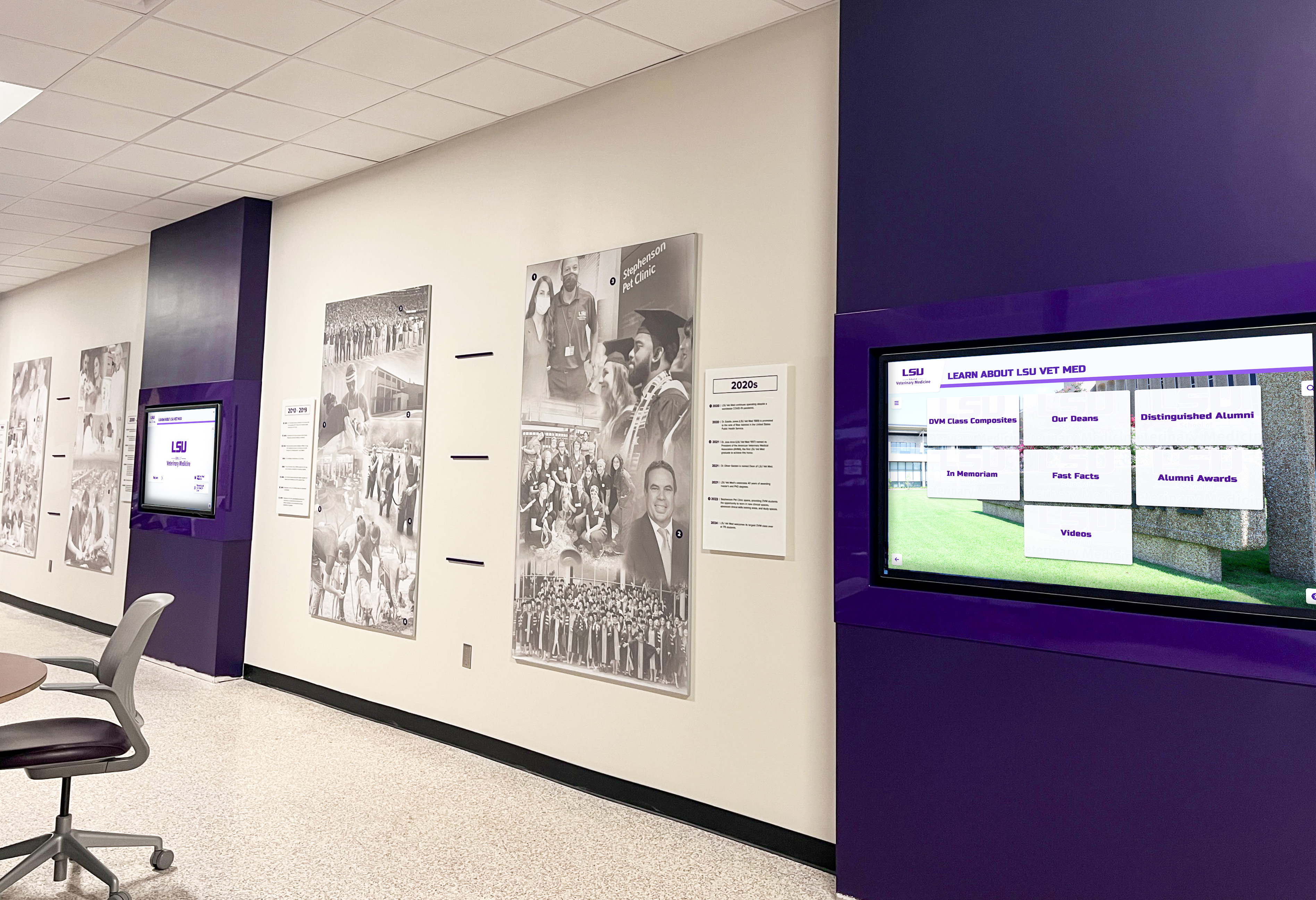
Universities deploy LCD displays for departmental communications, wayfinding, and event promotion
LCD Display Advantages for Digital Signage
LCD screens with LED backlighting offer numerous benefits explaining their dominant market position:
Cost-Effectiveness and Accessibility
- Lowest cost per square inch among mainstream display technologies
- Mature manufacturing creating global supply chain availability
- Sizes from 22 inches to 98 inches in single displays
- Budget-friendly entry point for digital signage deployment
- Readily available replacement units minimizing downtime
Brightness Performance
- Standard LCD displays: 300-700 nits suitable for most indoor environments
- High-brightness LCD displays: 1,000-2,500 nits for window-facing installations
- Outdoor-rated LCD displays: 2,500-5,000 nits for weather-protected outdoor locations
- Superior brightness compared to OLED alternatives in high-ambient environments
Proven Reliability
- Decades of commercial deployment establishing reliability expectations
- Commercial-grade displays rated for 50,000-100,000 hours continuous operation
- Minimal image retention or burn-in risk with static content
- Stable performance characteristics throughout operational lifespan
Versatile Sizing and Configuration Options
- Standard rectangular formats from 22" to 98" diagonal
- Ultra-wide formats for specialty applications
- Video wall configurations using narrow-bezel models
- Portrait and landscape orientation flexibility
- Standardized mounting patterns (VESA) simplifying installation
LCD Display Limitations and Challenges
Despite widespread adoption, LCD technology presents inherent limitations affecting certain applications:
Contrast Ratio Constraints
- Backlight always illuminated prevents true black display
- Typical contrast ratios 1,000:1 to 5,000:1 limit dynamic range
- Washed-out appearance in completely dark viewing environments
- Inferior contrast compared to OLED and direct-view LED alternatives
Viewing Angle Limitations (VA Panels)
- Color shifting visible from off-axis viewing positions
- Brightness reduction at extreme angles
- Critical consideration for installations viewed from multiple positions
- IPS panels largely mitigate this limitation at moderate cost premium
Power Consumption
- Backlight operates continuously regardless of image content
- Higher power consumption than self-emissive technologies displaying dark content
- Heat generation requiring ventilation in enclosed installations
- Ongoing operational costs higher than LED alternatives in some scenarios
Physical Thickness
- Backlight assembly creates thicker profile than OLED alternatives
- Installation challenges in space-constrained applications
- Aesthetic limitations for ultra-thin design requirements
Optimal Applications for LCD Digital Signage
LCD technology excels in specific environments and applications:
Indoor Corporate Communications
- Office lobbies and reception areas with controlled lighting
- Conference rooms and meeting spaces
- Employee break rooms and cafeterias
- Elevator lobbies and corridor displays
- Training rooms and presentation spaces
Retail Environments
- Point-of-purchase displays and endcaps
- Department store directories and wayfinding
- Checkout queue entertainment and advertising
- Product information displays
- Interior store promotions away from windows
Educational Institutions
- Classroom teaching displays and interactive boards
- Hallway announcement and wayfinding systems
- Cafeteria menu boards and daily bulletins
- Library information and resource displays
- Digital recognition displays showcasing student achievements
Healthcare Facilities
- Waiting room patient education displays
- Wayfinding systems in large medical complexes
- Departmental information and announcements
- Cafeteria and public space communications
Solutions like Rocket Alumni Solutions utilize commercial-grade LCD displays with touchscreen overlays to create interactive recognition systems for schools, universities, and organizations seeking to honor achievements with engaging digital experiences that surpass traditional plaques and trophy cases.
LED Displays: Brightness and Durability for Demanding Environments
Light Emitting Diode (LED) displays represent fundamentally different technology from LCD screens, with individual LEDs generating light directly rather than filtering backlight through liquid crystals.
Understanding LED Display Architecture
LED displays construct images from arrays of individual light-emitting diodes:
Direct-View LED Display Construction
- Individual red, green, and blue LEDs form each pixel
- No backlight, liquid crystal layer, or color filters required
- Pixel pitch (distance between LED clusters) determines resolution
- Seamless modular construction enables any size or shape

Athletic departments integrate touchscreen displays with trophy cases for comprehensive achievement showcases
Pixel Pitch and Viewing Distance Relationship
LED display resolution depends on pixel pitch rather than standard resolution specifications:
Fine Pixel Pitch (Indoor LED)
- 1.2mm-2.5mm pixel pitch for close viewing distances
- Optimal viewing distance: 3-10 feet
- Ultra-high resolution for indoor applications
- Higher cost per square foot
- Applications: control rooms, broadcast studios, luxury retail
Standard Pixel Pitch (Indoor/Semi-Outdoor LED)
- 2.5mm-6mm pixel pitch for moderate viewing distances
- Optimal viewing distance: 10-30 feet
- Balance of resolution and cost-effectiveness
- Applications: corporate lobbies, convention centers, houses of worship
Large Pixel Pitch (Outdoor LED)
- 6mm-20mm+ pixel pitch for distant viewing
- Optimal viewing distance: 30+ feet
- Maximum brightness and weather resistance
- Applications: outdoor billboards, stadium displays, building facades
The formula for minimum viewing distance approximates to: Viewing Distance (feet) = Pixel Pitch (mm) × 10. A 10mm pixel pitch LED display should be viewed from at least 100 feet for optimal image quality.
LED Display Advantages for Digital Signage
LED technology delivers unmatched performance in challenging applications:
Exceptional Brightness Capability
- Indoor LED displays: 800-2,500 nits
- Outdoor LED displays: 5,000-10,000+ nits
- Direct sunlight readability without image washout
- Daylight visibility impossible with LCD or OLED alternatives
- Automatic brightness adjustment responding to ambient conditions
Superior Durability and Lifespan
- 100,000+ hour operational lifespan typical
- Weather-resistant outdoor models rated IP65 or higher
- Continues functioning with individual LED failures
- Modular construction simplifying repairs and upgrades
- Minimal performance degradation over operational life
Unlimited Size and Shape Flexibility
- Modular panels tile seamlessly creating any dimension
- Curved surfaces and creative shapes achievable
- Building facades and architectural integration
- Stadium perimeter displays and scoreboards
- Creative installations impossible with rectangular displays
Maintenance and Serviceability
- Front or rear service access depending on installation
- Individual module replacement without full display removal
- Gradual LED degradation allows scheduled maintenance
- Reduced downtime compared to complete display failure
LED Display Limitations and Considerations
LED technology presents challenges affecting certain applications:
Viewing Distance Requirements
- Pixel structure visible at close viewing distances
- Inappropriate for applications requiring close interaction
- Minimum viewing distance limits indoor application versatility
- Perceived as “low resolution” when viewed too closely
Initial Capital Investment
- Significantly higher cost per square foot than LCD alternatives
- Fine-pitch indoor LED especially expensive
- Economic primarily for large-scale installations or outdoor applications
- Total cost of ownership may favor LED for long-term deployments
Color Calibration Complexity
- Individual LED variations require calibration for color uniformity
- Periodic recalibration necessary as LEDs age
- More complex color management than LCD displays
- Professional installation and calibration recommended
Power Consumption and Heat Generation
- Higher power consumption than LCD at maximum brightness
- Substantial heat generation requiring ventilation
- HVAC considerations for large indoor installations
- Operating costs higher than LCD in some scenarios
Optimal Applications for LED Digital Signage
LED displays excel where brightness, durability, or flexibility demands exceed LCD capabilities:
Outdoor Digital Signage
- Roadside billboards and advertising displays
- Building facade installations and architectural lighting
- Transit shelter advertising panels
- Outdoor wayfinding and information displays
- Stadium perimeter displays and scoreboards
Large Venue Installations
- Arena and stadium video boards
- Convention center and exhibition hall displays
- Airport and transit terminal information displays
- Casino and entertainment venue displays
- Concert and performance venue screens
High-Brightness Indoor Applications
- Window-facing storefront displays competing with daylight
- Atrium displays with extensive natural lighting
- Casino gaming floors with 24/7 bright lighting
- Automotive dealership showrooms with abundant windows
- Airport terminals and train stations with natural lighting
Creative and Architectural Installations
- Curved displays following architectural features
- Column wraps and cylindrical displays
- Floor displays and interactive walking surfaces
- Ceiling installations and overhead displays
- Custom shapes impossible with rectangular displays

Schools implement interactive displays for [digital storytelling about athletic programs](https://touchwall.tv/blog/digital-storytelling-athletic-programs-guide/) and historical achievements
OLED Displays: Premium Image Quality for Luxury Applications
Organic Light Emitting Diode (OLED) technology represents the premium end of digital signage display options, delivering unparalleled image quality with inherent limitations restricting widespread adoption.
OLED Technology Architecture
OLED displays generate light through organic compound emission:
OLED Display Structure
- Organic compound layers sandwiched between electrodes
- Electric current causes organic compounds to emit light
- Each pixel independently generates red, green, or blue light
- No backlight required creating ultra-thin panel construction
- Subpixel-level brightness control impossible with backlit technologies
This self-emissive architecture enables perfect blacks (pixels completely off), infinite contrast ratios, and instantaneous response times impossible with backlit LCD technology.
OLED Subpixel Arrangements
OLED displays use different subpixel layouts affecting performance:
RGB OLED (True RGB)
- Dedicated red, green, and blue subpixels for each pixel
- Best color accuracy and sharpness
- Higher manufacturing cost
- Preferred for premium applications
WRGB OLED (White + Color Filter)
- White OLED layer with color filters
- Added white subpixel increases brightness
- Lower manufacturing cost than RGB OLED
- Most common in commercial OLED displays
OLED Display Advantages for Digital Signage
OLED technology delivers visual performance unmatched by competing technologies:
Unparalleled Image Quality
- Infinite contrast ratio (true black pixels completely off)
- Perfect black levels in any lighting environment
- Vivid, saturated colors with no backlight contamination
- HDR performance exceeding LCD and LED capabilities
- Premium visual impact for luxury brand positioning
Superior Viewing Angles
- Consistent brightness and color from all viewing angles
- No color shifting visible with LCD VA panels
- Ideal for installations viewed from multiple positions
- Maintains image quality across entire viewing field
Ultra-Thin Profile and Flexibility
- Panels as thin as 3mm without backlighting assembly
- Curved OLED displays following architectural features
- Flexible OLED enabling unique form factors
- Aesthetic advantages for design-conscious applications
Instantaneous Response Time
- Zero motion blur with fast-moving content
- Perfect for high-action sports, gaming, and dynamic content
- Superior to LCD motion performance
- Enhanced viewer experience with motion content
OLED Display Limitations and Challenges
Despite superior image quality, OLED faces significant limitations restricting digital signage adoption:
Brightness Limitations
- Maximum brightness 500-800 nits typical
- Inadequate for high-ambient environments
- Significantly dimmer than LCD and LED alternatives
- Inappropriate for window-facing or outdoor applications
- Best suited to controlled lighting environments
Burn-In Risk with Static Content
- Permanent image retention possible with prolonged static content display
- Particularly problematic for digital signage with logos, menus, tickers
- Mitigation strategies (pixel shifting, screen savers) reduce but don’t eliminate risk
- Warranty exclusions for burn-in in most commercial contexts
- Significantly limits appropriate digital signage applications
Premium Pricing
- Highest cost per square inch among mainstream display technologies
- 3-5x LCD cost for comparable display sizes
- Limited size availability (largest commonly available: 88 inches)
- Total cost of ownership challenged by potential burn-in replacement costs
Limited Outdoor Capability
- Insufficient brightness for outdoor or high-ambient applications
- No weather-resistant models available commercially
- Exclusively indoor technology
- Requires controlled environment for optimal performance
Optimal Applications for OLED Digital Signage
OLED technology suits specific applications where image quality justifies premium investment:
Luxury Retail Environments
- High-end fashion boutiques and flagship stores
- Jewelry stores requiring perfect color accuracy
- Automotive showrooms showcasing vehicle details
- Premium brand positioning through display technology
- Gallery-like presentations of products
Creative and Media Applications
- Museum and gallery exhibition displays
- Broadcast television studios and production facilities
- Photography and art reproduction requiring color accuracy
- Film and video production monitoring
- High-end architectural installations
Hospitality Premium Spaces
- Luxury hotel lobbies and reception areas
- High-end restaurant digital menus and ambiance
- Casino VIP lounges and exclusive gaming areas
- Spa and wellness center ambiance displays
Corporate Executive Spaces
- C-suite offices and executive meeting rooms
- Boardrooms requiring premium presentation quality
- Executive reception areas and VIP visitor spaces
- Brand showcase installations for luxury companies
OLED digital signage makes strongest business case when premium image quality directly supports luxury brand positioning, artistic presentation requirements, or applications where rotating content minimizes burn-in risk.
Projection Systems: Large-Format Solutions for Unique Spaces
Digital projection represents an alternative approach to large-format digital signage, projecting images onto screens or architectural surfaces rather than using self-illuminated displays.
Projection Technology Types
Modern digital signage projection systems utilize several distinct technologies:
DLP (Digital Light Processing)
- Micromirrors reflect light to create images
- Sharp, clear images with excellent color
- Common in business projectors
- Good brightness for moderate ambient light
- Minimal maintenance requirements
LCD Projection
- Liquid crystal panels control light transmission
- Excellent color accuracy
- Lower cost than comparable DLP systems
- May exhibit “screen door effect” in some models
- Lamp replacement required periodically
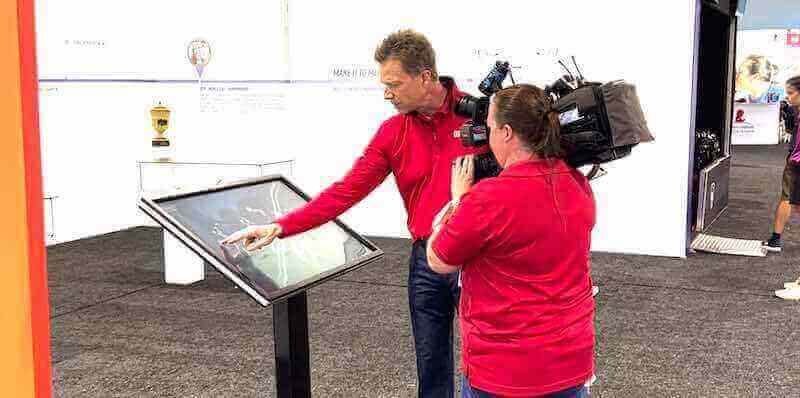
Interactive touchscreen systems create engaging experiences for museums, exhibitions, and [visitor information displays](https://digitalyearbook.org/blog/hilton-lobby-visitor-kiosk-guide/)
Laser Projection
- Solid-state laser light sources replacing traditional lamps
- 20,000+ hour light source lifespan
- Consistent brightness throughout operational life
- Higher initial cost with lower total cost of ownership
- Instant on/off without warm-up periods
Ultra-Short Throw (UST) Projection
- Projectors positioned inches from screen surface
- Eliminates shadow interference from viewers
- Suitable for interactive applications
- Enables projection in constrained spaces
- Larger screen sizes in smaller rooms
Projection System Advantages for Digital Signage
Projection offers unique benefits for specific digital signage applications:
Enormous Screen Sizes
- Screen sizes exceeding 200 inches diagonal economically achievable
- Display sizes impossible or prohibitively expensive with direct-view technologies
- Immersive experiences in auditoriums and theaters
- Architectural-scale displays on building surfaces
- Creative projections onto irregular surfaces
Portability and Flexibility
- Temporary installations for events and exhibitions
- Movable displays reconfigured for different events
- Pop-up retail and seasonal installations
- Outdoor movie screenings and community events
- Trade show and conference temporary displays
Lower Cost for Very Large Images
- Dramatic cost advantage over direct-view displays above 150 inches
- Single projector replaces expensive video wall configurations
- Reduces installation complexity and expense
- Economical solution for large-format requirements
Architectural Integration
- Projection onto existing architectural surfaces
- Transforms spaces without permanent display installation
- Historical buildings where mounting displays prohibited
- Creative mapping onto three-dimensional surfaces
- Temporary holiday and seasonal decorations
Projection System Limitations and Challenges
Projection faces inherent limitations affecting digital signage suitability:
Ambient Light Sensitivity
- Image quality degrades dramatically in bright environments
- Requires controlled lighting for optimal viewing
- Inappropriate for locations with windows or high ambient light
- Screen technology improvements help but cannot overcome physics
- Best suited to dark or dimly lit spaces
Maintenance Requirements
- Lamp-based projectors require periodic bulb replacement (1,000-5,000 hours)
- Filter cleaning necessary for consistent performance
- Image alignment and calibration requirements
- Professional maintenance recommended for optimal performance
- Laser projectors reduce but don’t eliminate maintenance
Physical Space Requirements
- Throw distance requirements may exceed available space
- Screen or projection surface installation necessary
- Ultra-short throw models mitigate but don’t eliminate space needs
- Mounting and alignment precision critical for image quality
Resolution and Image Quality Constraints
- Highest-resolution projectors still trail direct-view displays
- Contrast ratios inferior to OLED and high-end LCD displays
- Image uniformity challenges across large projection surfaces
- Color accuracy and consistency requires calibration
Optimal Applications for Projection-Based Digital Signage
Projection systems excel in specific digital signage scenarios:
Auditoriums and Theaters
- School auditoriums and performance spaces
- Corporate presentation theaters and training rooms
- Houses of worship sanctuary displays
- Community theater and performing arts venues
- Movie theaters and screening rooms
Museums and Exhibitions
- Temporary exhibition displays
- Interactive projection exhibits
- Architectural projection mapping installations
- Visitor education and storytelling experiences
- Historical site interpretive displays
Special Events and Experiential Marketing
- Trade show booth displays and attractions
- Pop-up retail experiences and product launches
- Outdoor movie screenings and community events
- Corporate event staging and presentations
- Seasonal holiday projection displays
Large Format on Tight Budgets
- Organizations requiring 150"+ displays economically
- Spaces where video wall cost proves prohibitive
- Applications tolerating controlled lighting requirements
- Temporary or seasonal display needs
Educational institutions implementing recognition displays should generally favor direct-view displays over projection for permanent installations, reserving projection for auditorium presentations and special events where enormous screen size justifies ambient light limitations.
E-Paper and Bistable Displays: Energy Efficiency for Static Content
Electronic paper (e-paper) represents specialized display technology optimized for applications emphasizing energy efficiency and sunlight readability over dynamic content capabilities.
E-Paper Technology Architecture
E-paper displays use electrophoretic technology fundamentally different from emissive displays:
Electrophoretic Display Operation
- Microscopic capsules containing charged black and white particles
- Electric field moves particles to display surface or bottom
- Image remains visible without continuous power
- Display only consumes power when changing content
- Reflective technology using ambient light rather than backlight
This bistable characteristic—maintaining images without power—enables extraordinary energy efficiency for applications displaying primarily static content with infrequent updates.
E-Paper Variations
Several e-paper technologies offer different performance characteristics:
Black and White E-Paper
- Original e-paper technology with monochrome display
- Highest contrast and readability
- Lowest cost and best sunlight readability
- Appropriate for text-heavy information displays
Color E-Paper
- Limited color gamut compared to LCD/LED/OLED
- Slower refresh rates than monochrome versions
- Improving but still constrained color performance
- Best for applications requiring color without video capability
Fast-Refresh E-Paper
- Improved refresh rates approaching LCD performance
- Enables limited video and animation capability
- Higher cost than standard e-paper
- Bridges gap between static and dynamic displays
E-Paper Display Advantages for Digital Signage
E-paper technology delivers unique benefits for specific applications:
Exceptional Energy Efficiency
- Zero power consumption maintaining static images
- Power required only for content changes
- Battery-powered operation feasible for remote locations
- Dramatic reduction in operational energy costs
- Sustainability advantages for environmentally conscious organizations
Superior Sunlight Readability
- Reflective technology becomes more visible in bright light
- Inverse relationship to backlit displays (brighter = more readable)
- Outdoor applications without requiring high brightness
- Window-facing displays without brightness competition
- Bus stops, parking signs, and outdoor information displays
Ultra-Low Total Cost of Ownership
- Minimal energy costs throughout operational life
- Reduced cooling requirements (no heat generation)
- Long operational lifespan without brightness degradation
- Battery-powered installations eliminating wiring costs
Wide Viewing Angles
- Paper-like appearance from all viewing angles
- No color shifting or brightness reduction off-axis
- Consistent readability regardless of viewer position
E-Paper Display Limitations and Challenges
E-paper’s specialized nature creates significant application constraints:
Extremely Limited Refresh Rates
- Slow content changes (seconds for full-screen refresh)
- Absolutely no video or animation capability
- Brief flash during content updates
- Inappropriate for any dynamic content application
Limited Color Performance
- Restricted color gamut compared to emissive displays
- Lower color saturation and vibrancy
- Color accuracy insufficient for brand-critical applications
- Best suited to information display rather than marketing
Smaller Display Sizes
- Largest commonly available: 32-inch diagonal
- Limited availability in larger formats
- Significantly more expensive at larger sizes
- Not suitable for large-format requirements
Niche Application Focus
- Highly specialized use cases
- Inappropriate for general-purpose digital signage
- Requires content strategy matching technology limitations
Optimal Applications for E-Paper Digital Signage
E-paper excels in specific scenarios prioritizing energy efficiency and static content:
Transportation Information Displays
- Bus stop route and schedule information
- Transit station platform displays
- Airport gate information (supplementing primary displays)
- Parking availability and wayfinding signs
- Railway timetable displays
Retail Price and Shelf Labels
- Electronic shelf labels (ESL) in grocery and retail
- Price displays updated daily or less frequently
- Product information labels
- Inventory and warehouse labeling systems
Corporate Room Scheduling
- Conference room availability displays outside meeting spaces
- Classroom schedule displays at educational institutions
- Hot desk booking information
- Building directory displays
Remote Location Signage
- Nature trails and parks information
- Historical markers and interpretive signs
- Solar or battery-powered remote displays
- Locations without electrical infrastructure
Menu Boards with Static Content
- Simplified menu displays updated weekly or monthly
- Cafeteria daily specials boards
- Information displays in low-traffic areas
E-paper represents highly specialized digital signage technology appropriate for specific use cases rather than general-purpose deployment. Organizations should carefully evaluate whether application requirements align with e-paper’s unique strengths before specification.
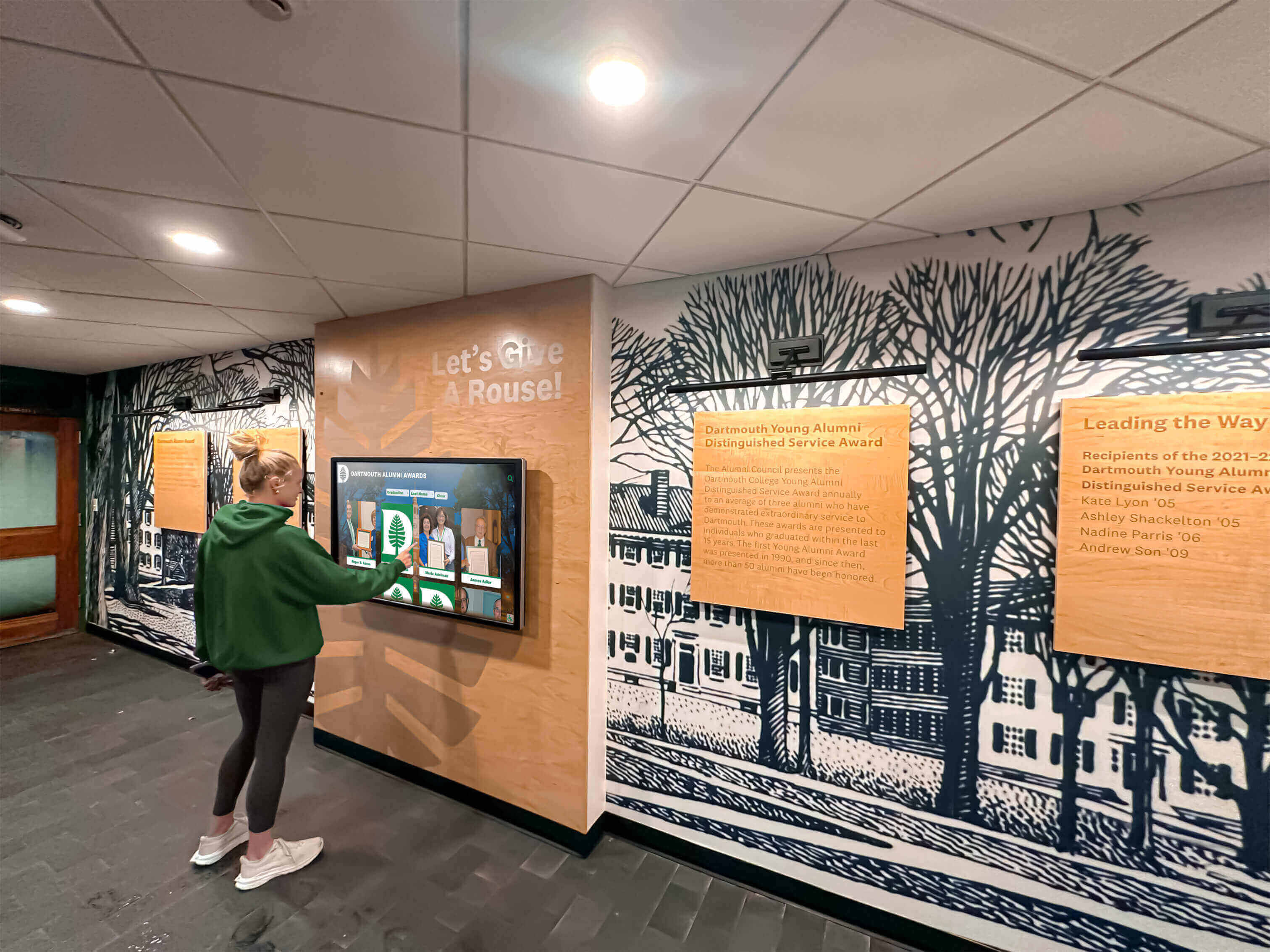
Universities deploy touchscreen systems for [alumni recognition and engagement](https://touchwall.tv/blog/alumni-where-are-they-now-spotlight-guide/) throughout campus
Emerging Display Technologies Shaping Digital Signage’s Future
Innovation continues advancing digital signage display technology, with several emerging technologies showing promise for future mainstream adoption.
MicroLED Technology
MicroLED represents next-generation display technology combining LED and OLED advantages while eliminating their primary disadvantages:
MicroLED Architecture and Benefits
- Microscopic LEDs functioning as individual pixels
- Self-emissive like OLED without organic compound degradation
- Brightness exceeding LED with OLED contrast ratios
- No burn-in risk plaguing OLED technology
- Modular scalability like traditional LED
- Ultra-long lifespan exceeding all current technologies
Current MicroLED Limitations
- Extremely high manufacturing cost limiting availability
- Limited commercial availability outside premium applications
- Enormous displays or small wearables; mid-size gap exists
- Manufacturing yields improving but constraining volume production
MicroLED technology promises to eventually replace both OLED and direct-view LED in premium applications, but mainstream digital signage deployment remains years away as manufacturing costs decrease and production volumes increase.
Transparent LED Displays
Transparent LED screens emerged as standout technology, particularly transforming retail applications:
Transparent LED Characteristics
- 70-90% transparency when displaying black content
- Window installations maintaining natural light transmission
- Attention-grabbing visual effect impossible with opaque displays
- Outdoor visibility without blocking building views
- Creative architectural integration opportunities
Transparent LED Applications
- Retail storefront windows combining product display with digital content
- Building facades maintaining architectural aesthetics
- Trade show booth displays creating open, inviting spaces
- Museum exhibit cases with integrated digital information
- Corporate lobbies making bold statements without visual barriers
Transparent LED Considerations
- Lower brightness than standard LED displays
- Visible LED structure and wiring at close range
- Higher cost than standard LED alternatives
- Content strategy must account for transparency
- Background environment visible through display
Transparent LED technology rapidly transitioning from novelty to practical solution for applications where maintaining sightlines and natural light while displaying digital content creates unique value.
Flexible and Foldable Displays
Flexible OLED and emerging flexible LED technologies enable displays conforming to curved surfaces and unique form factors:
Flexible Display Capabilities
- Curved displays following architectural features
- Column wraps and cylindrical displays
- Foldable displays for transportation and mobile applications
- Creative installations impossible with rigid displays
Current Deployment Considerations
- Higher cost than rigid display alternatives
- Durability concerns with repeated flexing
- Limited size availability in flexible formats
- Specialized installation requirements
Flexible display technology currently serves niche creative installations but broadening availability positions it for expanded digital signage applications as costs decrease and durability improves.
High Brightness LCD Innovations
Ongoing LCD technology development continues improving brightness capabilities, challenging LED dominance in high-ambient applications:
Recent LCD Brightness Advances
- Commercial LCD displays reaching 2,500-3,500 nits
- Window-facing applications previously requiring LED
- Mini-LED backlighting improving contrast and brightness
- Lower cost than direct-view LED alternatives
High-brightness LCD technology increasingly viable for applications traditionally requiring LED, offering cost advantages while meeting brightness requirements for many challenging environments.
Touchscreen Technology Integration with Digital Signage Displays
Interactive digital signage combining displays with touch input creates engaging user experiences, but touchscreen technology selection significantly impacts user experience quality and long-term reliability.
Touchscreen Technology Types
Multiple touchscreen technologies integrate with digital signage displays, each offering distinct characteristics:
Capacitive Touchscreens
- Glass surface with transparent conductive coating
- Detects touch through electrical field disturbance
- Smooth glass surface with excellent optical clarity
- Multi-touch gestures (pinch, zoom, rotate) supported
- Consumer tablet and smartphone technology
- Most responsive and accurate touch technology
- Requires conductive object (finger, special stylus)
- Premium option for interactive digital signage
Infrared (IR) Touchscreens
- Invisible infrared light grid across display surface
- Touch detected by breaking IR beam interruption
- Works with any object (finger, gloved hand, stylus, pointer)
- Excellent optical clarity (no overlay blocking light)
- Durable with no coating to wear or damage
- Common in large-format interactive displays
- Lower cost than capacitive for large sizes
- Ideal for public-facing high-traffic installations
Resistive Touchscreens
- Pressure-sensitive flexible overlay
- Works with any touch object including gloved hands
- Lower cost than capacitive or infrared
- Reduced optical clarity and image quality
- Less responsive than alternative technologies
- Declining use in commercial digital signage
- Legacy technology largely replaced by capacitive and IR
Optical Touchscreens
- Cameras detect touch position by viewing shadow or reflection
- Mounting outside display glass (no overlay affecting image)
- Multi-touch capability with high accuracy
- Suitable for large displays and video walls
- Higher cost limiting broad adoption
Touchscreen Integration Considerations
Successfully implementing interactive digital signage requires addressing several technical considerations:
Touch Accuracy and Responsiveness
- Touch registration accuracy within 2-3mm expected
- Response time under 100 milliseconds for fluid interaction
- Multi-touch support for intuitive gesture navigation
- Palm rejection preventing unintended input
Durability and Maintenance
- Scratch-resistant surface withstanding public use
- Easy cleaning without affecting touch performance
- Vandal-resistant design for unsupervised installations
- Minimal calibration drift over operational lifespan
Software and Content Optimization
- Touch-optimized content with appropriate button sizes
- Responsive feedback confirming touch registration
- Intuitive navigation requiring no instruction
- Accessibility considerations for diverse users
Environmental Protection
- Moisture resistance for humid environments
- Temperature tolerance for outdoor installations (with protection)
- Dust and debris management in high-traffic areas
Solutions like Rocket Alumni Solutions specialize in interactive touchscreen digital signage for educational institutions, creating engaging digital walls of honor and recognition displays that invite exploration and celebrate achievements far beyond what static plaques and trophy cases can accomplish. These systems combine commercial-grade capacitive or infrared touchscreens with purpose-built content management platforms designed specifically for recognition applications.
Selecting the Right Display Technology: Decision Framework
With numerous display technologies available, systematic evaluation ensures appropriate technology selection matching application requirements.
Critical Selection Factors
Successful display technology selection requires evaluating multiple interrelated factors:
Viewing Environment Analysis
Ambient light conditions fundamentally determine suitable display technologies:
Indoor Controlled Lighting
- 300-500 nits sufficient
- LCD, OLED, projection all viable
- Technology selection based on other factors
- Widest technology option range

Interactive [touchscreen displays](https://touchscreenwebsite.com/blog/touchscreen-technology-history-complete-guide/) transform traditional recognition into engaging digital experiences
Indoor High Ambient Light
- 700-1,500 nits recommended
- High-brightness LCD or fine-pitch LED
- OLED insufficient brightness
- Projection generally inadequate
Window-Facing / Storefront
- 2,500-5,000 nits minimum
- High-brightness LCD or LED only options
- OLED and standard LCD inappropriate
- Transparent LED creates unique opportunities
Outdoor / Direct Sunlight
- 5,000-10,000+ nits required
- Direct-view LED only viable technology
- Weather resistance critical
- No alternative technologies meet requirements
Viewing Distance Considerations
Optimal viewing distance determines appropriate resolution and technology:
- Under 3 feet: LCD with high resolution, capacitive touch for interaction
- 3-10 feet: LCD or fine-pitch LED (1.2-2.5mm)
- 10-30 feet: Standard-pitch LED (2.5-6mm) or LCD video wall
- 30+ feet: Large-pitch outdoor LED (6-20mm+)
- 100+ feet: Large-format outdoor LED billboards
Content Characteristics
Content types displayed influence technology selection:
Static or Slow-Changing Content
- E-paper viable for ultimate efficiency
- LCD, LED, OLED all suitable
- Burn-in risk minimal with content rotation
- Any technology appropriate
Dynamic Video and Animation
- LCD, LED, or OLED required
- E-paper completely inappropriate
- Projection suitable for large formats
- OLED offers best motion clarity
Static Elements + Dynamic Content
- LCD safe choice avoiding burn-in
- LED suitable with appropriate content management
- OLED risky without burn-in mitigation
- Careful content design required
High-Speed Motion Content
- OLED or DLP projection optimal
- LCD adequate for most applications
- LED suitable depending on refresh rate
- Critical for sports and action content
Budget and Total Cost of Ownership Analysis
Display technology decisions should evaluate total cost over expected operational life rather than focusing exclusively on initial capital investment:
Initial Capital Investment Comparison (Per Square Foot)
Approximate pricing for commercial-grade displays:
- E-Paper: $800-$1,500/sq ft (limited sizes)
- Standard LCD: $200-$400/sq ft
- High-Brightness LCD: $400-$800/sq ft
- OLED: $800-$1,500/sq ft
- Fine-Pitch Indoor LED: $1,000-$3,000/sq ft
- Standard Indoor LED: $400-$800/sq ft
- Outdoor LED: $300-$600/sq ft
- Projection: $50-$200/sq ft (screen + projector)
These estimates vary significantly based on size, specifications, quantity, and installation complexity.
Operating Cost Considerations
Ongoing expenses substantially impact total cost of ownership:
Power Consumption
- LCD: Moderate power consumption (backlight always on)
- LED: Variable based on content brightness (dark content = lower power)
- OLED: Variable based on content (more efficient with dark content)
- E-Paper: Negligible power consumption
- Projection: Moderate to high depending on brightness
Maintenance and Replacement
- LCD lifespan: 50,000-100,000 hours (5-10 years continuous operation)
- LED lifespan: 100,000+ hours (10+ years continuous operation)
- OLED lifespan: 30,000-100,000 hours with burn-in risk
- E-Paper lifespan: 50,000+ hours minimal degradation
- Projection lamp replacement: 1,000-5,000 hours (laser: 20,000+ hours)
Total Cost of Ownership Example
Consider a 10-year indoor digital signage deployment:
LCD Scenario
- Initial cost: $8,000 (65" commercial display)
- Power (continuous): $800/year × 10 years = $8,000
- Maintenance/replacement (year 7): $8,000
- Total 10-year cost: $24,000
LED Scenario
- Initial cost: $15,000 (comparable viewing size)
- Power (average content): $600/year × 10 years = $6,000
- Maintenance: Minimal ($500)
- Total 10-year cost: $21,500
While LED displays command higher initial investment, superior lifespan and lower maintenance can deliver competitive total cost of ownership for long-term deployments in appropriate applications.
Application-Specific Display Selection Guide
Matching display technology to specific use cases simplifies decision-making:
Corporate Lobbies and Reception Areas
- Primary recommendation: High-brightness LCD (window considerations) or standard LCD (controlled lighting)
- Premium alternative: OLED for luxury brand positioning
- Interactive option: Capacitive touchscreen LCD for directories and information
Retail Storefronts and Windows
- Primary recommendation: High-brightness LCD (2,500-3,500 nits) or standard LED
- Premium alternative: Transparent LED for unique visual impact
- Budget option: High-brightness LCD with brightness scheduling
Outdoor Advertising and Billboards
- Only recommendation: Outdoor-rated LED displays
- No alternatives: Weather protection and brightness requirements eliminate other options
Quick Service Restaurant Menu Boards
- Primary recommendation: High-brightness LCD for visibility
- Alternative: Fine-pitch LED for premium installations
- Budget: Standard commercial LCD in controlled lighting
Educational Institution Recognition Displays
- Primary recommendation: Commercial LCD with infrared touchscreen
- Content: Interactive digital halls of fame and achievement showcases
- Provider example: Rocket Alumni Solutions specializing in this exact application
Transportation Hubs and Airports
- Primary recommendation: Commercial LCD for information displays
- Large format: LED video walls for arrivals/departures
- Wayfinding: Network of strategically placed LCD displays
Museums and Galleries
- Primary recommendation: OLED for image quality (controlled lighting)
- Interactive: LCD with capacitive touch for exhibit information
- Temporary: Projection for special exhibitions
Healthcare Waiting Rooms
- Primary recommendation: Standard commercial LCD
- Content: Patient education, wayfinding, entertainment
- Size: 42-55 inches appropriate for typical spaces
Houses of Worship
- Primary recommendation: LED video walls for large sanctuaries
- Alternative: Projection for budget-conscious large format
- Smaller spaces: Large-format LCD displays

Touchscreen [recognition systems](https://touchwall.tv/blog/touchscreen-software-complete-guide/) enable intuitive exploration of student and alumni achievements
Display Installation and Environmental Considerations
Proper installation and environmental management ensure optimal display performance and longevity regardless of technology selected.
Mounting and Physical Installation
Display mounting significantly impacts visual presentation, maintenance access, and long-term reliability:
Mounting Options and Considerations
Wall Mounting
- Fixed wall mounts for permanent positioning
- Tilting mounts for optimal viewing angle adjustment
- Articulating mounts for flexible positioning
- Recessed mounting for flush architectural integration
- VESA mounting patterns standardizing bracket compatibility
Freestanding Solutions
- Floor stands and kiosks for flexible positioning
- Mobile carts for temporary installations
- Architectural columns and custom enclosures
- ADA-compliant height considerations
- Stability and tip-over prevention in public spaces
Ceiling Mounting
- Suspended displays in high-ceiling environments
- Dual-sided displays for maximum visibility
- Back-to-back configurations in large spaces
- Structural support requirements
- Service access considerations
Video Wall Configuration
- Narrow-bezel displays minimizing visual interruption
- Video wall mounting systems ensuring precise alignment
- Front or rear service access planning
- Cooling and ventilation for multiple displays
- Unified content spanning multiple displays
Environmental Control and Protection
Display environment significantly affects performance and operational lifespan:
Temperature Management
- Operating range: Typically 32-104°F (0-40°C) for commercial displays
- Ventilation requirements prevent heat accumulation
- HVAC considerations for enclosed installations
- Direct sunlight avoidance prevents overheating
- Thermal sensors triggering protective shutdowns
Humidity Control
- Operating humidity: Typically 20-80% relative humidity
- Condensation prevention critical in temperature-varying environments
- Outdoor installations require weather-sealed enclosures
- Climate-controlled environments optimal for longevity
Outdoor Installation Protection
- IP65 or IP66 rating for weather resistance
- Temperature-controlled enclosures for extreme climates
- Vandal-resistant protective glazing
- Direct sunlight and rain protection
- Lightning and power surge protection
Dust and Particulate Management
- Filter maintenance in dusty environments
- Sealed enclosures for industrial locations
- Regular cleaning schedules maintaining optical clarity
- Environmental assessment before deployment
Power and Connectivity Infrastructure
Reliable power and data connectivity form the foundation of successful digital signage deployment:
Electrical Requirements
- Dedicated circuits preventing interference
- Surge protection for sensitive electronics
- Power consumption calculations for electrical planning
- Battery backup for critical applications
- Remote power management capabilities
Network Connectivity
- Wired Ethernet preferred for reliability (hardwired connection)
- WiFi adequate for mobile or temporary installations
- Cellular connectivity for remote locations
- Content delivery network considerations
- Bandwidth requirements based on content type and update frequency
Content Management Integration
- Digital signage player mounting and cooling
- HDMI/DisplayPort cable quality and length limitations
- Wireless presentation system integration
- Content scheduling and remote management
- Analytics and monitoring integration
Educational institutions implementing interactive recognition displays should partner with experienced integrators ensuring proper installation, environmental management, and infrastructure planning for long-term successful operation.
Digital Signage Display Maintenance and Lifecycle Management
Proactive maintenance and lifecycle planning maximize display investment returns and minimize unexpected downtime.
Preventive Maintenance Schedules
Regular maintenance prevents issues and extends operational lifespan:
Cleaning and Physical Maintenance
Display Surface Cleaning
- Frequency: Weekly for touchscreens, monthly for non-touch displays
- Microfiber cloths with display-safe cleaning solutions
- Avoid ammonia-based cleaners damaging coatings
- Touchscreen-specific cleaning for fingerprint removal
- Power-off during cleaning preventing damage
Ventilation and Cooling System Maintenance
- Frequency: Quarterly for enclosed installations
- Filter cleaning or replacement ensuring airflow
- Vent obstruction removal preventing overheating
- Fan operation verification
- Temperature monitoring confirming proper cooling
Connection Inspection
- Frequency: Semi-annually
- Cable connection security verification
- Connector corrosion inspection
- Cable management organization maintaining proper routing
- Wireless connection signal strength verification
Performance Monitoring and Testing
Visual Quality Assessment
- Color accuracy and uniformity verification
- Brightness consistency checking
- Dead pixel identification and documentation
- Touch accuracy testing (interactive displays)
- Calibration verification and adjustment if needed
System Health Monitoring
- Operating temperature tracking
- Playback performance verification
- Content scheduling accuracy confirmation
- Network connectivity stability testing
- Remote monitoring system alert review
Common Issues and Troubleshooting
Understanding common digital signage display issues enables rapid resolution:
Image Quality Issues
Brightness Degradation
- Gradual brightness loss indicates backlight aging (LCD)
- Individual LED failure creates dark spots (LED displays)
- Calibration adjustment extends useful life
- Eventual replacement necessary when brightness inadequate
Color Inconsistency
- Aging components affect color accuracy
- Calibration corrects most color drift
- Temperature variations cause temporary color shifts
- Professional calibration recommended annually
Image Retention or Burn-In
- OLED particularly susceptible to permanent damage
- LCD typically shows temporary image persistence
- Pixel shifting and screen savers provide prevention
- Content design avoiding static elements critical
Physical and Mechanical Issues
Touchscreen Response Problems
- Calibration drift causes accuracy issues
- Cleaning removes contaminants affecting response
- Hardware failure requires professional repair
- Software updates may resolve systematic issues
Mounting and Physical Stability
- Bracket loosening requires periodic tightening
- Wall anchor integrity verification
- Vibration sources investigation and mitigation
- Seismic considerations in appropriate regions
Display Technology Lifecycle and Replacement Planning
Strategic lifecycle management prevents unexpected failures and optimizes budget allocation:
Technology Refresh Cycles
Different display technologies exhibit different optimal replacement timelines:
LCD Display Lifecycle
- Useful life: 5-10 years continuous operation (50,000-100,000 hours)
- Performance degradation: Gradual brightness reduction
- Replacement trigger: 50% brightness loss or acceptable image quality decline
- Planning timeline: Budget for replacement year 7-8
LED Display Lifecycle
- Useful life: 10-15 years continuous operation (100,000+ hours)
- Performance degradation: Individual LED failures, gradual brightness loss
- Replacement trigger: Excessive LED failures or complete obsolescence
- Planning timeline: Individual module replacement extends life; full replacement year 12-15
OLED Display Lifecycle
- Useful life: 3-10 years depending on content (30,000-100,000 hours)
- Performance degradation: Burn-in risk, brightness reduction
- Replacement trigger: Burn-in appearance or unacceptable brightness
- Planning timeline: Higher replacement risk; budget flexibility year 5-7
Projection System Lifecycle
- Lamp-based life: Lamp replacement every 2,000-5,000 hours
- Laser-based life: 20,000+ hours before significant brightness loss
- Projector replacement: 7-10 years typical
- Planning timeline: Regular lamp replacement or laser projector investment
Technology Obsolescence Considerations
Beyond physical lifespan, technology advancement creates obsolescence factors:
- Content format evolution (4K, 8K, HDR standards)
- Connectivity obsolescence (input/output standards evolving)
- Software compatibility (older displays unsupported by current CMS platforms)
- Replacement parts availability declining for discontinued models
- Energy efficiency improvements justify earlier replacement
Organizations should balance functional lifespan against technological advancement, considering replacement before absolute failure when newer technology delivers substantial advantages.
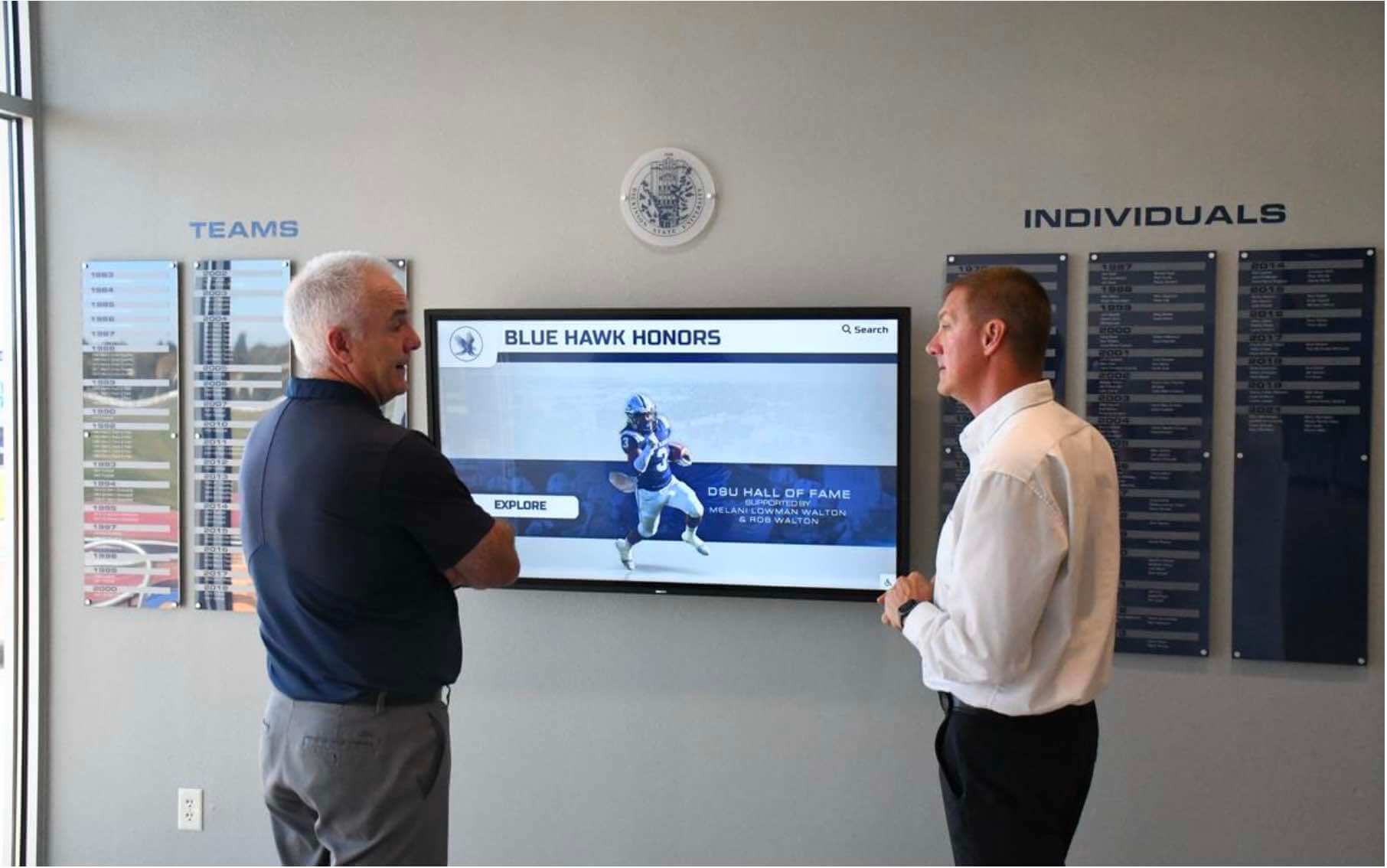
Universities create prominent digital recognition displaying [alumni and student achievements](https://halloffamewall.com/blog/distinguished-alumni-network-database-high-schools/) in high-traffic locations
Real-World Applications: Digital Signage Screens in Action
Examining specific implementation scenarios demonstrates how appropriate display technology selection supports organizational objectives.
Educational Institution Digital Recognition
Schools, colleges, and universities increasingly deploy digital signage for student and alumni recognition:
Application Requirements
- Indoor controlled lighting environments
- Interactive touchscreen capability for exploration
- Portrait or landscape orientation flexibility
- Integration with existing school branding
- Content management accessible to non-technical staff
- Long-term reliability for permanent installation
Optimal Display Technology
- Primary choice: Commercial-grade LCD displays (43-75 inches)
- Touch technology: Capacitive or infrared touchscreen overlay
- Brightness: 350-500 nits adequate for typical installations
- Resolution: 1080p minimum, 4K preferred for larger displays
- Lifespan: 50,000+ hours commercial rating
Implementation Example
A high school implementing a digital Wall of Honor to replace traditional plaques might deploy:
- 55-inch commercial LCD display with capacitive touchscreen
- Portrait orientation in main hallway near trophy cases
- Content showcasing student achievements, athletic records, and alumni successes
- Interactive navigation enabling search by name, year, sport, or achievement type
- Regular content updates throughout the year celebrating new accomplishments
Solutions like Rocket Alumni Solutions specialize in exactly this application, combining appropriate display hardware with purpose-built recognition software designed specifically for educational institutions. These systems transform how schools celebrate achievement, providing unlimited recognition capacity impossible with physical plaques while creating engaging experiences that inspire current students and honor past excellence.
Learn more about implementing comprehensive digital trophy displays that showcase athletic achievements alongside academic honors and extracurricular accomplishments.
Retail Storefront Window Displays
Retailers face unique challenges displaying digital content in storefront windows competing with direct sunlight:
Application Requirements
- Extremely high ambient light (direct sunlight)
- Minimum 2,500-5,000 nits brightness
- Attractive attention from passersby
- 24/7 operation attracting evening traffic
- Durable performance in temperature-varying window environments
Optimal Display Technology
- Primary choice: High-brightness commercial LCD (2,500-3,500 nits) or standard LED
- Premium alternative: Transparent LED maintaining visibility into store
- Size: 55-86 inches for standard windows; larger with LED
- Brightness: 2,500+ nits minimum; 5,000+ nits for southern exposure
Implementation Example
A fashion retailer in a sunny climate might deploy:
- Transparent LED display covering storefront window
- 70% transparency maintaining store interior visibility
- Dynamic fashion content, product highlights, and promotional messages
- Daylight visibility attracting passersby attention
- Evening operation creating illuminated visual impact
Corporate Headquarters Lobby Experience
Corporate lobbies utilize digital signage for brand presentation, visitor experience, and employee engagement:
Application Requirements
- Premium aesthetic matching corporate brand positioning
- Large-format impact in high-ceiling environments
- Content mixing branding, welcomes, announcements, and recognition
- Professional appearance reflecting organizational sophistication
- Reliable 24/7 operation with minimal maintenance
Optimal Display Technology
- Standard option: Commercial LCD video wall (narrow bezel) or large-format single display
- Premium option: Fine-pitch LED video wall or OLED for luxury positioning
- Size: 2×2 or 3×3 video wall (LCD) or seamless LED wall
- Resolution: 4K total resolution minimum
Implementation Example
A Fortune 500 company headquarters might deploy:
- 3×3 video wall using 55-inch narrow-bezel LCD displays
- Content zones displaying brand imagery, welcome messages, company news, and employee recognition
- Professional installation with concealed cabling and media player
- Content management enabling multiple department contributions
- Integration with corporate communications strategy
Quick Service Restaurant Menu Boards
Restaurant digital menu boards require specific display characteristics for fast-paced food service environments:
Application Requirements
- High brightness competing with store lighting and windows
- Excellent color accuracy for food photography
- Reliable performance in temperature-varying environments
- Easy menu content updates for promotions and seasonal items
- Portrait or landscape orientation matching space
Optimal Display Technology
- Primary choice: High-brightness commercial LCD
- Brightness: 700-1,500 nits for typical quick service restaurants
- Size: 43-55 inches typical for menu boards
- Orientation: Portrait orientation common for vertical menu layouts
- Quantity: Multiple displays showing full menu and promotions
Implementation Example
A national quick service restaurant chain might deploy:
- Three 49-inch high-brightness LCD displays behind counter
- Portrait orientation displaying menu categories, items, pricing, and promotional content
- 1,000 nit brightness ensuring visibility in brightly-lit restaurants
- Centralized content management enabling menu updates across locations
- Integration with pricing databases ensuring accuracy
Healthcare Facility Wayfinding and Education
Healthcare environments utilize digital signage for wayfinding, patient education, and visitor information:
Application Requirements
- Indoor controlled lighting in most locations
- Reliability critical for patient navigation
- Content clarity for diverse audiences including elderly visitors
- Consistent operation during critical healthcare operations
- Infection control considerations (touchscreen cleaning)
Optimal Display Technology
- Primary choice: Standard commercial LCD displays
- Brightness: 350-500 nits adequate for typical installations
- Size: 43-55 inches for wayfinding; 32-43 inches for waiting rooms
- Interactive: Touchscreen wayfinding with antimicrobial coatings
- Network: Centralized management across facility
Implementation Example
A regional medical center might deploy:
- Interactive wayfinding kiosks at main entrances and elevator lobbies
- Waiting room displays showing patient education content and wait time information
- Corridor displays providing departmental wayfinding
- Cafeteria menu boards displaying daily specials and nutritional information
- Centralized content management enabling consistent messaging
Conclusion: Matching Display Technology to Digital Signage Objectives
Successful digital signage deployment begins with selecting display technology precisely matching your application requirements, environmental conditions, and organizational objectives. While the expanding array of available screen technologies—LCD, LED, OLED, projection, e-paper, and emerging innovations—can initially overwhelm decision-makers, systematic evaluation using the frameworks explored throughout this guide ensures optimal technology selection supporting long-term success.
The digital signage display landscape in 2025 offers unprecedented capability across every application category, from budget-conscious LCD deployments delivering reliable performance in controlled environments to premium OLED installations creating luxury brand positioning, from weather-resistant outdoor LED billboards to innovative transparent displays transforming retail storefronts. Understanding the fundamental characteristics, advantages, limitations, and optimal applications for each display technology empowers organizations to invest confidently in displays that will deliver years of effective service.
Transform Your Recognition Program with Purpose-Built Digital Displays
Rocket Alumni Solutions specializes in interactive touchscreen recognition systems designed specifically for schools, universities, and organizations seeking to honor achievements with engaging digital experiences. Our commercial-grade displays combine optimal screen technology with intuitive software creating lasting recognition impact.
Schedule Your ConsultationFor educational institutions, corporate organizations, and facilities implementing recognition displays, digital walls of fame and interactive achievement showcases require careful display technology selection balancing image quality, durability, interactivity, and budget. Commercial-grade LCD displays with capacitive or infrared touchscreen technology typically deliver optimal balance for these applications, providing excellent image quality, reliable long-term operation, responsive touch interaction, and accessible pricing enabling comprehensive recognition programs.
For outdoor advertising, LED display technology remains the exclusive viable option, with brightness and weather resistance capabilities impossible to achieve with alternative technologies. For luxury retail and brand positioning, OLED delivers unmatched image quality justifying premium pricing when viewing environments support its brightness limitations. For energy-conscious applications displaying primarily static content, e-paper technology offers unique advantages unavailable from competing technologies.
Looking forward, emerging technologies including microLED, transparent LED, and high-brightness LCD innovations continue expanding digital signage possibilities, promising future deployments combining advantages from multiple current technologies while minimizing their limitations. Organizations planning digital signage investments should consider not only current technology capabilities but also upgrade pathways ensuring their infrastructure accommodates future technology evolution.
Whether you’re implementing your first digital signage display or expanding existing networks, the comprehensive guidance throughout this article provides the knowledge foundation for confident decision-making. Begin by carefully analyzing your specific application requirements—viewing environment, content characteristics, budget parameters, and organizational objectives—then systematically evaluate which display technologies align with those requirements using the selection frameworks and application examples provided.
For specialized recognition applications in educational settings, explore how purpose-built solutions from providers like Rocket Alumni Solutions deliver turnkey systems combining optimal display technology with specialized software designed specifically for celebrating student, alumni, and organizational achievements. These comprehensive solutions eliminate the complexity of technology selection, content management, and ongoing maintenance, enabling organizations to focus on recognition rather than technology management.
Ready to explore digital signage displays for your organization? Connect with experienced integrators who can assess your specific requirements and recommend appropriate display technology ensuring your digital signage investment delivers optimal performance, longevity, and return on investment for years to come.
Discover more about implementing effective digital recognition in educational contexts through comprehensive guides on school history software and digital donor walls that celebrate contributions and achievements across your institution.































