Large school districts and institutions planning comprehensive digital recognition networks face a pricing reality that catches many by surprise: competitors often charge per-screen licensing fees that multiply initial budget estimates by three, four, or five times once you reveal plans for multiple displays across different locations.
You might budget for a single implementation thinking that price covers your needs, only to discover during contract negotiations that the gym display costs one license, the lobby screen requires a separate license, and the cafeteria installation demands yet another fee. What seemed like a $20,000 project suddenly becomes $60,000 or more before hardware costs. These hidden per-screen licensing structures punish exactly the organizations who benefit most from comprehensive digital recognition programs: large institutions with multiple buildings, campuses, or facility types requiring tailored content in different locations.
Rocket Alumni Solutions operates differently. One subscription powers unlimited touchscreen displays throughout your entire organization without per-screen fees, location-based charges, or hidden costs that emerge after initial conversations. Whether you operate two displays or twenty-two, your licensing cost remains identical, enabling strategic deployment decisions based on impact and engagement rather than artificial budget constraints imposed by licensing architecture.
The Hidden Cost Problem in Multi-Screen Digital Signage
Most digital signage platforms structure pricing around display quantity, charging per screen, per location, or tiered pricing that escalates as you add installations. This approach makes perfect sense for software vendors seeking recurring revenue maximization, but creates frustrating limitations for institutions building comprehensive recognition programs.
How Per-Screen Licensing Multiplies Costs
Consider a typical high school planning digital recognition displays:
Initial Vision: Display student achievements, athletic records, and alumni recognition
Desired Locations:
- Main lobby: Welcome visitors with featured achievements and school history
- Gymnasium: Athletic hall of fame and team championships
- Cafeteria: Student of the month, honor roll, and club recognitions
- Library: Academic achievements, scholarship recipients, National Merit Scholars
- Fine arts wing: Theater productions, music achievements, art showcase
With competitors charging per-screen licensing, this five-display network transforms from a single implementation into five separate licensing agreements. If each license costs $3,000 annually, you face $15,000 in recurring software costs before considering hardware, installation, or content development.

Location-Based Pricing Creates Artificial Constraints
Some vendors structure pricing by building or campus location rather than individual screens. While appearing more generous than per-display fees, location-based models still penalize comprehensive deployments:
Scenario: A school district with five campuses wants consistent recognition across all facilities
- Elementary School A: One display
- Elementary School B: One display
- Middle School: Two displays (lobby + gymnasium)
- High School: Three displays (lobby + gym + cafeteria)
- District Office: One display
Even if the vendor charges “per location” instead of per screen, you still pay five separate license fees despite managing identical content through a unified administrative interface. The pricing model discourages the exact deployment pattern that maximizes student recognition, community engagement, and district-wide culture.
Content Differentiation Requirements Drive Display Quantity
Organizations planning multi-screen networks specifically because different locations require different content emphasis:
Gym Display Focus: Athletic championships, team rosters, season schedules, record holders, college signees
Lobby Display Focus: Broad recognition including academics, arts, athletics, community service, leadership, school history
Cafeteria Display Focus: Student of the month, honor roll, club activities, upcoming events, lunch menus
Fine Arts Display Focus: Theater cast lists, concert performances, art exhibitions, music achievements
Per-screen licensing penalizes exactly this content differentiation that makes multiple displays valuable. You pay incrementally more for the privilege of serving specialized content to appropriate audiences in relevant contexts.
Common Misconceptions About Rocket’s Base Pricing
When organizations first learn about Rocket Alumni Solutions, a common assumption emerges that proves incorrect: “The base pricing covers a single screen, and we’ll pay more for additional displays.” This misunderstanding stems from industry conditioning where per-screen pricing dominates so thoroughly that buyers assume all vendors operate identically.
Rocket’s actual model differs fundamentally from this assumption.
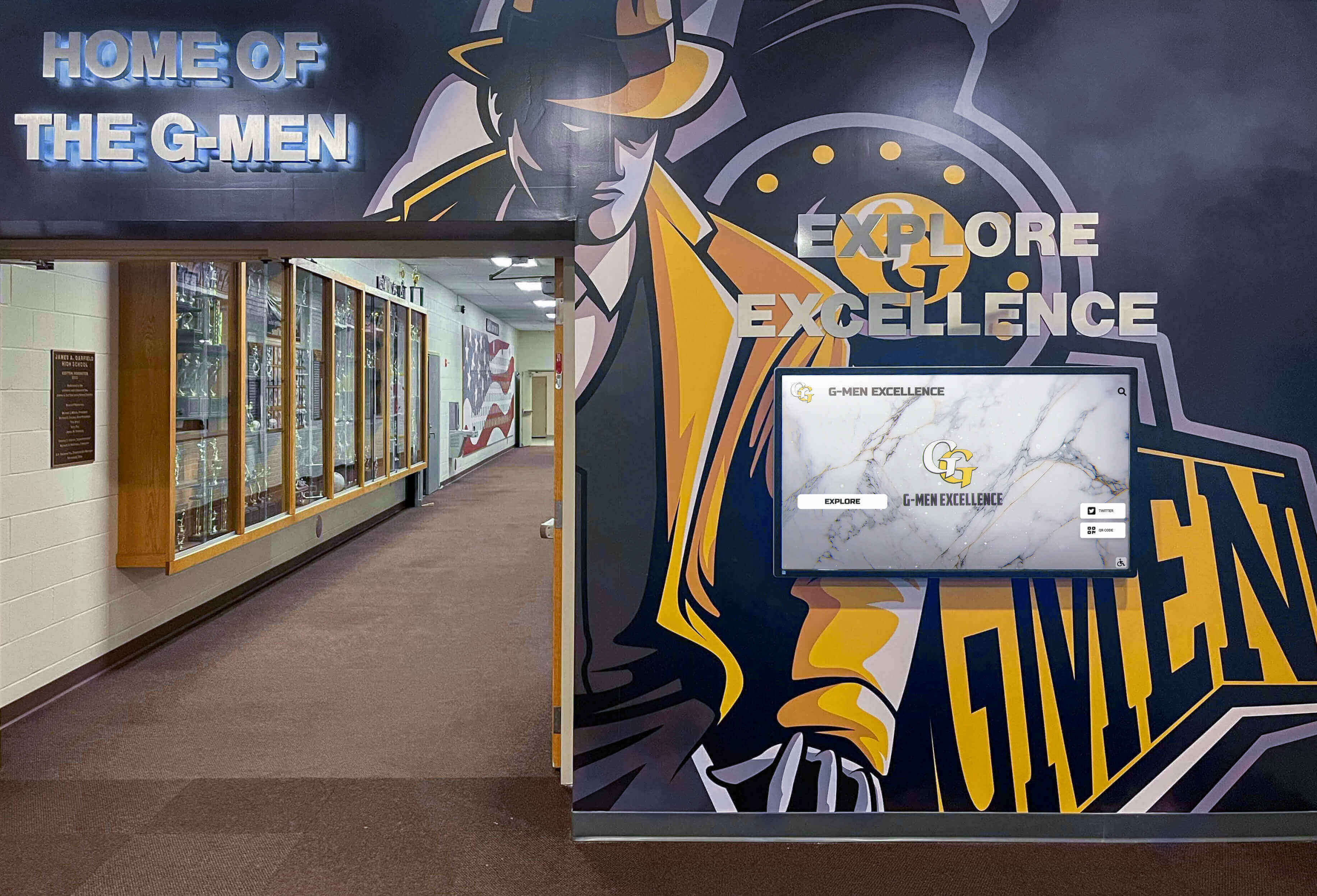
What Rocket’s Subscription Actually Covers
A single Rocket Alumni Solutions subscription provides:
Unlimited Display Licenses: Connect as many touchscreen displays as your implementation requires without per-screen fees
Unified Content Management: Single administrative interface managing content across all displays simultaneously
Location-Specific Customization: Configure each display to show different content, layouts, categories, or featured sections while maintaining centralized administration
Multi-Building Support: Displays across different buildings, campuses, or geographic locations connect to the same content platform
Simultaneous Updates: Publish content once and determine which displays show what, when, and how without managing separate systems
Consistent Branding: Maintain institutional visual identity across all installations while enabling location-appropriate content emphasis
Scalable Growth: Add displays over time as budget allows without renegotiating licenses or upgrading subscription tiers
This architecture eliminates the artificial choice between comprehensive deployment and budget constraints. Organizations make deployment decisions based on strategic value and engagement impact rather than software licensing limitations.
Why This Pricing Model Makes Strategic Sense
Rocket structures pricing this way because it aligns vendor success with customer success rather than creating adversarial relationships where every additional display becomes a negotiation:
Administrative Efficiency: Managing five displays through one interface requires identical server resources, support infrastructure, and platform capacity as managing fifty displays. Per-screen pricing doesn’t reflect actual cost structures.
Content Reusability: Organizations creating recognition content benefit from displaying that content in multiple locations where different audiences encounter it. Charging per screen punishes content leverage and reduces overall platform value.
Deployment Flexibility: Institutions should determine display quantity based on facility layout, audience patterns, and engagement goals—not software licensing constraints creating artificial trade-offs.
Long-Term Relationships: Customers who successfully deploy comprehensive recognition programs become enthusiastic references, renew subscriptions year after year, and expand implementations as organizational needs evolve. Per-screen pricing creates resentment rather than partnership.
Predictable Budgeting: Organizations appreciate knowing exactly what software costs regardless of how deployment strategy evolves. Eliminating per-screen fees removes pricing uncertainty throughout implementation planning.
This approach serves institutional customers better while building sustainable, mutually beneficial vendor relationships based on value delivery rather than licensing complexity.
Who Benefits Most from Unlimited Screen Pricing
While any organization deploying multiple touchscreen displays benefits from per-screen licensing elimination, certain institution types and deployment scenarios gain particularly significant advantages from Rocket’s unlimited screen model.
Large School Districts with Multiple Campuses
Districts operating elementary schools, middle schools, high schools, and administrative facilities across geographic areas face extraordinary licensing costs under traditional per-screen models:
Typical District Scenario:
- 3 elementary schools × 1 display each = 3 licenses
- 2 middle schools × 2 displays each = 4 licenses
- 1 high school × 4 displays (lobby, gym, cafeteria, library) = 4 licenses
- 1 district office × 1 display = 1 license
Total displays: 12 screens across 7 locations
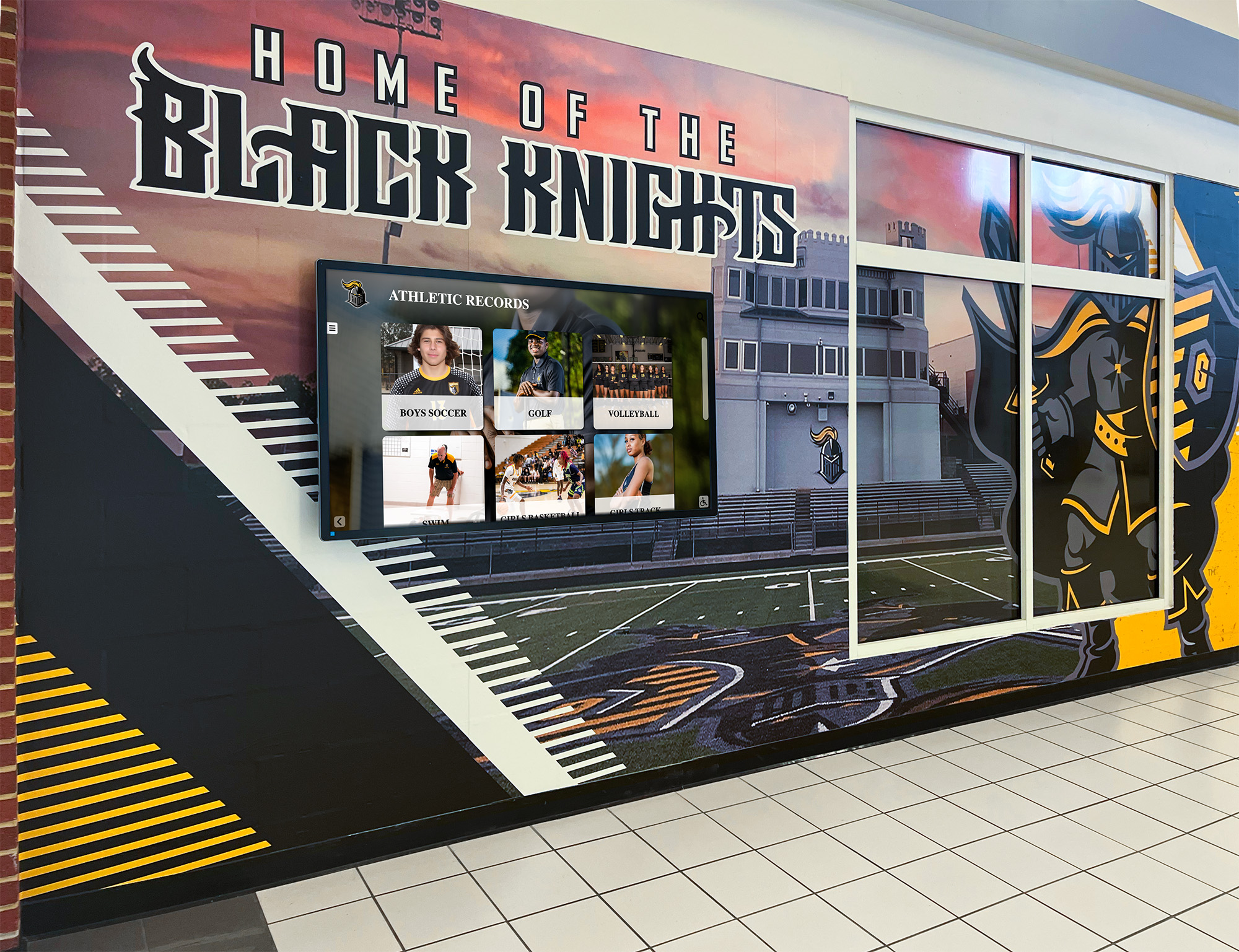
With competitors charging $2,000-$4,000 per screen annually, districts face $24,000-$48,000 in recurring software costs before hardware. Rocket’s single subscription serves this entire deployment at a fraction of traditional licensing expense, enabling comprehensive district-wide recognition programs previously considered financially impossible.
Universities with Distributed Recognition Needs
Universities operate multiple colleges, athletic facilities, alumni centers, student unions, and academic buildings requiring location-specific recognition displays serving distinct audiences:
University Deployment Example:
- Athletic complex: Hall of fame, championship displays, recruiting kiosk
- Student union: Student government, campus organization recognition, event listings
- Alumni center: Distinguished alumni, donor recognition, historical archives
- College of Engineering: Faculty awards, research achievements, industry partnerships
- College of Arts: Gallery displays, performance recognition, student exhibitions
- Main library: Academic honors, scholarship recipients, research publications
Traditional per-screen licensing makes comprehensive university recognition prohibitively expensive, forcing incomplete deployments that leave significant recognition opportunities unrealized. Rocket enables universities to deploy recognition strategically wherever it delivers value without artificial budget constraints.
Multi-Facility Organizations and Nonprofits
Organizations operating multiple facilities benefit enormously from unlimited screen architecture:
Healthcare Systems: Senior living communities with multiple campuses recognizing residents, families, and staff
Athletic Clubs: Facilities with multiple locations showcasing member achievements and program highlights
Corporate Offices: Companies with regional offices maintaining consistent recognition culture across locations
Religious Organizations: Multi-campus churches recognizing volunteers, donors, and community service
Youth Organizations: Scouting councils, Boys & Girls Clubs, or youth sports leagues with multiple facilities
These organizations particularly appreciate predictable software costs enabling strategic deployment decisions without renegotiating licenses as recognition programs expand.
Real-World Multi-Screen Deployment Scenarios
Understanding how organizations actually deploy multiple touchscreen displays reveals why per-screen licensing creates such problematic constraints. These scenarios represent common implementation patterns where Rocket’s unlimited screen model delivers exceptional value.
Scenario 1: Comprehensive High School Recognition Network
Institution: 1,200-student suburban high school
Deployment Strategy: Build complete recognition culture throughout campus
Display Locations and Focus:
Main Lobby Display (Portrait 55"): First impression for visitors, prospective families, and community members
- Featured student of the month profiles
- Recent school news and achievements
- Athletic, academic, and arts highlights rotating
- Historical school milestones and traditions
- Quick access to full hall of fame database
Athletic Wing Display (Landscape 75"): Celebrate competitive excellence
- Athletic hall of fame with searchable athlete profiles
- Team championships by sport and season
- School records and record progression history
- College signing day announcements
- Current season schedules and results
Cafeteria Display (Landscape 55"): Daily engagement during lunch periods
- Current honor roll by grade level
- Student organization highlights and meeting times
- Upcoming school events and spirit week schedules
- Club achievement recognition
- Volunteer hour leaders and community service
Library Display (Portrait 43"): Academic achievement focus
- National Merit Scholars and semifinalists
- Scholarship recipients and award details
- AP Scholar recognition by distinction level
- Academic competition winners (debate, math, science)
- College acceptance map and destinations

Fine Arts Hallway Display (Portrait 50"): Celebrate creative excellence
- Theater production archives with cast photos
- Music competition achievements and all-state musicians
- Art exhibition showcases and student artist features
- Dance team and drill team accomplishments
- Creative writing and journalism awards
Traditional Cost Impact: 5 displays × $3,000/screen = $15,000 annual software licensing
Rocket Cost: Single subscription covering all displays
Value Delivered: Comprehensive recognition reaching students in context-appropriate locations throughout school day without artificial deployment constraints
Scenario 2: Small Private School with Limited Budget
Institution: 300-student K-12 independent school
Challenge: Desire comprehensive recognition but constrained budget for multiple licenses
Traditional Approach Limitation: Choose between single display serving all purposes or abandoning multi-location deployment due to per-screen costs
Rocket-Enabled Strategy: Deploy multiple displays strategically despite budget constraints
Lower School Display: Elementary student recognition, character awards, attendance
Upper School Display: Middle and high school academics, athletics, service hours
Commons Area Display: All-school events, performing arts, community recognition
Budget Reality: Three-display deployment feasible under Rocket’s unlimited model but cost-prohibitive with per-screen licensing that would consume entire technology budget
Impact: School maintains recognition culture throughout campus rather than compromising with insufficient single-display implementation
Scenario 3: University Athletic Department Network
Institution: Division II university athletic program
Recognition Goals: Recruit prospective athletes, celebrate current teams, honor alumni, engage community supporters
Deployment Locations:
Athletic Complex Lobby: First impression for recruits and visitors
- Championship history across all sports
- Current season highlights and upcoming games
- Facility tour information and program overview
- Notable alumni athlete achievements
Weight Room / Training Facility: Motivate current athletes
- School records by sport with progression history
- Strength and conditioning achievement boards
- Academic All-American recognition
- Professional and Olympic alumni athletes
Arena Concourse: Engage game-day crowds
- Today’s competing teams with season records
- Historical rivalry information and series records
- Donor recognition for athletic facility improvements
- Booster club information and membership drives
Academic Support Center: Emphasize student-athlete academic success
- Dean’s list student-athletes by semester
- Graduation rate achievements and academic honors
- Career success stories of former student-athletes
- Academic resources and support services
Recruiting Office: Showcase program to prospective student-athletes
- Curated highlight reels by sport
- Academic program information and campus life
- Alumni testimonials and success stories
- Competitive achievements and conference standings
Traditional Licensing Barrier: 5 displays × $3,500/screen = $17,500 annually, often exceeding athletic department technology budgets
Rocket Advantage: Strategic deployment throughout athletic facilities without per-screen multiplication creating budget obstacles
Technical Implementation: How Multi-Screen Management Works
Organizations considering multi-screen deployments naturally question how content management, display coordination, and technical administration function when operating numerous displays across different locations. Rocket’s platform architecture addresses these operational concerns through centralized administration and flexible content routing.
Centralized Content Administration
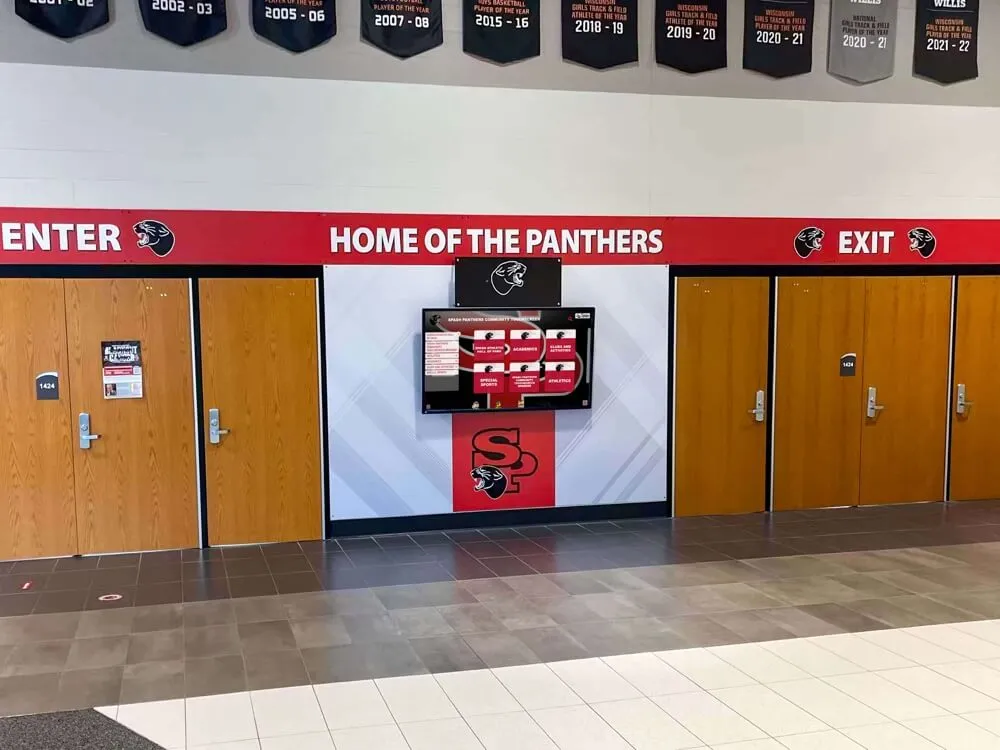
Administrators manage all displays through a single cloud-based interface eliminating the complexity of juggling separate systems, logins, or content databases:
Single Content Library: Create profiles, upload media, write narratives, and organize recognition content once—then determine which displays show what content through simple configuration settings
Display-Specific Configuration: Assign each screen a name, location, and purpose, then configure what categories, featured content, and layout variations that display presents to visitors
Publish Once, Display Everywhere: Content published to your recognition database becomes instantly available to all connected displays based on configuration rules you establish
Granular Content Control: Show certain content categories on some displays while hiding them on others—athletic achievements prominent in the gym but secondary in the library, academic honors featured in academic buildings but balanced with athletics elsewhere
Scheduled Content Variations: Configure displays to emphasize different content during different times, seasons, or events without requiring manual updates
Bulk Operations: Update multiple displays simultaneously when making system-wide changes while retaining ability to customize individual screen configurations when needed
This architecture enables both centralized efficiency (manage content once) and distributed flexibility (customize display behavior per location) without administrative complexity that typically accompanies multi-screen networks.
Network Architecture and Display Connectivity
Each display location connects to Rocket’s cloud platform through standard network infrastructure:
Internet Connectivity: Displays require internet access via Ethernet or WiFi to communicate with cloud platform, receive content updates, and report analytics
Local Media Player: Small computing device (included or BYOD depending on implementation) runs display software and connects to touchscreen hardware
Cloud Content Delivery: Content, media assets, and configuration updates download from cloud servers to local displays, enabling remote administration from anywhere
Offline Functionality: Displays cache content locally, continuing to function during temporary network interruptions without blank screens or error messages
Automatic Updates: Software improvements, security patches, and feature additions deploy automatically without requiring IT intervention at each display location
Remote Monitoring: Administrative dashboards show online/offline status for each display, enabling rapid issue identification without physically visiting locations
Organizations operating displays across multiple buildings, campuses, or even geographic regions manage the entire network from centralized administrative interfaces regardless of physical distribution.
Display Customization and Content Routing
The most powerful aspect of Rocket’s multi-screen architecture comes from flexible content routing enabling location-appropriate recognition while maintaining centralized content management:
Category Visibility Controls: Your gym display shows athletic categories prominently while your library display emphasizes academic categories—same content database, different presentation priorities
Featured Content Selection: Configure each display’s homepage to feature location-appropriate spotlights: today’s game schedule in the gym, current honor roll in the cafeteria, scholarship recipients in the library
Search Scope Customization: All displays search the same comprehensive database, but you can configure which categories appear most prominently in each location’s interface
Branding Variations: Maintain consistent institutional identity while enabling location-specific branding elements: athletic department logo in the gym, library branding in academic spaces
Layout Templates: Apply different visual layouts to different displays based on screen orientation, size, or location context without recreating content
Language Options: Configure displays to default to different languages based on audience demographics in specific locations
This flexibility means organizations gain multi-display deployment advantages without accepting rigid “one-size-fits-all” limitations where every screen shows identical content regardless of location appropriateness.
Comparing Pricing Models: Rocket vs. Competitors
Understanding how Rocket’s unlimited screen model compares to traditional per-screen licensing in real budget terms clarifies the financial advantages for multi-display deployments.
Traditional Per-Screen Licensing Cost Analysis
Most digital signage platforms structure pricing around display quantity:
Basic Per-Screen Model:
- Software license: $2,000-$4,000 per screen annually
- Cloud hosting: Often bundled but sometimes separate
- Support: Included with license or additional fee
- Updates: Typically included in annual licensing
Tiered Volume Discounting:
- Displays 1-5: $3,500 each = $17,500
- Displays 6-10: $3,000 each = $15,000
- Displays 11-20: $2,500 each = $25,000
- Total for 20 displays: $57,500 annually
Location-Based Pricing:
- Per building/campus: $5,000-$10,000 annually per location
- Multi-campus organization with 5 locations: $25,000-$50,000 annually
Rocket Alumni Solutions Pricing Structure
Rocket’s model eliminates per-screen multiplication:
Single Subscription Covers:
- Unlimited connected displays across all locations
- Comprehensive cloud content management
- All software updates and feature additions
- Technical support for administrators and displays
- Analytics across entire display network
- Media storage for photos and videos
Scaling Economics: Whether you operate 2 displays or 22 displays, software licensing cost remains consistent, enabling deployment decisions based on strategic value rather than licensing limitations
Predictable Budgeting: Initial subscription cost covers software regardless of how many displays you eventually connect, eliminating pricing uncertainty as deployment evolves
Five-Year Cost Comparison Example
Organization: School district planning 15 touchscreen displays across multiple campuses
Scenario A - Traditional Per-Screen Licensing:
- Year 1: 5 displays × $3,500 = $17,500
- Year 2: Add 5 displays × $3,500 = $17,500 (+ $17,500 renewal) = $35,000
- Year 3: Add 5 displays × $3,500 = $17,500 (+ $35,000 renewal) = $52,500
- Year 4: Renewal for 15 displays = $52,500
- Year 5: Renewal for 15 displays = $52,500
- Five-year software cost: $210,000
Scenario B - Rocket Unlimited Screen Model:
- Year 1: Initial subscription = [varies by implementation]
- Year 2: Add displays (no additional licensing cost)
- Year 3: Add displays (no additional licensing cost)
- Year 4: Annual renewal
- Year 5: Annual renewal
- Five-year software cost: Dramatically lower with no per-screen multiplication
The cumulative savings over multi-year deployments become substantial, enabling organizations to invest savings in better hardware, professional installation, comprehensive content development, or additional displays serving more locations and audiences.
Content Strategy Advantages of Multi-Screen Networks
Beyond cost savings, unlimited screen architecture enables sophisticated content strategies impossible under per-screen licensing constraints that discourage comprehensive deployment.
Location-Appropriate Content Emphasis
Different spaces serve different audiences with different interests:
Athletic Facilities: Visitors include prospective recruits, current athletes, parents, alumni, community supporters, and opposing teams. These audiences care primarily about competitive excellence, championships, records, and athletic culture. Displays in gyms, field houses, and training facilities should emphasize athletic achievements while maintaining access to broader recognition.
Academic Buildings: Faculty, students, prospective families, and academic visitors prioritize academic excellence, research achievements, scholarship awards, and intellectual culture. Library displays, academic building lobbies, and college-specific installations should feature academic recognition prominently.
Common Spaces: Main lobbies, cafeterias, and student centers serve diverse audiences requiring balanced recognition across all achievement types. These displays should present welcoming, comprehensive recognition representing the full spectrum of student excellence.
Administrative Spaces: District offices, advancement centers, and administrative buildings serve external stakeholders including donors, community partners, board members, and media. Recognition should emphasize institutional impact, distinguished alumni, and community partnerships.
Multi-screen networks enable appropriate content emphasis in each location rather than compromising with single displays attempting to serve all audiences equally in all contexts.
Temporal Content Variation by Display
Different locations experience different traffic patterns suggesting different content scheduling strategies:
Cafeteria Displays: High traffic during lunch periods suggests:
- Student-focused recognition during school day
- Today’s game schedules during lunch rush
- Club meeting reminders during peak visibility
- Event countdowns when students are present
Lobby Displays: Consistent visitor traffic throughout day suggests:
- Featured recognition rotating throughout day
- Prospective family-oriented content during tour hours
- Community-focused content during evening events
- Historical content during low-interaction periods
Athletic Facility Displays: Traffic concentrated around practices and competitions suggests:
- Today’s competing teams during game days
- Practice schedules during after-school hours
- Recruiting content during official visit periods
- Championship highlights during community use times
Organizations can configure each display’s content scheduling independently based on location-specific traffic patterns and audience characteristics without requiring separate content databases or administrative interfaces.

Experimental Deployment and Iteration
Unlimited screen pricing encourages experimentation and continuous improvement:
Try New Locations: Add displays in experimental locations to test engagement without committing to permanent per-screen licensing costs that create hesitation
Seasonal Installations: Deploy temporary displays during specific seasons, events, or campaigns without paying for licensing year-round
Relocate Underperforming Displays: Move displays from low-engagement locations to higher-traffic areas without license renegotiation
Pilot Programs: Test interactive touchscreen recognition in one building before district-wide rollout, learning lessons and refining strategy before full deployment
Phased Expansion: Start with high-priority locations, demonstrate value and engagement, then expand strategically as budget permits without renegotiating licenses
Organizations appreciate flexibility to evolve deployment strategy based on actual engagement data and organizational learning rather than being locked into initial deployment decisions because license renegotiation proves prohibitively expensive.
Implementation Planning for Multi-Screen Deployments
Organizations implementing comprehensive touchscreen recognition networks benefit from structured planning addressing technical, content, and strategic considerations that determine long-term success.
Display Location Selection Strategy
Not all locations deliver equal engagement value. Prioritize based on:
Audience Traffic Volume: High-traffic locations like main lobbies, cafeterias, and gymnasium entrances maximize visibility and interaction opportunities
Dwell Time: Locations where audiences wait (lobbies during dismissal, cafeterias during lunch, athletic facility seating) enable extended engagement versus quick pass-through corridors
Target Audience Alignment: Match display location to recognition content relevance—athletic recognition in sports facilities, academic honors near classrooms and libraries, donor recognition in advancement spaces
Infrastructure Availability: Locations with existing power, network connectivity, and appropriate mounting surfaces simplify installation and reduce infrastructure investment
Line-of-Sight Positioning: Displays positioned at natural sight lines, decision points, and gathering spaces attract attention more effectively than awkwardly positioned installations
ADA Accessibility: Locations enabling wheelchair users, visitors with mobility challenges, and diverse audiences to access displays comfortably and independently
Physical Security: Secure locations reducing vandalism risk, unauthorized access, and environmental hazards like moisture, extreme temperatures, or direct sunlight
Organizations should map planned deployment locations, evaluate each against these criteria, then prioritize implementation accordingly rather than deploying uniformly across all possible locations.
Content Development and Migration Planning
Multi-screen networks require substantial content to populate effectively:
Initial Content Volume: Estimate how many profiles, achievements, and stories you need for meaningful launch experiences—generally 50-200 profiles provides sufficient depth for engaging exploration without overwhelming creation capacity
Content Source Identification: Determine where recognition information currently exists—yearbooks, trophy cases, databases, alumni records, athletic records, archives—and plan digitization approaches
Photography and Media: Assess existing photo archives and plan photography for content lacking quality images. Historical content often requires scanning, restoration, or recreation.
Narrative Development: Identify who will write profile narratives, achievement descriptions, and historical context. Good storytelling distinguishes compelling recognition from mere data display.
Categorization Schema: Define how you’ll organize content enabling effective searching, filtering, and discovery. Categories should match how your audience thinks about recognition rather than how administrators organize files.
Approval Workflows: Establish review processes ensuring accuracy, appropriateness, and quality before publication, particularly when content includes minors, sensitive information, or official records
Ongoing Maintenance Plan: Determine who maintains content after launch, how often updates occur, and what triggers new content addition—annual inductions, semester honor rolls, season championships, etc.
Organizations underestimating content development complexity often launch impressive displays with insufficient content, disappointing early visitors and undermining long-term engagement. Plan content creation as thoroughly as hardware installation.
Network Infrastructure and Technical Requirements
Multiple displays create technical considerations requiring IT coordination:
Network Capacity: Verify network bandwidth supports content delivery to all displays simultaneously during updates without degrading other network services
Wireless vs. Wired: Determine whether displays connect via Ethernet (more reliable, faster) or WiFi (easier installation, more flexible) based on infrastructure availability and location constraints
Power Availability: Confirm electrical capacity at each display location or plan circuits installations to support display power requirements
Display Mounting: Plan professional mounting approaches ensuring secure installation, appropriate height for interaction, and aesthetic integration with surrounding space
Local Computing: Determine whether media player computing devices will be provided by vendor or sourced separately, ensuring specifications meet software requirements
Remote Access: Configure network security enabling remote display management while maintaining institutional security policies and preventing unauthorized access
Monitoring and Alerts: Implement systems notifying IT staff of display offline status, connectivity issues, or technical problems requiring intervention
Backup and Redundancy: Plan for display failures, network outages, or hardware issues that inevitably occur in multi-display networks over extended timeframes
Coordinate technical planning with institutional IT departments early in implementation process, ensuring deployment aligns with network policies, security requirements, and support capabilities.
Addressing Common Objections and Concerns
Organizations evaluating unlimited screen models sometimes express concerns based on experience with other software platforms or assumptions about how such pricing must work. These common questions deserve direct answers.
“If It’s Too Good to Be True, What’s the Catch?”
No catch exists—Rocket structures pricing this way intentionally:
Server Costs Don’t Scale Linearly: Adding displays to existing infrastructure requires minimal additional server capacity. Charge reflects actual cost structure rather than arbitrary per-screen multiplication.
Customer Success Alignment: Organizations deploying comprehensively become enthusiastic long-term customers. Per-screen pricing creates adversarial relationships where adding value (more displays) increases customer cost, misaligning success.
Market Differentiation: Unlimited screen model differentiates Rocket from competitors in ways that resonate with institutional buyers, creating competitive advantage worth more than incremental per-screen revenue.
Reduced Sales Complexity: Simple, transparent pricing accelerates sales cycles, reduces negotiation overhead, and builds trust faster than complex licensing structures requiring lengthy explanation and justification.
The “catch” is simply that this model serves institutional customers better while building sustainable vendor relationships based on value rather than licensing complexity.

“How Can Rocket Afford This When Competitors Charge Per Screen?”
Business model differences enable different pricing structures:
Focused Product: Rocket specializes in interactive recognition displays rather than attempting to serve all possible digital signage applications. Specialization enables efficiency that generalist competitors can’t match.
Cloud Infrastructure: Modern cloud platforms scale efficiently, handling multiple displays per customer without proportional cost increases that older server architectures experienced.
Long-Term Customer Value: Multi-year subscription renewals from satisfied customers provide predictable revenue exceeding short-term gains from per-screen licensing that creates customer resentment and churn.
Reduced Support Burden: Intuitive administrative interfaces reduce support requirements that increase with display quantity on complex platforms requiring technical expertise for routine operations.
Content Reusability: Rocket’s architecture leverages single content databases across multiple displays efficiently, whereas platforms treating each display independently create administrative complexity scaling poorly.
Rocket optimizes for long-term customer success rather than short-term revenue maximization through licensing complexity, creating sustainable advantages benefiting both vendor and customers.
“What If We Only Need Two Displays? Are We Subsidizing Larger Deployments?”
Rocket’s pricing reflects value delivered rather than pure cost-plus margins:
Professional Platform: Even small deployments benefit from sophisticated software, cloud infrastructure, technical support, ongoing updates, and comprehensive features that development costs justify regardless of display quantity.
Growth Flexibility: Organizations starting small often expand over time as recognition programs mature, organizational support builds, and additional locations become apparent. Unlimited screens eliminate barriers to natural growth.
Feature Richness: Price reflects interactive capabilities, administrative usability, multimedia support, analytics, and professional presentation quality exceeding basic digital signage regardless of display count.
Support and Partnership: Ongoing technical support, implementation assistance, content strategy consultation, and vendor partnership costs similar amounts whether serving two displays or twenty.
Organizations deploying few displays receive full-featured professional platforms with growth flexibility at price points reflecting platform sophistication rather than penalizing customers requiring fewer displays initially.
“Can We Really Add Displays Without Any Additional Costs?”
Hardware obviously requires investment, but software licensing doesn’t:
What Adding Displays Requires:
- Display hardware (touchscreen monitor)
- Media player computing device (if not included)
- Professional installation and mounting
- Network connectivity to location
- Initial display configuration
What Adding Displays Doesn’t Require:
- Additional software licensing fees
- Subscription tier upgrades
- Contract renegotiation
- Platform migrations
- Separate administrative logins
The distinction clarifies that physical infrastructure necessitates investment, but software architecture eliminates artificial licensing constraints creating budget obstacles to strategic deployment.
Rocket Alumni Solutions: Built for Comprehensive Recognition
Rocket’s unlimited screen model doesn’t exist in isolation—it reflects broader platform philosophy prioritizing customer success, deployment flexibility, and long-term institutional relationships over short-term revenue maximization through licensing complexity.
Purpose-Built for Educational and Institutional Recognition
Rocket specializes in interactive recognition displays rather than attempting to serve all possible digital signage applications:
Recognition-Specific Features:
- Profile-based database architecture organizing people, achievements, teams, and events
- Powerful search and filtering enabling discovery of specific individuals or categories
- Timeline-based exploration showing historical progression and era-specific achievements
- Multimedia storytelling through photos, videos, narratives, and statistics
- Relationship mapping connecting team members, class years, and related profiles
- Social sharing capabilities extending recognition beyond physical displays
Educational Institution Focus:
- K-12 appropriate content management and privacy controls
- University-scale capacity handling decades of alumni across multiple colleges
- Athletic department features for teams, seasons, records, and championships
- Academic recognition structures for honor rolls, scholarships, awards, and achievements
- Administrative interfaces designed for school staff rather than technical specialists
This specialization enables Rocket to deliver superior recognition experiences compared to generalist digital signage platforms adapted awkwardly for recognition applications they weren’t designed to serve.
Scalability from Single Display to Campus-Wide Networks
Organizations start small and grow strategically:
Phase 1 - Proof of Concept: Single high-visibility display demonstrates value, generates enthusiasm, and validates recognition approach
Phase 2 - Strategic Expansion: Add displays in high-impact locations based on Phase 1 lessons and engagement data
Phase 3 - Comprehensive Deployment: Build campus-wide recognition network serving all major audiences and facility types
Phase 4 - Multi-Campus Growth: Expand successful single-campus programs to additional district buildings, regional locations, or organizational facilities
Phase 5 - Advanced Features: Integrate mobile access, alumni directory functionality, advancement tools, and sophisticated analytics as programs mature
Unlimited screen architecture supports this natural growth progression without creating licensing obstacles at each phase forcing expensive contract renegotiations or platform migrations.
Administrative Efficiency at Scale
Managing comprehensive multi-display networks requires administrative approaches scaling efficiently as deployment grows:
Centralized Content Creation: Staff create recognition content once regardless of how many displays ultimately show that content
Distributed Administration: Optional multi-user permissions enable athletic departments managing sports content, academic departments handling honors, and advancement teams controlling donor recognition—all within unified platforms
Template-Based Consistency: Standardized profile templates ensure consistent presentation quality across thousands of profiles without requiring design expertise for each entry
Batch Operations: Upload rosters, import data, apply bulk edits, and publish multiple profiles simultaneously rather than tedious one-by-one operations
Analytics Dashboards: Monitor engagement across entire display network from centralized interface showing patterns, trends, and optimization opportunities
Automated Backups: Cloud infrastructure continuously backs up content preventing data loss from human error, hardware failures, or technical issues
Organizations managing substantial content volumes across multiple displays particularly appreciate administrative efficiency that linear traditional platforms struggle to provide as scale increases.

Making the Business Case for Multi-Screen Recognition Programs
Budget approval for comprehensive digital recognition networks requires demonstrating value justifying investment. These frameworks help organizations make compelling cases to leadership, boards, and stakeholders.
Quantifiable Benefits and Cost Avoidance
Traditional recognition methods create ongoing costs that digital displays eliminate:
Plaque and Trophy Case Costs: Traditional physical recognition costs $200-$500 per plaque, $300-$800 for trophy case displays, and $1,000-$3,000 for custom fabrication. Organizations honoring 50 people annually spend $10,000-$25,000 on physical plaques that require space, maintenance, and eventual replacement.
Space Limitations: Physical trophy cases fill quickly, forcing difficult decisions about what to remove or display less prominently. Digital displays offer unlimited capacity recognizing everyone forever without space constraints.
Update Labor: Changing physical displays requires staff time coordinating fabrication, installation, and physical changes. Digital updates take minutes from any location versus hours or days for physical modifications.
Accessibility Improvements: Interactive displays provide better access for visitors with vision impairments through adjustable text, screen readers, and high contrast compared to fixed physical plaques with small text at varying heights.
Engagement Metrics: Digital displays provide concrete data on usage, popular content, and visitor engagement impossible with physical displays, enabling continuous improvement and value demonstration.
Organizations can calculate specific cost avoidance showing that comprehensive digital recognition investments pay for themselves over 3-5 years through eliminated plaque costs and staff time savings alone, before considering engagement benefits and recognition capacity expansion.
Institutional Culture and Engagement Benefits
Beyond cost metrics, recognition programs deliver qualitative value justifying investment:
School Pride and Culture: Comprehensive recognition throughout campus reinforces institutional identity, celebrates excellence, and creates environments where achievement feels valued and visible.
Recruitment and Retention: Prospective families, students, and faculty notice visible recognition culture during campus visits, forming positive impressions about institutional values and community atmosphere.
Alumni Engagement: Interactive displays recognizing historical achievements strengthen alumni connections, encourage campus visits, and create talking points for reunions and networking.
Donor Recognition: Visible, dignified donor recognition demonstrates appreciation, reinforces philanthropic culture, and encourages continued giving through prominent acknowledgment.
Community Relationships: Displays recognizing community partners, volunteers, and supporters strengthen external relationships by demonstrating that contributions receive meaningful acknowledgment.
Student Motivation: Visible recognition of peer achievements motivates students to pursue similar excellence, creating positive peer influence and aspirational examples.
These benefits prove difficult to quantify precisely but matter profoundly to institutional success, making recognition investments strategic priorities rather than optional technology purchases.
Comparison to Alternative Approaches
Leadership sometimes suggests alternatives to comprehensive digital recognition networks:
Alternative 1 - Maintain Physical Recognition Only:
- Requires ongoing fabrication costs per honoree
- Faces space limitations forcing difficult inclusion decisions
- Provides limited information density and storytelling capacity
- Offers poor accessibility for diverse audiences
- Delivers zero engagement analytics
- Proves increasingly expensive as organization grows
Alternative 2 - Online-Only Recognition:
- Requires visitors actively seeking content rather than encountering organically
- Fails to create physical presence in facilities and common spaces
- Provides limited visibility during campus visits when impressions form
- Misses engagement opportunities with on-campus audiences and events
- Feels less tangible and permanent than physical or hybrid displays
Alternative 3 - Hybrid Minimal Physical + Digital Approach:
- Attempts compromise satisfying no one fully
- Creates confusion about primary recognition method
- Still incurs physical fabrication costs
- Limits digital network to minimal deployment due to per-screen licensing
- Delivers partial benefits of comprehensive approach at majority of cost
Alternative 4 - Comprehensive Multi-Screen Digital Network with Unlimited Licensing:
- Requires substantial upfront investment but eliminates ongoing fabrication
- Provides unlimited recognition capacity growing with institution
- Enables location-appropriate content throughout facilities
- Delivers engagement analytics demonstrating value
- Scales efficiently as recognition programs expand
- Creates modern, engaging experiences matching audience expectations
When presented clearly, comprehensive digital recognition enabled by unlimited screen licensing proves most cost-effective and impactful long-term approach despite higher initial investment.
Getting Started: Implementation Path for Multi-Screen Networks
Organizations ready to implement comprehensive touchscreen recognition networks benefit from structured approaches ensuring successful deployment and long-term sustainability.
Phase 1: Planning and Requirements Definition
Successful implementations start with clear planning:
Stakeholder Identification: Determine who should participate in planning—athletic directors, advancement teams, facilities managers, IT staff, administrative leadership, and communications departments all bring valuable perspectives.
Objective Definition: Establish specific goals beyond “we want digital recognition”—recruit prospective students, engage alumni, recognize donors, celebrate athletics, honor academics, improve school culture, etc.
Location Assessment: Survey potential display locations evaluating traffic, infrastructure, mounting feasibility, and audience alignment. Prioritize locations delivering maximum impact.
Content Inventory: Identify existing recognition content, photography archives, databases, and information sources requiring digitization. Assess content creation capacity and resource needs.
Budget Development: Understand total investment including hardware, installation, software, content development, training, and ongoing maintenance. Secure appropriate approvals and allocations.
Timeline Establishment: Develop realistic implementation timeline accounting for procurement, installation, content development, training, and launch preparation. Avoid artificially compressed schedules creating chaos.
Organizations rushing through planning face avoidable challenges during implementation. Invest appropriate time in strategic planning preventing expensive course corrections mid-deployment.
Phase 2: Vendor Selection and Partnership Establishment
Choosing software partners determines long-term success:
Evaluation Criteria:
- Specialization in recognition applications versus generalist digital signage
- Unlimited screen model versus per-display licensing
- Administrative interface usability for non-technical staff
- Content capacity and database scalability
- Customization flexibility and branding options
- Technical support quality and responsiveness
- Reference customers at similar institutions
- Long-term product roadmap and vendor stability
Rocket Advantages for Recognition-Focused Deployments:
- Purpose-built for educational and institutional recognition
- Unlimited displays per subscription eliminates scaling obstacles
- Intuitive administration requiring zero technical training
- Proven track record across 1,000+ installations
- Comprehensive support throughout implementation and operation
- Ongoing platform development and feature additions
Implementation Partnership: Vendor selection starts relationships that should feel collaborative rather than transactional. Evaluate how vendors respond to questions, accommodate unique requirements, and support customer success.
Phase 3: Hardware Procurement and Installation
Quality hardware ensures reliable operation and positive user experiences:
Display Hardware Selection:
- Commercial-grade touchscreens rated for continuous operation
- Appropriate sizes matching viewing distances and space constraints
- Capacitive touch technology delivering responsive interactions
- Professional mounting ensuring security and accessibility
- Warranty coverage and vendor support for hardware issues
Installation Coordination:
- Professional mounting by experienced installers
- Network connectivity to each location (wired preferred)
- Electrical capacity and circuit installation if needed
- Cable management maintaining clean professional appearance
- Accessibility compliance for mounting heights and reach ranges
Quality Assurance:
- Test each display thoroughly before launch
- Verify network connectivity and remote access
- Confirm touch responsiveness and display quality
- Validate content displays correctly across all screens
- Document configuration for future maintenance reference
Organizations should resist temptation to cut corners on hardware or installation quality. Impressive software undermined by poor displays or unreliable installations disappoints users and wastes recognition investment.

Phase 4: Content Development and Migration
Compelling content determines recognition program success:
Content Creation Strategies:
- Start with highest-priority recognition categories delivering immediate value
- Develop templates ensuring consistent quality across profiles
- Establish workflows for photography, research, writing, and approval
- Set realistic timelines based on available resources rather than wishful thinking
- Consider phased content development launching displays with sufficient content then expanding systematically
Quality Standards:
- Professional photography or high-quality scans for all profiles
- Accurate information verified against official records
- Compelling narratives telling stories beyond basic facts
- Consistent formatting maintaining professional appearance
- Appropriate tone matching institutional culture and audience
Legacy Content Migration:
- Digitize existing trophy cases, plaques, and physical recognition
- Scan historical photographs from archives and yearbooks
- Research biographical details from alumni records and databases
- Preserve historical context explaining significance and impact
Organizations should launch displays with meaningful content volumes—generally 50-200 profiles minimum—providing sufficient depth for engaging exploration rather than launching sparse implementations that disappoint early visitors.
Phase 5: Training, Launch, and Promotion
Technology succeeds only when users embrace it:
Administrator Training:
- Comprehensive instruction on content management interface
- Practice creating profiles, uploading media, and publishing updates
- Understanding display configuration and customization options
- Troubleshooting common issues and accessing support resources
User Introduction:
- Launch events celebrating new recognition programs
- Signage explaining how to use interactive displays
- Demonstrations during open houses, games, and events
- Communications through newsletters, social media, and announcements
Stakeholder Education:
- Present to leadership demonstrating value and engagement metrics
- Share with boards, donors, and community partners
- Celebrate at athletic events, academic ceremonies, and gatherings
- Generate media coverage highlighting institutional innovation
Ongoing Promotion:
- Regular updates encouraging repeat visits discovering new content
- Social media sharing popular profiles and recent additions
- Integration with event programming and institutional activities
- Analytics-driven optimization based on engagement patterns
Recognition programs succeed when audiences know displays exist, understand how to use them, and feel motivated to explore. Don’t assume visibility—actively promote recognition displays as valued institutional assets.
Conclusion: Why Unlimited Screens Matter for Comprehensive Recognition
Digital recognition programs succeed when they reach audiences where they naturally gather rather than forcing visitors to seek displays in single predetermined locations. Athletic recognition belongs in gyms where athletes, parents, and prospective recruits spend time. Academic honors deserve prominence in libraries and classrooms where learning happens. Donor recognition requires visibility in advancement spaces where philanthropic relationships develop.
Artificial licensing constraints forcing organizations to choose between comprehensive deployment and budget feasibility create exactly the wrong incentives. Per-screen fees punish the strategic deployment decisions that maximize recognition value, engagement quality, and institutional impact.
Rocket Alumni Solutions eliminates these constraints through unlimited screen architecture enabling institutions to deploy recognition wherever it serves audiences effectively without multiplication of software licensing costs. Whether you operate two displays or twenty-two, your subscription covers comprehensive deployment based on strategic value rather than artificial licensing limitations.
Large districts planning multi-campus recognition networks, universities deploying location-specific displays throughout sprawling campuses, and growing organizations expanding recognition programs over time all benefit from pricing models aligned with customer success rather than vendor revenue maximization through licensing complexity.
Your recognition program deserves deployment architecture supporting strategic excellence, not software pricing creating obstacles to comprehensive community celebration. When every achievement matters, every audience deserves access, and every location offers recognition opportunities, unlimited screens become strategic necessities rather than technical curiosities.
Ready to build comprehensive recognition programs throughout your facilities without per-screen licensing constraints? Explore Rocket Alumni Solutions and discover how unlimited screen architecture enables the multi-location deployment your community deserves.































