Villanova Basketball stands as one of college basketball’s most storied programs, with a history spanning over a century of excellence, memorable championships, and legendary players who have shaped the sport. From the iconic “Perfect Game” of 1985 to recent championship dominance in 2016 and 2018, the Wildcats have created moments that define basketball greatness. An interactive timeline of Villanova Basketball history transforms how universities, athletic departments, and basketball programs celebrate this rich heritage—moving beyond static displays to create immersive experiences that engage fans, inspire student-athletes, and preserve institutional legacy for generations to come.
Whether you’re an athletic director seeking to modernize recognition displays, a university administrator planning heritage preservation initiatives, or a basketball enthusiast passionate about Wildcat history, this comprehensive guide explores how interactive timeline technology brings Villanova Basketball’s extraordinary journey to life through engaging digital experiences that honor the past while inspiring future excellence.
College basketball programs carry profound legacies that connect generations of fans, players, coaches, and communities. Villanova’s basketball tradition exemplifies this connection—from modest beginnings in the 1920s to becoming a powerhouse program that has captured three national championships and produced countless NBA stars. Yet traditional methods of celebrating this history—static trophy cases, fading photographs, and limited wall plaques—fail to capture the dynamic nature of the Wildcats’ journey or engage modern audiences expecting interactive, multimedia-rich experiences.

Interactive digital displays transform how basketball programs share their history with fans, student-athletes, and visitors
Villanova Basketball: A Legacy of Excellence
Before exploring how interactive timeline technology enhances heritage preservation, understanding Villanova Basketball’s remarkable history provides context for what makes effective recognition displays so meaningful for storied programs.
The Foundation: Building Championship Tradition
Villanova University’s men’s basketball program began in the 1920-21 season, establishing a foundation that would eventually become one of college basketball’s most respected programs. The Wildcats joined the Philadelphia Big 5 rivalry—competing against La Salle, Penn, Saint Joseph’s, and Temple—creating intense local competition that helped forge the program’s competitive identity.
Through the early decades, Villanova built steady success under legendary coach Al Severance, who led the program for 25 seasons from 1936 to 1961. Severance established the winning tradition and competitive culture that would define Villanova Basketball for generations, laying the groundwork for the championship achievements that followed.
The Perfect Game: 1985 NCAA Championship
The 1985 NCAA Tournament run stands as one of the most remarkable achievements in college basketball history. Villanova entered the tournament as an 8-seed—the lowest seed ever to win a national championship. Under head coach Rollie Massimino, the Wildcats embarked on an improbable journey through the bracket that would culminate in one of sports’ most unforgettable championship games.
On April 1, 1985, Villanova faced top-seeded Georgetown and their dominant center Patrick Ewing in the championship game. What occurred that night in Lexington, Kentucky transcended a single basketball game to become legendary. Villanova executed near-perfect basketball, shooting an championship game record 78.6% from the field and 90% on free throws. The Wildcats’ 66-64 victory shocked the basketball world and earned the nickname “The Perfect Game.”
Ed Pinckney earned Most Outstanding Player honors, while teammates Dwayne McClain, Harold Pressley, Harold Jensen, and Gary McLain contributed to the historic victory. The championship remains one of college basketball’s greatest upsets and most celebrated performances, cementing Villanova’s place among the sport’s elite programs.

Digital recognition systems enable comprehensive celebration of championship achievements through multimedia storytelling
The Modern Dynasty: 2016 and 2018 Championships
After three decades, Villanova returned to championship glory under head coach Jay Wright, who transformed the program into a modern powerhouse. The 2015-16 season culminated in one of the most dramatic finishes in NCAA Tournament history.
In the 2016 national championship game against North Carolina, Villanova’s Kris Jenkins hit a buzzer-beating three-pointer to give the Wildcats a 77-74 victory. The shot—passed from Ryan Arcidiacono to Jenkins at the top of the key with 4.7 seconds remaining—instantly became one of basketball’s most iconic moments, repeated endlessly in highlight reels and cementing its place in sports history.
Two years later, Villanova dominated the 2018 NCAA Tournament with one of the most impressive championship runs ever witnessed. The Wildcats demolished opponents throughout the tournament, culminating in a 79-62 victory over Michigan in the championship game. Donte DiVincenzo earned Most Outstanding Player honors after scoring 31 points off the bench, while Jalen Brunson, Mikal Bridges, and Eric Paschall led a balanced attack that overwhelmed the competition.
These modern championships demonstrated Villanova’s sustained excellence and cemented Jay Wright’s legacy as one of college basketball’s greatest coaches before his retirement in 2022.
NBA Success: Villanova in the Professional Ranks
Beyond team championships, Villanova Basketball has produced numerous NBA players who have achieved professional success, further enhancing the program’s reputation and legacy. Notable Wildcats who have played at the highest level include:
Kyle Lowry - Six-time NBA All-Star and 2019 NBA champion with the Toronto Raptors, regarded as one of the greatest point guards of his generation.
Randy Foye - Solid NBA career spanning over a decade, known for his scoring ability and professionalism.
Allan Ray - Memorable college career and professional experience following his Villanova success.
Josh Hart - NBA championship winner with the Los Angeles Lakers and consistent contributor throughout his professional career.
Jalen Brunson - First-team All-American at Villanova who has developed into an All-Star caliber player with the New York Knicks.
Mikal Bridges - NBA champion with the Milwaukee Bucks and one of the league’s premier two-way players.
Donte DiVincenzo - NBA champion with the Milwaukee Bucks, known for his shooting and defensive versatility.
This professional success demonstrates how Villanova Basketball not only achieves team excellence but also develops individual talent that succeeds at the highest competitive levels.
Interactive Timeline Technology for Basketball Programs
Modern digital recognition systems transform how universities and athletic programs preserve and present basketball heritage, addressing every limitation of traditional static displays while creating engaging experiences that resonate with contemporary audiences.
Understanding Interactive Timeline Systems
Interactive timeline displays for basketball programs combine commercial-grade touchscreen hardware with sophisticated content management software, creating immersive historical experiences accessible to diverse audiences. Unlike static trophy cases or wall-mounted plaques that simply display information passively, interactive systems enable active exploration through intuitive navigation, powerful search capabilities, multimedia integration, and personalized discovery paths.
These systems serve multiple critical functions for basketball programs including comprehensive heritage preservation documenting complete program history from founding through present, enhanced fan engagement creating memorable interactive experiences, recruit impression management showcasing program tradition and excellence, alumni connection strengthening bonds between former players and current programs, and institutional pride building creating visible celebration of basketball achievement.
Purpose-built platforms designed specifically for athletic recognition ensure basketball programs can showcase their heritage effectively without requiring technical expertise or significant ongoing administrative burden.

Touchscreen technology enables fans to explore basketball history through intuitive interaction and multimedia content
Core Components of Basketball Timeline Systems
Effective interactive timeline implementations require thoughtful integration of multiple elements that work together to create compelling experiences:
Commercial-Grade Display Hardware: Professional touchscreen displays (43"-98") rated for continuous operation in high-traffic athletic facilities. Commercial specifications ensure reliability, durability, and performance that consumer displays cannot match, with expected lifespans of 7-10 years under intensive use conditions.
Intuitive Timeline Software: Cloud-based platforms specifically designed for sports heritage presentation, featuring chronological organization by decade or season, achievement-based categorization (championships, records, awards), player and coach profile systems, team roster documentation, and season-by-season game results and statistics.
Multimedia Content Integration: Rich media that brings basketball history to life through high-resolution photography showing players, coaches, teams, and memorable moments, video highlights capturing championship games and record-breaking performances, audio interviews featuring player reflections and coach insights, historical documents including newspaper articles, programs, and official records, and statistical visualizations presenting career achievements and program records in engaging formats.
Search and Discovery Tools: Powerful features enabling visitors to find specific information quickly through text search by player name, coach, season, or achievement, advanced filtering by position, era, achievement type, or team, featured content spotlights highlighting particularly significant moments, related content suggestions connecting different aspects of program history, and random discovery options encouraging serendipitous exploration.
Content Management Systems: User-friendly administrative interfaces enabling non-technical athletic staff to maintain current displays through simple update processes, bulk import capabilities for historical data, template systems ensuring visual consistency, approval workflows maintaining quality standards, and remote access from any internet-connected device.
Solutions like Rocket Alumni Solutions provide comprehensive platforms combining all these elements in integrated systems specifically designed for athletic department needs.
Creating Engaging Basketball Timeline Content
Technology provides the platform, but compelling content drives engagement and creates meaningful recognition. Effective basketball timeline content development requires systematic approaches addressing multiple dimensions:
Championship Documentation: Comprehensive coverage of every conference championship, NCAA Tournament appearance, and national championship including complete game results and statistics, tournament brackets showing progression through competitions, player performance highlights from critical games, coaching decisions and strategy explanations, opponent information providing context, media coverage from championship seasons, and celebration moments capturing team and fan emotions.
Player Profiles: Detailed recognition of individual athletes who defined program excellence through career statistics and achievements, biographical information and educational background, memorable game performances, personal reflections about Villanova experience, post-graduate success stories, and current connection to program.
Coach Recognition: Honoring leaders who shaped program culture and direction through career timelines and tenure information, win-loss records and achievement milestones, coaching philosophy and program impact, player development successes, memorable quotes and insights, and legacy contributions to program tradition.
Season-by-Season Documentation: Complete historical records providing year-by-year program narrative through roster information, regular season results, tournament performances, individual awards and honors, team statistics and rankings, facility and program developments, and significant moments from each season.
Record Documentation: Celebration of basketball records that define program excellence through career scoring leaders, single-season performance records, single-game achievement highlights, team statistical records, and comparative analysis across different eras.
This comprehensive content approach ensures interactive timelines honor all aspects of basketball heritage rather than focusing narrowly on recent success or major championships alone.
Implementation Strategies for Basketball Timeline Displays
Successfully implementing interactive timeline systems for basketball programs requires strategic planning that addresses technology selection, content development, physical placement, and ongoing optimization.
Strategic Planning and Objectives
Before selecting technology or developing content, basketball programs should define clear objectives guiding implementation decisions:
Primary Purposes: Determine what timelines should accomplish—fan engagement during game days, recruit impression during campus visits, alumni connection at reunion events, historical preservation for institutional archives, community pride building throughout campus, or fundraising support through donor recognition. Clear purpose definition ensures implementation addresses genuine priorities.
Target Audiences: Consider who will interact with displays—current student-athletes seeking inspiration, prospective recruits evaluating program tradition, alumni reconnecting with former teammates, fans celebrating program heritage, campus visitors learning about university athletics, or donors seeing their support impact. Understanding audiences shapes content emphasis and feature priorities.
Success Metrics: Establish how effectiveness will be measured—usage analytics tracking interaction volume and duration, fan feedback through surveys and social media, recruit feedback during campus visits, alumni engagement participation increases, donor giving correlations, or media attention and community recognition. Defined metrics enable data-driven optimization.
Integration Opportunities: Connect timeline projects to broader initiatives—comprehensive school history preservation programs, athletic facility renovation or construction projects, anniversary celebrations or milestone observances, fundraising campaigns requiring donor recognition, or alumni engagement strategies strengthening graduate connections.
Strategic alignment ensures timeline implementations deliver meaningful value rather than becoming isolated technology projects without clear institutional purpose.
Technology Selection Considerations
Basketball programs evaluating interactive timeline platforms should assess options based on specific capabilities critical for athletic recognition:
Basketball-Specific Features: Platforms designed for sports heritage include position-based organization for player profiles, season and tournament documentation systems, statistical integration capabilities, video highlight management tools, and championship celebration templates.
Scalability and Flexibility: Growing programs need systems supporting unlimited content addition without performance degradation, multiple display installations across athletic facilities, integration with existing athletic databases and systems, customization matching program branding and identity, and future feature expansion as needs evolve.
Ease of Use: Non-technical athletic staff require intuitive administrative interfaces, simple content update processes, drag-and-drop media management, pre-formatted templates ensuring consistency, and minimal training requirements for system operation.
Analytics and Insights: Data-driven programs benefit from engagement tracking showing usage patterns, content performance metrics revealing popular material, demographic information about users, peak usage timing for optimal content scheduling, and export capabilities for reporting and analysis.
Support and Training: Successful long-term operation requires comprehensive initial training programs, ongoing technical support availability, regular software updates and improvements, knowledge base and documentation resources, and dedicated account management for enterprise clients.
Rocket Alumni Solutions provides purpose-built platforms addressing all these requirements specifically for athletic recognition applications.

Strategic placement in high-traffic areas ensures maximum visibility and engagement with interactive displays
Optimal Placement for Maximum Impact
Display location fundamentally determines whether interactive timelines become beloved program landmarks or underutilized installations:
Basketball Arena Concourses: Main gymnasium or arena entrances and concourses provide high visibility during games, events, and tours. Pre-game and halftime periods offer natural exploration opportunities when fans seek entertainment. Placement near concessions or gathering areas captures captive audiences.
Athletic Facility Lobbies: Primary athletic department entrances welcome all visitors—prospective recruits on tours, alumni attending events, donors for cultivation meetings, and campus community members accessing facilities. Prominent lobby placement positions basketball heritage as central athletic department priority.
Training and Practice Facilities: Displays in areas where current student-athletes train daily provide constant inspiration and connection to program legacy. Players passing displays repeatedly absorb program history and understand their place within continuing tradition.
Alumni Center Locations: Spaces specifically designed for alumni and donor engagement create natural settings for heritage celebration. Reunion events, fundraising gatherings, and alumni association activities bring target audiences directly to displays designed for their interests.
Campus Main Buildings: High-traffic academic or student life buildings extend basketball recognition beyond athletic facilities to entire campus community. Placement in libraries, student unions, or administrative buildings demonstrates institutional pride in athletic achievement.
Multiple installations across campus create comprehensive heritage presence while tailoring specific content emphasis to each location’s primary audience and purpose.
Content Development Approach
Creating comprehensive basketball timeline content requires systematic processes addressing historical research, content creation, and ongoing maintenance:
Historical Research Phase: Gather materials from multiple sources including official athletic department archives, university special collections and libraries, digitized yearbooks and media guides, local newspaper archives covering program history, NCAA records and tournament documentation, video archives from broadcast coverage, and interviews with former players, coaches, and administrators. Systematic research ensures accuracy and completeness.
Initial Content Priority: Launch with substantial foundation including most recent championship seasons with complete documentation, current roster and coaching staff, top 25-50 players from program history, significant coaches with career summaries, major record holders across statistical categories, and conference championship seasons. Strong initial content creates positive first impressions.
Content Enhancement Phases: Systematically expand coverage through era-by-era historical documentation moving backward through decades, comprehensive player profiles for all significant contributors, detailed season-by-season documentation, video integration as historical footage is digitized, and alumni update collection gathering current information.
Ongoing Maintenance Schedule: Establish regular update cycles adding current season information weekly during active season, new achievements and records as they occur, alumni professional updates quarterly or semi-annually, historical content discoveries as research continues, and featured content rotation monthly maintaining visitor interest.
Many programs benefit from professional content development services accelerating timelines while ensuring quality, particularly for comprehensive historical documentation requiring significant research and production effort.
Villanova Basketball Timeline: Content Highlights
An interactive timeline celebrating Villanova Basketball history would include rich content across multiple dimensions, honoring all aspects of the program’s century-long excellence:
Championship Era Celebrations
1985 National Championship: Complete documentation of “The Perfect Game” including tournament bracket and results, championship game play-by-play with highlight video, player statistics and contributions, coaching strategy analysis, opponent Georgetown context, media reactions and historical significance, and player reunion reflections decades later.
2016 National Championship: Comprehensive coverage of the championship season including regular season journey and Big East dominance, tournament run with game-by-game breakdown, Kris Jenkins buzzer-beater from multiple angles with audio commentary, player and coach interviews, championship celebration moments, and impact on program trajectory.
2018 National Championship: Detailed documentation of dominant tournament performance including tournament bracket and scores, championship game 79-62 victory analysis, Donte DiVincenzo’s record-setting bench performance, balanced team attack statistics, coaching excellence recognition, and back-to-back championship significance.
Legendary Players
Ed Pinckney (1981-1985): Career profile highlighting 1985 championship Most Outstanding Player award, career statistics and achievements, NBA career following Villanova, current connection to program, and personal reflections on championship experience.
Kyle Lowry (2004-2006): Documentation showing college statistics and impact, six-time NBA All-Star achievements, 2019 NBA championship with Toronto Raptors, continued Villanova pride and support, and inspirational journey for current players.
Jalen Brunson (2015-2018): Recognition including two-time consensus National Player of the Year, two national championships as key contributor, career statistics and records, current NBA All-Star success, and embodiment of “Villanova Values.”
Mikal Bridges (2014-2018): Profile highlighting two national championships, consensus National Defensive Player of the Year, NBA championship and professional success, complete career statistics, and development through Villanova system.
Coaching Excellence
Al Severance (1936-1961): Foundation-building tenure establishing winning tradition, 25-season career creating program stability, competitive culture development, and legacy impact on program direction.
Rollie Massimino (1973-1992): Championship coach of 1985 Perfect Game, 19 seasons of competitive excellence, program elevation to national prominence, and beloved Philadelphia sports figure status.
Jay Wright (2001-2022): Modern dynasty creator with 21-season tenure, two national championships (2016, 2018), four Final Four appearances, Naismith Coach of the Year awards, player development excellence producing NBA talent, retirement as one of college basketball’s all-time great coaches, and enduring program culture and values.
Historic Moments and Rivalries
Big 5 Rivalries: Documentation of competition with Philadelphia area schools including La Salle, Penn, Saint Joseph’s, and Temple. Historic games, rivalry records, significant victories, and regional basketball tradition context.
NCAA Tournament Excellence: Complete tournament history showing 40+ NCAA Tournament appearances, Final Four achievements, memorable upset victories, tournament records and achievements, and March Madness tradition continuation.
Conference Success: Big East Conference championship documentation, regular season titles and tournament victories, conference tournament memorable games, and Big East rivalry celebrations.
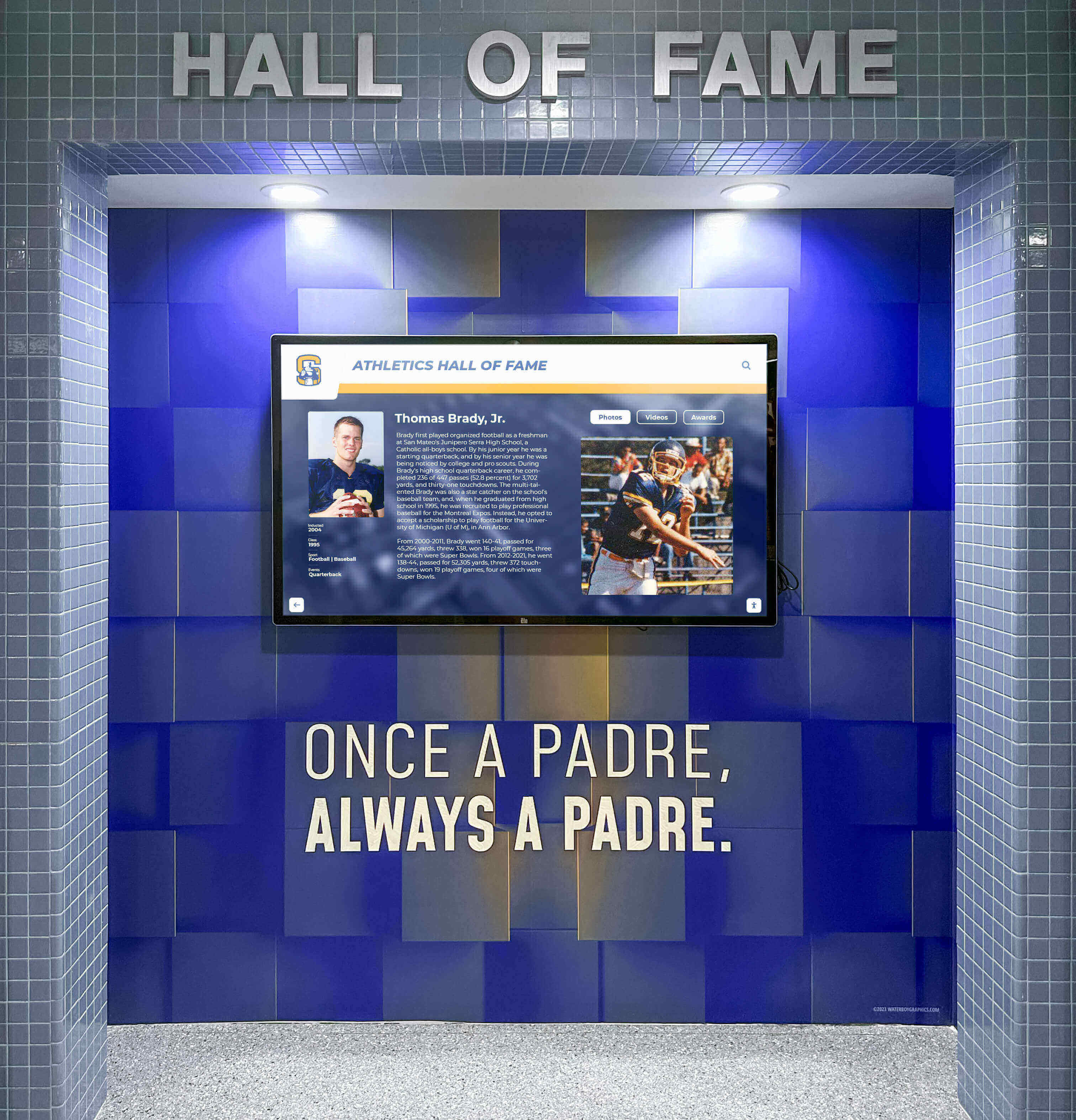
Professional installation integrates digital displays seamlessly with athletic facility design and branding
Benefits for Villanova and Other Basketball Programs
Interactive timeline technology delivers tangible benefits that justify implementation investment while creating lasting value for basketball programs:
Enhanced Fan Engagement
Digital timelines transform passive viewing into active exploration, creating memorable experiences that deepen fan connection to programs. Visitors spending 5-8 minutes exploring interactive content develop stronger emotional bonds than those glancing at static displays. Social sharing extends recognition reach far beyond physical locations as fans photograph screens and share discoveries across networks.
Game day activation creates pre-game and halftime entertainment attracting early-arriving fans and filling venue dead time. Featured content tied to opponents or anniversaries provides relevant context enhancing game atmosphere. Post-game exploration allows fans to linger rather than immediately exiting venues.
Recruit Impression Management
Prospective student-athletes evaluating programs seek evidence of winning tradition, player development success, and cultural fit. Interactive displays provide tangible demonstration of program excellence through championship documentation, NBA success stories, and comprehensive achievement celebration.
Campus tour integration ensures every recruit encounters heritage displays, creating consistent messaging about program tradition. Self-guided exploration allows recruits to discover aspects most relevant to their interests rather than following predetermined tour scripts. Parent impression benefits as families appreciate professional recognition systems demonstrating institutional commitment.
Alumni Connection Strengthening
Former players maintain lifelong emotional connections to programs that shaped their competitive development and personal growth. Digital alumni recognition systems validate those experiences through permanent celebration of contributions, regardless of individual achievement levels.
Reunion event activation brings alumni physically to displays designed for their engagement. Web accessibility enables remote alumni worldwide to explore program history and share discoveries with family and professional networks. Update opportunities allow alumni to submit current information maintaining connection across decades.
Fundraising and Development Support
Recognition displays integrate naturally with fundraising strategies through donor acknowledgment for major gifts supporting basketball programs, impact demonstration showing how contributions enabled facilities, scholarships, or program enhancements, legacy storytelling connecting donors to championship tradition, and cultivation opportunities using displays as conversation starters during donor meetings.
Research from multiple institutions demonstrates that recognized donors give more frequently and generously than unrecognized supporters, with digital recognition correlating to 18-35% increases in giving metrics.
Institutional Pride and Identity
Basketball success often defines institutional identity and community pride, particularly for schools with strong athletic traditions. Visible celebration of basketball heritage through professional displays demonstrates that institutions value athletic achievement alongside academic excellence.
Campus-wide recognition extends basketball pride beyond athletic department to entire campus community. Student recruitment benefits as prospective students attracted to schools with strong athletic traditions and school spirit. Regional reputation enhancement occurs as visible displays generate media attention and community conversation.
Measuring Success and ROI
Effective timeline implementations include systematic assessment demonstrating value and identifying improvement opportunities:
Engagement Analytics
Modern platforms provide comprehensive data revealing how audiences interact with content including daily/weekly/monthly interaction counts, average session duration (benchmark: 5-8 minutes for engaged users), profiles viewed per session, most popular content and search terms, peak usage times correlating with events or traffic patterns, and return visitor rates indicating sustained interest.
These metrics enable data-driven optimization emphasizing popular content while improving or removing underperforming elements.
Qualitative Feedback
Numbers provide partial perspective—qualitative insights reveal deeper impact through visitor surveys assessing satisfaction and experience quality, recruit feedback during campus visit debriefs, alumni testimonials sharing emotional reactions, coach observations about player inspiration and motivation, and staff feedback on administrative efficiency and content management.
Outcome Measurements
Connect displays to broader program objectives through fan attendance trends, recruit commitment rates, alumni event participation increases, donor giving patterns, social media engagement growth, and media coverage volume and quality.
While not all changes result solely from displays, consistent positive trends following implementation suggest meaningful contribution to desired outcomes.
Future Enhancements and Innovation
Interactive timeline technology continues evolving with emerging capabilities enhancing basketball heritage preservation:
Artificial Intelligence Integration
AI-powered features reduce administrative burden while enhancing user experience through automated content suggestions identifying update opportunities, intelligent search understanding natural language queries, personalized recommendations based on visitor behavior, automatic highlight generation from game footage, and predictive analytics forecasting optimal content scheduling.
Extended Reality Experiences
Augmented and virtual reality extend heritage preservation beyond physical displays through AR mobile experiences overlaying historical content on physical locations, VR championship game recreations allowing immersive viewing of iconic moments, 3D artifact examination enabling detailed viewing of trophies and memorabilia, and virtual facility tours accessible remotely worldwide.
Enhanced Social Integration
Deeper connectivity with social platforms amplifies recognition reach through live social feeds displaying player and fan reactions, collaborative storytelling enabling community contribution, direct messaging connecting current students with alumni, gamification encouraging exploration through achievement unlocks, and viral content optimization identifying shareable moments.

Current student-athletes draw inspiration from program history through engaging interactive exploration
Conclusion: Honoring Basketball Excellence Through Innovation
Villanova Basketball’s extraordinary century of excellence—from the foundation-building early decades through The Perfect Game of 1985 to modern championship dominance—deserves recognition matching its significance. Interactive timeline technology transforms how universities celebrate basketball heritage, creating experiences that engage fans, inspire student-athletes, strengthen alumni bonds, and preserve institutional legacy for generations to come.
Beyond Villanova, basketball programs at all competitive levels benefit from modern recognition systems that honor athletic achievement comprehensively. Whether celebrating storied programs with multiple championships or emerging programs building new traditions, interactive displays create meaningful connections between past excellence and future aspirations.
The institutions that invest in professional heritage preservation today create gifts that will serve their communities for decades. Fans visiting displays fifty years from now will explore comprehensive basketball documentation discovering names, faces, and moments that shaped program identity. They’ll understand they’re experiencing something special—tradition worth celebrating and excellence worth emulating.
Solutions like Rocket Alumni Solutions provide proven platforms specifically designed for basketball recognition, combining intuitive content management with sophisticated display technology and dedicated support ensuring long-term success. From initial concept through years of sustained engagement, the right technology partner ensures interactive timelines create experiences that truly honor basketball excellence.
Transform Your Basketball Heritage Presentation
Discover how Rocket Alumni Solutions can help your basketball program create an interactive timeline celebrating your tradition, engaging your fans, and inspiring future champions.
Schedule Your ConsultationBasketball programs carry profound legacies connecting generations through shared passion for the game. Modern recognition technology ensures those legacies receive celebration matching their significance—comprehensive, engaging, and inspiring experiences that honor the past while building the future. The question isn’t whether to implement interactive timeline displays, but how soon your program will begin creating recognition that truly resonates with your community and tradition.
Start celebrating your basketball excellence today—your program’s history deserves recognition that matches its greatness.































