Every student deserves the opportunity to see their achievements celebrated, yet many school recognition displays inadvertently exclude students with disabilities. When honor rolls appear in tiny print, athletic records display only in visual formats, or interactive touchscreens require precise motor control, schools fail their obligation to make recognition accessible to all community members.
Digital recognition displays offer schools powerful tools for celebrating student achievements—but only when these systems meet accessibility standards ensuring students with visual, motor, cognitive, or auditory disabilities can independently access the same recognition information available to their peers. The Web Content Accessibility Guidelines (WCAG) provide the framework for creating truly inclusive recognition systems, yet many school administrators remain uncertain about specific requirements for their digital displays.
This comprehensive guide translates WCAG compliance requirements into practical implementation strategies specifically for school recognition displays. Whether you’re planning new installations or evaluating existing systems, you’ll understand the accessibility requirements that matter most for celebrating student achievement inclusively while meeting legal obligations that protect your institution.
School recognition displays serve a fundamentally different purpose than generic digital signage—they celebrate individual student accomplishments that shape identity and motivation during formative developmental years. This unique function makes accessibility not just a legal requirement but an ethical imperative ensuring every student can see themselves reflected in institutional celebration of excellence.

Accessible digital recognition displays ensure all students can independently explore achievements and feel included in school celebrations
Understanding WCAG Requirements for School Recognition Displays
Before implementing specific accessibility features, school administrators need clear understanding of what WCAG compliance means specifically for recognition displays and which standards apply to educational settings.
What WCAG Standards Mean for Educational Institutions
The Web Content Accessibility Guidelines (WCAG) 2.2, maintained by the World Wide Web Consortium (W3C), establish international accessibility standards for digital content. For schools, WCAG compliance isn’t optional—it’s a legal requirement under Section 508 of the Rehabilitation Act for any institution receiving federal funding and under the Americans with Disabilities Act (ADA) for all public schools.
WCAG 2.2 Level AA represents the conformance level required by federal regulations and enforced by the Office for Civil Rights in educational settings. This level addresses the most significant accessibility barriers while remaining practically achievable for schools with reasonable resources and planning.
The guidelines organize around four foundational principles that make digital content accessible:
Perceivable: Information must be presentable in ways users can perceive through available senses. Recognition displays showing student achievements through images alone exclude blind students; displays using only audio exclude deaf students. Multiple presentation formats ensure all students can access recognition information regardless of sensory abilities.
Operable: Interface components must function in ways users can operate. Touchscreens requiring precise tapping exclude students with motor disabilities; timed interactions exclude students needing more time. Flexible interaction methods accommodate diverse physical capabilities.
Understandable: Information and interface operation must be comprehensible. Recognition displays using complex navigation structures confuse students with cognitive disabilities; inconsistent organizational patterns create barriers for students with learning differences. Clear, predictable organization helps all students access information successfully.
Robust: Content must work reliably across diverse technologies including assistive devices. Recognition displays that don’t work with screen readers exclude blind students; displays incompatible with alternative input devices exclude students with motor disabilities. Technical implementation supporting assistive technologies ensures genuine accessibility.
Schools implementing digital recognition programs must ensure these systems meet accessibility requirements from initial planning rather than attempting expensive retrofits after installation.

Properly designed recognition displays enable all students to browse achievements independently through accessible interface design
Legal Obligations Specific to K-12 and Higher Education
Educational institutions face particularly clear accessibility obligations compared to many other organizations deploying digital displays.
K-12 Public Schools: All public schools must comply with ADA Title II requirements ensuring equal access to programs, services, and activities for students with disabilities. The Office for Civil Rights (OCR) explicitly includes digital content in its enforcement of these requirements, investigating complaints and requiring remediation when schools fail to provide accessible digital interfaces. Recognition displays celebrating student achievements constitute “programs and activities” under Title II, making accessibility a non-negotiable requirement.
Private Schools: Private K-12 schools qualify as “places of public accommodation” under ADA Title III, requiring reasonable modifications ensuring students with disabilities can access facilities and programs. While Title III’s digital accessibility requirements continue evolving through litigation, courts consistently expect reasonable accommodations for digital content in physical school facilities.
Higher Education: Both public and private colleges and universities receiving federal funding must comply with Section 504 of the Rehabilitation Act, which prohibits disability-based discrimination in federally funded programs. OCR has issued explicit guidance stating that digital content—including interactive kiosks and displays—must meet accessibility standards equivalent to WCAG 2.1 Level AA (with emerging expectation for 2.2 compliance as the standard updates).
Beyond federal requirements, many states have enacted their own accessibility laws with requirements that sometimes exceed federal standards. California, New York, and Massachusetts, among others, maintain specific digital accessibility requirements applying to educational institutions.
The practical implication: schools cannot claim ignorance or defer accessibility as a “nice to have” feature. When planning campus recognition displays, accessibility must be a foundational requirement evaluated during vendor selection, not an afterthought addressed post-installation.
Critical Accessibility Features for Recognition Displays
Understanding abstract compliance principles matters less than knowing which specific features make recognition displays accessible in practice. Focus on these evidence-based accessibility implementations that directly impact student experience.
Visual Accessibility Requirements
Visual disabilities represent the most common accessibility consideration for recognition displays, affecting students with blindness, low vision, color blindness, and other visual impairments.
Screen Reader Compatibility: Recognition displays must provide complete content access through screen readers—assistive technologies that convert visual information to synthesized speech or refreshable braille. This requires proper HTML semantic structure with headings identifying sections, lists organizing related items, and descriptive text alternatives for all images including student photos, achievement badges, and award graphics.
When a blind student approaches a recognition display, the screen reader must announce navigation options, read student names and achievements, and enable browsing through different recognition categories using keyboard commands. Systems that present recognition information only through visual layouts without proper semantic markup exclude blind students completely.
Text Alternatives for Images: Every non-text element must include text alternatives conveying equivalent information. Student photos need alt text identifying the student pictured; award icons require descriptions explaining what achievements they represent; decorative graphics need empty alt attributes so screen readers skip them rather than announcing meaningless content.
For recognition displays, effective alt text goes beyond generic descriptions. Instead of “student photo,” use “Sarah Martinez, National Merit Scholar 2026” providing the actual recognition information the image conveys visually. The goal is information equivalence—blind students should receive the same achievement details sighted students gain from visual inspection.
Sufficient Color Contrast: Text and important visual elements must maintain minimum contrast ratios ensuring visibility for students with low vision or color blindness. WCAG 2.2 AA requires:
- 4.5:1 contrast ratio for normal text (under 18pt or under 14pt bold)
- 3:1 contrast ratio for large text (18pt and above or 14pt bold and above)
- 3:1 contrast ratio for user interface components and graphical objects
Recognition displays frequently use school colors for branding, but many school color combinations fail contrast requirements. Light gray text on white backgrounds, yellow text on white panels, or navy text on maroon sections create barriers for students with low vision who cannot distinguish low-contrast content.
Successful implementations use digital hall of fame displays with color schemes specifically validated against WCAG contrast requirements while maintaining school identity.
Resizable Text: Students must be able to enlarge text up to 200% without loss of content or functionality. Recognition displays with fixed-size layouts that break when text enlarges fail this requirement. Proper implementation uses responsive layouts that reflow content when text size increases, ensuring students with low vision can read smaller text by zooming while maintaining full access to all recognition information.
No Information Through Color Alone: Recognition systems often use color to convey meaning—gold stars for highest honors, blue badges for athletic achievements, green indicators for academic growth. While color coding can enhance understanding, it must never be the only way information is conveyed. Students with color blindness cannot distinguish these color-based categories.
Best practice adds text labels, different icons, or pattern fills alongside color differences. Honor roll levels might use “Gold: 4.0 GPA,” “Silver: 3.5-3.99 GPA,” “Bronze: 3.0-3.49 GPA” rather than relying on color recognition alone.

Accessible displays use sufficient color contrast, appropriate text sizing, and clear visual hierarchies enabling students with visual impairments to access content
Motor Accessibility Requirements
Students with motor disabilities—affecting precise hand movements, requiring wheelchair use, or limiting reach ranges—need recognition displays designed for diverse physical capabilities.
Adequate Touch Target Sizing: WCAG 2.2 introduced specific touch target size requirements addressing mobile and touchscreen interface challenges. Level AA requires that interactive elements provide at least 24×24 CSS pixels of target size, with some flexibility for inline links and essential controls where larger sizing proves infeasible.
For recognition displays, this means student profile buttons, navigation controls, search functions, and category filters must be large enough for students with limited fine motor control to activate successfully without repeatedly missing targets or accidentally triggering adjacent controls. The frustration of repeatedly failing to tap small buttons not only violates accessibility standards but also discourages students with disabilities from engaging with recognition displays celebrating their own achievements.
Reach Range Considerations: While not explicitly specified in WCAG (which focuses on web content rather than physical installation), ADA Standards for Accessible Design include requirements for forward reach ranges (15-48 inches) and side reach ranges (9-54 inches with 10-inch maximum depth). Schools must install recognition displays with touchscreen controls positioned within these ranges ensuring wheelchair users can operate all interface elements.
Fixed installations placing all controls in a narrow vertical band at standing height exclude wheelchair users completely. Better implementations use vertical layouts distributing controls across accessible reach ranges or provide alternative access methods like QR codes enabling smartphone-based access to the same recognition information.
Alternative Interaction Methods: WCAG requires that all functionality available through touch gestures must also be available through single-pointer activation that doesn’t require path-based or multipoint gestures. Recognition displays using pinch-to-zoom, complex swipe patterns, or drag-and-drop interactions must provide alternative mechanisms—zoom buttons, next/previous navigation, or dropdown selections—that students with motor disabilities can operate successfully.
Many schools now provide smartphone-based alternatives allowing students to access recognition content through personal devices using familiar interaction methods they’ve already adapted to their specific needs. This approach, using QR codes or NFC tags linking to responsive web versions of recognition content, provides flexible access supporting diverse abilities.
No Time Dependencies: Timed interactions create barriers for students who need more time to read content, make selections, or complete interactions. Recognition displays must not automatically advance through content, timeout after predetermined periods, or require rapid sequential actions. When displays include automatic features (like attracting attention with rotation through featured students), they must provide easily accessible controls to pause automatic advancement, giving students with motor or cognitive disabilities time to engage at their own pace.
Cognitive and Learning Accessibility Requirements
Students with cognitive disabilities, learning differences, attention challenges, or processing difficulties benefit from recognition displays designed for clarity and predictability.
Clear Navigation and Organization: Recognition displays must use consistent, predictable organizational structures helping students understand where content resides and how to access it. Systems that reorganize navigation based on context, use different interaction patterns in different sections, or require understanding complex category relationships create unnecessary cognitive load.
Best practice establishes clear top-level categories—Academic Achievements, Athletic Records, Arts Recognition, Community Service, Alumni Success—with predictable subcategories and consistent navigation throughout. Students should be able to form mental models of content organization that remain accurate regardless of which section they’re exploring.
Descriptive Headings and Labels: Every page, section, and control needs clear, descriptive labels that communicate purpose without requiring inference. Cryptic category names like “Recognition Tier Alpha” or vague button labels like “More” fail students with cognitive disabilities who need explicit, concrete language describing exactly what each control does and what information each section contains.
Recognition displays celebrating academic achievement programs should use straightforward language students at all ability levels can understand immediately without specialized knowledge.
Error Prevention and Recovery: When recognition displays include interactive features like search functions or filtering controls, they must provide clear error messages and simple recovery paths when students make mistakes. Generic error messages like “Invalid input” provide no useful guidance; helpful alternatives explain exactly what went wrong and how to fix it: “Please enter at least 3 characters to search for student names.”
Consistent Patterns: Students with cognitive disabilities particularly benefit from consistent design patterns throughout the interface. If the back button appears in the top-left corner on one screen, it should remain there on all screens. If blue buttons navigate forward while gray buttons cancel actions, this pattern should apply throughout. Inconsistency forces students to relearn interface conventions repeatedly, creating unnecessary cognitive burden.
Best Practices for Implementation
Understanding accessibility requirements represents only the starting point. Successful implementation requires practical strategies translating standards into functioning systems serving diverse students effectively.
Accessibility-First Vendor Selection
The most cost-effective path to accessible recognition displays begins with vendor selection prioritizing compliance from the outset rather than attempting retrofits of systems designed without accessibility consideration.
Ask Specific Compliance Questions: When evaluating recognition display vendors, request detailed documentation of WCAG 2.2 Level AA compliance. Responsible vendors can provide:
- Accessibility Conformance Reports (ACRs) or Voluntary Product Accessibility Templates (VPATs) documenting compliance status
- Specific technical implementation details for screen reader support, keyboard navigation, and contrast requirements
- Information about accessibility testing methodologies including involvement of users with disabilities
- Demonstrated experience with educational institution accessibility requirements
Vendors who cannot provide this documentation or respond with vague assurances about “accessibility features” likely lack the technical expertise necessary for genuine compliance.
Evaluate with Assistive Technologies: Before finalizing vendor selection, test demonstration systems using actual assistive technologies students rely on—screen readers like JAWS or NVDA, voice control systems, screen magnification software, or alternative input devices. This reveals whether vendors’ accessibility claims reflect actual student experience or merely superficial feature checkboxes.
Schools implementing interactive museum-quality displays should apply the same rigorous accessibility evaluation they would for any major institutional investment affecting student experience.
Prioritize Built-In Compliance: Recognition display systems built with accessibility as foundational architecture rather than bolt-on features provide more reliable long-term compliance. When accessibility is an afterthought, vendor updates and new feature releases frequently introduce accessibility regressions requiring constant vigilance and remediation. Platforms with accessibility embedded in development processes maintain compliance across updates, reducing ongoing maintenance burden.
Installation and Physical Accessibility
Even perfectly accessible software fails students if physical installation creates access barriers.
Height and Reach Considerations: Install interactive displays with touchscreen controls positioned within ADA-compliant reach ranges. For displays serving diverse age groups, consider dual-height installations or adjustable mounting systems accommodating both standing users and wheelchair users across different age ranges.
Elementary schools might position displays lower than high schools, but both must ensure controls remain accessible to students using wheelchairs or other mobility devices. The specific measurements matter: forward reach maximums extend to 48 inches for unobstructed reach, reducing to 44 inches when reaching over obstructions greater than 20 inches deep.
Approach and Maneuvering Space: Provide clear floor space of at least 30×48 inches positioned for either forward or parallel approach to recognition displays. This space must remain unobstructed by furniture, display cases, or other installations that prevent wheelchair users from positioning themselves to interact with touchscreens.
High-traffic hallway locations must maintain accessible routes with appropriate width (minimum 36 inches, 60 inches preferred for two-way traffic) even when students congregate around recognition displays during passing periods.
Lighting and Glare Management: Position displays away from direct sunlight, bright overhead lights, or other sources creating screen glare that obscures content for students with low vision. While not explicitly specified in WCAG (which addresses digital content rather than physical installation), thoughtful lighting design significantly impacts practical accessibility.
Installation in recessed alcoves or under protective hoods can reduce glare while creating semi-private viewing spaces where students can engage with recognition content without feeling observed during passing periods.
Content Management and Ongoing Compliance
Accessible display systems require ongoing attention to content quality and compliance maintenance.
Establish Content Guidelines: Create clear content standards for anyone uploading recognition information, ensuring:
- All photos include descriptive alt text identifying students and achievements
- Text maintains minimum contrast requirements against backgrounds
- Navigation labels use clear, consistent language
- Categories and organizational structures remain predictable
Many accessibility failures occur not from system limitations but from content managers unaware of accessibility requirements. Training everyone who manages recognition content prevents inadvertent accessibility regressions.
Regular Accessibility Audits: Schedule periodic accessibility evaluations using both automated testing tools and manual review by users with disabilities. Automated tools detect technical violations like missing alt text or insufficient contrast, while testing with actual assistive technologies reveals practical barriers automated tools miss.
Include students with disabilities in testing processes. Their lived experience provides insights accessibility consultants and school administrators may overlook, ensuring recognition displays truly serve their needs rather than merely checking compliance boxes.
Maintain Alternative Access Channels: Provide information about how students with disabilities can request alternative access methods if they encounter barriers using installed displays. Some students may prefer receiving recognition information through other formats—printed honor roll lists with large print, email summaries of achievements, or direct access to web-based versions optimized for their specific assistive technologies.
Schools already managing donor recognition programs understand that multiple recognition channels serve diverse stakeholder needs; the same principle applies to serving diverse student abilities.
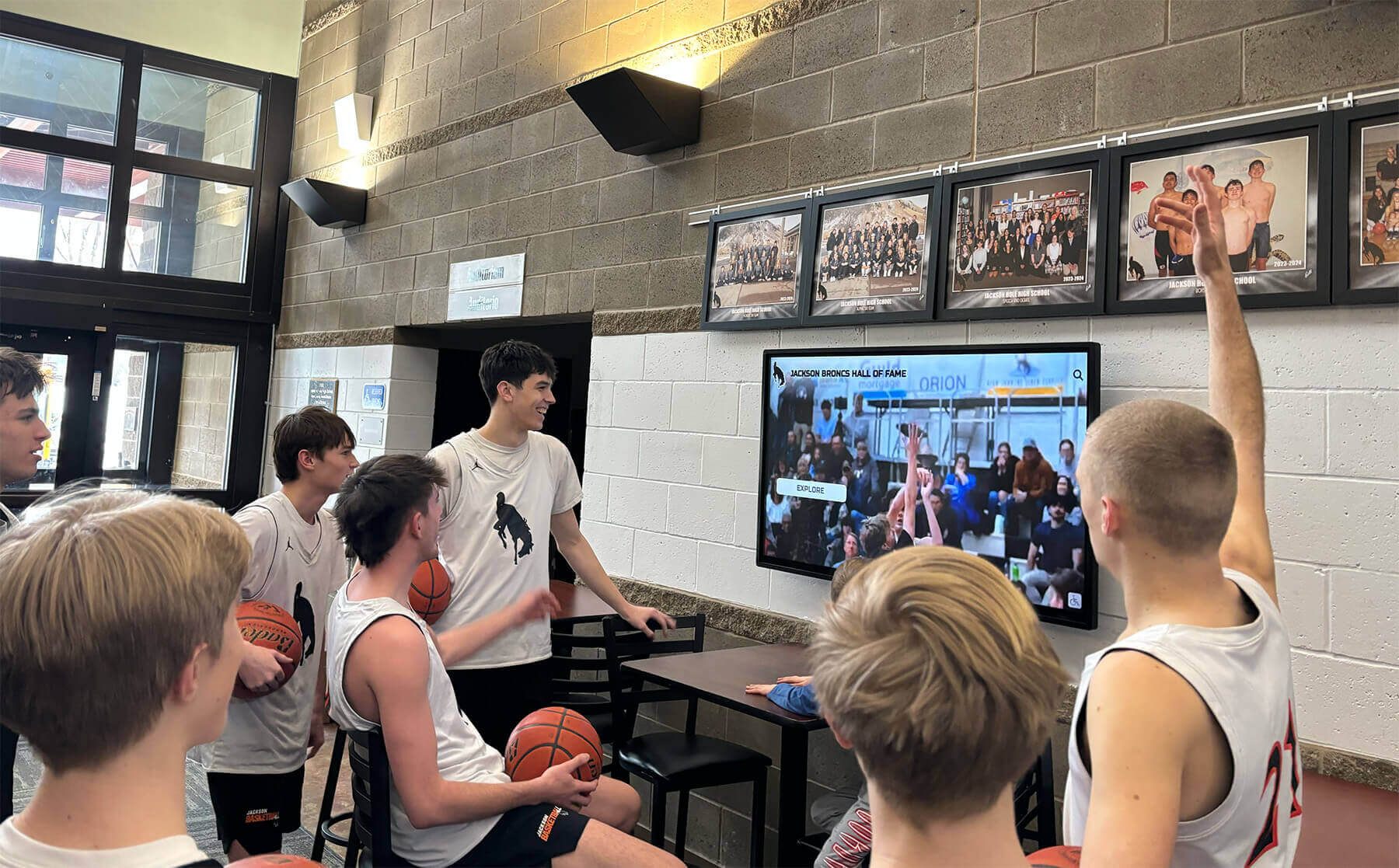
Group accessibility allows all students to share recognition experiences together, strengthening school culture through inclusive celebration
Specific Applications for School Recognition
Understanding how accessibility requirements apply to specific recognition use cases helps schools implement compliant systems that genuinely serve students rather than merely satisfy audit requirements.
Academic Honor Roll Displays
Honor roll recognition represents one of the most common applications for school recognition displays, making accessibility particularly important for ensuring all achieving students can see their names celebrated.
Accessible Student Lists: Traditional static honor roll displays present names in tiny print that students with low vision cannot read from comfortable distances. Digital displays with adjustable text sizing, high contrast presentation, and screen reader support ensure all honored students can independently verify their inclusion regardless of visual ability.
Alphabetical organization with clear heading structures enables screen readers to announce categories and allow students to jump directly to relevant sections rather than forcing linear navigation through hundreds of names.
Search and Filter Functionality: Large schools with extensive honor rolls benefit from search features enabling students to quickly locate specific names. These search functions must remain accessible to students using screen readers, voice control systems, or alternative input devices. Clear search instructions, helpful error messages, and predictable behavior support students with cognitive disabilities using search features successfully.
Schools featuring athletic recognition displays should apply similar search accessibility practices ensuring all students can find relevant achievements efficiently.
Athletic Achievement Records
Athletic recognition displays celebrating team records, individual achievements, and competitive success must accommodate both athletes with disabilities and fans accessing achievement information.
Multiple Format Presentation: Present athletic statistics in both visual and tabular formats that screen readers can parse effectively. Visual presentations using graphs and charts need accompanying data tables providing the same information in accessible format. This serves both blind students using screen readers and students with learning disabilities who process tabular data more effectively than visual representations.
Video Content Accessibility: Recognition displays increasingly incorporate video highlights celebrating athletic achievements. These videos must include accurate synchronized captions for deaf and hard-of-hearing students, audio descriptions explaining visual-only content for blind students, and controls allowing students to pause, replay, or skip content based on their interaction pace.
The excitement of seeing or hearing game-winning moments should be available to all students regardless of disability, not just those with typical sensory abilities.
Statistical Context: When presenting record achievements, provide sufficient context helping students with cognitive disabilities understand significance. “Sarah Martinez holds the school record for goals in a season with 47 goals during the 2025 season, breaking the previous record of 42 goals” provides clearer information than simply listing “Sarah Martinez: 47 goals” without context.
Arts and Performance Recognition
Recognition of achievements in music, theater, visual arts, and other creative disciplines requires accessibility considerations specific to multimedia content.
Portfolio and Performance Recordings: Student artwork, musical performances, theatrical productions, and other creative achievements documented through visual or audio recordings need comprehensive accessibility features. Visual artwork requires detailed text descriptions conveying aesthetic qualities, techniques, and content. Audio and video performances need transcripts and captions.
Balancing thorough accessibility with artistic integrity sometimes creates tensions—how do you describe visual artwork in ways that convey artistic impact without imposing interpretations? Consulting with students with disabilities who excel in arts programs provides valuable perspective on effective approaches.
Alternative Recognition Formats: Consider that some accessibility features themselves represent creative opportunities. Audio descriptions of visual artwork created by student narrators become rich interpretive texts complementing visual works. Video interviews with student artists discussing their creative processes serve both accessibility purposes and provide deeper engagement for all viewers.
Schools celebrating performing arts achievementsbenefit when accessibility requirements drive innovations enriching recognition for all students.
Service and Leadership Recognition
Recognition of student service, leadership roles, and community contributions must ensure accessibility for the full range of students who demonstrate these qualities.
Accessible Nomination and Submission Processes: If recognition systems allow peer nominations or student submission of service documentation, these input mechanisms must be fully accessible. Forms must work with screen readers, provide clear error messages, avoid time dependencies, and offer alternative submission methods for students who cannot use standard web forms due to disabilities.
Recognition systems that inadvertently exclude students with disabilities from participating in nomination or submission processes perpetuate exactly the exclusion that accessibility requirements aim to prevent.
Narrative Achievement Descriptions: Service and leadership recognition often involves narrative descriptions of contributions rather than quantitative statistics. These narratives benefit students with disabilities when written in clear, straightforward language without complex sentence structures, specialized vocabulary without explanation, or cultural references requiring unstated background knowledge.
The goal isn’t simplifying content to the point of condescension but rather ensuring clarity that serves students with learning disabilities, students whose first language isn’t English, and students with cognitive disabilities—while also benefiting all readers through clear communication.
Common Accessibility Pitfalls and Solutions
Even well-intentioned schools encounter predictable accessibility challenges. Recognizing common failures helps schools avoid expensive retrofits or compliance violations.
Pitfall: Vendor Claims Without Verification
The Problem: Schools select recognition display vendors based on marketing claims about accessibility without independently verifying compliance. Vendors may advertise “accessibility features” that fall far short of WCAG 2.2 AA requirements, or demonstrate accessibility in controlled settings that doesn’t translate to actual school implementations with real content.
The Solution: Require vendors to provide Accessibility Conformance Reports documenting specific WCAG criteria compliance. Request demonstration systems populated with realistic content volumes allowing testing with actual assistive technologies. Include accessibility performance requirements in vendor contracts with penalties for non-compliance rather than accepting general accessibility promises without accountability mechanisms.
Pitfall: Retrofitting Accessibility After Installation
The Problem: Schools install recognition displays without accessibility consideration, only addressing compliance when complaints arise or accessibility audits reveal violations. Retrofitting accessibility into systems designed without accessibility consideration proves consistently more expensive, technically challenging, and less effective than building accessibility into initial requirements.
The Solution: Evaluate accessibility requirements during initial planning phases, including accessibility criteria in vendor selection rubrics with weight equal to cost and feature considerations. Budget adequate resources for accessibility from the beginning rather than treating it as optional enhancement addressed later if resources allow.
Pitfall: Single-Solution Approach
The Problem: Schools assume one display type or configuration meets all accessibility needs, overlooking how diverse disabilities require different accessibility features. A display with excellent screen reader support might lack adequate touch target sizing; a display with perfect color contrast might use automatic timeouts excluding students who need more processing time.
The Solution: Design recognition displays as comprehensive accessibility systems addressing multiple disability categories simultaneously. Test with students representing diverse disabilities rather than checking generic accessibility requirements divorced from actual student experience.
Schools implementing building dedication displays benefit from accessibility expertise translating requirements into functioning systems.
Pitfall: Static Accessibility That Doesn’t Evolve
The Problem: Schools achieve initial accessibility compliance but fail to maintain it as content updates, system enhancements, or vendor platform changes introduce accessibility regressions. Accessibility treated as one-time compliance checkbox rather than ongoing commitment results in progressive degradation of accessibility over time.
The Solution: Establish ongoing accessibility monitoring processes including periodic audits, user testing with students with disabilities, and content management training ensuring everyone uploading recognition content understands accessibility requirements. Include accessibility maintenance provisions in vendor support contracts obligating vendors to preserve accessibility through platform updates.
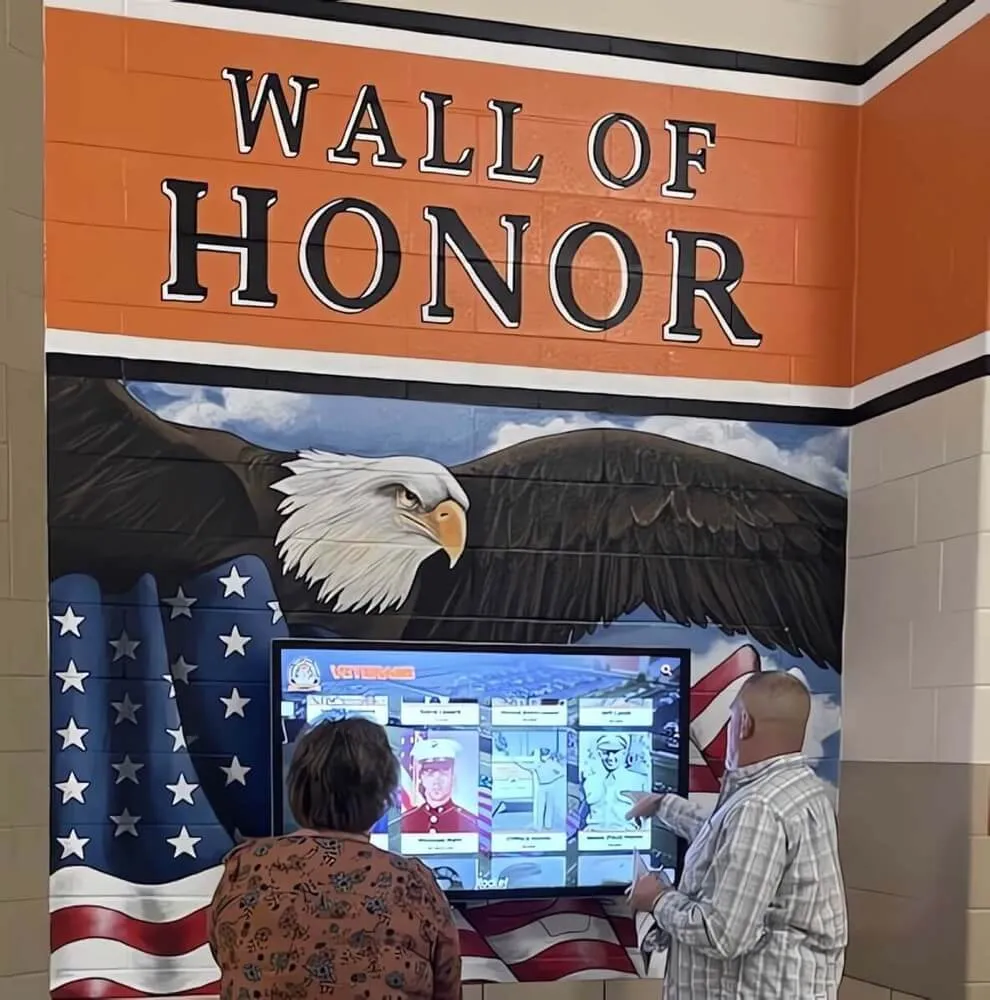
Well-maintained accessible displays continue serving all students effectively through ongoing attention to compliance and user experience
The Broader Benefits of Accessible Recognition
While legal compliance provides sufficient motivation for accessible recognition displays, schools that embrace accessibility as fundamental design principle discover benefits extending far beyond avoiding lawsuits.
Universal Design Benefits All Students
Accessibility features implemented for students with disabilities consistently improve experiences for all students. Large, easy-to-tap controls benefit students with motor disabilities—and also benefit all students interacting with touchscreens while carrying books or wearing winter gloves. Clear navigation structures support students with cognitive disabilities—and also help every student find information more efficiently.
High contrast text displays enable students with low vision to read content—and also improve readability in high-glare hallway installations or for students viewing displays from angles. This “curb cut effect,” named after how sidewalk curb cuts installed for wheelchair users benefit everyone pushing strollers, pulling luggage, or riding bicycles, characterizes most accessibility enhancements.
Modeling Inclusive Values
Schools teach values not only through explicit curriculum but through institutional practices demonstrating which principles matter enough to guide difficult decisions and resource allocation. Recognition displays that genuinely serve all students—not just those without disabilities—model commitment to inclusion more powerfully than any diversity poster or inclusivity assembly.
Students with disabilities notice whether schools treat their access needs as genuine priorities or as annoying compliance obligations minimally satisfied. Thoughtfully accessible recognition displays signal that the school values their participation and considers their needs from the beginning rather than as afterthoughts addressed only under legal pressure.
Students without disabilities also receive these messages, developing expectations that inclusive design represents normal professional practice rather than special accommodation requested only when legally required.
Reducing Stigma and Increasing Participation
When accessibility features integrate seamlessly into general-use displays rather than requiring separate “accessible versions,” students with disabilities access recognition without identifying themselves as requiring special treatment. This reduces disability stigma while increasing participation among students who might avoid conspicuous specialized equipment.
QR code access enabling smartphone-based interaction benefits students with disabilities while also serving students who prefer personal device interaction. Voice control implemented for students with motor disabilities benefits students carrying equipment who can’t use hands for touch interaction. Multiple access modalities normalized as standard features reduce the “othering” effect that segregated accessible alternatives create.

Integrated accessibility features serve students with disabilities without requiring separate systems that create stigmatizing distinction
Implementation Roadmap
Schools ready to implement or upgrade recognition displays can follow this practical roadmap ensuring accessibility from planning through ongoing operation.
Phase 1: Assessment and Planning (Weeks 1-4)
Audit Current State: Evaluate existing recognition displays identifying accessibility barriers. Document specific WCAG criteria violations, gather feedback from students with disabilities about actual barriers they encounter, and prioritize accessibility improvements by impact.
Establish Requirements: Develop comprehensive accessibility requirements document specifying WCAG 2.2 Level AA conformance, installation considerations for physical accessibility, content management processes ensuring ongoing compliance, and testing procedures validating accessibility.
Engage Stakeholders: Involve students with disabilities, special education staff, IT accessibility coordinators, and disability services offices in planning processes. Their expertise prevents predictable failures while building institutional understanding of why accessibility matters.
Phase 2: Vendor Selection (Weeks 5-8)
Issue Accessible RFP: Request proposals explicitly requiring WCAG 2.2 AA compliance documentation, demonstration of accessibility features using assistive technologies, references from educational institutions with similar accessibility requirements, and specific implementation plans for physical accessibility.
Evaluate with Accessibility Focus: Weight accessibility equally with functionality and cost during vendor evaluation. Test demonstration systems using actual assistive technologies with participation from students with disabilities when possible.
Negotiate Accessibility Commitments: Include specific accessibility requirements in vendor contracts with provisions for ongoing compliance monitoring, remediation timelines when accessibility issues arise, and vendor responsibility for maintaining accessibility through platform updates.
Phase 3: Implementation (Weeks 9-16)
Accessible Installation: Ensure physical installation meets ADA Standards for Accessible Design regarding mounting height, reach ranges, approach space, and positioning. Test actual accessibility in installed locations rather than assuming vendor measurements prove accurate in your specific facility configurations.
Content Migration with Accessibility: As content transfers to new recognition systems, ensure all required accessibility features are implemented—alt text for images, proper heading structures, sufficient contrast, descriptive labels. This prevents launching systems that are technically accessible but contain inaccessible content.
Testing Before Launch: Conduct comprehensive accessibility testing using automated tools, manual review against WCAG criteria, and actual user testing with students with disabilities. Resolve identified issues before public launch rather than launching with known accessibility barriers.
Schools implementing systems for National Honor Society recognition should ensure these prestigious displays model accessibility best practices.
Phase 4: Training and Support (Weeks 17-20)
Content Manager Training: Train everyone who will upload recognition content on accessibility requirements including writing effective alt text, maintaining contrast requirements, using proper heading structures, and testing with assistive technologies.
Student Awareness: Publicize accessibility features so students with disabilities know recognition displays were designed for them. Provide clear information about alternative access methods available when students encounter barriers.
Support Procedures: Establish clear processes for students to report accessibility barriers they encounter, timelines for responding to accessibility complaints, and procedures for providing interim alternative access while permanent fixes are implemented.
Phase 5: Ongoing Monitoring (Continuous)
Regular Audits: Schedule quarterly accessibility audits using both automated testing and manual review. Automated tools like WAVE, Axe, or Lighthouse detect technical violations while manual testing with assistive technologies reveals practical usability barriers.
User Feedback Integration: Regularly solicit feedback from students with disabilities about their experiences using recognition displays. Their insights reveal accessibility barriers that technical audits miss while demonstrating institutional commitment to their participation.
Compliance Documentation: Maintain documentation of accessibility conformance, testing results, identified issues and remediation timelines, and ongoing monitoring processes. This documentation serves both internal accountability and defense against potential accessibility complaints.
Moving Forward: Creating Truly Inclusive Recognition
Accessible recognition displays represent more than technical compliance with legal requirements—they embody institutional commitment to ensuring every student can see themselves celebrated for achievements that shape identity during formative years. When schools approach accessibility as genuine inclusion rather than as obligation minimally satisfied, they create recognition systems that strengthen community while modeling values of equity and respect.
The students entering your schools today expect digital accessibility as baseline professional practice, not optional enhancement. Students with disabilities, their families, and increasingly all community members evaluate institutional commitment to inclusion based on whether accessibility receives genuine attention or merely symbolic acknowledgment.
Recognition displays that genuinely serve all students require thoughtful attention to WCAG requirements, but implementing these standards need not prove overwhelmingly complex or prohibitively expensive. Accessibility built into initial planning, vendor selection, and content management processes costs far less than retrofitting inaccessible systems under compliance deadlines. The return on this investment—measured in student inclusion, legal compliance, and institutional values—justifies treating accessibility as essential requirement rather than optional enhancement.
Ready to Implement Accessible Recognition Displays?
Rocket Alumni Solutions builds WCAG 2.2 AA compliance directly into our digital recognition platform architecture, ensuring your school meets accessibility requirements while celebrating student achievements effectively. Our team understands both technical accessibility standards and practical educational implementation, providing turnkey solutions that serve all students from initial installation through ongoing operation.
Contact us today to discuss how accessible recognition displays can strengthen your school community while meeting your legal obligations and institutional values.
Schools already implementing athletic facility improvements should ensure recognition elements meet the same accessibility standards as other institutional investments. Similarly, schools planning team recognition systems benefit from building accessibility into initial planning rather than attempting costly retrofits.
The path to inclusive recognition begins with understanding requirements, continues through thoughtful implementation prioritizing genuine accessibility over checkbox compliance, and succeeds through ongoing attention ensuring all students can access celebration of their achievements. Schools that embrace this comprehensive approach create recognition systems serving their full communities while meeting both legal obligations and ethical commitments to student inclusion.































