Technology
- Home /
- Categories /
- Technology
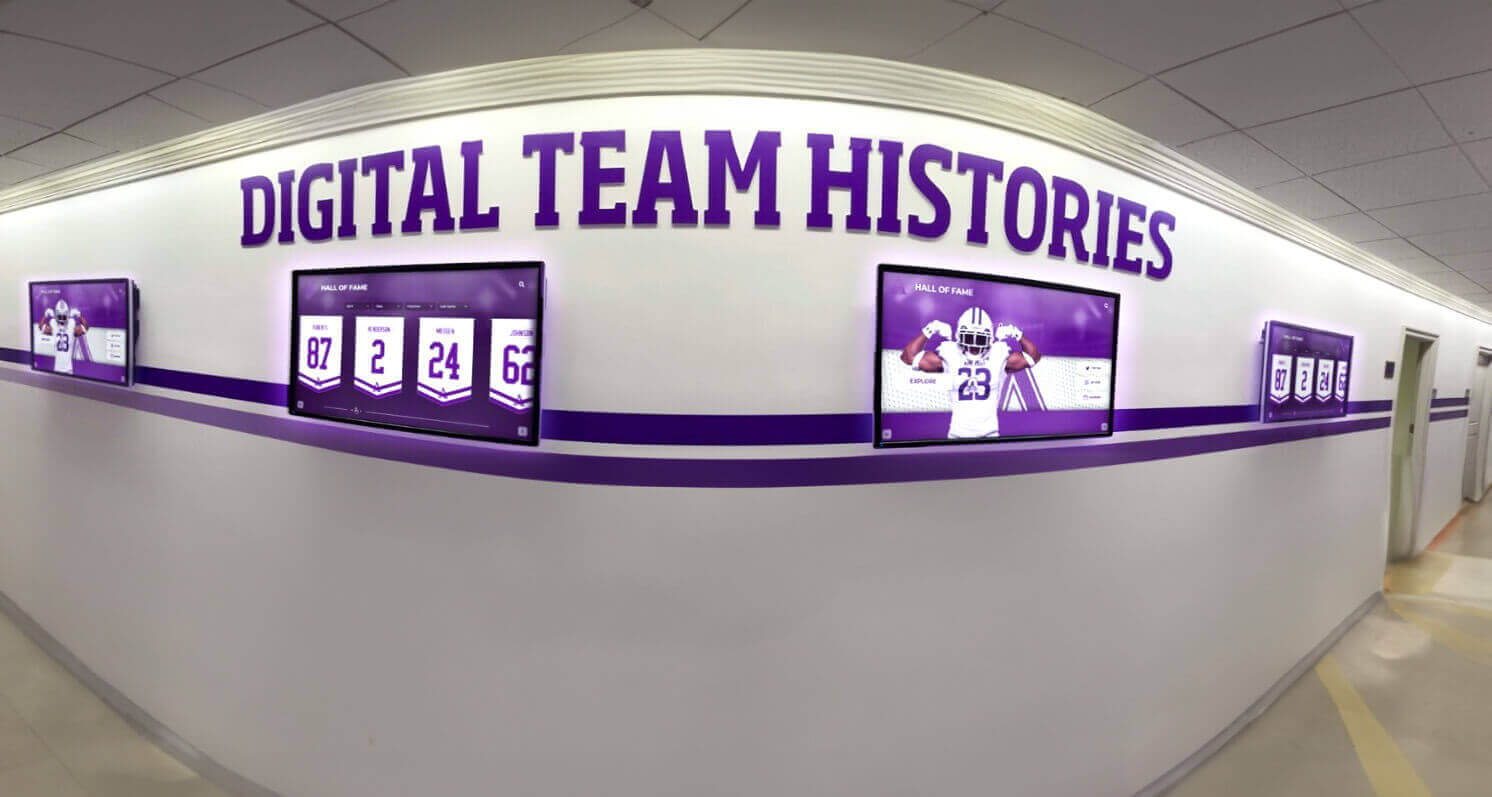
Recognition Display Pixel-Mapping Checklist for Crisp School Graphics and Video
A school’s new 4K recognition display arrives, the hall of fame content is loaded—and the athlete photos look soft, the championship text is slightly blurry, and the historic video frames appear smeared compared to how they look on the editing workstation. The display is on and connected. The resolution reads correctly in Windows. But one thing has gone unchecked: whether the source output and the display panel are operating at a true 1:1 pixel mapping, or whether scaling, overscan, or an intermediate device is silently degrading every image before it reaches the screen.
Read More
Recognition Display Orientation Lock Configuration for School Touchscreens: A Configuration Checklist
Recognition display orientation lock configuration is the process of permanently fixing the screen rotation of a wall-of-fame kiosk, digital trophy case, or awards touchscreen so that the display stays in its intended portrait or landscape layout after every restart, OS update, and power cycle — without requiring a technician to manually correct the rotation.
Read More
Recognition Display SNMP Monitoring for School IT Teams: Uptime, Temperature, and Alerting
Recognition display SNMP monitoring is the practice of querying your hall of fame kiosks, lobby touchscreens, and donor wall displays over the Simple Network Management Protocol — collecting uptime counters, interface statistics, CPU and memory utilization, disk capacity, and hardware temperature — and routing those metrics to a centralized alerting system before a device fails in front of an audience.
Read More
Touchscreen Recognition Display Watchdog Timer Configuration: Recover from App and Device Freezes
Touchscreen recognition displays earn their keep during the events that matter most—championship ceremonies, hall of fame inductions, graduation weekends, and alumni homecomings. Those are also the moments when a frozen screen or crashed player draws the most attention and reflects most directly on the staff responsible for the installation. A blank kiosk in front of a crowd of parents and alumni is not a minor inconvenience; it is a visible failure during a high-stakes presentation.
Read More
Touchscreen Recognition Display Touch-Latency Test: Measure Response Before Installation Sign-Off
A touchscreen recognition display that passes every network and power test can still fail its audience on the day of a hall of fame induction ceremony — not because the screen is dark or the content is missing, but because it feels sluggish. A visitor taps an athlete’s portrait and waits. They tap again. The panel responds half a second later to the first tap, then immediately to the second, now registering a double action. That half-second gap is touch latency: the time between a finger contacting the screen and the display registering the event in software. In a lobby kiosk or hallway recognition wall, perceived lag at that level is enough to make users stop interacting and walk away.
Read MoreRecognition Display Electrostatic Discharge Protection Checklist for School Installations
A school’s touchscreen recognition display can survive years of daily public interaction—fingerprints, casual bumps, humidity swings—and then fail silently because a technician grabbed the wrong edge of the controller board while swapping a USB cable. Electrostatic discharge is invisible, fast, and cumulative: a single discharge event may not destroy a component outright but can weaken it enough to cause intermittent failures weeks later during a championship ceremony or alumni induction event. In carpeted school hallways where students shuffle past lobby kiosks all day, static voltage buildup is a persistent and underestimated threat.
Read MoreRecognition Display EDID Troubleshooting Checklist for School AV Teams
A school’s touchscreen recognition display is working perfectly on Monday. By Friday—before the athletic banquet—it is showing a scrambled resolution, a black screen, or a “No Signal” message that no cable swap seems to fix. The source device is on. The display is powered. The HDMI cable looks fine. The culprit in most of these cases is not hardware failure: it is an EDID handshake breakdown that happened silently during a routine power cycle, a firmware update, an AV extender restart, or a switch port change.
Read More
Touchscreen Recognition Display PoE Power Budget Checklist for Schools
A touchscreen recognition display rarely arrives alone. Cameras, occupancy sensors, access-control readers, media players, and wireless access points often travel with it—each one expecting a Power over Ethernet port, each one drawing watts from a switch that has a finite total budget. Schools that skip the PoE power budget calculation discover the problem at the worst possible moment: a camera drops offline the day of a championship ceremony, or a lobby sensor stops responding and the display blanks during an open house. Running the numbers beforehand costs under an hour and prevents all of it.
Read MoreTouchscreen Recognition Display IT Asset Inventory Policy: What Schools Should Track
A touchscreen recognition display is not a flat-screen TV bolted to a wall—it is a networked computer, a licensed software platform, a warranted hardware assembly, and a piece of ADA-regulated public infrastructure. Schools that treat it like a piece of furniture end up in predictable trouble: the vendor needs a serial number for a warranty claim and nobody can find it, a network port is reassigned because IT did not know the display depended on it, or a software subscription lapses silently because the purchasing contact left two years ago.
Read MoreTouchscreen Recognition Display DHCP Reservation Checklist for School Networks
A school’s recognition display reboots during an overnight firmware update and comes back up with a different IP address. Remote monitoring stops alerting. The IT ticket to re-add the display to the remote access tool sits in the queue for three days. A content update scheduled before the athlete-of-the-year ceremony never syncs because the CMS cannot reach the device at its expected address. The kiosk works perfectly in the lobby—it just isn’t reachable from anywhere that matters. The root cause in nearly every case like this is the same: the recognition display was assigned a dynamic lease rather than a DHCP reservation.
Read MoreTouchscreen Recognition Display Wireless Site Survey Checklist: Verify Coverage Before Installation
A school orders a touchscreen recognition display for the main lobby, the installer mounts it, IT connects it to the nearest guest Wi-Fi SSID, and it works fine during Tuesday afternoon setup. Then the hall of fame induction ceremony happens on Friday evening. Sixty guests arrive, all their phones associate to the same access point that the display is connected to, and the recognition display stalls mid-presentation while athletic portraits and highlight videos buffer endlessly. The hardware is fine. The CMS is fine. The wireless coverage at that exact location was never verified under realistic event conditions before the mount went into the wall.
Read MoreTouchscreen Recognition Display Network Capacity Planning Checklist for School IT
A touchscreen recognition display in a school lobby runs flawlessly during Tuesday afternoon setup—and then a Friday evening induction ceremony happens. Forty guests crowd the hallway, every phone tries to join the guest Wi-Fi, and the recognition display cycles through spinning-load indicators instead of the athletic portraits and highlight videos that justify its installation. The IT team gets a call mid-ceremony. The display hardware is fine; the network path to the CMS is saturated. Without a written bandwidth assessment and a tested infrastructure plan, every high-attendance event is a potential failure scenario for a display that was working perfectly the day before.
Read MoreTouchscreen Recognition Display Power Quality Monitoring Log: Track Voltage Events and Uptime
A touchscreen recognition display in a school lobby or trophy hallway runs continuously—through HVAC startup surges, kitchen equipment cycling, voltage dips during peak load periods, and the occasional outage that takes the whole wing dark. Each of these electrical events leaves a mark: an unplanned restart, a corrupted media cache, a content loop that freezes on the wrong frame. Facilities teams get a work order. IT gets a call. The athletic director gets a black screen during a donor tour. Without a record that connects the electrical event to the display’s behavior, every incident looks random and every fix is a guess.
Read MoreTouchscreen Recognition Display DNS Filtering Checklist: Safe Access Without Breaking Content
A school’s DNS filter does exactly what it is supposed to do when it blocks the recognition display’s CMS from loading: it enforces a deny-by-default policy and the display’s cloud platform is not on the allowlist. The result is a touchscreen kiosk in your lobby that shows a blank screen or an error page during an alumni event, an induction ceremony, or a donor tour. For school IT teams rolling out or tightening content filtering across a network that includes public-facing recognition hardware, the gap between a secure filter and a working display is almost always a missing set of documented allowlist entries.
Read MoreTouchscreen Recognition Display USB Device Control Policy for School IT
A touchscreen recognition display in a school trophy case or athletics hallway is a public-facing endpoint. It runs an operating system, connects to the building network, and—unless policy says otherwise—accepts whatever a visitor plugs into any exposed USB port. An open USB port on an unattended kiosk is a physical vulnerability: anyone who walks past can insert a storage device loaded with autorun malware, attempt a live-boot attack from a bootable drive, quietly copy locally cached content, or connect a USB-based hardware implant that persists between reboots. None of these threats require an internet connection or a sophisticated attacker.
Read MoreTouchscreen Recognition Display Endpoint Hardening Checklist for School IT Teams
A touchscreen recognition display in a school lobby is not a desktop computer, a classroom device, or a managed workstation. It sits in a high-traffic corridor, it is connected to the same building network that hosts student records and staff email, and it operates unattended for hours at a time with no IT staff in sight. Default out-of-box settings — open USB ports, broad outbound firewall rules, remote desktop enabled, administrator passwords unchanged from the vendor’s staging configuration — are tuned for rapid deployment, not sustained public operation in an educational environment. The same kiosk that scrolls athlete hall of fame profiles during a Friday playoff game is also an endpoint that can be physically prodded, network-probed, and targeted by opportunistic scripts scanning for open services.
Read MoreTouchscreen Recognition Display Time Synchronization Checklist: Keep Devices, Logs, and Scheduled Content Aligned
A touchscreen recognition display that fires scheduled content at the wrong time during a graduation ceremony, produces audit logs with timestamps that don’t align with your network records, or loses its CMS connection because its internal clock drifted past a certificate validity boundary doesn’t fail quietly — it fails in front of the students, families, donors, and alumni your school most wants to impress. Athletic directors schedule championship highlight reels to loop before home playoff games. Advancement staff activate donor recognition windows to coincide with capital campaign launches. Facilities teams rely on accurate timestamps when reviewing who changed what and when on a public-facing display. IT coordinators cannot diagnose a blank screen caused by clock skew if the device’s logs don’t align with the rest of the network.
Read MoreTouchscreen Recognition Display Data Flow Diagram: Map Content, Accounts, and Devices
When a student athlete’s record is added to your school’s recognition platform, that single entry triggers a chain of events: a content editor saves it in a cloud CMS, the platform validates the account permission, a media file moves from upload storage to a CDN, and seconds later the lobby touchscreen renders a polished profile card. Each handoff is a potential point of failure — or a point where personal data can be exposed without proper controls.
Read More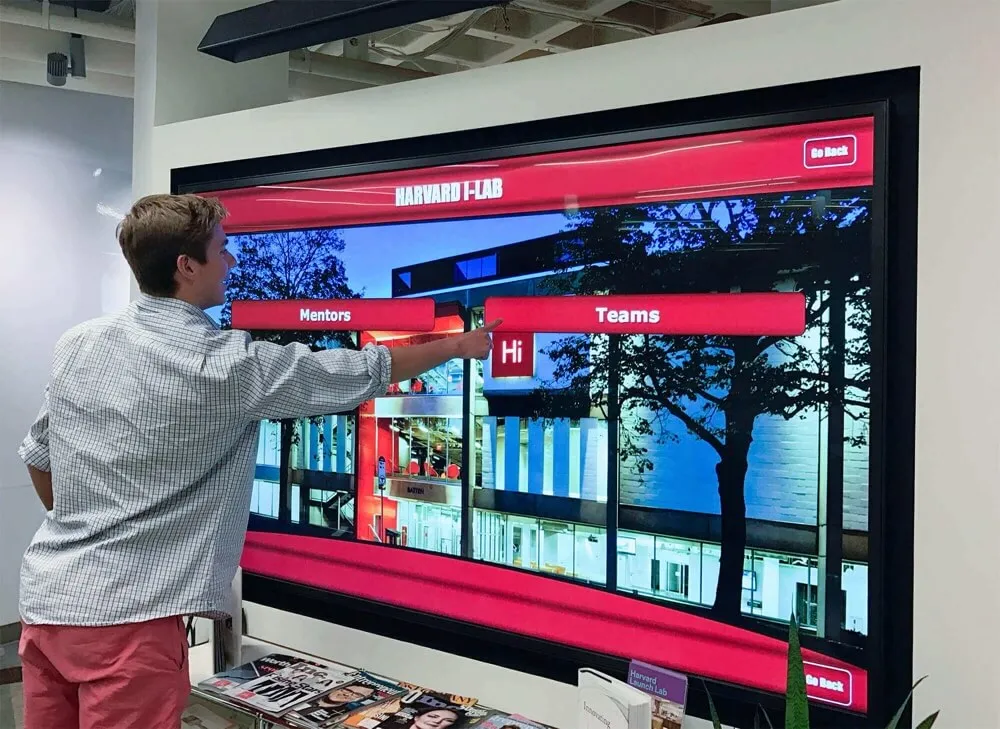
Touchscreen Recognition Display Configuration Baseline Checklist for School IT
A recognition display that ships from a vendor with default administrator credentials, an open remote desktop port, and a publicly routed IP address is not configured for your school’s security posture—it is configured for a warehouse staging bench. Default settings simplify first-time setup; they do not reflect your district’s network segmentation rules, your IT department’s account policies, or your facilities team’s recovery requirements. Without a written document that records every approved setting layer by layer, any technician who touches the display—for a firmware update, a layout change, or a vendor service call—has no reference point for what “correct” looks like. The result is configuration drift: a display whose live settings gradually diverge from what was originally approved, with no record of when, how, or why.
Read MoreTouchscreen Recognition Display Vulnerability Management Policy for Schools
A publicly accessible touchscreen in your school’s lobby or athletic hallway is a network-connected device. It runs an operating system, communicates with a content management platform, and—in many installations—touches your school’s Wi-Fi, VLAN, or data integration layer. When a CVE is published for the OS your display runs, or when a security researcher discloses a vulnerability in a common CMS plugin your recognition platform uses, your district’s exposure doesn’t wait for your next scheduled patch window. Without a formal policy for identifying, classifying, and remediating those vulnerabilities, the gap between disclosure and remediation is measured by luck rather than process.
Read MoreTouchscreen Recognition Display Patch Management Policy: Test, Schedule, and Document Updates
A recognition display that hasn’t been patched in six months is running known vulnerabilities in its operating system, CMS platform, or display firmware. A patch applied without a backup confirmation takes the hall of fame offline during an induction ceremony and leaves no documented restore path. A vendor-pushed update that skips your testing window breaks a custom layout the morning a visiting alumni group arrives. None of these failures requires negligence—they require only the absence of a formal policy that defines how patches are evaluated, scheduled, tested, and documented before they reach the live display.
Read More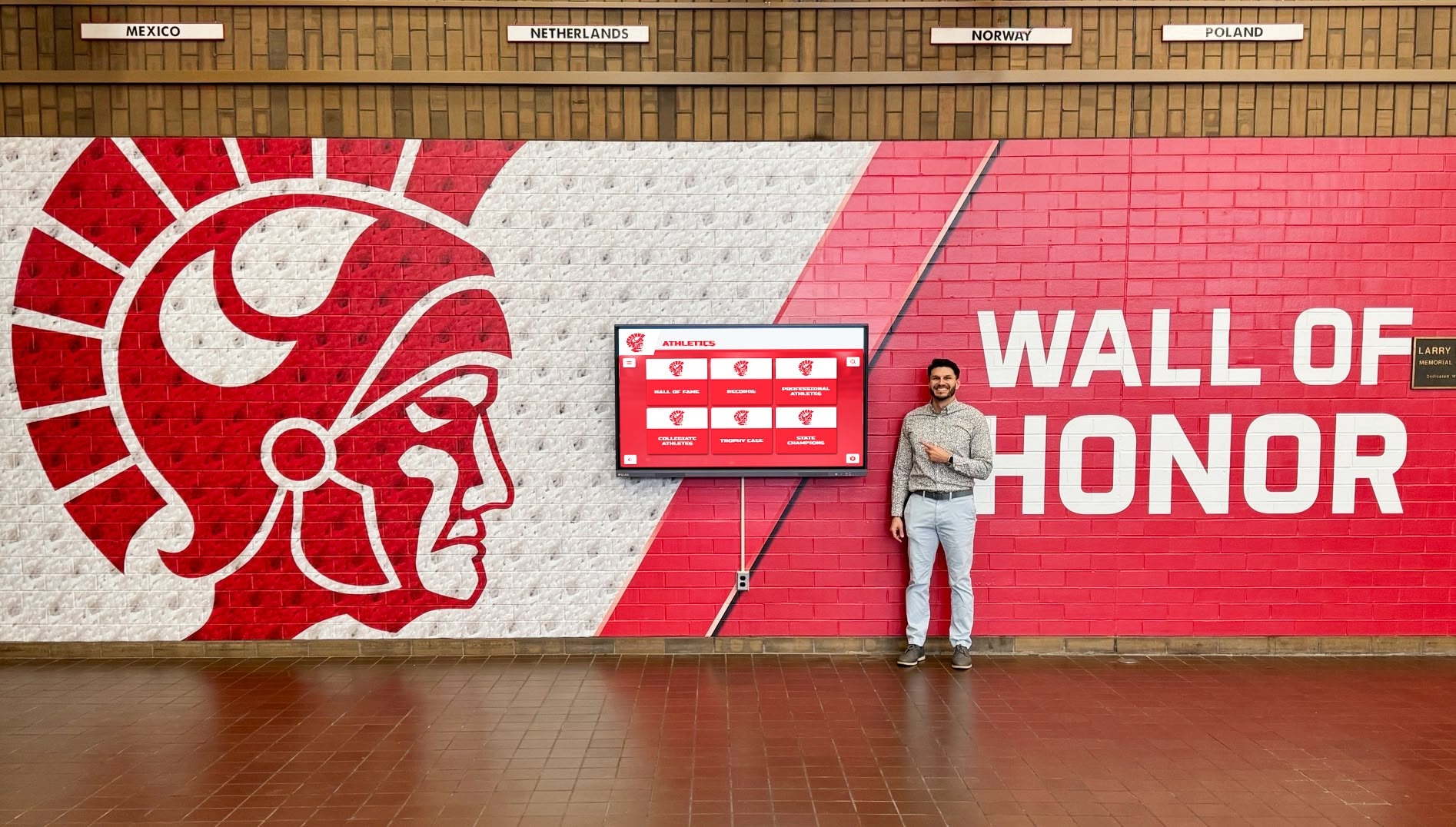
Touchscreen Recognition Display Change Management Policy: Test, Approve, and Document Updates
A software update applied without testing takes your hall of fame display offline during a championship banquet. A layout configuration change pushed directly to production overwrites a live donor wall hours before a fundraising event. A content release with no second approval publishes an incorrect athletic record that parents screenshot and share before anyone notices. Each of these scenarios has the same underlying cause: no formal change management policy governing what can be modified, who must approve it, how it must be tested, and what happens when something goes wrong.
Read More
Touchscreen Recognition Display Role Access Matrix: Permissions for Editors, Reviewers, and Admins
An unauthorized edit to a hall of fame inductee profile, a coaching staff member accidentally deleting a completed donor record, or a volunteer pushing an unverified athletic milestone directly to the live display—each scenario shares the same root cause: no documented access matrix. When everyone in the CMS holds the same permissions, or when permissions were configured at installation and never revisited, your recognition program is one login away from a public error.
Read MoreTouchscreen Recognition Display Audit Trail Policy: Document Who Changed What
When a parent disputes whether a record was changed after an award ceremony, or a district auditor asks who authorized a donor name removal from the lobby kiosk, the only defensible answer is a documented audit trail. Without one, every disputed edit becomes a credibility problem with no paper trail to resolve it.
Read More
Touchscreen Recognition Display Content Approval Workflow for Schools
When a student-athlete’s record appears with the wrong year, or a departed sponsor’s logo still loops on the lobby kiosk during a family night, the recognition display stops being a source of school pride and becomes a credibility problem. The root cause is almost always the same: no structured approval process exists between the person who knows the change needs to happen and the display that shows it to the public.
Read MoreHow to Clean and Maintain a School Touchscreen Kiosk (Without Damaging the Screen)
A lobby touchscreen kiosk takes hundreds of taps each day from students, parents, coaches, and visitors—without anyone formally in charge of keeping it clean. Fingerprints, hand lotion, cafeteria residue, and the occasional water-bottle splash all reach the screen before the end of first period. Yet the wrong cleaning product applied by a well-meaning custodian can strip the anti-glare coating in a single pass, void the manufacturer warranty, or leave permanent haze on a commercial-grade panel that cost several thousand dollars to install. This guide gives facilities staff, IT coordinators, and athletic directors a clear, step-by-step playbook for how to clean a touchscreen kiosk safely—and how to keep it running reliably for years through software upkeep and preventive habits.
Read MoreCommercial vs. Consumer Displays for Schools: Why a Hallway Touchscreen Isn't Just a Big TV
Walk into any electronics warehouse this weekend and you can load a 65-inch 4K TV onto a cart, swipe a purchasing card, and be back at school by lunch. At roughly a third of the cost of a commercial-grade panel, the appeal is obvious—and the objection predictable: “Can’t we just use a consumer TV?”
Read MoreTouchscreen Kiosk vs Wall-Mounted Display: Choosing the Right Format for School Lobbies
Your school lobby is often the first thing students, parents, and visitors experience. Whether you’re planning a hall of fame installation, a campus directory, a donor recognition wall, or a general information display, you’ll face one fundamental hardware decision early on: freestanding touchscreen kiosk or wall-mounted display?
Read More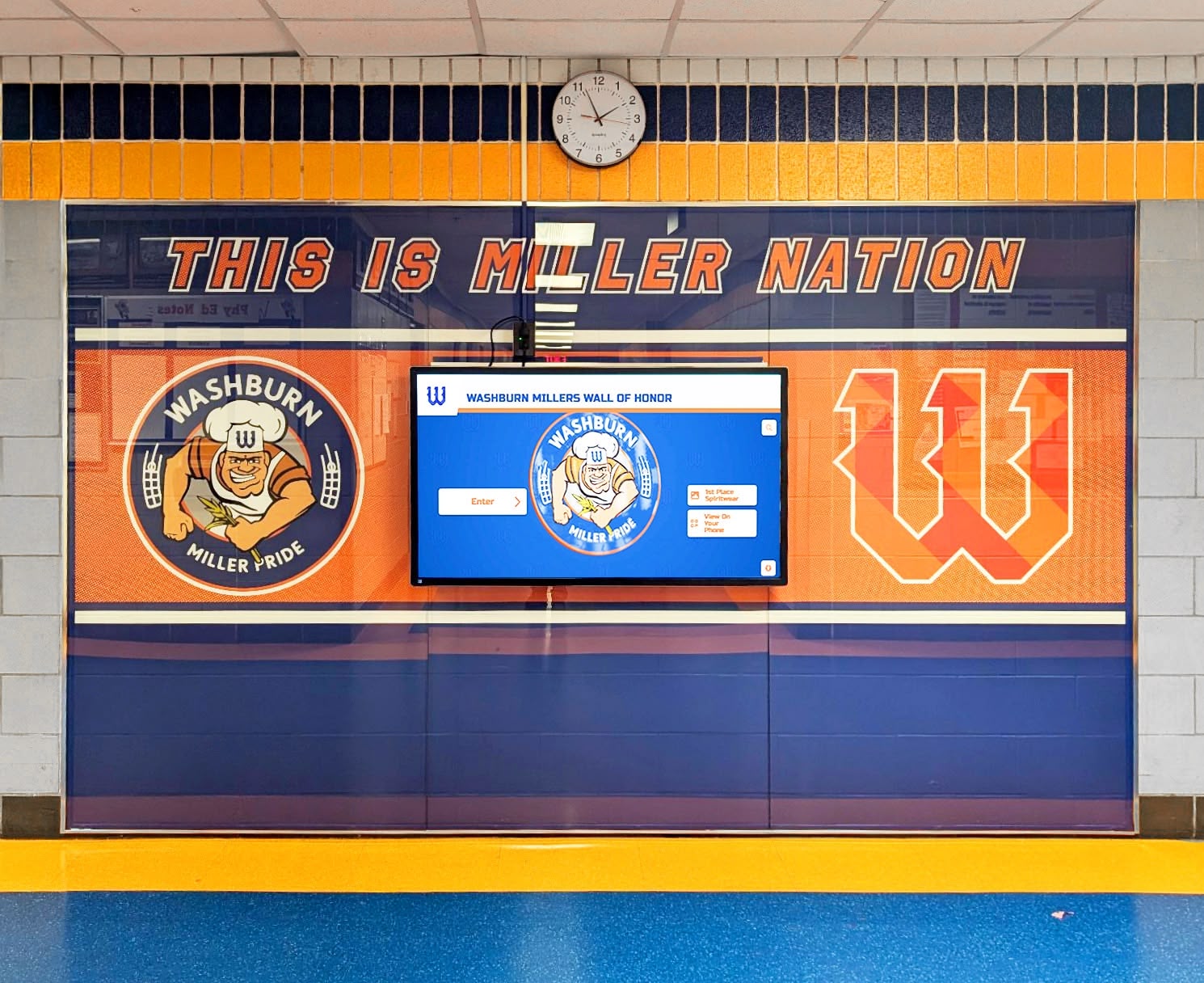
Donor Recognition Wall Solutions for Schools: Touchscreen Software Buyer's Guide
Schools that invest in a donor recognition wall are making a long-term stewardship commitment—one that directly shapes whether donors give again, give more, and tell others about your program. The decision that tripped up most athletic directors and facilities teams we hear from isn’t whether to recognize donors. It’s whether to anchor that recognition in physical brass or digital glass, and then which software actually runs the screen.
Read MoreInteractive Touchscreen Solutions for Schools: How to Choose the Right Display, Software, and Installation Partner
Interactive touchscreen technology has transformed how schools communicate with students, celebrate achievements, and welcome visitors. From digital recognition displays in athletic lobbies to wayfinding kiosks in campus centers, these solutions create engaging experiences that static signage simply cannot match. Yet with countless display manufacturers, software platforms, and installation providers in the market, choosing the right combination for your specific needs can feel overwhelming.
Read MoreTouchscreen Kiosk Specifications for Schools: Display Sizes, Mounting Options, and AV Requirements
When school administrators and IT directors begin researching touchscreen kiosk specifications, they quickly discover that purchasing decisions involve far more complexity than simply selecting a screen size. The difference between a successful installation that serves your school community for years and a problematic deployment that frustrates users and strains budgets often comes down to understanding technical specifications that aren’t always highlighted in vendor marketing materials.
Read MoreInteractive Flat Panel Display Buyer's Guide: Specs, Mounting, and AV/IT Setup for K-12 Schools
Selecting the right interactive flat panel display (IFPD) for K-12 schools represents a significant capital investment that affects teaching effectiveness, student engagement, and operational efficiency for years to come. School technology coordinators, facility directors, and AV/IT decision-makers face dozens of specification variables, mounting considerations, network integration requirements, and accessibility compliance standards before finalizing purchases.
Read MoreOpen Source Alumni Management Software: When It Works, When You Should Skip It
Alumni directors and IT administrators evaluating software options inevitably encounter open source alumni management software during their research. The appeal is clear: no licensing fees, customizable code, community-driven development, and freedom from vendor lock-in. Yet many institutions that enthusiastically adopt open source solutions later migrate to commercial platforms after struggling with hidden costs, maintenance burdens, and feature limitations that only become apparent after implementation.
Read More
FERPA-Compliant Student Photo Displays: What Schools Need to Know Before Launching a Digital Wall
Schools implementing digital recognition displays face a critical question that extends far beyond technology selection: How do we celebrate student achievements while protecting the privacy rights guaranteed under federal law? The Family Educational Rights and Privacy Act (FERPA) establishes specific requirements governing how schools handle student information, including photographs—requirements that administrators must understand before launching any public-facing student recognition system.
Read More
Digital Yearbook Guide: How Schools Are Modernizing Student Memories in 2026
The traditional yearbook has been a cornerstone of school culture for over a century—that hefty bound volume filled with class photos, candid moments, and carefully crafted memories that students treasure for decades. Yet as schools enter 2026, an accelerating shift toward digital solutions is fundamentally transforming how institutions preserve and share student memories. The question facing administrators is no longer whether to embrace digital yearbooks, but how to implement them effectively while maintaining the emotional connection that makes yearbooks meaningful.
Read More
Rocket Touchscreen - WCAG 2.2 AA Accessible: Why It Matters for Your Institution
When your institution invests in interactive touchscreen displays for recognition, wayfinding, or information access, accessibility compliance isn’t optional—it’s a legal requirement, ethical obligation, and practical necessity. Yet many organizations discover accessibility gaps only after installations are complete, forcing expensive retrofits or exposing institutions to compliance violations that could have been prevented through informed initial decisions.
Read MoreWCAG 2.2 AA Accessibility for Touchscreen Displays: Complete Compliance Guide
Digital touchscreen displays in schools, museums, and organizations serve diverse audiences with varying abilities. Meeting Web Content Accessibility Guidelines (WCAG) 2.2 Level AA ensures these interactive displays remain accessible to everyone, including visitors with visual, auditory, motor, or cognitive disabilities.
Read MoreSalón de la Fama de las Pantallas Táctiles: Guía Completa para Escuelas y Universidades
Las instituciones educativas enfrentan un desafío constante: cómo honrar décadas de logros, mantener el reconocimiento actualizado y crear experiencias que realmente involucren a estudiantes, exalumnos y visitantes. Los salones tradicionales de la fama con placas estáticas, vitrinas de trofeos y fotografías enmarcadas consumen espacio valioso, requieren modificaciones físicas costosas para cada actualización y limitan la información que pueden mostrar.
Read More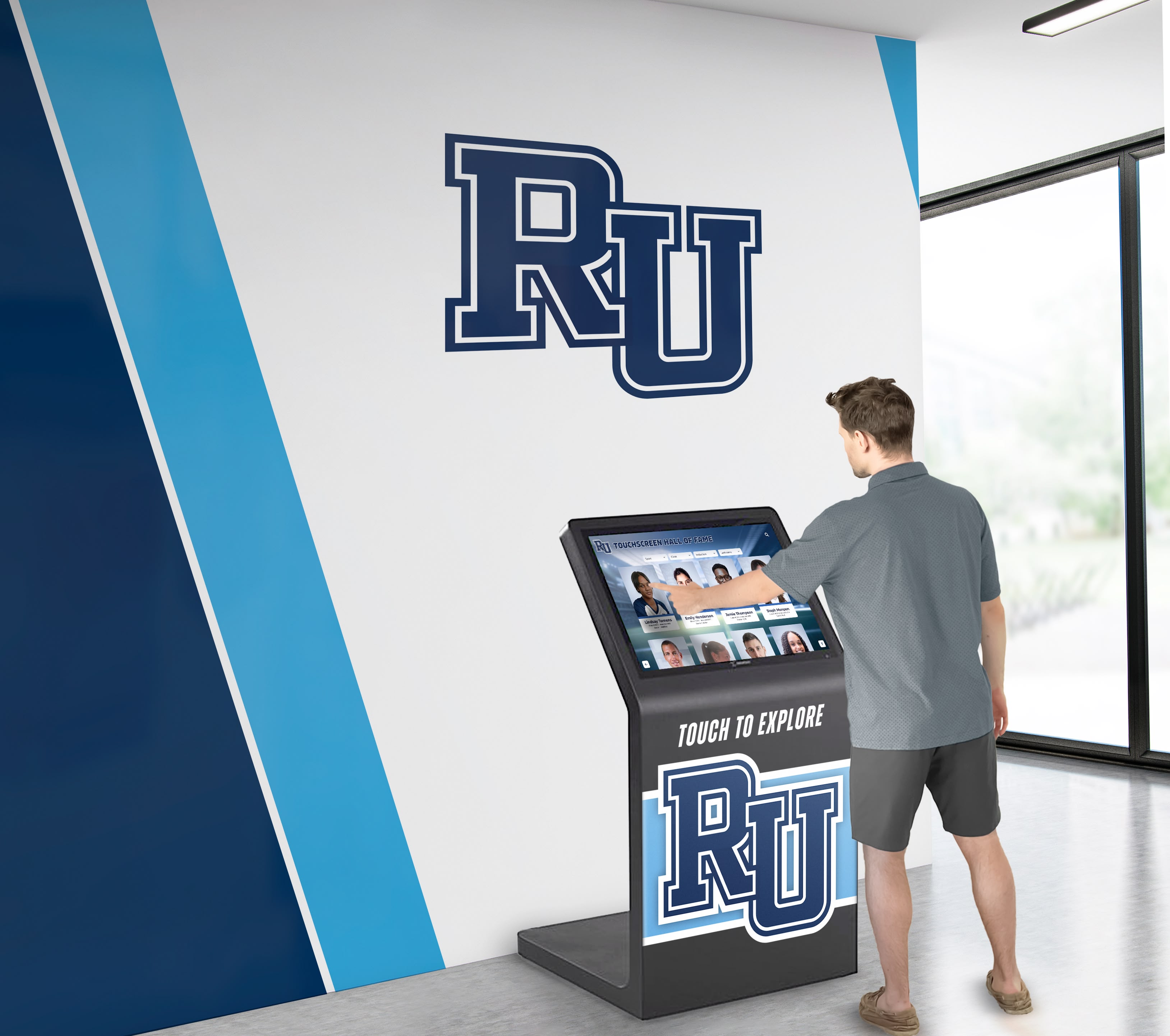
Touchscreen Augmented Reality Display: Complete Implementation Guide for Interactive Spaces
Touchscreen augmented reality displays represent the convergence of physical and digital interaction, creating experiences that fundamentally change how people engage with information in public spaces. By overlaying digital content onto physical environments through interactive touchscreens, AR displays enable visitors to explore content in ways traditional static displays or basic digital screens cannot match.
Read MoreBest Digital Signage Software 2026: Complete Buyer's Guide for Interactive Touchscreens
Organizations implementing digital signage in 2026 face a critical challenge: selecting software that balances feature richness with usability, scales effortlessly across locations, and delivers genuine engagement rather than passive content rotation. Traditional digital signage platforms broadcast messages to viewers who barely glance at repetitive slideshows. Modern interactive touchscreen software transforms this dynamic entirely, enabling exploration, discovery, and meaningful engagement that static displays simply cannot match.
Read MoreThe Best Platforms for Building a Virtual Hall of Fame in 2025: Complete Implementation Guide
Intent: Calculate and compare platform requirements for virtual hall of fame implementations across software architectures, hardware specifications, and deployment models.
Read MoreInteractive Touchscreens for Realtor Agencies: Complete Guide to Digital Property Display Solutions
Intent: Define, demonstrate, and calculate the implementation requirements for interactive touchscreen displays serving realtor agencies with automated property listing showcases, agent directories, and 24/7 client engagement capabilities.
Read MoreMWE-QIXZOCV Touchscreen Kiosk Interactive Displays: Complete Compatibility & Implementation Guide
Intent: Define, evaluate, and implement MWE-QIXZOCV touchscreen kiosk interactive displays compatible with professional recognition software platforms for educational institutions, nonprofit organizations, and public facilities.
Read MoreTouch Screen Kiosk Software For Interactive Kiosk Displays: Complete Implementation Guide
Intent: Define, evaluate, and implement touch screen kiosk software solutions that transform standard displays into professional interactive experiences for educational institutions, nonprofit organizations, and public facilities.
Read MoreTouchscreen Kiosk App - Fully Locked Down Kiosk Browser - Free Download Guide 2025
Organizations deploying touchscreen kiosks face a critical software decision: which kiosk browser or lockdown app delivers secure, reliable, and professional experiences without breaking the budget? While solutions like Fully Kiosk Browser have dominated the Android kiosk market for years, a superior free alternative now offers schools, museums, nonprofits, and businesses everything they need for professional interactive displays—with zero cost for the viewer app and complete cloud-based content management included.
Read MoreBest Touchscreen Software: Web-Based vs Native App - Complete Implementation Guide
Organizations implementing interactive touchscreen displays face a critical decision that shapes project success, budget, and long-term maintenance: should you deploy web-based software or native applications? This choice affects everything from development costs and timeline to performance, feature capabilities, and operational sustainability.
Read MoreTouchscreen Software for Recognition Displays: Complete Implementation Guide 2025
Organizations implementing interactive touchscreen displays face critical software decisions that determine project success, operational sustainability, and user engagement effectiveness. Whether planning digital recognition walls, hall of fame installations, donor recognition displays, or interactive wayfinding systems, selecting appropriate touchscreen software shapes everything from content management simplicity to long-term maintenance requirements and total cost of ownership.
Read MoreUPDD Touch Software: Complete Touchscreen Driver Guide for 2025
UPDD Touch Software from Touch-Base represents one of the most comprehensive universal touchscreen driver solutions available in 2025, addressing a critical challenge facing organizations deploying interactive displays: ensuring reliable, feature-rich touch functionality across diverse hardware platforms, operating systems, and application requirements. While many modern touchscreen devices include native operating system support, countless scenarios demand the enhanced capabilities, legacy hardware compatibility, and advanced configuration options that specialized touch driver software provides.
Read MoreTypes of Screens Used for Digital Signage: Complete Display Technology Guide 2025
Digital signage screens form the foundation of modern visual communication, yet selecting the right display technology remains one of the most critical and complex decisions organizations face when implementing signage solutions. From vibrant indoor retail displays to weather-resistant outdoor billboards, from ultra-thin OLED panels in luxury boutiques to massive LED video walls in stadiums, the variety of available screen technologies has expanded dramatically alongside their specialized applications.
Read MoreInteractive Touchscreen for School: A Buyer's Guide to Recognition and Engagement Displays
Schools are increasingly turning to interactive touchscreen technology to transform how they celebrate student achievement, engage visitors, and communicate with their communities. An interactive touchscreen for school applications goes far beyond simple digital signage—it creates dynamic recognition experiences where students, parents, and visitors can explore athletic records, academic honors, historical archives, and institutional stories through intuitive touch-based navigation.
Read MoreDesign a Touch Screen Experience That Truly Engages Users: Complete Guide to Interactive Display Success
The difference between a touchscreen that captivates users and one that frustrates them often has little to do with hardware quality or display resolution. Instead, it comes down to design—the thoughtful consideration of how users will interact with your content, what will motivate them to engage deeply rather than tap once and walk away, and how the entire experience flows from initial curiosity through meaningful exploration to satisfying conclusion.
Read MoreTouchscreen Software: Complete Guide to Interactive Display Solutions for Schools and Organizations
The evolution from static displays to interactive touchscreen technology has fundamentally transformed how organizations communicate, recognize achievement, and engage their communities. Whether walking through a modern school hallway, university campus, corporate headquarters, or museum, interactive touchscreen displays have become ubiquitous features enabling intuitive exploration of information that would be impossible to present through traditional static signage.
Read More
What Are the Best Digital Showcase Platforms in 2025?
Organizations across education, business, religious, and community sectors face a common challenge in 2025: how to showcase achievements, share information, and engage audiences in increasingly digital environments. Traditional static displays—bulletin boards, trophy cases, printed posters—no longer meet modern expectations for dynamic content, interactive exploration, and accessible information sharing. Digital showcase platforms have emerged as the solution, transforming how institutions present accomplishments, communicate with stakeholders, and preserve organizational history.
Read MoreDigital Hall of Fame Software & Digital Signage: Complete 2025 Guide for Schools
Schools and organizations across the country are transforming how they celebrate achievements and communicate with their communities through innovative digital hall of fame software and digital signage solutions. Gone are the days when recognition meant crowded trophy cases with dusty plaques and static displays that quickly become outdated. Today’s institutions leverage interactive touchscreen technology to create dynamic, engaging experiences that honor excellence while providing flexible communication capabilities that traditional methods simply cannot match.
Read More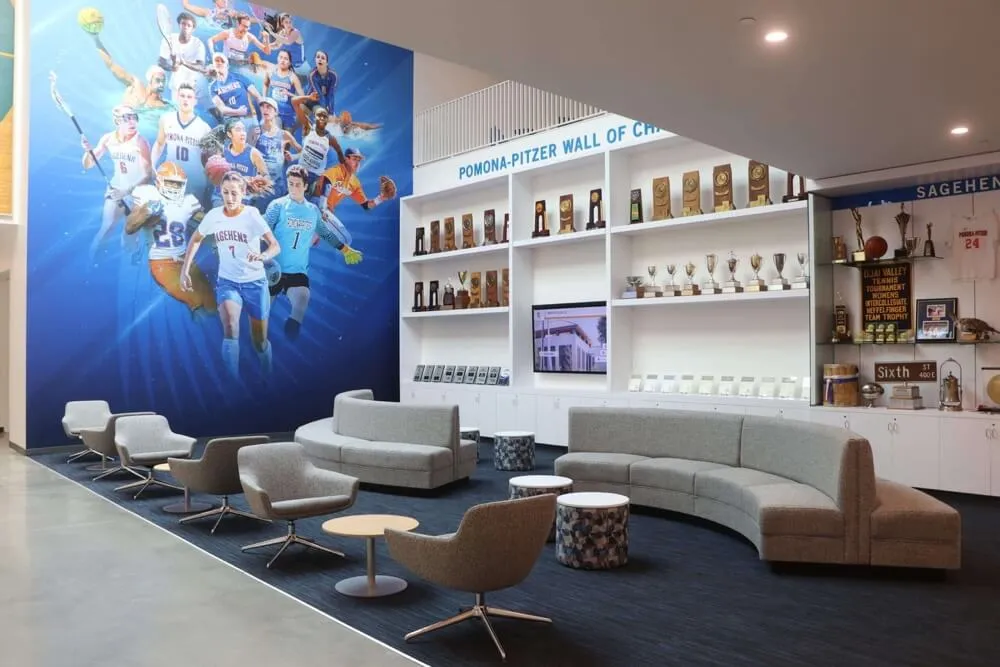
All-State Plaque Digital Display: Modern Recognition for Elite Athletes
All-State athletes represent the pinnacle of high school athletic achievement, earning recognition among the best players in their state. These exceptional student-athletes deserve to be celebrated in ways that match their accomplishments. While traditional plaques have served schools well for decades, digital display technology is transforming how schools honor their All-State athletes with dynamic, engaging, and future-proof recognition systems.
Read MoreDigital Signage for Schools: Complete 2025 Guide & Best Provider Rankings
Digital signage has transformed how schools communicate with students, staff, parents, and visitors—replacing static bulletin boards and printed announcements with dynamic, engaging displays that inform, inspire, and connect educational communities. As schools nationwide modernize their communication infrastructure, choosing the right digital signage solution becomes critical for maximizing impact while staying within budget constraints.
Read MoreGipper vs Touchpros: Comprehensive Platform Comparison for School Digital Recognition in 2025
Schools investing in digital recognition technology face an increasingly complex decision: which touchscreen platform best serves their long-term needs for celebrating student achievement, honoring alumni, and building institutional pride? As traditional trophy cases and physical plaques reach their capacity limits, educational institutions are turning to interactive touchscreen solutions that promise unlimited recognition capacity, engaging multimedia experiences, and manageable content updates.
Read More
Computer Hall of Fame: Honoring Technology Pioneers Through Digital Recognition
The history of computing represents one of humanity’s most transformative achievements—from early mechanical calculators to modern artificial intelligence systems that shape daily life. A computer hall of fame celebrates the pioneers, inventors, educators, and innovators who advanced computing technology, shaped digital culture, and created the technological foundation of modern society. These recognition programs honor individuals whose contributions to computer science, software development, hardware engineering, and information technology changed how we work, communicate, learn, and live.
Read More
Trophies Living in Storage: How Digital Recognition Brings Hidden Achievements Back to Life
Walk through the back corridors and storage rooms of schools across America, and you’ll find a familiar sight: boxes filled with trophies, championship banners rolled up in corners, plaques stacked in closets, and awards gathering dust in forgotten spaces. These aren’t unimportant achievements—they’re state championships from the 1980s, random invitational tournament victories, individual records that stood for decades, and countless moments of pride that simply ran out of display space.
Read More
Digital Class Composites: Modern Solutions for School Photography and Recognition
For generations, class composite photographs have adorned school hallways—those formal arrangements of individual portraits organized by class, grade, or graduation year. While these traditional printed composites served their purpose, they face mounting challenges in the digital age: physical deterioration over time, limited wall space forcing difficult decisions about which years to display, static presentations that cannot be updated or enhanced, accessibility restricted to on-campus visitors during specific hours, and high costs for reprinting or updating damaged composites.
Read MoreDigitizing Yearbooks: Complete Guide to Preserving School Memories for Generations
For over a century, yearbooks have documented school life, preserved student memories, and captured the essence of each academic year. Yet physical yearbooks face inevitable challenges: they deteriorate over time, get lost or damaged, take up valuable storage space, become difficult to access as they age, and often exclude students unable to afford purchasing copies. Many schools discover their yearbook archives incomplete, with critical years missing entirely due to lost volumes or damaged copies.
Read MoreDigital Trophy Display: How Schools Are Revolutionizing Achievement Recognition in 2025
Every school has them—trophy cases filled with awards, plaques, and memorabilia celebrating decades of achievement. Yet most schools face a frustrating reality: their trophy cases are overflowing, forcing athletic directors and administrators to make impossible choices about what to display and what to hide away in storage. The result? Hundreds of trophies, championship banners, and individual achievements collecting dust in closets and storage rooms, providing zero recognition value to the students who earned them.
Read More
How to Choose the Right Screen Size for Your Digital Hall of Fame: A Complete Selection Guide
Selecting the right screen size for your digital hall of fame represents one of the most critical decisions in your implementation journey. Choose too small, and visitors strain to see content from comfortable viewing distances. Select too large, and you’ve overspent on unnecessary display real estate while potentially overwhelming your space. This comprehensive guide eliminates guesswork, providing data-driven frameworks for choosing the optimal screen size that maximizes engagement, fits your budget, and serves your space requirements.
Read MoreWhy Touchscreen Yearbooks Are Revolutionizing School Memory Preservation in 2025
For generations, yearbooks have served as treasured time capsules—physical artifacts filled with signatures, candid photos, and memories from pivotal school years. Yet traditional printed yearbooks face inherent limitations: they’re expensive to produce, easily lost or damaged, limited by physical space constraints, and become increasingly difficult to access as they age. Students who misplace their yearbooks lose those memories forever, while schools struggle with storage challenges for decades of archived editions.
Read MoreHow to Set Up a Touchscreen Electronic Trophy Case Kiosk for Schools: Complete 2025 Guide
From Traditional Trophy Cases to Interactive Digital Displays Schools across the country are replacing outdated glass trophy cases with modern touchscreen electronic trophy case kiosks that showcase achievements through interactive digital displays. These systems transform how schools honor student accomplishments while solving common problems like limited space, difficult updates, and lack of engagement with traditional displays.
Read MoreADA-Compliant Digital Recognition Displays: A Procurement Checklist for Schools
ADA-compliant digital recognition displays have become essential infrastructure for modern educational institutions committed to inclusive excellence. As schools replace aging trophy cases and static plaques with interactive touchscreen systems, ensuring these installations meet Americans with Disabilities Act (ADA) requirements isn’t just about legal compliance—it’s about guaranteeing every student, visitor, and community member can access and engage with the achievements your institution celebrates.
Read MoreBest Touchscreen Software for Mac: Complete Guide to Kiosk Mode Solutions in 2025
Best Touchscreen Software for Mac: Kiosk Mode Made Easy Deploying touchscreen displays on Mac systems has traditionally been challenging due to limited native touchscreen support and complex kiosk mode configurations. In 2025, organizations seeking reliable touchscreen software for Mac need solutions that auto-launch into kiosk mode, support single-touch interactions, and provide seamless web-based content delivery. This comprehensive guide explores the best Mac touchscreen software options, with special focus on Rocket Touchscreen—a purpose-built Mac app that simplifies touchscreen kiosk deployment for schools, museums, retail spaces, and corporate environments.
Read More
How to Get a Touchscreen Hall of Fame at Zero Cost: The Sponsorship Blueprint
The Zero-Cost Digital halls of fame Solution Every school deserves cutting-edge recognition technology, regardless of budget constraints. Our innovative sponsorship model makes it possible to implement a state-of-the-art touchscreen hall of fame with no impact on your school's budget. Local businesses cover 100% of the costs while gaining valuable exposure to your community.
Read More
TouchWall Hall of Fame: Interactive Recognition
Experience Recognition Like Never Before with TouchWall Move beyond static displays and embrace the future of school recognition with the TouchWall Hall of Fame. This innovative solution transforms how you honor achievements, engage your community, and preserve your institution’s legacy using state-of-the-art touchscreen technology. Learn more about the overall benefits of digital Walls of Fame here.
Read More






























